






You can automate roughly 99% of your data entry with AI agents in 2026 — and the 1% you keep is the part that actually needs you: reviewing the low-confidence flags and approving the exceptions. Data entry is consistently ranked among the most automatable office tasks because it is structured, rule-based, and high-volume. AI agents now read a document, extract every field, validate each value against your rules, remove duplicates, and sync the clean record to your systems — using optical character recognition and pattern recognition to handle PDFs, scanned receipts, emails, and form submissions. Teams that make this shift cut keying time 70-90%, and accuracy actually rises as manual keying falls, because consistency is what software does best. The fastest way to get there is to stop hiring people to retype documents and instead describe the intake system you want — then let it build itself.
TL;DR: Data entry is one of the most automatable office tasks. AI agents extract fields from PDFs, emails, and forms, validate them, deduplicate, and sync to your systems — cutting keying time 70-90% while accuracy rises. The fastest path: describe the outcome and let Taskade Genesis build the agent, the validation, and a live app. Clone the working data-entry app below →
See it live — clone a working data-entry app
You do not have to imagine this. The app below was built from a single prompt and runs in your browser right now. Clone it in about 30 seconds and it lands in your own workspace, ready to point at your invoices, forms, and inbox.
That is the whole point of agentic data entry: the output is not a script you have to maintain, it is software that works. You describe the intake job, and you get a real app with a database, an extraction agent, and validation automations — no canvas to wire, no server to host. Browse more cloneable workflow apps or start your own from a prompt.
What does it mean to automate data entry with AI agents?
Automating data entry with AI agents means handing the read-extract-validate-sync loop to software that reasons about each document instead of software that only matches a fixed template. A traditional optical-character-recognition script breaks the moment a vendor moves the invoice total to a different corner. An AI agent reads the document the way a person would — it finds the total wherever it lives, understands that "Amount Due" and "Balance" mean the same field, and keeps going. That is the line between old data capture and 2026 data capture.
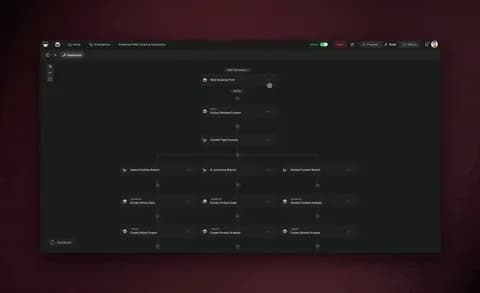
Here is the difference in one picture. Classic data entry is a person retyping. Agentic data entry is a loop that reads, checks, and corrects itself.
The practical upshot: you stop paying people to retype documents and start directing a system that reads them. Where a person keying 200 invoices a day will transpose a few digits out of fatigue, an agent applies the same extraction and validation rules to record one and record ten thousand. Learn the deeper mechanics in our automate busywork guide and the automation hub.
Why automate data entry now? The numbers
Data entry is consistently ranked among the most automatable office tasks because it is structured, repetitive, and rule-based — exactly the profile software handles best. Teams that move it onto AI agents in 2026 see two effects immediately: keying time drops 70-90% as agents read and transcribe in seconds what took minutes per document, and error rates fall because the agent validates every field before it lands rather than after a person has already mis-keyed it.
Those are not vanity numbers — they compound. One extraction agent replaces hours of manual transcription. One validation automation replaces a separate quality-control pass. One sync action replaces copy-pasting into your CRM. And because accuracy rises with consistency, the downstream cost of fixing bad records — chasing the wrong email, shipping to the wrong address, billing the wrong amount — falls with it.
| What you automate | Typical manual time | With AI agents | What you save |
|---|---|---|---|
| Read + key one invoice | 4-8 min | Seconds | 70-90% time |
| Validate 50 records | 1-2 hours | Auto-checked | Error pass eliminated |
| Deduplicate a contact list | Half a day | Minutes | Manual triage gone |
| Extract data from 1 PDF | 5-10 min | Seconds | 70-90% time |
| Sync 200 leads to CRM | 3-4 hours | Continuous | Copy-paste eliminated |
The shape of the win is consistent across document types: the manual minutes-per-record collapse to seconds once an agent owns the read-and-transcribe step. Here is the same five-task menu as a chart of minutes saved per item.
Treat that table as a starting menu, not a ceiling. Every document you open more than once a week and retype is a candidate. The teams getting the biggest wins automate the highest-volume, most-structured documents first — invoices, receipts, lead forms — and keep their attention for the handful of records that genuinely need a human eye. See how that plays out on the automation hub.
The data-entry AI agents worth building
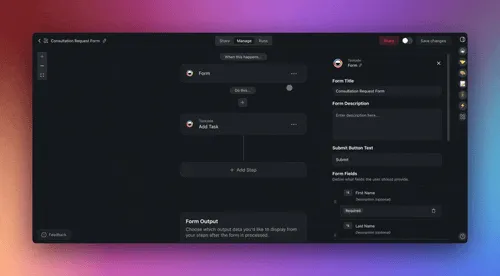
There are a handful of focused agents that cover almost all real data-entry work, and you do not need all of them on day one. The five below handle the documents that eat most operations teams' weeks. Each one is a small, focused worker with a clear job — and in Taskade each ships with built-in tools (web search, file analysis, code execution, custom slash commands, and more).
| Agent | What it does | Best built when |
|---|---|---|
| Document-extraction agent | Reads PDFs, scans, photos; pulls fields with OCR | You process invoices or receipts |
| Form-intake agent | Captures and structures every form submission | You collect leads or applications |
| Validation agent | Checks formats, ranges, and required fields | Accuracy matters downstream |
| Deduplication agent | Finds and merges near-duplicate records | You manage a contact or product list |
| Sync agent | Writes clean records to your CRM or database | Data must live in multiple tools |
A good rule: one agent, one job. A narrow agent is reliable, easy to test, and easy to trust. When you need something bigger — say, "read this invoice, validate the totals, check it is not a duplicate, and write it to accounting" — you do not build one giant agent. You build a team and let them hand work to each other.
This extract → validate → dedupe → review → sync loop is the single most reliable pattern in agentic data entry. It keeps accuracy high because a human stays on the one decision that matters — clearing the low-confidence flags — while agents do everything around it. Taskade supports this multi-agent collaboration natively, and agents carry persistent memory, so they learn your vendor formats and field rules over time. Walk through building your first one in the agent playbook.
How the pieces connect: the data-entry system map
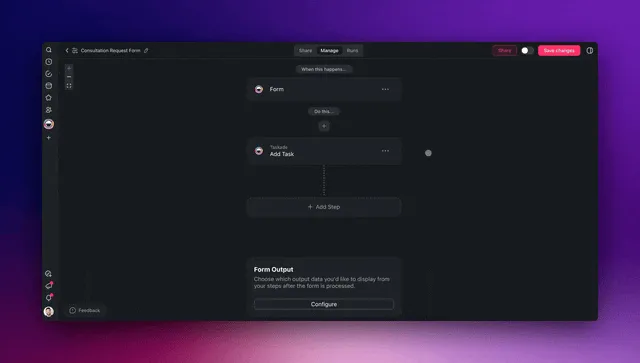
A real data-entry automation system has four moving parts, and they form a loop — not a line. Memory (your projects and record history) feeds Intelligence (your extraction and validation agents), which drives Execution (your sync automations and integrations), which produces clean records that flow back into Memory. This is Taskade's Workspace DNA, and it is what turns a one-off extraction script into a system that gets more accurate every week as it learns your formats.
Below is the end-to-end map of how a single inbound document travels through an automated data-entry system — from a PDF in an inbox to a clean, synced record — with agents and integrations doing every step.
┌──────────────────────────────────────────────────────────────────┐
│                  AUTOMATED DATA-ENTRY SYSTEM                       │
│            (one prompt → one living app in Taskade)               │
├──────────────────────────────────────────────────────────────────┤
│                                                                    │
│   INBOUND (triggers pull in)        OUTBOUND (actions push out)   │
│   ┌─────────────────┐               ┌──────────────────────┐     │
│   │  PDF / invoice  │──┐         ┌─▶│  CRM record written   │     │
│   │  Scanned receipt│  │         │  │  Spreadsheet row added│     │
│   │  Form submitted │  │         │  │  Accounting synced    │     │
│   │  Email + attach │  │         │  │  Slack alert sent     │     │
│   └─────────────────┘  │         │  └──────────────────────┘     │
│                        ▼         │                                │
│              ┌───────────────────────────────┐                   │
│              │   INTELLIGENCE (AI agents)     │                   │
│              │  ┌──────────┐  ┌────────────┐  │                   │
│              │  │ Extract  │─▶│ Validate   │  │                   │
│              │  │ (OCR)    │  │ each field │  │                   │
│              │  └──────────┘  └─────┬──────┘  │                   │
│              │  ┌──────────┐  ┌─────▼──────┐  │                   │
│              │  │ Sync     │◀─│ Dedupe &   │  │                   │
│              │  │ clean rec│  │ normalize  │  │                   │
│              │  └────┬─────┘  └────────────┘  │                   │
│              └───────┼────────────────────────┘                   │
│                      ▼                                             │
│              ┌──────────────────┐                                 │
│              │  MEMORY (Projects)│  ◀── records flow back, system │
│              │  Views, history   │      learns formats, compounds │
│              └──────────────────┘                                 │
│                                                                    │
└──────────────────────────────────────────────────────────────────┘
Notice there is no separate "scanning tool," "validation script," and "sync connector" bolted together with tape. It is one app. That single-system design is exactly why teams cut tooling cost after consolidating — you are not paying three vendors and stitching their output by hand. Each of the 100+ bidirectional integrations works in both directions, so a document read from an inbox can come back as a synced CRM record without anyone copying a field.
How Taskade does it differently
Here is the honest landscape. n8n, Zapier, Make, and Lindy all do a genuinely good job at one thing: moving data between apps. You wire a trigger to an action, map the fields, and records flow from tool A to tool B. For pure data plumbing, these are excellent — and to be fair, Zapier's app catalog is unmatched (thousands of connectors), n8n is wonderfully cost-efficient for high-volume technical pipelines, and Make's visual canvas is a joy if you love designing every branch by hand. If your only goal is to pass an already-clean record from one system to another, any of them will serve you well.
But notice what they all assume: that the data is already structured. They are great at moving a field, not at reading a messy PDF and figuring out what the field is. And notice what they hand you at the end: an automation. A flowchart. Wiring. You still need a separate place to store the records, a separate AI tool to do the extraction, and a separate app to let someone review the flags. You become the integration glue between four systems.
Taskade Genesis takes a different altitude. You do not wire nodes — you describe the intake outcome, and it ships a living app: a database, AI extraction and validation agents, sync automations, and a shareable URL, all in one. That is the wedge.
| Node-wirers (n8n, Zapier, Make, Lindy) | Taskade Genesis | |
|---|---|---|
| You build by | Wiring triggers → actions on a canvas | Describing the outcome in plain English |
| You get | An automation (a flow) | A living app — data + agents + automations |
| Reads messy docs | Needs a separate OCR/extraction tool | Native — agents read PDFs, scans, emails |
| Data lives | In another tool | In the app (Projects, multiple views) |
| Review the flags | Build a separate app | Built-in: shareable URL + roles |
| Gets smarter over time | No — static flow | Yes — Workspace DNA loop |
The mechanism behind that last row is Workspace DNA — the self-reinforcing loop where Memory feeds Intelligence, Intelligence drives Execution, and Execution creates new Memory.
A node-wirer cannot do this because a flowchart has no memory — every run starts cold, and it never learns that your particular vendor writes dates in a particular format. A Taskade Genesis data-entry system remembers every document layout it has seen, so the extraction agent gets more accurate on your specific invoices over time. Add multi-agent teams and the ability to clone any live app in seconds, and you have an intake system that grows rather than a pipeline you maintain. Explore the difference on the AI apps page and the agents hub.
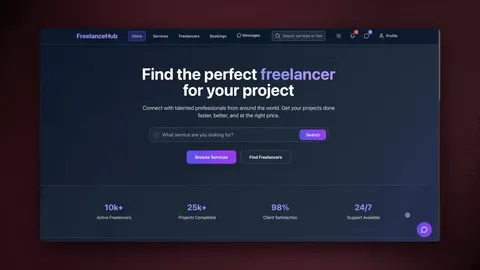
Taskade Genesis vs the dedicated data-entry tools
If you have shopped for data-entry software, you have met the intelligent document processing (IDP) category — Rossum, Nanonets, Docsumo, Parseur, and Mindee. These are genuinely good products. Analyst forecasts put around 70% of organizations using some form of IDP by 2026, and for a reason: they read messy documents far better than the rigid template-OCR scripts that came before. But notice what every one of them hands you at the end: extracted fields and an API. You still have to build the database that stores the records, the app where a person reviews the flagged ones, and the automations that route everything afterward. The IDP tool reads the document; you assemble the system around it.
Here is the honest head-to-head — with each competitor's real strength named, because they each earned one.
| Capability | Rossum | Nanonets | Docsumo | Parseur | Mindee | Taskade Genesis |
|---|---|---|---|---|---|---|
| Reads messy PDFs / scans (OCR) | Yes — strong email-thread parsing | Yes — broad doc types | Yes — finance-focused | Yes — template + AI parsing | Yes — developer OCR API | Yes — agents read PDFs, scans, emails, forms |
| Validation + dedupe built in | Strong dupe detection | Partial | Strong on finance docs | Partial | API-level only | Yes — validation agent + dedup agent |
| Stores the records (database) | No — sync to your system | No | No | No | No | Yes — Projects, multiple views |
| Human-review app included | Add-on / your build | Add-on | Yes (finance) | Limited | No — you build it | Yes — shareable URL + roles |
| Runs automations after extraction | Via integrations | Via integrations | Via integrations | Via integrations | Via your code | Yes — 100+ bidirectional integrations |
| Built by | Configuring an IDP product | Configuring + training models | Configuring | Mapping templates | Writing code | Describing the outcome in plain English |
| Gets smarter on your docs over time | Model retraining | Model retraining | Model retraining | No | No | Yes — Workspace DNA memory loop |
Where each competitor is genuinely strong: Rossum is excellent at turning chaotic email threads with attachments into structured data, and its duplicate detection is among the most robust in the category. Nanonets shines when you need to pull a single page or field out of a long, mixed PDF and deliver it straight to SAP or Salesforce. Docsumo is purpose-built for finance teams drowning in invoices, bills, and bank statements, capturing down to the last line item. Parseur is a clean, cloud-based parser for emails and attachments. Mindee is the developer's choice — a focused OCR API if you have engineers who want to wire extraction into their own backend. If your only job is extraction and you already own the database, the review UI, and the routing, any of these will serve you well.
Where Taskade Genesis wins is altitude. A dedicated IDP tool gives you a step — extraction. Taskade Genesis gives you the whole system — the database, the extraction and validation agents, the human-review app, and the sync automations — from one prompt, with no engineer to assemble the pieces. You are not buying a reader and then building everything downstream. You describe the intake outcome and get a living app that reads, validates, stores, reviews, and syncs in one place. For a team without a developer to glue an OCR API to a CRM, that difference is the entire project.
The terminology the IDP category uses for this whole-flow goal is straight-through processing — the percentage of documents that go from arrival to synced record without a human touching them. Every vendor chases a higher straight-through rate. The reliable way to raise yours is exactly the loop in this guide: let the agent attach a confidence score, sync the high-confidence records automatically, and route only the low-confidence ones to a person. The difference with Taskade Genesis is that the confidence routing, the review surface, and the destination all live inside the same app — there is nothing to integrate to get straight-through processing working. See it in action on the automation hub and the AI apps page.
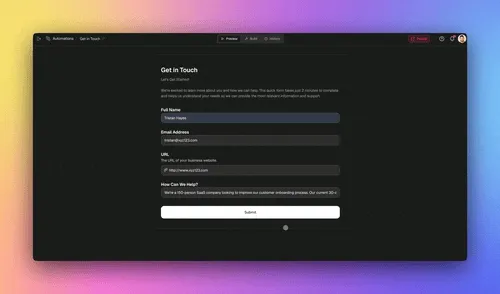
Build your first data-entry automation in 4 steps
You can ship a working data-entry automation in an afternoon — no engineer, no code. The pattern is always the same four moves, whether you are automating invoice capture or lead intake.
Step 1 — Pick the highest-volume document. Choose the document you process most often that has the most consistent structure. For most teams that is invoices, receipts, or lead forms. High volume means the time savings show up immediately.
Step 2 — Describe the outcome to Taskade Genesis. Write what you want in plain English: "When an invoice arrives in my inbox, read it, pull the vendor, date, line items, and total, check the total adds up, make sure it is not a duplicate, and add it to my accounting system." It builds the extraction agent, the validation automation, and the app around it.
Step 3 — Connect your sources and systems. Wire in your inbox, your form, and your CRM or accounting tool through the 100+ bidirectional integrations. Triggers pull documents in, actions push clean records out — both directions, automatically synced.
Step 4 — Keep the human on the 1%. Add a review step for any field the agent flags below its confidence threshold. The agents do the 99%; you clear the exceptions.
Then repeat. Add the next document type, then the next. Because everything lives in one workspace, each new agent reinforces the last — your invoice agent and your receipt agent share the same validation rules and the same clean database. That compounding is the difference between a pile of scripts and a data system. Step-by-step walkthroughs live in Learn Taskade and the agent playbook.

A decision tree: should this field be automated or reviewed?
Not every field should sync without a glance. The trick is letting the agent decide for you which records are clean enough to write straight through and which deserve a human's eye. The agent attaches a confidence score to every extracted field, and you set the threshold. Here is the simple logic that keeps accuracy high without slowing the flow.
                    NEW DOCUMENT ARRIVES
                            │
                            ▼
                ┌───────────────────────┐
                │  Agent extracts all    │
                │  fields with OCR +     │
                │  pattern recognition   │
                └───────────┬───────────┘
                            ▼
                ┌───────────────────────┐
                │  Validate each field   │
                │  against your rules    │
                └───────────┬───────────┘
                            ▼
                 All fields high         Any field below
                 confidence + valid?     confidence?
                     │                        │
              ┌──────┴──────┐          ┌──────┴───────┐
              │   YES        │          │   YES        │
              ▼              │          ▼              │
      ┌───────────────┐      │   ┌────────────────┐    │
      │ Dedupe check  │      │   │ Flag for human │    │
      └──────┬────────┘      │   │ review (the 1%)│    │
             ▼               │   └───────┬────────┘    │
      ┌───────────────┐      │           ▼             │
      │ SYNC straight │      │   ┌────────────────┐    │
      │ through (99%) │      │   │ Human fixes →   │    │
      └───────────────┘      │   │ then sync       │    │
                             │   └────────────────┘    │
                             └─────────────────────────┘
The beauty of this is that the volume runs untouched while only the genuinely ambiguous records reach a person. A blurry scan, a missing total, a vendor you have never seen — those get flagged. A clean invoice from a vendor the agent has processed a hundred times syncs in seconds. You spend your attention where it changes the outcome, not on the 99% that was always going to be fine.
A worked example: automating invoice capture end to end
Let us make this concrete with one complete journey — the one most operations teams spend the most manual hours on. An invoice lands in an inbox, and today that kicks off a chain of opening, reading, retyping, and double-checking that can eat 5-8 minutes per invoice across two or three tools. Here is what that same journey looks like when AI agents run it: seconds, end to end, with a human only on the records the agent flags.
Picture an operations team that processes 1,000 invoices a month. Manually, at roughly 5 minutes each, that is over 80 hours — two full weeks of someone's time spent retyping. Automated, it is near-zero hours, and accuracy rises because the agent checks every total and catches every duplicate before it lands. If invoices and bills are your highest-volume documents, the dedicated companion build is our automate accounting guide — same loop, pointed at your books.
Walk through what each agent does and why it matters:
| Stage | Agent / step | What happens | Time saved |
|---|---|---|---|
| Capture | Inbox trigger | Pulls the invoice the instant it arrives | Instant vs. checking inbox |
| Extract | Extraction agent | OCR reads vendor, date, line items, total | 3-5 min per invoice |
| Validate | Validation agent | Confirms the math adds up and formats are right | Manual double-check gone |
| Dedupe | Dedup agent | Catches the same invoice sent twice | Costly double-payments avoided |
| Review | Human (the 1%) | Clears only the low-confidence flags | Seconds — judgment kept |
| Sync | Accounting action | Writes the clean record to your system | No copy-paste, no transposition |
The magic is not any single step — it is that they run as one continuous flow inside one app. No exporting a scan to an OCR tool, no pasting into a validation spreadsheet, no manually logging the invoice in accounting. The invoice is read, validated, deduplicated, and synced before a person has finished their coffee. And because it all lives in Taskade, the next agent in your stack — say, a payment-approval routing agent — can pick up exactly where this one left off.
This is a structured-intake agent doing its job in a real workspace:
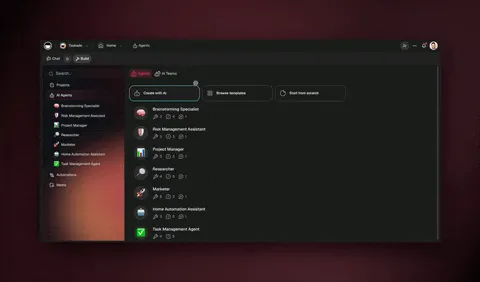
Build this once and it runs forever. Then point the same four-move pattern at your next document — receipts, purchase orders, signed contracts, lead forms — and your intake system grows one agent at a time. The full step-by-step is in the agent playbook and the triggers guide.
A second build: automating form intake
Documents are not the only source of manual keying. Forms are the other big one — every lead, application, support request, or survey response that someone used to copy out of a web form and paste into a CRM. A form-intake agent captures each submission the moment it lands, structures it, validates it, and writes it to the right place automatically.
The pattern is the same loop you have already seen, pointed at a different source. Instead of reading a PDF, the agent reads the form payload; instead of OCR, it relies on the structure the form already provides; the rest — validate, dedupe, sync — is identical. If forms are where your manual entry hides, start there: see the automate form guide for the dedicated walkthrough.
| Source | What the agent reads | Validation focus | Where it syncs |
|---|---|---|---|
| Web form | Structured submission fields | Required fields, email format | CRM, spreadsheet |
| PDF / invoice | OCR-extracted text | Totals add up, dates valid | Accounting, database |
| Email + attachment | Body text + parsed file | Sender match, field presence | CRM, ticketing |
| Scanned receipt | OCR from image | Amount, merchant, date | Expense system |
Notice that the destination changes but the machinery does not. That reuse is exactly why building one data-entry app pays off across every source you have — you are not rebuilding the loop, you are pointing it somewhere new. Clone the community apps closest to your use case and adapt them rather than starting from scratch.
If most of your forms, docs, and records already live in Google Sheets, Docs, Gmail, and Drive, point the same loop at that stack — the automate Google Workspace guide walks through reading a Gmail attachment, extracting the fields, and writing the clean row straight to a Sheet without a single copy-paste.
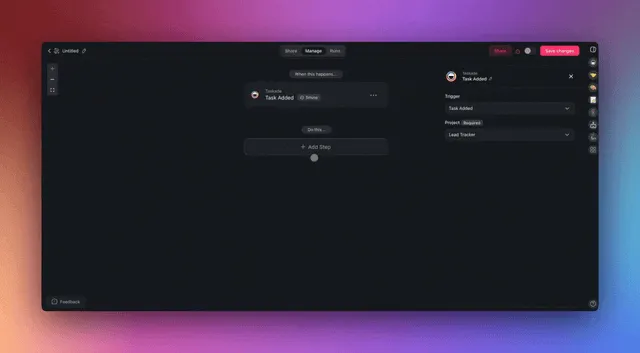
What to automate first (and what to keep)
Automate the work that is structured and high-volume; keep the work that needs your judgment. The 99/1 split is not about replacing people — it is about pointing them at the 1% that actually needs a human read.
| Automate the 99% (give to agents) | Keep the 1% (stays human) |
|---|---|
| Reading and extracting fields | Reviewing low-confidence flags |
| Validating formats and totals | Approving genuine exceptions |
| Removing duplicate records | Resolving conflicting sources |
| Normalizing names and dates | Deciding edge-case business rules |
| Syncing clean records | Auditing a sample for trust |
| Logging the history | Owning the final accuracy bar |
A useful gut check: if you would be comfortable handing the task to a careful new hire with a one-page rulebook, an agent can do it. If it needs your judgment about which source to trust when two disagree, keep it. Start with one agent on one document type, measure the hours it gives back, then add the next. For the broader picture of clearing repetitive work off your plate, our automate busywork guide is the companion to this build guide — read that to see the full scope, read this to build the intake half.
Keep your team in control with the right roles
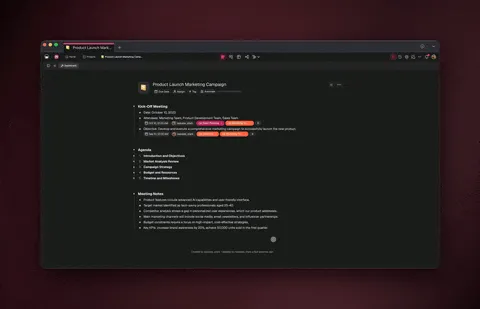
Automation does not mean losing control — it means setting the right guardrails. Taskade uses role-based access (Owner to Viewer) so you can let an agent run while keeping approval rights with the people who own the data. Your operations lead can be an Editor who clears the flagged records; an auditor can be a Viewer who can inspect every synced record but cannot change one.
That governance is what makes "automate 99%" safe at a real company. The agents do the volume; the roles make sure nothing syncs without the right human sign-off where it matters, and every record keeps its history so the trail stays auditable. Pair it with the multi-agent validation loop and you get speed and accountability — the combination most operations teams thought they had to choose between.
What Taskade Genesis can do for your data entry
A dedicated extraction tool reads a document. Taskade Genesis gives you the whole platform that data entry actually needs — and every piece of it ties directly to the read-validate-sync loop in this guide. Here is the full capability set, mapped to the intake job.
| Capability | What it is | What it does for data entry |
|---|---|---|
| Workspace DNA loop | Memory + Intelligence + Execution, self-reinforcing | Records (Memory) train your agents (Intelligence) to extract better, which drives cleaner syncs (Execution), which become new Memory |
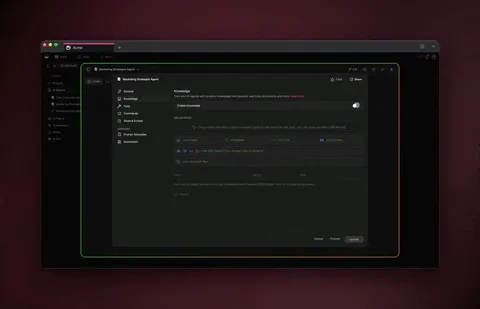
| built-in agent tools | Web search, file analysis, code execution, custom slash commands, persistent memory | An extraction agent can read a file, look up a vendor, run a check, and remember the format for next time |
| Multiple project views | List, Board, Calendar, Table, Mind Map, Gantt, Org Chart | Review captured records as a Table, track the intake queue on a Board, see deadlines on a Calendar |
| Multi-agent teams | Agents hand work to each other | Extraction → validation → dedup agents run as one pipeline, with a human only on the flags |
| 100+ bidirectional integrations | Triggers pull events in, actions push data out | Pull invoices from an inbox or form, push clean records to your CRM, accounting tool, or spreadsheet |
| Frontier models | From top AI labs | The agent routes to the right model for messy scans, handwriting, or multilingual documents |
| Custom domains + app publishing | Ship your intake app at your own URL | Give a vendor or branch office a branded submission portal that feeds the same clean database |
| Role-based access | Owner through Viewer | Let an operations lead clear flags while an auditor only views — nothing syncs without the right sign-off |
The point of listing these together is that you do not assemble them. With a dedicated IDP tool you would buy the extraction, then bolt on a database, then build a review app, then wire the integrations, then bolt on access control. In Taskade Genesis you describe the intake outcome once and all of this ships as one living app. The capabilities are not separate products you connect — they are the Workspace DNA of the app you generated. That is why one prompt can replace a whole stack of point tools.
Pricing scales with how much you run, not how many point tools you license: Taskade Genesis is free to start, with Pro at $10/mo (the Popular plan), Business at $25/mo, Max at $100/mo, and Enterprise at $250/mo — all on annual billing. Because one app replaces a separate scanner, a separate validator, and a separate sync connector, most teams cut total tooling spend after consolidating. Browse cloneable apps, start from a prompt, or wire up agents and automations.
Where this is heading
The direction is clear: data entry stops being a task and becomes a property of the workspace. Today you build an intake app and point it at one document type. Tomorrow that app keeps learning — every invoice, receipt, and form it processes sharpens the next extraction, every correction a human makes becomes a rule the agent applies automatically, and the system that started as one prompt quietly becomes the most reliable data-entry team you have. That is Taskade's vision in one line: every team runs on a self-reinforcing Memory + Intelligence + Execution loop, where one prompt becomes a living, self-improving app. Data entry is just the first place most teams feel it — because it is the most repetitive, structured work, and therefore the work that compounds fastest when a system, not a person, owns it.
Frequently asked questions
How do I start automating my data entry today?
Pick your single highest-volume document, then describe the outcome to Taskade Genesis in plain English. It builds the extraction agent, the validation automation, and a live app — no code, no wiring. Teams that start this way cut keying time 70-90% while accuracy rises. Start free and add one document type at a time.
What is the best AI for data entry automation in 2026?
The best fit is a platform that combines reading agents with reliable validation and a place to store the records — not just an app-connector that assumes the data is already clean. Taskade Genesis does all three from one prompt, with built-in agent tools and frontier models from top AI labs. For the wider scope of automating repetitive work, see our automate busywork guide.
Will AI agents replace data-entry jobs?
They replace the repetitive 99% — reading, extracting, validating, deduplicating, and syncing — so people can own the 1% that needs judgment: clearing exceptions and owning the accuracy bar. Data entry is one of the most automatable office tasks precisely because it is structured. The person moves from retyping documents to directing the agent team.
How do data-entry agents connect to my CRM and accounting tools?
Through 100+ bidirectional integrations — triggers pull documents and form submissions in, actions push validated records back out. An agent can read an invoice, extract the fields, validate the totals, and sync a clean record to your accounting tool in one run, with both directions staying in sync automatically.
How much can I save by automating data entry?
Teams typically cut keying time 70-90% and reduce error-correction cost because the agent validates every field before it lands inside one Taskade system. Savings compound as one platform replaces a separate scanner, validator, and sync connector — and the downstream cost of fixing bad records falls as accuracy rises.
Can I try a real data-entry app before building my own?
Yes. Clone a live workflow app from the Community Gallery in about 30 seconds and run it in your own workspace, or start from a prompt. The data-entry automation app embedded above is cloneable today — point it at your invoices, forms, and inbox.
How is this different from Rossum, Nanonets, or Docsumo?
Those are excellent intelligent-document-processing tools, but each one stops at extraction — it reads the document and returns fields and an API. You then build the database, the review app, and the sync yourself. Taskade Genesis ships the whole intake system from one prompt: database, extraction and validation agents, human-review surface, and 100+ integrations. You describe the outcome instead of assembling point tools.
Do the agents get more accurate on my specific documents over time?
Yes. Because of the Workspace DNA memory loop, every document an agent processes and every correction a human makes becomes context the agent reuses. A static OCR script starts cold on every run; a Taskade Genesis intake app remembers your vendor formats and field rules, so straight-through processing rises week over week. See the agent playbook for how persistent memory works.
Ready to automate 99% of your data entry? Start free with Taskade Genesis — describe the intake system you want, and watch it build the extraction agent, connect your sources, and ship a live app you can run today. Explore the automation hub, browse cloneable apps, and build with AI agents. For the neighboring builds, see automate busywork for the full scope of clearing repetitive work, automate accounting for invoice and bill capture, and automate Google Workspace if your records live in Sheets, Docs, and Gmail.
▲ ■ ● Memory, Intelligence, Execution — describe the data-entry outcome, and Taskade Genesis remembers your formats, reasons over every document, and runs the read-validate-sync work across every source. That is the difference between a stack of scripts and an intake system that runs itself.