






A customer types one message: "My invoice looks wrong and I also want to upgrade my plan." Behind that sentence are two completely different jobs, a billing investigation and a sales action, each needing different knowledge, different tools, and a different tone. Send the whole thing to one general-purpose agent and you get a mediocre answer to both halves. Send each half to the agent built for it and you get two good answers.
That dispatch decision is routing. It is one of the most quietly important patterns in AI agent design, because it determines whether every downstream step works on the right problem with the right resources. Get routing right and the rest of your system gets easier. Get it wrong and even the best models produce confidently incorrect output.
The search results for "AI agent routing" are split in two. One camp writes about which agent should handle a request (triage, handoff, dispatch). The other writes about which model should run it (model routing, RouteLLM, semantic routers). Almost nobody bridges them. This guide does, both axes, one decision framework, with the cost and latency of every pattern quantified in a single table.
TL;DR: AI agent routing sends each request to the best agent, model, and tool for the job. The six named patterns are rule-based, semantic, intent-based, LLM-based, hierarchical, and auction-based, and a layered cascade (cheap rule check → embedding match → LLM classifier) keeps routing under a single-digit-percent latency tax on a 500–2000ms response. Build a routed agent team free →
What Is AI Agent Routing?
AI agent routing is the decision layer that reads an incoming request and dispatches it to the destination best suited to handle it, a specialist agent, a specific model tier, a particular tool, or a defined workflow. Instead of forcing every request through one agent that must do everything, a router classifies intent first, then sends the work where it belongs. This is the same principle a front desk uses: understand what someone needs, then point them to the right department.
Routing matters because an AI agent is only as good as the context and tools it has for the task in front of it. A general-purpose agent stretched across billing, sales, technical support, and onboarding carries a bloated system prompt, a confusing tool set, and diluted attention. A routed system keeps each agent narrow, well-equipped, and accurate, the specialization principle that makes multi-agent collaboration work in production. Anthropic, in its widely cited guide to building effective agents, names routing as one of the core agent workflow patterns precisely because it lets each path stay simple and specialized.
Notice the loop back from the clarifying-question node to the router. A good router never silently guesses on an ambiguous request. It gathers one more signal and re-decides. That single design choice prevents the most common production failure: confidently dispatching to the wrong place.
Routing vs Orchestration vs Handoff vs Parallelization
These four words get used interchangeably, but they describe structurally different things. Routing is one decision, which destination handles this request. Orchestration is multi-step coordination of several agents across a task. Handoff is mid-conversation ownership transfer from one agent to another. Parallelization runs several agents at once and merges their outputs. Microsoft's AI agent design patterns reference treats routing as "handoff orchestration" and lists triage, transfer, dispatch, and delegation as aliases, which is exactly why the vocabulary confuses people. Here is the clean map.
| Concept | Definition | Scope | Classic failure mode |
|---|---|---|---|
| Routing | Pick one destination for a request | A single decision | Misroute to wrong agent |
| Orchestration | Coordinate multiple agents over a task | Multi-step pipeline | Brittle, slow coordination |
| Handoff | Transfer ownership mid-conversation | One active agent at a time | Infinite handoff loop |
| Parallelization | Run several agents, then merge | Fan-out / fan-in | Conflicting merged outputs |
The structural difference reads more clearly side by side than in prose:
ROUTING                          ORCHESTRATION
   request                          task
      │                              │
      ▼                              ▼
  ┌────────┐                    ┌─────────┐
  │ router │  one decision      │ planner │  many steps
  └────────┘                    └─────────┘
      │                          │   │   │
      ▼                          ▼   ▼   ▼
  one agent                    A   B   C  → aggregate
Routing usually happens first and feeds orchestration. A router decides "this is a research task." An orchestrator then plans the research pipeline, dispatches sub-tasks to specialists, and aggregates the results. The two layer cleanly, and an orchestrator's very first decision, "one agent or a team?", is itself a routing decision. Read the full coordination side in agent orchestration, the deeper reference in the routing wiki entry, and the fan-out pattern in parallelization.
The Six Named Routing Patterns
There are six routing patterns the field has converged on, rule-based, semantic, intent-based, LLM-based, hierarchical, and auction-based, and most production systems combine several. Each trades off accuracy, speed, and cost differently, so the right choice depends on how clear your request signals are and how much latency you can spend on the decision.
| Pattern | How it decides | Speed | Best for | Watch out for |
|---|---|---|---|---|
| Rule-based | Keywords, regex, fields | Fastest | Clear, explicit signals | Brittle on unseen phrasing |
| Semantic | Vector similarity to routes | Fast | Many fuzzy NL routes | Needs good route descriptions |
| Intent-based | Classifier → known intent | Fast | Stable, finite intent set | Concept drift over time |
| LLM-based | A model reads and picks | Medium | Ambiguous, multi-intent | One extra classification call |
| Hierarchical | Router of routers | Varies | Large domain trees | More hops, more failure points |
| Auction-based | Agents bid, best fit wins | Slower | Dynamic agent pools | Coordination overhead |
Rule-based routing uses explicit conditions, a keyword, a regex match, a structured field. It is the fastest and most predictable method, with near-zero overhead. When a request carries a clear signal (a .csv upload, a button labeled "Refund," a webhook from a payment provider), a rule beats everything else. Its weakness is generalization: it only handles the patterns you anticipated.
Semantic (embedding) routing represents each possible route as a vector and matches the incoming request against them by similarity. It handles fuzzy, free-form language far better than rules and scales cleanly to thousands of routes. It depends on embeddings and a quality description of each route, the routing equivalent of retrieval-augmented generation, where the "documents" are your destinations. The canonical open-source reference is Aurelio Labs' semantic-router, which reports replacing a ~5000ms LLM routing decision with a ~100ms vector route.
Intent-based routing trains a lightweight classifier to map a request onto a finite set of known intents, "refund," "schedule," "complaint." It is fast and explainable, and it shines when your intent taxonomy is stable. Its enemy is concept drift: as user language and product features change, yesterday's classifier slowly misroutes, so it needs periodic retraining.
LLM-based routing hands the request to a language model and asks it to classify intent and choose a destination, often returning structured output with a confidence score. This is the most flexible pattern. It understands nuance, multi-intent requests, and phrasing it has never seen, at the cost of one extra model call. Strong prompt engineering on the router prompt is what keeps these decisions sharp. OpenAI's agents guidance frames triage as exactly this: a model-driven decision that picks the right specialist or hands off.
Hierarchical routing is a router of routers. A top-level triage agent picks a domain, and a domain-level router picks the specialist. It tames large systems where a flat router would face too many destinations at once, at the cost of more hops and more places a decision can go wrong.
Auction-based routing flips the direction: instead of a central router pushing work to an agent, candidate agents bid on a request, and the best-fit bid wins. It suits dynamic agent pools where capabilities change, but the bidding adds coordination overhead and is rarely worth it for small, fixed teams.
Request Routing vs Model Routing: The Two Axes
Routing happens on two independent axes, and conflating them is the single biggest source of confusion on this topic. Request (agent) routing decides which specialist handles the work. Model routing decides which model runs it. A third, narrower axis, tool routing, decides which capability the agent reaches for. A mature system makes all three decisions for one request, and they are orthogonal: the billing agent might run on a cheap model for a balance lookup and a frontier model for a disputed-charge investigation.
| Axis | What it chooses | Typical signal | Who owns the decision |
|---|---|---|---|
| Request routing | Which specialist agent | Intent, domain | Router / triage agent |
| Model routing | Which model tier | Query complexity | Auto selector / policy |
| Tool routing | Which tool or knowledge source | Task action verb | The agent itself |
Bridging both axes under one mental model is the wedge this guide drives. The SERP splits "agent routing tutorials" from "model routing listicles" and never reconciles them. In practice they are the same decision asked twice, who and with what, and the same cascade logic governs both.
How Model (Tier) Routing Works
Model-tier routing sends each request to the cheapest model that can do the job well, instead of paying frontier prices for every query. The evidence is concrete: LMSYS's open-source RouteLLM framework trains routers on preference data and reports up to ~85% cost savings while keeping ~95% of GPT-4-class quality on MT-Bench (with smaller savings on harder suites like MMLU) by sending only the hard queries to the strong model. The academic backing runs deeper, the arXiv paper Universal Model Routing for Efficient LLM Inference generalizes routing to models unseen at training time, and AWS's multi-LLM routing strategies document the same cheap-first, escalate-when-needed pattern in production.
The key insight: model routing is a design pattern, not just a vendor feature. You can reason about it and apply it yourself. Map request complexity to a model class, and let the simple traffic stay cheap.
| Request type | Complexity | Example model class | Why |
|---|---|---|---|
| Lookup, format, extract | Low | Fast lightweight model | No reasoning needed |
| Summarize, draft, classify | Medium | Balanced mid-tier model | Some nuance, low stakes |
| Multi-step reasoning, code | High | Frontier reasoning model | Depth justifies the cost |
| Ambiguous / safety-critical | High | Frontier + human review | Errors are expensive |
This is exactly how Taskade's Auto selector behaves: it routes each request to the best model the plan allows, so simple requests run on fast lightweight models and complex reasoning reaches frontier models, without anyone manually switching. The model access reference covers how plans map to model tiers. Pinning a specific model per agent is always available as a manual override.
Does Routing Add Latency? The Cost/Latency Tax of Each Pattern
Routing adds one decision step before work begins, but the overhead is single-digit percent of a typical response. This is the most citable fact on the topic and it is scattered across sources, so here it is in one place: a rule check adds under 1ms, an embedding match around 5ms, a semantic/ML classifier roughly 50–100ms, and an LLM classifier about one extra model call. Set that against a 500–2000ms LLM response and even the slowest router is a small tax, one that pays for itself by reaching the right specialist on the first try instead of bouncing a user between general-purpose agents.
| Pattern | Added overhead | As % of a 1s LLM call | When the tax is worth it |
|---|---|---|---|
| Rule-based | < 1 ms | ~0.1% | Almost always — run it first |
| Embedding | ~5 ms | ~0.5% | Many fuzzy routes |
| Semantic / ML | 50–100 ms | 5–10% | Stable intent set, no LLM call |
| LLM classifier | ~1 model call | 50–100% | Genuinely ambiguous remainder |
The LLM-classifier bar looks alarming until you realize you almost never run it on every request. The practical move is to layer the patterns by cost, run the cheap check first and only escalate when the cheaper layers can't decide confidently.
The Layered Cascade Router
The layered cascade is the architecture that makes routing cheap on average and accurate where it counts: a request hits a near-free rule check first, falls through to an embedding match if the signal is fuzzy, and only reaches the expensive LLM classifier if it is genuinely ambiguous. Most traffic resolves in the first two layers in milliseconds, so you pay for LLM classification only on the small remainder that needs it. This is the pattern implied by RouteLLM cascades and AWS multi-LLM strategies but rarely drawn as a clean, copyable architecture.
INCOMING REQUEST
      │
      ▼
┌─────────────────────────┐
│ 1. Rule check (<1ms)    │  clear signal? ──► dispatch, done
└─────────────────────────┘
      │ no clear signal
      ▼
┌─────────────────────────┐
│ 2. Embedding match (~5ms)│ high similarity? ──► dispatch, done
└─────────────────────────┘
      │ ambiguous / multi-intent
      ▼
┌─────────────────────────┐
│ 3. LLM classifier (~1 call)│ confident? ──► dispatch
└─────────────────────────┘   low confidence? ──► ask one question
The same flow as a diagram, with the confidence branch made explicit:
This cascade means the expensive LLM classification only runs on the small fraction of requests that genuinely need it. It is the same "enough work to decide well, and no more" principle that governs good context engineering: spend resources where they change the outcome, nowhere else. The cascade also mirrors resource-aware optimization, match the cost of the decision to the difficulty of the request.
How to Choose a Routing Pattern
Choosing a routing pattern comes down to two questions: how explicit is the signal, and how much latency can you spend? If the signal is explicit (a file type, a form field, a known event), use a rule. If the language is fuzzy but the set of routes is stable, use embeddings. If intent is genuinely ambiguous or multi-part, use an LLM classifier with a clarifying-question fallback. Model-tier routing runs underneath all of these as a baseline for cost control.
Is the signal explicit (field, file type, event)?
   ├── YES ─────────────► RULE-BASED routing
   └── NO
        │
        Is the language fuzzy but the routes stable?
           ├── YES ──────► SEMANTIC / EMBEDDING routing
           └── NO
                │
                Is the request genuinely ambiguous / multi-intent?
                   ├── YES ─► LLM CLASSIFIER + clarifying-question loop
                   └── NO ──► INTENT classifier (finite, known set)
The best production routers are layered, not singular, the decision tree above tells you where each request enters, and the cascade handles the fall-through. The table form is handy for picking a starting point.
| If your situation is... | Start with... | Then add... |
|---|---|---|
| Clear signals (file type, form field, event) | Rule-based | LLM fallback for the rest |
| Many fuzzy natural-language routes | Embedding match | Confidence threshold |
| Stable, finite intent set | Intent classifier | Periodic retraining |
| Multi-intent, ambiguous requests | LLM classifier | Clarifying-question loop |
| Mixed simple-and-complex traffic | Model-tier (Auto) | Per-agent overrides |
| Large domain tree | Hierarchical | Hop limit + monitoring |
Hierarchical and Multi-Level Routing
Hierarchical routing, a router of routers, beats a flat router the moment the number of destinations grows past what one decision can handle reliably. A top-level triage agent picks a domain; a domain-level router picks the specialist. This keeps each routing decision small and accurate, because no single classifier ever faces the full fan-out of every possible destination at once. Microsoft's design-patterns reference describes this as nested handoff orchestration, and it is how large customer-facing systems avoid a 40-way routing decision that no classifier gets right.
Triage Agent (domain-level)
├── Support Router
│   ├── Billing Specialist
│   ├── Technical Specialist
│   └── Account Specialist
├── Sales Router
│   ├── New Business Specialist
│   └── Renewals Specialist
└── Ops Router
    ├── Provisioning Specialist
    └── Reporting Specialist
The trade-off is extra hops: every level is another place a decision can go wrong and another few milliseconds of latency. Add hierarchy only when a flat router's accuracy starts dropping because it has too many routes to weigh at once. For most systems, two levels is plenty, triage to a domain, then to a specialist within it. This is the multi-agent teams topology in routing form.
Failure Modes and How to Mitigate Them
Routing fails in four predictable ways, misrouting, router bottleneck, infinite handoff loops, and low-confidence dispatch, and each has a known mitigation. Competitors mention these in passing; here is the consolidated checklist. Misrouting sends a request to the wrong agent, producing a fluent but wrong answer. A router bottleneck turns the routing layer into a single point of failure. Infinite handoff loops happen when two agents keep passing a request back and forth, the failure Microsoft explicitly warns about. Low-confidence dispatch jams an ambiguous request into the closest match anyway.
| Failure mode | What goes wrong | Mitigation |
|---|---|---|
| Misrouting | Right format, wrong agent | Confidence threshold + clarify |
| Bottleneck / SPOF | Router down = system down | Cheap redundant router, rule fallback |
| Infinite handoff loop | Agents ping-pong forever | Hop limit, then escalate |
| Edge case | Fits no route cleanly | General-purpose safety net |
| Low confidence | Weak guess dispatched | Treat as ambiguous, ask one question |
| Unresolved | Automation can't finish | Human-in-the-loop handoff |
Two of these are worth treating as first-class design work, agentic exception handling for the misroute-and-recover path, and a hard hop limit so a handoff chain can never run forever. The throughline is honesty about uncertainty: a router that surfaces its low-confidence decisions is far more reliable than one that hides them behind a confident-looking but wrong dispatch.
Fallbacks, Confidence Thresholds, and the Clarifying-Question Loop
The single most important reliability lever in a router is a confidence threshold with a clarifying-question fallback. When an LLM-based router returns a decision below the threshold, the system should not act on a weak guess. It should ask one targeted question and re-route once intent is clear. One extra conversational turn almost always beats a confidently wrong dispatch, and it turns the router's uncertainty into a feature instead of a hidden liability.
Two more fallback destinations complete the picture. A general-purpose safety net, one capable fallback agent, catches requests that defy classification so nothing is silently dropped. And human handoff is a routing destination, not a failure: when automated handling cannot resolve a request, routing it to a person is the correct outcome. The human-in-the-loop pattern treats people as a first-class route, which is exactly what high-stakes systems (medical, legal, financial) require.
Evaluating and Monitoring a Router
Measure routing accuracy separately from agent accuracy. They are different failures with different fixes. A request can be answered badly because the agent is weak (an agent problem) or because it reached the wrong agent in the first place (a routing problem). If you only track end-to-end success, you cannot tell which layer to fix. The discipline is to log every routing decision alongside its outcome, then watch where decisions and results diverge.
Systematic misrouting is a signal that a route description or rule needs tuning, the same evaluation discipline you apply to agents applies to the router. Pair it with agentic goal monitoring to confirm requests not only reach the right agent but actually get resolved, and feed the corrections back through an agentic learning loop so each routing decision improves on the last.
When Should You Add Routing to a System?
Add routing the moment a single agent has to serve more than one clearly distinct job. The clearest signal: if your agent's system prompt is growing a list of "if the user asks about X, do Y; if they ask about Z, do W" branches, that branching logic belongs in a router, not buried in one prompt. Pulling it out keeps each agent narrow and accurate, and it is the cleanest task prioritization move you can make.
You do not need routing for a focused single-purpose agent, a meeting-notes summarizer, a single-domain support bot. But you almost certainly want it once any of these are true:
- Multiple domains. Billing, sales, and support need different tools and tone.
- Mixed complexity. Some requests are trivial, others need deep reasoning, model-tier routing pays for itself immediately.
- Cost pressure at scale. Running every request on a frontier model is expensive; routing simple ones to cheaper models controls spend.
- Open-ended discovery. When requests range across unknown territory, pair routing with exploration and discovery so the system can probe before it commits.
- Team workflows. Tasks that span domains benefit from routing into multi-agent teams with an orchestrator.
The cleanest path is to start with one well-scoped agent, watch where it strains, and introduce routing exactly at the seam between distinct jobs. This mirrors the broader agentic engineering lesson, each agent stays simple, and the sophistication lives in how you compose them, and it is one of the core agentic design patterns that recur across production systems.
How Taskade Routes AI Requests
Taskade routes requests through Taskade EVE, the Taskade Genesis meta-agent, which reads each request and makes three layered routing decisions: whether one agent suffices or the task needs a team, which model tier fits the request, and which of the built-in tools the work requires. This honest, capability-first framing matters, routing in Taskade is the composition of features that already ship, not a separate validator layer.
Model routing with Auto. Taskade supports 15+ frontier models from OpenAI, Anthropic, Google, and open-weight providers. Auto is the default selector: it routes each request to the best model your plan allows, so straightforward tasks run on fast, cost-effective models while complex reasoning reaches frontier models. You can also pin a specific model in any agent's configuration, overriding automatic selection. See model access for how plans map to model tiers.
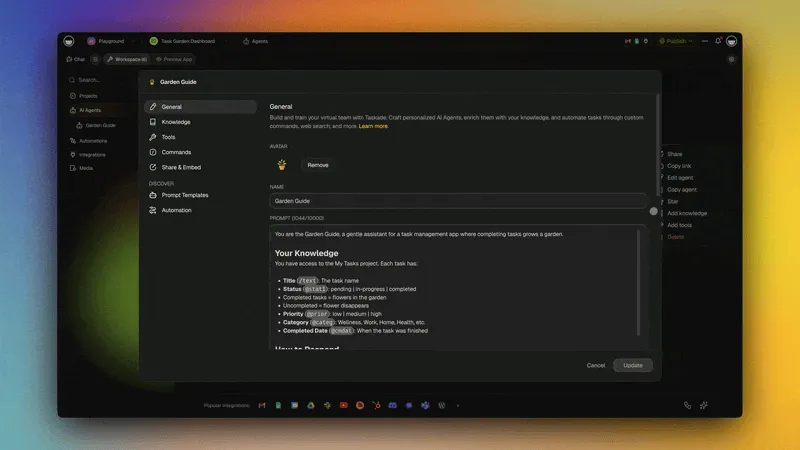
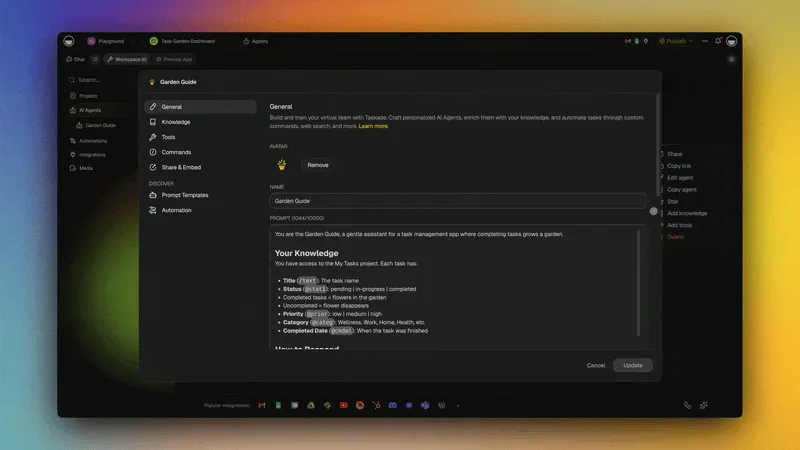
Three agent modes as routing targets. Taskade agents run in three modes, and choosing among them is itself a routing decision:
| Mode | What it does | Routes to |
|---|---|---|
| Simple | One agent answers directly | A single specialist, fastest path |
| Manual | You direct each step | The exact agent or tool you choose |
| Orchestrate | Taskade EVE coordinates a team | Multiple specialists, then aggregation |
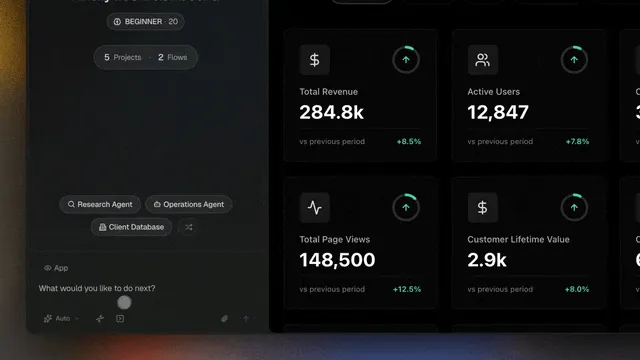
Tool and integration routing. Beyond agents and models, Taskade EVE routes to the right capability, web search, knowledge query, document creation, data analysis, and more across the built-in tools. For event-driven dispatch, Taskade automations act as a rule-based router: a trigger fires on an event and sends work to the right agent or workflow, combining rule-based and AI-based routing in one flow. With 100+ bidirectional integrations, those routes pull events in and push results out across your stack. Persistent agent memory keeps each routing decision informed by everything the workspace already knows.
This is the Workspace DNA loop applied to routing: Memory (your projects and connected knowledge) gives the router context, Intelligence (the right model and agent) handles the request, and Execution (tools, automations, integrations) acts on it. Then writes the outcome back into Memory so the next routing decision is better informed. You can see the whole loop in Workspace DNA: The Context Engineering Blueprint.
Build a Routed Agent Team Without Code
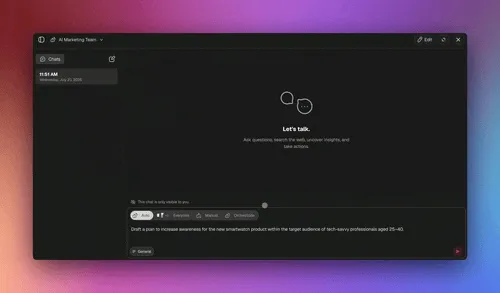
You can build the layered cascade router with zero code, the same architecture the LangGraph tutorials write in Python, assembled in a workspace. Every routing implementation example on the SERP is Python; here is the honest no-code walkthrough. The build has three parts: an automation trigger as the instant rule-based front door, Taskade EVE as the LLM classifier for the ambiguous remainder, and two named specialist agents as the routes.
Here is the concrete example, a customer-message router with a billing specialist and a sales specialist:
- Rule-based front door (the automation). Create a Taskade automation whose trigger fires when a new message arrives. Add a rule: if the message contains a clear signal like an invoice number or the word "refund," dispatch straight to the Billing Agent. This is your near-free rule layer, resolved before any model runs.
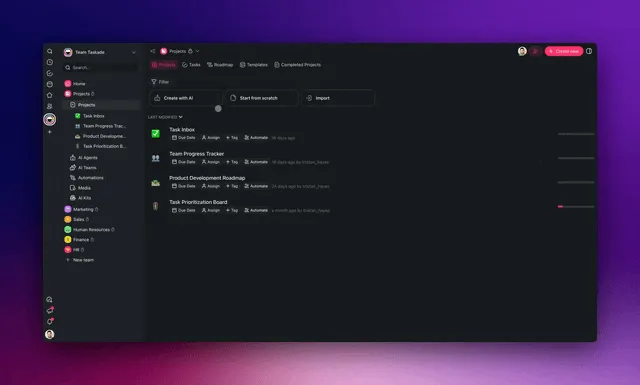
- Two specialist agents (the routes). Build a Billing Agent scoped to invoices and payments, and a Sales Agent scoped to plans and pricing. Each carries its own focused instructions and tools, the specialized-agents principle in practice.
- Taskade EVE as the LLM classifier (the remainder). For messages with no clear rule signal, the mixed "my invoice looks wrong and I want to upgrade" case from the intro, let Taskade EVE read the request in Orchestrate mode, split it, and route each half to the right specialist, then aggregate the answers.
- Confidence fallback. When Taskade EVE is unsure, it asks one clarifying question before dispatching, the clarifying-question loop, built in.
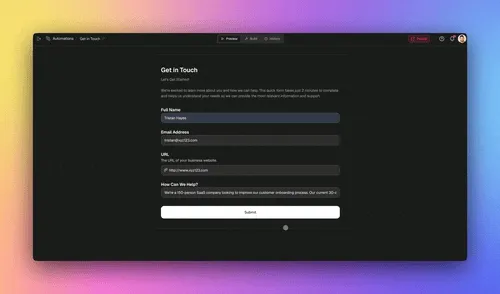
That is the full layered cascade, rule check, LLM classifier, named routes, and a clarifying fallback, running in a workspace with no code. Start with two specialists and add a third when a new kind of request shows up. Browse the Community Gallery for routed agent teams you can clone and adapt, or generate your first one with the agentic workflow builder.
Routing in Practice: A Quick Decision Guide
Choosing a routing pattern comes down to how clear your signals are and how much latency you can spend. Use rules when the signal is explicit, embeddings when language is fuzzy but routes are stable, an LLM classifier when intent is genuinely ambiguous, and model-tier routing always, as a baseline for cost control. The best production routers are layered, not singular, a fast rule check handles the obvious cases, embedding similarity catches the fuzzy-but-known ones, and an LLM classifier resolves the genuinely ambiguous remainder.
| If you need... | Start with... | Then add... |
|---|---|---|
| Predictable dispatch on clear signals | Rule-based front door | LLM fallback |
| Natural-language route matching | Semantic / embedding | Confidence threshold |
| Nuanced multi-intent handling | LLM classifier | Clarifying-question loop |
| Cost control across mixed traffic | Model-tier (Auto) | Per-agent pin overrides |
| A large domain tree | Hierarchical triage | Hop limit + monitoring |
| A team for cross-domain tasks | Orchestrate mode | Specialist team + aggregation |
If you want to see routing in action, build your first routed agent team on Taskade. Start with two specialists and let Taskade EVE route between them, then scale to a full orchestrated workspace without changing the underlying idea: send each request to the agent built to handle it.
Routing is the front door of every serious agent system. Memory ▲ gives the router context, Intelligence ■ picks the right agent and model, Execution ● acts and writes the outcome back, the self-reinforcing loop behind every good routing decision.
Frequently Asked Questions
What is AI agent routing in simple terms?
AI agent routing is the decision layer that reads each request and sends it to the agent, model, or tool best suited to handle it, like a front desk pointing a visitor to the right department. It keeps every agent narrow and accurate instead of forcing one general-purpose agent to do everything.
What are the main AI agent routing patterns?
Six named patterns: rule-based, semantic (embedding), intent-based, LLM-based, hierarchical, and auction-based. Rules are fastest and most predictable; semantic handles fuzzy language; LLM routing handles ambiguity. Most production systems layer several into a cascade rather than relying on one.
How is routing different from orchestration?
Routing is a single decision, which destination handles this request. Orchestration is multi-step coordination of several agents across a task. Routing usually happens first and feeds orchestration. A handoff transfers ownership mid-conversation; parallelization runs several agents at once and merges results.
Does AI agent routing add latency?
Yes, but only single-digit percent of a typical response. A rule check adds under 1ms, an embedding match ~5ms, a semantic classifier 50–100ms, and an LLM classifier about one model call, all small against a 500–2000ms LLM response. A layered cascade keeps the expensive layer rare.
What is model-tier routing?
Model-tier routing sends each request to the cheapest model that can do the job well, simple queries to fast lightweight models, hard ones to frontier models. Research like RouteLLM shows up to ~85% cost savings while keeping ~95% of top-tier quality. Taskade's Auto selector does this automatically per plan.
What is the difference between semantic routing and LLM routing?
Semantic routing matches the request to pre-computed route vectors in ~5–100ms with no extra model call. LLM routing hands the request to a model that reads and picks, costing one full call but handling nuance and unseen phrasing. A cascade uses semantic first and LLM only for the ambiguous remainder.
What happens when a router is not confident?
A well-designed router uses a confidence threshold. Below it, the cleanest move is to ask one clarifying question and re-route, or fall back to a capable general-purpose agent. The worst outcome is silently guessing wrong, so good routers surface low-confidence decisions and treat human handoff as a valid destination.
What are the biggest risks of AI agent routing?
Misrouting to the wrong agent, the router becoming a single point of failure, infinite handoff loops, and low-confidence dispatch. Mitigate with confidence thresholds, a clarifying-question fallback, a hop limit on handoffs, a general-purpose safety net, decision monitoring, and human handoff for unresolved cases.
Is routing only useful for multi-agent systems?
No. Even a single agent benefits, choosing the right model tier, selecting which tool to call, or deciding whether to retrieve external knowledge are all routing decisions. Routing scales up to large teams, but its core value is matching each request to the most appropriate resource at every level.
How does Taskade route AI requests?
Taskade EVE reads each request and makes three layered decisions: one agent or a team, which model tier (via Auto), and which of the built-in tools. It routes across Simple, Manual, and Orchestrate modes, and Taskade automations act as a rule-based router dispatching events across 100+ integrations.
Companion Reads
- Agentic Design Patterns, the full catalog of patterns routing belongs to
- Multi-Agent Collaboration in Production, what happens after the router hands off to a team
- The AI Agents Taxonomy, where routing sits among the core agent patterns
- Context Engineering Field Guide, why focused context makes routed agents accurate
- What Is Agentic Engineering?, the "simple agents, sophisticated composition" principle
- Workspace DNA: The Context Engineering Blueprint, Memory, Intelligence, Execution as a routing loop
- Routing (Wiki), the conceptual reference for this pattern
- Agent Orchestration (Wiki), coordination after the route is chosen
Stan Chang is CTO and co-founder at Taskade. He leads the engineering team behind Taskade's AI agents, the Taskade Genesis app builder, and the automation platform. Memory ▲ Intelligence ■ Execution ●, the self-reinforcing loop behind every routing decision Taskade makes.