







When ChatGPT launched on November 30, 2022, it single-handedly spurred an AI revolution that has been simmering for years. OpenAI’s APIs are now powering thousands of commercial and open-source projects and applications. And six months after the launch, ChatGPT plugins are finally adding the last secret ingredient the witty chatbot needed to reach its full potential.
TL;DR: OpenAI deprecated ChatGPT plugins in 2024, replacing them with Custom GPTs and the GPT Store. For deeper workflow automation, Taskade AI agents offer built-in tools, persistent memory, and autonomous multi-step execution — far beyond single-tool plugins. Try it free →
💡 Before you start... Want to find more world-class AI tools? Be sure to check our article where we compare the best AI project management tools when you're done here.
🔌 What Are ChatGPT Plugins?
In a nutshell, ChatGPT plugins are specialized extensions that bump ChatGPT's capabilities beyond the limitations of its training data and text-only input / output. There are currently over a dozen plugins, including three developed by OpenAI and the rest from 3rd party developers.
“So, why should I care?”
Imagine you’re working on a project about the impact of the COVID-19 pandemic, which has evolved significantly since ChatGPT's knowledge cutoff date in 2021. On top of that, you need to run complex mathematical simulations, and that’s hardly one of ChatGPT’s strong points.
Plugins give you a way to integrate external services, APIs, or databases to bridge those gaps and make ChatGPT a tad smarter. The available plugins allow you to:
🗂️ Gain access to data sets including legal and regulatory information.
🛩️ Find flights or hotels and receive personalized travel suggestions.
🛒 Ask for shopping recommendations in natural language.
🌮 Scope the best restaurants in the area and automate the booking process.
🗣️ Enhance language learning with context-aware tips and suggestions.
🤖 Perform computations and solve complex math problems.
🔁 Connect ChatGPT to other third-party apps and services.
Ok, there’s a lot to unpack here. But the bottom line is, if you’re a power user and feel that ChatGPT needs a little extra boost in terms of functionality, plugins are the answer.
➕ How to Install ChatGPT Plugins?
There are two ways to rock plugins inside ChatGPT. You can either use them as a regular user or, if you’re interested in developing your own plugins, sign up for a developer program. In both cases, you need to complete a waitlist signup form and wait for admission.
OpenAI is gradually rolling out access to plugins, but once you’re in, you don’t have to take any extra steps. ChatGPT uses the plugins arbitrarily, which means it will apply the plugins dynamically as needed. With the right prompts, you can also "call" the plugin you want to use. For prompt inspiration, explore our AI prompt gallery.
🤩 Popular ChatGPT Plugins
🟢 First-Party Plugins (by OpenAI)
Browser
The Browsing plugin is one of the most groundbreaking ChatGPT extensions. Based partly on 2021 WebGPT, Browser gives ChatGPT access to Microsoft’s Bing search API and lets it crawl web pages to search for information information not included in its training data.
Whether you’re looking for news about technology trends or want to check clothing recommendations based on weather conditions — tasks that would typically require a manual web search — ChatGPT can now fetch real-time information straight from the web.
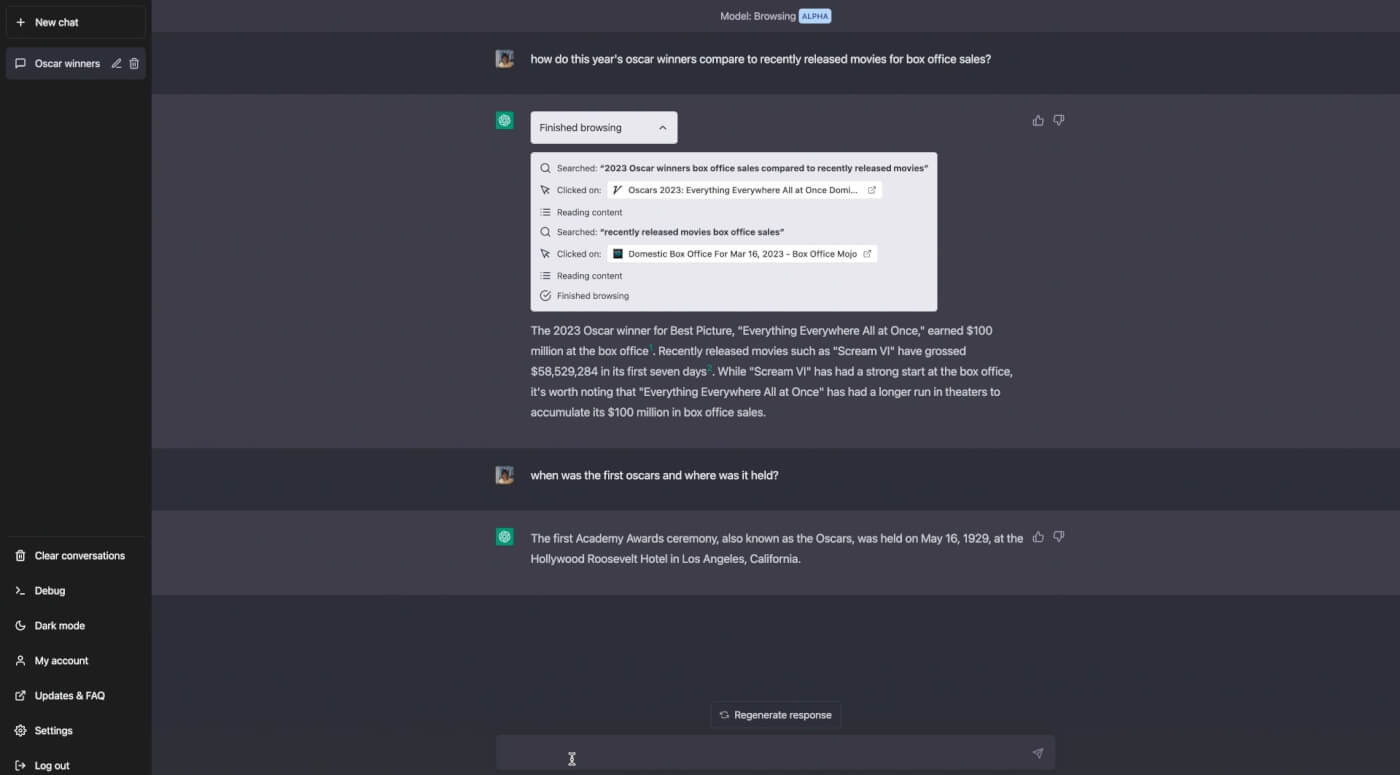
ChatGPT browser plugin. Image credit: OpenAI
Code Interpreter
This is where things get interesting. While ChatGPT can write code, especially in its latest GPT-4 iteration, it doesn’t hold a candle to a real programmer. To overcome that limitation, Open AI developed a Python code interpreter running in a safe, sandboxed environment.
You can think of the interpreter as an interface that allows you to dabble in projects requiring technical skills without spending hours cranking out lines of code. You can use the plugin to analyze data, convert and edit videos, or… get a better understanding of your taste in music.
https://twitter.com/SHL0MS/status/1652842277788692480
Retrieval Plugin
If you’d rather use ChatGPT to work on your personal knowledge base, then the retrieval plugin is what you need. It lets you connect ChatGPT to vector databases like Pinecone or Weaviate and use natural language to find files and documents and answer context-specific questions.
Unlike the rest of the plugins on our list, this one requires some know-how to set it up correctly. The beauty is that once you get it up and running, you can “train” ChatGPT with your own data stored in a vector database and use the duo as your personal assistant.
To learn how retrieval methods pair with generation to deliver up-to-date answers, read our primer on Retrieval Augmented Generation (RAG).
🔵 Third-Party Plugins
KAYAK
KAYAK is a travel search engine and metasearch platform that aggregates and compares prices from various travel websites and airlines. The integration turns ChatGPT into a competent travel agent that can sort through flight prices, hotel rates, and car rental deals straight into the chatbox. KAYAK calls the plugin “a virtual travel assistant,” and they are not that far off the mark.
https://twitter.com/KAYAK/status/1638954945293451264
Expedia
Expedia is an online travel agency and booking platform that has been around since 1994. Expedia’s ChatGPT plugin lets you tap into the site’s algorithms to search for flights, hotels, rental cars, and vacation packages. It can also compare prices and fetch reviews. Like other third-party plugins, Expedia works out-of-the-box in ChatGPT without extra setup.
Klarna Shopping
Klarna is a Swedish fintech company specializing in buy now, pay later (BNPL) services. The site offers a convenient payment solution to make purchases and pay for them over time. Integration with ChatGPT makes the shopping experience more intuitive with curated product recommendations and links to online retailers (currently only available in the U.S. and Canada).
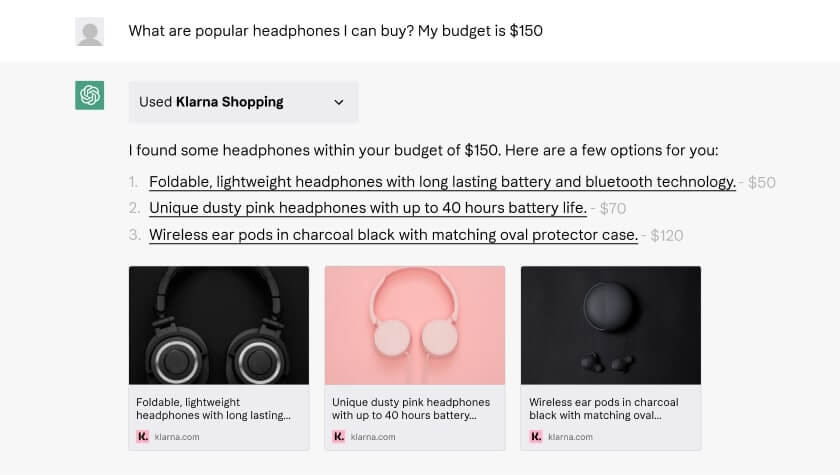
ChatGPT Klarna plugin. Image credit: Klarna
OpenTable
A self-proclaimed “OG of the online restaurant reservation scene,” OpenTable is an online restaurant reservation platform that allows users to search for and book reservations at restaurants. The site provides a selection of dining options and locations you can browse and compare inside ChatGPT using natural-language prompts.
Instacart
Instacart is an on-demand grocery delivery and pickup service. The integration with ChatGPT allows you to search for recipes, get ingredient recommendations, generate shopping lists, and add everything to your Instacart cart. For example, you can ask for a cake recipe in natural language, and ChatGPT will knit together a list of steps, right down to the last sprinkle.
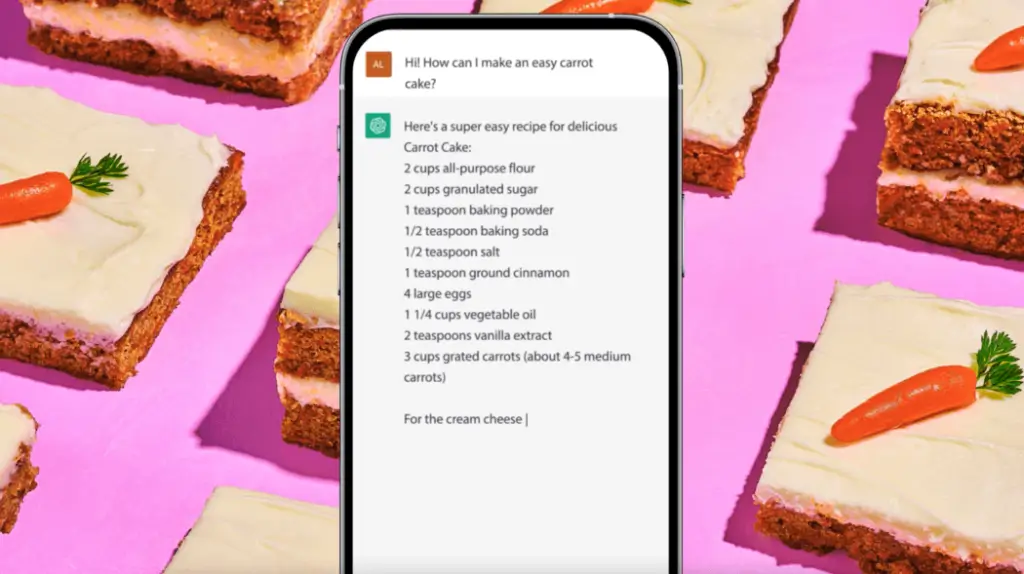
ChatGPT Instacart plugin. Image credit: Instacart
Speak
Personalized learning is one of the strongest use cases for AI. Speak is an app designed to help learners grasp the intricacies of pronunciation. Speak’s ChatGPT plugin lets you ask for context on specific phrases or translations between languages. While the app does have an AI component, the plugin makes the learning experience much more natural and fun.
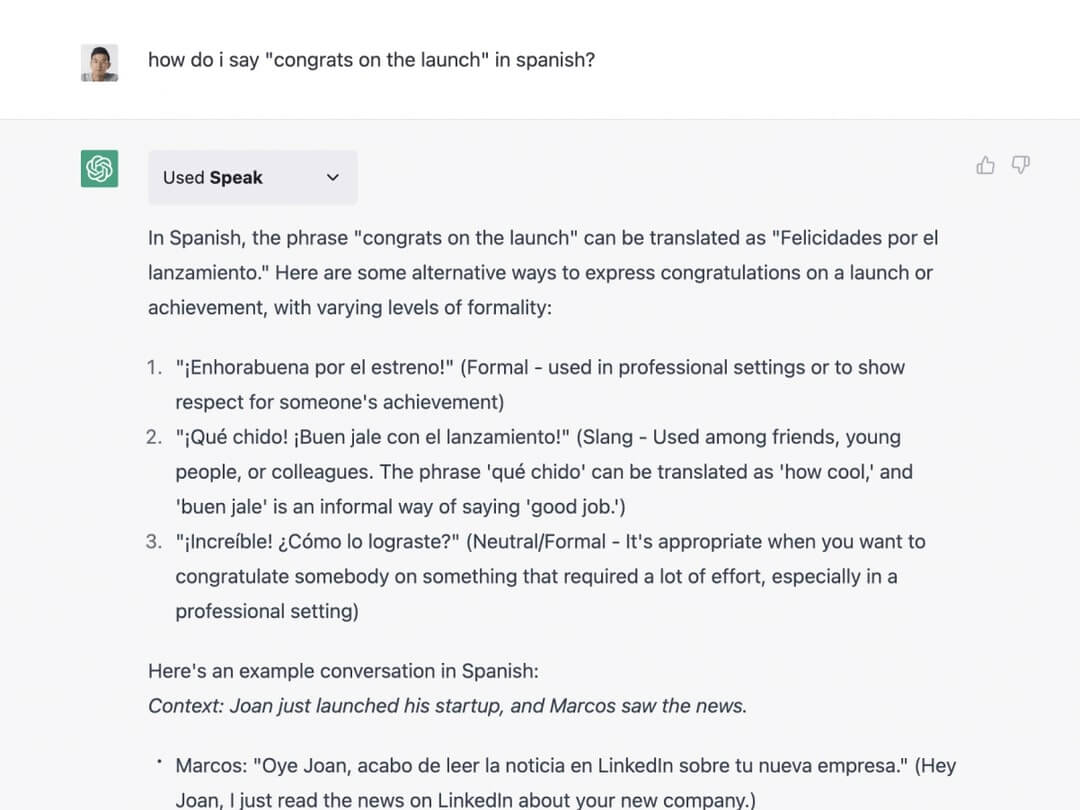
Speak ChatGPT plugin. Image credit: Speak
Shop
Shop is a Shopify subsidiary that aggregates many online stores into a unified, seamless shopping experience. The integration with ChatGPT is the closest thing to a smart shopping companion you get today, complete with product recommendations based on your preferences, occasion, season, favorite style, and other factors you can specify in a conversation.
Wolfram
While ChatGPT can do some basic math, it’s hopeless when it comes to more complex computations. Wolfram’s plugin gives ChatGPT access to the company’s cloud-based computational platform that bumps ChatGPT’s math skills. It also unlocks access to specialized knowledge of anatomy, music, and geography, just to name a few.
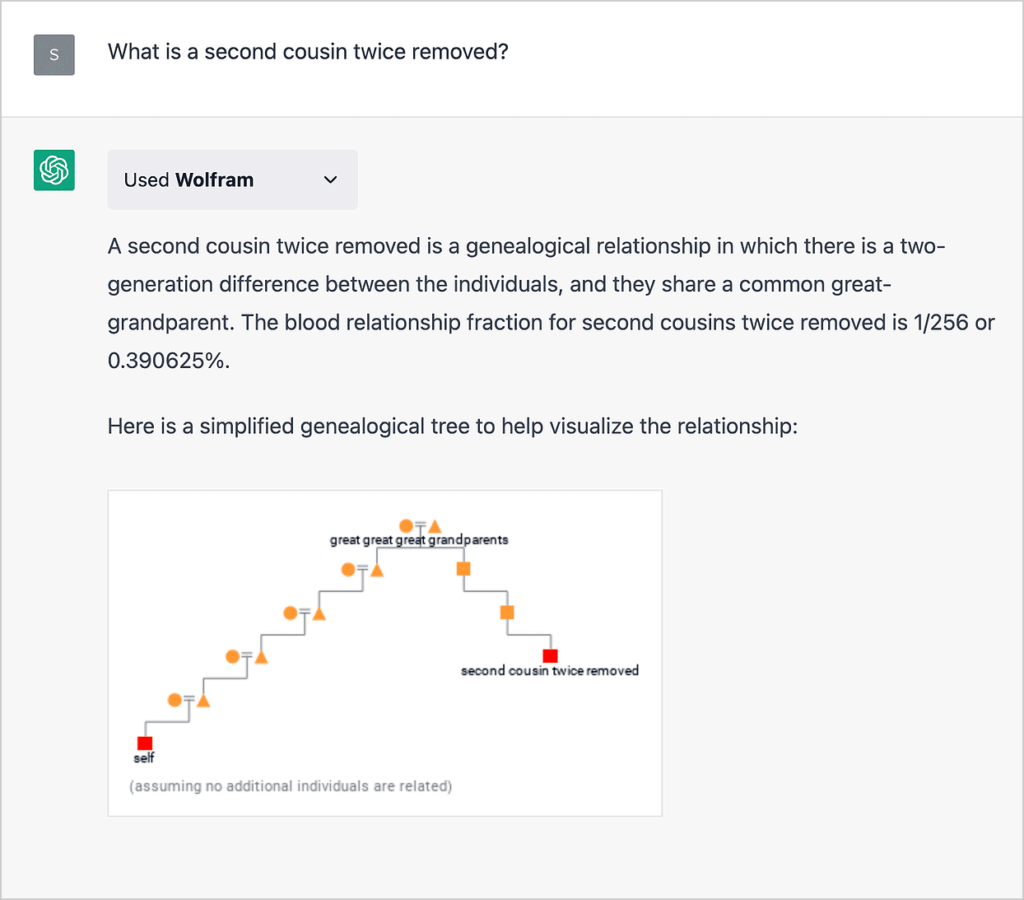
ChatGPT Wolfram plugin. Ima
Milo Family AI
Managing a family is like running a small business. Tackling chores, creating budgets, maintaining a calendar of important events, it all takes a lot of effort. Milo AI is an “AI co-pilot for parents” powered by GPT-4, now with full integration with ChatGPT. You can ask for things to do this week, coming anniversaries and birthdays, or get bad dad jokes on demand.
Zapier
Zapier’s ChatGPT plugin is unique in terms of what it brings to the table. Instead of introducing new features, it allows ChatGPT to interface and exchange data with over 5000 apps in Zapier’s catalog. The functionality is still iffy at best, but you can already "combine" ChatGPT in tandem with applications and services like Gmail, GitHub, or Instapaper.
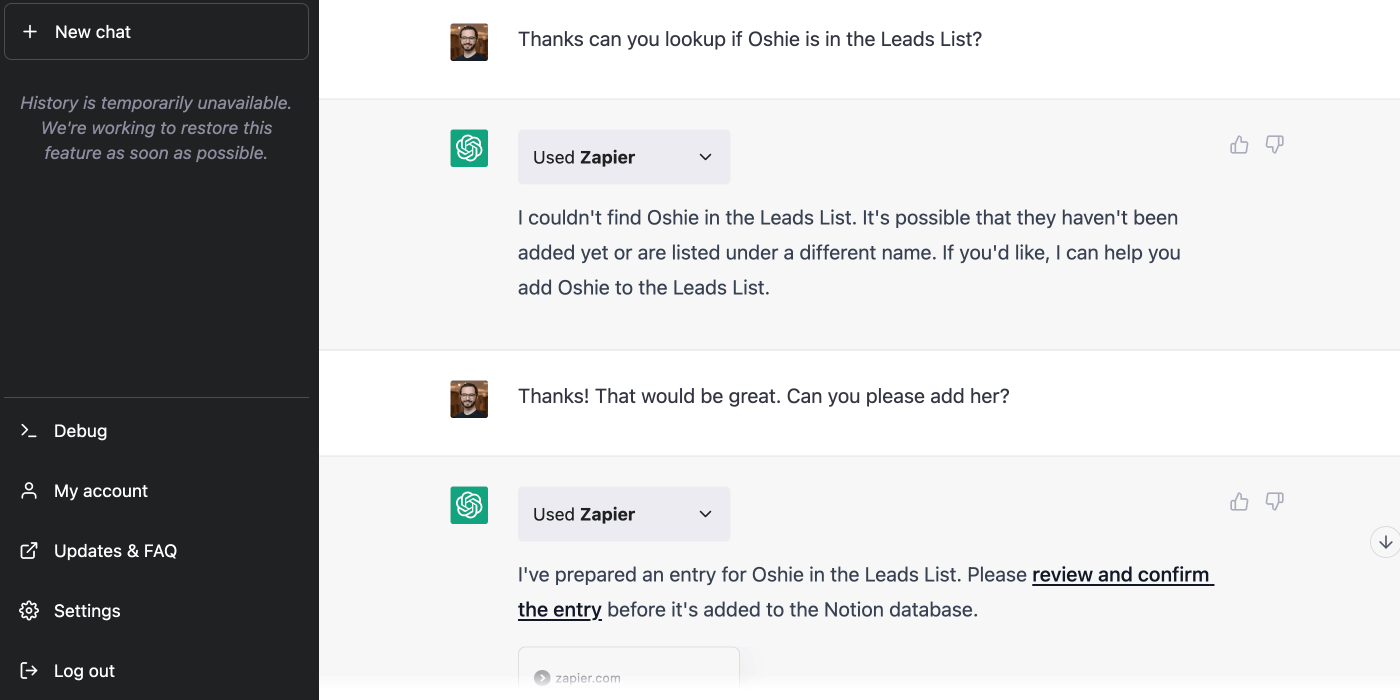
Zapier ChatGPT plugin. Image credit: Zapier
ChatGPT Plugins vs. AI Agents: Feature Comparison (2026)
OpenAI deprecated plugins in favor of GPTs. But how do GPTs compare to full AI agent platforms? Here’s the breakdown:
| Feature | ChatGPT Plugins (Deprecated) | Custom GPTs (GPT Store) | Taskade AI Agents |
|---|---|---|---|
| Tool access | 1 tool per conversation | Knowledge files + API actions | built-in tools + custom schemas |
| Autonomy | Reactive (user-triggered) | Reactive (user-triggered) | Proactive (trigger-based execution) |
| Workflow automation | None | Limited | Full automation with 100+ integrations |
| Persistent memory | No | Conversation-level | Workspace-level persistent memory |
| Multi-agent collaboration | No | No | Yes — multiple agents work together |
| Project management | No | No | Built-in with 7 project views |
| Custom training | No | Knowledge files only | Documents, URLs, past projects |
| Pricing | ChatGPT Plus ($20/mo) | ChatGPT Plus ($20/mo) | Free / $10/mo (Pro) |
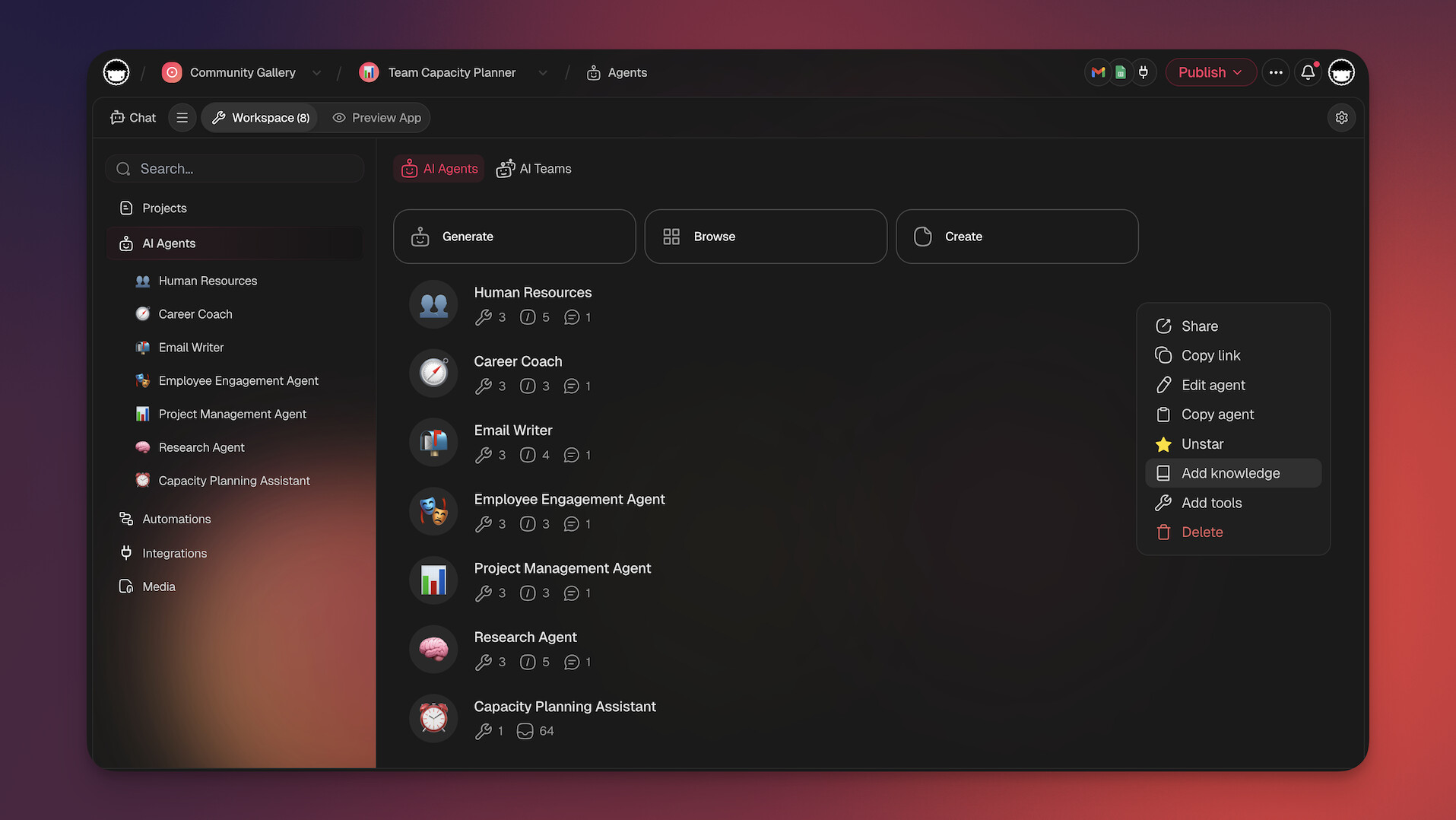
Workspace DNA: Why Persistent Context Beats One-Off Plugins
The fundamental limitation of ChatGPT plugins was that they operated in isolation — each conversation started fresh, with no memory of past interactions, no access to your project history, and no ability to trigger actions outside the chat window.
Taskade's Workspace DNA framework solves this with three interconnected layers:
- Memory: Every project — documents, conversations, decisions, and files — persists in your workspace. AI agents draw on this accumulated context to give better answers and make smarter decisions over time.
- Intelligence: AI agents with built-in tools and custom tool schemas analyze your workspace data, generate content, manage projects, and collaborate with other agents. A hosted MCP server on every paid plan lets external clients like Claude Desktop and Cursor read and write that same workspace. Unlike plugins that handled one task per conversation, agents handle multi-step workflows autonomously.
- Execution: Workflow automations with 100+ integrations and durable execution act on agent recommendations — sending notifications, updating documents, triggering deployments, or routing tasks to team members.
Memory feeds Intelligence (agents get smarter with more context), Intelligence triggers Execution (agents kick off automated workflows), and Execution creates Memory (results feed back into the workspace). This compounding loop is why a workspace-based approach outperforms bolting plugins onto a chatbot.
AI Productivity Platform Comparison (2026)
| Capability | ChatGPT + GPTs | Zapier + ChatGPT | Taskade |
|---|---|---|---|
| AI chat / content generation | Yes | Yes (via ChatGPT) | Yes — 15+ frontier models |
| Persistent memory across sessions | Conversation-level | No | Workspace-level |
| Project management | No | No | Yes — multiple views (List, Board, Mind Map, Gantt, etc.) |
| Custom AI agents | GPTs (chat-only) | No | built-in tools, custom schemas, hosted MCP server |
| Workflow automation | No | Yes (5-step Zaps) | durable execution, branching, looping |
| App building | No | No | Genesis — 150,000+ apps from prompts |
| Team collaboration | Limited | No | Real-time with RBAC (role-based access from Owner to Viewer) |
| Pricing | $20/mo (Plus) | $19.99/mo+ | Free / $10/mo (Pro) |
Vibe Coding: From Plugins to Building Your Own AI Tools
ChatGPT plugins represented the idea that AI should connect to external tools. Vibe coding takes that idea further: instead of connecting AI to existing tools, you describe the tool you want and AI builds it for you.
With Taskade Genesis, teams build custom dashboards, portals, calculators, and workflow tools from natural-language descriptions — no coding, no plugin marketplace, no waiting for a third-party developer to build what you need. Over 150,000 apps have been built this way, deployed with custom domains and published to the Community Gallery.
This is the natural evolution of the plugin concept. Rather than hoping someone builds the plugin you need, you build exactly the tool your workflow requires. Combined with AI agents that operate autonomously and automations that connect to 100+ services, the result is a productivity platform that adapts to you — not the other way around.
For teams exploring what comes after ChatGPT plugins, the answer is clear: agentic AI that builds, executes, and improves — all within a unified workspace powered by Workspace DNA.
👋 Parting Words
While the original ChatGPT plugin ecosystem is no longer available, OpenAI’s Custom GPTs and the GPT Store carry forward the vision of extending AI capabilities. For teams that need more than chat-based interactions — like workflow automation, multi-agent collaboration, and deep project management — AI agent platforms offer a more complete solution.
If you’re looking for that level of capability, try Taskade!
Taskade is an all-in-one productivity platform powered by frontier AI models from OpenAI, Anthropic, and Google. Unlike single-purpose plugins, Taskade gives you AI agents, workflow automation, and a full project management suite — all in one workspace.
Replace ChatGPT plugins with Taskade AI agents!
Custom AI Agents: Build specialized agents with built-in tools, custom tool schemas, and persistent memory — reachable from Claude Desktop or Cursor through the hosted MCP server on any paid plan. Train agents on your documents and let them execute multi-step workflows autonomously.
Genesis App Builder: Build live applications — dashboards, portals, forms, and more — from natural-language prompts. Deploy with custom domains and publish to the Community Gallery.
Workflow Automation: Connect 100+ integrations and automate complex workflows with branching, looping, and filtering — powered by durable execution.
AI Chat: Get context-aware answers grounded in your workspace data. Perfect for research, brainstorming, and connecting ideas across projects.
AI Prompt Templates: Access hundreds of ready-made templates for any use case — project management, marketing, engineering, and more.
💬 Frequently Asked Questions About AI in Project Management
Are ChatGPT plugins already available?
OpenAI launched a signup list for limited alpha access to ChatGPT plugins on March 30, 2023. There are currently 15 plugins available, including OpenAI’s own browser plugin, code interpreter, and a retrieval extension that allows users to build proprietary knowledge base solutions. Third-party plugins include extensions from companies like KAYAK, Instacart, Open Table, just to name a few.
Do you need ChatGPT Plus to use plugins?
Yes, the rollout of plugins is currently limited to ChatGPT Plus subscribers. OpenAI has announced they are planning to gradually release plugins to all users..
Can we use ChatGPT for free?
Yes, you can use ChatGPT for free using OpenAI’s platform. The free version, however, has a handful of limitations like the maximum number of requests or tokens, no priority access during periods of high demand, and no access to the most up-to-date versions of the language model (the free version runs on GPT-3.5).
How do ChatGPT plugins work?
ChatGPT plugins allow the chatbot to interface with external tools and databases. For example, the browser plugin enables ChatGPT to perform web searches, access specific websites or articles, and gather information from leaving the conversation.
How do I add plugins to ChatGPT?
There are two routes to access ChatGPT plugins — as a regular user or a developer. Both require filling. a signup form and waiting for approval. Once granted access, ChatGPT will automatically start using the available plugins depending on context.
How do I use installed plugins?
ChatGPT can dynamically switch between plugins to match the context of a conversation. You can also ask the chatbot to “call” a specific plugin for information.
