






Looking for alternatives to WordPress?
WordPress powers 43% of all websites. It's a proven platform with an enormous ecosystem of plugins and themes. But that power comes with real costs: hosting management, security patching, plugin conflicts, and a learning curve that hasn't gotten simpler in 20 years.
In 2026, the landscape has changed. Modern platforms bundle hosting, design, and security into one package. And a new category — AI-native app builders — skip the website paradigm entirely.

This guide compares 8 WordPress alternatives, from visual website builders to AI-powered platforms that create working applications from a single prompt.
Compare with: for the wider AI website builder field, see how AI website builders compare feature by feature or AI website generators ranked by template quality.
Let's explore your options. 🚀
📊 Quick Comparison: WordPress vs Alternatives
| Platform | Best For | Hosting Included | AI Features | Pricing |
|---|---|---|---|---|
| Taskade Genesis | AI-powered apps & sites | ✅ Yes | ✅ AI-native | Free / $10/mo |
| Webflow | Design-focused teams | ✅ Yes | Limited | Free / $14/mo |
| Squarespace | Creatives & portfolios | ✅ Yes | Limited | $16/mo |
| Wix | Beginners | ✅ Yes | ✅ Wix ADI | Free / $17/mo |
| Framer | Startups & landing pages | ✅ Yes | ✅ AI layout | Free / $10/mo |
| Shopify | E-commerce | ✅ Yes | Limited | $5/mo |
| Ghost | Writers & newsletters | ✅ (Pro) | ❌ No | Free / $15/mo |
| Lovable | AI app generation | ✅ Yes | ✅ AI-native | Free / $21/mo |
| WordPress | Highly custom sites | ❌ Self-hosted | ❌ Plugins | $0 (+ hosting) |
🤔 Why Look for WordPress Alternatives?
WordPress is powerful. It's also showing its age:
1. Security concerns. WordPress sites represent the majority of hacked CMS installations. The open plugin ecosystem means vulnerabilities surface weekly — 200-350 new plugin vulnerabilities per week, according to SolidWP.
2. Maintenance overhead. Hosting, SSL certificates, PHP updates, plugin compatibility, theme updates, database optimization — WordPress demands ongoing technical work just to keep running.
3. Hidden costs. WordPress.org is free software, but a production site typically costs $500-3,000+/year for hosting, premium plugins, themes, and developer time.
4. Performance requires effort. Out-of-the-box WordPress is slow. Getting fast load times requires caching plugins, CDN setup, image optimization, and careful plugin management.
5. The plugin trap. Need forms? Plugin. Need SEO? Plugin. Need backups? Plugin. Each plugin adds potential conflicts, security risks, and maintenance burden.
Here's what the WordPress maintenance cycle actually looks like:
  ┌──────────────────────────────────────────────┐
  │             WORDPRESS MAINTENANCE             │
  │                  (weekly)                      │
  └──────────────┬───────────────────────────────┘
                 │
    ┌────────────▼────────────┐
    │   Update WordPress Core  │
    └────────────┬────────────┘
                 │
    ┌────────────▼────────────┐
    │   Update 10-30 Plugins   │──► Plugin conflict? Debug.
    └────────────┬────────────┘
                 │
    ┌────────────▼────────────┐
    │   Update Theme           │──► Layout broken? Fix.
    └────────────┬────────────┘
                 │
    ┌────────────▼────────────┐
    │   Check Security Patches │──► Vulnerability? Patch.
    └────────────┬────────────┘
                 │
    ┌────────────▼────────────┐
    │   Test Everything        │──► Something broke? Rollback.
    └────────────┬────────────┘
                 │
                 ▼
        Repeat next week.
Modern alternatives eliminate this entire cycle by building hosting, security, and updates into a single managed platform.
⚡ Website Builders vs AI App Builders
Before choosing, understand two distinct categories of WordPress alternatives:
  VISUAL WEBSITE BUILDERS              AI-NATIVE APP BUILDERS
  ─────────────────────────            ─────────────────────────
  Webflow, Squarespace,                Taskade Genesis, Lovable
  Wix, Framer  You design ──► You publish           You describe ──► AI builds
│                                     │
▼                                     ▼
Static pages + forms                 Living apps + AI agents
Templates & drag-drop               Databases & automations
Manual integrations                  Built-in intelligence
  BEST FOR:                            BEST FOR:
Marketing sites, portfolios,         Business tools, dashboards,
blogs, landing pages                 portals, CRM, booking systems
Visual Website Builders (Webflow, Squarespace, Wix, Framer)
What they do: Let you design and publish websites with drag-and-drop editors
You still handle:
- Choosing templates and customizing layouts
- Connecting third-party tools for forms, CRM, automation
- Manual content updates and management
AI-Native App Builders (Taskade Genesis, Lovable)
What they do: Build complete, functional applications from natural language descriptions
What's different:
- Describe what you need → get a working app
- Built-in databases, AI agents, and automations
- No design skills or template selection needed
- Applications that think, learn, and act — not just static pages

🏆 The 8 Best WordPress Alternatives in 2026
#1 Taskade Genesis ⭐ Best AI-Powered Alternative

Taskade Genesis takes a fundamentally different approach to WordPress: instead of managing themes, plugins, and hosting, you describe what you want in plain English and Genesis builds a complete, working application.
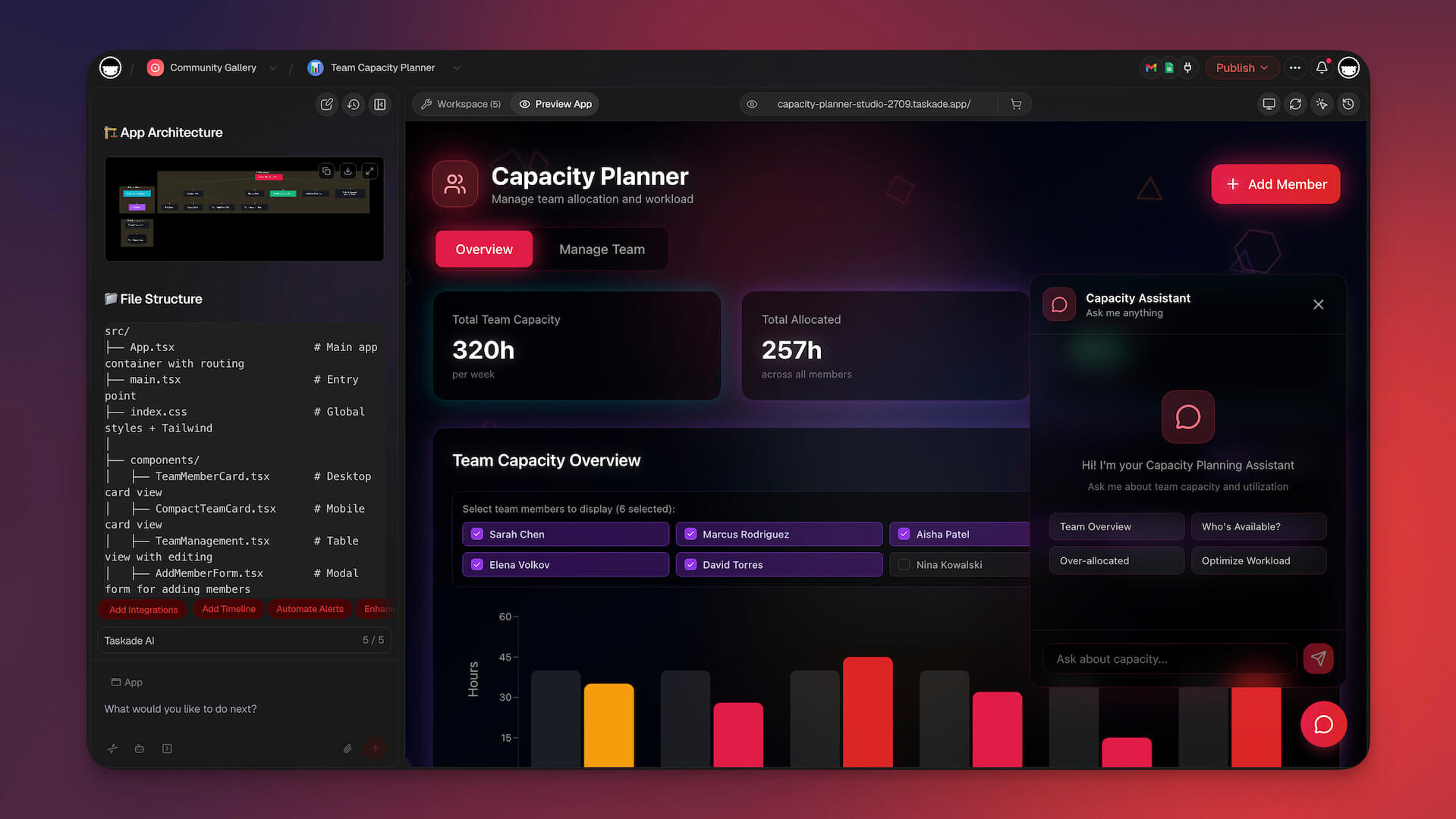
This isn't a website builder. It's an AI-native app platform that combines databases, AI agents, and automations into what Taskade calls "living software."
Why consider Genesis over WordPress:
| Feature | WordPress | Taskade Genesis |
|---|---|---|
| Setup time | Hours-days | Minutes |
| Hosting | ❌ Self-managed | ✅ Included |
| AI agents | ❌ Plugin integrations | ✅ Built-in (15+ models) |
| Database | ❌ You configure MySQL | ✅ Projects auto-created |
| Automations | ❌ Zapier/plugins needed | ✅ Built-in workflows |
| Maintenance | Weekly updates required | Zero maintenance |
| Coding needed | PHP/CSS helpful | None |
What you can build with Taskade Genesis (no code):
| App Type | Example | Time |
|---|---|---|
| Client Portal | Document sharing + AI chat | 5 min |
| Dashboard | Real-time business metrics | 3 min |
| CRM | Lead tracking with AI scoring | 5 min |
| Booking System | Resource scheduling | 5 min |
| Internal Wiki | Team knowledge base with AI search | 3 min |
| Website | Landing page + forms + database | 2 min |
What makes Genesis different from every other alternative on this list:
Genesis is built on Workspace DNA — three interconnected systems, unified by an orchestration layer called EVE, that create living software:
+--------------+    +--------------+    +--------------+
|    MEMORY    | ←→ | INTELLIGENCE | ←→ |  EXECUTION   |
|  (Projects & |    | (AI Agents)  |    | (Automations)|
|   Databases) |    |              |    |              |
+--------------+    +--------------+    +--------------+
       ↑                   ↑                   ↑
       └───────────────────┼───────────────────┘
                  EVE (Unified Intelligence)
                  Orchestrates all 3 pillars
- Memory (Projects): Smart databases with multiple views — List, Board, Calendar, Table, Mind Map, Gantt, Org Chart
- Intelligence (AI Agents v2): built-in tools, custom slash commands, persistent memory, multi-model support (OpenAI, Anthropic, and open-weight providers)
- Execution (Automations): durable execution, branching/looping/filtering, 100+ integrations
- Real-time collaboration: Built-in video calls, multiplayer editing, access control (Owner to Viewer)
Example prompt:
"Build a client onboarding portal with intake forms,
document storage, automated welcome sequences,
and an AI assistant that answers client questions."
Taskade Genesis delivers a working app — not code you need to deploy. Your app goes live instantly with a shareable URL, Live web hosting starts at Pro. Custom domains with automatic SSL on Business+.
What WordPress needs 5+ plugins to do, Taskade Genesis includes out of the box:
| WordPress Approach | Taskade Genesis Approach |
|---|---|
| Hosting plugin + CDN config | ✅ Hosting included (Pro+). Custom domains + SSL (Business+) |
| Auth plugin (Memberpress, etc.) | ✅ Branded sign-in for your users. No plugin needed |
| Analytics plugin (MonsterInsights) | ✅ Built-in app analytics to track performance |
| SEO plugin (Yoast) | ✅ Custom meta tags and OG images in branding settings |
| Backup plugin | ✅ Version history. Roll back any change instantly |
| Form plugin (WPForms, Gravity) | ✅ AI forms that feed into databases and trigger automations |
| Automation plugin (Zapier/WP-Cron) | ✅ 100+ integrations: Shopify, Stripe, Slack, Gmail, HubSpot, Telegram |
| AI plugin (various) | ✅ Persistent AI agents embedded in your app with built-in tools |
| Multi-language (WPML, $99/yr) | ✅ Full multi-language support |
Background agents (Pro and above) keep your app running 24/7. They process form submissions, monitor data, and execute workflows while you sleep.
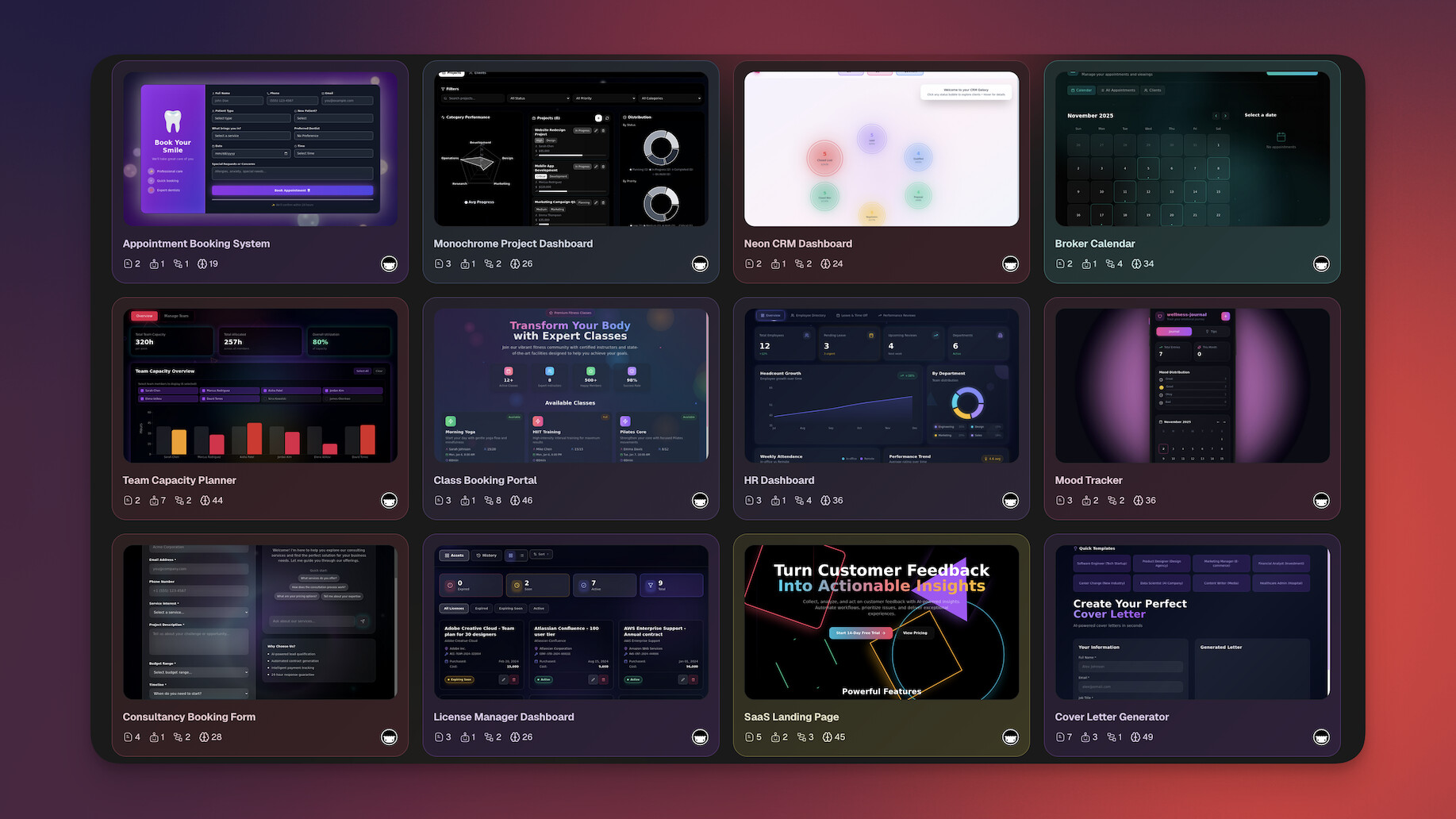
Clone these website apps to get started:
| Use Case | App | Clone |
|---|---|---|
| SaaS product page | SaaS Landing Page | Clone → |
| Real estate listings | Real Estate Landing | Clone → |
| Nonprofit organization | Nonprofit Org Website | Clone → |
| Restaurant or cafe | CrabStyx Restaurant Site | Clone → |
| Portfolio showcase | Calm Portfolio | Clone → |
Browse 150,000+ community apps →
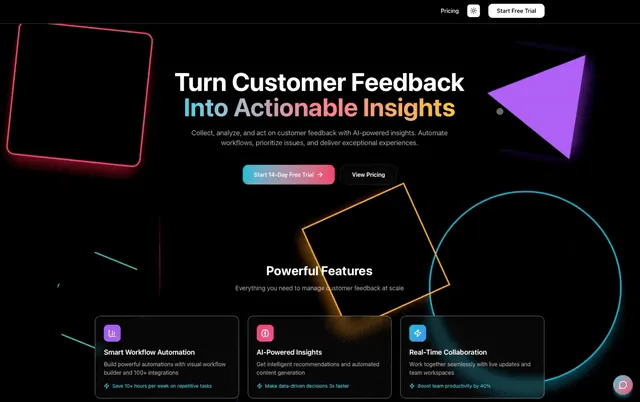
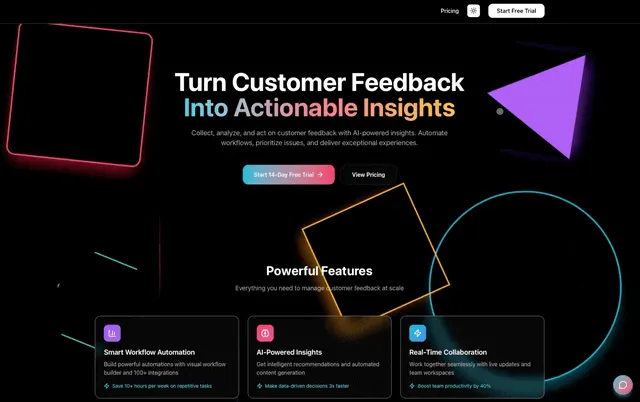
See Taskade Genesis in action:
Taskade Genesis Pricing 💸 (annual billing)
- 🟢 Free: 3 apps, 1 agent, 11,000 AI credits
- 🟣 Pro ($10/month): 10 users, unlimited agents and automations, live web hosting, background agents, 50K credits/mo
- 🟠 Business ($25/month): Unlimited users, custom domains, white-label, 150K credits/mo, hourly knowledge sync
Key links:
👉 See full comparison: Taskade vs WordPress →
#2 Webflow — Best for Design-Obsessed Teams
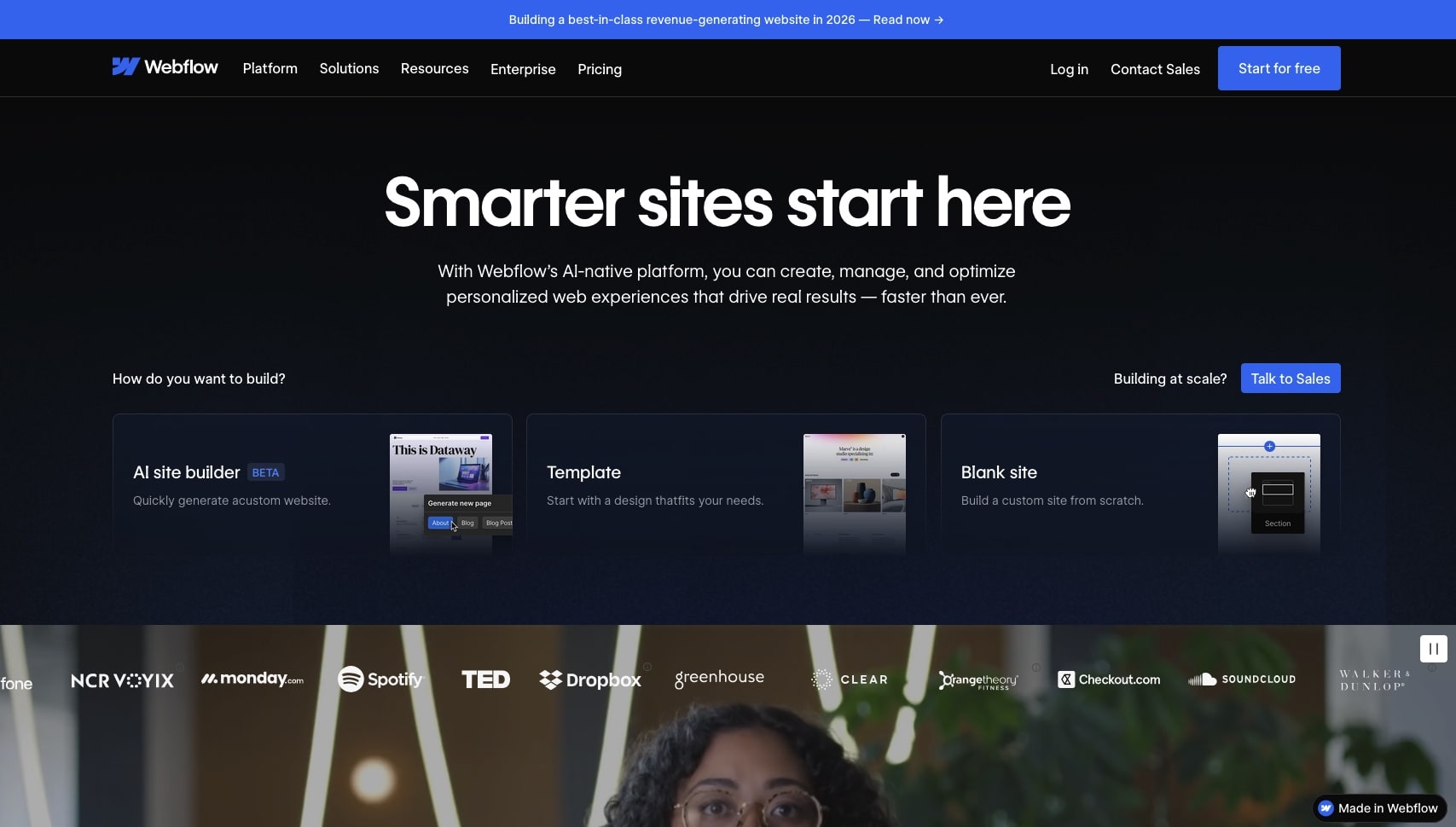
Webflow gives you CSS-level design control without writing code. It's the closest alternative to WordPress for teams that need pixel-perfect websites with a built-in CMS.
Webflow vs WordPress:
| Feature | Webflow | WordPress |
|---|---|---|
| Design control | ✅ Visual CSS | Theme-dependent |
| Hosting | ✅ Included | ❌ Self-managed |
| CMS | ✅ Built-in | ✅ Core feature |
| Performance | ✅ Fast by default | Requires optimization |
| Learning curve | Moderate | Moderate-steep |
| E-commerce | Growing | ✅ WooCommerce |
Best for: Design agencies, marketing teams, and professionals who need full visual control without developer dependencies.
Where Webflow falls short: No built-in AI agents, automation requires third-party tools, and e-commerce is less mature than WordPress + WooCommerce.
Webflow Pricing 💸
- 🟢 Free: Basic features, webflow.io subdomain
- 🔵 Basic ($14/month): Custom domain, 25K monthly visits
- 🟣 CMS ($23/month): Dynamic content, 100K visits
- 🟡 Business ($49/month): 250K visits, form submissions
👉 See full comparison: Taskade vs Webflow →
#3 Squarespace — Best for Creatives and Portfolios
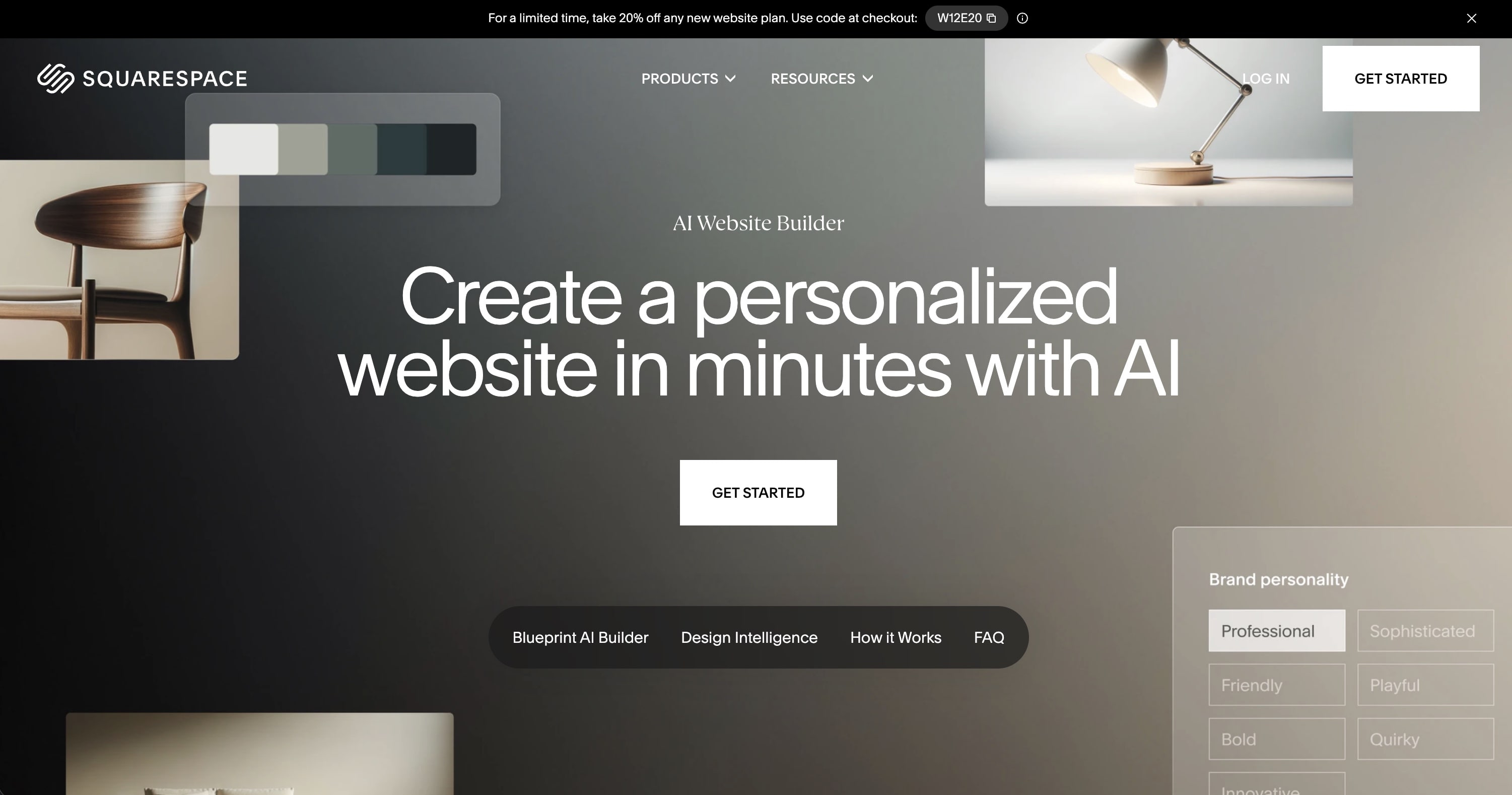
Squarespace is known for consistently beautiful templates that work out of the box. If you're a photographer, designer, restaurant, or creative professional, Squarespace makes it dead simple to look professional.
Squarespace vs WordPress:
| Feature | Squarespace | WordPress |
|---|---|---|
| Design quality | ✅ Stunning defaults | Theme-dependent |
| Hosting | ✅ Included | ❌ Self-managed |
| E-commerce | ✅ Built-in | ✅ WooCommerce |
| Blogging | ✅ Good | ✅ Excellent |
| Flexibility | Limited | ✅ Unlimited with plugins |
Best for: Creatives, portfolios, restaurants, and small businesses that prioritize beautiful design with minimal setup effort.
Where Squarespace falls short: Limited customization compared to WordPress, no AI capabilities, and scaling beyond basic business sites can feel restrictive.
Squarespace Pricing 💸
- 🔵 Basic ($16/month): Custom domain, SSL, basic analytics
- 🟣 Core ($23/month): E-commerce basics, scheduling
- 🟡 Plus ($39/month): Advanced commerce, marketing tools
👉 See full comparison: Taskade vs Squarespace →
#4 Wix — Best for Beginners
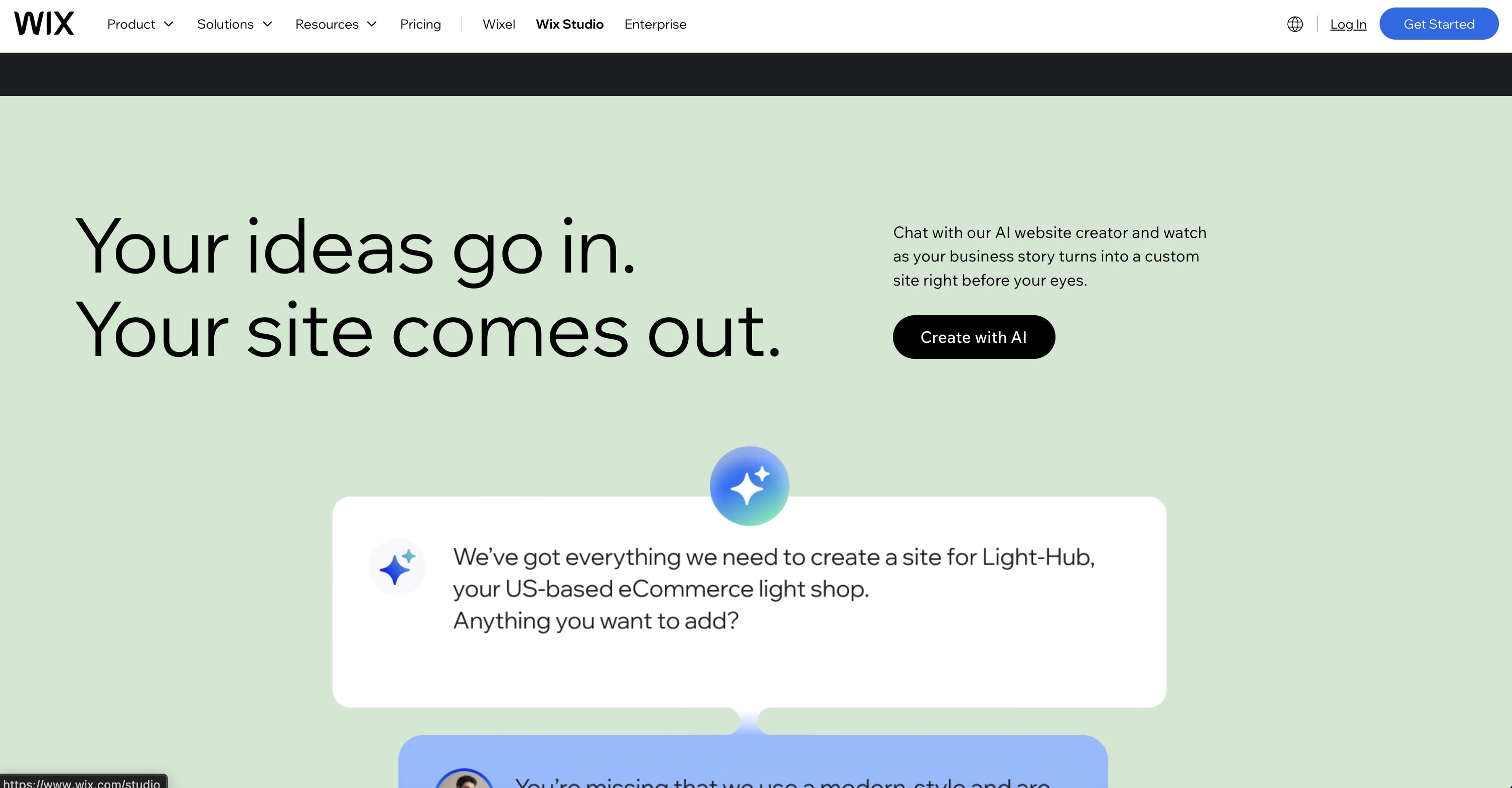
Wix is the most beginner-friendly WordPress alternative. With 800+ templates and Wix ADI (an AI that generates sites from a few questions), anyone can get a polished website online in under an hour.
Wix vs WordPress:
| Feature | Wix | WordPress |
|---|---|---|
| Ease of use | ✅ Drag-and-drop | Moderate learning curve |
| Hosting | ✅ Included | ❌ Self-managed |
| Templates | 800+ | 10,000+ themes |
| AI features | ✅ Wix ADI | ❌ None native |
| Flexibility | Limited | ✅ Unlimited |
Best for: Small business owners, solopreneurs, and anyone who wants a professional website without technical knowledge.
Where Wix falls short: Limited flexibility compared to WordPress, sites can feel template-constrained at scale, and you can't easily switch templates after building.
Wix Pricing 💸
- 🟢 Free: Wix-branded subdomain
- 🔵 Light ($17/month): Custom domain, basic features
- 🟣 Core ($29/month): Storage, analytics
- 🟡 Business ($39/month): E-commerce, payments
#5 Framer — Best for Startups and Landing Pages

Framer is the fastest way to ship modern landing pages. With AI layout generation, smooth animations, and aggressive pricing, it's become the go-to for startups and indie makers.
Framer vs WordPress:
| Feature | Framer | WordPress |
|---|---|---|
| Speed to publish | ✅ Minutes | Hours-days |
| Animations | ✅ Built-in | Plugin-dependent |
| AI generation | ✅ Layouts from prompts | ❌ None |
| CMS | Basic | ✅ Full CMS |
| Hosting | ✅ Included | ❌ Self-managed |
Best for: Startups, product teams, and indie makers who need to ship landing pages fast with modern design patterns.
Where Framer falls short: CMS is basic compared to WordPress, limited e-commerce, and not ideal for large content-heavy sites.
Framer Pricing 💸
- 🟢 Free: 1,000 pages, Framer subdomain
- 🔵 Basic ($10/month): Custom domain, analytics
- 🟣 Pro ($30/month): Advanced CMS, staging
👉 See full comparison: Taskade vs Framer →
#6 Shopify — Best for E-Commerce

Shopify is the WordPress alternative for anyone whose primary goal is selling products online. Where WordPress requires WooCommerce plus a stack of plugins, Shopify handles payments, inventory, shipping, and POS natively.
Shopify vs WordPress + WooCommerce:
| Feature | Shopify | WordPress + WooCommerce |
|---|---|---|
| Payment processing | ✅ Built-in | Plugin required |
| Inventory | ✅ Built-in | Plugin required |
| Shipping | ✅ Built-in | Plugin required |
| Hosting | ✅ Included | ❌ Self-managed |
| Theme flexibility | Good | ✅ Excellent |
| Blog | Basic | ✅ Excellent |
The e-commerce plugin comparison:
  WORDPRESS + WOOCOMMERCE                    SHOPIFY
  ───────────────────────                    ───────
  WordPress Core                             Shopify (all-in-one)
    + WooCommerce plugin                       ✓ Payments
    + Payment gateway plugin                   ✓ Inventory
    + Shipping plugin                          ✓ Shipping
    + Tax plugin                               ✓ Tax
    + Security plugin                          ✓ Security
    + Backup plugin                            ✓ Backups
    + SEO plugin                               ✓ SEO
    + Analytics plugin                         ✓ Analytics
  ─────────────────────                      ─────────────────
  8-12 plugins to manage                     0 plugins needed
  $200-800/year in plugins                   $39/month all-in
Best for: Anyone selling physical or digital products — from side hustles to enterprise retail.
Where Shopify falls short: The blog is limited compared to WordPress, design flexibility is more constrained, and transaction fees apply if you don't use Shopify Payments.
Shopify Pricing 💸
- 🟢 Starter ($5/month): Sell via links and social
- 🔵 Basic ($39/month): Full online store
- 🟣 Grow ($105/month): Advanced reporting
- 🟡 Advanced ($399/month): Enterprise features
#7 Ghost — Best for Writers and Newsletter Creators

Ghost is what WordPress was originally built for — blogging — but modernized. It's an open-source publishing platform with built-in membership management, paid subscriptions, and native newsletters.
Ghost vs WordPress:
| Feature | Ghost | WordPress |
|---|---|---|
| Blogging | ✅ Purpose-built | ✅ Original purpose |
| Memberships | ✅ Built-in | Plugin required |
| Newsletters | ✅ Native, $0 per email | Plugin required |
| Revenue share | 0% | N/A |
| Hosting | ✅ Ghost(Pro) or self-host | ❌ Self-managed |
| Plugins | ❌ Minimal | ✅ 60,000+ |
The writer's dilemma:
  WORDPRESS FOR WRITERS               GHOST FOR WRITERS
  ────────────────────                 ─────────────────
  WordPress Core                       Ghost (built-in)
    + Memberpress ($299/yr)              ✓ Memberships ($0)
    + Mailchimp plugin + plan            ✓ Newsletters ($0/email)
    + Yoast SEO ($99/yr)                 ✓ SEO tools ($0)
    + WP Super Cache                     ✓ Fast by default
    + Security plugin                    ✓ Managed security
  ─────────────────────                ─────────────────────
  $500+/year in plugins                $0/year (self-hosted)
  Substack takes 10% revenue           Ghost takes 0% revenue
Best for: Independent writers, newsletter creators, and content-first businesses who want to monetize through memberships without plugin stacking.
Where Ghost falls short: Far fewer integrations than WordPress, minimal design flexibility, and no real e-commerce beyond digital memberships.
Ghost Pricing 💸
- 🟢 Self-hosted: Free (open source)
- 🔵 Starter ($15/month): Managed hosting, 500 members
- 🟣 Publisher ($29/month): 1,000 members, custom themes
#8 Lovable — Best for AI-Generated Web Apps

Lovable is an AI app builder that creates full-stack web applications from plain English descriptions. It's in the same AI-native category as Taskade Genesis, but focused purely on code generation.
Lovable vs WordPress:
| Feature | Lovable | WordPress |
|---|---|---|
| Approach | AI generates code | Manual development |
| Coding needed | ❌ No | PHP/CSS helpful |
| Output | Full-stack React apps | PHP/WordPress sites |
| Hosting | ✅ Included | ❌ Self-managed |
| AI | ✅ Core feature | ❌ None |
Lovable vs Taskade Genesis:
| Feature | Lovable | Taskade Genesis |
|---|---|---|
| AI agents | ❌ No | ✅ built-in tools |
| Automations | ❌ No | ✅ durable workflows |
| Team collaboration | Limited | ✅ Real-time multiplayer |
| Free tier | 5 credits/day | 3 Genesis apps |
| Output | Code (React) | Living system (no code) |
Best for: Non-technical founders who want functional web applications built from conversational prompts.
Lovable Pricing 💸
- 🟢 Free: 5 credits/day
- 🔵 Pro ($21/month): Higher credit limits
- 🟣 Business ($42/month): Team features
👉 See full comparison: Taskade vs Lovable →

🤔 How to Choose the Right WordPress Alternative
Decision Flow
  Do you need to SELL PRODUCTS online?
  ├── YES ──► Shopify
  └── NO
      │
      Do you need AI agents + automations?
      ├── YES ──► Taskade Genesis
      └── NO
          │
          Do you need pixel-perfect design control?
          ├── YES ──► Webflow
          └── NO
              │
              Are you primarily a WRITER / BLOGGER?
              ├── YES ──► Ghost
              └── NO
                  │
                  Do you want the EASIEST setup?
                  ├── YES ──► Wix
                  └── NO
                      │
                      Do you need FAST landing pages?
                      ├── YES ──► Framer
                      └── NO ──► Squarespace
By Your Goal
| If You Want... | Best Choice |
|---|---|
| AI-powered apps without coding | Taskade Genesis |
| Pixel-perfect website design | Webflow |
| Beautiful portfolio site | Squarespace |
| Easiest possible setup | Wix |
| Fast startup landing pages | Framer |
| Online store | Shopify |
| Blog + paid newsletter | Ghost |
| AI-generated web app | Lovable |
| Maximum plugin flexibility | Stay on WordPress |
By Technical Skill
| Your Level | Best Choice |
|---|---|
| Non-technical | Taskade Genesis, Wix |
| Design-oriented | Squarespace, Webflow, Framer |
| Developer | WordPress, Ghost (self-hosted) |
| Business team | Taskade Genesis, Wix |
📊 Feature Matrix
| Feature | Genesis | Webflow | Squarespace | Wix | Framer | Shopify | Ghost | Lovable |
|---|---|---|---|---|---|---|---|---|
| No coding needed | ✅ | ✅ | ✅ | ✅ | ✅ | ✅ | ⚠️ | ✅ |
| AI-native | ✅ | ❌ | ❌ | ⚠️ | ⚠️ | ❌ | ❌ | ✅ |
| Built-in AI agents | ✅ | ❌ | ❌ | ❌ | ❌ | ❌ | ❌ | ❌ |
| Hosting included | ✅ | ✅ | ✅ | ✅ | ✅ | ✅ | ✅ | ✅ |
| Automations | ✅ | ❌ | ❌ | ⚠️ | ❌ | ⚠️ | ❌ | ❌ |
| Real-time collab | ✅ | ✅ | ❌ | ❌ | ❌ | ❌ | ❌ | ❌ |
| E-commerce | ❌ | ⚠️ | ✅ | ✅ | ❌ | ✅ | ⚠️ | ❌ |
| Free tier | ✅ | ✅ | ❌ | ✅ | ✅ | ❌ | ✅ | ✅ |
💰 Total Cost of Ownership: WordPress vs Alternatives
The biggest surprise with WordPress is hidden costs. Here's an honest comparison:
| Cost Category | WordPress (Self-Hosted) | Typical Alternative |
|---|---|---|
| Software | $0 (free) | $0-49/month |
| Hosting | $5-100/month | ✅ Included |
| Premium theme | $50-200 (one-time) | ✅ Included |
| Essential plugins | $100-500/year | ✅ Included |
| SSL certificate | $0-100/year | ✅ Included |
| Security/backups | $50-200/year | ✅ Included |
| Developer time | $50-150/hour | $0 (no code) |
| Year 1 total | $500-3,000+ | $0-120 |
  YEAR 1 COST COMPARISON
  ──────────────────────  WordPress (self-hosted)
████████████████████████████████████████░  $500 - $3,000+
├─ Hosting: $60-1200
├─ Theme: $50-200
├─ Plugins: $100-500
├─ Security: $50-200
└─ Developer: $0-2000+
  Taskade Genesis
██░                                        $0 - $120
└─ All inclusive (hosting, AI, security)
  Webflow
██████░                                    $168 - $588
└─ All inclusive
  Wix
██████░                                    $204 - $468
└─ All inclusive
  Squarespace
█████░                                     $192 - $468
└─ All inclusive
💡 WordPress is "free" like a puppy is "free." The real cost is everything that comes after.
🚀 The Bottom Line
WordPress is still a great choice for developers who want maximum flexibility with an enormous plugin ecosystem.
But for most people in 2026, there are better options:
| Your Situation | Best Choice |
|---|---|
| Want AI-powered apps, not just websites | Taskade Genesis |
| Want beautiful design, zero maintenance | Webflow or Squarespace |
| Want the easiest possible setup | Wix |
| Want to sell products | Shopify |
| Want to monetize writing | Ghost |
| Want to keep using WordPress | That's fine too |
The WordPress era was defined by plugins and themes. The next era is defined by AI agents and automation. Platforms like Taskade Genesis represent that shift — from assembling code to describing what you need and watching it come to life.
Ready to move beyond WordPress?
👉 Build apps with Taskade Genesis →
👉 Clone a ready-made template →
🔗 Related Resources
- 10 Best AI Website Generators — ranked by template quality
- How AI Website Builders Compare Feature by Feature — the broader category overview
- 17 Best AI App Builders
- Best Bolt.new Alternatives
- Best Lovable Alternatives
- What is Vibe Coding?
- Best Vibe Coding Tools in 2026
- What is WordPress? — Complete history of WordPress CMS
- Taskade vs WordPress — Side-by-side comparison
- Taskade vs Webflow — Website builders compared
- Taskade vs Squarespace — Design platforms compared
- Taskade vs Framer — Landing page builders compared
Start building:
- Clone a ready-made app template — Customize and deploy instantly
- AI Website Generator — Build complete sites from one prompt
- Browse Community Apps — Clone real Genesis apps

Frequently Asked Questions
What is the best WordPress alternative in 2026?
It depends on your goal. For design-first websites, Webflow and Squarespace are excellent. For beginners, Wix offers the easiest setup. For AI-powered app building that goes beyond static websites, Taskade Genesis lets you build complete applications with AI agents, databases, and automations from a single prompt.
Is WordPress still worth using in 2026?
WordPress still powers 43% of the web and remains a strong choice for complex, highly customizable sites with large plugin ecosystems. However, it requires hosting management, security patching, and plugin maintenance. Modern alternatives bundle hosting, security, and design into one platform with zero maintenance overhead.
Can I move my WordPress site to another platform?
Yes. WordPress lets you export content as XML, which most platforms can import. The layout and design will need to be rebuilt in the new platform's editor. For AI-native platforms like Taskade Genesis, you can describe your site's functionality in natural language and Genesis builds an equivalent working application.
What is cheaper than WordPress?
WordPress.org is free software, but hosting ($3-100+/month), premium themes ($50-200), and plugins add up quickly. All-in-one platforms like Wix ($17/mo), Framer ($10/mo), and Taskade Genesis (free / $10/mo) include hosting, SSL, and security — often cheaper than WordPress's total cost of ownership.
Do I need coding skills to use WordPress alternatives?
No. Most modern WordPress alternatives are no-code platforms. Webflow, Wix, Squarespace, and Framer use visual drag-and-drop editors. Taskade Genesis goes further — you describe what you want in plain English and AI builds it, no coding or design skills needed.
Which WordPress alternative is best for e-commerce?
For dedicated e-commerce, Shopify is the strongest WordPress alternative — it handles payments, inventory, and shipping out of the box. Squarespace and Wix also offer solid e-commerce features. For AI-powered business applications beyond traditional stores, Taskade Genesis can build custom order management, inventory tracking, and client portals.