






Hi Taskaders!
We're thrilled to announce new Table View, smarter AI agent capabilities, and new task automations. Let's dive in and take your productivity to the next level!
TL;DR: The new Table View joins Taskade's project views with customizable columns for status, priority, and type. Train AI agents with project context and cloud storage knowledge, automate tasks with new triggers like Task Due and Task Assigned, and generate workflows from multiple sources. Try it free →
Introducing the New Table View
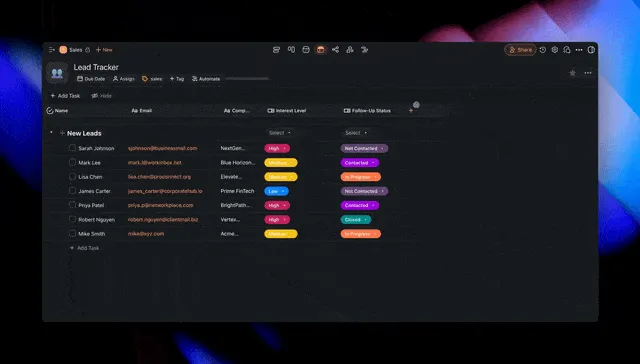
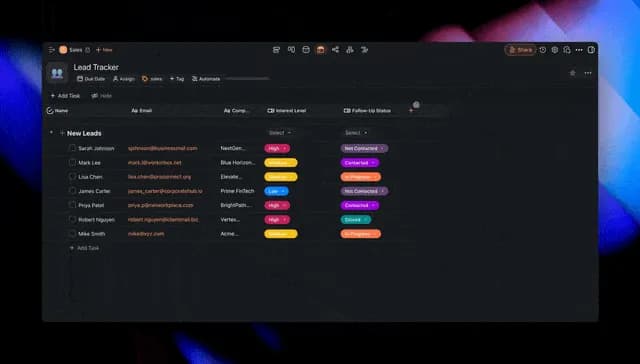
Dive into our vibrant new Table View, featuring fully customizable columns and dropdown menus to set your task Status, Priority, Type, and more.
Unleash the full potential of your projects with custom columns and tailor your table to your team's workflow. Learn more.
Train AI Agents with Project Context
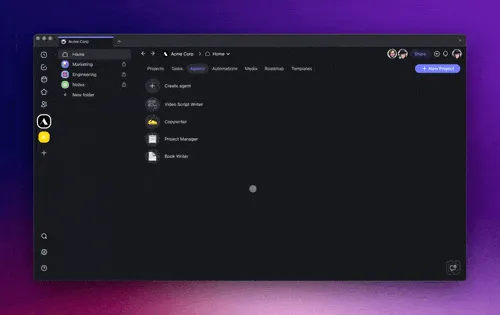
You can now personalize your AI Agents with dynamic context from your workspace, simply head to the Knowledge tab and select your projects.
Train your AI Agents with multiple sources of knowledge, including Taskade projects, media files, documents from cloud storage solutions like Google Drive, Dropbox, Box, and even external web sources and links. Learn more.
Automate Tasks and Projects
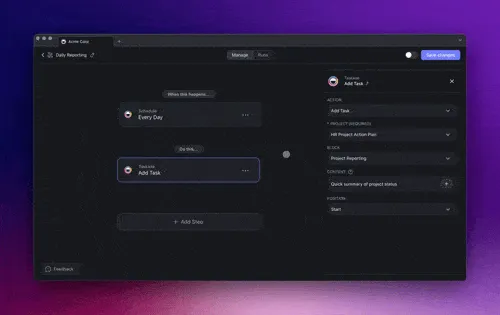
Automate your projects with new triggers like "Task Due" and "Task Assigned" for instant updates, plus an "Assign Task" action for easy task delegation. Streamline your workflows with our latest automations! Learn more.
Generate Workflows From Multiple Sources
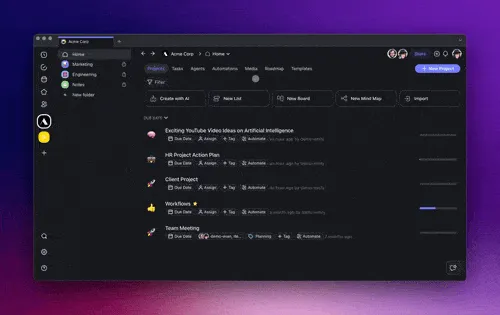
Generate more personalized task lists, mind maps, workflows, and flowcharts with the AI Project Studio. Now supporting multiple sources, integrate content from your documents, Google Drive, Dropbox, and web links directly into new AI projects. Learn more.
AI Agents on Taskade Mobile: iOS & Android
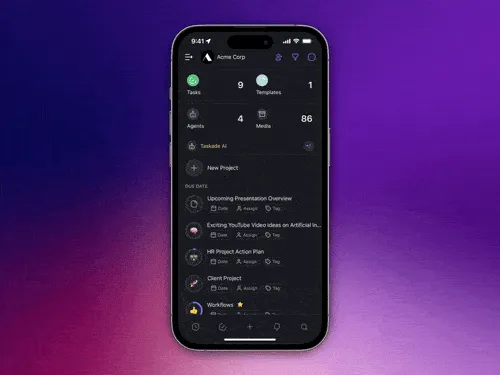
Exciting news for mobile Taskaders! Our latest update brings AI Agent commands right to your toolbar for iOS and Android. Now, with just a tap, access AI Agents directly with your custom prompts and commands.
Plus, explore the new Media tab for interactive AI chats with your documents, and enjoy quick access with our latest widgets and shortcuts. It's all about making your mobile experience smoother and more productive Learn more.
New AI Agent Toolbar: Access your AI Agent Commands seamlessly in the mobile toolbar, and collaborate with your AI Agents on the go.
New Media Tab: Chat with your PDFs and documents, gain new insights with AI, and access your media files instantly from your workspace.
New Widgets & Shortcuts: Jump into Taskade quickly with new widgets and shortcuts, designed for speed and convenience!
Other Improvements:
New: Action View is now Table View!
Unleash your project's potential with the new Table View featuring status tracking, priority sorting, and custom dropdown fields for a tailored management experience.
Effortlessly navigate and sort with the added color presets and field options like Status, Priority, Type, and anything you want.
New editing capabilities and layout improvements to streamline your work. Enhanced drag-and-drop functionality, tooltips, and settings for better control and clarity.
New: Gantt Chart View is launching in 2 weeks. Get early access by replying to our Linkedin, Twitter, and Reddit posts with "AI Gantt".
Navigate your Gantt chart timelines with ease, thanks to new arrow navigation controls.
Date headers are now draggable, and the cursor has been standardized for a cleaner look and feel.
AI Agent Enhancements:
Introducing Project Context for AI Agents to utilize specific project information during interactions.
Improved language settings and conversation context awareness for multilingual and tailored engagements.
New slash commands for agents and options to manage chat histories for privacy and efficiency.
AI Automation Enhancements:
Trust in your automations with the ability to retry failed runs, ensuring that your intended workflows always reach completion.
New "Due Date Created" trigger helps teams stay ahead of their schedules by automating reminders and follow-ups as due dates are set.
Streamline task assignment with the "Assign Task to Someone" action, making delegation quicker and more efficient.
New "Task Assigned" trigger in automation for immediate notifications upon task assignments, improving team coordination.
Rectified various glitches across project knowledge management, ensuring reliable retrieval and manipulation of project-specific data.
Improved: The Board View now features select pills and task ranking that aligns with list default views for consistent visualization across different project formats.
Added chat toggle to Gantt and calendar views for seamless integration of AI interaction.
Enhanced AI automation flows and template copies, alongside refined automation triggers and actions, optimize task management and workflow automation.
Experience improved performance and reliability across the platform. Explore the Community Gallery for templates, integrations, and workflow inspiration.
Remember, our Help Center and Feedback Forum are always here for your questions and suggestions. Cheers to a transformative and AI-powered year at Taskade! 🚀
— Team Taskade 🐑
P.S. Love Taskade? Share your story and experience by leaving a review on our testimonials page.

Frequently Asked Questions
How does Taskade's Table view help with project management?
Taskade's Table view provides fully customizable columns with dropdown menus for Status, Priority, Type, and custom categories. You can sort, filter, and color-code tasks to match your team's workflow. Data persists across all project views so switching between List, Board, Mind Map, or Gantt never loses information.
How do I train a Taskade AI Agent with custom knowledge sources?
Open the Knowledge tab in your agent settings and add sources including Taskade projects, uploaded documents, files from Google Drive, Dropbox, or Box, and external web links. The agent incorporates all sources into its context, delivering responses tailored to your specific content and domain expertise.
Can I use AI Agents on Taskade's mobile apps?
Yes. Taskade's iOS and Android apps include a dedicated AI Agent toolbar for running custom commands on the go. You can also access the Media tab to chat with documents and use widgets and shortcuts for quick entry into your projects.
What task automation triggers are available in Taskade?
Taskade offers triggers including Task Due, Task Assigned, Task Completed, Comment Added, Webhook, and time-based schedules. Pair these with actions like Assign Task, Move Task, Create Project, and AI-powered commands to automate repetitive workflows across your workspace.