







In the 1970s, British educational consultant Tony Buzan called mind mapping "a Swiss Army Knife for the brain." Now that large language models (LLMs) have gone mainstream, you can use the power of AI for creating structured mind maps faster than ever before.
TL;DR: AI transforms mind mapping by auto-generating branches, identifying connections, and filling knowledge gaps. Taskade combines AI-powered mind map generation with multiple project views, real-time collaboration, and custom AI agents -- all from a single prompt. Try AI mind mapping free -->
The concept of a mind map is brilliant in its simplicity.
All you need to get started is a central idea or problem—this could be anything from "what should I have for breakfast?" to "how can I make my team more productive?"—a dash of creativity, and a mind mapping tool that will allow you to easily "attach" peripheral elements.
But sometimes, getting the creative juices flowing may be more difficult than it sounds.
So, if you'r struggling to get your mind maps off the ground, AI-powered mind mapping tools (wink, wink Taskade) can give you a hand. Here's what you need to know! 🦾
🤖 ➕ 🧠 AI and Mind Mapping
If you've somehow slept over the blazing AI revolution, here's a tldr.
Artificial Intelligence, commonly referred to as AI, is a field of computer science that focuses on creating intelligent machines that can perform tasks that typically require human intelligence.
In simpler terms, AI is the ability of a machine to think and learn like a human.
While AI tools can’t completely take over cognitively demanding jobs (that’s a good thing, right?), they can make many garden-variety tasks a whole lot easier. AI uses natural-language processing and machine learning to analyze data, generate images, and map concepts in a structured way.
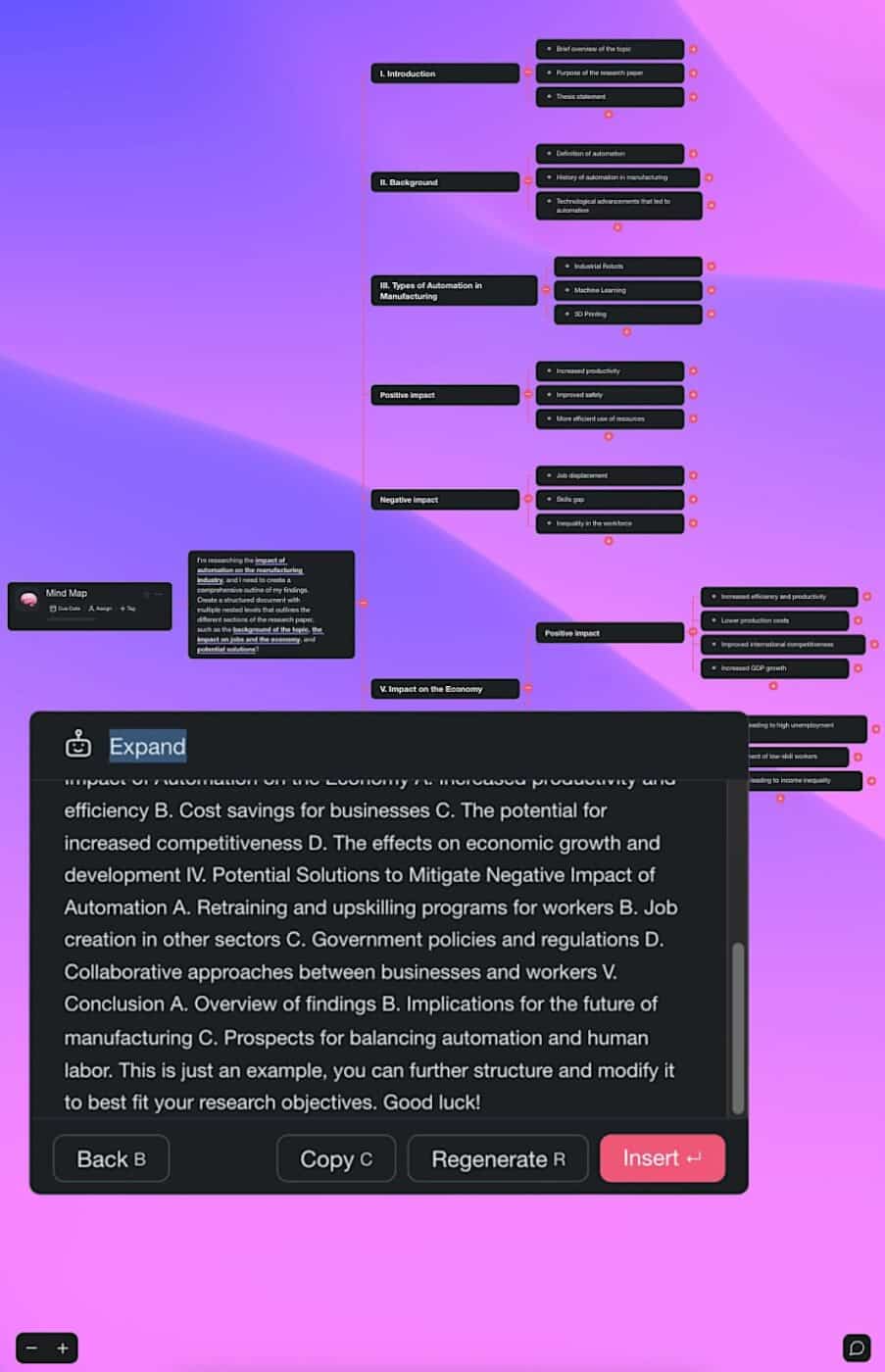
And speaking of structure, artificial intelligence is also pretty good at mind mapping. 🧠
AI-based mind-mapping and conceptualization tools can significantly speed up the brainstorming process compared to the traditional approach.
Instead of racking your brain trying to churn out ideas during caffeine-fuelled brainstorming sessions, you can use natural-language prompts (instructions that let you communicate with AI using plain English), to get AI to do that for you and save hours in the process.
Let’s see how that works. 👇
⚡️ How AI Improves Mind Mapping
Quick and Efficient Idea / Solution Generation
Brainstorming meetings are fun and engaging, but it often takes a lot of time and several active participants to come up with a few starter ideas. If you have neither, you can still ask AI for help.
AI mind-mapping tools can generate a core list of ideas in seconds. Whether you want to structure a business strategy or outline a book, AI can provide valuable insights on all topics.
Clustering and Grouping of Ideas
“How are these ideas connected?”
“Is there a pattern I can’t identify?”
“Am I missing something?”
Even if you're already a mind-mapper extraordinaire, it's not always easy to make sense of a pool of assorted elements after a particularly intensive brainstorming session.
AI can analyze the contents of mind map nodes for you and group them together based on their similarities and relationships. Just to make sure you're not missing the fine details.
Identification of Gaps or Areas for Improvement
The MECE principle (acronym for Mutually Exclusive, Collectively Exhaustive) ensures that each branch of your mind map is unique, and that all branches collectively exhaust the topic.
But it’s easier said than done. When your topic breaks down into multiple subtopics, each with its own branches, you can quickly get overwhelmed and lose momentum.
AI can fill in the gaps, suggest additional subtopics, and develop new branches you missed. It can also identify redundancies that don't contribute to the overall picture.
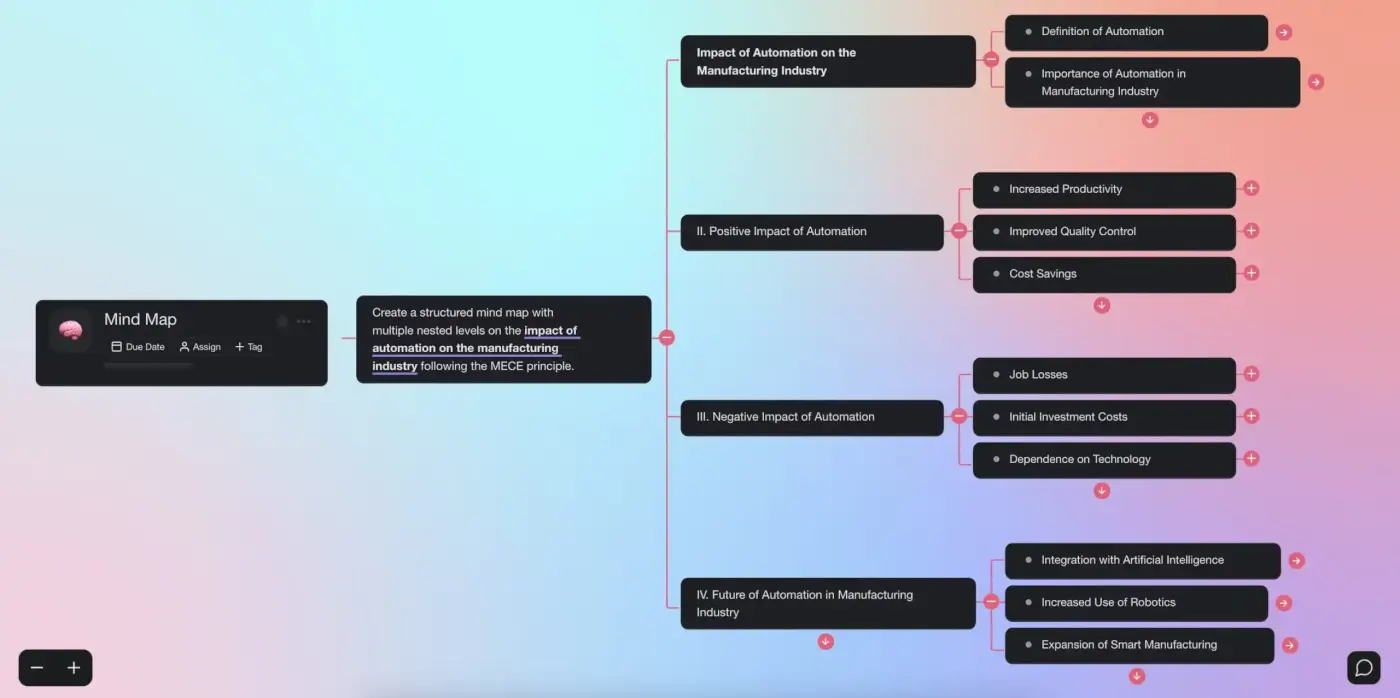
🤹♀️ Examples of AI-Powered Mind Mapping
Mind Mapping in Medicine
Medical diagnoses require a highly integrative approach. This is true both for complicated and more common illnesses that may have underlying causes that are not immediately apparent.
Multiple studies have found that mind mapping can help doctors and medical students improve retention and comprehension of complex medical topics, integrate and apply knowledge across different subjects, and improve decision-making.(1)
There are already AI models that can process and analyze MRI and CT scans. Others are being trained on patients’ records to help diagnose conditions years before they manifest.
Using that wealth of data and presenting it in a visual way can help clinicians to better understand the underlying causes and connections between different symptoms.
Mind Mapping in the Business World
Back in 2005, Bill Gates wrote an article for Newsweek where he called mind mapping software “a digital blank slate" that helps connect and synthesize all kinds of ideas and data.(2)
According to Buzan, most Fortune 500 companies, including IBM, Boeing, Oracle, and Hewlett-Packard, just to name a few, shared that sentiment. Fast forward to 2023, AI-assisted mind mapping is becoming the ultimate ideation and problem-solving tool.(3)
So what exactly can your company or team use it for?
The short answer is: everything. Whether you're trying to develop new products, optimize your workflows, or analyze market trends, AI-generated mind maps fit the bill perfectly.
A Universal Tool for the Creative Mind
Memory palaces, concept maps, Spider diagrams—people have been relying on hierarchical, visual representations of information for centuries. The bright and famous have done it too.
Leonardo da Vinci’s notes, most notably the 12-volume Codex Atlanticus, contained numerous sketches of diagrams showing the relationship between nature’s phenomena and the anatomy of the human body. da Vinci also used mapping in the sketches of his prototypes.
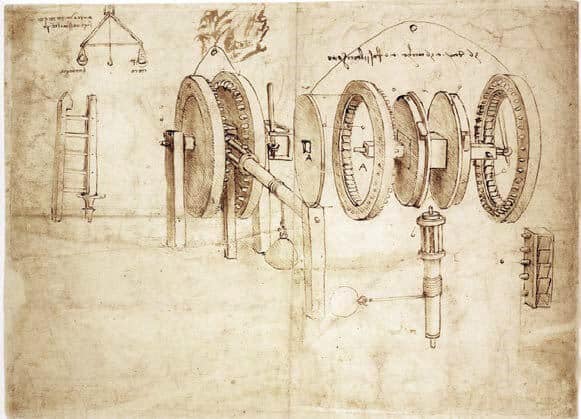
Machinery presented in an "exploded" or "transparent" view from Leonardo da Vinci's Codex Atlanticus
AI-generated mind maps can help designers and engineers create and test new ideas, much like da Vinci did with his sketches. These prototypes can then be tweaked and refined before they end up in production, saving time and resources in the design process.
We can’t guarantee that AI mind mapping will make you rich and famous (it probably won't hurt). But it will help you organize your thoughts more effectively. And that’s a good start.
🤖 Tips and Best Practices for Using AI-Powered Mind Mapping in Taskade
If you’re new to Taskade, here’s a short introduction before we continue.
Taskade is collaborative mind-mapping software and a project management platform powered by frontier AI models from top AI labs. With our smart AI assistant, you can quickly create high-level, structured mind maps for many types of projects. Here are a few examples:
🔸 Brainstorming ideas for a new business or product
🔸 Organizing your daily tasks and to-do lists
🔸 Planning events and parties
🔸 Visualizing a research project or paper
🔸 Outlining out a book or screenplay
🔸 Mapping tools, strategies, and workflow optimizations
🔸 Planning a vacation or travel itinerary
🔸 Creating visualizations of business processes
🔸 Creating a family tree or genealogy chart
🔸 Developing a marketing campaign or content strategy
🔸 And many more!
So, are you ready to supercharge your productivity?
Here's everything you need to know to get started! 👇
Start with a Mind Map Template
Our smart assistant can suggest new nodes and connections based on the content that you add to your projects. But first, you need to create a structure for your mind map.
Once you’ve set up a workspace (learn how to do that here), you can choose to start with a blank project or use one of our AI-powered mind mapping templates.
Once you’ve loaded your template, it’s time to let Taskade AI do its job.
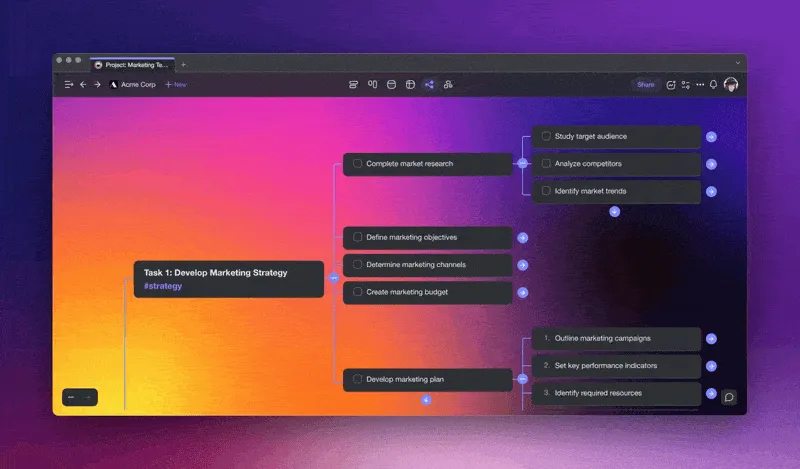
Choose one of the existing prompts (instructions that tell Taskade AI what to do), customize it according to your needs, and type /expand after the prompt to generate a mind map.
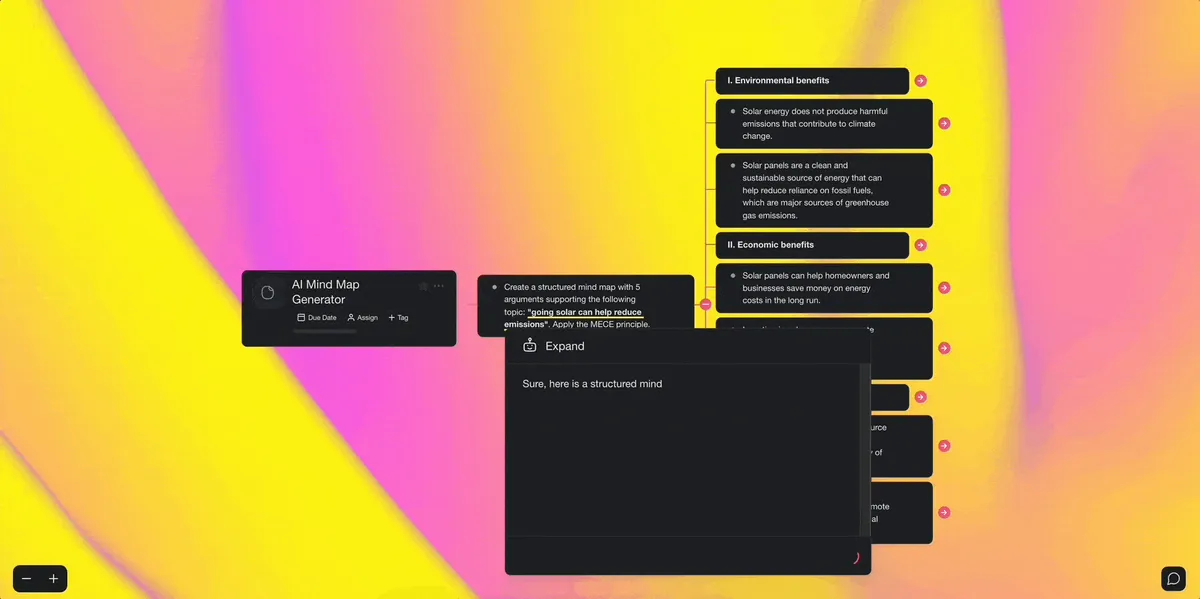
Customize and Add More Building Blocks
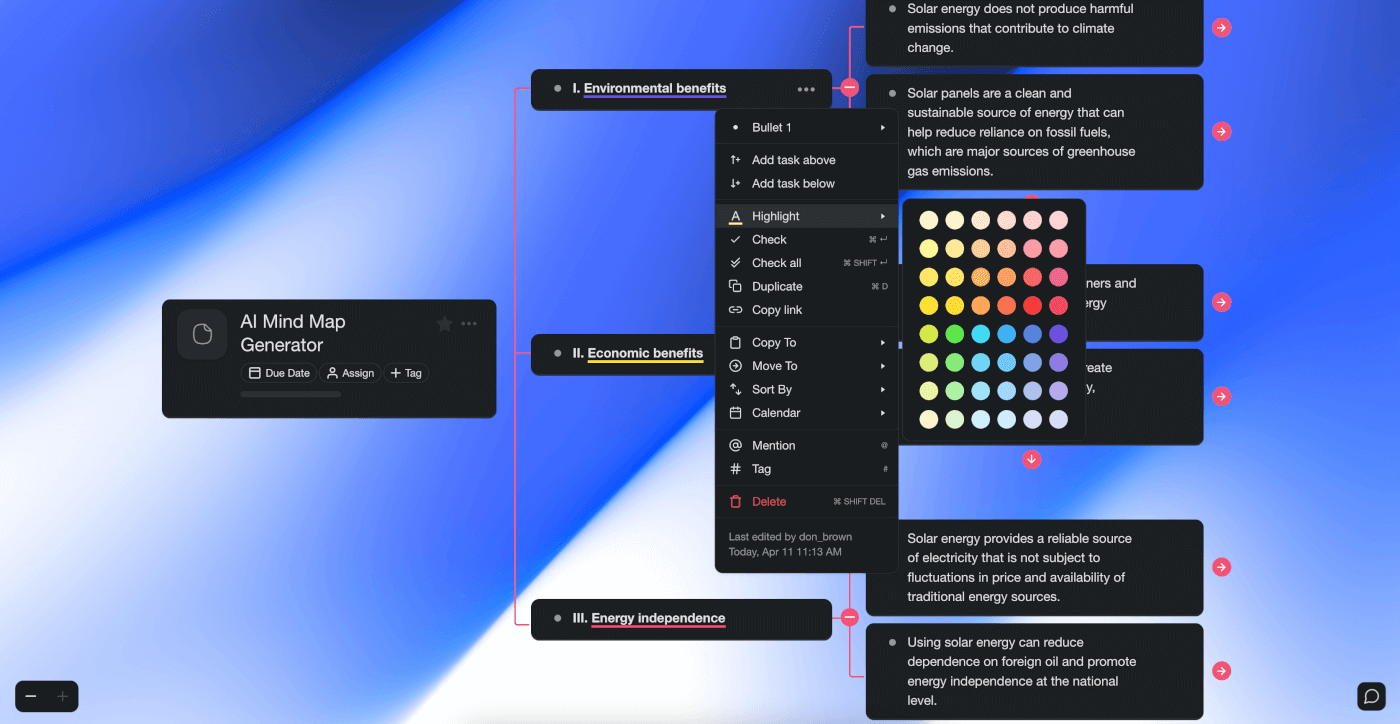
The project editor allows you to add colors and icons to your nodes, which can be immensely helpful in visualizing connections between ideas in a spanning mind map.
When you’re done tweaking the nodes and branches, it’s time to expand.
Select one of the lower-level nodes generated by Taskade AI and use the /expand command again to automatically create new branches. Unlike using pen and paper, Taskade allows you to expand your ideas and thoughts as much as you want without any limitations.
Collaborate with Others
Mind mapping is much more fun when you’re working with a team!
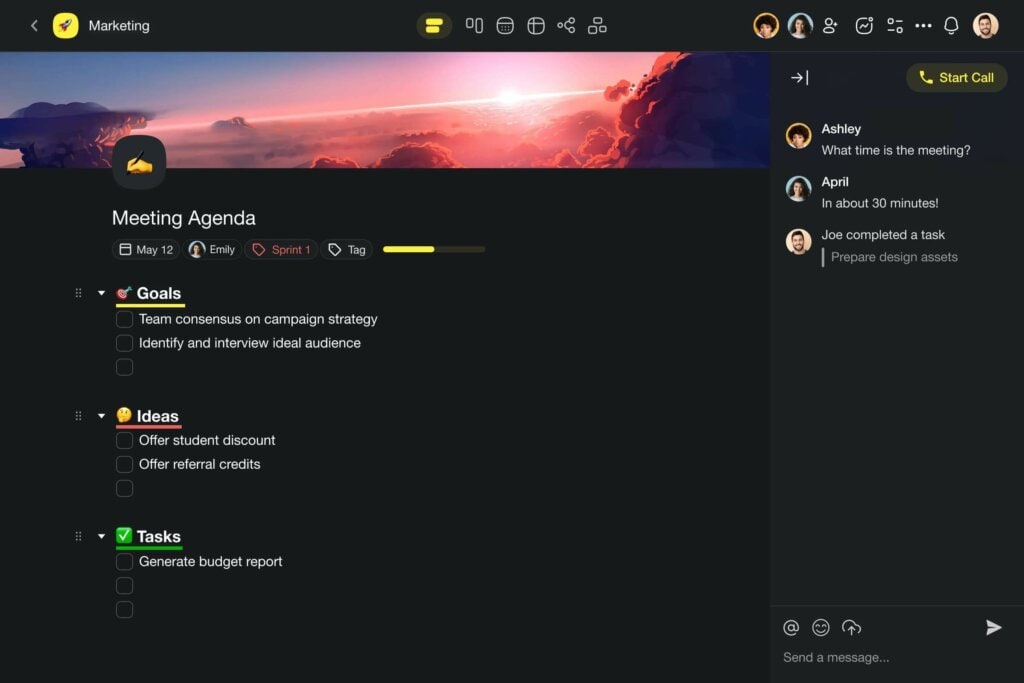
Invite your team, clients, friends, or family members to the project and build the mind map together. All project members can use Taskade AI at the same time, without limitations.
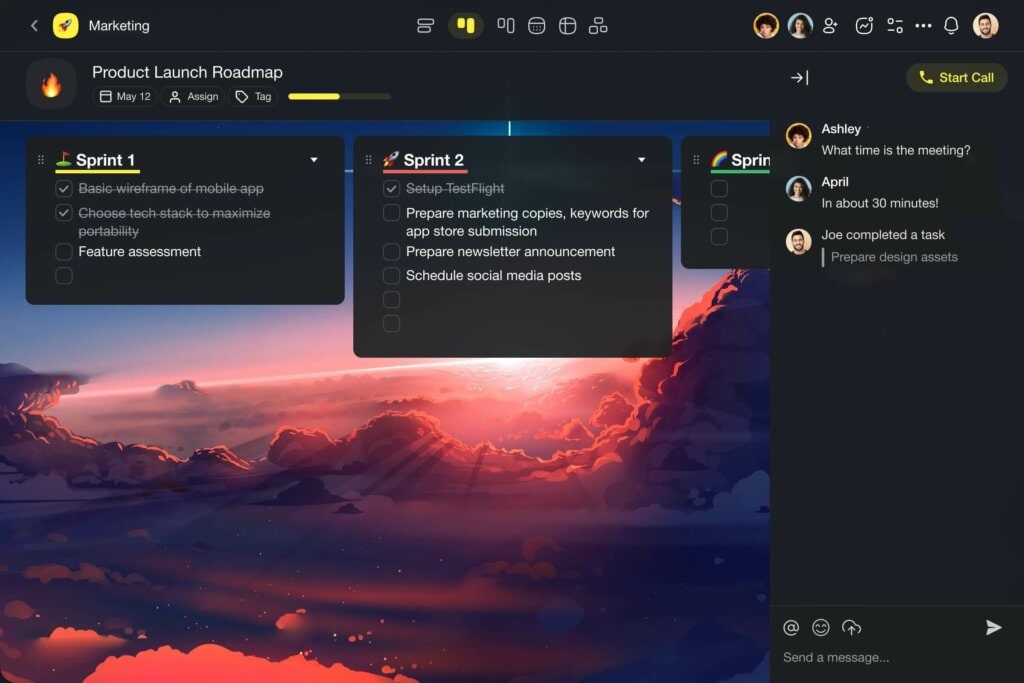
And here’s the best part — you can start a chat conversation or jump on a call while collaborating in real-time. In the same project, in the same up, without shuffling windows!
And that's it for now! 👍
Workspace DNA: The Engine Behind AI-Powered Mind Mapping
AI-generated mind maps are impressive on their own, but they become transformative when they sit inside a system that remembers, thinks, and acts. Taskade's Workspace DNA framework — Memory, Intelligence, and Execution — is what makes that possible.
Memory ensures that every mind map, brainstorming session, and project plan persists in a shared workspace. Your maps are not disposable artifacts — they are living documents you can revisit, expand, and convert across multiple project views including Mind Map, Board, Gantt, and Timeline. Intelligence is the core of AI-powered mapping. AI agents with built-in tools and frontier models from top AI labs can generate entire mind maps from a single prompt, expand branches with context-aware suggestions, identify conceptual gaps, and restructure maps for clarity — all within your existing project context.
Execution turns visual ideas into completed work. Automations with 100+ integrations and durable execution can convert mind map nodes into assigned tasks, set deadlines, trigger notifications, and sync with your team's workflow tools. The loop is self-reinforcing: maps feed agents, agents trigger actions, and actions create new project data that enriches future brainstorming sessions.
With Taskade Genesis, you can build custom brainstorming and mapping apps through vibe coding — describe what you need in plain language and get a live app in seconds. Over 150,000 apps have been created this way. Browse community-built tools for inspiration, with plans from Free to Business at $25/mo.
👋 Parting Words
And there you have it!
We've journeyed through the fascinating world of AI-enhanced mind mapping, and discovered how artificial intelligence is transforming the way we generate ideas. It's amazing, isn't it?
AI doesn't replace our creativity; it amplifies it.
Whether you're brainstorming for your next big project or organizing your daily tasks, Taskade AI is there to make the process smarter with a range of AI-powered features:
🤖 Custom AI Agents: Need a hand organizing your thoughts? Taskade's Custom AI Agents can do just that. Create and deploy your own team of autonomous AI agents to streamline workflows and automate tasks in your workspaces.
🌐 Workflow Generator: Want to give your brainstorming sessions a touch of structure? Great! Use The Workflow Generator create a detailed plan complete with seed ideas and guiding prompts. Automate the boring stuff and unleash creativity.
✏️ AI Assistant: Think of the AI Assistant as your brainstorming buddy that lives inside every Taskade project. It will help you write, organize, and shape your thoughts. It's the perfect tool for when you need a little nudge to get your ideas flowing.
💬 AI Chat: Stuck or need some quick advice? Hit up the AI Chat. It's like texting a friend or a senior work buddy who's always there to bounce ideas off of and give you the answers you need, right when you need them.
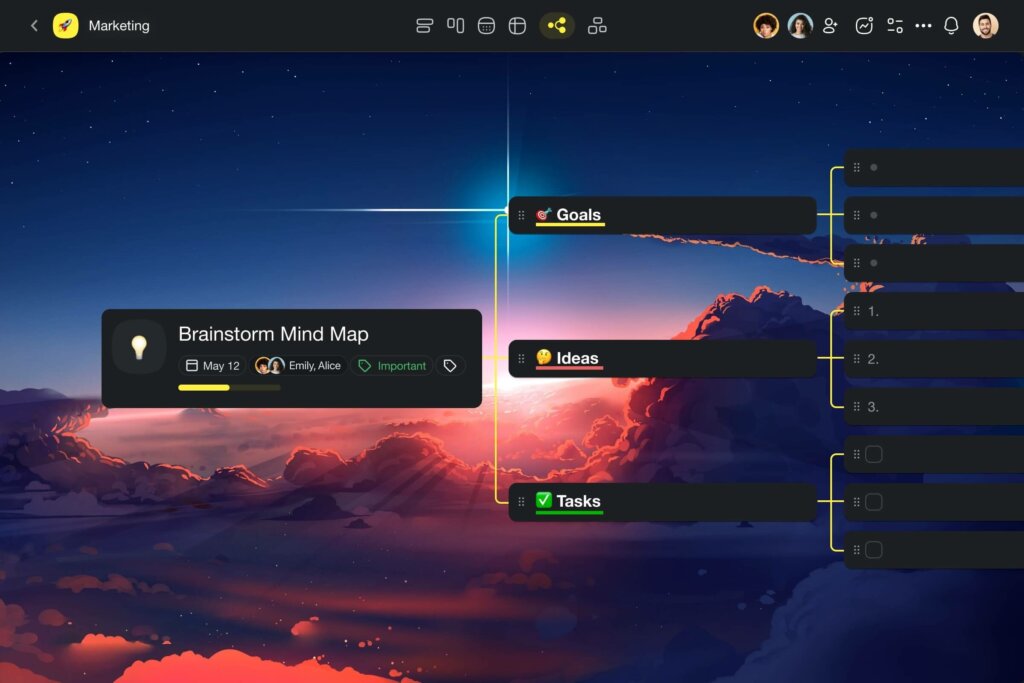
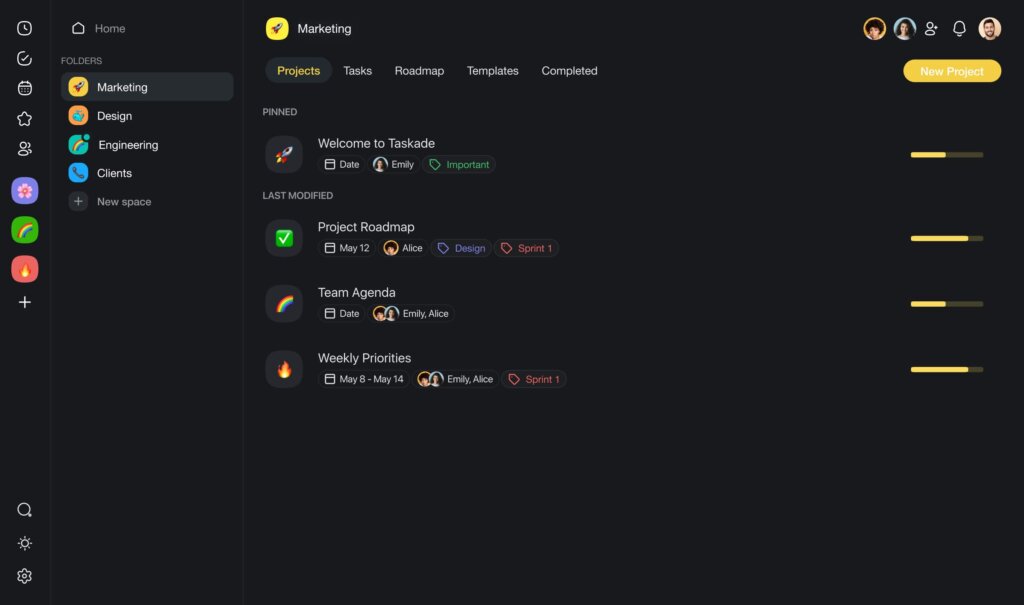
📚 AI Prompt Templates Library: Not sure where to start? The AI Prompt Templates Library is your go-to place. The prompt catalog is packed with ideas and starters to kick off your mind mapping sessions. No more staring at a blank screen!
And much more!
Sign up and start brainstorming faster and smarter with Taskade AI! 🐑
Traditional vs. AI-Powered Mind Mapping
| Feature | Traditional Mind Mapping | AI-Powered (Taskade) |
|---|---|---|
| Idea generation | Manual brainstorming | AI auto-generates branches |
| Speed | Slow (minutes per branch) | Instant (seconds per map) |
| Gap identification | Requires expertise | AI detects missing topics |
| Collaboration | In-person whiteboards | Real-time, remote (Taskade) |
| View switching | Single format | Multiple project views |
| Templates | None | 500+ AI templates |
| Expansion | Limited by knowledge | AI expands any branch |
| Project conversion | Manual re-entry | One-click to Board/Gantt |
Ready to supercharge your brainstorming? Build custom AI mind mapping workflows with Taskade agents, connect to 100+ integrations, or explore community-built apps. Start with a mind map template or create from scratch.
💬 Frequently Asked Questions about AI-Generated Mind Maps
What is AI-enabled mind mapping, and how does it differ from traditional mind mapping techniques?
AI-enabled mind mapping refers to the use of artificial intelligence (AI) technology to assist in the process of creating, organizing, and visualizing ideas through mind maps. Traditional mind mapping techniques involve manually creating a visual diagram that represents ideas and their relationships. AI-powered mind-mapping tools, on the other hand, can automatically suggest connections between ideas, classify ideas based on themes, and even generate new ideas based on existing ones.
How can AI-powered mind-mapping tools help me become more productive and efficient?
AI-powered mind-mapping tools can help you become more productive and efficient in a few ways. First, they can save you time by automatically organizing and categorizing your ideas, so you can focus on developing them further. Second, they can help you generate new ideas by suggesting connections between existing ones that you may not have thought of. Finally, they can provide a visual overview of your ideas that can help you see patterns and connections that you may not have noticed otherwise.
Can AI-powered mind-mapping tools help me generate new ideas and insights?
Yes, AI-powered mind-mapping tools can help you generate new ideas and insights. By suggesting connections between existing ideas, these tools can help you think more creatively and generate new perspectives that you may not have considered before.
Are there any downsides or limitations to using AI-powered mind-mapping tools?
While AI-powered mind-mapping tools can be helpful, there are some downsides and limitations to keep in mind. For example, some tools may be limited in the number of ideas they can process or the complexity of relationships they can suggest. Others may not always understand the context or nuances of your ideas, so it's important to review the final suggestions.
Can AI-powered mind-mapping tools be used for collaborative work?
Yes, AI-powered mind-mapping tools can be used for collaborative work. For instance, Taskade allows multiple users to work on the same mind map in real-time. Each team member can add their own ideas without limitations.
🔗 Resources
