






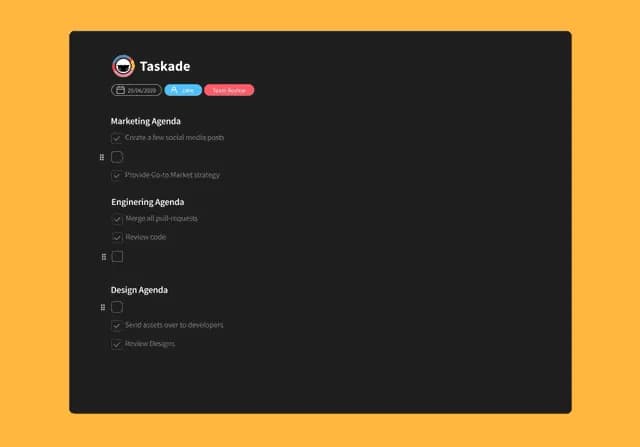
Hi Taskaders 👋
We have a multiplayer update this week focused on remote collaboration! ⚡️
TL;DR: Live cursors, online presence, and local time indicators shipped in 2020 to make remote teams feel co-located. Today the same multiplayer fabric powers Workspace DNA — humans plus AI agents co-editing across multiple project views, automations, and 100+ integrations. Taskade Genesis turns any prompt into a living app where people and agents collaborate in real time.
Then → Now: Typing indicators in 2020 → today's AI agents collaborating with humans inside the same project, with shared cursors, agent activity streams, and community-shared workflows all running on the same multiplayer engine.
| Presence | 2020 | Today (2026) |
|---|---|---|
| Typing | Avatar at cursor position | Live cursors + selection highlights |
| Chat presence | Green dot online | Online + away + agent presence |
| Time | Hover for local time | Local time + timezone-aware scheduling |
| Video | 1-click video calls | Video + screen share + meeting chat |
| Co-editors | Humans only | Humans + AI agents co-editing |
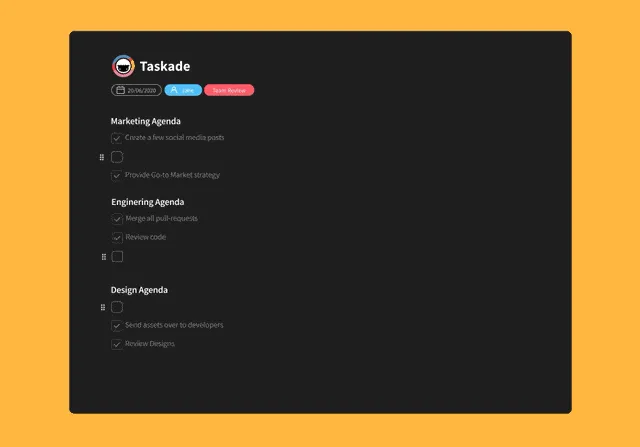
✍️ Real-Time Typing Indicator
You can now work in real-time with your team! When multiple people are editing a project, you will see their profile avatars and where they are typing.
💬 Real-Time Online Indicator
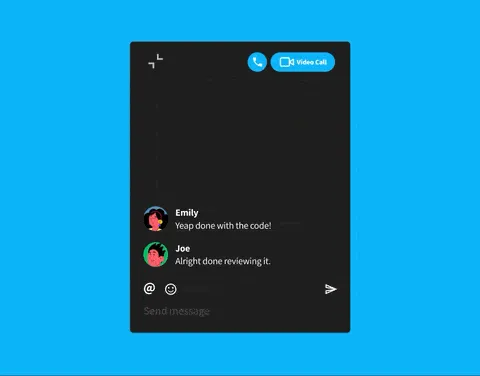
When chatting in a project, you can now see who else is online in the chatbox. People online will have a "🟢" presence icon next to their profile avatars.
⏰ Local Time Indicator
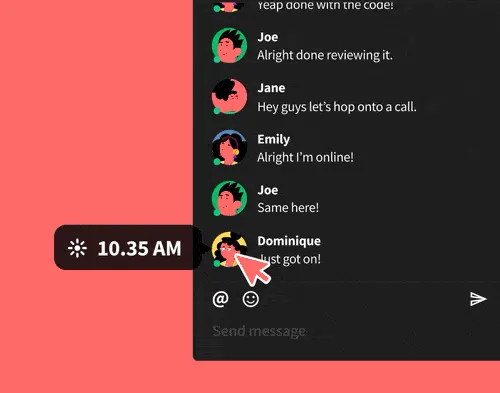
Simply hover over your teammates' profile icons to see their local time. This helps improve collaboration across multiple time zones for distributed teams.
👥 What Multiplayer Looks Like
Three signals — cursor, presence, time — turn a doc into a room. Today the same fabric carries AI agents as first-class citizens beside humans.
   Project: Q2 Launch Plan                       🟢 3 online
   ────────────────────────────────────────────────────────
   ☐ Finalize landing copy                ▌ ◄── Alex (typing)
   ☐ Ship release notes              ◄── Priya · 🤖 EVE
   ☑ Update changelog                ✓ Marco · 12:04 SGT
   ────────────────────────────────────────────────────────
   💬 #project-chat
     Alex   ⏰ 21:07 PST  "ready for review"
     Priya  ⏰ 12:07 SGT  "lgtm — handing off to EVE"
     EVE    🤖 running automation: notify-stakeholders
Related Reading:
- Best AI Collaboration Tools for Remote Teams
- Synchronous vs. Asynchronous Communication
- Quick Search · My Tasks · Crosslink Projects
- Learn Taskade: Real-time collaboration · Agents · Automations · Genesis
We hope you are staying safe in these difficult times. Thanks again for supporting Taskade, and as always, don’t hesitate to reach out if you need help.
We’re here for you! 😊
— Team Taskade 🐑
Frequently Asked Questions
Does Taskade show real-time typing indicators?
Yes. When multiple people edit a project simultaneously, Taskade displays profile avatars next to the text cursor of each collaborator. You can see exactly where teammates are typing in real-time, enabling fluid collaboration without confusion about who is editing what.
Can I see who's online in a Taskade project?
Yes. The project chat shows green presence indicators (🟢) next to profile avatars of online team members. This lets you know who's available for discussion or collaboration before starting a chat or video call.
Does Taskade show teammates' local time zones?
Yes. Hover over any teammate's profile icon to see their local time. This is especially useful for distributed teams working across multiple time zones, helping you schedule meetings and set expectations for response times.
How does Taskade support real-time collaboration?
Taskade provides multiplayer collaboration where all edits sync instantly across all participants. Features include live typing indicators showing cursor positions, online presence indicators in chat, local time display for distributed teams, and real-time task completion notifications.