






Hi Taskaders 🎉
We've worked hard to make Taskade work better for you! Here's what's new:
TL;DR: Markdown import, project sort, and inline notes shipped in 2021 set the foundation for today's Taskade — now multiple project views, 15+ frontier AI models, and 100+ integrations. Taskade Genesis ingests any source and turns it into a living app with AI-powered knowledge.
Then → Now: 2021's Markdown import, sort, and notes evolved into today's import center plus AI-powered knowledge sources for Agents that read and reason over every file in your workspace.
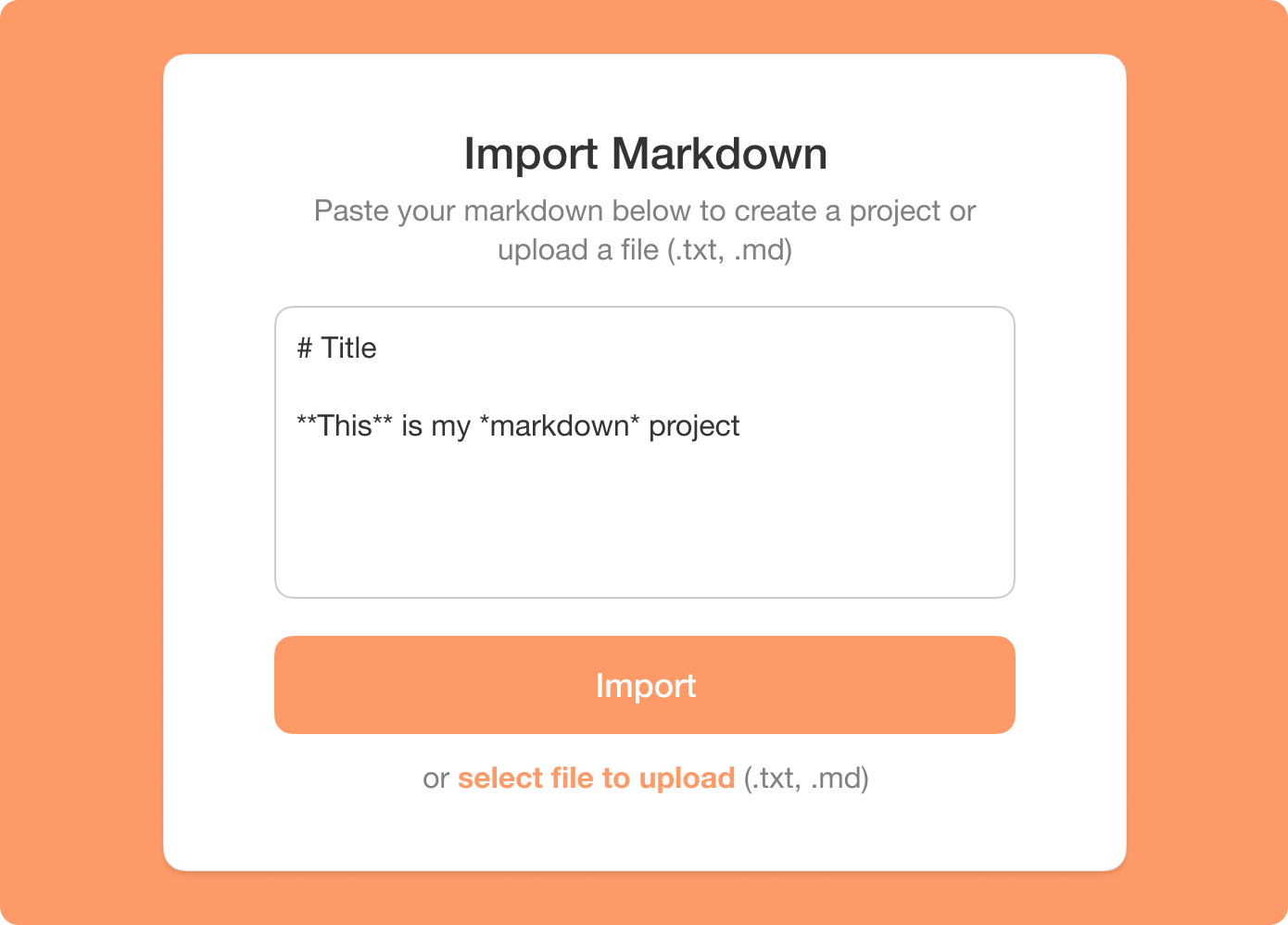
⚡️ Import Markdown
You can now import markdown into Taskade. Click on Import in the new project drop-down menu and choose Markdown.

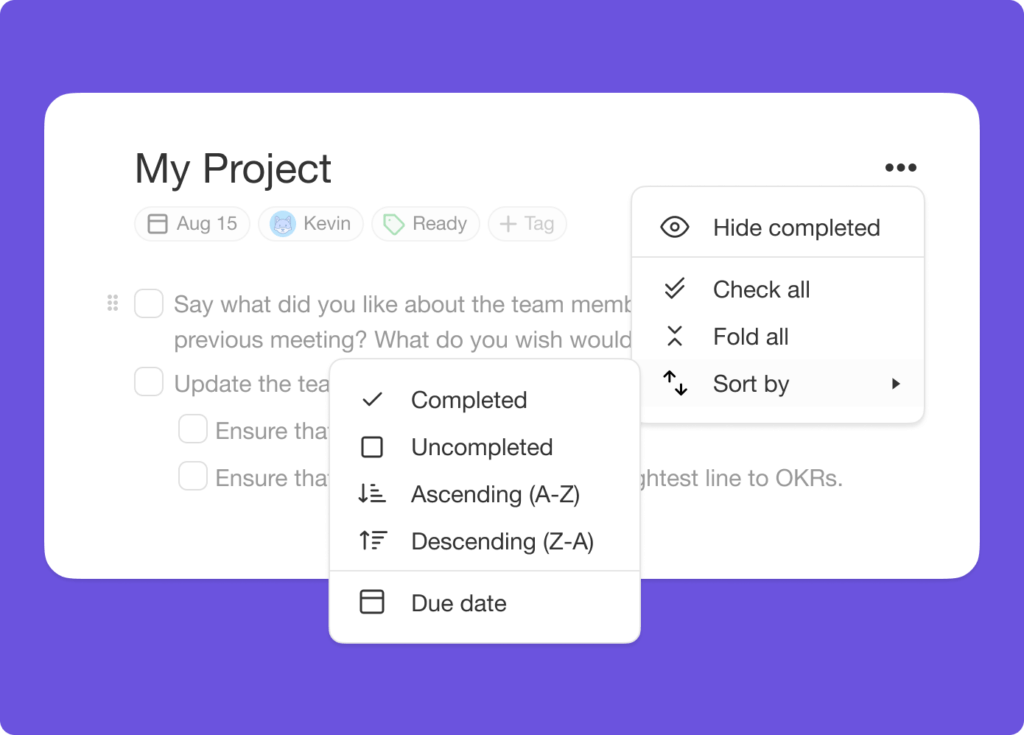
⚡️ Sort Project
Sort an entire project by the completion status, alphabetical order, or due date. Simply click on the more menu next to the project title.
⚡️ Add Notes
Add notes below your tasks to include more information. Use the Shift + Enter shortcut to add a note and Press Enter Twice to resume adding tasks.

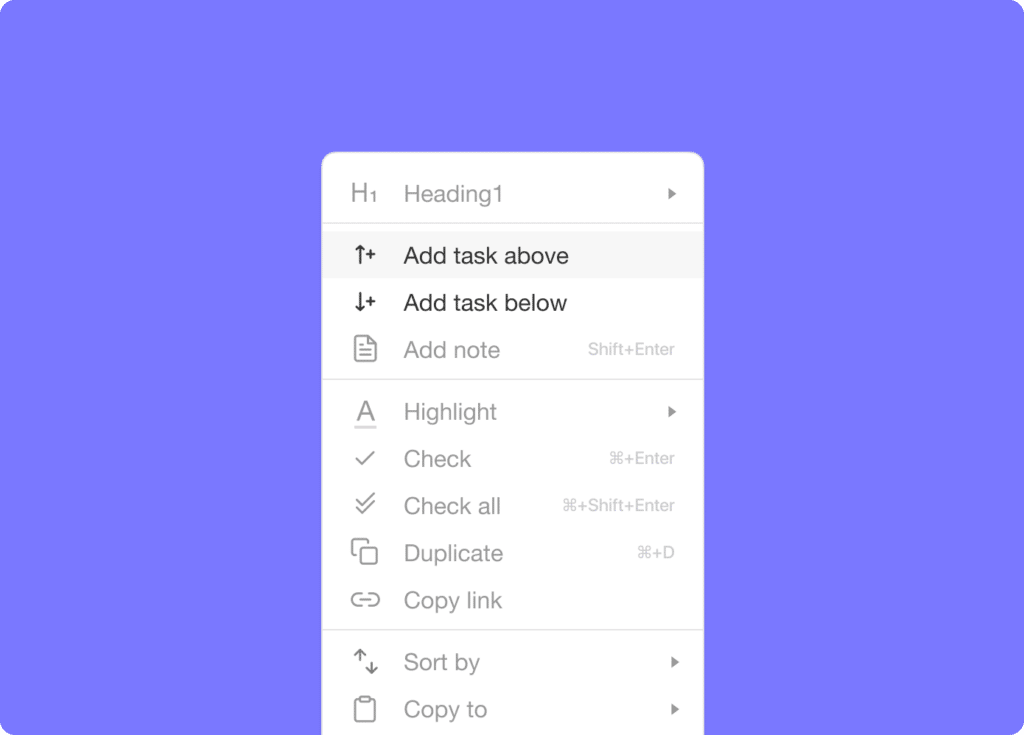
⚡️ Add Task Above or Below
We made it easier to click and add tasks above or below any existing tasks.
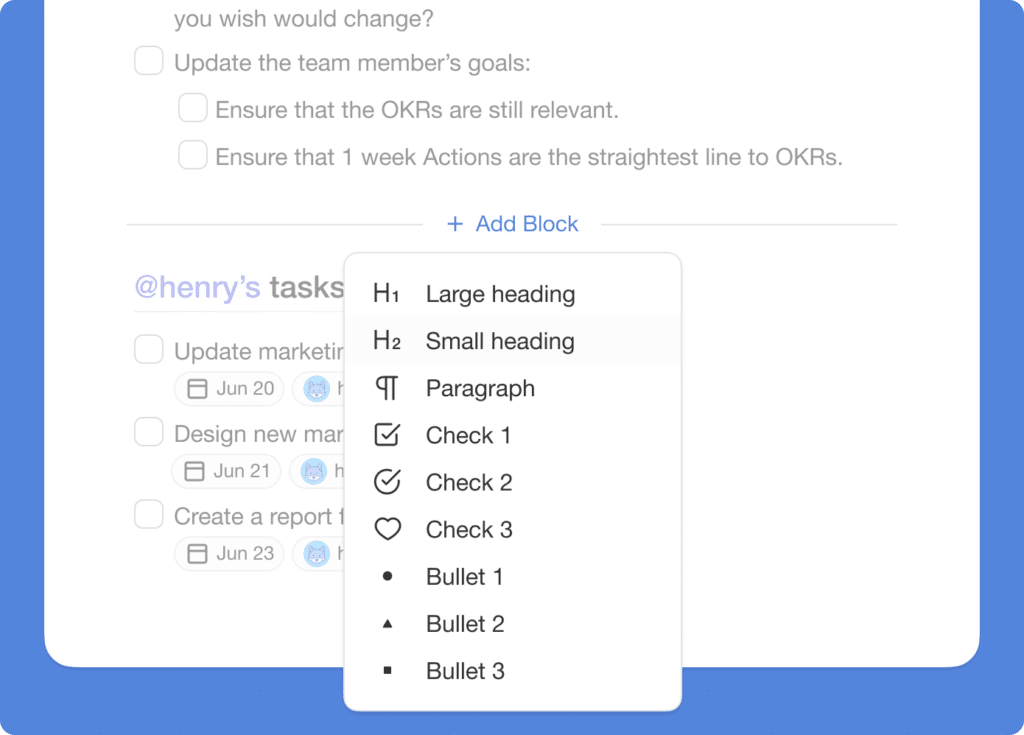
⚡️ Add Blocks Anywhere
Mouse over to add new blocks between any existing blocks.
📊 Import: 2021 H2 vs Today
| Import | 2021 H2 | Today (2026) |
|---|---|---|
| Source formats | Markdown (.md) files | Markdown, CSV, PDF, Notion, Obsidian + 20 more |
| Sort | A-Z, Z-A, by due date, by status | Same + AI-powered table sorting |
| Notes | Shift+Enter inline notes | Inline notes + Agent knowledge sources reading every file |
| Insertion | Add task above/below | Same + slash commands for AI block insertion |
📥 Markdown import → 25+ source formats
The .md import in 2021 was just the first source. Today the import center ingests Markdown, CSV, PDF, Notion, Obsidian, OPML, and 20+ more — and feeds AI Agent knowledge directly.
Inline notes shortcut
 ┌──────────── ADD NOTE BELOW TASK (2021) ─────────────┐
 │                                                     │
 │   ☐ Draft launch post                               │
 │     │  ⇧ + ⏎  →  add note line                      │
 │     ↳ Note: target ~1,200 words, hit Friday 5pm     │
 │     │  ⇧ + ⏎  →  another note                       │
 │     ↳ Note: include Reddit quotes + screenshots     │
 │                                                     │
 │   Press ⏎ twice to resume tasks                     │
 │ ─────────────────────────────────────────────────── │
 │  2026: notes feed Agent memory + auto-summarized    │
 └─────────────────────────────────────────────────────┘
📚 Related reading — hub & spoke
- Taskade Genesis · AI Agents v2 · Automations · Community Gallery
- All project views · 100+ integrations · Pricing
- Learn — Markdown import
- Learn — CSV import
- Learn — Notion import
- Learn — Obsidian import
- Learn — Agent knowledge sources
- Learn — Slash commands
🎉 Other Improvements
- Taskade for Mobile Updates:
- New: Copy & Move tasks between projects.
- New: Additional languages and translations support.
- New: Added hardware keyboard support for TAB to indent.
- New: Search projects by assignee via CMD/CTRL + F.
- New: Open in Desktop app option in the project more menu.
- Improved performance and bug fixes.
| Thanks again for supporting Taskade, and as always, don’t hesitate to reach out or visit our help center if you need help. We’re here for you! 😊 — Team Taskade 🐑 |
|---|
Frequently Asked Questions
Can I import Markdown files into Taskade?
Yes. Taskade supports Markdown (.md) file import. Click Import in the new project drop-down menu, select Markdown, and upload your file. The import preserves task completion status, hierarchy, and formatting — making it easy to migrate from Obsidian, Bear, Dynalist, or any Markdown-based tool.
Can I sort an entire project by due date or completion status?
Yes. Click the more menu next to the project title to access sorting options. Sort all tasks in the project by completion status (completed/uncompleted), alphabetical order (A-Z or Z-A), or due date. Sorting applies to the entire project hierarchy at once.
How do I add notes below tasks in Taskade?
Press Shift+Enter on any task to add a note line directly below it. Notes appear as indented text without a checkbox, perfect for adding context, descriptions, or reference information to a task. Press Enter twice to resume adding regular tasks.
Can I add tasks at specific positions in a Taskade project?
Yes. Taskade lets you insert tasks above or below any existing item by clicking the add button that appears on hover. You can also add blocks between any existing blocks by mousing over the gap between items, giving you precise control over content placement.