






Terry Crews doesn’t check his email before hitting the gym, but it’s a safe bet that everyone else does. Over the course of almost 50 years (!), email has become a staple in our professional lives. Now that the modern workplace pivots to remote, it’s about time we challenged the status quo: Does @mailto belong in remote workflows? 🤔

If you’re like most knowledge workers, chances are you have a love-hate relationship with your inbox. On the one hand, it keeps you in the loop and always in touch with your team. On the other, it’s like a leash that’s *almost* impossible to get off.
In today’s article, we dig deep to answer the following questions:
👉 Do distributed teams *still* need email?
👉 Why is everybody trying to kill it?
👉 Is Inbox Zero the answer to email’s problems?
👉 Can you make your inbox useful again?
✋ Before we start... We’ve covered a lot of ground on effective communication in a remote workplace. If you missed any of our previous articles, here’s a handful you should bite into when you’re done reading:
🤔 Do We *Still* Need Email in Remote Workflows?
"I do love email. Wherever possible I try to communicate asynchronously. I'm really good at email."
Elon Musk
Email = Online Presence
Some say that you can’t have a “social” presence if you don’t have a Facebook account. While we're not going to (dis)prove this claim, one thing's certain: You can't have an online presence without and email account.
On the net professional end, any type of work-related relationship starts with an email. This is especially true in businesses that rely on 100:
💼 Submitting job applications
🗓 Scheduling video interviews
📄 Sending employment documents
🤝 Remote onboarding and mentoring
But that’s not all.
Email is effectively the gateway to remote collaboration. It lets you sign up for collaboration platforms, opt into company newsletters or... submit helpdesk tickets when things go south.
It’s the Grandfather of Async
Whatever people say about email, one thing’s certain: It’s the oldest asynchronous communication channel. Period. And it’s still here today, almost 50 years after the first email was sent inside the US Department of Defense ARPANET network.
So, why is written async communication so important?
🗄 It’s a permanent record of team interactions
🔎 It lets you filter and search for specific information
✏️ It encourages more deliberate communication
🧠 It rewards intensive concentration (when used well)
Still not convinced?
Check out our article “Synchronous or Asynchronous Communication, That Is the Question” to see why async is like a remote work superpower! 🧙♂️
It Has *Almost* No Learning Curve
Email is dead simple. Whether it’s creating an email account, reading incoming mail or composing messages, we all kind of know how to do it.
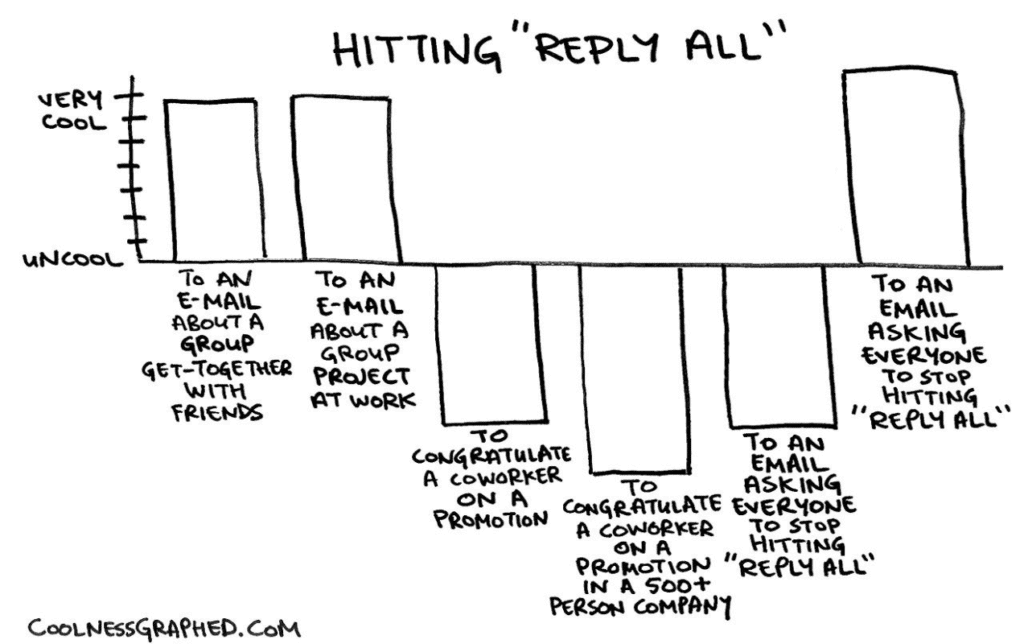
The “Reply All” conundrum via Coolness Graphed
Occasionally, small hiccups—like hitting Reply All on your company’s entire distribution list—do happen. But we should rather blame that on the human factor than the technology itself.
Communication-wise, email *can* have depth and breadth. But it also has a low entry threshold. And that means even non-tech users can get the hang of it in a jiffy.

👎 The Good, the Bad and the Ugly of Email
"We set out to answer the question: What would email look like if we set out to invent it today?"
Lars Rasmussen, Co-Creator and Developer of Google Wave
Despite email’s merits, it looks like many users have a beef with it. Just go ahead and query Google for “email is dead” to see what we mean. Ever since the Rasmussen brothers unveiled Google Wave in 2009, there’s been an ongoing race to improve over the technology.
So, why the bad press?
Are we already fed up with IMAP and SMTP? Or is it because the user experience has remained mostly unchanged for over four decades?
Let’s find out.
Email Does *Everything*, Right?
No, your email client can’t brew coffee or serve french toasts, but... it can do pretty much everything else. These days, email has deviated from its traditional function of a communication channel and become a:
📑 File-sharing service
🗣 Team-wide chatroom
📆 Scheduling tool
🗞 News aggregator
📊 Digital whiteboard
✅ To-do list
With all these things happening in the confines of our inboxes, it's really difficult to focus on meaningful work anymore. Worse still, it’s a heck of a challenge to tell what is important in the first place.
While you technically can use email beyond text-based communication, it doesn’t mean you should. Email was created as a communication tool first, and it excels at just that.
It Comes with Unrealistic Expectations
In the early Internet days, emails were more deliberate and oriented on “making the connection.” They were very much like traditional mail except much faster. But the age of instant communication has changed that dynamic.
Nowadays, most emails come with an expectation of an instant reply. It doesn’t matter if you’re relaying a life-and-death type of situation or an apple pie recipe. Most email users get anxious and frustrated when there’s no inbox “ping” shortly after hitting send.
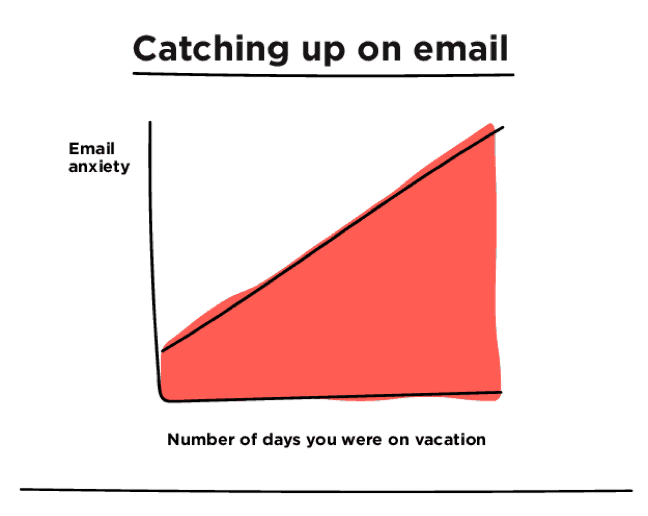
Catching up on email via Michelle Rial, BuzzFeed
Mismatched sender/recipient expectations are a perfect seedbed for resentment and workplace conflict. And when you blend in time zone differences and team misalignment, you get a recipe for volatile remote workflows. 🔥
It's Addictive
Itching to open your inbox, again? Chances are you’ve checked your email at least once while reading this article. And we’re betting the farm that you’ll do that again before you’re done reading this section.
Don’t worry. Your brain is wired that way.
According to Psychology Today, the temptation to repeatedly check our inboxes 10, 20 or 30 times a day is powered by dopamine. Dopamine is a neurotransmitter that regulates how our brain functions and, among other things, makes us pursue *stimulating* activities like sex and drugs.
See the connection?
Every time you get a new email, scroll through social media feeds or churn out tweets, your brain gets trapped in what’s called a dopamine loop. Since each of these activities comes with an instant reward of likes, reshares and novelty, you want to come back for more and stay for longer.
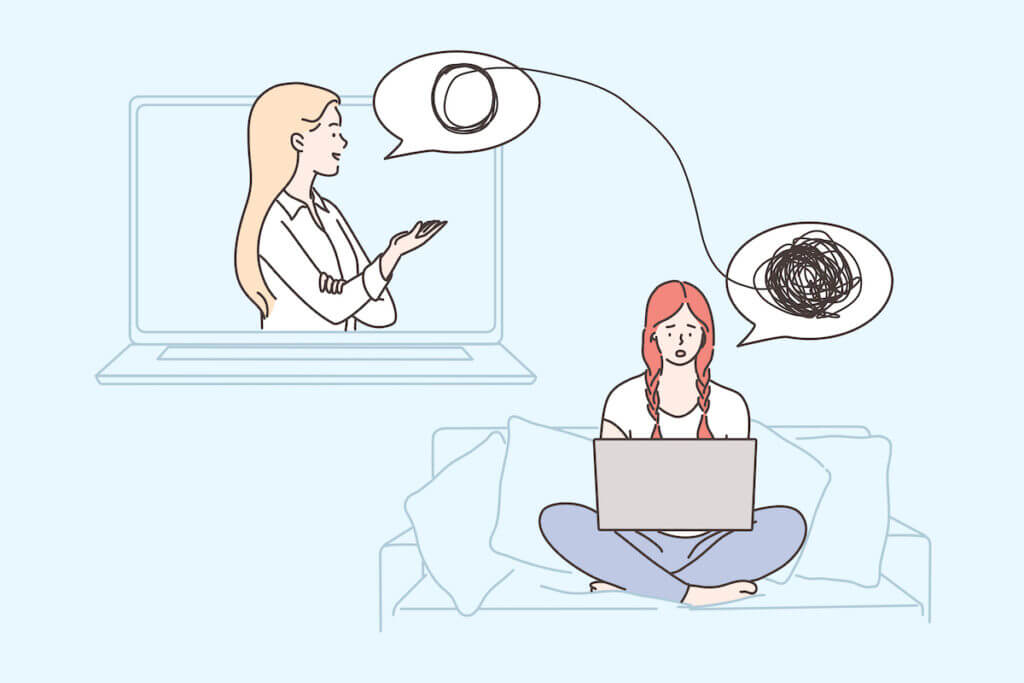
🤯 Is Inbox Zero The Answer?
What’s Inbox Zero?
The term "Inbox Zero" was coined by speaker and productivity expert Merlin Mann during his Google Tech Talk in 2007. Mann described Inbox Zero as his system for dealing with the overwhelming volume of email correspondence he received.
In theory, Inbox Zero can help you:
🔄 Cultivate good email habits
✋ Put boundaries on your inbox
📉 Curb your email usage
🗑 Keep junk emails out
👀 Focus on the important stuff
⏱ Saves time in the long run
If you're up for some 2007 vibes, here’s Mann introducing the concept:
How Does Inbox Zero Work?
Mann's approach is based on David Allen’s Getting Things Done (GTD) and focuses on efficient information processing. Instead of letting emails sit in your inbox for months on end, you take action on each and every one of them as soon as possible.
Here’s how:
🔄 Process the information. Are 1,000+ unread emails keeping you up at night? Roll up your sleeves and get to work. Block some time each week to look at your inbox (critically) and clear up as much of the clutter as you can in one go. Don’t think too much about individual emails and move from one message to another without hesitation
🗑 Delete. If you’re like most remote workers, chances are very few emails that end up in your inbox are pure gold. If you get a gut feeling a particular email isn’t worth your time and attention, delete it on the spot. Make it a habit to ruthlessly purge everything that doesn’t immediately “click” for you
🗄 Archive. This step is pretty straightforward. All emails that could have some value in the near future should end up in a *single* (mind the emphasis) Archive folder for reference. Keep your email folder structure as simple as possible. Initially, you may find it difficult to decide what’s a keeper, but it’ll get easier with practice
➡️ Delegate. Sometimes you won’t be in the position to reply to an email or take action. You should immediately forward/delegate everything that doesn’t belong in your inbox and forget it ever was there
📤 Respond. This is something that we already discussed in our GTD article (read it here). Every email that can be answered under 2 minutes should be dealt with ASAP. If you think you’ll need more time or context to respond, defer it by flagging or snoozing depending on your email client and personal preference
👆 Do. If an email requires you to take an action you can complete under 2 minutes—like sharing a file—you should take care of it immediately. If not, snooze and find a blank in your schedule to tackle it later

👆 Remote Workflows: Email Is an Option, Not a Priority
Internal or External Communication, That Is the Question
Email is great for external communication with clients and vendors. It has the gravity and business vibes that make it perfect for official business. But when it comes to internal communication and team collaboration, it doesn’t impress:
🔀 It makes delegating work a hassle
🚧 It creates communication silos
✅ It doesn’t support task management
📊 It’s KPIs don’t reflect team productivity
Remote workflows require all tools and processes to work in perfect synergy. When you try to crank out all kinds of work with a single tool that’s *not* designed for any of them, you shouldn’t expect satisfying results.
Mix and Match: Context Matters
The accessibility of email has made it the go-to option for any kind of business communication. But that doesn’t mean it’s always the most appropriate one to use.
You shouldn’t default to email for:
⏰ Urgent matters that require an immediate response
🤝 Discussing sensitive, personal matters
🔥 Handling conflict and disagreement
🤐 Avoiding difficult face-to-face conversations
🤷♂️ Giving complex instructions
In Taskade, you can choose from three core communication channels, each available directly in the Project space. Taskade lets you call, chat and video conference with your team depending on the context and situation.
https://www.youtube.com/watch?time_continue=1&v=4iIjDaVQCNE&ab_channel=Taskade
Email ≠ Cloud Storage
Have you ever tried to “collaborate” on a document by emailing consecutive revisions of the file back and forth? Once everybody starts uploading their “final” version of the document, with different names and file extensions, things can go out of hand quickly.
We’ve all been there.
Wouldn’t it be much easier to collaborate in real-time so you don’t lose track of who’s doing what? Taskade eases into remote workflows naturally. It lets you co-author documents, leave feedback and chat over the details in the same Project space.
A Single Source of Truth (That’s Not Email)
Your inbox may be filled to the brim with useful bits of conversations and attachments. But it’s still *your* inbox. And that makes it off-limits to the rest of your team.
Even when you do forward those nuggets down your distributed list, there’ll always be somebody who “didn’t get the memo.”
What your distributed team really needs is a decentralized single source of truth (SSOT). Your team needs a shared, collaborative knowledge repository that’s accessible 24/7 and always and up to date.
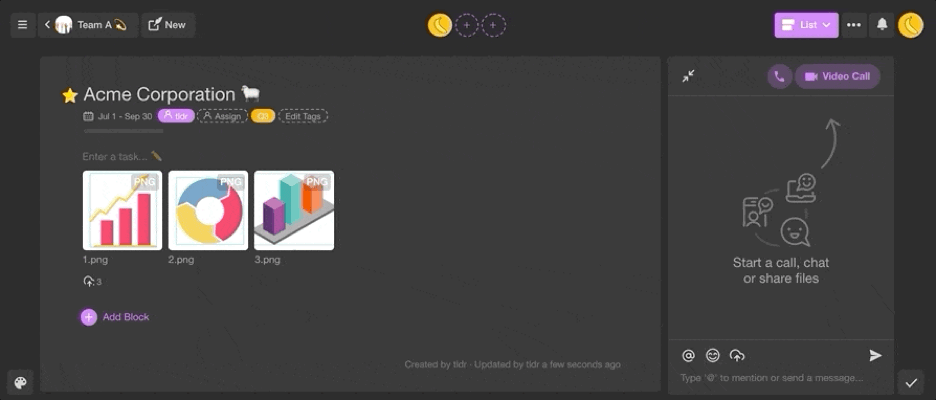
Want to learn how you can create one in Taskade? Check our articles on the Zettelkasten Method and Building a Second Brain (BASB) to get started.
Frequently Asked Questions
Is email still effective for remote team communication?
Email remains useful for formal external communication, but it's increasingly ineffective for internal team collaboration. Emails create siloed conversations, lack real-time visibility, and bury important information in overflowing inboxes. Most remote teams now use project-based workspaces for internal communication and reserve email for external stakeholders.
Why is email a problem for distributed teams?
Email creates long, fragmented threads where context gets lost, important decisions are buried, and team members get left off replies. It's asynchronous by nature but lacks the structure of proper async tools — there's no task tracking, no shared visibility, and no way to organize conversations by project.
What should remote teams use instead of email?
Use a collaborative workspace that ties communication directly to projects and tasks. Tools like Taskade combine real-time chat, document editing, task management, and AI agents in one place, so conversations happen in context rather than in disconnected email threads.
How can teams reduce email overload?
Move internal communication to a shared workspace, set clear norms about when email is and isn't appropriate, use project comments instead of CC chains, batch email checking to specific times, and automate routine messages with AI agents and automation workflows.
🐑 Conclusion
Can email still be part of modern remote workflows? Absolutely. Does that mean you should default to it for every single interaction with your team? Not really.
Email may still be the king of asynchronous, but to use it effectively, you have to (re)learn its basics. And the best way to do that is to keep things simple.
✉️ Email is nothing more than a communication tool
⛓ It should complement other async and sync channels
🤔 It’s not a swiss army knife of remote workflows
👥 It’s *not* (and will never be) a team collaboration tool!
And that’s it! 👋