







Video conferencing is a real treat. It brings friends together, helps companies get work done… heck, chances are even your grandparents have learned how to use the computer and host virtual family gatherings! 🎉
With COVID-19 keeping the world on its toes, video communication has become a staple in our personal and business interactions. It's affordable, universally available and very much in line with social-distancing recommendations.
It's never easy trying to look for the best tools to help with your communication needs. That's why we created a list of the best video conferencing apps out there so that you can choose the best one for your team.
Even before the pandemic, businesses that embraced video conferencing as part of remote work practices reaped a number of benefits:
- 👉 a decrease in travel expenses
- 👉 stronger bonds within teams
- 👉 less multitasking compared to video calls
- 👉 better cooperation across departments
- 👉 improved attendance and engagement
- 👉 more reliable chains of command
And that got us thinking…
When did it all start? How did the technology develop over the years? And most importantly, where is it heading? 🤔
Let's find out.
📺 1927 to 1930s: Early Video Conferencing Experiments
On April 7, 1927, an R&D company called Bell Labs conducted one of the first public attempts at video conferencing. During the experiment, the company successfully connected Herbert Hoover and other officials in Washington, DC, with Walter Gifford, the president of AT&T based in NYC.
Here's how Hoover, then Secretary of Commerce, commented that event:
"Today we have, in a sense, the transmission of sight for the first time in the world’s history. Human genius has now destroyed the impediment of distance in a new respect, and in a manner hitherto unknown."
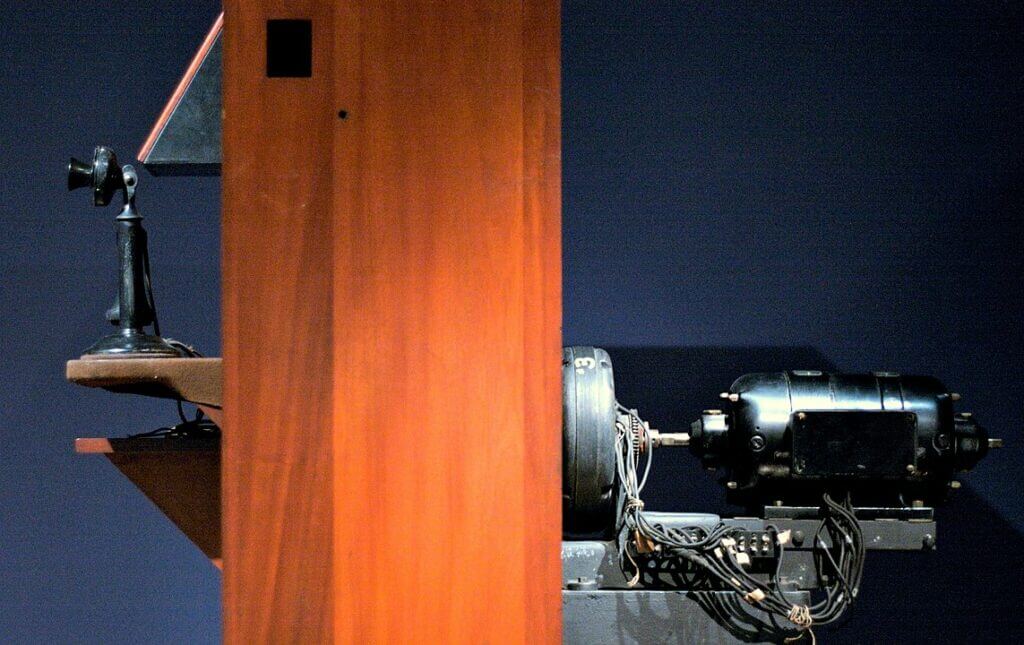
Bell Labs prototype videophone via Wikipedia.
Three years later, Bell Labs run another live test, this time by making a true, two-way video call. Following that event, the romance with video transmissions continued all throughout the 30s, particularly in Europe where the technology gained a lot of traction.
☎️ 1956-1964: AT&T Develops a Picturephone Prototype
Another major development in the video conferencing world came in 1956 when AT&T developed a prototype called the "Picturephone."
The device was able to send singular still frames in two-second intervals over a regular Public Switched Telephone Network (PSPN). These days, those "unsmart" specs would hardly make an impression, but at the time the technology was a major leap forward.
📼 Fun fact: Did you know that the word "video" is much younger than video conferencing itself? It was coined in 1935, eight years after the first Bell Lab's experiment.
After years of research (and $500 million spent on development), the market-ready Picturephone MOD I was finally introduced to the general public at the 1964 World’s Fair.
The commercial version of the Picturephone boasted much more impressive specs—10-minute-long calls and 30 frames of video transmitted per second. After MOD I's debut, AT&T started rolling it out to the public by placing videophone booths in New York, Washington, and Chicago.
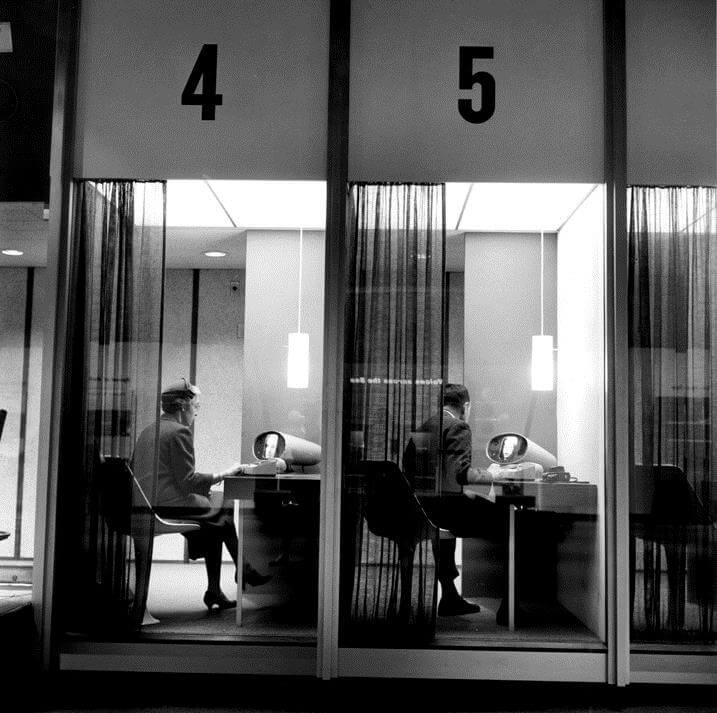
A Picturephone booth via Engineering and Technology History Wiki
Although the technology was promising and the company expected to reach one million users by 1980, the service failed to get enough traction and attracted fewer than 500 subscribers by 1968. AT&T ended up ditching the idea and shut down all its videophone booths.
But that wasn't the end of the device. AT&T was determined to make things work and on July 1st, 1970, it launched the second version of the Picturephone called MOD II. This time, it was a much smaller device people could install in their homes and offices.
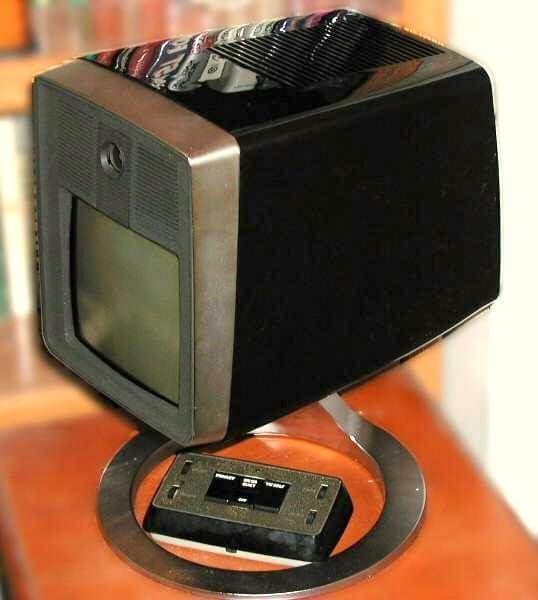
AT&T Picturephone Mod II via Wikipedia
The service cost $160 per month for 30 minutes of call time and each additional minute was charged another $0.25. While the new service was much cheaper than its predecessor, it still remained out of reach for the average Joe.
Confronted with disappointing sales numbers, AT&T decided to reduce the price to $75 per month for 45 minutes of call time. But even that wasn’t enough and in 1973, Picturephone Mod II suffered the same fate as its predecessor.
💰 1982: Pricy Alternatives
It wasn't until 1982 that the public saw an alternative to AT&T's device. A company called Compression Labs launched a video conferencing system that hit the market with a whopping price tag of $250,000 (+$1,000 per hour for renting the line).
It became clear that video conferencing was an exclusive service for clients with really deep pockets. It was at that point that service providers began marketing it as a solution for large corporations who could foot the bill.
A few years later, in 1986, another company called PictureTel created a more "affordable" iteration of the service. While it still cost a hefty $80,000 and charged $100 per line, the corp world saw the more attractive price tag as an opportunity to take a closer look at the emerging technology.
🍏 1991: PictureTel Collabs With IBM and Apple Launches CU SeeMe
The video conferencing technology had to wait until the early 90s to really pick up the pace. The new wave of video started with a partnership between PictureTel and IBM that resulted in the first PC-based video conference system.
☕️Fun fact: In 1991, a group of Cambridge researchers launched a pet project that eventually became an inspiration for the first webcam. The goal was simple: to be able to check if one of the coffee machines located on the university premises was full or empty without putting in the legwork.
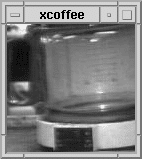
Trojan Room coffee-pot feed via Wikipedia.
In 1992, Apple released a free tool called CU SeeMe for Macintosh (a Windows version followed two years later). Although the software couldn't initially handle audio (that feature was added in 1994), it was the highest-quality commercial video utility on the market.
Oh, and guess who came back from the dead and decided to give video conferencing another go… yes, AT&T!
Almost 20 years after the Picturephone Mod II flop, AT&T attempted another comeback with VideoPhone 2500, a small flip-up device that displayed color video at 10 frames per second. Once again, the new product was dead soon after its release, mainly due to the high price ($1599.99).
⚡️ 2000s: WhatsApp and Skype Start The Revolution
In the early 2000s, video conferencing apps finally emerged from its niche position and became a lucrative business opportunity. While many companies were still unsure what to do with the technology, some already had it all figured out.
In 2003, a group of developers created Skype (originally called Skyper). The app initially allowed users to make PC-PC calls only but in 2005 it introduced a video calling feature. Needless to say, Skype eventually became a smashing hit and was acquired by eBay for $2.5 billion.
A few years later, in 2009, the world saw another pretender to the title of the video champ. Created by two former Yahoo! employees, WhatsApp came to life as a mobile messaging app developed for the iPhone. Although it had initially faced some teething problems, WhatsApp managed to grow its users based to 250,000 by 2009 and was acquired by Facebook for a whopping $19 billion.
🌎 The Present: Video Conferencing Is Here to Stay
As COVID-19 continues to stifle the economy, video conferencing has become a valuable resource that keeps the show running. Not only does it make self-distancing a touch more bearable, but it also lets companies fully embrace the distributed work model and scramble through the lockdown.
💬 As Gartner's Mike Fasciani observes:
"The rise in virtual meetings since the COVID-19 pandemic began is putting pressure on enterprise leaders to ensure employees have the right technological capabilities to maintain consistent, high-quality connections with colleagues, customers and partners while working remotely."
While we don't know for sure how the pandemic is going to affect the modern workplace, one thing's certain:
Video conferencing is here to stay. 👍🏻
Will it completely replace human-human interactions? Unlikely. But it'll keep making meaningful conversations possible, regardless of *when* and *where* we are.
So, since we're likely to stick with vide conferencing for longer... what do you say we learn how to make the most out of them?
🧐 Video Conferencing Tips
Just like the regular, in-office meetings, video meetups have their own blueprint for success (or failure). Here are five essential tips that'll help you and your WFH team master it in a blink:
- ☝️ Teach your team how to "video". At the very least, everybody should know and stick to a basic video etiquette (more on that in a moment) and know how to draft *crisp* meeting agendas
- 👾 Check your internet connection. Video conferencing and laggy internet connection don't mix. Before you jump on a call, check if your hardware is up to scratch (and get your kids off those video games!)
- 📅 Set *firm* dates and always send invites. Just like you would for an in-person meeting, you want to keep everybody in the loop and prepared. And don't forget to send agendas well ahead of the meetups
- 🙋♂️ Keep the team engaged. For many, virtual meetings are still a novelty, but procrastination isn't. Make sure everybody's actively participating and not killing time glancing at their TVs
- ⏰ Respect time. Office meetings are time-consuming and often lead nowhere. Don't let your virtual meetups copy the same mistakes. Prepare an agenda, set a time limit or skip a meeting altogether if there's nothing really important to discuss
But video conferences are not only "what" you talk about but also "how" you do it. Unless you want your virtual meetups to turn into chaos, you and your team should observe a basic video etiquette.
This simple checklist will help you get started:
🐑 Let's Talk Video With Taskade
Although video conferencing is an essential part of every remote workflow, it's often treated as a separate step in the process. Many people think of it merely as an addition to remote collaboration rather than its *natural* element.
Most of the time, it's simply because companies provide employees with multiple remote collaboration tools rather than one. Sure, they still get all the pieces they need. But it's a DIY set rather than a ready-made kit.
In Taskade, you can chat and video conference with your team while collaborating in real-time. Whether you need to discuss a project, give feedback or share your food for thought, you can do that without leaving the app (click)! 👇
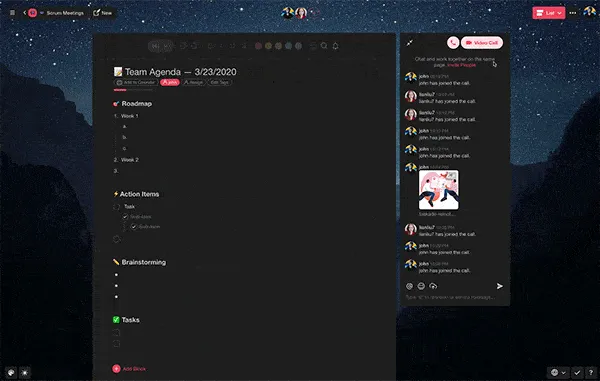
Starting a video call in Taskade comes naturally.
So, if you’re looking for a frictionless video conferencing remote collaboration tool for your team... Taskade is here to help. Chat, jump on calls and host video meetups for free. No sign-up required.
👉 Click here to give Taskade a try!
Frequently Asked Questions
How has video conferencing evolved over the years?
Video conferencing evolved from expensive, room-based telepresence systems in the 1960s-90s to desktop webcam calls in the 2000s, then to mobile-first cloud platforms like Zoom and Google Meet in the 2010s. Today, modern platforms integrate AI features like real-time transcription, background noise removal, and smart meeting summaries.
What are the key features of modern video conferencing tools?
Modern video conferencing tools offer HD video and audio, screen sharing, real-time chat, meeting recording, virtual backgrounds, breakout rooms, AI-powered transcription, and integrations with project management platforms. The best tools also support async video to accommodate distributed teams across time zones.
How has video conferencing changed remote work?
Video conferencing made remote work viable at scale by providing face-to-face interaction without physical proximity. It reduced the need for business travel, enabled global hiring, and became the backbone of distributed team communication — especially after the shift to remote work accelerated in 2020.
What is the future of video conferencing?
The future includes AI-driven meeting assistants that take notes and assign action items automatically, spatial audio, real-time language translation, and deeper integration with collaboration workspaces like Taskade where meetings connect directly to tasks, projects, and AI agents.