







TL;DR: SOPs (Standard Operating Procedures) are step-by-step instructions that reduce errors, ensure consistency, and survive employee turnover. AI accelerates SOP creation from hours to minutes — Taskade's AI agents generate, structure, and maintain SOPs collaboratively with RBAC, workflow automation, and 100+ integrations. Build SOPs with AI →
What do pyramid builders, industrial-era workers, and astronauts have in common? Well, whether you're stacking blocks, greasing the gears, or assembling rocket thrusters, you better have a game plan. And this is where SOPs or Standard Operating Procedures come into play.
SOPs are the backbone of micro and macro projects. They are used in all kinds of industries, from manufacturing and healthcare to military and emergency response. They reduce errors, improve efficiency, and save lives (literally and figuratively). Wonderful, right?
But creating SOPs takes time and experience. 🤷
In this guide, you'll learn all about using AI to build SOPs faster and smarter. We'll also show you why SOPs are such a big deal and how they can make your work consistent and reliable.
Let's try to answer a few questions first.
📖 What Are SOPs?
In a nutshell, SOPs are step-by-step instructions for specific tasks to ensure consistency and safety. They detail the who, what, when, and how of operations so that every action is precise, and there's no room for guesswork. In a way, they’re like recipes, but for work.
Every industry has its own philosophy when it comes to SOPs. In the military, they are sometimes called “standing operating procedures,” but you may have heard the terms “protocols,” "standardized practices," or even simply "guidelines" used in various contexts.
In the years leading to the 1970 Apollo 13 launch, NASA drafted extensive Standard Operating Procedures for key stages of the mission. They covered every part of the journey from the launch and ascent phase to the lunar landing and the perilous journey back home. 🚀
(Lovell, Swigert, and Haise had to go off-script to get back, but that’s a story for another day)

In the business world, SOPs act as clear and detailed roadmaps. They simplify complex tasks and help ensure that work is moving at the right pace, in the right direction. With SOPs, you can zoom ahead and focus on growing and trying out new things without sweating the small stuff.
🧐 Why Are SOPs Important?
SOPs provide standardized sets of instructions and guidelines for repetitive tasks and business processes. They help reduce variability and stay on the right side of rules and regulations. That, in turn, translates to better products and services and a safer work environment.
Still need convincing? Here's the highlight reel:
🧱 Consistency: Imagine SOPs as the secret recipe making sure every burger tastes just right. They tell you exactly two pickles, a dab of ketchup, and a slice of cheese. No guessing. For your business, departments, and teams, this means every job is completed the same way, every time. No variations, errors, or surprises, just reliable results.
🛡️ Compliance: Did you know that there are over a thousand regulations and compliance standards that an average business needs to comply with in order to operate legally and safely? They cover everything from environmental sustainability to workplace safety and data privacy. Instead of navigating this maze refer to our SOPs for clarity and direction.
🎓 Training: Onboarding a new empoloyee? There are scores of items you need to “check” before they are ready for the job — company culture, role-specific tasks, software tutorials, health and safety, you name it. Though an SOP might not include steps for "a welcome coffee", it will guide your through employee onboarding basics.
👆 Decision-making: First responders follow Standard Operating Procedures to decide on evacuation and medical interventions. Doctors rely on them for diagnostic processes when symptoms indicate multiple diseases. And in business? An SOP acts as a blueprint for making faster and more accurate decisions, regardless of the circumstances.
🚧 Safety: Are your teams prepped for emergencies? What safety gear should you stock up on? How to prevent desk chair races? Ok, let’s get serious. Workplace injuries can happen even if you’re spending a typical day behind a desk. SOPs keep the work environment safe and prevent emergencies that matter most; the ones you can control.
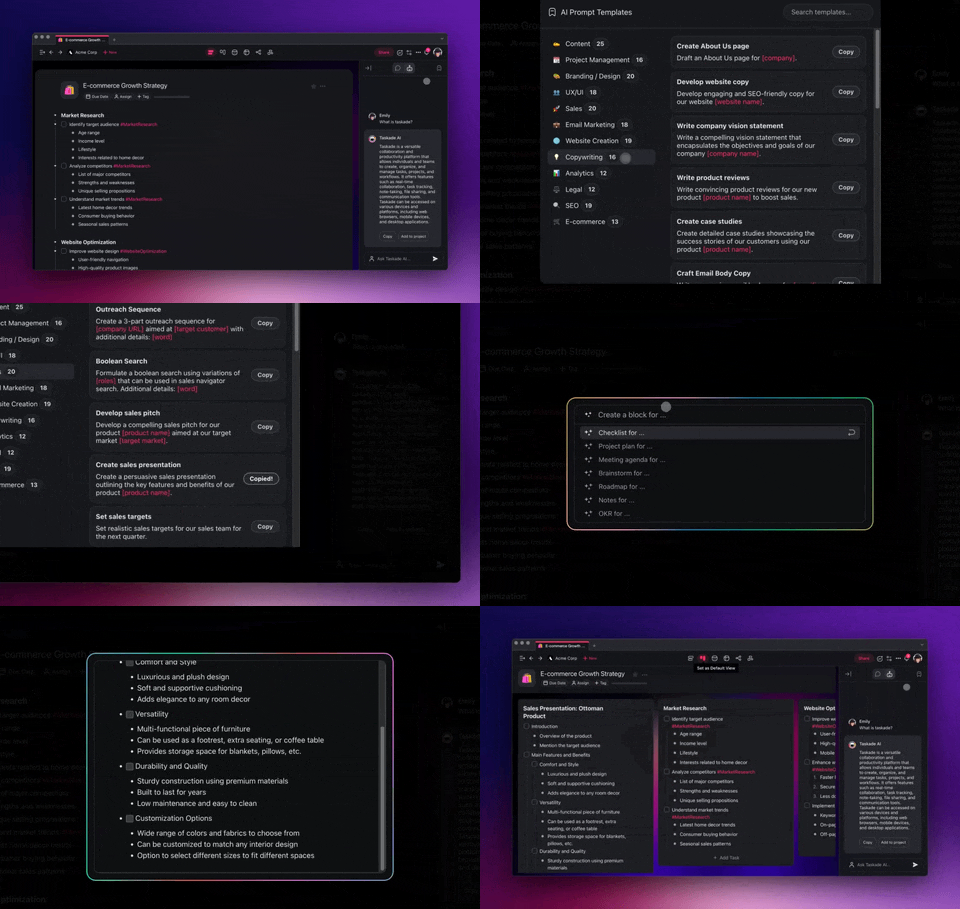
📐 Traditional Methods of Creating SOPs
Let’s start with the bad news. There is no one-size-fits-all approach to Standard Operating Procedures. The specific format and content can vary from one industry to another.
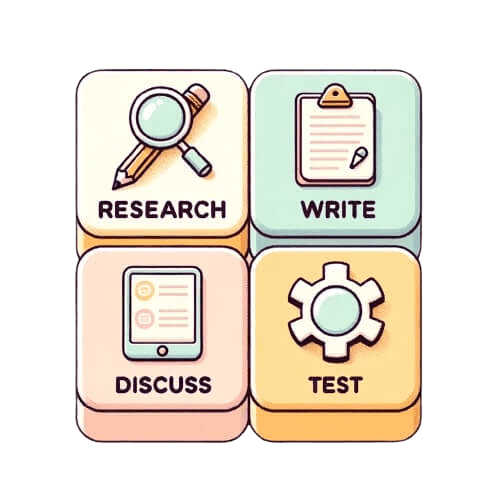
The good news is that the steps to creating an effective SOP are relatively consistent across sectors. The specific guidelines and regulations might change, but the core objective remains the same: establish a clear, repeatable business process that ensures quality, safety, and efficiency.
Let's break the process of writing a Standard Operating Procedure into four steps:
🔎 Gathering intel: If you’re merely documenting a business process, you need to learn the nitty-gritty. Chat with the folks who do the job daily. They know their stuff. Who knows the process best? Watch the task being done, and take notes. Are there any existing documents that can help? Collect all the necessary data & insights before moving on.
✏️ Writing: Start with a rough draft to capture the steps of the procedure; you can use an SOP template for that. Use simple language, avoid jargon, and cut the fancy words to make it easy for everyone to understand. Break down bigger tasks into bite-sized items that are easier to follow. Use headings, numbered lists, and bullets to structure the document.
💭 Discussion: Bring the team on board to discuss the document. Don't just ask the usual suspects. Different backgrounds bring different insights. From the intern to the CEO, everyone's perspective matters. Are there steps they would add or remove? Do they find any part confusing? Is there anything they think is missing? Rinse and repeat.
🔥 Test runs: Try following your SOP in real life. Does it work? Does it hit any unexpected roadblocks? Are all safety and quality standards met? You need to make sure your SOP is up to scratch. Better still, run a pilot phase and observe the results. Start small. Pick a team or department to run with the SOP first. See how they fare.
Typically, you’d need to go through several rounds of revisions followed by approval and implementation to get the SOP up and running. Keep in mind that SOPs are NOT set in stone and you will likely require regular updates to keep it relevant and bulletproof.
Phew… that’s a lot of work, and we’re hardly done yet. So let’s try something different.
📃 + 🤖 Revolutionizing SOPs with AI
The basic notion of AI has been around for a few decades. But only since the relatively recent debut of powerful large language models (advanced AI algorithms that can understand and generate natural language) like GPT-4, AI has gained a handful of skills and gotten better at:
Analyzing large volumes of data
Generating human-like text
Tailoring content to specific standards
Translating documents on the go
With the right tools — we’ll get to that in a bit — you can tap into these AI superpowers to draft and review your SOPs faster, make them easier to follow, and keep your teams on track.
AI can help you every step of the way, from initial research into industry standards, formatting, and exact SOPs steps to the final touches and subsequent revisions. Just so you can focus on further optimizing those procedures and putting them to good use. But there’s more.
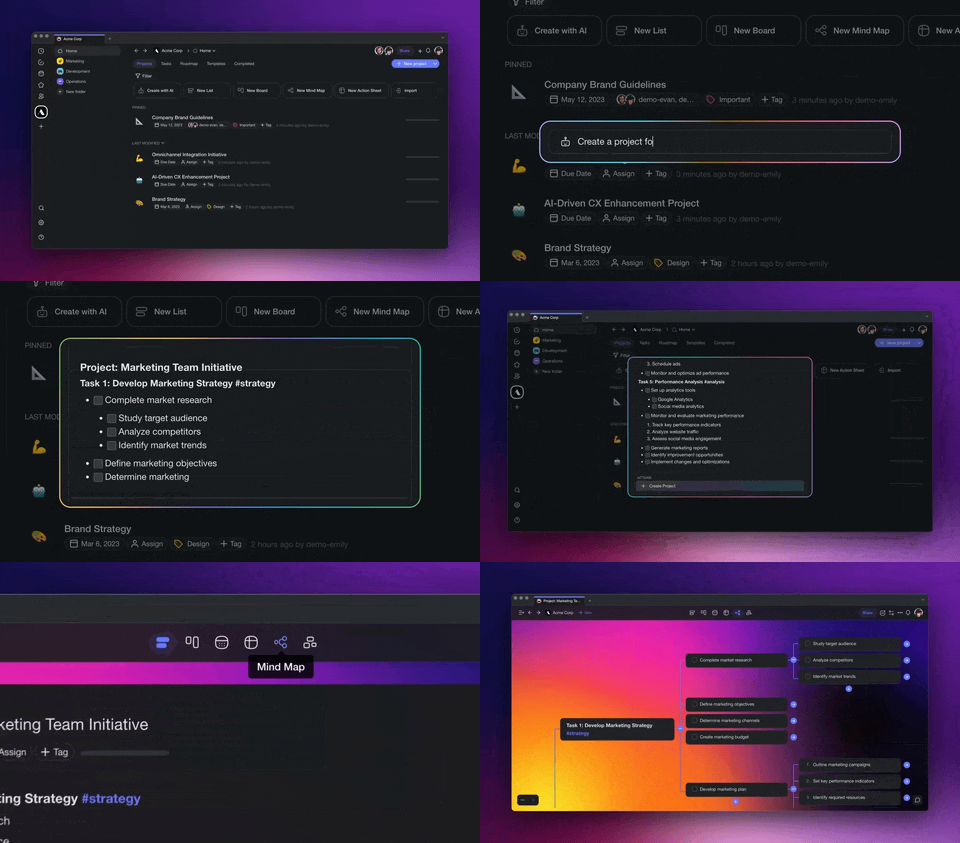
You can “teach” AI models, e.g. using data and existing technical documentation, and tailor the output to your requirements. AI can see and understand patterns. It can analyze historical data, parse user feedback, and break down real-world outcomes to extract valuable insights.
But before we get into that, there is one more thing we should discuss.
🌳 The Role of Flowcharts in SOPs
Good SOPs are much more than blocks of text. Their provide a clear and concise roadmap for a task or business process. And what better way to do that than using flowcharts?
A flowchart is one of the best tools for breaking down complex processes into manageable steps, which makes them an excellent addition to SOPs. A simple, well-designed flowchart can convey much more information — and in a more organized way — than text alone.
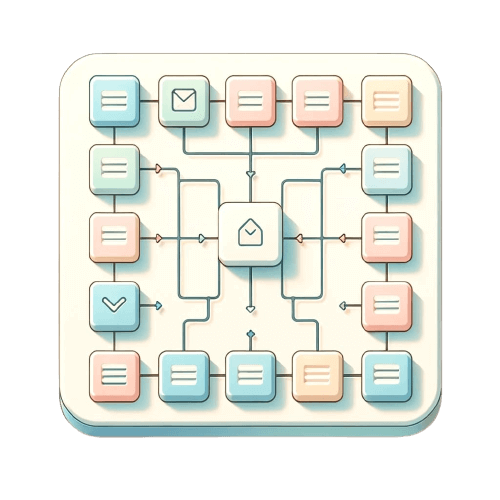
Flowcharts in SOPs are like the blueprints for a building. Instead of sifting through pages of details, you see the entire structure at a glance. They break down the big stuff, making everything simpler and more direct. You look at a flowchart, see the path, and get it done.
Artificial intelligence can help with that too. 🤖
Many modern AI-powered tools (win wink, Taskade) not only allow you to transform detailed instructions into streamlined flowcharts but can autonomously craft these diagrams. All that based on natural-language descriptions of the SOP steps. It’s that simple. Check out our AI Flowchart Generator to try it for yourself. 🪄
Of course, your flowchart can include other types of content too: images, diagrams, schematics, tables and charts, annotated screenshots, maps and floor plans, and even videos. As long as the content stays relevant, and doesn't turn into a Jackson Pollock of confusion, you're golden.
🐑 How Taskade Can Help with SOPs
Are you new to Taskade? Then let’s start with a brief introduction.
Taskade is an AI-powered project management and note-taking app for teams and individuals. It combines the simplicity of digital notes with real-time collaboration and versatile, dynamic workflows that include lists, mind maps, flowcharts, Kanban boards, and more.
All that sprinkled with a dash of AI magic. 🪄
Let’s see how Taskade can help you write SOPs in a breeze.
What this video shows: A look back at the live apps people built with Taskade Genesis in 2025. It shows an event portal, a maintenance tracker, a team capacity planner, and a broker calendar that syncs with Google Calendar. Read the step-by-step walkthrough.
1. The Research Agent
Picture this: you need to draft an SOP for a new inventory management system your company is implementing. The only problem? You don’t know where to start.
How do you structure the document?
Which format would be most accessible and user-friendly for your team?
How do you prioritize the steps and ensure logical flow?
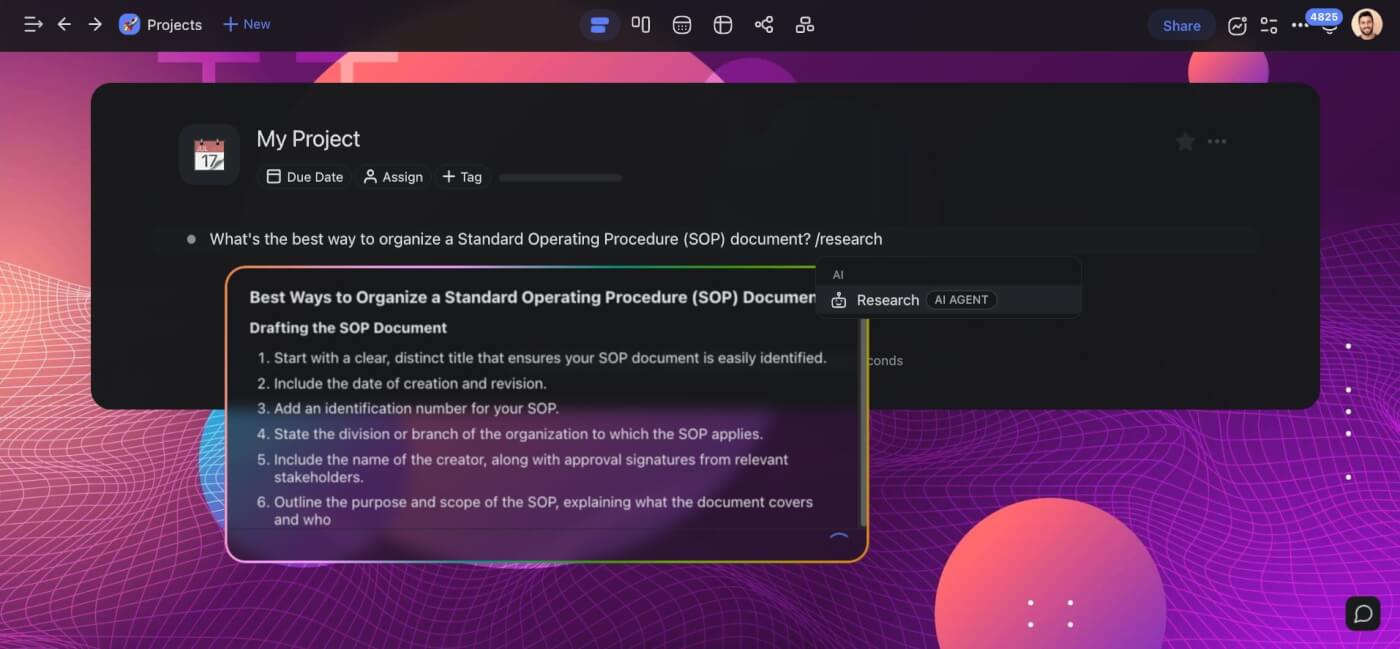
You can waste time trying to figure it out on your own, or ask Taskade AI’s Research Agent to help you out. All you need to do is ask the right question and use the /research command to get started. Taskade will browse the web and give you the answers with links to sources.
2. The AI Generator
Let’s say you have all you need. There’s a mountain of data in front of you — pages of user manuals, countless feedback notes from the beta tests, a jumble of diagrams sketched during team meetings, and various other chunks of information. It's useful but overwhelming.
Your document needs structure and flow.
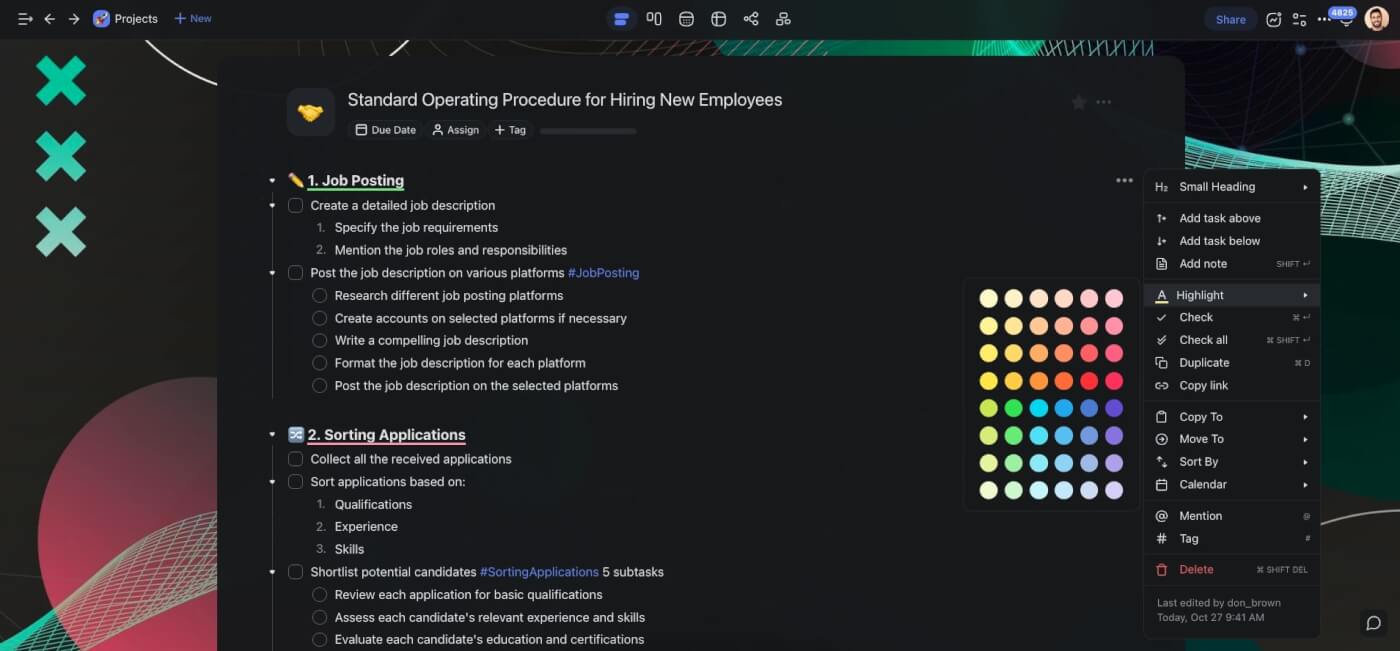
Taskade's AI Generator can create a structure for your document, complete with essential sections, steps, and additional details. This will give you a solid starting point for your draft.
The generated structure can be as simple or as complex as you need. You can briefly describe the purpose of your SOP or add more details like specific procedures, team roles, expected outcomes, and potential challenges. The Generator will adapt accordingly.
3. The AI Assistant
It doesn’t matter if you’re plotting a 400-page novel, jotting down meeting notes, or trying to piece together useful SOPs for your teams — the first draft will be messy. A handful of unclear instructions here and there, a few typos, maybe even contradictory points.
Sometimes, you can fix those mistakes in time. Other times, well… life happens — deadlines, urgent tasks, interruptions. Before you know it, the SOP draft is due and you're scrambling.
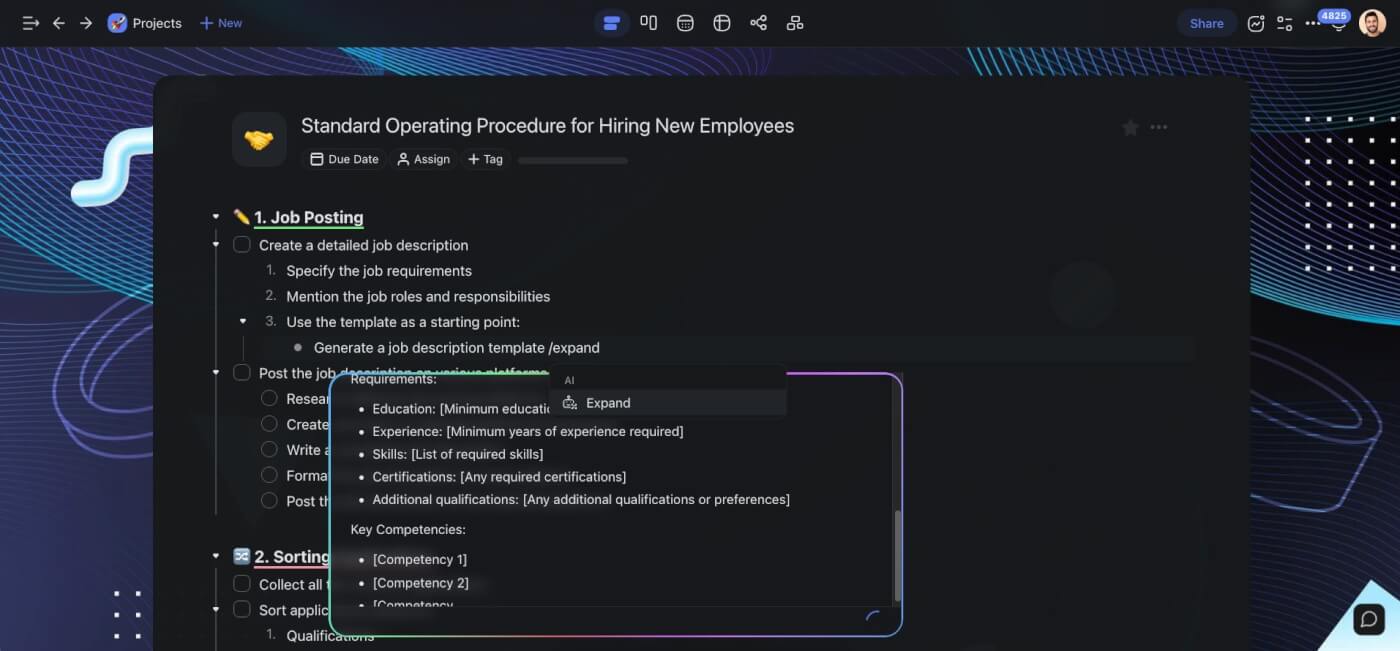
Taskade AI’s Assistant acts like your personal editor and productivity sidekick in one. It will help you fix grammar and spelling mistakes, flesh out thoughts, and organize your SOP.
Simply type / + one of the AI commands. Magic! 🪄
4. The Mind Map/Flowchart View
Your draft is ready, the instructions are on point. But you’re still missing the visuals to better illustrate the process. Normally, you’d need a few additional tools to put it all together — a writing app, a grammar checker, and design software to create flowcharts and diagrams.
Or you can use Taskade’s dynamic workflows to do all that.
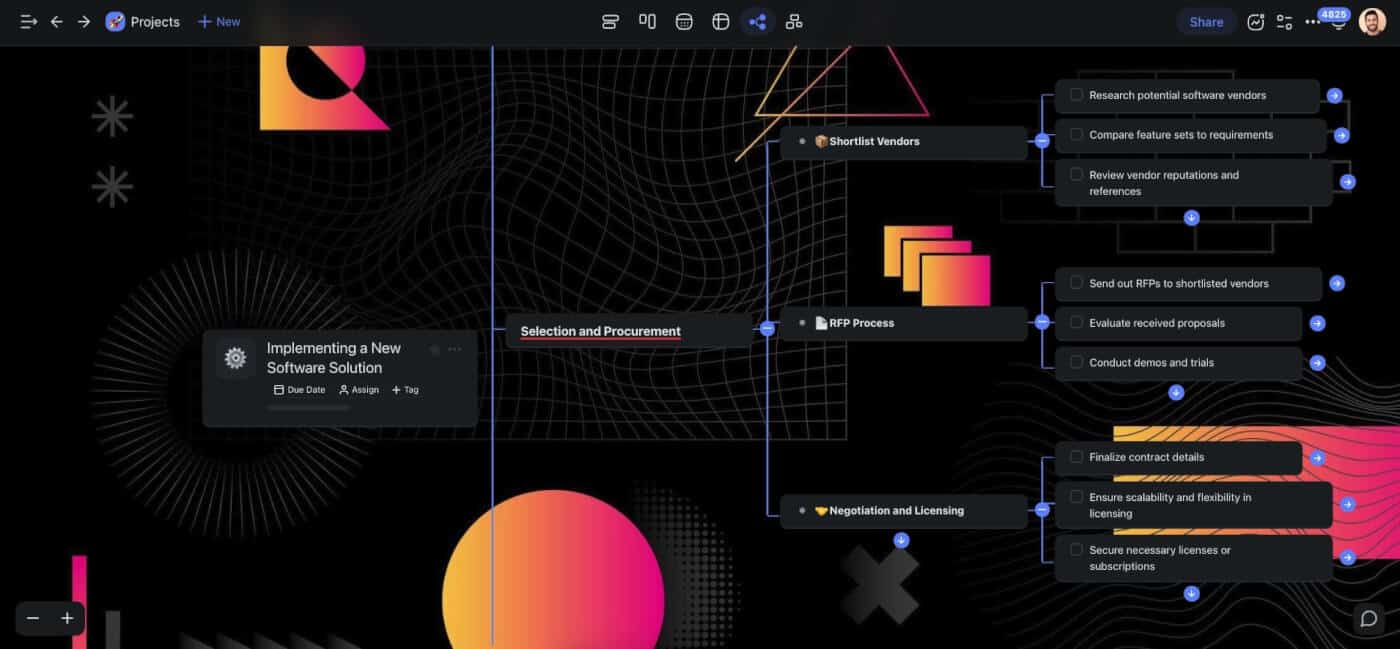
Taskade comes with multiple project views — List / Outline, Board / Kanban, Calendar, Action, Mind Map / Flowchart / Org Chart — that let you work the way you want.
Once you’ve finished your draft, you can seamlessly switch to the Flowchart view to map out business processes. No more toggling between apps and losing context midway.
Simple and elegant.
🪐 The Future of SOPs Is Smart and Visual
SOPs are the backbone of streamlined operations in any industry. When implemented correctly, they can reduce errors and enhance productivity. But even if you don't have a knack for Hemingwayeque brevity and clarity, AI can help you write your SOP faster and smarter.

So, what are you waiting for?
Create a Taskade account and supercharge your SOPs today. 🐑 🚀
📚 Related Resources
- Best AI Productivity Tools for Teams — Team productivity comparison
- AI Brainstorming Tools — AI-powered ideation
- Best Time Blocking Apps — Schedule management
- Building a Second Brain — Knowledge management
- Eat the Frog Method — Priority-based productivity
Explore Taskade:
- AI Agents → — Automate SOP generation and maintenance
- AI App Builder → — Build custom SOP management systems
- Workflow Automation → — 100+ integrations
- Community Templates → — Clone SOP templates

Frequently Asked Questions
What is an SOP and why does every team need one?
An SOP (Standard Operating Procedure) is a step-by-step document that describes how to complete a specific task or process consistently. Every team needs SOPs because they reduce errors, ensure quality consistency, make onboarding faster, and create institutional knowledge that survives employee turnover.
How can AI help create better SOPs?
AI can draft initial SOP templates from brief descriptions, structure processes logically, identify missing steps, generate visual flowcharts, and keep SOPs updated as processes change. Tools like Taskade use AI agents to generate, refine, and maintain SOPs collaboratively.
What should an effective SOP include?
An effective SOP includes a clear title and purpose, scope and applicability, step-by-step procedures with specific details, required tools or resources, roles and responsibilities, quality checkpoints, and a revision history. The format should be easy to scan — numbered steps with clear headings work best.
How often should SOPs be updated?
Review SOPs at least quarterly or whenever a process changes. Outdated SOPs are worse than no SOPs because they lead teams to follow incorrect procedures. Use a collaborative platform like Taskade to keep SOPs as living documents that team members can flag and update in real time.