






Hi Taskaders 👋
Taskade AI had landed on mobile! Whether you're on-the-go or at your desk, you can use the power of AI to write, organize, and collaborate our web, mobile, and desktop apps. Get it now on iOS & Android. 🚀
TL;DR: Taskade AI on iOS and Android (March 2023) marked the moment AI-powered productivity went truly mobile. Today Taskade spans multiple project views, 15+ frontier AI models from OpenAI, Anthropic, and Google, and 100+ integrations — and you can build live AI apps from your phone with Taskade Genesis.
Then → Now: Taskade AI on iOS + Android (2023) → today's ability to build AI apps on mobile with Taskade Genesis, plus AI Agents v2 and downloads for every platform.
| Mobile AI | 2023 H1 | Today (2026) |
|---|---|---|
| Commands | Ask, Outline, Expand, Rewrite, Summarize | Mobile AI Assistant + Mobile AI Chat |
| Trigger | 🤖 robot icon in keyboard toolbar | Keyboard, slash commands, Quick Add |
| Output | Insert generated text | Build whole apps with Taskade Genesis on mobile |
| Models | Single OpenAI model | 15+ frontier models from OpenAI, Anthropic, Google |
   iOS / Android keyboard toolbar (March 2023)
   ┌──────────────────────────────────────────────┐
   │  q w e r t y u i o p                         │
   │   a s d f g h j k l                          │
   │     z x c v b n m                            │
   │  ┌───┬───┬───────────┬───┬────┐              │
   │  │ABC│ 🌐│   space   │ ↩ │ 🤖 │ ◄── tap to AI│
   │  └───┴───┴───────────┴───┴────┘              │
   └──────────────────────────────────────────────┘
                       │
                       ▼
   ┌──────────────────────────────────────────────┐
   │  /ask  /outline  /expand  /rewrite  /summary │
   └──────────────────────────────────────────────┘
Three years later, that same robot icon opens a full AI Agent with built-in tools — and you can build whole apps from your phone with Taskade Genesis. Grab the latest mobile builds at /downloads.
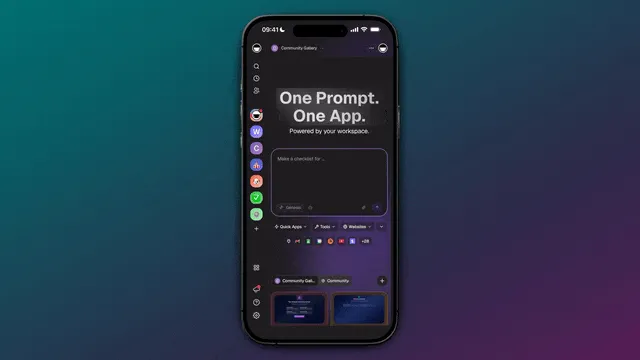
🤖 Taskade AI for Mobile
Generate task lists, notes, and outlines in your project with just a few taps. Taskade AI will help you brainstorm new ideas, answer questions, and summarize content in seconds! Learn more
Here’s how it works:
Open a project in iOS or Android and tap the 🤖 robot icon in the keyboard toolbar. From there, choose one of the AI commands to take your productivity to the next level:
Ask - Get instant answers to your questions.
Outline - Generate a structured list on any topic.
Expand - Make your content more descriptive and engaging.
Rewrite - Improve the legibility and clarity of your writing.
Summarize - Turn lengthy notes and tasks into a concise summary.
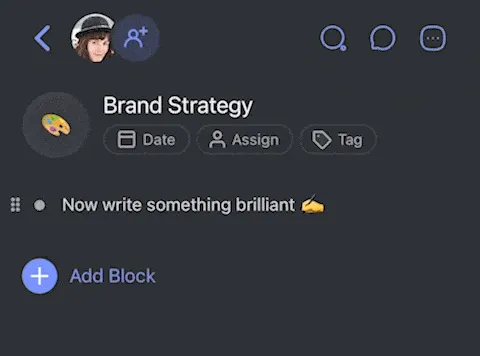
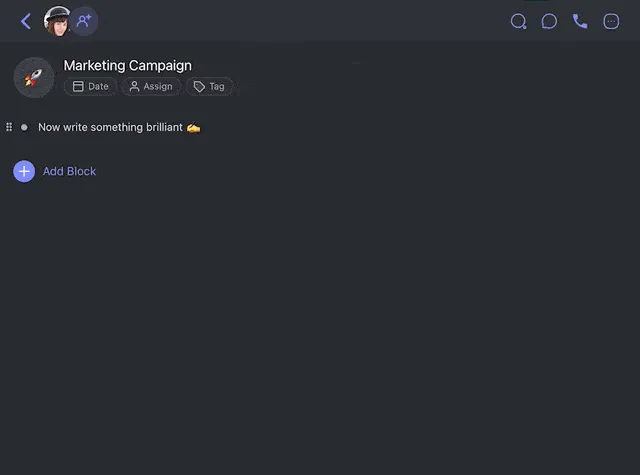
✍️ Taskade AI for Tablets
Supercharge your Taskade workflow on iPad & Android tablets with AI. Discover our ChatGPT-powered assistant and get more done. Learn more
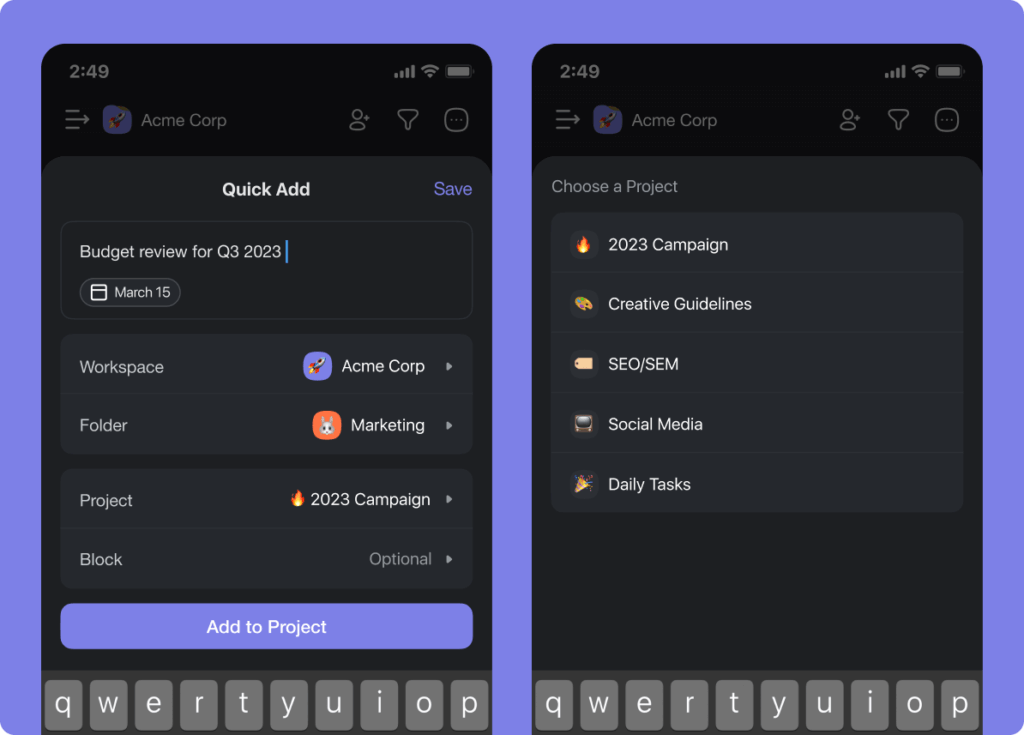
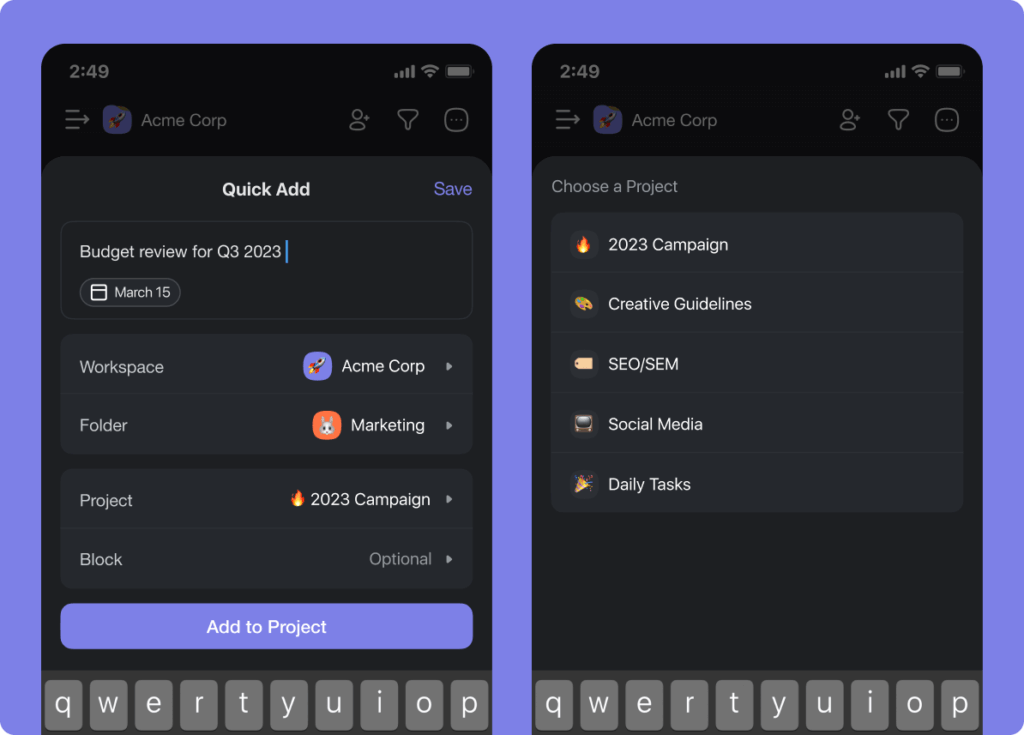
⚡️ Quick Add on Mobile
We've upgraded our mobile Quick Add. You now easily select a target folder, project, and block to add tasks right where you want them to be. Learn more
🎉 Other Mobile Improvements
New: Folder permissions for teams are now available on mobile
Improved keyboard enter logic when creating new tasks
Improved keyboard toolbar for all devices
Improved multi-select tasks behavior
Fixed: Hardware keyboard support
Fixed: Pasting text and links into projects
Fixed: Unread badge and label colors
Fixed: Collaborators can now use templates
Fixed: Shared with me and Recent projects page
Various bug fixes and performance improvements
Have any questions? Visit our Help Center or let us know. 😊
— Team Taskade 🐑
Frequently Asked Questions About Taskade AI Mobile
Is Taskade AI free on mobile?
Yes, Taskade AI is free in our mobile and desktop apps. However, we also offer paid plans that increase the number of generations you can perform each month. Visit our pricing page to learn more about the available options.
How do I activate Taskade AI on mobile?
To activate Taskade AI on mobile, enter a prompt in natural language and tap the 🤖 robot icon in the keyboard toolbar. From there, choose one of the available commands and Taskade AI will automatically generate a relevant answer.
Does Taskade AI on mobile work with both iOS and AndroidOS?
Yes, Taskade AI is compatible with iOS and AndroidOS.
Are any features of Taskade AI missing on mobile?
Taskade AI offers the same experience you can find in the desktop and web versions of Taskade. Our mobile assistant doesn't currently support the "translate" command, but we're planning to introduce this feature in the near future.