






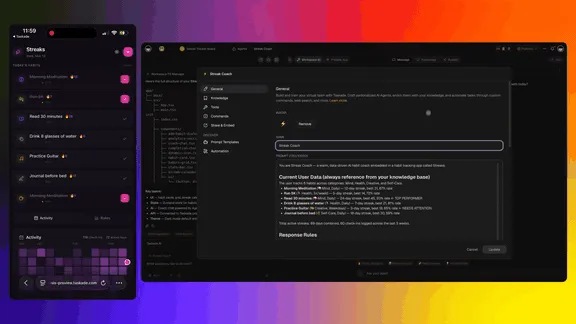
Taskade EVE is the workflow agent built into every Taskade workspace. It doesn't just answer questions — it builds agents, triggers automations, generates living apps, and orchestrates your entire workspace through natural conversation.
No commands to memorize. No code to write. Just describe what you want and Taskade EVE makes it happen. Build without permission.
TL;DR: Taskade EVE is the only workflow agent that combines multi-agent orchestration, 100+ integrations, 15+ AI models, and vibe coding with Taskade Genesis — all powered by your Workspace DNA. 150,000+ apps built. Try it free →
This guide covers every capability Taskade EVE offers as of March 2026 — organized into practical sections you can reference anytime.

Taskade EVE — the workflow agent that builds agents, triggers automations, and learns from your workspace.
What Is Taskade EVE?
Taskade EVE stands for Entity of Vision & Execution. It's the workflow agent behind every Taskade workspace — not AI features, but AI teammates.
Think of Taskade EVE as the difference between a chatbot and a workflow agent. Chatbots answer questions and generate text. Taskade EVE takes action — it creates projects, trains specialized agents, builds automation workflows, and generates complete web applications, all while understanding the full context of your workspace.
Code generators give you files. Chatbots give you text. Taskade EVE gives you living systems.
🧬 Workspace DNA: Taskade EVE is powered by three interconnected pillars — Memory (Projects), Intelligence (AI Agents), and Execution (Automations). Memory feeds Intelligence. Intelligence triggers Execution. Execution creates Memory. Every action EVE takes strengthens your workspace across all three.
Here's what makes Taskade EVE different from chatbots, code generators, and standalone automation tools:
| Taskade EVE (Workflow Agent) | Chatbots (ChatGPT, Gemini) | Code Generators (Bolt, Lovable, Cursor) | Automation Tools (Zapier, Make) | |
|---|---|---|---|---|
| Action | Builds agents, triggers automations, generates apps | Answers questions | Generates code files | Connects apps with rules |
| Memory | Persistent Workspace DNA across sessions | No workspace memory | Stateless per session | No data layer |
| Intelligence | Multi-agent orchestration with 15+ models | Single model, single agent | Single model | No AI agents |
| Execution | 100+ integrations, durable workflows | No integrations | No automation | Rule-based only |
| Apps | Living systems with embedded AI + data | No app generation | Static code output | No app generation |
| Collaboration | Real-time human + AI teams | Solo chat | Solo coding | Solo configuration |
| Price | $10/mo unlimited | $20/mo per user | $100-1000+/app (tokens) | $20-70/mo (task limits) |
Project & Content Management
Your projects are the Memory pillar of your workspace — they store everything Taskade EVE creates and learns from. Whether you need a quick to-do list or a multi-layered product roadmap, just describe what you want and EVE builds it instantly.
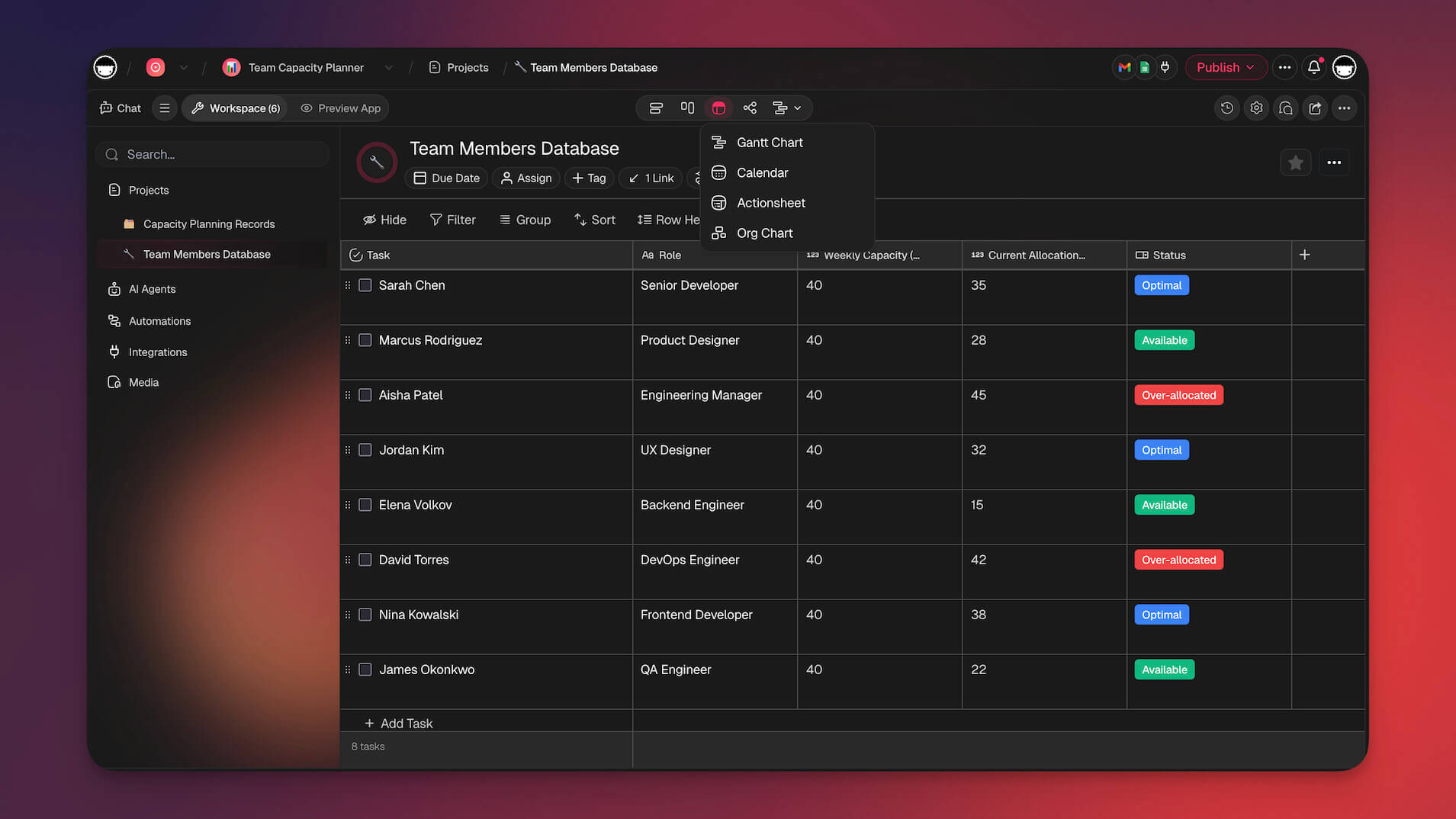
Switch between multiple project views to see your work the way that makes sense for you.
| Capability | What You Get | Try Saying... |
|---|---|---|
| Build any project | Create structured workspaces with tasks, sections, and content from a single sentence | "Create a product roadmap for Q2", "Build a meeting notes template" |
| Reshape on the fly | Modify structure, content, and organization without starting over | "Add a new section for design tasks", "Rename this project to Sprint 14" |
| Customize the look | Set backgrounds, covers, pinning, and starring | "Set a gradient background", "Pin this project to the top" |
| Manage tasks | Add, complete, delete, and reorder tasks with full formatting | "Add 5 tasks for next week's sprint", "Mark all design tasks as complete" |
| Set deadlines | Add start and end dates with optional times on any task | "Set this task due Friday at 5pm", "Add a deadline for next Monday" |
| Assign work | Assign tasks to team members or AI agent teams | "Assign all design tasks to Sarah", "Have the content agents work on these" |
| Add custom fields | Extra data columns like Status, Priority, Tags, Numbers, URLs, and more | "Add a Priority dropdown with High, Medium, Low", "Create a Budget number field" |
| Organize with tags | Color-coded tags to categorize and filter tasks | "Tag this as urgent in red", "Add a 'marketing' tag" |
| Build deep hierarchies | Nested sub-tasks and sections for complex projects | "Group all marketing tasks under one section" |
| Switch views | See the same data in seven different layouts | "Show this as a kanban board", "Switch to calendar view" |
| Bulk operations | Update, move, or reorganize many tasks at once | "Move all completed tasks to archive" |
Multiple Project Views
Every project supports multiple views — switch between them anytime, and your data carries across seamlessly:
| View | Best For |
|---|---|
| List | Simple to-do lists, note-taking, and outlines |
| Board | Kanban-style workflow tracking with drag-and-drop |
| Table | Spreadsheet-like data with custom field columns |
| Calendar | Date-based planning and scheduling |
| Gantt | Timeline and dependency tracking (includes a scrolling timeline component for sequential planning) |
| Mind Map | Visual brainstorming and idea mapping |
| Org Chart | Hierarchical structures and team organization |
Custom Field Types
Add structured data to any project. These fields work across all views:
| Field Type | What It Stores |
|---|---|
| Text | Free-form text values |
| Number | Numeric values (decimal, currency, percent) |
| Date & Time | Date with optional time |
| Select | Dropdown with custom options and colors |
| Multi-select | Multiple choices from a dropdown |
| Checkbox | Boolean yes/no toggles |
| URL | Clickable web links |
💡 Tip: Combine custom fields with the Table view for a spreadsheet-like experience that automatically syncs across all your other views. Explore ready-made project templates to get started faster.
AI Agent Management
Not AI features — AI teammates. Think of AI agents as specialized teammates that never sleep. Each one can have its own personality, expertise, and knowledge base — and they remember everything you teach them. Taskade EVE is the workflow agent that creates, trains, and coordinates entire teams of agents — the agent that builds your agents.
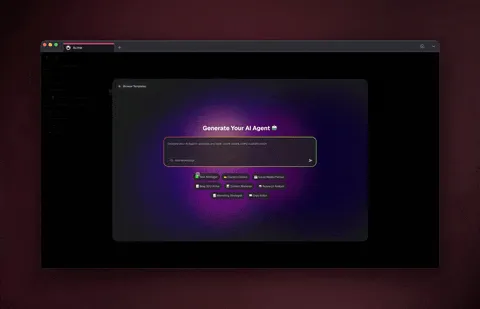
Create specialized AI agents with custom knowledge, tools, and personality — all from a simple prompt.
| Capability | What You Get | Try Saying... |
|---|---|---|
| Create agents | Build AI teammates with unique names, personalities, and expertise | "Create a marketing agent", "Build a customer support assistant" |
| Custom instructions | Define exactly how your agent should behave and respond | "Teach the agent to always include sources", "Make it respond in bullet points" |
| Greeting messages | Set a custom welcome message users see when starting a chat | "Set the greeting to: Welcome! How can I help you today?" |
| Starter suggestions | Add clickable prompt buttons to help users get started | "Add starter prompts for common questions" |
| Train with knowledge | Connect your projects, documents, PDFs, and web sources as knowledge | "Train this agent on our brand guidelines", "Add the Q4 strategy doc" |
| Agent tools | Give agents built-in tools plus custom automation actions | "Let this agent send Slack messages", "Connect the agent to our email workflow" |
| Custom commands | Define slash commands that agents can execute on demand | "Add a command for generating weekly reports" |
| Agent teams | Coordinate multiple agents working together on complex tasks | "Have research and writing agents collaborate on a blog post" |
| Public sharing | Make agents accessible via a public URL anyone can use | "Make this agent public", "Share the support agent externally" |
| Embed in apps | Add agent chat to your Genesis apps or external sites | "Embed this agent as a chat widget" |
| Conversation memory | Agents remember past conversations and pick up where you left off | "What were we working on last time?" |
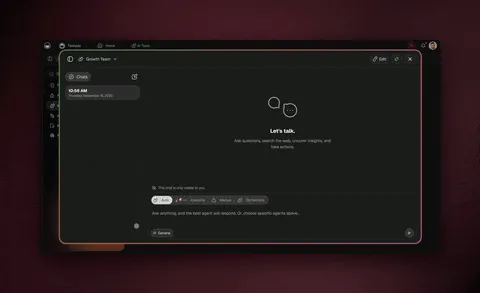
Build agent teams that collaborate — a researcher gathers information while a writer turns it into polished content.
💡 Tip: Create an Agent Team with a "Researcher" agent and a "Writer" agent. The researcher gathers information while the writer turns it into polished content — all coordinated automatically. Browse ready-made agents in the Taskade community gallery.
Multi-Model AI
11 models. 3 providers. Zero vendor lock-in. Taskade EVE gives you access to 15+ frontier AI models from OpenAI, Anthropic, and Google — and you choose which model powers each conversation, agent, or app.
Different models have different strengths. A coding agent might work best with one model, while a creative writing agent shines with another. With Taskade, you're never locked into a single provider.
| Provider | Models | Best For |
|---|---|---|
| OpenAI | GPT-5.2, GPT-5.1, o3, o4-mini | Reasoning, coding, analysis |
| Anthropic | Claude Opus 4.5, Claude Sonnet 4, Claude Haiku 3.5 | Writing, nuance, safety |
| Gemini 3 Pro, Gemini 2.5 Pro, Gemini 2.5 Flash, Gemini 2.0 Flash | Multimodal, speed, scale |
🧬 Workspace DNA: Your choice of model is part of your workspace's Intelligence layer. Different agents in the same workspace can use different models — a support agent might use Claude for its conversational strength while a data analysis agent uses GPT for its reasoning power.
Every Taskade plan includes AI credits that work across all models — no separate API keys or billing accounts needed. See pricing details.
Automation & Workflows
Automations are the Execution pillar of your workspace — the nervous system that makes everything reactive and alive. Taskade EVE can build visual workflows that connect your apps, trigger actions on a schedule, and run complex logic — all without writing a single line of code.
Taskade automations are powered by durable execution infrastructure, which means your workflows are fault-tolerant and reliable. If a step fails, the system retries intelligently rather than silently breaking.

Build visual automation workflows with triggers, conditions, loops, and 100+ service integrations.
| Capability | What You Get | Try Saying... |
|---|---|---|
| Create workflows | Build automated processes connecting your apps and services | "Create a workflow that posts to Slack when tasks complete" |
| Edit workflows | Add, remove, and reorder steps in your flows | "Add an email step after the Slack notification" |
| Schedule triggers | Set it and forget it — run workflows on a recurring schedule | "Run this every morning at 9am", "Trigger weekly on Mondays" |
| Webhook triggers | Start workflows when external services send data | "Trigger when a form is submitted" |
| Form triggers | Collect user input through custom forms | "Create a form trigger with name, email, and message fields" |
| Event triggers | React to Taskade events or external integration events | "Trigger when a task is completed", "When a GitHub PR is merged" |
| Conditional logic | Add if/then branching based on conditions | "If priority is urgent, notify manager", "Only send emails on weekdays" |
| Loops | Repeat actions for each item in a list | "Process each row in the spreadsheet", "Send to every team member" |
| Wait & delay | Pause workflows before continuing | "Wait 24 hours then send a follow-up" |
| Run from chat | Execute any automation directly in conversation | "Send a Slack message right now", "Create a GitHub issue" |
| Health check | Monitor if workflows are running correctly | "Is this workflow working?", "Show me recent failures" |
Trigger Types
Every workflow starts with a trigger — and Taskade EVE supports six types:
| Trigger Type | How It Starts | Best For |
|---|---|---|
| Taskade Events | Reacts to workspace activity (task created, project updated) | Internal workflow automation |
| Schedule | Runs on a time-based schedule (daily, weekly, custom) | Daily reports, weekly digests |
| Webhook | Receives data from external HTTP requests | API callbacks, third-party events |
| Form | Collects user input through a custom form | Contact forms, surveys, data collection |
| Integration Events | Triggered by connected services (Stripe payment, GitHub PR) | Cross-tool automation |
| Condition Met | Data-driven triggers when thresholds are reached | Stock alerts, SLA monitoring |
Workflow Logic
Build intelligent automation with these built-in logic features:
| Feature | What It Does |
|---|---|
| Branching | Route workflows through different paths based on conditions |
| Text comparison | Check if values equal, contain, start with, or end with specific text |
| Empty checks | Verify whether fields have content or are blank |
| Logic operators | Combine conditions with AND, OR, and grouping |
| Loops | Iterate over lists and repeat actions for each item |
| Delays | Wait a specified duration before continuing |
💡 Tip: Combine scheduled triggers with conditional branching to build powerful monitoring systems — like checking inventory levels every morning and alerting your team only when stock runs low. Explore automation templates to get started.
Available Integrations
Taskade EVE connects to 100+ services through Taskade's automation engine — and you can reach any API endpoint using the HTTP integration.
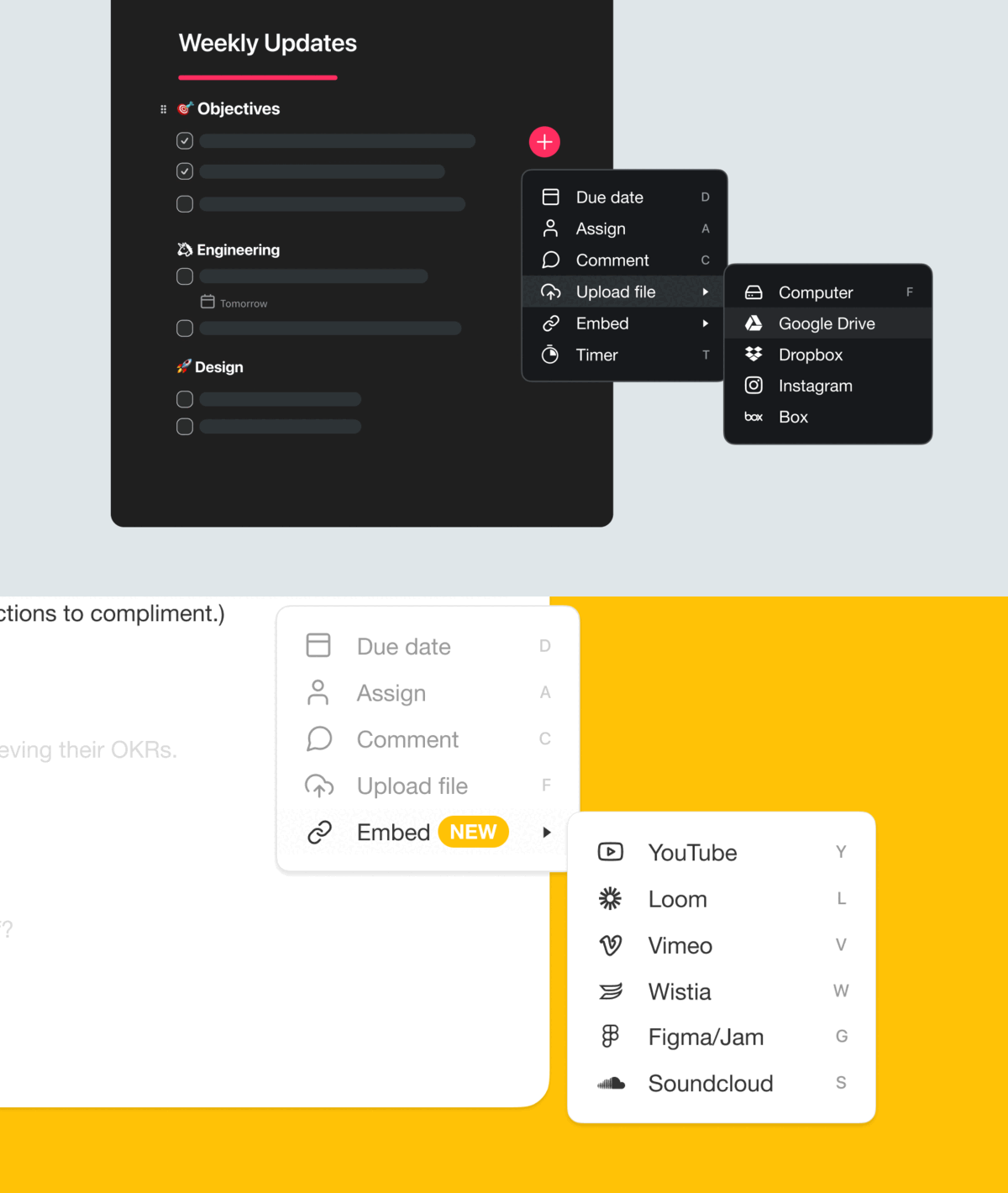
Browse and connect your favorite tools — from Slack and Gmail to GitHub and Stripe.
| Category | Services |
|---|---|
| Taskade Built-in | Projects, AI (OpenAI), Scheduling, Media Processing, Utilities |
| Team Chat | Slack, Discord, Microsoft Teams, Telegram |
| Messaging | WhatsApp Business, Twilio (SMS) |
| Gmail, Outlook, Mailchimp | |
| Google Workspace | Sheets, Calendar, Docs, Drive, Forms |
| Development | GitHub, Bitbucket, HTTP/Webhooks |
| CRM & Sales | HubSpot, Salesforce, Apollo |
| Social Media | Twitter/X, Facebook, LinkedIn, Instagram, TikTok, Reddit, YouTube |
| Meetings & Events | Calendly, Zoom |
| E-Commerce | Shopify |
| Forms & Surveys | Typeform |
| Payments | Stripe |
| Websites & CMS | WordPress, Webflow |
| Storage | Google Drive, Dropbox, Box, OneDrive |
| Data & HTTP | HTTP (connect to any API), RSS Feeds |
💡 Tip: Use the HTTP integration to connect to any API endpoint. If your service isn't in the list above, you can still automate it with webhooks and HTTP requests. Browse all available integrations.
App Development (Genesis)
One prompt. One app. One workspace. Genesis is where everything comes together. Describe what you want and Taskade EVE generates a complete, working web application — not just a static page, but a living system with data storage, AI chat, and automation built in from the start.
They give you code. We give you living systems.

Describe your app in plain language and Genesis builds a complete, production-ready application.
| Capability | What You Get | Try Saying... |
|---|---|---|
| Generate apps | Create complete web applications from a single description | "Build a customer feedback portal", "Create a landing page for our product" |
| Smart generation | EVE builds the UI, logic, data connections, and AI chat automatically | "Generate a dashboard with charts and metrics" |
| Edit files | View and modify the underlying code of your app | "Change the button color to blue", "Update the header text" |
| Review logs | Check for errors, network issues, and performance problems | "Show app error logs", "Why is this page broken?" |
| Image generation | Create custom images and graphics with AI | "Generate a hero image for the landing page" |
| Built-in AI chat | Every Genesis app includes embeddable agent chat | "Add a support chat to the app" |
| Data integration | Connect apps to Taskade projects for persistent storage | "Save form submissions to this project" |
| Responsive design | Apps automatically work on mobile, tablet, and desktop | "Make this mobile-friendly" |
| Custom domains | Publish apps with your own domain name and automatic SSL | "Set up feedback.company.com" |
| Password protection | Restrict access to your apps with a password | "Add password protection to this app" |
| Live preview | See changes in real-time as you build | "Preview the app" |
| Version history | Every change is tracked — restore any previous version with one click | "Revert to the previous version" |
| Analytics | Track visitors, pageviews, traffic sources, and device metrics | "How many visitors did we get this week?" |
What Makes Genesis Apps Special?
Unlike tools that just generate code files, Genesis creates living applications powered by your Workspace DNA:
| Layer | Role | What It Provides |
|---|---|---|
| Projects | Memory | Structured data storage, custom fields, real-time sync |
| Agents | Intelligence | AI chat, knowledge bases, specialized expertise |
| Flows | Execution | Automation, service integrations, scheduled tasks |
| App UI | Interface | The visual application connecting everything together |
🧬 Workspace DNA: This architecture means your Genesis app isn't a static site. It's a running system that stores data, thinks with AI, and automates workflows from the moment it's created. That's why we call them living systems, not apps.
Space Bundles: Business-in-a-Box
Genesis apps become even more powerful with Space Bundles — pre-configured 4-component systems that combine Projects + Agents + Flows + Apps into a single deployable package. Think of a Space Bundle as a "Business-in-a-Box" that gives you everything you need to run a specific operation.
For example, a "Customer Support" bundle might include a ticket tracking project, a trained support agent, automated escalation workflows, and a public-facing help center app — all working together out of the box. Browse bundles in the Taskade community.
Apps Built with Genesis
Here are a few examples of what you can build in minutes:
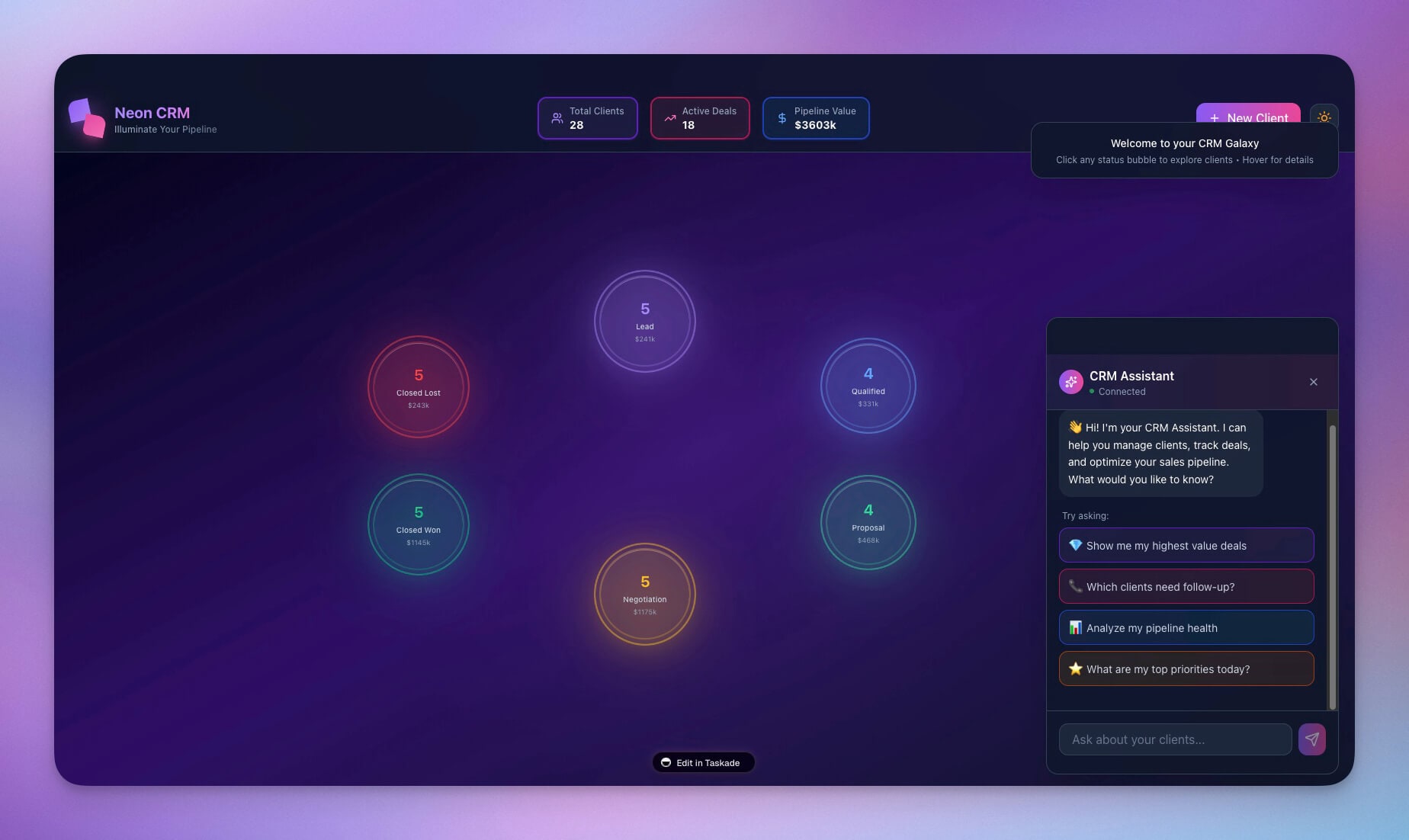
A CRM dashboard with deal tracking, pipeline views, and automated follow-ups.
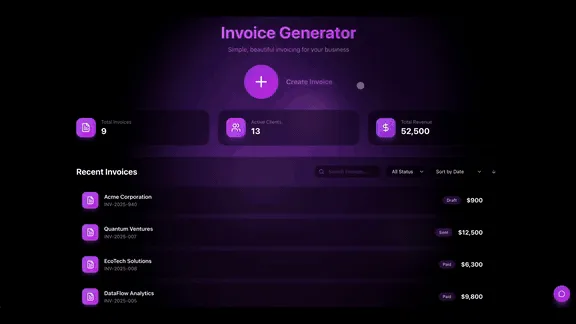
A personal finance tracker with charts, budgets, and spending categories.
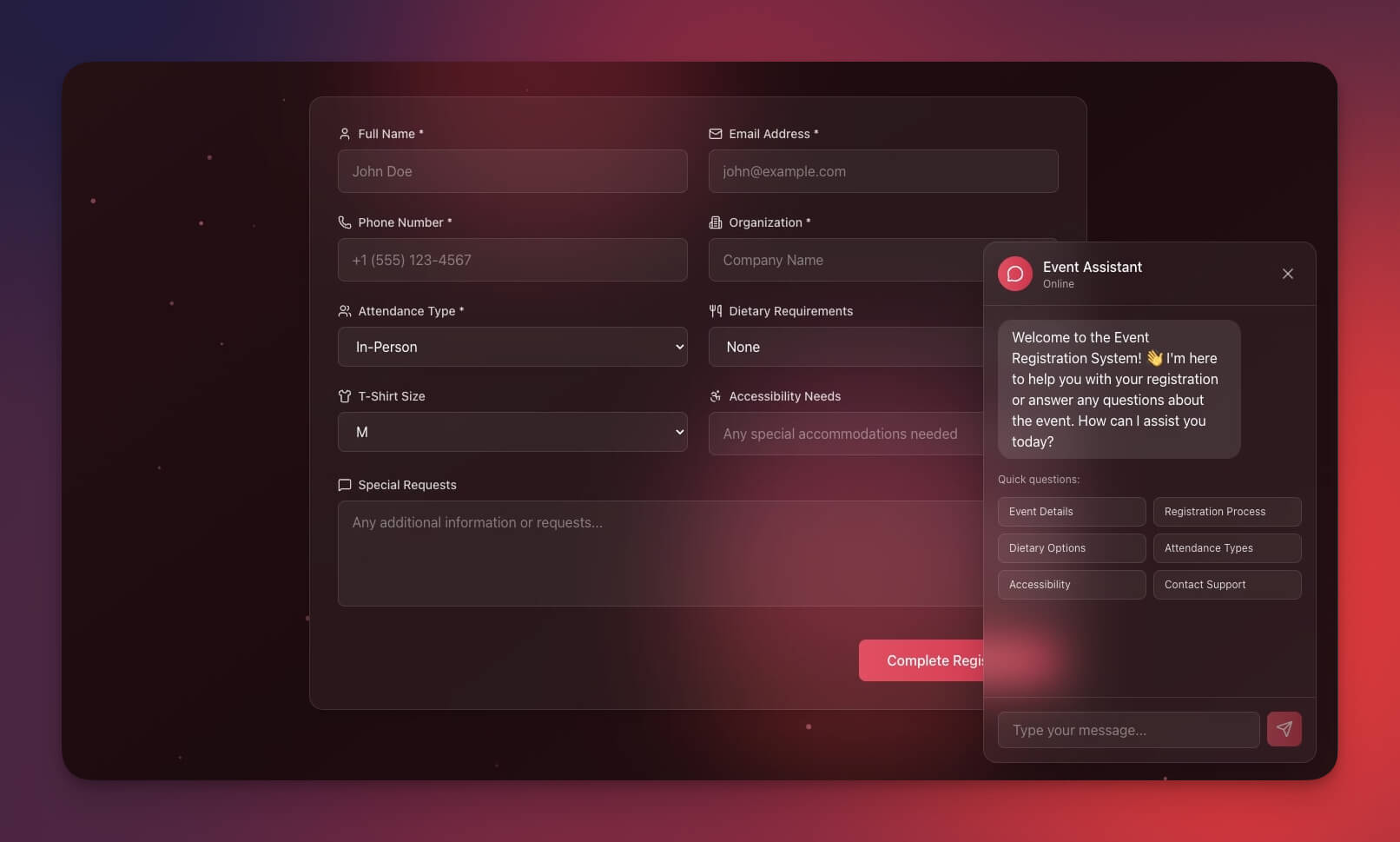
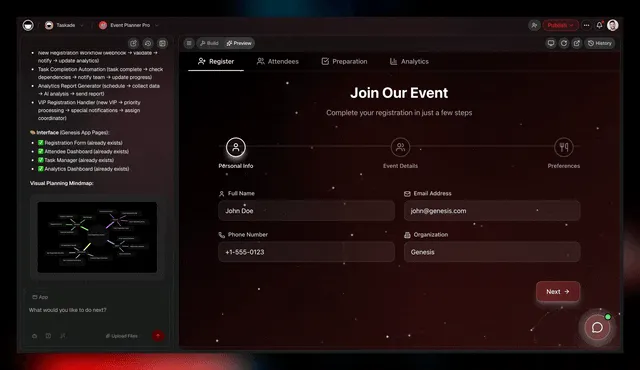
An event management portal with registration, scheduling, and attendee tracking.
Search & Knowledge
Taskade EVE can search across your entire workspace using multi-layer search — combining full-text search, semantic vector search (1536-dimension HNSW indexing), and file content extraction with OCR. This means EVE finds results by exact keywords, by meaning, and even from text inside images and PDFs.
Ask questions about your documents and get instant answers with source references.
| Capability | What You Get | Try Saying... |
|---|---|---|
| Full-text search | Find exact keywords across all workspace content instantly | "Find all projects about marketing", "Show me my agents" |
| Semantic search | Find results by meaning, not just keywords — powered by vector embeddings | "Find projects related to customer satisfaction" (matches even without exact words) |
| File content search | Extract and search text inside uploaded images, PDFs, and documents (OCR) | "Search inside the uploaded contract PDF" |
| Search by type | Filter results to specific content types | "Show only automations", "Find all agent teams" |
| Retrieve details | Get full contents of any project or workflow | "What's in the product roadmap project?" |
| Web search | Search the internet for current information | "Search for latest AI trends", "What's the news on remote work?" |
| Fetch web pages | Extract and summarize content from any URL | "Summarize this article: [url]" |
| Query agent knowledge | Search what your AI agents have learned | "What does the support agent know about refunds?" |
| Download media | Access uploaded files, documents, and images | "Get the PDF I uploaded yesterday" |
💡 Tip: Semantic search is especially powerful for knowledge-heavy workspaces. Even if you can't remember the exact file name, describe what you're looking for and EVE will surface the right results.
Navigation & Context
Taskade EVE understands where you are in your workspace and can navigate you anywhere instantly. You can use natural language like "this", "that", and "it" — EVE always knows what you're referring to.
| Capability | What You Get | Try Saying... |
|---|---|---|
| Go to projects | Jump to any project or the projects list | "Open the Q4 Planning project", "Show all projects" |
| Go to workflows | Jump to any automation or the workflows list | "Open the daily report workflow" |
| Go to agents | Jump to any agent or the agents list | "Go to my Support Agent", "Show all agents" |
| Agent settings | Navigate directly to specific agent configuration screens | "Open agent knowledge settings" |
| Smart references | Use natural language like "this", "that", "it" | "Archive it", "Share that with my team" |
| Smart suggestions | Get intelligent follow-up actions after every response | Automatically shown as clickable pills |
| Visual diagrams | See Mermaid diagrams showing how components connect | Automatically generated for complex changes |
Agent Settings (Direct Navigation)
Ask EVE to jump directly to any agent configuration screen:
| Screen | What You Can Configure |
|---|---|
| General | Agent name, instructions, greeting, and personality |
| Knowledge | Connected projects, documents, and training materials |
| Tools | Automation actions and workflow triggers the agent can use |
| Commands | Custom slash commands and skills |
| Share | Public/private visibility and sharing settings |
| Discover | Browse available automation integrations to add |
Chat Modes
Taskade EVE operates in four modes depending on what you're working on. Each mode focuses the conversation on specific capabilities:
| Mode | When It's Active | What EVE Focuses On |
|---|---|---|
| Genesis (Default) | General conversation | Full workspace — projects, agents, apps, and automations together |
| Projects | Project-focused work | Creating, editing, and organizing projects |
| Agents | Agent-focused work | Creating, training, and managing AI agents |
| Automations | Workflow-focused work | Building and managing automation workflows |
In Genesis mode, EVE can assemble entire systems — creating projects, training agents, building workflows, and generating apps in a single conversation. The other modes let you focus on one area at a time. Try it now.
Analytics & Monitoring
Keep a pulse on your workspace performance and catch issues early. Taskade EVE gives you visibility into AI usage, workflow health, and app performance.
| Capability | What You Get | Try Saying... |
|---|---|---|
| AI usage tracking | Monitor credit consumption across your workspace | "How many credits did I use this month?" |
| Workflow health | Check if automations are running and error-free | "Is this workflow healthy?", "Show recent failures" |
| App analytics | Track visitors, pageviews, bounce rate, and traffic sources | "Show app performance metrics" |
| Workflow validation | Lint and validate workflows for configuration issues | "Check this workflow for errors" |
Security & Permissions
Taskade EVE respects your workspace's security model. Every action is checked against your role and permissions — no exceptions.
| Capability | What It Means for You |
|---|---|
| Role-based access | EVE only allows actions your workspace role permits |
| Agent visibility | Set agents as public (anyone with the link) or private (workspace only) |
| Encrypted credentials | All external service connections stored securely |
| Audit-friendly | Every AI action is tracked for review |
Workspace Roles
Taskade uses role-based access from Owner to Viewer. Every level inherits the one below it, so you grant the lightest access that does the job.
| What someone needs to do | The lightest access that allows it |
|---|---|
| Read workspace content and leave a comment | Viewer |
| Work the tasks assigned to them | Assigned work |
| Create and edit projects, run agents and automations | Project editing |
| Manage members, permissions, and workspace settings | Workspace management |
| Manage billing, transfer ownership, delete the workspace | Owner |
Taskade EVE never exceeds the access of the person who runs it.
Cross-Platform Access
Taskade EVE and your workspace are available everywhere — and everything stays in sync. Download Taskade for your platform:
| Platform | What You Get |
|---|---|
| Web Browser | Full EVE functionality in any modern browser |
| Desktop Apps | Native apps for macOS, Windows, and Linux |
| Mobile Apps | Full functionality on iOS and Android |
| Real-Time Sync | Changes appear instantly across all your devices |
Real-World Use Cases
Here's how different teams put Taskade EVE to work every day:
| Team | What You Can Ask EVE To Do |
|---|---|
| Product Teams | "Generate a product roadmap with Q1-Q4 milestones", "Create a feature voting board with priority fields", "Automate weekly progress reports" |
| Marketing Teams | "Build a content calendar for social media", "Create a brand agent trained on our style guide", "Automate posting to Twitter and LinkedIn" |
| Development Teams | "Generate a sprint board with backlog and done columns", "Connect GitHub so PR merges post to Slack", "Build a docs agent with our technical documentation" |
| Customer Support | "Create a support ticket tracker with SLA fields", "Build a help center app with searchable FAQs", "Train an agent on our product knowledge base" |
| Business Operations | "Generate a CRM system for tracking deals", "Automate weekly sales reports to Google Sheets", "Build a customer onboarding portal" |
Getting Started with Taskade EVE — Your Workflow Agent
New to Taskade EVE? The workflow agent meets you where you are — start simple and level up as you go:
Your workspace gets smarter with every project, agent, and automation you add — Memory feeds Intelligence, Intelligence triggers Execution, Execution creates Memory.
| Level | What To Try | Try Saying... |
|---|---|---|
| 1 — Start simple | Create basic projects and lists | "Create a to-do list for this week", "Build a meeting notes project" |
| 2 — Add intelligence | Create agents and simple automations | "Create a support agent trained on our help docs", "Automate daily summaries to email" |
| 3 — Build solutions | Generate complete apps with interconnected systems | "Build a customer portal connected to our CRM project", "Create an agent team for content creation" |
| 4 — Scale & refine | Iterate and improve what you've built | "Train the agent on these new documents", "Add error handling to the workflow" |
Quick Prompt Patterns
| Goal | Pattern | Example |
|---|---|---|
| Create a project | "Create a [type] for [purpose]" | "Create a sprint board for the engineering team" |
| Build an agent | "Create a [role] agent that [capability]" | "Create a sales agent that knows our pricing" |
| Set up automation | "When [trigger], [action]" | "When a task completes, post to Slack" |
| Generate an app | "Build a [type] that [purpose]" | "Build a feedback form that saves to our CRM project" |
| Find something | "Find all [type] about [topic]" | "Find all projects about Q4 marketing" |
| Navigate | "Go to [destination]" | "Go to the Support Agent settings" |
Taskade EVE by the Numbers
Here's the complete scale of what Taskade EVE brings to your workspace:
| Category | Count |
|---|---|
| AI Models | 15+ from 3 providers (OpenAI, Anthropic, Google) |
| Project Views | 8 |
| Custom Field Types | 7 (Text, Number, Date, Select, Multi-select, Checkbox, URL) |
| Service Integrations | 100+ |
| Trigger Types | 6 (Taskade Events, Schedule, Webhook, Form, Integration, Condition) |
| Chat Modes | 4 (Genesis, Projects, Agents, Automations) |
| Workspace Roles | 7 |
| Built-in Agent Tools | Included |
| Agent Settings Screens | 6 |
| Supported Platforms | 5 (Web, macOS, Windows, Linux, iOS/Android) |
Before You Go
Ready to put Taskade EVE to work? Here's what you can start building right now:
AI Chat — Have a conversation with Taskade EVE and build anything through natural language.
AI Agents — Create specialized AI teammates trained on your knowledge.
Genesis Apps — Generate complete web applications from a single prompt.
Automation Workflows — Connect 100+ services with visual workflow automation and durable execution.
Templates — Start with pre-built project templates for any use case.
Community Gallery — Explore ready-made AI apps, agents, and templates shared by other users.
Integrations — Browse the full list of supported services and connections.
Downloads — Get Taskade for macOS, Windows, Linux, iOS, and Android.
Want to try Taskade EVE? Create a free Taskade account and let the workflow agent build your next living system.
Related Reading
- Introducing Taskade Genesis — Deep dive into Genesis app building, vibe coding, and the living software architecture
- Best Vibe Coding Tools 2026 — How Taskade Genesis compares to Cursor, Bolt.new, Lovable, and other AI app builders
- Vibe Coding for Non-Developers — Build AI apps without code using Taskade EVE and Taskade Genesis
- How Workspace DNA Works Inside Taskade Genesis — Technical breakdown of Memory + Intelligence + Execution

Resources
- Taskade Genesis Apps — Build complete web applications from a single prompt.
- AI Agents — Create, train, and deploy custom AI agents.
- Automation Workflows — Visual workflow builder with 100+ integrations.
- Community Gallery — Browse AI apps, agents, and templates.
- Taskade Help Center — Guides, tutorials, and product documentation.
- Introducing Taskade Genesis — The story behind Genesis and living software.
- Taskade Templates — Pre-built project templates for every use case.
- Pricing & Plans — See what's included in every Taskade plan.
Frequently Asked Questions About Taskade EVE
What is Taskade EVE?
Taskade EVE (Entity of Vision & Execution) is Taskade's workflow agent — the AI that builds other agents, triggers automations, and generates living apps from your workspace. Unlike chatbots that only answer questions, Taskade EVE takes action: creating projects, orchestrating multi-agent teams, connecting 100+ integrations, and generating complete Taskade Genesis web applications. Available in every Taskade workspace across web, desktop, and mobile.
How is Taskade EVE different from ChatGPT or other AI assistants?
ChatGPT answers questions. Taskade EVE executes workflows. It creates real projects with tasks and custom fields, trains specialized AI agents on your documents, builds automation workflows connecting 100+ services, and generates complete web applications with embedded AI chat and persistent data. Taskade EVE understands your full workspace context — your projects, agents, automations, and history — and remembers conversations across sessions. That's the difference between a chatbot and a workflow agent.
What can Taskade EVE create?
Taskade EVE can create projects with tasks, custom fields, and multiple views; AI agents trained on your knowledge base; automation workflows with triggers, conditions, and loops; and complete Genesis web applications with data storage, AI chat, and automation built in. You can also ask EVE to generate images, search the web, and analyze web pages.
How many AI models does Taskade support?
Taskade offers 15+ AI models from three providers — OpenAI, Anthropic, and Google. You choose which model to use for each agent, conversation, or app. Every Taskade plan includes AI credits that work across all models, so there's no vendor lock-in or separate API billing.
How many integrations does Taskade EVE support?
Taskade EVE connects to 100+ services through Taskade's automation engine, including Slack, Discord, Gmail, Google Sheets, GitHub, HubSpot, Salesforce, Shopify, Stripe, Zoom, and many more. You can also connect to any API endpoint using the HTTP integration and webhooks.
What are Genesis Apps?
Genesis Apps are complete web applications generated by EVE from a natural language description. Unlike tools that just generate code files, Genesis creates living systems backed by Taskade projects (data storage), AI agents (intelligence), and automation workflows (execution). Apps include responsive design, dark mode, custom domains with automatic SSL, password protection, embedded AI chat, version history, and built-in analytics.
What are Space Bundles?
Space Bundles are pre-configured 4-component packages that combine Projects + Agents + Flows + Apps into a "Business-in-a-Box." Each bundle gives you everything you need to run a specific operation — like customer support, content marketing, or sales management — fully connected and ready to go. Explore bundles in the community gallery.
Can I train Taskade EVE on my own data?
Yes. You can create AI agents and connect your Taskade projects, documents, PDFs, web pages, YouTube transcripts, and cloud files as knowledge sources. The agent will use that information to answer questions and take actions. As you update your projects, the agent's knowledge stays current automatically.
What project views does Taskade support?
Taskade supports multiple project views: List, Board (Kanban), Table, Calendar, Gantt, Mind Map, and Org Chart. You can switch between views at any time, and your data, custom fields, and task properties carry across all views seamlessly. Explore project templates using all views.
Can multiple AI agents work together?
Yes. Taskade supports Agent Teams where multiple AI agents collaborate on tasks. For example, a "Researcher" agent can gather information while a "Writer" agent turns it into content. EVE coordinates the handoff between agents automatically.
How do I get started with Taskade EVE?
Open any Taskade workspace and start a conversation with EVE. Begin with simple prompts like "Create a to-do list" or "Build a meeting notes project" — or browse the prompt template library for inspiration. As you get comfortable, try creating agents, setting up automations, and generating Genesis apps. No setup or configuration required — Taskade EVE is ready from the moment you open Taskade.
How does EVE think about her own thinking?
EVE is built on metacognitive principles: she monitors her own confidence, plans before acting, and stores her own reflections as Taskade Projects in a projects/memories folder — the platform eats its own dogfood at the meta layer. Read the full theory-to-product arc in Metacognitive AI: How Agents Learn to Think About Thinking — covers Flavell (1979), Nelson-Narens (1990), Fleming's meta-d′, Wells' MCT, and how Reflexion, Self-Refine, and semantic entropy map onto Workspace DNA.