






Hi Taskaders 👋
We have many exciting improvements for Taskade this week!
TL;DR: The 2020 multi-select and workspace filter improvements set the stage for what Taskade has become — now spanning multiple project views, 15+ frontier AI models, and 100+ integrations. Taskade Genesis turns any prompt into a living app powered by your workspace, while multi-layer search (full-text + semantic + OCR) makes finding tasks instant.
Then → Now: What started as a faster assignee/tag filter is now a multi-layer search engine combining full-text, semantic vectors, and file-content OCR — see Learn Taskade: Projects for the modern view stack.
| Dimension | 2020 (this release) | Today (2026) |
|---|---|---|
| Filter | Manual multi-select by assignee + #tag | Saved filters + AI auto-tagging via agents |
| Bulk ops | Drag to reorder, Tab/Shift+Tab indent | Bulk ops + AI agents auto-organizing nested tasks |
| Views available | List, Mind Map, Org Chart, Calendar sync | multiple project views (List, Board, Calendar, Table, Mind Map, Gantt, Org Chart) |
| Search | Workspace filter by tag/assignee | Multi-layer: full-text + semantic HNSW + OCR |
| Intelligence | None (no AI yet — AI arrived Dec 2022) | 15+ frontier models across OpenAI, Anthropic, Google |
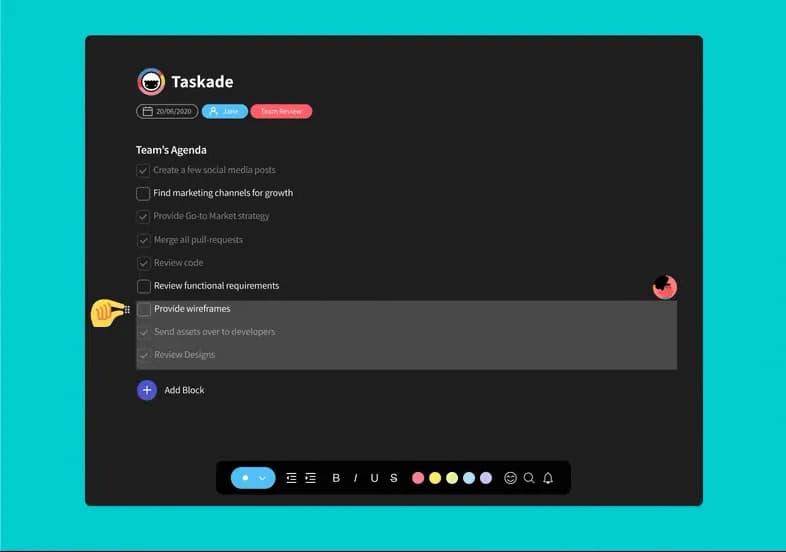
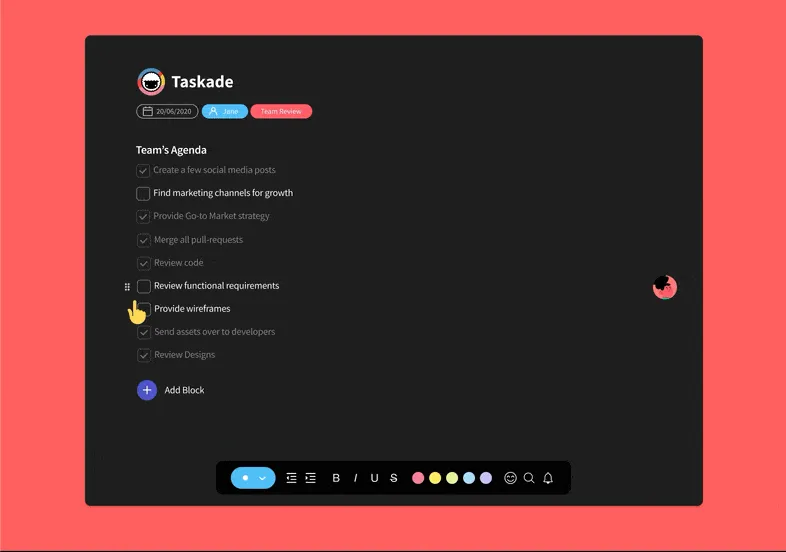
⚡️ Drag to Reorder Multiple Tasks
You can now select and drag multiple tasks at once to move them around.
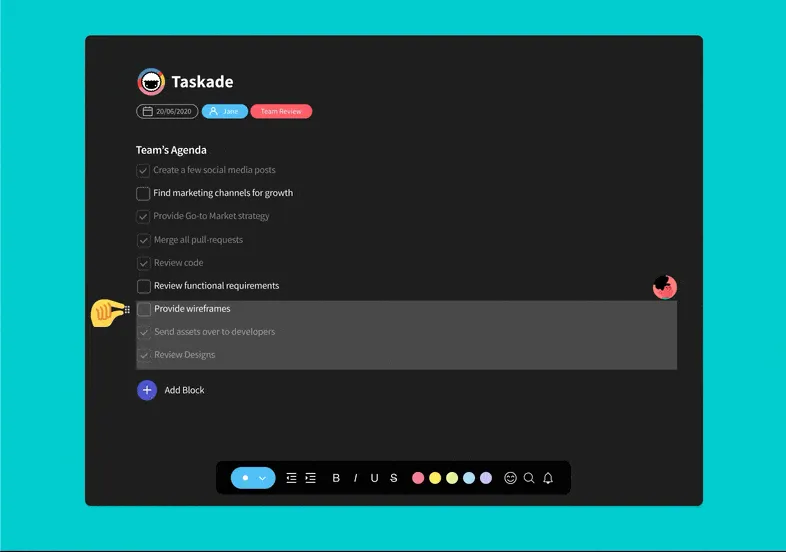
⚡️ Tab to Indent Multiple Tasks
Organize faster with TAB to indent or SHIFT + TAB to outdent multiple tasks.
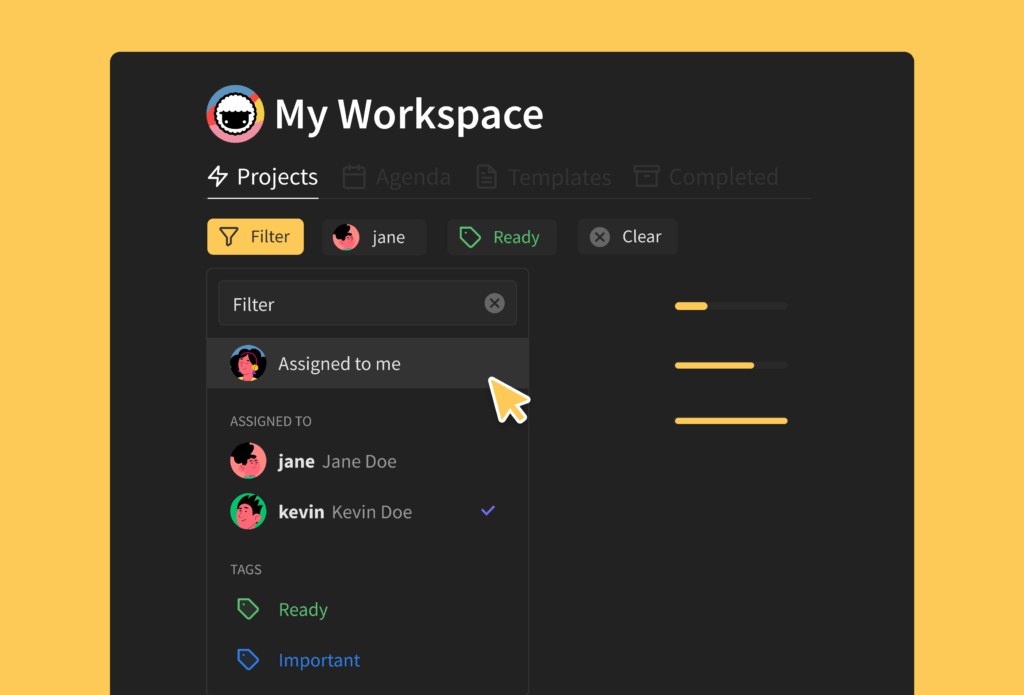
⚡️ New Workspace Filtering
It's now faster and simpler to filter assignees and tags in your workspace. Today, that same idea powers AI Agents that triage tasks for you and Automations that route work across your team.
⌨️ Bulk-Edit Cheat Sheet
The 2020 release locked in the muscle-memory shortcuts that still ship today. Every keystroke below works in 2026 across multiple project views.
   ┌────────────────────────────────────────────────────────┐
   │  Click + Shift+Click ......... select range            │
   │  ⌘ / Ctrl + Click ............ add to selection        │
   │  Tab .......................... indent selection       │
   │  Shift + Tab .................. outdent selection      │
   │  Drag ......................... reorder selection      │
   │  ⌘ / Ctrl + Shift + ↑ / ↓ .... keyboard reorder        │
   │  ⌘ / Ctrl + Enter ............ complete selection      │
   └────────────────────────────────────────────────────────┘
🔗 Related Reading
- Multiselect Tasks, Reorder Shortcut, Project Activity — Oct 2020 follow-up
- Undo, Redo, Project Changelog — safety net for bulk edits
- Learn Taskade: Multiselect · Keyboard Shortcuts
- Today, agents, automations, and Taskade Genesis extend the same bulk-action grammar to AI.
Thanks again for supporting Taskade, and as always, don’t hesitate to reach out if you need help. We’re here for you! 😊
— Team Taskade 🐑
Frequently Asked Questions
Can I drag and drop multiple tasks at once in Taskade?
Yes. Select multiple tasks by clicking and dragging or using Shift+Click, then drag the entire selection to reorder them within the project. This multi-select drag-and-drop works in List and other views for fast bulk reorganization of tasks.
Can I indent multiple tasks at once in Taskade?
Yes. Select multiple tasks, then press Tab to indent or Shift+Tab to outdent them all simultaneously. This lets you quickly restructure project hierarchies by moving groups of tasks under a parent item or promoting them to a higher level.
How does workspace filtering work in Taskade?
Use the workspace filter to narrow your view by assignee or #tag. This helps you quickly find tasks assigned to specific team members or tagged with particular categories, without scrolling through the entire workspace or opening individual projects.
Does Taskade support bulk task reordering?
Yes. Taskade supports multiple methods for bulk reordering: select multiple tasks and drag to a new position, use Cmd/Ctrl+Shift+Arrow to move items with keyboard shortcuts, or indent/outdent multiple items at once with Tab and Shift+Tab.