






Hey there 👋
This week's theme: Business in a Box. Every service business runs on the same three rails — sell, bill, serve. Here are three Taskade Genesis apps you can clone today that cover all three, each one a complete living system with UI, data, AI agents, and automations built in.
TL;DR: 3 Taskade Genesis apps you can clone and customize — CRM for sales teams, Invoice Generator, and Client Portal. Built from one prompt each. AI agents inside. 100+ integrations. Try it free →

🧲 Vibe Sales: Neon CRM Dashboard
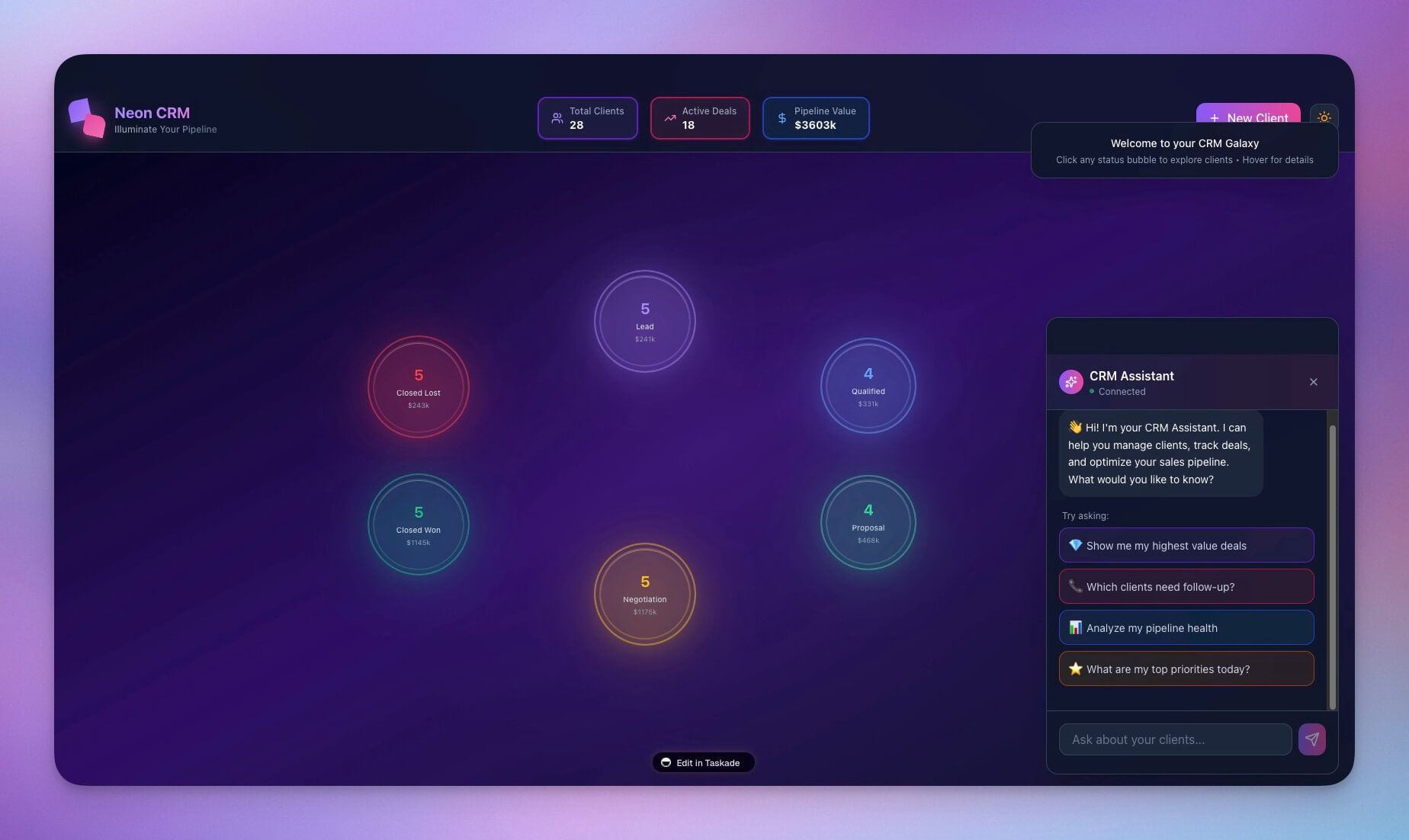
A neon-style CRM that captures leads, tracks deal stages, and keeps follow-ups moving — built from one prompt with AI agents that auto-triage every new contact. Clone the app →
What's inside:
- 🧲 Lead capture — Structured data fields, not scattered notes
- 🤝 Deal pipeline — Visual stages with drag-and-drop transitions
- 🤖 AI triage agent — Auto-score leads, suggest next actions, draft outreach
- 📩 Follow-up automations — Reminders and handoffs on schedule
- 🔗 100+ integrations — Slack, Gmail, HubSpot, Salesforce, and more
No more leads slipping through the cracks. Every new entry is structured data that feeds your automation workflows and agent knowledge. Replaces the HubSpot/Salesforce hybrid stack most startups cobble together — starting at $10/month on Pro for up to 10 users, billed annually, instead of $50-$300 per user.
💸 Vibe Invoices: Invoice Generator
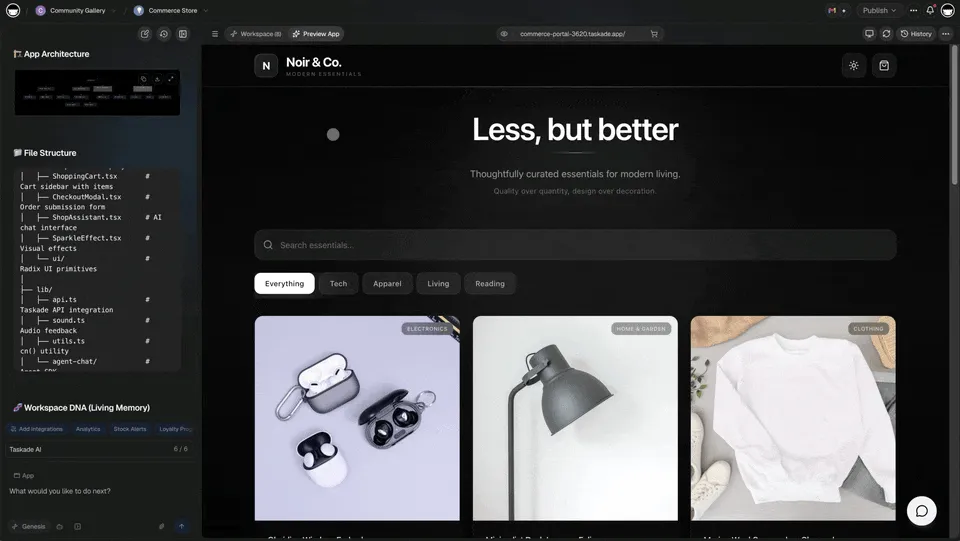
A complete invoicing system with line items, tax calculations, payment tracking, PDF export, and AI agents that draft follow-up emails for overdue invoices. The #1 most-cloned app on the platform (10,695 monthly sessions). Clone the app →
What's inside:
- 📄 Professional templates — Line items, quantities, tax rates, totals
- 🗂️ Client database — Reuse details across invoices without re-typing
- ✅ Status tracking — Draft, Sent, Paid, Overdue with color-coded badges
- 🤖 AI dunning agent — Drafts polite follow-ups for overdue invoices
- ⏰ Scheduled reminders — 7-day and 14-day automations built in
- 💳 Stripe integration — Payment links, receipts, automated reconciliation
Most freelancers and small agencies overpay for FreshBooks ($19/mo) or QuickBooks ($30/mo) just to send a handful of invoices. This Genesis app delivers the same workflow on the free tier, with AI follow-ups and automations that standalone invoicing apps charge extra for.
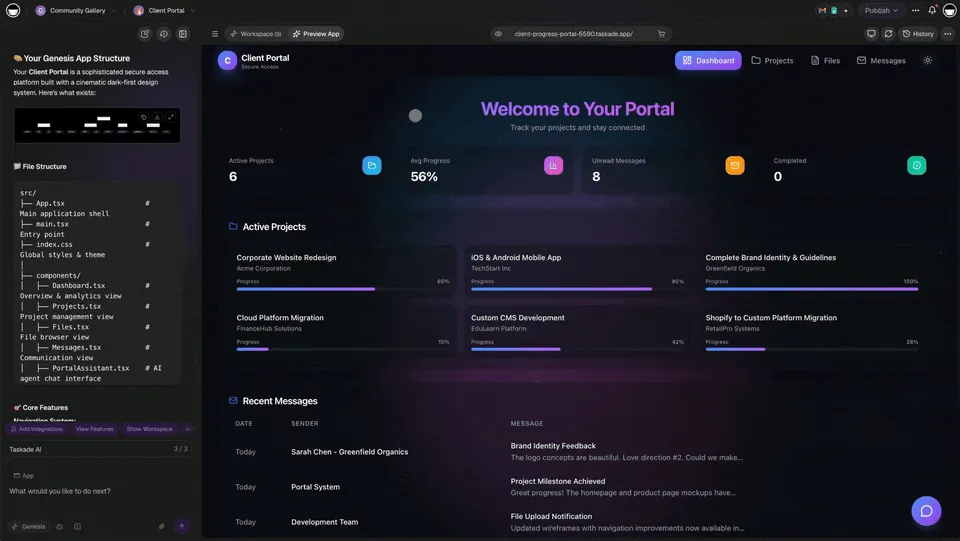
📬 Vibe Clients: Client Portal
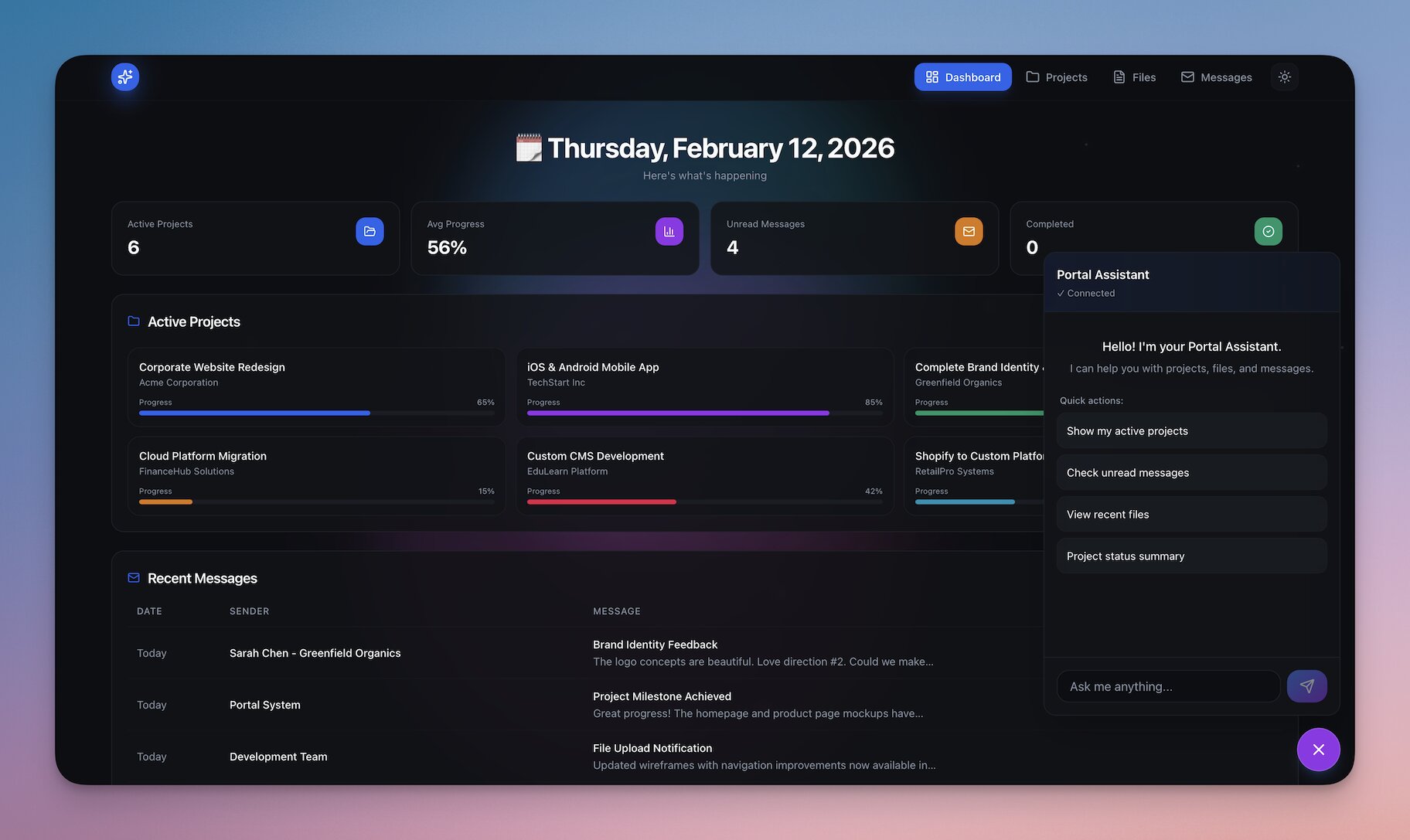
A branded client portal for agencies and service businesses — project tracking, file sharing, messaging, and AI-assisted triage for incoming requests. Clients get view-only access to their own projects while your team retains full editing. Clone the app →
What's inside:
- 📬 Request intake — Structured submission form with clear owners
- 📂 Project tracking — Real-time status visible to every stakeholder
- 💬 Messaging — Client-team chat inside the project context
- 🤖 Triage agent — Auto-categorize requests and suggest next steps
- 🔔 Client notifications — Email and Slack updates when status changes
- 🔒 RBAC — Owner to Viewer
- 🌐 Custom domain — Deploy to
clients.yourcompany.comwith automatic SSL
Perfect for agencies, consultancies, and internal ops teams. The AI agent handles triage so your team focuses on execution. Replaces Copilot Portal, HoneyBook, and Dubsado — which charge $49-$129/month per seat.
▶ Clone Client Portal Dashboard
🎯 What You Can Build by Combining All Three
The magic isn't in any single app — it's in how they connect. Every Taskade Genesis app shares the same Workspace DNA, so data flows automatically between them.
| Business Role | Stack Combo | Why It Works |
|---|---|---|
| Freelancer | Invoice Generator + Client Portal | Bill clients and give them a place to track status in one workspace. No Stripe + Dubsado + QuickBooks sprawl. |
| Agency (5-20 people) | CRM + Client Portal + Invoice Generator | Sell → Deliver → Bill, all connected. New deals in CRM auto-create client portal projects and draft invoices on milestone completion. |
| SaaS startup | CRM + Invoice Generator | Pipeline tracking plus self-serve invoicing. Replace HubSpot + Chargebee for $10/month on Pro, billed annually. |
| Consultancy | All three | Complete client lifecycle with AI agents handling lead triage, invoicing, and portal updates automatically. |
🤖 Build AI-powered apps with Taskade Genesis — Train agents, automate workflows, and deploy live apps from a single prompt. No code required.
🧠 15+ AI Models from OpenAI, Anthropic, and Google — choose the right model for every task.
🌱 Your Workspace, Alive
Every app in the Community Gallery was built with the same three pillars:
- 🧠 AI Agents think and get smarter with every interaction
- 📋 Projects remember from your apps, agents, and workflows
- ⚡ Automations execute continuously, connecting your system
This is Workspace DNA — Memory, Intelligence, and Execution in one living workspace. Start building today →
🐑 Build with Taskade Genesis — The AI-powered workspace where agents think, projects remember, and automations execute.
🤖 Custom AI Agents — built-in tools, persistent memory, 15+ models
🧠 Multiple Project Views — List, Board, Calendar, Table, Mind Map, Gantt, Org Chart
⚡ 100+ Integrations — Slack, Gmail, Shopify, Stripe, and more
🔒 RBAC — Owner to Viewer
💬 Frequently Asked Questions
What is a Taskade Genesis app?
A Taskade Genesis app is a complete business-in-a-box solution generated from a single prompt. Each app includes a UI, structured data, AI agents, and automations — ready to clone and customize. Over 150,000 apps have been built with Genesis since launch.
How does the Taskade CRM dashboard work?
The Neon CRM Dashboard gives sales teams a visual pipeline, lead capture with structured fields, and AI agents that auto-triage new leads and suggest next steps. Automations handle follow-up reminders and handoffs across 100+ integrations including Slack, Gmail, HubSpot, and Salesforce. It works with multiple project views — Board view for pipeline, Table view for the lead database, Calendar view for follow-ups.
Can I customize the CRM dashboard in Taskade?
Yes. Clone the Neon CRM Dashboard and customize every element — lead capture fields, deal pipeline stages, follow-up automations, and notification rules. AI agents can auto-triage leads and suggest next steps.
What is agent-assisted triage in the project portal?
Agent-assisted triage uses AI agents to automatically categorize incoming requests, suggest next steps, and notify the right team members. Requests are captured as structured data with clear owners and status tracking. Learn how to build custom agents.
How do I publish my own Taskade Genesis app?
Build your app with Taskade Genesis, then publish it to the Community Gallery. Choose from three visibility levels — Public (discoverable), Secret (private link), or Private (workspace only). You can also use a custom domain for your published app.