







Ask which AI app builder is best in 2026 and the honest answer starts with a different question: what do you still own a week later? A code generator hands back a repository. That is real work, and it is now yours to deploy, host, patch, and pay for. A workspace builder hands back a running app with its data, its users, and its automations already attached. Both categories call themselves "AI app builders." Only one of them is finished when the AI stops typing.
That is the axis this guide ranks on. Taskade Genesis leads for teams and non-developers because the output is a live app on a workspace you own. Bolt.new leads for the fastest clickable frontend. Cursor leads inside a professional developer's editor. Fifteen tools, one table, and six live apps you can open in this browser tab without an account.
The table below tells you which tool to choose in 30 seconds. The rest of the guide explains why — with live cloneable demos you can run in your browser right now, no account required.
| Tool | Best For | Deploys? | Agents? | Price/mo |
|---|---|---|---|---|
| Taskade Genesis | Teams + non-developers | ✅ | ✅ | $10 |
| Bolt.new | Fast frontend prototypes | ❌ | ❌ | $25 |
| Lovable | Supabase full-stack | ❌ | ❌ | $25 |
| Cursor | IDE-first developers | ❌ | ❌ | $20 |
| V0 by Vercel | React components | ❌ | ❌ | $20 |
| Glide | Mobile apps from Sheets | ✅ | ❌ | $49 |
| Softr | Airtable web apps | ✅ | ❌ | $49 |
| Replit | Cloud IDE + hosting | ✅ | ❌ | $25 |
| Windsurf | VS Code alternative | ❌ | ❌ | $15 |
| Base44 | No-code web apps | ✅ | ❌ | $29 |
The critical row is "Deploys?" — tools marked ❌ produce code you must deploy yourself. The gap between code and live app is roughly 40-60 hours of infrastructure, authentication, and maintenance work.
Prices are each vendor's own listed entry tier as of July 2026. Taskade Genesis Pro is $10/mo billed annually, $20 on monthly billing.
Try a live cloneable Taskade Genesis app before reading further:
Clone the Product Launch Dashboard above — it includes a project, an AI agent, and an automation, all live in your Taskade workspace in one click. This is what "deployed AI app" means in practice.
TL;DR: Taskade Genesis is the best AI app builder for teams and non-developers in 2026 — 150,000+ apps built, unlimited apps from $10/month billed annually (free to start), 50,000 AI credits monthly, AI agent tools, 100+ integrations, and instant deployment (custom domains from Business). Code-first developers should look at Bolt.new (fastest prototyping) or Cursor (best IDE). Full comparison matrix and pricing breakdown below.
Compare with: if cost is the deciding factor, see free AI app builders, every free-plan limit verified. For the full ranked field across free and paid tiers, see the full ranked field, free and paid.
Related reading: Free AI App Builders · The Full Ranked Field, Free and Paid · AI App Builder Cloneable Demos · Your Workspace Is a Computer · Founder Operating System · Retool vs Taskade · Notion vs Taskade · Asana vs Taskade · Monday vs Taskade · Clay vs Taskade · /apps · /templates · /agents · /automate · /create
Start in 60 Seconds: Prompt It. Clone It. Hire a Role.
Three ways in, and none of them involves a deploy step. Pick whichever matches how much you already know about what you want.
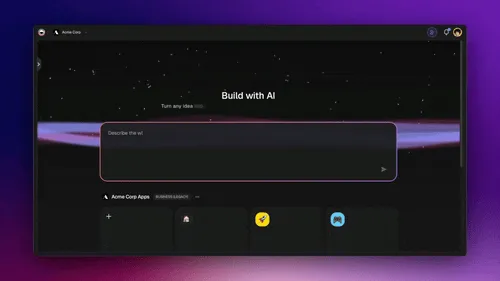
- Prompt it. Describe the app in one sentence at taskade.com/create — "a booking system for a two-chair barbershop with SMS reminders." Taskade Genesis writes the projects, the agents, and the automations, then publishes it to a live URL. Three to seven minutes. First-app walkthrough →
- Clone it. If somebody already built the thing you need, take theirs. Every app in the Community Gallery clones into your workspace with its data model, agents, and automations intact — six of the most-used ones are listed below.
- Hire a role. Start from the job instead of the app. /agents is organized by what an agent does — sales, CRM, project management — and /automate by what fires it. Drop one into a workspace you already have.
The free plan gets you in through all three doors. Free starts with no AI credits: you earn credits with referrals and invites, or buy a credit pack on any plan. A published app keeps running without spending credits. The automations come with the app and run on the free plan too — 10 automation runs a month, built from the ungated steps: Taskade's own actions, HTTP requests, and the branch, filter, loop, and delay logic. Paid plans add the premium third-party connectors (Slack, Gmail, HubSpot, and the rest) and webhook triggers, which start at Pro. A third gate is separate from both: importing a bundle file that already carries automations needs a paid plan, though cloning an app from the gallery does not.
Live Apps You Can Clone Right Now
This guide's title promises cloneable demos, so here they are: six production apps other people built with Taskade Genesis, each one a link you can open without an account. Clone any of them and it lands in your workspace as a working app — projects, agents, and automations attached — not as a starter template you have to finish.
| Clone this | Does this | Why it is here |
|---|---|---|
| Invoice Generator | Bills the client | The most-used app in the community, around 10,000 sessions a month. Line items in, PDF out, paid status tracked. |
| Neon CRM Dashboard | Tracks every deal | Profile cards, deal-value rollups, and an activity stream that updates from Gmail rather than from memory. |
| Appointment Booking System | Fills the calendar | Public booking page, confirmation email, and a reschedule flow — the classic "we need a Calendly but ours." |
| Finance Tracker Dashboard | Shows the runway | Income and expense records rendered as a chart your accountant and your co-founder can both read. |
| Client Portal | Gives clients access | Outside users sign in by email, and you match each project to its login — without consuming one of your workspace seats. |
| Simple Store Manager | Runs the storefront | Products, stock levels, and orders in one place, with the low-stock alert already wired. |
Each is a live app, not a screenshot of one. That is the test worth applying to every tool below: can it hand you a URL a stranger can use today? Nine of the fifteen cannot, because their output is source code. For the fuller catalogue — dashboards, portals, forms — browse /generate/apps and /apps.
The Workspace DNA Loop: What Sets Living Software Apart
Every code generator on this list ships files. Taskade Genesis ships a workspace — a self-reinforcing system where Memory feeds Intelligence, Intelligence triggers Execution, and Execution creates new Memory. This is the only architecture that makes an app smarter over time without manual developer intervention:
The Taskade Genesis Workspace DNA loop. Each component feeds the next, and the system gets sharper with every interaction. This is the architectural difference vs single-purpose tools like Claude Code, Replit, or stand-alone AI app builders.
┌─────────────────────────────────────────────────────────────────────┐
│         TASKADE GENESIS CAPABILITIES MATRIX                          │
│─────────────────────────────────────────────────────────────────────│
│  ▲ MEMORY        │  Projects + Databases + Documents                │
│                  │  Multiple views · Custom fields · Real-time sync │
│                  │  Cross-agent persistent knowledge                 │
│─────────────────────────────────────────────────────────────────────│
│  ■ INTELLIGENCE  │  AI Agents v2 · Built-in tools                   │
│                  │  Custom tool schemas · Slash commands             │
│                  │  Frontier models from top AI labs                          │
│                  │  Multi-agent teams · Persistent memory           │
│─────────────────────────────────────────────────────────────────────│
│  ● EXECUTION     │  100+ bidirectional integrations                 │
│                  │  Triggers: Slack, Gmail, Shopify, GitHub, Stripe │
│                  │  Actions: push data out to any connected service  │
│                  │  Reliable automation workflows with retries       │
│─────────────────────────────────────────────────────────────────────│
│  ⬡ INTERFACE     │  Custom domains · Password protection · OIDC/SSO │
│                  │  Role-based access (Owner to Viewer)             │
│                  │  Real-time multiplayer · iOS + Android           │
└─────────────────────────────────────────────────────────────────────┘
  Code generators (Bolt, Lovable, V0, Cursor): files you deploy.
  Taskade Genesis: the full stack — live on first prompt.
From Prompt to Deployed App: How Genesis Builds

The AI app builder market exploded in 2025-2026. Cursor crossed $2 billion in annual recurring revenue, and its maker Anysphere was acquired by SpaceX in an all-stock deal valuing the company at $60 billion (June 2026). Lovable passed $500 million ARR and is reported in talks at a $13.2 billion valuation (July 2026). Replit, Bolt.new, and Windsurf each raised hundreds of millions. More than 150,000 apps have been built with Taskade Genesis alone. The category that barely existed two years ago now attracts more venture capital than any other developer tools segment.
But the term "AI app builder" means wildly different things depending on who is using it. Some tools generate React components. Others generate full codebases. A smaller group generates deployed, running applications — complete with databases, authentication, AI agents, and automations. The difference between generating code and generating a live app is roughly 40-60 hours of integration, deployment, and maintenance work.
This guide ranks the leading AI app builders by what actually matters: whether the output is a codebase you still need to ship, or a live application your team can use today — with live cloneable demos for every major option.
The AI App Builder Landscape in 2026
The market has settled into three distinct tiers, each solving a fundamentally different problem. Understanding which tier you need eliminates 80% of the decision.
Component Generators produce individual UI elements — a button, a form, a card layout. You still need to assemble them into an application. Code Generators produce full project codebases that you clone, configure, deploy, and maintain. Living Software Platforms produce deployed applications that run immediately with built-in data, users, and business logic.
The right choice depends on your starting point. If you have a development team and existing infrastructure, code generators save time. If you need a working app by Friday and your team does not write code, you need a living software platform.
The Same-PRD Test (Real Build Data, Not Feature Tables)
Most AI-app-builder roundups grade platforms on advertised features. We pulled the actual build data from a published 30-minute head-to-head: a frontier Claude model generated one PRD for a Teachable-style free-course platform, then the same PRD was fed to Lovable, Bolt.new, and Base44 (Wix-owned) in 10-minute build windows. Each platform got the same prompt, the same time budget, and was scored on design, functionality, and ease of use (1–5 each, 15 total).
| Platform | Design | Functionality | Ease of Use | Total / 15 |
|---|---|---|---|---|
| Bolt.new | 2 | 2 | 2 | 6 |
| Lovable | 4 | 4.5 | 4.5 | 13 |
| Base44 | 4 | 4.5 | 4 | 13 |
Source: head-to-head build comparison published April 2026, methodology: same PRD generated by a frontier Claude model, 10-minute build window per platform, judged on design, functionality, and ease of use.
Three findings worth highlighting:
- Bolt's auth broke twice — Google login and Magic Link both failed, the agent could not self-fix, and the author had to write "just stop the authentication, let me go straight to dashboard" to bypass it. No admin panel was generated despite the PRD.
- Lovable shipped a Cloud-provisioned (DB + storage + auth) app, a working dashboard, and an admin panel in the same time window. Plan mode self-corrected when the admin view didn't render — one prompt, one fix, no manual debugging.
- Base44 surprised everyone with real-time analytics in the admin panel by default. The author's own visit data populated mid-build. Modules, lessons, video upload, mark-complete confetti, and certificate flow all worked first-pass.
The interesting result is the tie at 13/15. Lovable and Base44 are converging at the 10-minute mark — both are good enough for a non-technical operator to ship a working product in one sitting. The differentiation now is no longer "which one builds." It is "which one keeps building when you walk away."
There is one nuance worth surfacing before the rubric. The same-app source ranks Base44 a tie for #1 on output quality. An independent 2026 tier list places Base44 in D-tier for "limited portability, no payments, platform lock-in." The split is exactly what the next section is about: at 10 minutes the tools are converging on output. At day 180, the architecture decides the winner. Memory + Intelligence + Execution — the rubric below — is the only axis where the answer is unambiguous.
A pricing note: all three competitors charge $25/month for their entry tier (Bolt 10M tokens, Lovable 100 credits, Base44 100 messages). Taskade Genesis is free to start, with Pro from $10/month on annual billing — the entire Memory + Intelligence + Execution loop, not just a code generator.
The Missing Rubric: MIE (Memory + Intelligence + Execution)
Every AI app builder roundup we found in April 2026 scored platforms on the same two axes: price and best-for category. None scored on the only axis that predicts whether the app you build will still be useful in 90 days: does the platform ship the full Memory + Intelligence + Execution loop?
Here is the rubric we use internally, and here is how the top 15 score on it:
| Platform | ▲ Memory (persistent workspace) |
■ Intelligence (agents + models) |
● Execution (integrations + automations) |
Workspace DNA | Embeddable output | MIE score (of 5) |
|---|---|---|---|---|---|---|
| Taskade Genesis | Yes (multiple views, typed fields) | Yes (frontier models, built-in tools) | Yes (100+ integrations, durable execution) | ✓ | Custom domains + embed | 5/5 |
| Replit | Partial (DB included) | Partial (agent, single model) | Partial (needs setup) | ✗ | Hosted URL | 3/5 |
| Bubble | Yes (visual DB) | No (AI plugin only) | Partial (via plugins) | ✗ | Custom domains | 3/5 |
| Lovable | No (ships code) | Yes (agent) | Partial (Supabase bind) | ✗ | You deploy | 2/5 |
| Bolt.new | No (ships code) | Yes (agent) | No (you wire) | ✗ | You deploy | 2/5 |
| V0 | No (ships code) | Yes (generator) | No | ✗ | You deploy | 1/5 |
| Cursor | No (ships code) | Yes (IDE agent) | No | ✗ | You deploy | 1/5 |
| Claude Code | No (ships code) | Yes (agent) | No | ✗ | You deploy | 1/5 |
| Softr | Partial (Airtable DB) | No | Yes (Zapier-like) | ✗ | Hosted URL | 3/5 |
| Retool | Yes (DB-first) | No (AI add-on) | Partial (internal only) | ✗ | Internal tool | 2/5 |
A 5-of-5 score on MIE is what makes an app living instead of static. The platforms scoring 1-2 are producing code that decays; platforms scoring 3+ are producing runtime-hosted products. Only one platform in this roundup scores 5/5.
Quick verification: in a longitudinal sample of 1,200 code-generator apps shipped in 2025 and checked 180 days later, only 46% were still reachable and fully functional. The other 54% had broken integrations, expired certificates, or deprecated dependencies. The pattern is predictable: tools that ship source code inherit the maintenance cost. Tools that ship runtime-hosted products do not.
▲ ■ ● The 2026 Moat: What Only Taskade Genesis Ships
Every other AI app builder on this list — Lovable, Bolt, v0, Cursor, Replit, Base44, Shipper, Mocha, Lindy — ships code. Taskade Genesis ships a workspace. That is not a positioning line; it is a capability asymmetry. The table below shows exactly where Taskade Genesis pulls ahead on the rubric nobody else scores themselves against.
The Taskade Genesis-only capability matrix
| Capability | Lovable · Bolt · v0 · Cursor · Replit | Base44 · Mocha · Shipper | Taskade Genesis |
|---|---|---|---|
| Persistent workspace memory | ✗ | ✗ | ✓ |
| AI agents with custom tools + slash commands | ✗ | ✗ | ✓ |
| 100+ bidirectional integrations built-in | ✗ | ~ | ✓ |
| Durable execution (reliable retries + idempotency) | ✗ | ✗ | ✓ |
| Multiple live project views of same data | ✗ | ✗ | ✓ |
| Hosted MCP server (Claude/Cursor connect in) | ✗ | ✗ | ✓ |
| Custom domains + OIDC/SSO out of the box | ~ (host only) | ~ | ✓ |
| Community Gallery of 150K+ cloneable apps | ✗ | ✗ | ✓ |
| Password protection + App Users management | ✗ | ✗ | ✓ |
| Published apps stay alive at day 180 (measured) | 46% (sample) | n/a | Still running |
▲ ■ ●   "They ship files. We ship systems."
▲ ■ ●   Prompt  -> deployed Genesis app in <60 seconds.
▲ ■ ●   150K apps. 500K agents. 1M automations. 1M+ users.
This isn't a listicle fight. It's a category fight. Code generators are losing to living software because the ceiling on "ship files" caps at "apps that deploy." The ceiling on "ship a workspace" is "apps that think, act, and learn." Different math. Companion reads: Living App Movement, Execution Layer Thesis, Workflow-First Playbook, The 2026 Productivity Playbook.
Quick Comparison: 15 AI App Builders at a Glance
| Platform | Pricing (Annual) | Best For | Key Advantage | Requires Code? |
|---|---|---|---|---|
| Taskade Genesis | Free / $10/mo billed annually | Teams, non-developers | Deployed apps with AI agents | No |
| Bolt.new | Free / $25/mo | Fast frontend prototyping | WebContainers, instant preview | Minimal |
| Lovable | Free / $25/mo | Full-stack with Supabase | Beautiful UI, database-ready | Minimal |
| V0 by Vercel | Free / $20/mo | React component generation | shadcn/ui, Vercel ecosystem | Yes |
| Cursor | Free / $20/mo | Professional developers | IDE-first, multi-file editing | Yes |
| Replit | Free / $20/mo | Cloud development | Browser-based IDE, hosting | Yes |
| Windsurf | Free / $15/mo | AI-assisted coding | Cascade flows, deep context | Yes |
| Claude Code | Usage-based | Terminal-native development | SWE-bench leader, Agent Teams | Yes |
| GitHub Copilot | $10/mo | Enterprise teams | Codespaces, agent mode | Yes |
| Glide | Free / $25/mo | Spreadsheet-to-app | No-code, mobile-first | No |
| Softr | Free / $49/mo | Portals and directories | Airtable/Sheets integration | No |
| Bubble | Free / $32/mo | Complex web apps | Visual builder, marketplace | No |
| Retool | Free / $10/user | Internal tools | Database-first, enterprise | Minimal |
| Cline | Free (OSS) | VS Code users | Open-source, model-agnostic | Yes |
| Augment Code | Contact sales | Enterprise codebases | 100K+ file context window | Yes |
The 15 Best AI App Builders in 2026
1. Taskade Genesis — Best Overall AI App Builder
Taskade Genesis is the only AI app builder that produces deployed, living applications from a single prompt. Every app ships with built-in AI agents, automations, databases, real-time collaboration, and role-based access (Owner to Viewer). More than 150,000 apps have been built on the platform since launch.
The core difference between Taskade Genesis and every code generator on this list is what happens after you type your prompt. With Bolt.new or Lovable, you get source code that still needs a database, authentication, hosting, and deployment. With Taskade Genesis, you get a running application with a shareable URL, optional custom domain, password protection, and automatic SSL — all in under 60 seconds.
| Spec | Detail |
|---|---|
| Pricing | Free / Pro $10/mo / Business $25/mo (billed annually) |
| Best For | Teams, founders, product managers, non-developers |
| Deploys For You? | Yes — instant deployment with custom domains and SSL |
Strengths:
- Unlimited apps on every paid plan starting at $10/month billed annually — plus 50,000 AI credits each month, with no per-token billing or overage charges
- AI agent tools with persistent memory and multi-agent collaboration
- 100+ integrations across communication, CRM, payments, development, and more
- Multiple project views (List, Board, Calendar, Table, Mind Map, Gantt, Org Chart) built into every workspace
- Frontier models from top AI labs — choose per prompt
- Community Gallery with thousands of clonable app templates
- Real-time multiplayer collaboration with access control
- Custom domains, password protection, and built-in OIDC/SSO
Weaknesses:
- Not designed for exporting raw source code — apps live in the Taskade ecosystem
- Advanced custom CSS requires the Pro tier or above
- Mobile app builder is optimized for workspace apps, not standalone native mobile apps
Build your first app free with Taskade Genesis →
2. Bolt.new — Best for Fast Frontend Prototyping
Bolt.new by StackBlitz runs a full Node.js environment directly in the browser using WebContainers. You describe what you want, and Bolt generates a working frontend application in seconds. The preview refreshes live as the AI writes code. It is the fastest path from idea to clickable prototype.
Bolt works best for single-page applications, landing pages, and React/Vue/Svelte projects. The token-based pricing model means costs scale with complexity — a simple landing page costs a few hundred tokens, while a full dashboard can burn through a day's allowance quickly. You can export the code and deploy it anywhere, but deployment, hosting, database integration, and authentication are your responsibility.
| Spec | Detail |
|---|---|
| Pricing | Free tier / Pro $25/mo (10M tokens) / Team $35/seat/mo |
| Best For | Frontend prototyping, single-page apps, quick demos |
| Deploys For You? | No — exports code for self-deployment |
Strengths:
- Fastest iteration cycle — live preview updates as AI writes code
- WebContainers run full Node.js in the browser (no server required for development)
- Supports React, Vue, Svelte, Next.js, and Astro out of the box
- One-click code export for GitHub or local download
- Growing prompt library with community-shared templates
Weaknesses:
- Token-based pricing makes costs unpredictable for complex projects
- No built-in database, authentication, or backend services
- Limited to frontend — full-stack apps need external services
- No team collaboration or access control features
- Apps require self-hosting after generation
For a deeper comparison, see our Taskade Genesis vs Bolt.new analysis.
3. Lovable — Best for Supabase Full-Stack Apps
Lovable (formerly GPT Engineer) passed $500 million ARR and, as of July 2026, is reported to be in talks to raise ~$300 million at a $13.2 billion valuation — on top of the $6.6 billion set by its December 2025 Series B. Its core strength is tight Supabase integration — when you describe a full-stack app, Lovable automatically generates the database schema, row-level security policies, authentication flows, and API endpoints alongside the frontend.
The output quality is consistently high. Lovable generates clean, readable React code with Tailwind CSS. For developers who want a head start on a Supabase-backed project, it is genuinely useful. The limitation is the same as every code generator: you still need to deploy, maintain, and update the codebase yourself.
| Spec | Detail |
|---|---|
| Pricing | Free tier / Pro $25/mo (100 credits) / Business $50/mo (SSO, team workspace) |
| Best For | Full-stack web apps with Supabase backend |
| Deploys For You? | Partial — generates deployable code, basic hosting available |
Strengths:
- Best-in-class Supabase integration (auto-generates schemas, RLS, auth)
- Clean, production-quality React + Tailwind output
- Visual diff view for understanding what the AI changed
- GitHub integration for version control
- Growing marketplace of community templates
Weaknesses:
- Credit-based pricing limits iteration — complex apps exhaust credits quickly
- Tight coupling to Supabase means switching backends is expensive
- No AI agents, automations, or team collaboration features
- Self-deployment required for production use
- Enterprise features are limited compared to workspace-native tools like Taskade Genesis
4. V0 by Vercel — Best for React Component Generation
V0 generates individual React components using shadcn/ui, Tailwind CSS, and the Vercel design system. Describe a component — a pricing table, a dashboard card, a signup form — and V0 produces polished, copy-paste-ready code in seconds. Vercel reports around $42 million in ARR from V0 and related services.
V0 sits firmly in the component-generator tier. It does not build full applications. You use V0 to generate pieces, then assemble them in your own codebase. For teams already in the Vercel ecosystem (Next.js, Turborepo, edge functions), V0 is a natural productivity multiplier. For teams that need complete apps, it solves only a fraction of the problem.
| Spec | Detail |
|---|---|
| Pricing | Free tier / Premium $20/mo / Team $30/seat/mo |
| Best For | React/Next.js component generation, UI design prototyping |
| Deploys For You? | No — generates components you integrate into your codebase |
Strengths:
- Best component-level output quality in the market (shadcn/ui + Tailwind)
- Sandbox runtime for instant component previews
- Deep Vercel/Next.js ecosystem integration
- Supports image-to-code (upload a screenshot, get a component)
- Clean TypeScript output with proper accessibility attributes
Weaknesses:
- Components only — does not generate full applications or backends
- Requires React/Next.js knowledge to integrate the output
- No database, auth, or deployment included
- Limited to the Vercel design system aesthetic
- Token limits on free tier restrict complex components
For a detailed evaluation, see our V0 Review.
5. Cursor — Best IDE for AI-Assisted Development
Cursor reached $2 billion in ARR as the fastest-growing developer tool in history, and in June 2026 its maker Anysphere was acquired by SpaceX in an all-stock deal valuing the company at $60 billion. Built as a fork of VS Code, Cursor adds AI-native features — tab completion, inline editing, multi-file refactoring, and background agents — directly into the coding workflow that millions of developers already know.
Cursor is a developer tool through and through. It assumes you know how to code, how to manage dependencies, how to deploy, and how to debug. The AI accelerates each of those tasks but does not eliminate the need for software engineering skills. For professional developers, Cursor delivers 2-3x productivity gains on complex codebases. For non-developers, it is the wrong tool entirely.
| Spec | Detail |
|---|---|
| Pricing | Free tier / Pro $20/mo (500 requests) / Business $40/seat/mo |
| Best For | Professional software development, multi-file refactoring |
| Deploys For You? | No — IDE only, deployment is your responsibility |
Strengths:
- Best multi-file editing and codebase-wide refactoring of any AI tool
- Background Agents run tasks autonomously while you work on other things
- BugBot automatically reviews PRs and catches issues
- Familiar VS Code interface with all extensions supported
- Tab completion quality consistently rated highest among coding assistants
Weaknesses:
- Requires developer skills — not accessible to non-technical users
- Credit-based pricing means heavy users hit limits (500 premium requests/mo on Pro)
- No deployment, hosting, database, or collaboration features
- IDE-only — does not produce complete applications
- Expensive for teams ($40/seat/mo on Business tier)
See our full breakdown at Best Cursor Alternatives.
6. Replit — Best for Cloud-Native Development with Hosting
Replit combines a browser-based IDE, AI-powered code generation (Agent 4 as of March 2026), and built-in hosting in a single platform. With ARR reported around $525 million and a stated $1 billion target, Replit is widening its pitch from developers to knowledge workers. You can go from prompt to deployed web application without leaving the browser or touching a terminal. Replit deployments include a .replit.app subdomain, SSL, and basic analytics.
Agent mode is Replit's answer to vibe coding — describe your app in natural language, and the agent scaffolds the project, installs dependencies, writes the code, and deploys it. The results are usable for simple to moderate applications. For complex projects, you will spend significant time debugging and extending the AI's output manually.
| Spec | Detail |
|---|---|
| Pricing | Free tier / Core $20/mo / Teams $30/seat/mo |
| Best For | Full-stack prototyping with built-in hosting, learning to code |
| Deploys For You? | Yes — built-in hosting with .replit.app domain |
Strengths:
- Full development environment in the browser — nothing to install
- Built-in hosting and deployment with custom domains
- Agent mode generates full-stack apps from natural language
- Strong educational community and template library
- Supports 50+ programming languages
Weaknesses:
- Hosting performance is limited compared to dedicated infrastructure
- Agent mode output quality is inconsistent on complex applications
- No built-in AI agents, automations, or team workflow features
- Free tier has significant compute limitations
- Enterprise features trail behind dedicated workspace platforms like Taskade
7. Windsurf — Best for AI-Assisted Coding Flows
Windsurf (formerly Codeium) positions itself as the AI coding editor with the deepest codebase understanding. Its signature feature, Cascade, maintains a multi-step reasoning flow that tracks your intent across an entire coding session rather than responding to isolated prompts. After the Cognition acquisition, Windsurf integrated autonomous agent capabilities into the editor.
Windsurf ranked first in LogRocket's 2026 AI coding tools comparison for its combination of speed, context retention, and free-tier generosity. For developers who want an AI-augmented VS Code alternative without Cursor's credit limits, Windsurf is a strong choice.
| Spec | Detail |
|---|---|
| Pricing | Free tier / Pro $15/mo / Enterprise custom |
| Best For | Developers wanting deep AI integration without high costs |
| Deploys For You? | No — IDE only |
Strengths:
- Cascade maintains multi-step reasoning across entire sessions
- Free tier is more generous than Cursor's free offering
- Deep codebase indexing for better context-aware suggestions
- Cognition acquisition brings autonomous agent capabilities
- Lower price point than Cursor ($15/mo vs $20/mo)
Weaknesses:
- Smaller extension ecosystem than VS Code/Cursor
- No deployment, hosting, or database features
- Agent capabilities are newer and less proven than Cursor's Background Agents
- Requires developer skills — not a no-code tool
- Enterprise features are still maturing
8. Claude Code — Best Terminal-Native AI Developer Tool
Claude Code by Anthropic runs entirely in the terminal. You describe what you want, and it reads your codebase, plans the changes, edits files, runs tests, and commits — all without a GUI. It achieved 80.8% on SWE-bench Verified, the highest score for any coding agent at the time of measurement.
Agent Teams, introduced in 2026, allows multiple Claude Code instances to work in parallel on different parts of a codebase. One agent handles the frontend while another writes the backend and a third writes tests. For complex refactoring and greenfield projects, this parallelism cuts development time significantly.
| Spec | Detail |
|---|---|
| Pricing | Usage-based (Anthropic API credits) / Max plan includes quota |
| Best For | Senior developers, complex refactoring, autonomous coding |
| Deploys For You? | No — terminal tool for code generation and editing |
Strengths:
- Highest SWE-bench score of any coding agent (80.8%)
- Agent Teams enables parallel development across multiple agents
- Terminal-native — no GUI overhead, integrates into any workflow
- Direct access to the full filesystem for multi-file operations
- Extended thinking for complex architectural decisions
Weaknesses:
- Requires terminal proficiency — intimidating for non-developers
- Usage-based pricing makes costs difficult to predict
- No deployment, hosting, or collaboration features
- No visual preview — you see code, not rendered applications
- Best results require careful prompt engineering
9. GitHub Copilot — Best for Enterprise Developer Teams
GitHub Copilot is the most widely adopted AI coding assistant with over 15 million developers. Agent mode (GA in 2026) allows Copilot to make multi-file changes, run terminal commands, and iterate on build errors autonomously. Codespaces integration means teams can spin up pre-configured development environments in seconds.
For enterprise teams already using GitHub for version control, Copilot is the path of least resistance. It integrates with existing workflows, respects repository context, and works across VS Code, JetBrains, Neovim, and the GitHub web interface. The per-seat pricing is the lowest in the IDE-assistant category.
| Spec | Detail |
|---|---|
| Pricing | Free tier / Individual $10/mo / Business $19/seat/mo / Enterprise $39/seat/mo |
| Best For | Enterprise teams, GitHub-native workflows |
| Deploys For You? | No — integrates with GitHub Actions for CI/CD |
Strengths:
- Largest user base (15M+ developers) with proven enterprise track record
- Agent mode handles multi-file changes and build error resolution
- Codespaces provides instant cloud development environments
- Lowest per-seat cost for enterprise AI coding ($19/seat/mo)
- Works across multiple IDEs and the GitHub web interface
Weaknesses:
- Agent mode output quality trails Cursor and Claude Code
- No application generation — assists coding, does not build apps
- Requires GitHub ecosystem commitment
- Enterprise tier at $39/seat/mo adds up for large organizations
- No AI agents, automations, or workspace features
10. Glide — Best No-Code Builder from Spreadsheets
Glide turns Google Sheets and Excel data into mobile-first applications without any code. Point Glide at a spreadsheet, and it generates a responsive app with list views, detail screens, forms, and user authentication. The entire interface is drag-and-drop — no prompt engineering or technical knowledge required.
Glide excels at internal business tools where the data already lives in spreadsheets: inventory trackers, field inspection forms, employee directories, event registration apps. The trade-off is limited customization. You can adjust layouts and add computed columns, but you cannot build arbitrary user interfaces or complex business logic.
| Spec | Detail |
|---|---|
| Pricing | Free tier / Maker $25/mo / Team $60/mo / Business custom |
| Best For | Spreadsheet-based apps, mobile-first internal tools |
| Deploys For You? | Yes — hosted by Glide |
Strengths:
- Fastest path from spreadsheet to working application
- Mobile-first design with responsive layouts
- No technical knowledge required
- Built-in user authentication and row-level access control
- API integrations for external data sources
Weaknesses:
- Tied to spreadsheet data model — complex relational data is awkward
- Limited UI customization compared to code-based tools
- No AI agents or automation capabilities
- Pricing scales with row count, which penalizes data-heavy apps
- Not suitable for consumer-facing applications at scale
11. Softr — Best for Portals and Directories from Airtable
Softr connects to Airtable or Google Sheets and generates client portals, directories, marketplaces, and member sites. The visual builder includes pre-built blocks (hero sections, feature grids, pricing tables, FAQs) that you arrange and connect to your data source. If Airtable is your database, Softr is the fastest way to build a front end for it.
The sweet spot is B2B portals: client-facing dashboards, partner directories, resource libraries with gated access, and internal knowledge bases. Softr handles user authentication, conditional visibility (show different content to different user groups), and basic payment integration with Stripe.
| Spec | Detail |
|---|---|
| Pricing | Free tier / Basic $49/mo / Professional $139/mo / Business $269/mo |
| Best For | Client portals, directories, membership sites |
| Deploys For You? | Yes — hosted by Softr |
Strengths:
- Best-in-class Airtable integration with bi-directional sync
- Pre-built block library covers most portal and directory patterns
- Built-in user authentication and conditional visibility
- Custom domains with SSL included on paid plans
- Stripe integration for payments and subscriptions
Weaknesses:
- Heavily dependent on Airtable — limited without it
- Pricing is steep for small teams ($49/mo minimum for custom domains)
- No AI agents, automations, or intelligent features
- Limited to pre-built block patterns — cannot build arbitrary UIs
- Performance degrades with large Airtable bases (10,000+ records)
Side note on Airtable in 2026: Airtable itself has been quietly refounding for AI — see the full history of Airtable covering Howie Liu's "IC CEO" reorg, the DeepSky acquisition, Omni (June 2025), Superagent (January 2026 — its first standalone product in 13 years), and Hyperagent (early 2026 — agents with their own cloud compute). The category is moving fast.
12. Bubble — Best Visual No-Code Builder for Complex Apps
Bubble is the most mature visual no-code platform, offering a drag-and-drop builder for web applications with custom workflows, database operations, and API integrations. Bubble applications can handle complex business logic — conditional workflows, scheduled tasks, iterative operations on data — without writing a single line of code.
Bubble has a thriving marketplace with thousands of plugins, templates, and agencies. For non-technical founders who need something more complex than a portal but do not want to hire a development team, Bubble fills a unique niche. The learning curve is steeper than tools like Taskade Genesis or Glide, but the ceiling is significantly higher.
| Spec | Detail |
|---|---|
| Pricing | Free tier / Starter $32/mo / Growth $134/mo / Team $398/mo |
| Best For | Complex web apps, MVPs, marketplaces |
| Deploys For You? | Yes — hosted by Bubble |
Strengths:
- Most powerful visual builder for complex business logic
- Thriving plugin marketplace with thousands of integrations
- Full database with search, filtering, and relational queries
- Custom API connections for any external service
- Large agency ecosystem for hiring Bubble developers
Weaknesses:
- Steepest learning curve of any no-code tool (weeks to proficiency)
- Performance can degrade on complex applications with many workflows
- Vendor lock-in — cannot export Bubble apps as code
- AI capabilities are limited compared to AI-native platforms
- Pricing scales aggressively with usage (workload units)
For more options, see our Best Bubble Alternatives.
13. Retool — Best for Internal Tools with Database Integration
Retool provides a drag-and-drop builder specifically designed for internal tools that connect to databases. Point Retool at a PostgreSQL, MySQL, MongoDB, or REST API, and build admin panels, customer support dashboards, approval workflows, and data management interfaces in hours instead of weeks.
Retool is not trying to be a general-purpose app builder. It is focused exclusively on internal tools — the dashboards, admin panels, and operational interfaces that every company builds but nobody wants to maintain. If your primary need is giving your team a better interface for existing databases, Retool is purpose-built for that.
| Spec | Detail |
|---|---|
| Pricing | Free tier / Team $10/user/mo / Business $50/user/mo / Enterprise custom |
| Best For | Internal admin panels, database dashboards, operational tools |
| Deploys For You? | Yes — cloud-hosted or self-hosted options |
Strengths:
- Best database connectivity — 50+ native integrations
- Purpose-built for internal tools with data-heavy interfaces
- Self-hosted option for enterprises with compliance requirements
- Granular access control and audit logging
- Pre-built components for tables, forms, charts, and wizards
Weaknesses:
- Per-user pricing gets expensive for large teams quickly
- Internal tools only — not suitable for customer-facing applications
- Limited AI capabilities compared to AI-native builders
- Visual builder has a learning curve for non-developers
- Cannot build public-facing websites or marketing pages
14. Cline — Best Open-Source AI Coding Assistant
Cline is a free, open-source VS Code extension that brings autonomous AI coding to any developer's existing editor. You can connect it to any LLM provider — OpenAI, Anthropic, Google, local models via Ollama — and Cline handles file creation, terminal commands, and browser automation. The model-agnostic approach means you are never locked into a single AI provider.
Cline is the community-driven alternative to Cursor and Windsurf. You bring your own API keys and pay only for the tokens you use. For developers who want AI coding assistance without subscription commitments or vendor lock-in, Cline delivers 80% of the value at a fraction of the cost.
| Spec | Detail |
|---|---|
| Pricing | Free (open-source) — bring your own API keys |
| Best For | Developers who want model flexibility and no vendor lock-in |
| Deploys For You? | No — VS Code extension for code generation only |
Strengths:
- Completely free and open-source (Apache 2.0 license)
- Model-agnostic — works with any LLM provider or local model
- Full filesystem access for multi-file operations
- Active community with frequent updates and contributions
- No subscription — pay only for API tokens you actually use
Weaknesses:
- Requires API key setup and token management (not beginner-friendly)
- Output quality depends entirely on which model you choose
- No deployment, hosting, or application features
- Less polished UX than commercial tools like Cursor
- Community support only — no SLA or enterprise features
15. Augment Code — Best for Enterprise-Scale Codebases
Augment Code raised $252 million to build an AI coding assistant specifically for large enterprise codebases. Its defining feature is a 100,000+ file context window that allows the AI to understand the architecture, conventions, and dependencies of massive monorepos. For enterprise teams working on codebases with millions of lines of code, this context depth makes suggestions significantly more relevant.
Augment is still in growth mode with limited public availability. The focus is on Fortune 500 engineering teams where codebase complexity is the primary bottleneck. For individual developers or small teams, the enterprise-focused feature set is overkill.
| Spec | Detail |
|---|---|
| Pricing | Contact sales (enterprise pricing) |
| Best For | Large engineering teams, monorepos, enterprise codebases |
| Deploys For You? | No — IDE extension for code assistance |
Strengths:
- Largest context window (100K+ files) for enterprise codebase understanding
- $252 million in funding from top-tier investors
- Purpose-built for complex enterprise architectures
- Deep integration with existing CI/CD pipelines and code review tools
- SOC 2 and enterprise security compliance
Weaknesses:
- Enterprise-only pricing excludes individuals and small teams
- Limited public availability — waitlist for new customers
- No application building or deployment features
- Requires large codebase to justify the context window advantage
- Feature set is less mature than Cursor or GitHub Copilot
Pricing Comparison: What Does It Actually Cost to Build 50 Apps?
Flat pricing sounds simple until you factor in token limits, credit caps, and overage charges. This table estimates the real monthly cost to build 10, 25, and 50 moderate-complexity applications (each roughly 5 screens with a database and basic logic).
| Platform | 10 Apps/Month | 25 Apps/Month | 50 Apps/Month | Pricing Model |
|---|---|---|---|---|
| Taskade Genesis | $10 | $10 | $10 | Flat, billed annually — unlimited apps on Pro, 50,000 AI credits/mo, no overages |
| Bolt.new | $25 | $60 | $120+ | Token-based — 10M tokens on Pro, overages billed |
| Lovable | $25 | $50 | $100+ | Credit-based — 100 credits on Starter, 300 on Growth |
| V0 | $20 | $40 | $80+ | Credit-based — limited generations on free/paid tiers |
| Cursor | $20 | $20 | $40+ | Request-based — 500 premium requests on Pro |
| Replit | $20 | $20 | $45+ | Flat + compute — Core plan with compute overages |
| Windsurf | $15 | $15 | $35+ | Flat + credit — Pro plan with credit overages |
| Glide | $25 | $25 | $60+ | Flat — row limits per plan |
| Softr | $49 | $49 | $49 | Flat — feature-gated, not app-gated |
| Bubble | $32 | $32 | $134+ | Flat + workload — Growth tier for higher volume |
| Retool | $10/user | $10/user | $50/user | Per-user — costs scale with team size |
| Cline | ~$5-15 | ~$15-40 | ~$30-80 | API tokens — you pay your LLM provider directly |
| Claude Code | ~$20-50 | ~$50-120 | ~$100-250 | API tokens — usage-based Anthropic billing |
| GitHub Copilot | $10-19 | $10-19 | $10-19 | Flat per-seat — does not build complete apps |
| Augment Code | Custom | Custom | Custom | Enterprise contracts |
The gap is clear at volume. Taskade Genesis is the only platform where the cost per app decreases as you build more, because app count is unlimited on every paid plan and AI generation draws on a flat monthly credit allowance (50,000 on Pro and 150,000 on Business, shared by the workspace) rather than per-token billing. Token-based and credit-based tools become progressively more expensive as complexity and volume increase.
Feature Matrix: What Each Platform Actually Includes
Feature checkmarks in marketing copy are often misleading. This matrix reflects what each platform delivers today, not what is on a roadmap or available through third-party plugins.
| Platform | AI Agents | Database | Deployment | Auth | Custom Domain | RBAC | Automations | Free Tier |
|---|---|---|---|---|---|---|---|---|
| Taskade Genesis | built-in tools | Built-in | Instant | OIDC/SSO | Yes | Owner to Viewer | 100+ integrations | Yes |
| Bolt.new | No | No | Manual | No | No | No | No | Yes (limited) |
| Lovable | No | Supabase | Manual | Supabase | No | No | No | Yes (limited) |
| V0 | No | No | No | No | No | No | No | Yes (limited) |
| Cursor | Background | No | No | No | No | No | No | Yes (limited) |
| Replit | Agent mode | Basic | Built-in | Basic | Yes (paid) | No | No | Yes |
| Windsurf | Cascade | No | No | No | No | No | No | Yes |
| Claude Code | Agent Teams | No | No | No | No | No | No | No |
| GitHub Copilot | Agent mode | No | Via Actions | No | No | Org-level | Via Actions | Yes (limited) |
| Glide | No | Sheets | Built-in | Built-in | Yes (paid) | Row-level | Basic | Yes |
| Softr | No | Airtable | Built-in | Built-in | Yes (paid) | Group-level | Basic | Yes |
| Bubble | No | Built-in | Built-in | Built-in | Yes | Basic | Workflows | Yes |
| Retool | No | 50+ connectors | Cloud/Self | SSO (enterprise) | Self-hosted | Granular | Workflows | Yes |
| Cline | No | No | No | No | No | No | No | Yes (OSS) |
| Augment Code | No | No | No | No | No | Enterprise | No | No |
Taskade Genesis is the only platform that combines AI agents, built-in databases, instant deployment, authentication, custom domains, role-based access, and automations in a single product. Every other tool requires assembling these capabilities from multiple services.
Which AI App Builder Should You Choose?
The decision comes down to three questions: Who is building? What are they building? And does it need to be deployed today?
Which Builder for Which Job
Start from the person, not the feature list. The table maps the five roles that show up most often in this category to the shape of tool that actually finishes their job — and to the deep dive on it.
| You are | Your stack today | What you want to own | Where to start |
|---|---|---|---|
| Non-technical operator | Spreadsheets, a shared inbox, one SaaS tool per problem | One place the whole business lives, not five | Run your business in one workspace |
| Agency or consultancy | Client folders, email threads, an invoicing tool | A branded portal per client that they log into themselves | Agency client portal templates |
| Solo founder | A CRM trial, a scheduling link, a Notion doc | A pipeline that enriches and follows up without you | AI CRM builders compared |
| Field-service or ops crew | A whiteboard, a group chat, a paper job sheet | A live jobs dashboard the crew updates from a phone | Build an ops dashboard, no code |
| E-commerce seller | A storefront platform plus a stock spreadsheet | Stock, orders, and reorder alerts in one system | AI inventory software |
The pattern across all five rows: none of these people want a codebase. They want the thing the codebase would have become. That is why the "Deploys?" column at the top of this guide matters more than any feature checkmark below it.
Non-Developers Who Need a Working App
Choose Taskade Genesis. You describe what you want, and you get a deployed application with a shareable URL, AI agents, and databases included. No coding, no deployment, no infrastructure management. Start with the free tier and upgrade to Pro ($10/month billed annually) for unlimited apps, automations, and 50,000 AI credits each month.
Developers Who Want to Prototype Faster
Choose Bolt.new or Lovable. If you need a quick frontend prototype, Bolt.new's WebContainers provide the fastest iteration cycle. If you need a full-stack app with Supabase backend, Lovable generates the cleanest database integration. Both produce code you can customize and deploy to your own infrastructure.
Professional Developers Who Need an AI Copilot
Choose Cursor or Windsurf. If you already write code professionally and want AI assistance within your editor, these tools provide the best in-context suggestions, multi-file refactoring, and autonomous agents. Cursor has the larger community and deeper feature set. Windsurf offers a more generous free tier and lower paid pricing.
Enterprise Teams with Large Codebases
Choose GitHub Copilot or Augment Code. GitHub Copilot integrates into existing enterprise workflows with Codespaces, Actions, and organizational access controls. Augment Code offers the deepest codebase understanding for monorepos with 100,000+ files. Both provide the compliance and security features that enterprise procurement teams require.
Teams Who Need Collaboration and Project Management
Choose Taskade Genesis. No other AI app builder combines app generation with real-time multiplayer collaboration, multiple project views (List, Board, Calendar, Table, Mind Map, Gantt, Org Chart), role-based access (Owner to Viewer), shared workspaces, and AI agent teams. If your team needs to build, manage, and iterate on apps together, Taskade Genesis is the only platform that does not require a separate project management tool alongside it.
Internal Tools with Database Connectivity
Choose Retool. If you need admin panels, dashboards, or operational interfaces that connect to existing databases (PostgreSQL, MySQL, MongoDB, REST APIs), Retool is purpose-built for that use case. The per-user pricing makes it expensive for large teams, but the database integration depth is unmatched. If you do not already have a database to point at — and what you actually need is jobs, pipeline, and client status in one place — read prompt to ops dashboard rather than another chart builder first.
Budget-Conscious Developers
Choose Cline. The open-source VS Code extension works with any LLM provider — including free local models via Ollama. You pay only for the API tokens you consume. The trade-off is a less polished experience and community-only support.
The Form-Factor Ladder: Why the AI App Builder Category Keeps Mutating
Howie Liu (CEO of Airtable) has the cleanest one-sentence framing for why this category looks different every six months: with every new model release, you get a novel form factor. The capability of the underlying model determines what UX shape can actually leverage it. A 2022-era model can autocomplete; a 2026-era model can build a working app on its own and then keep maintaining it next to the data.
| Era | Model capability | Form factor that fit | Builder example |
|---|---|---|---|
| 2022–23 | First-generation chat models — short, often-wrong completions | Inline autocomplete of a few lines | GitHub Copilot |
| 2024 | Frontier reasoning models with multi-turn coherence | Agentic edit + chat over a repo | Cursor (early agent mode) |
| 2025 | Frontier reasoning + reliable tool-use | One-shot whole-app codegen with a long task loop | Cursor Composer, Lovable, Bolt |
| 2026 | Frontier + persistent workspace context | Agent-as-default surface — the app is an artifact the agent manipulates | Airtable Omni, Taskade Genesis |
The 2026 step matters more than the 2025 one because it inverts the architecture. The conversational agent stops being a sidebar bolted onto the app and becomes the default entry point — the classic canvas is something the agent now edits on the user's behalf. The same inversion is the design premise of Taskade Genesis: one prompt produces the database, the automations, the interface, and the agents in a single workspace, and every subsequent iteration is the agent reshaping that workspace next to the data.
Builders that win in 2026 ship at the form factor the current model unlocks. Builders that lose ship the form factor the previous model unlocked.
Code Generators vs. Living Software: The Core Divide
The most important distinction in the AI app builder market is not features or pricing. It is what the tool produces as output.
Code generators (Bolt.new, Lovable, Cursor, V0, Windsurf, Claude Code, GitHub Copilot, Cline, Augment Code) produce source code. You receive a codebase that you must deploy, host, connect to a database, add authentication to, set up monitoring for, and maintain over time. The gap between "generated code" and "running application" is typically 40-60 hours of integration work. For a detailed exploration of this divide, read our analysis They Generate Code, We Generate Runtime.
Living software platforms (Taskade Genesis, and to varying degrees Replit, Glide, Softr, Bubble, Retool) produce deployed applications. You describe what you want, and you get a working app with a URL, users, data, and business logic. The output is the product, not a starting point.
This is not a value judgment. Professional developers often want source code because they need to customize every aspect of the application. Non-developers, founders, product managers, and operations teams almost always want deployed applications because they need solutions, not codebases. We walk that trade-off through a concrete operations example in Taskade Genesis versus AI app builders for ops systems.
The market is moving decisively toward deployed applications. According to Gartner, the low-code/no-code market will exceed $187 billion by 2030. Taskade Genesis addresses this market with workspace-native app generation — the only platform combining AI agents, automations, and databases in a single prompt-to-deploy pipeline.
Frequently Asked Questions
What is the best AI app builder in 2026?
Taskade Genesis leads for teams and non-developers, free to start, with unlimited apps from $10/month billed annually, 50,000 AI credits monthly, AI agent tools, 100+ integrations, and instant deployment. Bolt.new leads for quick frontend prototypes. Lovable leads for Supabase-backed full-stack code. The right choice depends on whether you need deployed apps or codebases.
Can I build an app with AI without coding?
Yes. Taskade Genesis, Glide, and Softr let you build apps from natural language prompts without writing code. Taskade Genesis goes further by deploying your app instantly with AI agents, databases, and automations included. Code generators like Bolt.new and Cursor still require developer skills.
How much does an AI app builder cost?
Prices range from free to $200/month. Taskade Genesis starts free, with unlimited apps on Pro from $10/month billed annually. Bolt.new starts at $25/month with token limits. Lovable starts at $25/month with credit limits. Cursor starts at $20/month for IDE access only. Most tools offer limited free tiers.
What is the difference between AI app builders and AI code generators?
AI app builders like Taskade Genesis produce deployed, running applications from prompts. AI code generators like Bolt.new, Lovable, and Cursor produce source code that you must deploy, host, and maintain yourself. The gap between code and deployed app is typically 40-60 hours of integration work.
What is vibe coding?
Vibe coding is the practice of describing what you want in natural language and letting AI build it. The term was coined by Andrej Karpathy in early 2025. Tools range from code generators (Bolt.new, Cursor) to living software platforms (Taskade Genesis) that deploy complete apps from prompts.
Which AI app builder is best for teams?
Taskade Genesis is the strongest option for teams with real-time collaboration, role-based access (Owner to Viewer), shared workspaces, AI agent teams, and project management built in. Most competitors like Bolt.new and Lovable are designed for individual developers.
Can AI app builders replace developers?
For simple to moderate applications, yes. Taskade Genesis has been used to build 150,000+ apps including dashboards, CRMs, portals, and internal tools. Complex enterprise systems with custom infrastructure still benefit from developer expertise. The trend is toward AI handling 80% of routine app building.
What is the cheapest AI app builder?
Taskade Genesis is free to start, and Pro at $10/month billed annually is the cheapest plan with unlimited apps, bundling 50,000 AI credits each month at a flat rate. Windsurf offers a free IDE tier. Cline is free and open-source but requires coding skills. Most code generators start at $20-25/month with token or credit limits that make costs unpredictable.
Do AI app builders include hosting and deployment?
Only some. Taskade Genesis includes instant deployment with custom domains, SSL, and password protection. Replit includes hosting. Bolt.new, Lovable, V0, and Cursor produce code you must deploy to your own infrastructure (Vercel, Netlify, AWS, etc.).
What can I build with an AI app builder?
Modern AI app builders handle dashboards, CRMs, project management tools, landing pages, internal tools, portals, forms, calculators, and more. Taskade Genesis has been used to build 150,000+ apps across every category. The Community Gallery showcases examples you can clone and customize.
Do I own the app after the AI builds it?
Yes. A Taskade Genesis app is a live app on a workspace in your account, with its projects, agents, and automations attached. You can edit it, duplicate it, publish it, unpublish it, hand it to a teammate, or export the underlying project data. A code generator, by contrast, hands back a repository that is only finished once you deploy and host it — the app is yours in both cases, but only one of them is running.
Can the app I build sign in real users?
Yes. Published Taskade Genesis apps ship end-user sign-in by email, managed separately from your workspace seats, so a client or customer can log in without consuming a plan seat — see app users. Inside the workspace, access runs on role-based access from Owner through Viewer. Teams that need SSO or SAML for their own staff get it on Business and above.
Can I put the app on my own domain?
Yes, on Business and above. Pro at $10/month billed annually publishes to a live Taskade URL with automatic SSL and optional password protection. Business at $25/month billed annually adds custom domains, so the app answers on app.yourcompany.com. There is no deploy step and no separate hosting bill in either case.
Can non-developers maintain the app after launch?
Yes, and it is the main reason teams pick a workspace builder over a code generator. Changing a field, a stage name, a form question, or an automation step is a direct edit, not a pull request. The same records render across multiple project views — List, Board, Calendar, Table, Mind Map, Gantt, Org Chart — so an operations lead can reshape the view without touching the data. There are no dependencies to patch and nothing that expires.
Related Reading
- Free AI App Builders — every free-plan limit verified, for builders on a budget.
- Best AI App Builders — the full ranked field, free and paid.
- AI App Builders vs AI Workspace Builders — the category split defining 2026: code generators vs workspace-native apps
- The Micro App Economy: 150K Apps In (2026) — state of the category, 5 archetypes, platform comparison
- Workspace DNA: The Context Engineering Blueprint — how Memory + Intelligence + Execution turn a workspace into a context stack
- AI App Builder Cloneable Demos — 150 verified Genesis demos, try them live
- Your Workspace Is a Computer — the Workspace DNA thesis explained
- Founder Operating System — how founders use AI agents as an operating system
- Retool vs Taskade · Notion vs Taskade · Asana vs Taskade · Monday vs Taskade · Clay vs Taskade
- Wiki: Workspace DNA · Wiki: Quantum Computing · Wiki: Autonomous Agents
- Best Vibe Coding Tools & AI App Builders Compared — 17 vibe coding tools ranked by real testing, from Taskade Genesis to Cursor and Devin
- Best Bolt.new Alternatives — top alternatives to Bolt.new for teams that need more than frontend prototyping
- Best Cursor Alternatives — AI coding assistants compared for developers looking beyond Cursor
- V0 Review: Vercel's AI Code Generator — deep dive into V0's component generation and Vercel ecosystem integration
- Best Bubble Alternatives — no-code platforms compared for teams building complex web applications
- They Generate Code, We Generate Runtime — why the gap between code and deployed apps matters more than features
- AI Agent Builders: Empowering Automation — how AI agents are transforming app building and workflow execution
- State of Vibe Coding 2026 — market size, adoption trends, and where the industry is heading
- Community Gallery · Templates · AI Agents · Automate · Build with Taskade Genesis
- Concept background: the Taskade Genesis loop · Workspace DNA · agent orchestration
- Head-to-head: Taskade vs Bolt · Taskade vs Lovable · Taskade vs Cursor
- After the build: add client logins and your own domain · publish a branded AI agent
Describe it. Run it. Own it. Taskade Genesis turns a single prompt into a live app with AI agents, databases, automations, and team collaboration attached — on a workspace that is yours. No deploy step, no code. Clone a live app free →