







You searched for "Cursor alternatives" because you heard AI can build apps now. But here is the thing: Cursor is a code editor. It helps developers write code faster. If you are not a developer, Cursor is not what you need.
The real question is not "which code editor should I use instead of Cursor?" The real question is: do I need a code editor at all?
The answer, in 2026, is no.
AI app builders generate complete, deployed applications from natural language prompts. You describe what you want. The platform builds the frontend, backend, database, and hosting. No terminal. No Git. No JavaScript. No configuration files.
TL;DR: Taskade Genesis is the best Cursor alternative for non-coders. It builds complete apps with AI agents, automations, and 100+ integrations from a single prompt — free to start, with Pro from $10/month billed annually, and 150,000+ apps built on the platform. Start building for free.
June 2026 update: the frontier-model race jumped again — Anthropic shipped Claude Fable 5, its most capable model yet, on June 9. It is powerful but pricey ($10/$50 per million tokens) and ties you to one vendor. Every model launch repeats the same lesson: don't bet your stack on a single tool or model. The alternatives below — and a multi-model workspace that routes 15+ frontier models per task — keep you flexible.
If you write code every day, see our 7 Cursor alternatives for developers and best Claude Code alternatives roundup. If you do not write code, start building on Taskade Genesis — no IDE, no terminal, no Git.
This guide compares the 11 best Cursor alternatives of 2026 for both camps: developers who want a better IDE and non-developers who want working apps without code. We tested each one, ranked them, and mapped every tool to a user persona so you pick the right one in under two minutes.
Who This Guide Is For
- Non-developers searching for "Cursor alternatives" because headlines said AI can build apps now
- Developers evaluating Windsurf, Claude Code, Copilot, and other IDEs against Cursor
- Teams deciding between code-first tools (Cursor, Windsurf) and app-first platforms (Taskade Genesis, Bolt.new, Lovable)
- Enterprise buyers comparing pricing, security, and free tiers across 11 tools
Which Cursor Alternative Should You Pick?
Start here. This decision tree routes you to the right tool based on who you are and what you need.
This guide compares the best AI app builders and AI code editors for both audiences.
11 Best Cursor Alternatives in 2026 — Quick Comparison
The best Cursor alternative for most people in 2026 is Taskade Genesis because it eliminates the IDE entirely, builds complete apps from prompts, includes AI agent tools and 100+ integrations, and starts free, with Pro from $10/month billed annually. Developers who want a true IDE peer should look at Windsurf or Claude Code. The full 11-tool ranked comparison is below.
| # | Tool | Price | Free Tier | IDE? | Models | Best For | Rating |
|---|---|---|---|---|---|---|---|
| 1 | Taskade Genesis | Free | Generous (up to 6K credits) | No (app builder) | 15+ (OpenAI, Anthropic, Google) | Non-coders, teams, full apps | 9.7 |
| 2 | Windsurf | $20/mo | Limited | Yes (fork) | Claude, GPT, Gemini | Developers wanting Cascade flow | 9.0 |
| 3 | Claude Code | $20/mo | Usage-based | Terminal + IDE | Claude Sonnet/Opus | Agentic multi-file edits | 9.0 |
| 4 | GitHub Copilot | $10/mo | Students/OSS | Plugin | GPT, Claude | Plugin for existing editors | 8.7 |
| 5 | Bolt.new | $25/mo | Limited | Browser | Claude | Browser-based prototyping | 8.3 |
| 6 | Lovable | $20/mo | Limited | Browser | Claude | Polished React UIs | 8.3 |
| 7 | v0 by Vercel | $20/mo | Free tier | Browser | GPT, Claude | React/Next.js components | 8.0 |
| 8 | Replit Agent | $20/mo + effort | Limited | Cloud IDE | Claude | Learning to code with AI | 8.0 |
| 9 | Codeium (Windsurf Free) | Free / $20 | Free daily quota | Plugin/IDE | Proprietary + Claude | Free autocomplete for devs | 8.0 |
| 10 | Tabnine | $12/mo | Limited | Plugin | Private + GPT/Claude | Privacy-first enterprise devs | 7.5 |
| 11 | Cody (Sourcegraph) | $9/mo | Free tier | Plugin | Claude, GPT, Gemini | Codebase-aware search + edits | 7.5 |
Why Non-Developers Search for "Cursor Alternatives"
The AI coding revolution created a paradox. Non-technical founders, marketers, operations teams, and business owners saw headlines about AI building entire apps from prompts. They searched for tools like Cursor, downloaded it, opened it, and saw... a code editor.
Cursor's interface shows files, folders, a terminal, and syntax-highlighted code. If you do not know what a React component is or how to run npm install, Cursor cannot help you. It was designed for professional developers who already know how to code and want AI to make them faster.
The solution is not a different code editor. The solution is a platform that skips code entirely.
That is what vibe coding is: describing what you want in natural language and getting a working app. No IDE required. Here are the platforms that deliver on that promise.
#1 Taskade Genesis: Best Overall AI App Builder for Non-Coders

Taskade Genesis is not a code editor. It is a complete workspace where you describe apps in plain English and get working, deployed applications with AI agents, workflow automations, and a built-in database. Over 150,000 apps have been built on the platform.
What Makes Taskade Genesis Different
Every other tool on this list generates code. Taskade Genesis generates living systems powered by Workspace DNA — a self-reinforcing architecture where Memory feeds Intelligence, Intelligence triggers Execution, and Execution creates Memory.
This is the difference between getting a pile of code files and getting a working business tool that thinks, learns, and acts on its own.
Workspace DNA Architecture
Taskade Genesis apps are built on four interconnected layers:
Memory (Projects): A built-in database with custom fields, multiple views (List, Board, Calendar, Table, Mind Map, Gantt, Org Chart), and structured data storage. No separate database setup required.
Intelligence (AI Agents): Custom AI agents with built-in tools, persistent memory, slash commands, and multi-model support across 15+ frontier models from OpenAI, Anthropic, and Google. Your agents read your data, learn your context, and improve over time.
Execution (Automations): Workflow automations powered by a durable execution engine with branching, looping, filtering, and 100+ integrations across Communication, Email/CRM, Payments, Development, Productivity, Content, Data/Analytics, Storage, Calendar, and E-commerce categories.
Interface (App UI): Published apps with custom domains, SSL, password protection, and the ability to publish to the Community Gallery for others to clone and customize.
What You Can Build (No Code Required)
| App Type | What Genesis Delivers | Time |
|---|---|---|
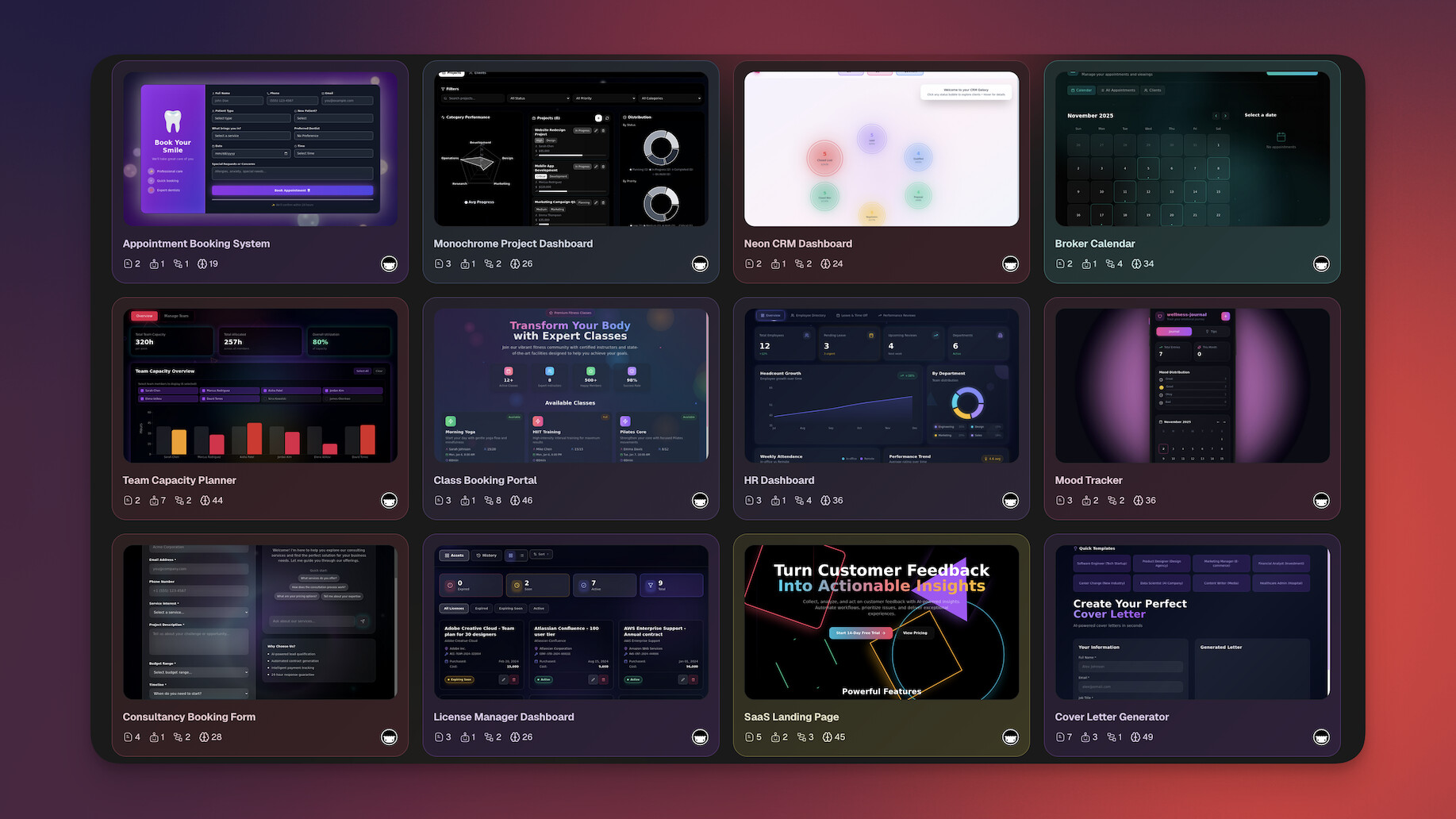
| CRM | Lead tracking, AI scoring agent, automated follow-ups via email | 5 min |
| Dashboard | Real-time metrics, chart views, automated data collection | 3 min |
| Client Portal | Document sharing, AI chat support, branded domain | 5 min |
| Booking System | Calendar scheduling, payment integration, confirmation emails | 5 min |
| Internal Tool | Custom workflows, team assignments, automated status reports | 4 min |
| Knowledge Base | AI-powered search, categorized docs, public or private access | 3 min |
Example: Building a Customer Support Portal
Prompt: "Build a customer support portal with ticket tracking, an AI chatbot that answers common questions from our knowledge base, and automated escalation to human agents when the AI cannot resolve an issue."
Taskade Genesis delivers:
- A ticket tracking database with status fields, priority levels, and assignee columns
- An AI agent trained on your documentation that handles first-line support
- An automation that escalates unresolved tickets to your team via Slack after 2 failed resolution attempts
- A published portal with your custom domain and password protection
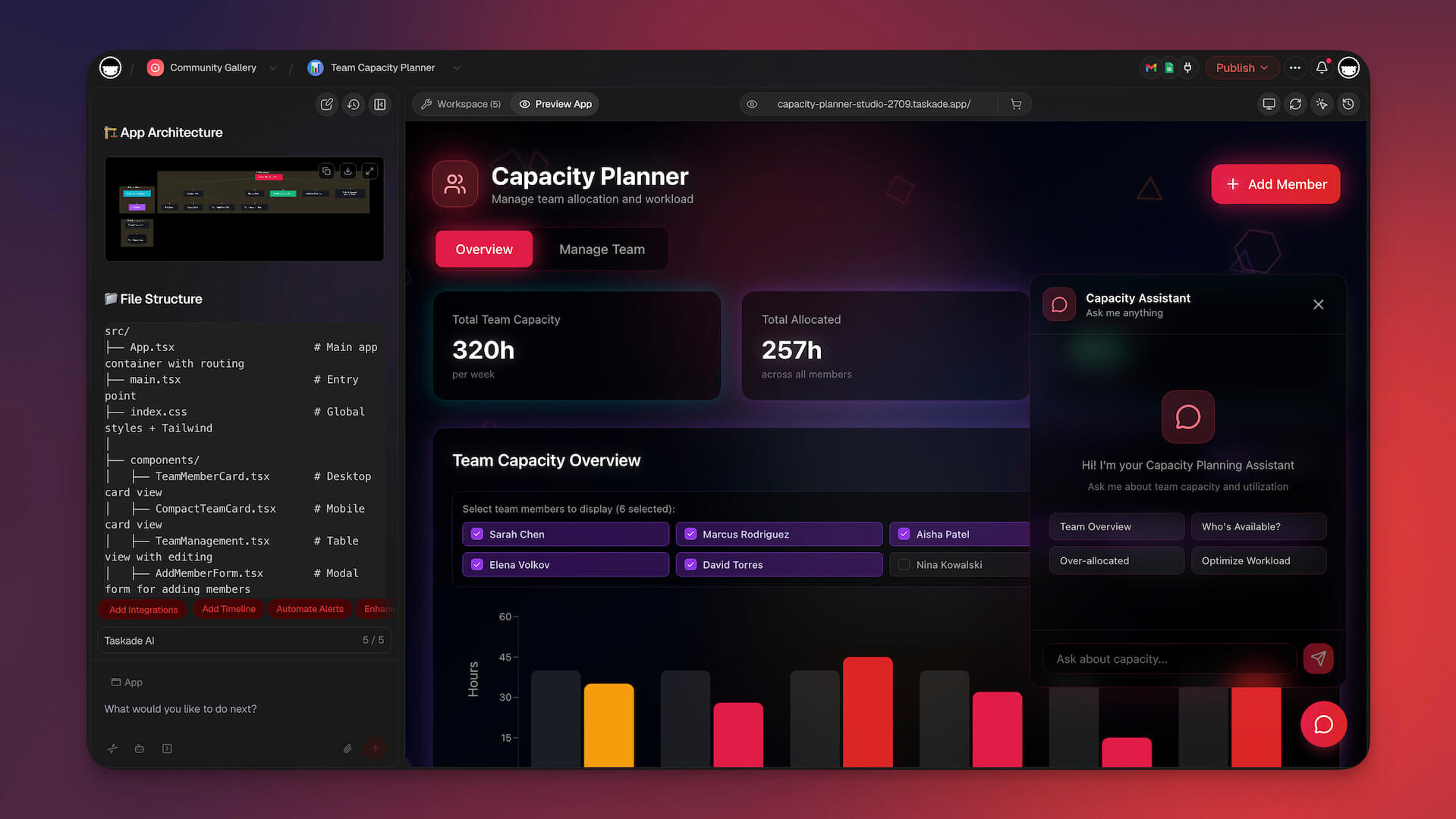
That is 4 layers working together. No code editor can do this from a single prompt because code editors generate code files — they do not orchestrate AI agents, automations, and databases into a living system.

AI Agents: Your Built-In Team
Taskade Genesis agents are not chatbots. They are AI teammates with:
- Built-in tools: Web search, code execution, file analysis, image generation, data extraction, and more
- Persistent memory: Agents remember past conversations and context across sessions
- Custom slash commands: Create reusable agent actions specific to your workflow
- Multi-model selection: Choose from 15+ frontier models from OpenAI, Anthropic, and Google for each agent
- Public embedding: Deploy agents as customer-facing chatbots on your own website
- Multi-agent collaboration: Multiple agents working together on complex tasks
Automations: Work That Runs Itself
Taskade Genesis automations connect your apps to 100+ external services:
- Triggers: Schedule, webhook, form submission, manual, or event-based
- Actions: Send emails, post to Slack, create Shopify orders, update CRMs, generate documents
- Logic: Branching, looping, filtering, and conditional execution
- Durability: Built on a durable execution engine for reliable execution even when services are temporarily down
Team Collaboration
Unlike solo-creator tools like Bolt.new and Lovable, Taskade Genesis is built for teams:
- Real-time multiplayer editing with live cursors
- Built-in video calls and screen sharing
- Role-based access control (Owner to Viewer)
- Shared AI agents that any team member can use
- Workspace-level organization for multiple projects
Taskade Genesis Pricing
- Free: Build apps, limited AI generations per month
- Pro ($10/month, annual): 10 users included, priority support
- Business ($25/month, annual): Advanced team controls, custom branding
- Enterprise (custom): SSO, dedicated support, SLA
At $10/month for the Pro plan (billed annually), Taskade Genesis costs 50-60% less than Bolt.new ($25/mo), Lovable ($20/mo), and Replit ($20/mo) while including AI agents and automations that none of them offer.
Start building apps without code | Browse 130K+ community apps | See pricing
Cursor Workflow vs Taskade Genesis Workflow
Two very different paths from "I have an idea" to "I have a working app":
#2 Windsurf: The Closest Cursor IDE Peer
Windsurf had a turbulent 2025. OpenAI attempted a $3B acquisition that collapsed in July 2025. Cognition AI (makers of Devin) then acquired the platform for approximately $250M, while Google secured a separate technology licensing deal. Under Cognition, Windsurf overhauled its pricing in March 2026 — replacing credits with daily/weekly quotas and raising Pro from $15 to $20/month. Despite the ownership drama, Windsurf ranked #1 in LogRocket's AI Dev Tool Power Rankings (February 2026).
Read our full Windsurf alternatives roundup for deeper context.
Strengths
- Cascade flow: Multi-file, multi-step edits that feel genuinely agentic rather than autocomplete with extra steps
- Familiar VS Code UX: If you have used Cursor or VS Code, Windsurf is immediately usable
- Model flexibility: Swap between Claude Sonnet, GPT, and Gemini per task
- Cognition/Devin integration coming: Future access to Devin's autonomous coding capabilities
- Free tier exists: Daily quota for basic autocomplete and limited Cascade runs
Limitations
- Still an IDE: Requires existing coding skills; useless to non-developers
- Ownership uncertainty: Third owner in 18 months (Codeium → OpenAI attempt → Cognition)
- Quota-based pricing: Daily/weekly quotas replaced credits in March 2026 — developer backlash followed
- No built-in deployment: You still need Git, a hosting provider, and config files
Windsurf Pricing (Updated March 2026)
- Free: Daily quota (limited)
- Pro: $20/month (up from $15, quota-based)
- Max: $200/month (unlimited)
- Teams: $30/user/month
Verdict
If you write code every day and you want the single closest peer to Cursor, Windsurf is the pick. The Cognition acquisition adds future Devin integration potential. For non-coders, this is the wrong tool — use Taskade Genesis instead.
#3 Claude Code: Anthropic's Agentic Coding CLI
Claude Code from Anthropic is the best Cursor alternative for developers who want maximal autonomy from Claude Sonnet and Opus. It runs as a terminal-first agent that can read, edit, and execute across your entire repo with minimal prompting, and it plugs into VS Code, JetBrains, and Neovim. See our Claude Code alternatives guide for deeper comparisons.
Strengths
- Truly agentic: Runs long multi-step tasks without hand-holding
- Claude Sonnet and Opus first-class: Gets the best out of Anthropic's frontier models
- Works alongside any editor: Not a forked IDE; respects your existing workflow
- Excellent at refactors and large-surface edits
Limitations
- Terminal-first: Newcomers find the CLI intimidating
- Usage-based pricing can spike for heavy users
- No UI builder: Pure code generation, no visual feedback loop
- Not for non-coders: Everything it produces is code files
Claude Code Pricing
Available on Claude Pro ($20/month) and Max plans; extra usage billed per tokens.
Verdict
Claude Code is the agent-first Cursor alternative for developers. Non-developers should still pick Taskade Genesis.
#4 GitHub Copilot: The Plugin That Stays With Your Editor
GitHub Copilot is the cheapest mainstream Cursor alternative at $10 per month and is the only option on this list that installs as a plugin into VS Code, JetBrains, Neovim, Visual Studio, and Xcode without forcing you to switch IDEs. It now supports Claude and GPT models side by side and includes a Copilot Chat agent mode.
Strengths
- Price: $10/month is the cheapest paid tier here
- Universal editor support: Lives inside the editor you already use
- Copilot Chat: Conversational agent with repository context
- GitHub integration: Native ties into PRs, Issues, and Actions
Limitations
- Less agentic than Cursor or Claude Code for multi-file edits
- Enterprise controls cost significantly more
- Limited model selection compared with Cursor's picker
- Not an app builder: Still produces code files, not deployed systems
Copilot Pricing
- Free: Students and open-source maintainers
- Individual: $10/month
- Business: $19/user/month
- Enterprise: $39/user/month
Verdict
If you love your current editor and just want AI in it, Copilot wins on price and convenience. For non-coders, it does nothing useful — pick Taskade Genesis.
#5 Bolt.new: Browser-Based App Prototyping
Bolt.new by StackBlitz runs entirely in your browser using WebContainer technology. You describe an app, and Bolt.new generates and previews it in real-time without any local setup. The company has raised approximately $700M in funding and attracted over 5 million users.
How It Works
Type a prompt, and Bolt.new generates a full-stack application running live in your browser tab. You can see the app rendering as the AI writes the code. Iterations happen through follow-up prompts: "make the header blue," "add a login page," "connect to Supabase."
Strengths
- Zero setup: No downloads, no terminal, no local environment. Everything runs in the browser.
- Real-time preview: Watch your app build in real time as the AI generates code
- Full-stack: Frontend + backend + database schemas in a single prompt
- Deploy to Netlify: One-click deployment to a live URL
Limitations
- No AI agents: Bolt.new generates static code. There are no built-in AI agents that can reason over your data, handle customer support, or automate decisions.
- No automations: No workflow automation engine. You would need to integrate Zapier or build custom webhooks.
- No collaboration: Solo creation tool. No real-time team editing, no shared workspace.
- Token-based pricing: Heavy usage burns through tokens fast, especially for complex multi-page apps.
Bolt.new Pricing
- Free: Limited generations
- Pro ($25/month): More tokens, priority generation
- Team ($50/month): Team features, increased limits
Bolt.new vs Taskade Genesis
| Feature | Taskade Genesis | Bolt.new |
|---|---|---|
| AI Agents | built-in tools, custom agents | None |
| Automations | 100+ integrations | None |
| Database | Built-in with multiple views | Requires external setup |
| Team Collaboration | Real-time, video calls | Solo only |
| Pricing | Free | $25/month |
| Apps Built | 150,000+ | Not disclosed |
Bolt.new is great for quick prototypes. Taskade Genesis is better when you need apps that think, automate, and scale with your team. See our full Taskade Genesis vs Bolt.new comparison.
Bolt.new is the fastest way to see an app render in a browser tab from a prompt. It is the right Cursor alternative when you want a throwaway prototype in under a minute. For deployed business systems with agents and automations, it is not enough on its own. Compare options in our best Bolt.new alternatives guide.
#6 Lovable: Full-Stack Apps with Agent Mode
Lovable (formerly GPT Engineer) has grown to approximately 8 million users and a $6.6 billion valuation. It generates full-stack web applications from prompts, with a focus on polished UI design and production-ready code.
How It Works
Describe your app, and Lovable generates a React + Supabase application with a clean UI. Agent Mode lets Lovable autonomously plan and implement multi-step changes. Lovable Cloud provides built-in hosting for deployed apps.
Strengths
- Design quality: Lovable produces some of the best-looking generated UIs in the market
- Agent Mode: Autonomous multi-step implementation for complex app changes
- Supabase integration: Built-in database and authentication through Supabase
- Lovable Cloud: Hosted deployment without external providers
Limitations
- No AI agents for end users: Lovable generates app code but does not include AI agents that operate within your app to serve customers or automate decisions
- No workflow automations: No built-in automation engine for connecting to external services
- React-only: Generated apps are React + Supabase. Limited flexibility for other stacks.
- Higher pricing: $20-199/month depending on usage tier
Lovable Pricing
- Starter ($20/month): 100 messages/month, basic features
- Launch ($50/month): 500 messages/month, priority support
- Scale ($100/month): 2,000 messages/month, advanced features
- Enterprise ($199/month): 5,000 messages/month, dedicated support
Lovable vs Taskade Genesis
| Feature | Taskade Genesis | Lovable |
|---|---|---|
| AI Agents | built-in tools, custom agents | None (generates agent code, not live agents) |
| Automations | 100+ integrations | None |
| Starting Price | Free | $20/month |
| Team Collaboration | Built-in, real-time | Limited |
| Design Quality | Good | Excellent |
Lovable excels at generating polished frontend UIs. Taskade Genesis excels at generating complete business systems with agents and automations. See our full Taskade Genesis vs Lovable comparison.
Lovable is the best Cursor alternative when UI polish matters more than agent orchestration. It generates some of the cleanest React interfaces in this category, backed by Supabase and Lovable Cloud hosting. Non-coders get further with Taskade Genesis because Lovable still expects you to understand basic app structure.
#7 Replit Agent: Cloud IDE with AI App Generation
Replit has reached a $9 billion valuation by evolving from a cloud IDE into an AI-native development platform. Replit Agent (version 4) generates full applications from prompts, with effort-based pricing that charges per checkpoint rather than a flat monthly fee.
How It Works
Describe your app to Replit Agent, and it plans the architecture, writes the code, sets up the database, and deploys the app — all within Replit's cloud environment. Agent 4 handles multi-step tasks autonomously, including debugging and iteration.
Strengths
- Full cloud environment: Development, hosting, and deployment all in one platform
- Agent 4: Latest agent version handles complex multi-step app creation
- Effort-based pricing: Pay per checkpoint (less than $0.25 each) rather than a fixed monthly fee
- Community: Large community of creators sharing and forking projects
Limitations
- Still code-oriented: While Agent generates code for you, the underlying platform is a code IDE. Debugging and customization may require reading code.
- No built-in AI agents for your apps: Replit Agent builds apps, but those apps do not come with embedded AI agents that serve your users
- No workflow automations: No automation engine for connecting to external business tools
- Effort-based pricing unpredictable: Complex apps can consume many checkpoints, making costs hard to predict
Replit Pricing
- Free: Limited Agent usage
- Core ($20/month): Agent access, increased compute
- Teams ($40/month): Team features, more storage
- Effort-based Agent pricing: Checkpoints at less than $0.25 each
Replit vs Taskade Genesis
| Feature | Taskade Genesis | Replit Agent |
|---|---|---|
| AI Agents | Built-in, built-in tools | None in generated apps |
| Automations | 100+ integrations | None |
| Pricing Model | Free to start | $20/month + per-checkpoint |
| Code Required | Never | Sometimes (debugging) |
| Target User | Non-coders, teams | Beginner-intermediate coders |
Replit Agent is best for people who are learning to code and want AI assistance. Taskade Genesis is best for people who never want to touch code. See our full Taskade Genesis vs Replit comparison.
Replit Agent is the right Cursor alternative for people learning to code who still want AI doing most of the lifting. It is the only cloud IDE on this list with one-click hosting built in. For pure non-coders who never want to see a file tree, Taskade Genesis is a better fit.
#8 v0 by Vercel: UI Component Generation
V0 is Vercel's AI tool for generating React and Next.js UI components from prompts. It is more focused than the other tools on this list: it generates UI components rather than complete applications.
How It Works
Describe a UI element ("a pricing table with three tiers," "a dashboard sidebar with navigation"), and V0 generates production-ready React code using shadcn/ui components. You copy the code into your Next.js project.
Strengths
- High-quality React components: Generates clean, accessible, well-structured React code
- shadcn/ui integration: Components use the popular shadcn/ui design system
- Rapid UI iteration: Fast generation and preview of individual components
- Vercel ecosystem: Seamless deployment to Vercel hosting
Limitations
- Components, not complete apps: V0 generates individual UI pieces, not full applications with backends and databases
- React/Next.js only: Output is React code. Not useful if you are not building with React.
- Requires developer to assemble: You need to connect components to data, APIs, and business logic yourself
- Not truly no-code: Copying generated React components into a project requires basic developer knowledge
V0 Pricing
- Free: Limited generations
- Premium ($20/month): More generations, priority access
V0 vs Taskade Genesis
| Feature | Taskade Genesis | V0 |
|---|---|---|
| Output | Complete deployed apps | React components |
| Coding Required | No | Yes (assembly) |
| AI Agents | built-in tools | None |
| Database | Built-in | None |
| Pricing | Free | $20/month |
V0 is a developer tool for generating UI components faster. It is not an alternative to Cursor for non-coders. Taskade Genesis is. See our full Taskade Genesis vs V0 comparison.
v0 by Vercel is the best Cursor alternative for React developers who want to generate individual UI components fast, not entire applications. It is not an app builder and is not useful to non-coders. See our v0 alternatives for fuller coverage.
#9 Codeium: The Free Cursor Alternative
Codeium (now part of the same company behind Windsurf) is the best free Cursor alternative for individual developers. It offers unlimited autocomplete on a generous free tier and plugs into 40+ editors including VS Code, JetBrains, and Neovim. It is not as agentic as Cursor, but it costs nothing to start.
Strengths
- Truly free tier for individuals, including unlimited autocomplete
- 40+ editor integrations: Widest editor coverage on this list
- Codebase-aware chat: Understands your repo context
- Enterprise self-host option: Important for regulated industries
Limitations
- Less agentic than Cursor, Windsurf, or Claude Code
- Advanced features gated behind paid Windsurf tier
- Not an app builder: Produces code, not deployed systems
Codeium Pricing
- Individual: Free forever
- Teams: ~$12/user/month
- Enterprise: Custom
Verdict
If budget is zero and you already write code, Codeium is the answer. Non-coders should pick Taskade Genesis which also has a free tier but actually builds apps.
#10 Tabnine: Privacy-First Enterprise AI Coding
Tabnine is the best Cursor alternative for enterprises that cannot send code to public AI providers. It runs private models, supports air-gapped deployment, and now layers GPT and Claude on top for agentic tasks. Pricing starts around $12 per month, and enterprise buyers get SOC 2 and on-prem options.
Strengths
- Private models and air-gapped deployment for regulated industries
- No training on your code, ever
- Enterprise-grade compliance (SOC 2, ISO 27001)
- Multi-editor plugin like Copilot and Codeium
Limitations
- Less ambitious agent mode than Cursor or Claude Code
- Smaller community and fewer third-party integrations
- Not suitable for non-coders — pure developer tool
Tabnine Pricing
- Dev: $12/month
- Enterprise: Custom, with air-gapped option
Verdict
For regulated-industry developers, Tabnine wins on privacy. For everyone else, pick based on agent quality.
#11 Cody by Sourcegraph: Codebase-Aware AI
Cody is the best Cursor alternative when your pain is navigating and editing a massive legacy codebase. Sourcegraph's code graph gives Cody deeper repo awareness than any other tool on this list, and it works as a plugin inside VS Code, JetBrains, and the Sourcegraph web app.
Strengths
- Deep codebase understanding via Sourcegraph graph
- Supports Claude, GPT, and Gemini with BYO keys on paid tiers
- Free tier for community usage
- Strong refactor + search across enormous repos
Limitations
- Best value unlocks only on Sourcegraph Enterprise
- Less polished agent mode than Cursor or Claude Code
- Developer-only: not useful to non-coders
Cody Pricing
- Free: Community tier
- Pro: $9/month
- Enterprise: Custom
Verdict
If you work on a 10-million-line monorepo, Cody is the Cursor alternative that knows your code best. For small teams or non-coders, skip it.
#12 Softr: No-Code Apps from Airtable and Google Sheets
Softr takes a different approach: instead of generating apps from prompts, it turns your existing Airtable bases and Google Sheets into web applications with a drag-and-drop builder.
How It Works
Connect your Airtable or Google Sheet, choose a template, and Softr generates a web app with your data displayed in customizable layouts. Add user authentication, forms, and payment pages with drag-and-drop blocks.
Strengths
- Data-first: If your data already lives in Airtable or Google Sheets, Softr gives it a frontend instantly
- Drag-and-drop builder: Visual builder with pre-built blocks for common app patterns
- User authentication: Built-in user login, roles, and permissions
- Zapier integration: Connect to 5,000+ apps through Zapier
Limitations
- No AI generation: Softr does not generate apps from prompts. You build manually with a drag-and-drop interface.
- Data source dependency: Your app is only as flexible as Airtable or Google Sheets
- No AI agents: No built-in AI capabilities
- Higher pricing: Starts at $49/month for the Basic plan
Softr Pricing
- Free: Limited features, Softr branding
- Basic ($49/month): Custom domain, 5 users
- Professional ($139/month): Advanced features, integrations
- Business ($269/month): SSO, advanced permissions
#13 Glide: Mobile Apps from Spreadsheets
Glide converts Google Sheets, Excel, and Airtable data into mobile-friendly progressive web apps (PWAs). It is designed for internal tools, field operations, and data collection apps.
How It Works
Connect a spreadsheet, and Glide generates a mobile app with list views, detail pages, forms, and basic workflow logic. Customize the layout and add computed columns for business logic.
Strengths
- Mobile-first: Apps look and feel native on mobile devices (PWAs)
- Spreadsheet-powered: Non-technical teams can manage app data in familiar tools
- Quick internal tools: Ideal for field teams, inventory tracking, and data collection
Limitations
- No AI generation: Manual builder, not prompt-based
- Spreadsheet constraints: Complex business logic is hard to implement in spreadsheet formulas
- No AI agents or automations: No built-in intelligence or workflow automation
- PWA only: Not native iOS/Android apps
Glide Pricing
- Free: Limited features
- Maker ($60/month): Custom branding, more rows
- Team ($125/month): Team features, integrations
- Enterprise (custom): Advanced security, SSO
Feature Matrix: 11 Cursor Alternatives Head-to-Head
The biggest feature gaps in 2026 are AI agents, automations, and team collaboration. Only Taskade Genesis covers all three. IDE-class tools cover deep autocomplete and agentic code edits but nothing outside the file tree. This matrix makes the trade-offs explicit.
| Feature | Taskade Genesis | Windsurf | Claude Code | Copilot | Bolt.new | Lovable | v0 | Replit | Codeium | Tabnine | Cody |
|---|---|---|---|---|---|---|---|---|---|---|---|
| Prompt-to-deployed-app | Yes | No | No | No | Yes | Yes | Partial | Yes | No | No | No |
| AI agents inside your app | Yes (built-in tools) | No | No | No | No | No | No | No | No | No | No |
| Workflow automations | 100+ | No | No | No | No | No | No | No | No | No | No |
| Built-in database (multiple views) | Yes | No | No | No | No | Supabase | No | Yes | No | No | No |
| Team collaboration | Real-time + video | Limited | No | Limited | No | Limited | No | Limited | No | No | Limited |
| Free tier | Generous | Limited | Usage-based | Students/OSS | Limited | Limited | Yes | Limited | Yes | Limited | Yes |
| Multi-editor plugin | n/a | No (fork) | Yes | Yes | n/a | n/a | n/a | n/a | Yes | Yes | Yes |
| Agentic multi-file edits | n/a | Yes | Yes | Partial | n/a | Partial | No | Yes | Partial | Partial | Partial |
| Custom domains + SSL | Yes | No | No | No | Via Netlify | Yes | Via Vercel | Yes | No | No | No |
| No coding required | Yes | No | No | No | Yes | Yes | Partial | Partial | No | No | No |
Pricing Ladder
| Tier | Tool | Price | What You Get |
|---|---|---|---|
| Free | Taskade Genesis | $0 | up to 6,000 credits, full Genesis build |
| Free | Codeium | $0 | Unlimited autocomplete |
| Free | Cody | $0 | Community tier |
| Free | Taskade Genesis | Free | Advanced features, more AI usage |
| $9 | Cody Pro | $9/mo | Per seat |
| $10 | GitHub Copilot | $10/mo | Multi-editor plugin |
| $12 | Tabnine Dev | $12/mo | Private models |
| $20 | Windsurf Pro | $20/mo | Cascade agent (quota-based) |
| $10 | Taskade Genesis Pro | $10/mo | 10 users included |
| $20 | Cursor Pro | $20/mo | Reference point |
| $20 | Claude Code | $20/mo | Via Claude Pro |
| $20 | Replit Core | $20/mo | + effort-based agent |
| $20 | v0 Premium | $20/mo | More generations |
| $20 | Lovable Starter | $20/mo | 100 messages |
| $25 | Bolt.new Pro | $25/mo | More tokens |
| $25 | Taskade Genesis Business | $25/mo | Team controls, branding |
Free Tier Generosity at a Glance
Not every "free tier" is equal. This chart compares usable free-tier output across the 11 tools on a normalized 0-10 scale (10 = unlimited, 0 = no free tier).
Feature-Gap Analysis: Where Cursor Falls Short
Cursor ships great autocomplete and agent-style edits inside an IDE. It does not ship an app, a database, agents, or automations. This is the gap Taskade Genesis fills for non-developers.
The IDE to App-Builder Spectrum
Where each tool sits on the spectrum from "raw code editor" to "no-code app platform":
  IDE-first  <-----------------------------------------> App-first     Claude
  Code      Tabnine
    |        |   Copilot
    |        |     |   Windsurf
    |        |     |     |   Cursor
    |        |     |     |     |    Codeium
    |        |     |     |     |      |    Cody
    v        v     v     v     v      v     v
  [===== DEVELOPER TOOLS (must know code) =====]
                               Replit
                                 |   v0
                                 |    |   Bolt.new
                                 |    |     |  Lovable
                                 |    |     |    |
                                 v    v     v    v
                          [== HYBRID: prompt-to-code ==]

                                                   Taskade
                                                   Genesis
                                                      |
                                                      v
                                            [= APP-FIRST =]
Non-coders go HERE ^^^ straight to Taskade Genesis
Code Quality Benchmarks: SWE-bench Scores (2026)
For developers choosing between IDE tools, code quality matters. SWE-bench Verified is the industry standard for measuring how well AI coding tools solve real GitHub issues:
| Tool | SWE-bench Verified | Notes |
|---|---|---|
| Claude Code (Claude Opus) | 80.8% | Highest verified score, terminal-native |
| Cline (with Claude Opus) | 80.8% | Open-source, same model = same score |
| Augment Code (SWE-bench Pro) | 51.8% | Enterprise-focused, $252M funded |
| Cursor | Not publicly disclosed | Credit-based billing (June 2025 switch) |
| GitHub Copilot | Not publicly disclosed | Agent mode GA (March 2026) |
Note: Taskade Genesis is not an IDE tool and does not compete on SWE-bench. It competes on the right side of the spectrum above — deployed apps, not code patches.
Q1 2026 Market Moves
The competitive landscape shifted significantly in early 2026:
- Cursor launched Pro+ ($60/mo) and Ultra ($200/mo) tiers alongside a credit-based billing switch that caused user churn
- Windsurf was acquired by Cognition (Devin) after OpenAI's $3B deal collapsed. Pricing overhauled March 2026
- GitHub Copilot Agent mode went GA across VS Code and JetBrains. Pro+ tier ($39/mo) with 1,500 premium requests
- Zed announced Agent Client Protocol (ACP) in collaboration with JetBrains — a new standard for multi-agent IDE coordination
- Augment Code raised $252M (Eric Schmidt-backed) with a Context Engine spanning 100K+ files across repos
Cursor for Non-Developers? Here's the Honest Answer
Cursor is not a tool for non-developers in 2026 and trying to use it that way wastes time. Cursor is a fork of VS Code with AI autocomplete and agent mode baked in. Everything it does assumes you can read a file tree, run npm install, and debug a React error. If you have never used a terminal, Cursor is the wrong category.
The right category for non-developers is AI app builders. These tools take a plain-English prompt and return a working app — no IDE, no Git, no config files. Taskade Genesis leads this category with 150,000+ apps built and a free starting tier. Read our deep dive on vibe coding for non-developers to see exactly how the workflow differs.
What Non-Developers Actually Need
| Need | Cursor | Taskade Genesis |
|---|---|---|
| Build apps without reading code | No | Yes |
| AI agents serving real users | No | Yes (built-in tools) |
| Automate recurring work | No | Yes (100+ integrations) |
| Custom domain + SSL out of the box | No | Yes |
| Team workspace and roles | No | Yes (RBAC) |
| Community gallery to clone apps | No | Yes (130K+ apps) |
If any row above is a "yes" for you, Cursor is the wrong tool. Start with Taskade Genesis instead.
Who Should Still Use Cursor
You should use Cursor if you can check all of these boxes:
- You already write code daily in JavaScript, Python, Rust, or a similar language
- You own a deployment target (Vercel, Netlify, a Kubernetes cluster)
- You enjoy debugging diffs and reading stack traces
- You want a fork of VS Code with the best AI agent mode in the IDE category
Everyone else should read our best vibe coding tools comparison and pick an app builder.
Migration Playbook: From Cursor to Taskade Genesis
Moving from Cursor to Taskade Genesis is a 4-step process and usually takes less than an afternoon. The trick is to stop thinking in files and folders and start thinking in prompts and workspaces.
Step 1 — Inventory
List every project you opened in Cursor in the last 90 days. Mark which ones are:
- Internal tools (CRMs, dashboards, trackers) — direct Genesis candidates
- Client-facing apps (portals, forms, booking) — Genesis candidates with a custom domain
- Open-source libraries — keep in Cursor
- Experimental research code — keep in Cursor
Step 2 — Describe as a Prompt
For each Genesis candidate, write a single paragraph describing what the app does, who uses it, and which integrations it needs. This paragraph replaces hundreds of lines of code.
Step 3 — Generate
Paste the prompt into Taskade Genesis. The build engine returns a deployed app with database, views, and UI. Iterate in plain language.
Step 4 — Wire Agents and Automations
Add an AI agent to answer user questions. Add automations to send notifications, sync to external systems, and run recurring jobs. Share with your team using roles and publish to the Community Gallery if useful to others.
Every step above is explained in more depth in our ultimate guide to Taskade Genesis.
Strengths and Weaknesses Summary
| Tool | Strength | Weakness |
|---|---|---|
| Taskade Genesis | Only platform combining agents, automations, DB, and team workspace | Not a traditional IDE for pro developers |
| Windsurf | Cascade agent flow, familiar IDE | No deployment, developers only |
| Claude Code | Deepest agentic coding with Claude | CLI intimidates beginners |
| GitHub Copilot | Cheapest, lives in your editor | Less agentic than peers |
| Bolt.new | Fastest browser prototype | No agents, no automations |
| Lovable | Best UI quality | React-only, no agents |
| v0 | Cleanest React components | Components, not apps |
| Replit Agent | Cloud IDE + agent + hosting | Effort pricing is unpredictable |
| Codeium | Truly free for individuals | Less agentic |
| Tabnine | Privacy-first, air-gapped | Smaller agent surface |
| Cody | Codebase-aware for huge repos | Best features gated on Enterprise |
Full Comparison: AI App Builders for Non-Coders
| Feature | Taskade Genesis | Bolt.new | Lovable | Replit | V0 | Softr | Glide |
|---|---|---|---|---|---|---|---|
| Prompt-to-app | Yes | Yes | Yes | Yes | Components only | No | No |
| AI Agents | built-in tools | No | No | No | No | No | No |
| Automations | 100+ integrations | No | No | No | No | Zapier | Limited |
| Built-in database | Yes (multiple views) | No | Supabase | Yes | No | Airtable/Sheets | Sheets |
| Team collaboration | Real-time + video | No | Limited | Limited | No | No | Limited |
| Custom domains | Yes | Via Netlify | Lovable Cloud | Yes | Via Vercel | Yes | Yes |
| Starting price | Free | $25/mo | $20/mo | $20/mo | $20/mo | $49/mo | $60/mo |
| Coding required | Never | Never | Never | Sometimes | Yes | Never | Never |
How to Choose the Right Platform
By What You Need
| Your Goal | Best Choice | Why |
|---|---|---|
| Complete business apps with AI | Taskade Genesis | Only platform with agents + automations + database |
| Quick visual prototype | Bolt.new | Fastest browser-based preview |
| Beautiful UI design | Lovable | Best design quality in generated apps |
| Learning to code with AI help | Replit | Cloud IDE + Agent for guided coding |
| Apps from existing spreadsheets | Softr or Glide | Data-first, no generation needed |
| React components | V0 | Best for developers building with React |
By Budget
| Budget | Best Choice |
|---|---|
| Under $10/month | Taskade Genesis (Pro $10/mo, billed annually) |
| $20-25/month | Lovable ($20/mo) or Bolt.new ($25/mo) |
| Free with limitations | Taskade Genesis Free or Replit Free |
The Code Editor vs App Builder Decision
If you are reading this article, you probably do not need a code editor. Here is the decision framework:
| Question | If Yes → | If No → |
|---|---|---|
| Do you know JavaScript, Python, or another language? | Consider Cursor alternatives for developers | Use an AI app builder |
| Do you enjoy debugging code? | Code editor | AI app builder |
| Do you need pixel-perfect custom UI? | Lovable or code editor | Taskade Genesis |
| Do you need AI agents in your app? | Taskade Genesis | Any option on this list |
| Do you need workflow automations? | Taskade Genesis | Limited options elsewhere |
| Are you building for a team? | Taskade Genesis | Any option on this list |
What Non-Developers Are Building with Taskade Genesis
Real apps built by non-developers on the platform:
- Startup founders building MVPs to test product-market fit before hiring developers
- Marketing teams building campaign dashboards with automated reporting
- Operations managers building internal tools for inventory tracking and team coordination
- Freelancers building client portals with AI-powered document management
- Educators building interactive learning platforms with AI tutoring agents
- Small business owners building booking systems with payment integration and automated confirmations
One example: an IT program manager named David shipped a production project dashboard — Customers, Jobs, Invoices, and Team views — entirely from prompts, with no engineering team behind him. With Taskade Genesis he got one-prompt live apps, AI agents with built-in tools, reliable automation workflows, and 100+ bidirectional integrations in a single workspace — the four layers a code editor like Cursor will never give a non-coder.
Browse real examples in the Community Gallery and clone any app as a starting point.
The Bottom Line
If you searched for "Cursor alternatives" as a non-developer, you were looking for the wrong category. You do not need a better code editor. You need a platform that builds apps without code.
Taskade Genesis is the strongest choice for non-coders who want complete business applications with AI agents, workflow automations, and team collaboration, free to start with Pro from $10/month billed annually. No other platform on this list combines all four layers of Workspace DNA — Memory, Intelligence, Execution, and Interface — in a single prompt-to-deploy pipeline.
For quick visual prototypes without agents or automations, Bolt.new and Lovable are solid alternatives. For people learning to code, Replit Agent bridges the gap between no-code and full development.
▲ ■ ● Memory remembers your data, Intelligence reasons over it, Execution acts on it — the self-reinforcing loop that turns a single prompt into a living business tool no code editor can match.
Start building:
- Create your first app with Taskade Genesis
- Browse 150K+ community apps for inspiration
- Compare Taskade Genesis pricing
- Learn about vibe coding
Related Resources
- Cursor Review: AI Code Editor — Deep dive on Cursor itself
- Taskade Genesis vs Cursor — Head-to-head comparison
- Best Claude Code Alternatives — Developer-focused ranking
- Best Windsurf Alternatives — IDE peer comparisons
- Best Bolt.new Alternatives — Browser app builders compared
- Best Lovable Alternatives — AI app builders for non-coders compared
- Best AI App Builders — Build apps without code, ranked
- Best v0 Alternatives — UI generator roundup
- Best Vibe Coding Tools 2026 — Complete market overview
- Best OpenAI Codex Alternatives — coders and non-coders
- OpenAI Codex Sites Explained — prompt-to-app, and who can use it
- Codex vs Cursor — OpenAI's agent vs the AI-native IDE
- Vibe Coding for Non-Developers — How to build apps with natural language
- Free AI App Builders — Budget-friendly options compared
- Ultimate Guide to Taskade Genesis 2026 - Everything Genesis can do
- Code vs Runtime: Why Genesis Apps Are Different - Technical architecture explained
- Free AI App Builders - Budget-friendly options compared
- Genesis Wiki - Complete Genesis knowledge base
- Cursor Alternatives for Developers - Developer-focused AI code editor comparison
- AI App Builder - Build complete apps from one prompt
Frequently Asked Questions
Can I build apps without learning to code?
Yes. AI app builders like Taskade Genesis, Bolt.new, Lovable, and Replit Agent generate complete applications from natural language prompts. You describe what you want in plain English and the platform builds the frontend, backend, database, and deployment automatically. Over 150,000 apps have been built on Taskade Genesis alone without any coding.
What is the cheapest AI app builder for non-coders?
Taskade Genesis starts free, with Pro from $10/month billed annually, and includes unlimited app generation, AI agents, automations, and 100+ integrations. Bolt.new starts at $25/month. Lovable starts at $20/month. Replit starts at $20/month. Taskade Genesis is free to start, and its Pro plan costs 50-60% less than paid alternatives while including more features like built-in agents and automation workflows.
Is Taskade Genesis better than Cursor for non-developers?
Yes, for non-developers Taskade Genesis is the better choice. Cursor is a code editor that requires programming knowledge. Taskade Genesis builds complete apps from text descriptions with no coding required. It includes AI agents, automations, a database, and hosting built in. Cursor helps developers code faster; Taskade Genesis eliminates the need to code entirely.
What is the difference between a code editor and an AI app builder?
Code editors like Cursor help developers write code faster with AI suggestions. You still need programming skills. AI app builders like Taskade Genesis generate complete applications from natural language descriptions. No coding, no terminal, no deployment configuration required. App builders are for non-developers who want results without learning to code.
Can AI app builders create production-ready applications?
Yes. Taskade Genesis apps include custom domains, password protection, SSL, and can be published to the Community Gallery. Over 150,000 production apps have been built on the platform. Bolt.new and Lovable also generate deployable full-stack apps. These are not mockups or prototypes; they are functional applications with databases, APIs, and user interfaces.
Do AI app builders replace developers?
AI app builders replace the need for a developer in many common use cases: internal tools, dashboards, CRMs, forms, booking systems, and client portals. For complex custom software with unique requirements, professional developers are still needed. For 80% of business applications, AI app builders can deliver working results faster and cheaper than hiring a developer.
Which AI app builder has the most features?
Taskade Genesis includes the most integrated features: AI agents with built-in tools, workflow automations with 100+ integrations, a built-in project database with multiple views, real-time collaboration, video calls, custom domains, and multi-model AI (15+ models from OpenAI, Anthropic, Google). No other platform combines app generation with agents, automations, and collaboration in one workspace.
Can I use AI app builders for team collaboration?
Taskade Genesis is built for teams with real-time collaboration, built-in video calls, shared AI agents, and role-based access control. Other app builders like Bolt.new and Lovable focus on individual creation. If team collaboration is important, Taskade Genesis is the strongest choice among AI app builders.
What is the best Cursor alternative in 2026?
The best Cursor alternative depends on who you are. For non-developers, Taskade Genesis is the top pick because it builds complete apps with AI agents and automations from a single prompt, starting free with Pro from $10/month billed annually. For developers who want an IDE-first experience, Windsurf is the closest peer. For autonomous agent workflows, Claude Code leads.
Is Cursor worth $20/month?
Cursor is worth $20/month for professional developers who ship code daily and benefit from Claude and GPT-powered autocomplete and agent edits. It is not worth the price if you do not already write code, because it is an IDE, not an app builder. Non-developers should use Taskade Genesis (free to start) instead.
Can I use Cursor for non-coding work?
No. Cursor is a code editor built on top of VS Code and only makes sense if you already write JavaScript, Python, or another language. Non-coders searching for an AI tool to build apps, dashboards, or internal tools should use Taskade Genesis, which generates complete deployed applications from plain-English prompts with zero coding required.
Windsurf vs Cursor which is better?
Windsurf and Cursor are near-peers for developers. Windsurf has a slightly more agentic feel with its Cascade flow, while Cursor has stronger autocomplete and a larger extension ecosystem. Both cost $20 per month for Pro. Neither is a good choice for non-developers because both are IDEs. Taskade Genesis is the non-coder alternative.
Is there a free Cursor alternative?
Yes. Taskade Genesis has a generous free tier with up to 6,000 credits and full access to Genesis app generation. Codeium has a free tier for individual developers. Cody by Sourcegraph offers free community usage. For non-coders who want to build real apps for free, Taskade Genesis is the strongest choice.
Taskade Genesis vs Cursor which for non-developers?
Taskade Genesis is the only correct choice for non-developers. Cursor requires you to read, write, and debug code. Taskade Genesis takes a natural-language prompt and returns a complete working app with database, AI agents, automations, and hosting. Over 150,000 Genesis apps have been built this way.
Can I use Claude in Cursor?
Yes. Cursor supports Claude models including Sonnet and Opus through its model picker. If you want Claude as the primary driver of agentic coding, Claude Code from Anthropic is a more focused choice. For non-coders who want Claude-powered apps without writing code, Taskade Genesis supports 15+ frontier models including Claude.
What is the best open-source Cursor alternative?
Continue.dev is the leading open-source Cursor alternative for developers who want a local, self-hosted AI coding assistant. It supports bringing your own model keys and works inside VS Code and JetBrains. Codeium also offers a free tier that is close to open. For non-coders, open-source IDEs miss the point; Taskade Genesis is the practical alternative.
Does Cursor work with other editors?
No. Cursor is a standalone fork of VS Code and only runs as its own application. You cannot install Cursor as a plugin in JetBrains, Sublime, or Neovim. Developers who want AI coding inside their existing editor should use GitHub Copilot, Codeium, Cody, or Tabnine. Non-coders should use Taskade Genesis instead of any editor.
How does Cursor compare to GitHub Copilot?
Cursor is a full IDE with agent-style multi-file edits; GitHub Copilot is a plugin that adds AI autocomplete and chat to your existing editor. Cursor is more powerful for agentic work. Copilot is cheaper at $10/month and integrates into VS Code, JetBrains, and Neovim. Non-developers should skip both and use Taskade Genesis.