






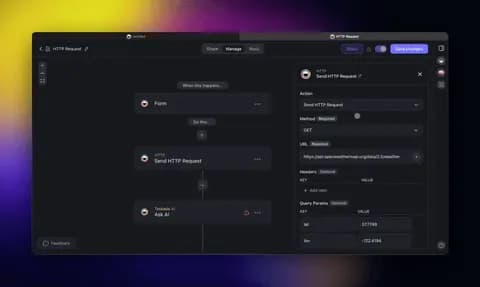
TL;DR: Most busywork (email triage, status updates, data entry, reminders, reports) is repetitive admin that follows patterns. In Taskade you set up Projects (your memory), AI agents (your team, built-in tools), automations (your scheduled execution), and 100+ integrations (your connectors), then describe the outcome and let it run. Start free with Taskade Genesis. 150,000+ apps built since launch.
Busywork is the tax you pay for running anything. The email you re-read every morning. The status update you type into Slack at 5 PM. The form responses you copy into a spreadsheet. The reminder you set, then reset, then forget. None of it is hard. All of it is repetitive. And repetitive is exactly what a computer is for.
This is a full guide for a non-technical operator, someone like David, an IT program manager who shipped a production project dashboard with no engineers on his team. He didn't write code. He described what he wanted, set up a workspace as a system, and let agents and automations carry the load. You can do the same.
The core idea, and the thing most people miss, is this: the setup is what makes it powerful. A chatbot answers one question at a time. A system (folders that hold your data, agents that know your job, automations that fire on schedule, connectors that reach your other tools) runs your busywork while you do the work that actually needs you.
What Does It Mean to Automate 99% of Your Busywork?
Automating busywork means turning every repetitive admin task into something a system runs for you, so you only touch the 1% that needs a human decision. In Taskade Genesis you do this by setting up four moving parts (Projects, AI agents, automations, and integrations) that work as one self-reinforcing loop. You describe the outcome in plain English, and the workspace handles the inbox, the updates, the data entry, the reminders, and the reports on its own.
The shift in 2026 is altitude. Old automation tools asked you to wire every node: pick a trigger, add a module, map each field, repeat. The new way asks one question (what do you want to happen?) and builds the route for you.
You don't need to know how the plumbing works. You need to know what "done" looks like. That's the whole job.
The Setup Is What Makes It Powerful
Your busywork-killing workspace has four parts. Think of them as the rooms in a house: each does one thing, and together they make a home that runs itself. Set these up once and every automation you build afterward stands on top of them.
This loop is Taskade's Workspace DNA: Memory + Intelligence + Execution. Memory (your Projects) feeds Intelligence (your agents), Intelligence triggers Execution (your automations), and Execution writes new Memory back. The more you use it, the smarter it gets.
Projects: your memory and folders
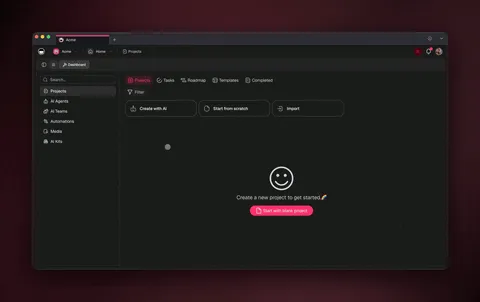
Projects are where your work lives: tasks, notes, records, intake from forms, anything you'd otherwise keep in scattered spreadsheets and docs. Each Project supports multiple views: List, Board, Calendar, Table, Mind Map, Gantt, and Org Chart (the Timeline lives inside the Gantt view). The same data, seen the way the task needs it. A support queue reads best as a Board; a launch plan reads best as a Gantt.
Projects are also the memory your agents read from and write to. When an agent triages your inbox, it logs the result in a Project. When an automation runs a report, it pulls from a Project. This is the difference between a chatbot that forgets and a system that remembers.
┌─ WORKSPACE: Operations OS ───────────────────────────────┐
│                                                          │
│  📁 Inbox Triage          ← agent sorts + drafts here    │
│  📁 Status Roll-Ups       ← weekly updates collected     │
│  📁 Form Intake           ← new requests land here       │
│  📁 Reminders & Renewals  ← deadlines tracked            │
│  📁 Reports               ← auto-generated weekly        │
│                                                          │
│  Views: ▸ List  ▸ Board  ▸ Calendar  ▸ Table             │
│         ▸ Mind Map  ▸ Gantt  ▸ Org Chart                 │
└──────────────────────────────────────────────────────────┘
AI agents: your team and their skills
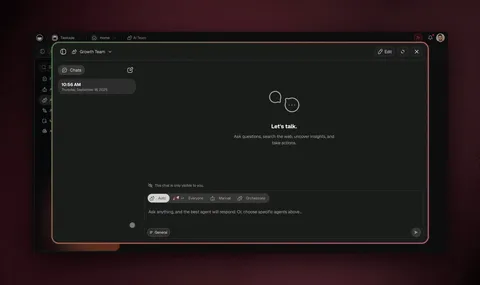
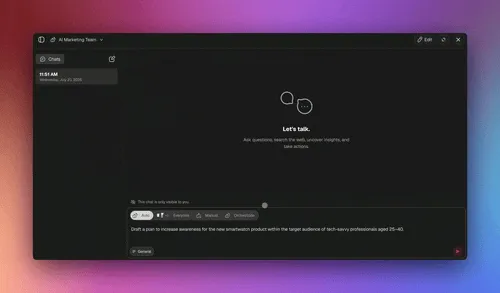
AI agents are the teammates who actually do the busywork. Each one comes with built-in tools (web search, code, file analysis, custom slash commands, persistent memory, and more) and routes across 15+ frontier models from OpenAI, Anthropic, Google, and open-weight providers automatically. You give an agent a job and a personality once ("You triage my inbox and draft replies in my voice"), and it does that job every time you ask, or on a schedule.
The real unlock is multi-agent collaboration. In orchestration mode, agents work as a team: one researches, one drafts, one reviews, and they hand off to each other. A weekly report becomes "agent A pulls the numbers, agent B writes the summary, agent C checks it against last week."
Automations: your scheduled execution
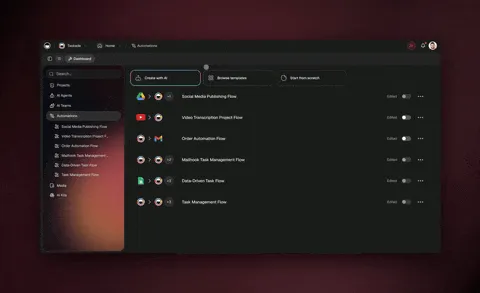
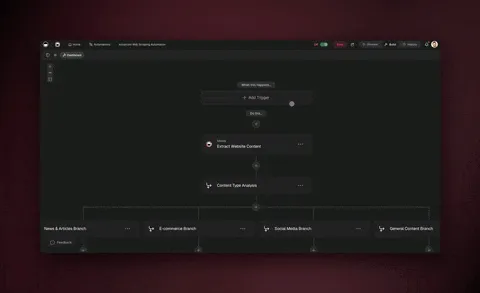
Automations are when and how the work fires. They are reliable, durable workflows that can branch (if this, do that), loop (repeat for each item), filter (only act on what matters), wait (minutes to days), and resume from the step that failed instead of starting over. You can schedule them (every morning at 7 AM, every Friday at 5 PM) so the work happens whether or not you're at your desk.
┌─ AUTOMATION: Morning Inbox Triage ───────────────────────┐
│                                                          │
│  ① TRIGGER   New email arrives in Gmail                  │
│  ② FILTER    Skip newsletters + notifications            │
│  ③ AGENT     Read → classify → draft reply               │
│  ④ BRANCH    Needs reply?  ──yes──▶ draft in Gmail        │
│                            ──no───▶ archive + log        │
│  ⑤ ACTION    Post summary to Slack #inbox                │
│  ⑥ WAIT      Hold drafts until 8 AM digest               │
│                                                          │
│  Schedule: every weekday, 7:00 AM   ● Active             │
└──────────────────────────────────────────────────────────┘
Integrations: your connectors
Integrations are how your workspace reaches the rest of your stack. Taskade has 100+ bidirectional integrations (triggers pull events in, actions push data out), with native Shopify and Stripe support. Connect Gmail, Slack, your calendar, your forms, and your store once, and from then on your agents and automations act across all of them. An order in Shopify can trigger a Project update; a status change in a Project can post to Slack.
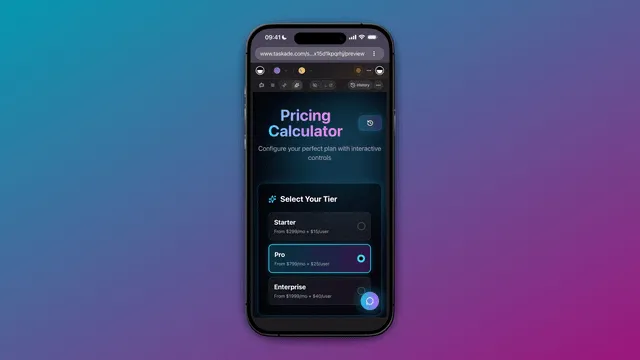
Build It in 4 Steps
Here's the full path from empty workspace to a system that runs your busywork. Each step builds on the last. You can do all four in an afternoon.
Step 1: Describe the outcome and let Taskade build the app
Go to Taskade Genesis and describe what you want in plain English. Not the steps, the result:
"Build me an operations workspace that triages my email every morning, collects weekly status updates from my team, turns form responses into records, and sends me a Friday report."
Taskade Genesis builds the app: the Projects, a starter agent, and the automation scaffolding, with a live, shareable URL. You didn't wire a single node.
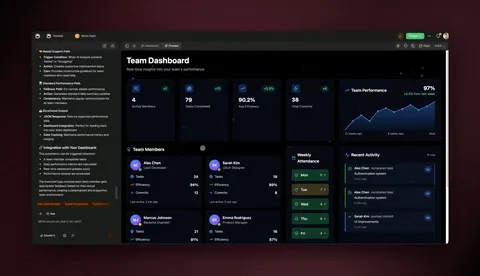
Step 2: Set up your Projects as memory
Open the Projects the build created (or add your own) and shape them to your work. Drop in your real data: existing tasks, the spreadsheet you've been living in, your list of recurring deadlines. Pick the view that fits each one: a Board for your support queue, a Calendar for renewals, a Table for form intake. This is the memory your agents will read from, so the more real data you load, the sharper they get.
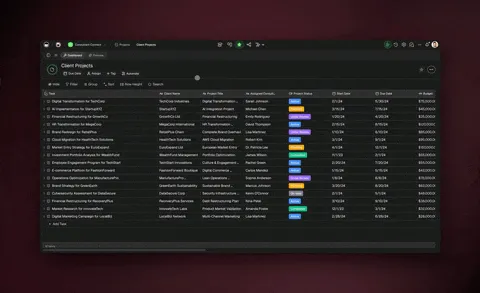
Step 3: Give your agents their jobs
Create one agent per recurring task and write its job in plain English. Keep each agent narrow. A focused agent beats a do-everything one:
- Inbox agent: "Read new email, classify it, archive noise, and draft replies in my voice for anything that needs one."
- Status agent: "Every Friday, collect updates from each project and write a one-paragraph roll-up per team."
- Report agent: "Pull this week's numbers and write a plain-English summary with what changed and what needs attention."
Then, for anything bigger, point them at each other in orchestration mode so they hand off work as a team.
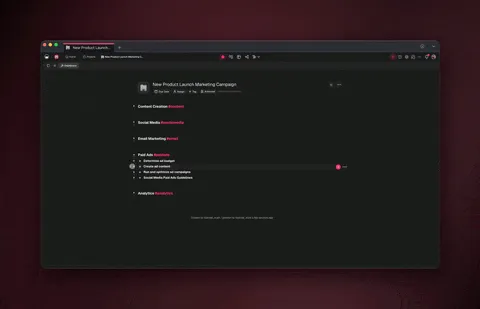
Step 4: Connect your tools and schedule the automations
Connect the apps you already use (Gmail, Slack, your calendar, your forms) from the integrations panel. Then set each automation's schedule: inbox triage every weekday at 7 AM, status roll-up every Friday at 5 PM, the report Monday morning. Recurring automations fire in the background on secure infrastructure, so the work happens without you.
8 Real Busywork Automations You Can Build
Here are eight automations that kill the most common admin chores. Each one lists what it does and how to set it up in plain English. None of them require code.
1. Morning inbox triage and reply drafting
What it does: Every weekday morning, an agent reads your new email, archives the noise, flags what needs you, and drafts replies in your voice, ready for you to approve and send.
How to set it up: Connect Gmail. Create an inbox agent with the job "classify new email, archive newsletters and notifications, and draft replies for anything that needs one." Add an automation: trigger on new email → filter out noise → agent drafts → post a digest to Slack at 8 AM. Schedule it every weekday at 7 AM.
2. Automatic project status roll-ups
What it does: Instead of chasing your team for updates, the system reads each Project's recent activity and writes a one-paragraph status per team, every Friday.
How to set it up: Keep work in Projects (Step 2). Create a status agent: "Every Friday, summarize each project's progress, blockers, and next steps in one paragraph." Add a scheduled automation for Friday 5 PM that runs the agent and posts the roll-up to your leadership channel.
3. Form responses into clean records
What it does: Every form submission (intake request, signup, bug report) becomes a structured row in the right Project, with no copy-paste.
How to set it up: Connect your form tool. Add an automation: trigger on new submission → an agent cleans and categorizes the response → action writes it to a Table view in your intake Project. Add a filter so spam never lands.
4. Recurring reminders and renewals
What it does: Contract renewals, license expirations, follow-ups, and recurring check-ins fire on time, and nudge the right person automatically.
How to set it up: Track deadlines in a Calendar view. Build an automation that checks daily for anything due in the next 7 days, then pushes a reminder to Slack or email with the context attached. Use a wait step to send a second nudge if nothing happens by the due date.
5. Weekly report generation
What it does: A report writes itself. The system pulls the week's numbers, compares them to last week, and produces a plain-English summary with what changed and what needs attention.
How to set it up: Use orchestration mode: agent A pulls the data, agent B writes the summary, agent C checks it against the prior week. Schedule the workflow for Monday 8 AM and have the final report posted to your channel and saved to a Reports Project.
6. New-customer onboarding sequence
What it does: When a new customer or order comes in (native Shopify and Stripe support), the system kicks off the welcome sequence: record created, welcome email drafted, onboarding tasks assigned.
How to set it up: Connect Stripe or Shopify. Trigger on a new customer/order → create a record in your CRM Project → an agent drafts a personalized welcome → an automation assigns the standard onboarding checklist. Branch on plan tier if the steps differ.
7. Data entry and sync between tools
What it does: Keep two systems in agreement without typing twice. A change in one tool flows to the others automatically, in both directions.
How to set it up: Because integrations are bidirectional, you set a trigger on each side. A status change in a Project pushes to your spreadsheet and Slack; a new row in your store updates the Project. Add filters so only the changes that matter sync.
8. Daily research and digest
What it does: An agent runs your recurring research (competitor moves, mentions, a topic you track) and delivers a short digest each morning instead of you opening ten tabs.
How to set it up: Create a research agent with the web-search tool turned on and a clear brief: "Search for X, summarize the 5 most relevant items, and write a 150-word digest." Schedule it for 6 AM and have it post to a channel and log to a Research Project for history.
See a Live Busywork App and Clone It
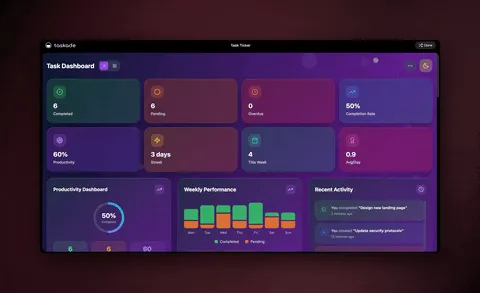
The fastest way to understand this is to use one. Below is a real, live Taskade Genesis app, the Client Connect Dashboard, built with 3 Projects, an AI agent, and 4 automations to run client/service operations. Click around it. It's the same shape as the system in this guide.
You can clone it to your own workspace in about 30 seconds, then swap in your own data, agents, and integrations. Browse hundreds more in the Community Gallery. Preview any of them live before you build.
What to Automate First
You don't automate everything on day one. You automate the task that wastes the most time, prove it works, turn it into a reusable setup, then move down the list. Use this table to pick your starting point.
| Busywork task | How often | Setup effort | Time saved | Automate first? |
|---|---|---|---|---|
| Email triage + reply drafting | Daily | Low | High | ✅ Yes |
| Project status roll-ups | Weekly | Low | High | ✅ Yes |
| Form responses → records | Per event | Low | Medium | ✅ Yes |
| Reminders + renewals | Daily check | Low | Medium | ✅ Yes |
| Weekly report generation | Weekly | Medium | High | ✅ Yes |
| Customer onboarding | Per signup | Medium | High | After the above |
| Two-way data sync | Continuous | Medium | Medium | After the above |
| Daily research digest | Daily | Low | Medium | Nice-to-have |
The rule of thumb: start with what you repeat daily. A 20-minute setup that saves 15 minutes a day pays for itself in a week and keeps paying forever.
Here's how the four building blocks map to the busywork they kill:
| Building block | What it is | Kills this busywork |
|---|---|---|
| Projects (multiple views) | Your memory and records | Scattered spreadsheets, lost context |
| AI agents (built-in tools) | Your team and skills | Reading, summarizing, drafting by hand |
| Automations | Your scheduled execution | Remembering to run things on time |
| Integrations (100+) | Your connectors | Copy-paste between tools |
And here's why describing the outcome beats wiring every node:
| Wire every node | Describe the outcome (Taskade) | |
|---|---|---|
| What you design | Each trigger, action, field | The end result |
| Who builds it | You, step by step | Taskade Genesis |
| What you get | A flow that moves data | A live app + agents + automations |
| If a step fails | Often restarts | Resumes from the failed step |
| Coding required | Sometimes | No |
How Much Does This Cost?
Automating your busywork in Taskade is free to start. You can build and run your first automated workspace on the free tier before upgrading. Here are the plans on annual billing:
| Plan | Price (annual) | Best for |
|---|---|---|
| Free | $0 | Trying it out: build your first automated workspace |
| Pro | $10/month (10 users, Popular) | Small teams running shared automations |
| Business | $25/month | Growing teams that need custom domains and sign-in |
| Max | $100/month | Heavy automation and agent usage at scale |
| Enterprise | $250/month | Organizations needing advanced controls |
See the full breakdown on the pricing page.
Unlike per-task automation tools where the bill climbs with every run, Taskade gives you agents, automations, and a real app in one place, so you're not paying separately for the workflow, the AI, and the database.
Frequently Asked Questions
Can Taskade really automate most of my busywork?
Yes. Most busywork is repetitive admin (email triage, status updates, data entry, reminders, and reports), and all of it follows patterns a system can run. In Taskade you set up Projects as memory, AI agents as your team, and automations as scheduled execution, then connect 100+ bidirectional integrations. Once the setup is in place, the same task runs the same way every time. 150,000+ apps have been built on Taskade Genesis since launch.
Do I need to code to automate busywork in Taskade?
No. You describe the outcome you want in plain English and Taskade Genesis builds the app, the agents, and the automations. There's no canvas to wire and no server to manage, which is exactly how a non-technical operator ships a working automated workspace in an afternoon.
How do AI agents help automate busywork?
AI agents come with built-in tools: web search, code, file analysis, and persistent memory. Instead of you reading every email or summarizing every update, an agent reasons over the data and does the task. Agents can collaborate as a team in orchestration mode: one researches, one drafts, one reviews.
What happens if an automation fails partway through?
Taskade runs automations as reliable, durable workflows. They branch, loop, filter, wait for minutes or days, and resume from the exact step that failed instead of starting over, so a flaky API never loses your work.
Can I connect Taskade to the tools I already use?
Yes. Taskade has 100+ bidirectional integrations (triggers pull events in and actions push data out), with native Shopify and Stripe. Connect Gmail, Slack, calendars, forms, and your store once, and your agents and automations act across all of them.
How is this different from Zapier or Make?
Zapier and Make ask you to design each trigger and action node by node. Taskade lets you describe the result and builds the automation, the agents, and a real app around it. Compare the field in our Make.com alternatives and Zapier alternatives guides.
What should I automate first?
Start with what you repeat daily: inbox triage and reply drafting, then weekly status roll-ups, then form-to-record data entry. Pick the task that wastes the most time, automate it, then move down the list.
Will my automated apps keep running after I publish them?
Yes. Published Taskade Genesis apps run on secure infrastructure with custom domains and built-in sign-in. Scheduled and recurring automations keep firing in the background, and agents keep their persistent memory across runs.
Can I reuse a busywork app someone else built?
Yes. The Community Gallery is full of live, cloneable apps. Preview one in your browser, clone it to your workspace in about 30 seconds, and customize it with your own data and integrations.
Ready to stop doing busywork by hand? Start free with Taskade Genesis, describe the outcome, and watch it build the Projects, the agents, and the automations that run your admin for you. Explore the automation library, meet your AI agents, browse cloneable apps, see the latest automation update, or learn the builder in the AI workflow builder guide.
▲ ■ ● Memory, Intelligence, Execution: set up your Projects, hand your agents their jobs, schedule the automations, and your busywork runs itself. That's the difference between a chatbot and a system that works while you do.