






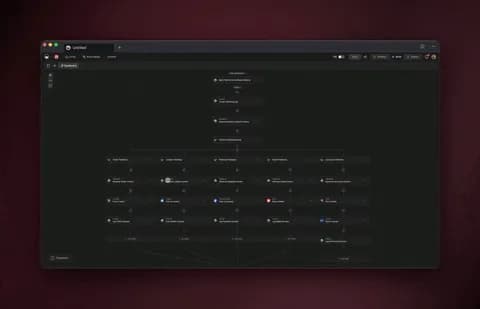
You can automate roughly 99% of your social media with AI agents in 2026 — and the 1% you keep is the part that actually needs you: brand voice, community judgment, and the final yes before anything ships. AI agents now plan the calendar, draft each post, adapt it for every platform, cross-post, repurpose one idea into a thread and a carousel and a clip, listen for mentions, and report on what worked — all without asking you at every step. Teams that make this shift cut content-creation time 60-80%, and teams that apply AI to optimization see about 30% higher return. The fastest way to get there is to stop wiring schedulers together and instead describe the social system you want — then let it build itself.
TL;DR: Social media in 2026 is no longer a posting queue — it is a team of AI agents that plan, draft, cross-post, listen, and report. Teams cut content time 60-80% and see ~30% higher ROI by consolidating tools into one system. The fastest path is to describe the outcome and let Taskade Genesis build the agents, automations, and live app. Clone the working social app below →
See it live — clone a working social media app
You do not have to imagine this. The app below was built from a single prompt and runs in your browser right now. Clone it in about 30 seconds and it lands in your own workspace, ready to connect to your channels.
That is the whole point of agentic social media: the output is not a content calendar spreadsheet, it is software that works. You describe the social job, and you get a real app with a content database, AI agents, and automations — no canvas to wire, no scheduler to manage by hand. Browse more cloneable apps or start your own from a prompt.
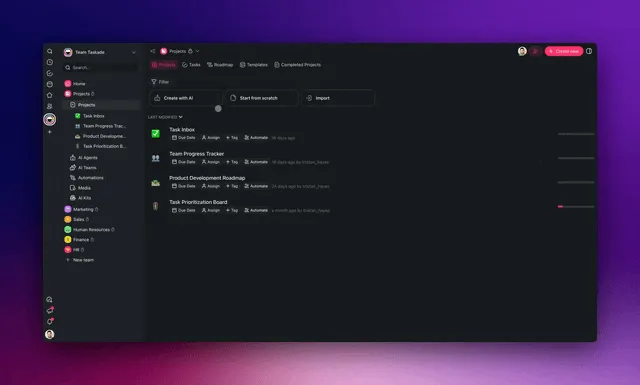
This is not another list of tools to compare. If you want the ranked roundup of apps to buy, read our top AI social media management tools guide — that one tells you which apps to choose. And if you want the production-side view, our AI content pipelines guide covers how raw ideas become finished assets. This guide is different. It shows you how to build the system — the agents, the automations, and the connected app that run your social presence while you sleep.
What does it mean to automate social media with AI agents?
Automating social media with AI agents means handing each repeatable job to software that reasons instead of software that just follows a posting queue. A scheduler fires a pre-set post at a pre-set time. An AI agent reads the brief, drafts the post, adapts the wording and format for each platform, decides what is worth repurposing, and adjusts when the engagement data comes back. That is the line between a 2018 scheduler and 2026 automation: the scheduler executes a queue; the agent decides what to do next.
Here is the difference in one picture. A classic scheduler is a straight pipe. An AI agent is a loop that learns.
The shift matters because social media is the textbook agent use case. The work is high-frequency, the inputs already exist (your blog posts, videos, product updates), and most of it is judgment-light formatting and timing. That is exactly the work an agent should own. You can build your first one in minutes on the AI agents page and wire it into a workflow on the automation page.
Old automation vs agentic automation, side by side
| Dimension | Scheduler / queue | AI agent system |
|---|---|---|
| Decides what to post | You, in advance | Agent, from the brief and data |
| Adapts per platform | Manual copy-paste | Automatic per-channel rewrite |
| Repurposing | You do it by hand | Agent fans one idea into many |
| Responds to results | Static | Adjusts the next cycle |
| Setup | Click each post into a slot | Describe the outcome once |
Why is 2026 the year social media goes agentic?
In 2026 roughly 85% of businesses use AI for social media automation, up from about 42% in 2023, and the AI-in-social-media market is projected to reach about $10.33 billion by 2029. The shift is not hype — it is a category crossing from "AI writes a caption for you" to "AI runs the workflow." Optimal-posting-time AI alone lifts engagement 25-40% on the major scheduling platforms, and teams that move full production onto agents cut content time 60-80%. When most of your competitors are still copy-pasting between five apps, an agentic system is a structural advantage, not a marginal one.
By the numbers (2026): ~85% of businesses use AI for social (up from ~42% in 2023) • AI-in-social market ~$10.33B by 2029 • optimal-time AI = +25-40% engagement • full agent adoption = 60-80% less content time and ~30% higher optimization return. The teams winning are the ones who describe the system and let it build itself.
The honest caveat the market does not advertise: most tools sold as "AI agents" in 2026 are really AI-assisted features. They suggest a caption or a posting time, then wait for you to click. A true agent reasons toward a goal with minimal oversight. The useful way to think about it is a spectrum — from a manual queue, to AI-assisted suggestions, to a real agent that plans, drafts, and adjusts on its own, with a human keeping only the final yes.
Most scheduler-plus-AI products live at the second box: helpful, but you are still the operator. Taskade Genesis is built for the fourth — a multi-agent system you direct, not a panel of suggestions you babysit. That distinction is the whole reason this guide is about building a system rather than picking a feature.
What can you actually automate across the whole social workflow?
You can automate six of the seven stages of a social workflow end to end — calendar planning, drafting, cross-posting, repurposing, social listening, and reporting — and keep only final brand approval as a human step. That covers roughly 99% of the recurring hours a social team spends each week. Below is the full path, stage by stage, with the agent that owns each one.
Each stage maps to one agent and one automation. Here is the full table — what it does, what it saves, and where to start.
| Stage | What the agent does | Typical time saved | Where to build |
|---|---|---|---|
| Content calendar | Plans themes, slots, and hooks for the month | 60-70% | /create |
| Drafting | Writes each post in your brand voice | 70-80% | /agents |
| Cross-posting | Adapts one idea for each platform | 80%+ | /automate/linkedin |
| Repurposing | Turns one asset into threads, carousels, clips | 75% | /blog/ai-content-pipelines |
| Social listening | Watches mentions, keywords, competitors | 60% | /automate |
| Reporting | Pulls weekly metrics into one view | 90% | /apps |
Why repurposing is the highest-leverage place to start
Repurposing saves the most hours for the least judgment, which is why nearly every team that automates social starts there. You already have the long-form asset — a blog post, a webinar, a product update. The agent reads it once and fans it into a LinkedIn post, an X thread, an Instagram carousel script, and a short-video hook, each adapted to the platform. One input, five outputs, zero blank pages. Wire it on /automate/twitter and /automate/linkedin, and pair it with the production view in our AI content pipelines guide.
The seventh stage most guides skip: community management
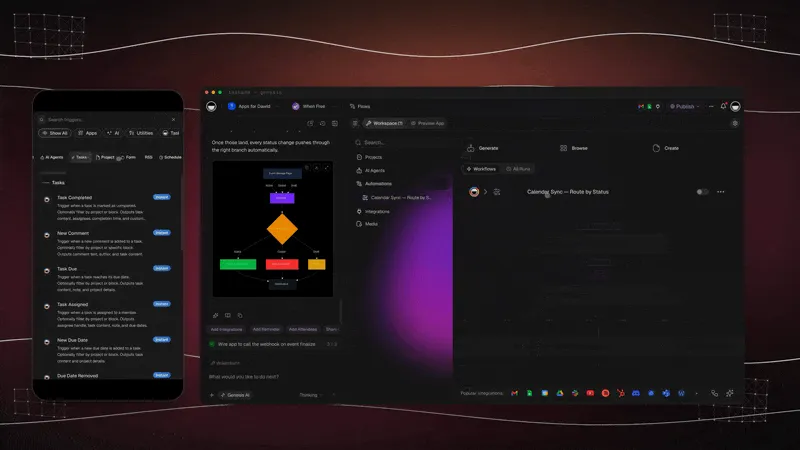
The stage that separates a content machine from a real social presence is engagement — replying to comments and DMs, routing leads, and catching the conversations that matter. The 2026 agent tools that win on this (the autonomous end of the market) do four things: filter spam, prioritize high-value inquiries, draft on-brand replies, and let you choose between auto-publishing safe responses or holding sensitive ones for a human. That last choice — the guardrail — is the whole game. You set the rule once, and the agent respects it forever.
In Taskade Genesis you build an engagement agent the same way you build the others: describe what "high-value" means for your brand, give it your reply guidelines as memory, and set the guardrail. A new comment triggers the agent, it scores intent, drafts a reply in your voice, and either queues it for approval or — for low-risk replies you have whitelisted — sends it and logs the result.
Because the engagement agent shares the same content database as your drafting and reporting agents, every reply it logs becomes a signal the reporting agent reads next week. A spike in "where can I buy this" comments tells the calendar agent to plan more bottom-funnel content. That is the loop again — engagement is not a dead end, it is data feeding the next cycle. Wire the engagement triggers on the automation page.
What is the architecture of a self-running social system?
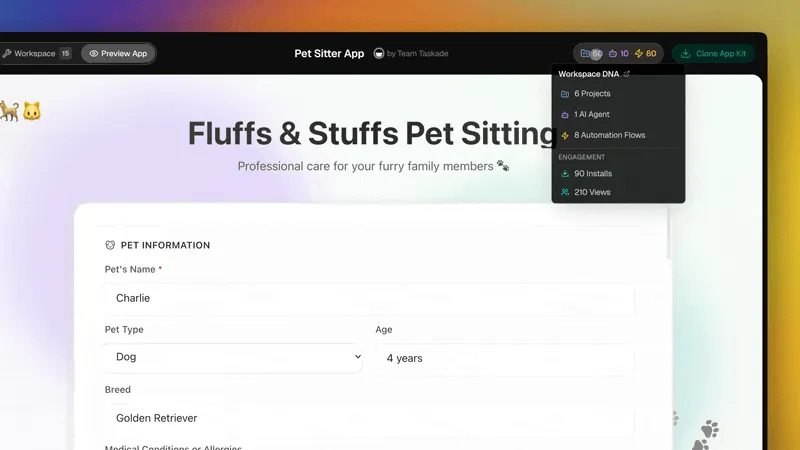
A self-running social system has three layers that feed each other — a content database, a team of AI agents, and a set of automations — which together form what we call Workspace DNA. Memory (your Projects and content database) feeds Intelligence (your AI agents), Intelligence triggers Execution (your automations), and Execution writes new results back into Memory. It is a loop, not a pipeline, and that is why each cycle gets smarter.
Here is the whole system in one ASCII map you can keep on a sticky note.
┌──────────────────────────────────────────────────────────────┐
│                  YOUR SOCIAL SYSTEM (one app)                  │
│                                                                │
│   ▲ MEMORY                  ■ INTELLIGENCE        ● EXECUTION   │
│   ───────────               ─────────────         ───────────  │
│   Content database  ──────►  Calendar agent  ───► Schedule     │
│   Brand voice notes ──────►  Drafting agent  ───► Cross-post   │
│   Past performance  ──────►  Repurpose agent ───► Publish      │
│   Mention log       ◄──────  Listening agent ◄─── Mentions in  │
│        ▲                          │                    │        │
│        │                          ▼                    │        │
│        └────────── Reporting agent writes results ─────┘        │
│                                                                │
│   100+ bidirectional integrations  •  human approves the 1%    │
└──────────────────────────────────────────────────────────────┘
The key idea is that nothing here is a separate tool. The calendar, the agents, and the automations all live in the same app, share the same content database, and see the same results. When a competitor stack wires a writer tool to a scheduler to a listening service to a dashboard, the data has to hop four times and breaks at every seam. Here it never leaves the workspace.
The multi-agent team that keeps brand voice safe
| Agent | Role | What it protects |
|---|---|---|
| Research agent | Gathers the angle, facts, and trending hook | Relevance |
| Writer agent | Drafts in your saved brand voice | Tone consistency |
| Reviewer agent | Checks facts, tone, and platform rules | Accuracy |
| Human (you) | Approves the final post | Brand judgment |
This is the pattern that makes automation safe for brand voice. A single agent can drift; a team that checks itself does not. Taskade Genesis supports multi-agent collaboration natively, and every agent carries persistent memory, so it learns your hooks, your no-go words, and your best-performing formats over time. Build the first agent on the AI agents page.
How do you build it in Taskade Genesis without code?
You build a self-running social system in Taskade Genesis by describing the outcome in plain English on the /create page — and it generates the content database, the agents, and the automations for you. There is nothing to wire, host, or deploy. A program manager or solo creator can ship a working cross-posting or repurposing system in an afternoon. Here is the exact path.
Part A — Describe the outcome, not the steps
Open /create and write the result you want, not the workflow. For example: "A social media system that turns each new blog post into a LinkedIn post, an X thread, and a carousel script, queues them for my approval, listens for brand mentions, and sends me a weekly report." Genesis reads the outcome and builds the pieces. You can refine by chatting with Taskade EVE, the assistant that orchestrates the build.
Part B — Connect your channels and sources
Wire your blog, calendar, and channels through 100+ bidirectional integrations. Triggers pull events in (a new blog post, a form fill, a mention); actions push data out (a queued post, a logged result). Start the cross-posting connections on /automate/linkedin and /automate/twitter. Because every integration works both ways, your content database and your channels stay in sync without manual export.
Part C — Set the human approval gate
Keep the 1%. Add an approval step before anything publishes so the writer agent's drafts land in your queue first. You review tone, approve in one click, and the automation ships. Over a few weeks the agents learn what you approve and what you cut, and the queue gets cleaner. See /learn for step-by-step walkthroughs of approval gates and triggers.
Part D — Let it report and improve
The reporting agent pulls weekly metrics into one view and writes the results back into your content database. Next month's calendar agent reads those results and plans around what worked. That is the loop closing. You direct the strategy; the system does the production.
A worked example — one blog post becomes a week of social
To make this concrete, here is a single run. You publish a 1,500-word blog post. The repurposing agent triggers on publish and produces, in one pass: a LinkedIn post with a hook and three takeaways, an X thread of six posts, an Instagram carousel script of five slides, and a short-video hook script. The cross-posting agent adapts tone and length per platform. The calendar agent slots them across the week at the optimal times your reporting agent learned last month. Each draft lands in your approval queue. You spend about ten minutes reviewing and approving — that is the 1%. The automations publish on schedule, the listening agent watches the replies, and the reporting agent logs which format drove the most saves.
INPUT:  1 blog post (1,500 words)
   │
   ▼  repurpose agent (1 pass)
OUTPUT: ┌─ LinkedIn post  (hook + 3 takeaways)
        ├─ X thread       (6 posts)
        ├─ IG carousel    (5-slide script)
        └─ Short-video hook script
   │
   ▼  cross-post + calendar agents
SCHEDULE: 4 assets across the week, optimal times
   │
   ▼  YOU approve (~10 min = the 1%)
RESULT:  9 published posts + a saved performance log
The hours math is the headline: what used to be a half-day of writing, formatting, and scheduling per platform collapses to a ten-minute approval. That is where the 60-80% time savings actually comes from — not magic, but one input fanning into many outputs with a human only on the final yes. See /learn for the step-by-step on building triggers and approval gates.
| Build step | You do | Genesis does | Time |
|---|---|---|---|
| Part A | Describe the outcome | Builds DB, agents, automations | Minutes |
| Part B | Pick channels | Wires 100+ integrations | Minutes |
| Part C | Set approval rule | Routes drafts to your queue | Minutes |
| Part D | Read the report | Pulls metrics, updates calendar | Ongoing |
What makes Taskade different from n8n, Zapier, Make, and Lindy?
Taskade is different because competitors make you wire nodes, while Taskade ships a living app from one prompt. n8n, Zapier, Make, and Lindy are genuinely strong at connecting steps — Zapier in particular has the broadest catalog of one-off triggers in the market, and that is a real strength when you need a single connection between two SaaS tools. But a social presence is not one connection. It is a content database, a team of agents, a queue, a listening loop, and a report — and on a node canvas you have to build and maintain every one of those by hand.
In Taskade Genesis, you describe the social outcome and get the whole system: Workspace DNA (Memory = your content Projects, Intelligence = your AI agents, Execution = your automations), a multi-agent team, 100+ bidirectional integrations, and a cloneable /share/apps link so anyone can run your system in 30 seconds. The wedge is not "they are bad" — it is that they hand you a canvas, and Taskade hands you a finished app.
Feature wedge, side by side
| Capability | Node-wiring tools | Taskade Genesis |
|---|---|---|
| How you build | Drag and connect nodes | Describe the outcome |
| Content database | Add a separate tool | Built in (Projects) |
| AI agents | Bolt on per node | Native, built-in tools |
| Multi-agent teams | Rare or manual | Native collaboration |
| Output | A workflow file | A living, shareable app |
| Sharing | Export config | Clone via /share/apps |
When you do need the connection-level work, Taskade still has it — 100+ bidirectional integrations on the automation page. The difference is that connections are a feature of the app, not the whole job.
Taskade Genesis vs the social media tools you already know
Buffer, Hootsuite, Ocoya, Vista Social, and FeedHive are the names most teams compare in 2026 — and each is genuinely good at its core job. Buffer and Hootsuite are mature schedulers with AI layered on; Ocoya bundles AI writing and scheduling in one clean dashboard; Vista Social has the best analytics and reporting on the list; FeedHive leads on predictive engagement scoring and content recycling. The honest framing is not "they are bad." It is that each gives you a strong feature inside a fixed product, while Taskade Genesis gives you the whole system as a living app you describe in plain English.
Here is the head-to-head, scored on what actually matters when you are trying to run social with agents rather than schedule posts by hand.
| Capability | Buffer AI | Hootsuite | Ocoya | Vista Social | FeedHive | Taskade Genesis |
|---|---|---|---|---|---|---|
| Core strength | Simple scheduling | Enterprise management | AI writing + scheduling | Analytics & reporting | Predictive scoring + recycling | Build the whole system from a prompt |
| AI drafting | Assistant add-on | Layered AI | Travis AI, 26 languages | Yes | Yes | Multi-agent, brand-voice memory |
| Multi-agent team | No | No | No | No | No | Yes, native |
| Content database | No (queue) | No (queue) | Library | Library | Library | Yes (Projects, multiple views) |
| Built-in automations | Basic rules | Rules + bulk | RSS / ecommerce triggers | Rules | Recycling rules | Triggers + actions, 100+ integrations |
| Listening + engagement | Limited | Strong (enterprise) | Limited | Reporting-focused | Limited | Engagement agent with guardrails |
| Output you keep | Scheduled posts | Managed queue | Posts + copy | Reports | Scored queue | A cloneable, living app |
| Starts at | Free / $5 a channel | Paid tiers | ~$19/mo | Paid tiers | ~$19/mo | Free, Pro $10/mo |
The pattern down that last column is the wedge: every other tool hands you a queue, a library, or a dashboard — a part of the job. Taskade Genesis hands you the connected app that holds all of those parts in one workspace, and a /share/apps link so anyone on your team can clone and run it in about 30 seconds.
When a dedicated tool is still the right call
Be honest about fit. If all you need is a reliable queue for two channels and nothing else, Buffer's free tier is hard to beat for simplicity. If you are a large brand with a compliance team and need enterprise approval chains and social inbox at scale, Hootsuite's depth is real. If your single biggest pain is global copy in many languages, Ocoya's Travis AI is purpose-built for that. Taskade Genesis wins when your problem is the whole workflow — planning, drafting, cross-posting, repurposing, listening, engagement, and reporting as one connected system — rather than any single slice of it. Most teams reach that point the moment they are juggling more than two of those jobs across more than two tools.
What can Taskade Genesis do beyond social posting?
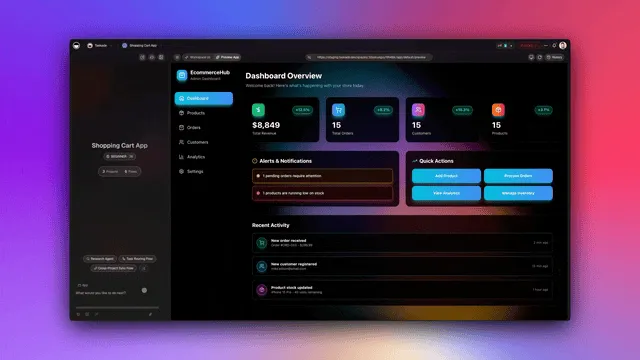
Taskade Genesis is a full app-building platform, and social media is one system you can build on it — which is why the same workspace that runs your content also runs your team. Every capability below is already in the box, and each one maps directly to a social job. This is the part competitors structurally cannot match: they sell a social product, Taskade gives you a platform that happens to run social brilliantly.
| Capability | What it is | Your social use case |
|---|---|---|
| Workspace DNA loop | Memory + Intelligence + Execution, self-reinforcing | Content DB feeds agents, agents trigger automations, results feed back |
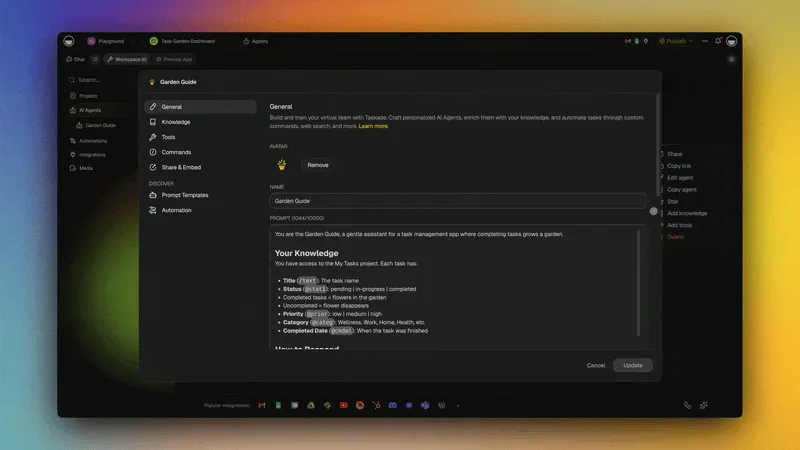
| built-in agent tools | Web search, file analysis, custom slash commands, memory, and more | Research trends, mine a PDF report, run a "/repurpose" command |
| Multiple project views | List, Board, Calendar, Table, Mind Map, Gantt, Org Chart | One database reads as a calendar, a kanban board, and a metrics table |
| Multi-agent teams | Agents that hand work to each other natively | Research → write → review → approve, with no single point of drift |
| 100+ bidirectional integrations | Triggers pull events in, actions push data out | Read a blog post, queue posts, log results, all in one run |
| Frontier models | Models from top AI labs | Pick the model per agent — a fast one for drafts, a sharp one for review |
| Custom domains + app publishing | Ship your app on your own URL, or to the Community Gallery | Publish a client content portal, or clone-and-share your social system |
| Role-based access | Owner to Viewer | A freelancer drafts without touching your integrations; a client only views |
The reason this matters for social specifically: a social presence is exactly a Workspace DNA loop. Your content database is Memory, your agent team is Intelligence, your scheduling and cross-posting are Execution — and every report writes results back into Memory so next month plans smarter. No other tool in the comparison table holds all three layers in one place. Build your team on the AI agents page and pick a model per agent on /create.
What does a real social system look like once it runs?
Once it runs, a social system in Taskade Genesis spans multiple project views — List, Board, Calendar, Table, Mind Map, Gantt, and Org Chart — so the same content database reads as a kanban board for the writer, a calendar for the planner, and a table for the reporter, with no exports between them. The team sees one source of truth in the view that fits their job. (Timeline is part of the Gantt view, not a separate one.)
| View | Who uses it | What they see |
|---|---|---|
| Board | Writers | Drafts moving from idea to approved |
| Calendar | Planners | The month of scheduled posts |
| Table | Reporters | Metrics per post in rows |
| Mind Map | Strategists | Theme clusters and pillars |
| List | Approvers | The queue waiting for the 1% |
Roles stay safe with role-based access — Owner to Viewer — so a freelance writer can draft without touching your integrations, and a client can view the calendar without editing it. Pricing is simple and annual: Free to start, Pro $10 (the Popular plan), Business $25, Max $100, and Enterprise $250. Most teams clone a starter app from /apps, connect their channels, and consolidate four point tools into one.
A 30-day rollout that compounds
WEEK 1  ─────────────────────────────────────────────
  Clone the social app  →  connect 2 channels
  Build the REPURPOSING agent first (highest leverage)
WEEK 2  ─────────────────────────────────────────────
  Add the DRAFTING agent  →  set the approval gate
  Measure hours saved on drafting
WEEK 3  ─────────────────────────────────────────────
  Add CROSS-POSTING + LISTENING agents
  Wire mentions back into the content database
WEEK 4  ─────────────────────────────────────────────
  Add the REPORTING agent  →  read the first weekly view
  Next month's calendar plans around what worked
The point of starting with one agent is the compounding. Each agent you add reinforces the last because they share the same Memory. The repurposing agent feeds the calendar, the calendar feeds the drafter, the drafter feeds the cross-poster, and the reporter feeds all of them back. By week four you are not running five tools — you are directing one system.
Where this is heading
The direction is clear: every team will run on a self-reinforcing loop of Memory, Intelligence, and Execution, and one prompt will become a living, self-improving app. Social media is just the first place this is obvious, because the work is high-frequency and the loop closes weekly. Within a year or two, "managing social" will not mean opening a scheduler — it will mean checking in with a system that already planned, drafted, posted, listened, and reported, and that got measurably better at your brand voice while you slept. The teams that win will be the ones who stopped thinking in tools and started thinking in systems: describe the outcome once, keep the 1% that needs you, and let the other 99% compound. That is Taskade's vision, and a social presence is the easiest place to feel it working. Start yours from a prompt on /create.
How much time and money does this save, really?
Teams that move social production onto AI agents cut content-creation time 60-80% and, when they apply AI to optimization and targeting, see about 30% higher return. The savings are real because they come from two places at once: fewer hours per post and fewer tools to pay for. One app replaces the separate writer tool, scheduler, listening service, and reporting dashboard, so the line items collapse and the context-switching stops.
The chart is illustrative, but the ratio matches what teams report: a manual week of 30-plus hours drops toward single digits once agents own drafting, cross-posting, and repurposing. The hours you keep go to the 1% — the strategy and brand judgment that actually move the numbers. That is the trade agentic social makes: you stop being the production line and start being the director.
| Outcome | Manual baseline | With AI agents |
|---|---|---|
| Content-creation time | 100% | 20-40% (saves 60-80%) |
| Optimization return | Baseline | ~30% higher |
| Tools to manage | 4-5 separate | 1 app |
| Blank-page starts | Every post | Zero (agent drafts first) |
The consolidation math
The money savings are easiest to see in the line items. A typical 2026 stack runs a writer tool, a scheduler, a listening service, and a reporting dashboard — each billed separately, each a place your data has to hop. Consolidating into one app does not just lower the bill; it removes the seams where content breaks between tools.
| Job in the stack | Typical standalone tool | Replaced by |
|---|---|---|
| AI writing | A copy tool (~$19-40/mo) | Drafting agent |
| Scheduling | A scheduler (~$5-99/mo) | Native automations |
| Listening + engagement | A social inbox tool | Listening + engagement agents |
| Reporting | An analytics dashboard | Reporting agent (Table view) |
| The glue | Manual export between all four | One shared content database |
In Taskade Genesis all four jobs live in one workspace on simple annual pricing: Free to start, Pro $10 (the Popular plan), Business $25, Max $100, and Enterprise $250. The point is not that any single line item is cheaper — it is that four subscriptions and four manual hand-offs become one app and zero exports.
Ready to build it? Describe your social system on /create, or clone a working app from /apps and connect your channels in minutes. For the production-side detail, pair this with our AI content pipelines guide; for the ranked tools roundup, see top AI social media management tools; and to extend the same agentic pattern past social into your whole funnel, read how to automate marketing with AI agents.
Frequently asked questions
How do I keep posts on-brand when an agent writes them?
Save your brand voice as a note the agents can read, and run a reviewer agent before the human approval step. The writer drafts, the reviewer checks tone and facts, and you give the final yes. Because agents carry persistent memory, they learn your hooks and no-go words over time. Build the team on /agents.
Can one idea really become posts for every platform automatically?
Yes — that is the repurposing agent's whole job. It reads one asset and produces a LinkedIn post, an X thread, a carousel script, and a short-video hook, each adapted to the platform. Wire it on /automate/linkedin and /automate/twitter.
Do I need separate tools for listening and reporting?
No. Both are agents inside the same app. The listening agent watches mentions and keywords and logs them to your content database; the reporting agent pulls weekly metrics into a Table view. One source of truth, no exports. See /automate.
What if I already use a scheduler?
You can connect it through the 100+ bidirectional integrations and let the agents feed it, or replace it entirely with native automations. Most teams replace it once they see the agents handle drafting and cross-posting end to end. Start on /automate.
Is this only for big teams?
No — solo creators benefit most because the agents replace the team they do not have. One person can run a multi-channel presence by directing the system instead of producing every post. Clone a starter from /apps.
Which platforms can I cross-post to?
The cross-posting agent adapts one idea per platform, and the integrations push to your channels. Begin with the LinkedIn and X flows on /automate/linkedin and /automate/twitter, then extend to the rest from /automate.
How is this different from a tools listicle?
A listicle tells you which apps to buy; this guide shows you how to build the system. For the roundup, read top AI social media management tools; for production detail, read AI content pipelines; and to apply the same pattern across your funnel, read automate marketing with AI agents.
How does a social system connect to the rest of my marketing?
The same Workspace DNA loop that runs social runs email, lead capture, and reporting — because they all share one content database and one agent team. A new blog post can trigger your social repurposing agent and your email agent in the same run, and both write results back to the same place. That is why the agentic pattern scales past social: the system is the platform, not the channel. See the full picture in how to automate marketing with AI agents and wire the connections on the automation page.
Where do I actually start today?
Describe your outcome on /create, or clone the working app at the top of this guide from /apps, connect two channels, and build the repurposing agent first. It is free to start.
The takeaway is simple: stop wiring schedulers and start describing outcomes. A self-running social system is a content database that feeds AI agents that trigger automations that write results back — and you keep the 1% that needs a human. ▲ Memory ■ Intelligence ● Execution — that is the Workspace DNA loop that turns one prompt into a living social system. Build yours on /create →