







Founded in 2014 as part of Fog Creek Software, Trello gained traction thanks to its unique take on Kanban boards. After years of steady growth and the acquisition by Atlassian in 2017, it's still a popular Kanban tool, even if it lacks some of its former luster. Let's take a deep dive into the history of Trello, its successes and failures, and where it stands today.
TL;DR: Trello launched in 2011 at Fog Creek Software, popularized digital Kanban boards, grew to 19M users, and was acquired by Atlassian for $425M in 2017. Now at 50M+ users with Butler AI automation. Modern teams wanting Kanban + AI agents use Taskade instead. Try Taskade free →
Trello Timeline: Key Events
| Year | Event |
|---|---|
| 2011 | Joel Spolsky and Michael Pryor launch Trello at TechCrunch Disrupt |
| 2014 | Trello spins off from Fog Creek Software with $10.3M Series A |
| 2017 | Atlassian acquires Trello for $425M (19M users) |
| 2019 | Butler automation engine acquired and integrated into Trello |
| 2024 | Atlassian Intelligence AI added to Premium and Enterprise plans |
| 2026 | Trello surpasses 50M+ users as part of Atlassian's productivity suite |
💡 Want to peek behind the curtain of popular productivity and collaboration apps? Be sure to check other similar articles on the blog when you're done reading.
What comes after Trello? Trello pioneered the kanban board. Taskade brings kanban into the AI era — Board view is one of multiple project views, with AI agents that auto-move cards and automations that trigger on stage changes. Try Taskade free →
🥚 The Roots of the Original Kanban Software
The Birth of Trello (2011-2012)
The first seed for Trello was sown in 2011 when Joel Spolsky and Michael Pryor of Fog Creek Software created a simple Kanban app codenamed "Trellis" (later renamed to Trello).
🌱 If you're not into gardening, trellis is a structure used to support climbing plants. Michael Pryor chose the name to reflect Trello’s design philosophy—a board that acts as a framework for projects organized in lists and cards. Trello was almost named "Planatee," which is a combination of the words planning and manatee. When Pryor used a domain name generator to find the web address for "Trellis," the tool came up with the "Trello" suggestion.
The goal was simple. In a 2012 blog post, Spolsky wrote that Trello was meant to be a universal take on Kanban boards which were traditionally used in agile software development.
💬 “Yeah, it’s that, but it’s also for planning a wedding, for making a list of potential vacation spots to share with your family, for keeping track of applicants to open job positions, and for a billion other things. In fact Trello is for anything where you want to maintain a list of lists with a group of people.”
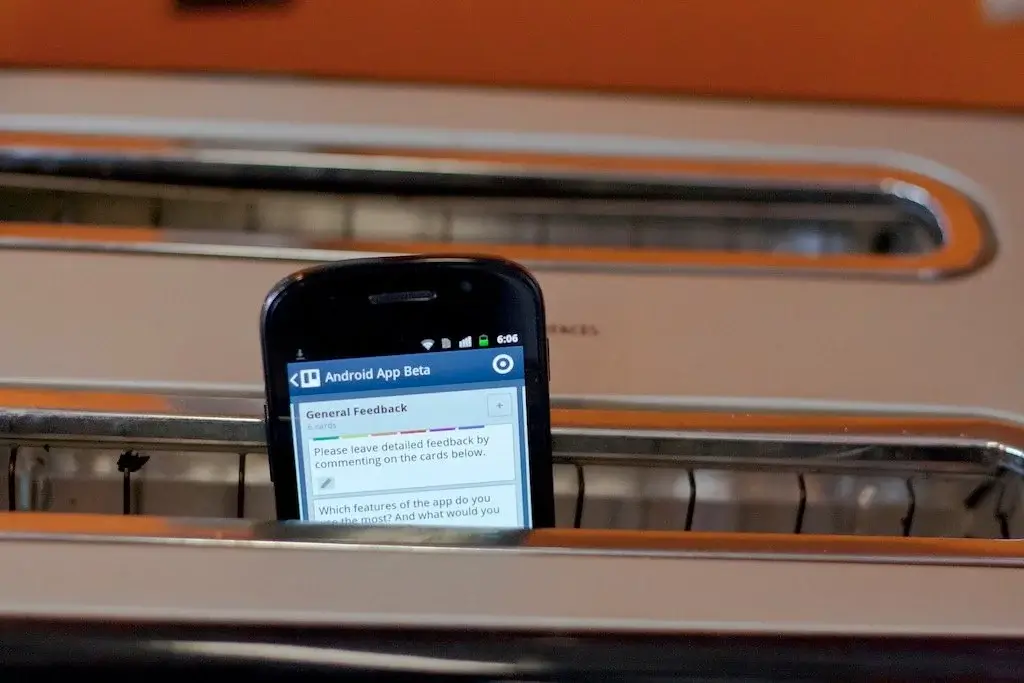
In 2012, Spolsky’s dog "Taco" became the official mascot for Trello, a decision that laid the groundwork for Trello's professional yet friendly image. The positive PR and innovative offering helped the company reach 500,000 members and launch an Android app later the same year.
From Fog Creek Software to Glitch (2013-2014)
Fog Creek Software spent the next two years developing the app. Finally, in July 2014, the company announced a $10.3 million Series A round led by Spark Capital and Index Ventures.
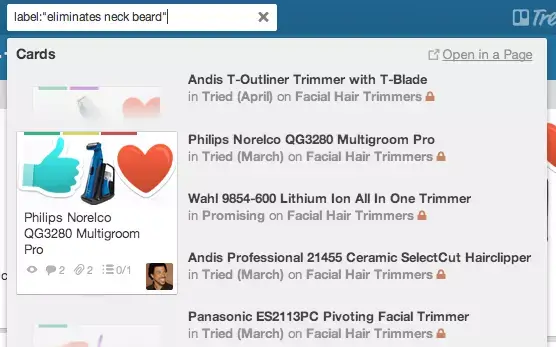
The cash infusion helped Trello fix bugs and add new features, including a search functionality that enabled searching across boards. At that point, Trello had over 4.75 million users.
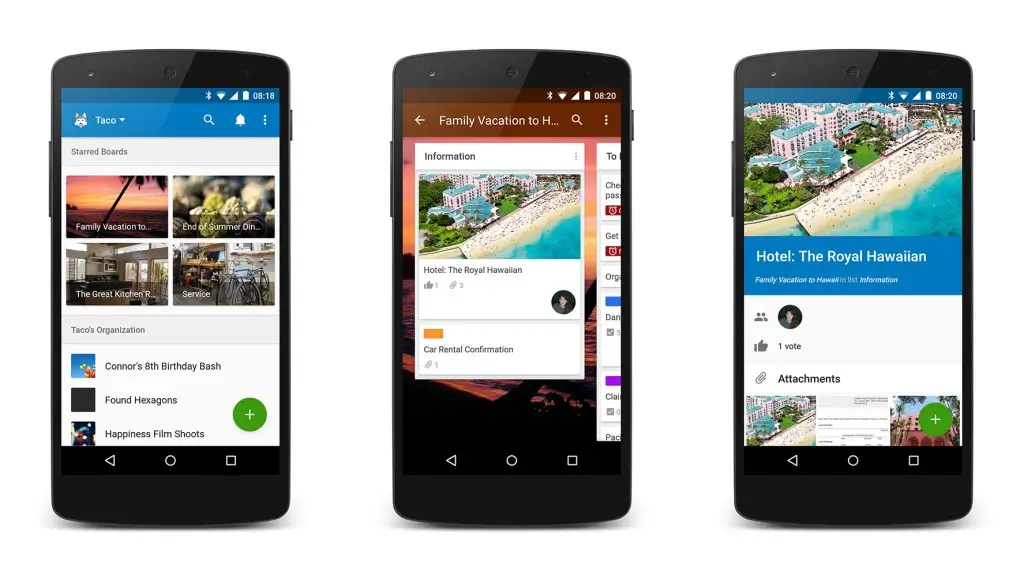
In late 2014, Trello introduced a new, more polished look to their Android app, which was a result of their implementation of Google’s "Material Design." That change was part of a consistent design strategy meant to increase the app's visual appeal while making it easier to use.
Going Global and Introducing Power-Ups (2015-2016)
With $10 million in funding and 120,000 new users per week, Trello was on the path of steady growth. In late 2015, there were over 10 million people using the software.
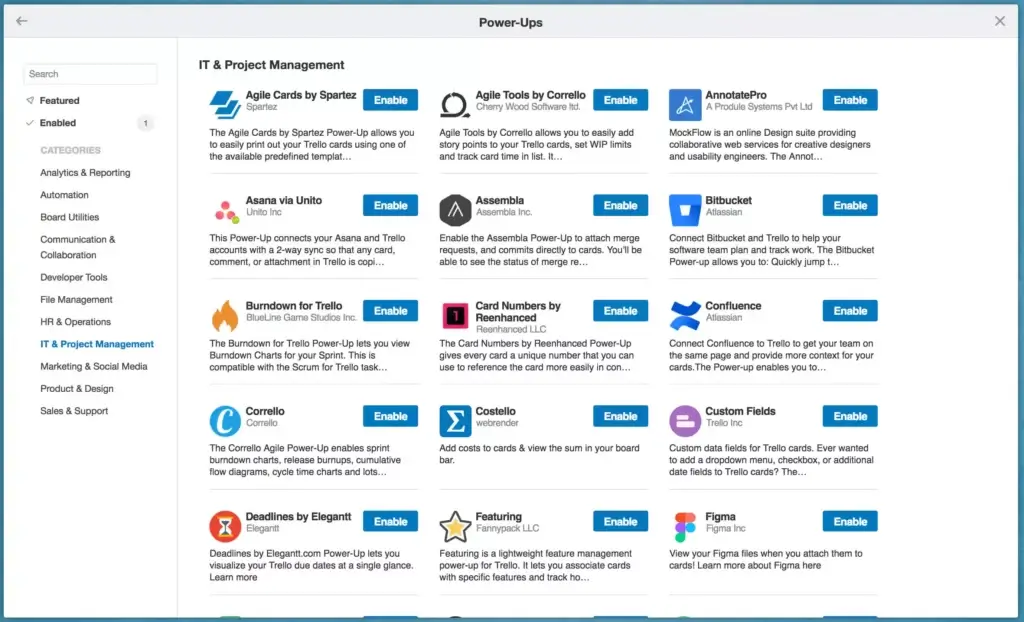
In January 2016, Glitch introduced Power-Ups that filled in for Trello's missing features. Some of the Power-Ups included Join.me (video calls), Giphy (GIF support), and Harvest (time tracking).
While the company focused on accessibility and ease of use, CEO Michael Pryor also emphasized Trello's long-term goal was to reach 100 million users, a goal that's still out of reach as of 2026.
Atlassian Acquires Trello (2017)
By 2017, Trello’s steady growth had seen the productivity app garner over 19 million users with just under 100 employees. At some point, Trello had attracted interest from Atlassian, which led to a meeting between Pryor and the CEO of Atlassian Mike Cannon-Brookes.
While Pryor wasn't considering selling the company, he agreed to the acquisition after realizing that both companies had a similar vision. He also hoped that the acquisition would help Trello reach the goal of 100 million users even faster than expected.
💬 “One of Trello’s strengths is its flexibility. You control how the board looks and operates so you can mold it to how your team works, and track progress in stages that reflect your processes. You can take this flexibility a step further by integrating the tools you already use with Trello as Power-Ups that extend the functionality of the boards to meet your team’s unique needs.”
—Mike Cannon-Brookes, "Atlassian + Trello"
On January 9, 2017, Atlassian acquired Trello for $425 million. While the deal went smoothly—both companies were well-aligned on the outcomes of the negotiations—it didn't lead to any significant changes to the stalling platform. And the rest, they say, is history.
👍 Trello Pros
Trello offers a little bit of everything, which means its features can be used outside of traditional Kanban scenarios. This seems to play well with its goal of catering to non-developers.
But Trello’s spin on the Kanban method goes beyond boards.
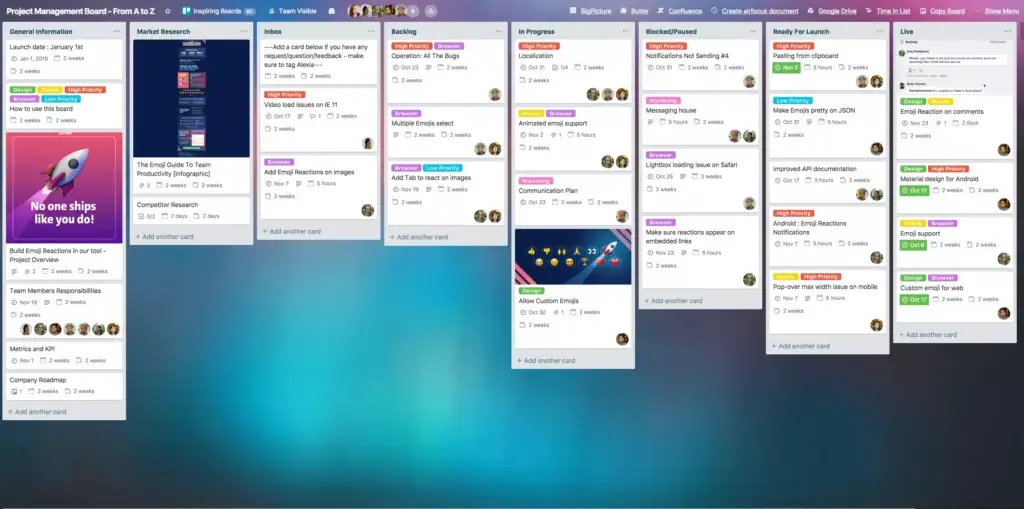
Users can create lists containing multiple cards within each board. This gives teams the ability to better visualize projects/workflows and get a bird's-eye view of what everybody is working on in real-time. The user interface is clean and intuitive, which further improves usability.
Finally, Power-Ups are an easy way to combine boards with a range of popular business apps and services. While Trello still lacks in some key areas—team communication being one of them—third-party apps and integrations seem to make up for most of the inadequacies.
👎 Trello Cons
Before the acquisition, Trello faced many persistent issues that bugged users. Although Atlassian has improved the app over the years, some of those issues are still around today:
❌ Team communication is limited to commenting.
❌ It's too simple for complex, multi-leveled workflows.
❌ Boards get easily cluttered, especially with larger projects.
❌ Many basic features are locked behind Power-Ups and integrations.
Paradoxically, the board-oriented user interface turns out to be the most limiting aspect of Trello. With very little flexibility, Trello may not the best tool for handling projects that need customizable workflows. While there are several project views to choose from, they're all paid extras.
🤷♂️ Did Trello Fail to Realize Its Potential?
Although Trello played a significant role in pioneering the online Kanban board, Fog Creek Software's implementation wasn't exactly revolutionary. It wasn't the most holistic either.
In recent years, many other products have popped up that offer a more complete Kanban experience. One would expect that in the age of remote work, features like video conferencing and chat should be available out of the box. But that's still not the case with Trello.
A lack of direction and any significant changes were part of the reason why Trello struggled to monetize its offering in 2016. While many would attribute the 2017 Atlassian acquisition as a major success, it only showed that Trello wasn't able to grow its potential on its own.
When Kanban grew in popularity, other apps took inspiration from it. Trello struggled to differentiate itself from the competition, apart from the fact that it was “the first”.
In fact, instead of building its entire product around the Kanban board, Trello could have been more successful if it integrated itself into other apps and not vice versa. In other words, instead of adding more Power-Ups, Trello would have benefited from becoming one.
After all, why should users continue paying to use Trello when there are other project management tools that offer more for free? Ok, let's talk about it.
Trello Alternatives Comparison Table (2026)
| Feature | Taskade | Asana | Monday.com | ClickUp |
|---|---|---|---|---|
| AI Features | AI agents, autonomous task management, frontier models from OpenAI, Anthropic, and Google | Asana Intelligence (limited) | Monday AI (beta) | ClickUp Brain (add-on) |
| Kanban | Yes (drag-and-drop boards) | Yes | Yes | Yes |
| Price | Free, Pro $10/mo (10 users), Business $25/mo | $10.99/user/mo | $9/seat/mo | $7/member/mo |
| Collaboration | Real-time editing, chat, video calls, AI agents | Real-time, comments | Real-time, comments | Real-time, comments |
| Views | Multiple views (List, Board, Calendar, Table, Mind Map, Gantt, Org Chart) | 6 views | 8+ views | 15+ views |

Taskade Is Your Trello Alternative
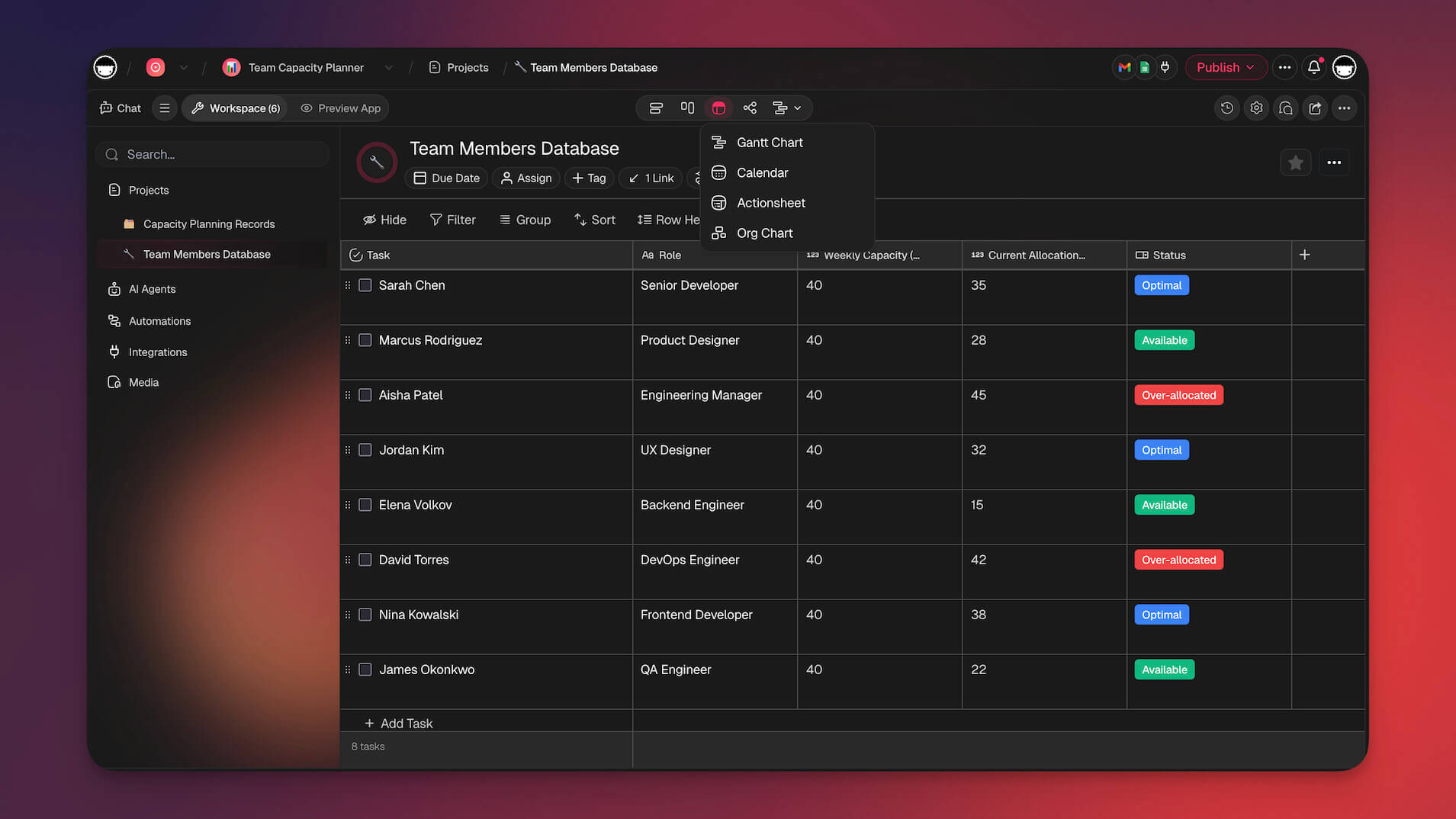
Taskade is an AI-native project management and collaboration tool that lets teams and individuals plan, organize, and manage projects in real-time. Customize your workflows and transform tasks into boards, lists, org charts, mind maps, and tables in a single click. Build custom AI agents that autonomously manage your Kanban boards, or automate repetitive workflows with 100+ integrations.
💬 Chat and video conference for free. Chat with your team in real-time without the need to switch between apps! Every Project has built-in chat and video conferencing.
🚀 Collaborate in real-time. Tired of sluggish updates and synchronization issues? Edit your boards and cards in real-time and track contributions made by other team members.
🌳 Build high-level outlines. Structure documents and outline everything you're working on. Create infinite hierarchies, add tasks/sub-tasks, and fold/unfold outline levels.
🌐 Work from anywhere. Taskade makes it super easy to sync up, regardless of the circumstances. Work and chat on Mac, Windows, Android/iOS, and in a web browser.
🪄 Transform workflows. Toggle project views in a single click and work the way you want. Choose between boards, lists, mind maps, tables, and org charts.
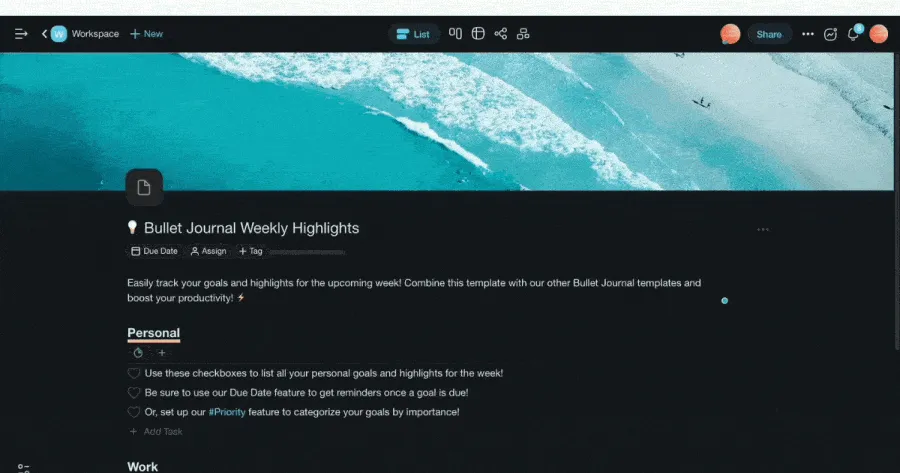
🎨 Get a head start with 500+ templates. Choose from a variety of templates to kick-start all kinds of projects. Save and customize templates to automate your workflows.
🔗 Cross-link cards. Taskade makes it easy to create connections between cards. Use hyperlinks to navigate between tasks, cards/columns, content blocks, and Projects.
🏷 Use #tags. Get organized with color-coded #tags. You can filter Project contents with clickable #tags or add them to Workspaces and group Projects by categories.
📤 Export your boards. Want to add your Kanban board to a presentation or send it as an attachment? Export boards as images or save Projects as .md, plain text, and PDF files.
✅ Delegate and assign tasks. Keep your project on track by delegating to-dos to your team members. Use @mention to assign tasks and track progress in My Tasks.
Ready to make the switch? Import your Trello projects directly into Taskade and up your Kanban game today. Sign up for free, explore the Taskade Community for templates, or build your first AI-powered app.
2026: AI-Native Project Management
Trello made Kanban accessible to everyone. But in 2026, a new paradigm has emerged: AI-native project management powered by frontier models from OpenAI, Anthropic, and Google.
The limitation of traditional Kanban (including Trello) is that it visualizes work but doesn't understand it. Moving cards between columns is manual, and project insights require human analysis.
Enter AI Agents in Project Management
Taskade Genesis approaches project management differently:
| Traditional Kanban (Trello) | AI-Native (Genesis) |
|---|---|
| Manual card movements | AI suggests next actions |
| Static status updates | AI summarizes progress |
| Human-created tasks | AI generates tasks from goals |
| Manual assignments | AI routes to best person |
| Periodic reviews | AI monitors 24/7 |
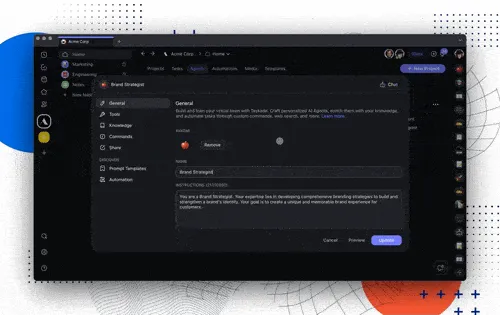
Example: Instead of manually updating cards, you can tell a Genesis AI agent: "Keep this project updated based on our Slack discussions and flag blockers."
Trello's acquisition by Atlassian ($425M in 2017) validated Kanban as enterprise-critical. The next evolution isn't better boards — it's intelligent project management that thinks alongside you, powered by AI agents and workflow automations.
Experience AI-native project management with Taskade Genesis | See Kanban board alternatives | Browse Community templates
Frequently Asked Questions About Trello
Is Trello a good project management tool?
Yes, Trello is known for its simplicity, flexibility, and ease of use in managing projects.
What is the best tool for Kanban?
Trello is one of the best tools for implementing Kanban, along with other tools such as Taskade, which allow users to toggle between different views.
What are the disadvantages of Trello?
Disadvantages of Trello include limited advanced features for large projects and a lack of detailed reporting.
Which is better, Taskade or Trello?
Taskade is better than Trello due to its multiple project views and advanced AI features, which enhance productivity and collaboration.
What is in a simple Kanban board?
A simple Kanban board consists of three columns: To Do, In Progress, and Done.