







The difference between a brilliant AI agent and a mediocre one is not how much data you feed it. It is how you structure, prioritize, and deliver that information.
Most teams make the same mistake: they upload 20 documents, paste a dozen URLs, and wonder why their agent produces generic responses. The problem is not the AI model. The problem is the knowledge architecture.
TL;DR: Effective AI agent training follows a 6-step process: define the role, build a knowledge pyramid, structure documents for retrieval, write custom instructions, test with real queries, and iterate based on gaps. Taskade agents use RAG to retrieve relevant context at query time, so well-organized knowledge beats raw volume every time. Build your first agent -->
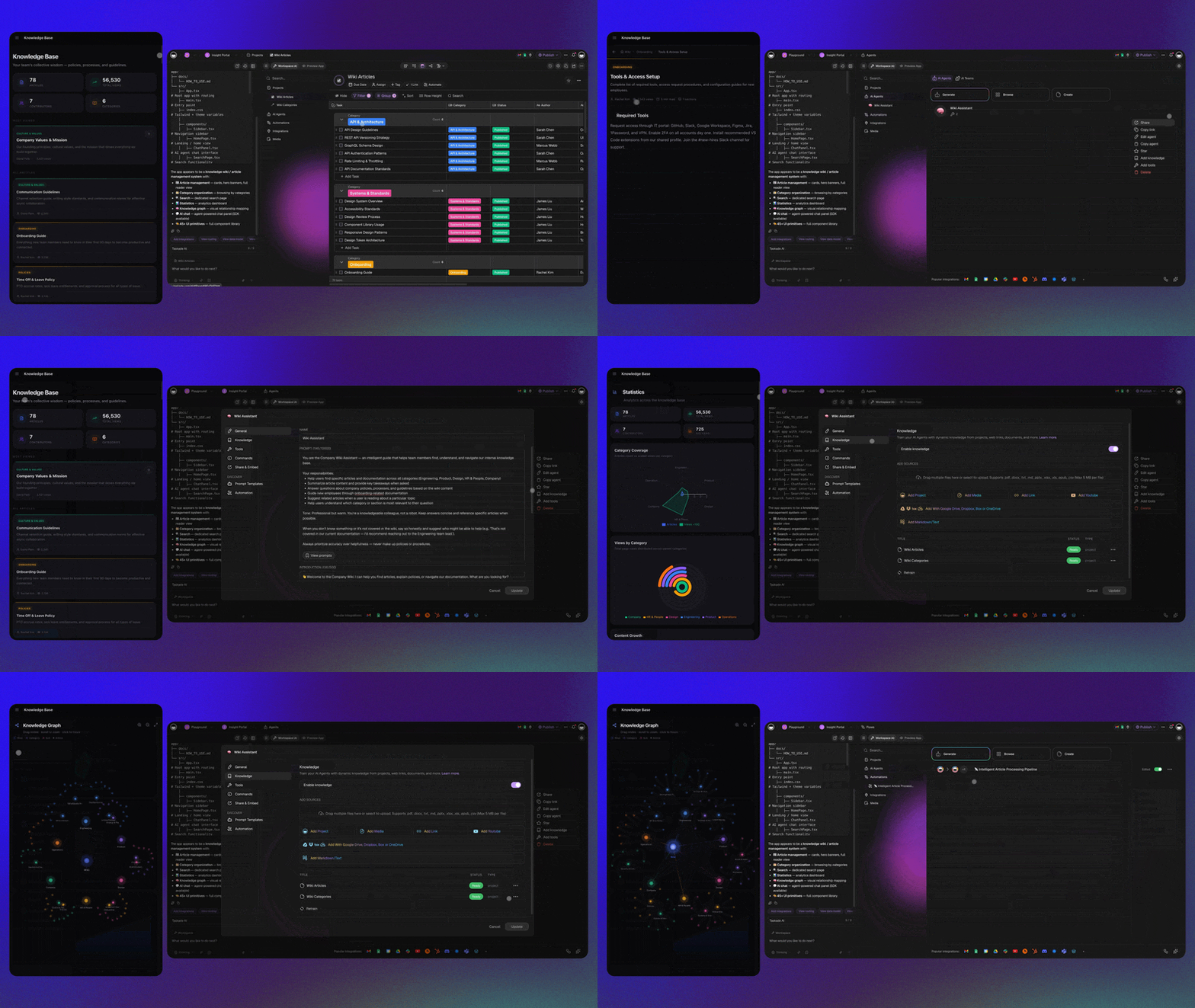
This guide covers the complete training pipeline -- from understanding how agents process knowledge to building production-ready agents that answer like domain experts.
What This Guide Covers
- How AI agents process and retrieve knowledge (RAG pipeline)
- The knowledge pyramid: prioritizing information layers
- 6-step training process for production-ready agents
- Knowledge source comparison by format
- Troubleshooting common training failures
- Advanced patterns for multi-agent systems
How AI Agents Actually Process Knowledge
When you upload documents to a Taskade AI agent, the system does not memorize the content word for word. It uses a technique called RAG (Retrieval-Augmented Generation) to find and use relevant information at query time.
Here is what happens step by step:
- Chunking -- Your documents are split into smaller segments (chunks) based on headings, paragraphs, or semantic boundaries
- Embedding -- Each chunk is converted into a numerical vector that captures its meaning
- Indexing -- Vectors are stored in a searchable index
- Query -- When a user asks a question, the query is also converted to a vector
- Retrieval -- The system finds the chunks whose vectors are most similar to the query
- Generation -- The retrieved chunks are placed in the context window alongside the query, and the language model generates a response grounded in that context
This is why structure matters more than volume. Well-organized documents with clear headings produce clean chunks that match queries accurately. A 200-page dump produces noisy chunks that dilute retrieval quality.
What RAG Means for Training Strategy
| Training approach | RAG result | Agent quality |
|---|---|---|
| Upload everything at once | Noisy chunks, weak retrieval | Vague, generic answers |
| Organized by topic, clear headings | Clean chunks, accurate retrieval | Specific, grounded answers |
| Mix of critical and peripheral docs | Important info drowned out | Inconsistent accuracy |
| Focused knowledge with custom instructions | Strong retrieval + guided reasoning | Expert-level responses |
The takeaway: invest time in structuring knowledge before uploading it. The RAG pipeline rewards organization.
The Knowledge Pyramid
Not all knowledge sources are equal. Taskade agents process different formats with different levels of depth and token efficiency. Structure your training data as a pyramid, with the most critical information at the highest-priority layer.
Layer 1: Custom Instructions (Highest Priority)
Custom Instructions define your agent's identity, constraints, and behavioral rules. This information is always in the context window -- it does not depend on retrieval.
Use Custom Instructions for:
- Agent role and personality ("You are a senior product analyst...")
- Hard rules ("Never recommend competitors", "Always include pricing")
- Response format preferences ("Use bullet points", "Keep answers under 200 words")
- Escalation criteria ("If the question involves legal issues, say: please contact [email protected]")
Layer 2: Taskade Projects (Deep Context)
Taskade Projects provide the deepest knowledge access. The agent examines every line including links, due dates, notes, and comments. This is the most token-intensive format but produces the most precise retrieval.
Use Projects for:
- Critical procedures and SOPs
- Decision frameworks and scoring criteria
- Frequently updated information (pricing, product specs)
- Internal reference data that changes regularly
Layer 3: Documents (Broad Knowledge)
PDFs, CSVs, and uploaded files provide broad background knowledge. The agent creates summaries and extracts key information, but does not preserve page-specific formatting.
Use Documents for:
- Product manuals and technical documentation
- FAQ databases and knowledge base exports
- Industry reports and research papers
- Training materials and onboarding guides
Layer 4: Web Links and Video URLs (Supplementary)
Web links extract text from a single page. Video URLs process available transcripts (like YouTube captions). Both are useful for supplementary context but consume tokens efficiently only when focused.
Use Links for:
- Reference articles and external documentation
- Video tutorials with good transcription
- Competitor information and market context
- Regulatory documents hosted online
Knowledge Source Comparison
| Source | Depth | Token Cost | Best For | Limitations |
|---|---|---|---|---|
| Custom Instructions | Always active | Low | Role definition, rules | Limited space |
| Taskade Projects | Line-by-line | High | Critical, changing data | Token-intensive |
| PDF/Documents | Summary-level | Medium | Broad background knowledge | No page-specific retrieval |
| CSV Files | Row-by-row | Medium-High | Structured data, catalogs | No complex calculations |
| Video URLs | Transcript-only | Medium | Tutorial summaries | Requires transcript availability |
| Web Links | Single-page | Low-Medium | Reference context | Single page only |
The 6-Step Agent Training Process
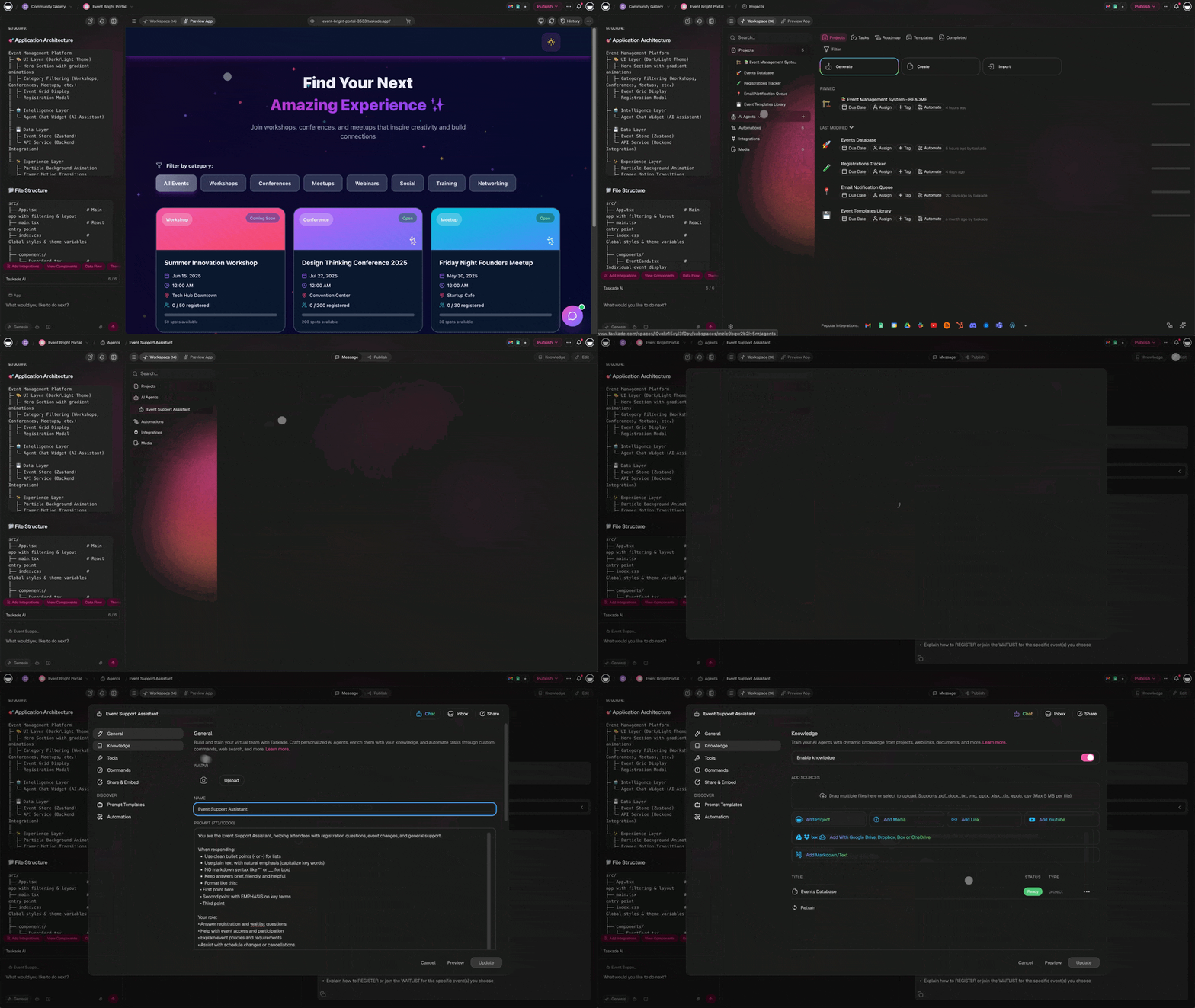
Follow this process to build agents that perform like domain experts.
The 6-step process is a loop, not a checklist: define, structure, instruct, test, then iterate on every gap and retrain quarterly.
Step 1: Define the Agent's Role and Scope
Before uploading any knowledge, write a clear role definition. An agent that tries to know everything will be mediocre at everything.
Good role definition:
"You are a customer support specialist for Taskade. You answer questions about pricing (Free, Starter $6/mo, Pro $16/mo, Business $40/mo), features (7 project views, AI agents with 34 tools, 100+ integrations), and troubleshooting. You escalate billing disputes and technical bugs to the support team."
Weak role definition:
"You are a helpful assistant."
| Element | Good Example | Weak Example |
|---|---|---|
| Role | "Senior product analyst for B2B SaaS" | "Helpful assistant" |
| Scope | "Answer pricing, features, and comparison questions" | "Answer anything" |
| Constraints | "Never quote competitors' pricing without source" | None |
| Tone | "Professional, concise, data-driven" | Not specified |
| Escalation | "If legal, redirect to [email protected]" | Not specified |
Step 2: Build the Knowledge Pyramid
Organize your training materials according to the pyramid structure:
- Write Custom Instructions first (role, rules, format)
- Create Taskade Projects for critical, frequently accessed data
- Upload PDFs for broad background knowledge
- Add web links for supplementary reference
Rule of thumb: 5-10 well-organized documents outperform 50 loosely related PDFs. Quality over quantity.
Step 3: Structure Documents for Retrieval
The RAG pipeline chunks your documents by headings and paragraphs. Structure matters:
Good document structure:
# Product Pricing (2026)
## Free Plan
- Price: $0/month
- Seats: Up to 3 users
- Features: Basic project management, limited AIPro Plan
- Price: $16/month (annual billing)
- Seats: Up to 10 users
- Features: Unlimited AI, 7 views, video calls, 50GB storage
Bad document structure:
Our pricing is competitive. The free plan is great for individuals.
We also have Pro which costs $16/month and includes lots of features.
Business is $40/month for bigger teams. There's also Starter at $6/mo.
The first structure produces clean, topic-specific chunks. The second produces vague chunks where pricing data is mixed with marketing language.
Document structuring checklist:
- Use clear H1/H2/H3 headings that describe the section content
- Keep paragraphs short (3-5 sentences)
- Use bullet points for lists of features, specs, or steps
- Separate distinct topics into separate files
- Remove redundant content across documents
- Use consistent terminology (do not mix "project views" and "workspace layouts")
Step 4: Write Effective Custom Instructions
Custom Instructions guide how the agent uses its knowledge. They sit in the context window permanently, so make them count.
Template:
Role: [Specific title and domain]
Audience: [Who the agent talks to]
Tone: [Communication style]
Knowledge priority: [What to emphasize]
Response format: [Structure preferences]
Constraints: [What never to do]
Escalation: [When to hand off to humans]
Example for a sales agent:
Role: Senior sales consultant for Taskade
Audience: B2B decision-makers evaluating project management tools
Tone: Professional, confident, data-driven
Knowledge priority: Pricing comparisons, feature advantages, ROI data
Response format: Lead with the answer, then provide supporting data
Constraints: Never disparage competitors by name. Always include a CTA.
Escalation: Enterprise deals over $10K/year go to [email protected]
Step 5: Test With Real Queries
Testing reveals gaps that document review misses. Use these test categories:
| Test Type | Example Query | What It Tests |
|---|---|---|
| Factual recall | "What is the Pro plan price?" | Basic retrieval accuracy |
| Cross-reference | "Compare our views with Asana's views" | Multi-document retrieval |
| Edge case | "What if a customer wants HIPAA compliance?" | Knowledge gap handling |
| Ambiguous | "Is it worth the upgrade?" | Reasoning with context |
| Out of scope | "What's the weather today?" | Boundary enforcement |
| Follow-up | "Tell me more about that last point" | Conversation continuity |
Run at least 10-15 test queries across all categories before deploying. Document failures and trace them back to knowledge gaps or instruction issues.
Step 6: Iterate Based on Gaps
Agent training is not one-and-done. Use this feedback loop:
- Identify failure -- agent gives wrong or vague answer
- Diagnose cause -- missing knowledge, poor chunking, or unclear instructions?
- Fix the source -- add a document, restructure content, or update Custom Instructions
- Retest -- run the same query to verify improvement
- Monitor -- track ongoing performance and retrain quarterly
Practical Training Examples
Example 1: Customer Support Agent
Goal: Handle customer inquiries, troubleshoot issues, escalate when needed.
| Pyramid Layer | Content | Purpose |
|---|---|---|
| Custom Instructions | Role as support specialist, escalation rules, tone guidelines | Always-active behavioral guardrails |
| Taskade Project | Troubleshooting decision tree with steps for top 20 issues | Deep, precise procedure access |
| PDF uploads | Product manual, FAQ database (3-5 docs) | Broad product knowledge |
| Web links | Release notes page, status page | Current context |
Training tips:
- Create a separate Taskade Project for escalation criteria so the agent can make precise handoff decisions
- Include example conversations showing ideal tone and resolution flow
- Update the troubleshooting project monthly with new issue patterns
Example 2: Sales Qualification Agent
Goal: Score leads, answer product questions, book demos.
| Pyramid Layer | Content | Purpose |
|---|---|---|
| Custom Instructions | Qualification criteria (BANT), response format, CTA rules | Consistent scoring and messaging |
| Taskade Project | Pricing comparison table, competitive positioning, objection handling | Real-time access to key data |
| PDF uploads | Case studies, ROI reports, industry benchmarks | Supporting evidence |
| Web links | Competitor pricing pages, G2 reviews | Market context |
Training tips:
- Include the pricing comparison in a Taskade Project so the agent always has current data
- Add objection-response pairs as structured entries
- Train the agent to ask qualifying questions before recommending a plan
Example 3: Research Analysis Agent
Goal: Analyze case studies, compare findings, generate insights.
| Pyramid Layer | Content | Purpose |
|---|---|---|
| Custom Instructions | Analysis framework, citation requirements, output format | Structured analytical approach |
| Taskade Project | Primary case study text | Full document access for deep analysis |
| PDF uploads | Industry reports, comparable studies, methodology references | Contextual background |
| Web links | Recent news articles, regulatory updates | Current context |
Troubleshooting Common Training Failures
Problem: Agent gives vague or generic answers
Cause: Knowledge base is too broad. The agent retrieves irrelevant chunks that dilute the response.
Fix:
- Reduce knowledge base size -- remove peripheral documents
- Split broad documents into topic-specific files
- Add more specific Custom Instructions about what to emphasize
- Create a focused Taskade Project with the most critical information
Problem: Agent contradicts itself across questions
Cause: Documents contain conflicting information (e.g., two files list different pricing).
Fix:
- Audit all knowledge sources for contradictions
- Establish a single source of truth for each fact category
- Use Custom Instructions to specify which source takes priority
- Remove duplicate or outdated documents
Problem: Agent hits context window limits
Cause: Too many knowledge sources consuming tokens simultaneously.
Fix:
- Create specialized agents instead of one omniscient agent
- Move broad knowledge to PDFs (lower token cost) and keep only critical data in Projects
- Start fresh conversations to reset context window
- Summarize previous interactions instead of maintaining long chat history
Problem: Agent cannot answer questions about recently uploaded content
Cause: The document may not be properly chunked, or the query does not match the document's vocabulary.
Fix:
- Check that the document has clear headings matching likely queries
- Rephrase the question using vocabulary from the document
- Create a Taskade Project entry that directly answers the question
- Use document conversion tools to prepare files before uploading
Troubleshooting Decision Tree
| Symptom | Likely Cause | First Fix |
|---|---|---|
| Vague answers | Broad knowledge base | Reduce and focus documents |
| Wrong facts | Contradictory sources | Audit and deduplicate |
| "I don't know" responses | Missing knowledge | Add targeted document or Project entry |
| Inconsistent tone | No Custom Instructions for tone | Write explicit tone guidelines |
| Token limit errors | Too many sources active | Split into specialized agents |
| Slow responses | Oversized knowledge base | Remove low-value documents |
| Hallucinated details | Weak retrieval | Restructure docs with better headings |
Advanced Patterns
Multi-Agent Collaboration
For complex domains, create specialized agents that collaborate instead of one agent that knows everything:
| Agent | Knowledge Focus | Role |
|---|---|---|
| Product Agent | Features, specs, views, integrations | Answer product questions |
| Pricing Agent | Plans, tiers, comparisons, ROI | Handle pricing and upgrade conversations |
| Support Agent | Troubleshooting, known issues, workarounds | Resolve technical problems |
| Onboarding Agent | Getting started, tutorials, best practices | Guide new users |
Each agent has a focused knowledge base that fits within its context window. Taskade supports multi-agent collaboration, so agents can hand off to each other when questions cross domains.
Continuous Learning Pipeline
Build a system where your agent improves automatically:
- Agent handles customer interactions (stored in Memory)
- Weekly review of unanswered or poorly answered questions
- New knowledge entries added to the relevant Taskade Project
- Automation triggers retraining notification
- Updated agent tested against the identified gap queries
This creates a Workspace DNA feedback loop where Memory feeds Intelligence, Intelligence triggers Execution, and Execution updates Memory.
Quick Reference: Agent Training Checklist
| Step | Action | Status |
|---|---|---|
| 1 | Define agent role with specific scope and constraints | |
| 2 | Write Custom Instructions (role, tone, rules, escalation) | |
| 3 | Create Taskade Project for critical, changing data | |
| 4 | Upload 5-10 structured documents (clear headings, no duplicates) | |
| 5 | Add web links for supplementary context only | |
| 6 | Run 10-15 test queries across all categories | |
| 7 | Document failures and trace to knowledge gaps | |
| 8 | Fix sources and retest | |
| 9 | Deploy and monitor weekly | |
| 10 | Retrain quarterly based on new data and gap analysis |
Frequently Asked Questions
What is RAG and how does it help train AI agents?
RAG (Retrieval-Augmented Generation) is a technique where AI agents search a knowledge base for relevant context before generating responses. Instead of memorizing everything, the agent retrieves the most relevant chunks of your uploaded documents at query time. This produces more accurate, grounded answers and reduces hallucination compared to relying solely on the model's training data.
How much training data does an AI agent need?
More data is not always better. A focused set of 5-10 well-organized documents often outperforms 50 loosely related PDFs. Use Taskade's document conversion tools to prepare files before uploading. The key is relevance and structure -- clean, topic-specific knowledge with clear headings and concise paragraphs. AI agents process training data through chunking and embedding, so well-structured content produces better retrieval results than raw volume.
Can AI agents learn from industry-specific documents?
Yes. Upload company SOPs, product manuals, FAQ databases, customer transcripts, or any text-based knowledge to your Taskade agent. The agent processes this content and uses it to inform responses specific to your industry. Best practice: organize documents by topic (separate files for pricing, technical specs, and support procedures) rather than uploading one monolithic document.
Why do AI agents sometimes give wrong answers even after training?
Common causes include: knowledge base is too broad (agent retrieves irrelevant chunks), documents contain contradictory information, training data lacks specificity for the question asked, or the agent's context window is overwhelmed. Fix this by curating focused knowledge sources, removing duplicates, and testing with real queries to identify gaps.
What is the difference between RAG-based training and fine-tuning?
Training an AI agent in Taskade means providing knowledge sources (documents, URLs, data) that it retrieves at query time via RAG. Fine-tuning means modifying the underlying model's weights with custom data -- this is expensive, requires ML expertise, and risks catastrophic forgetting. For most business use cases, RAG-based training is faster, cheaper, and more maintainable than fine-tuning.
How do I know if my agent is retrieving the right information?
Use targeted test queries that require specific facts from your knowledge base. Ask questions that span different documents to test cross-referencing. Check whether the agent cites the right source material. If answers are vague or wrong, restructure documents with clearer headings, reduce knowledge base size, or split broad documents into focused files.
Can I use multiple specialized agents instead of one general agent?
Yes, and this is recommended. Creating specialized agents (one for product specs, another for support, a third for company policies) avoids context window overload and improves retrieval accuracy. Taskade supports multi-agent collaboration, so specialized agents can work together on complex tasks.
What file formats work best for agent training?
Taskade Projects provide the deepest access with every line analyzed. PDFs work well for broad knowledge. CSVs handle structured data like catalogs. Video URLs work when transcripts are available. Web links extract single-page text. Choose based on whether you need depth (Projects) or breadth (PDFs and links).
Build your first trained agent today:
- Custom AI Agents Guide -- Step-by-step agent creation
- Agent Templates -- Pre-built agents for every use case
- Document Conversion Tools -- Prepare files for upload
- Automation Workflows -- Connect agents to workflows
- Community Gallery -- Clone agents others have built
- Workspace DNA Explained -- Understand the full architecture
- AI App Builder -- Build complete apps with trained agents
- Explore Taskade Pricing -- Find the right plan for your team