






Updated June 2026. An estimation tool should not hand you a number and walk away. Generate the estimate in Taskade Genesis, then run it as a live app, a project plan, a budget tracker, and a client quote in one place, tracked from quote to delivery. Productive and Kantata lead on agency financials, monday.com on flexible work boards, CostGPT on fast software estimates, and Float on resourcing. But only Taskade Genesis turns the estimate into a system you keep. Try Taskade Genesis free →
Try It Live: An Estimation Tool You Can Actually Run
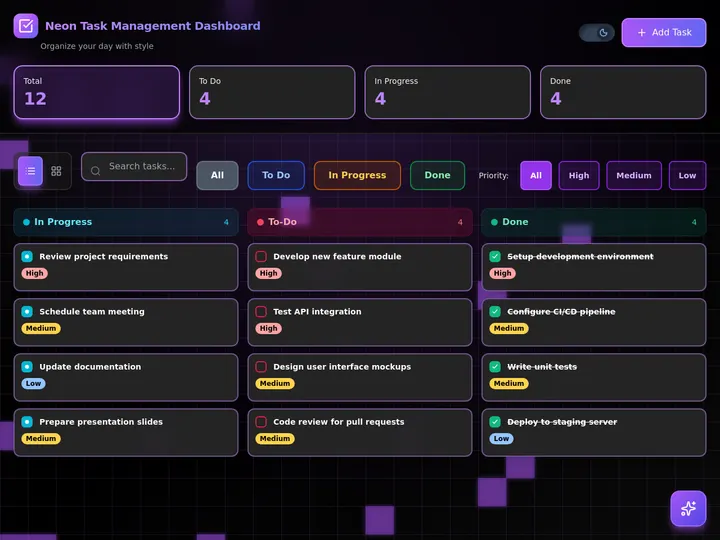
Every other tool on this list hands you a number and stops. This one keeps going. The app below was built from a single prompt in Taskade Genesis: it generates the estimate, scope, hours, cost. Then runs it as a live project with a budget tracker and a client-facing quote, all on a board your whole team can see. Click it, clone it, and watch an estimate stop being a one-shot spreadsheet.
Watch a live project app built from one prompt:
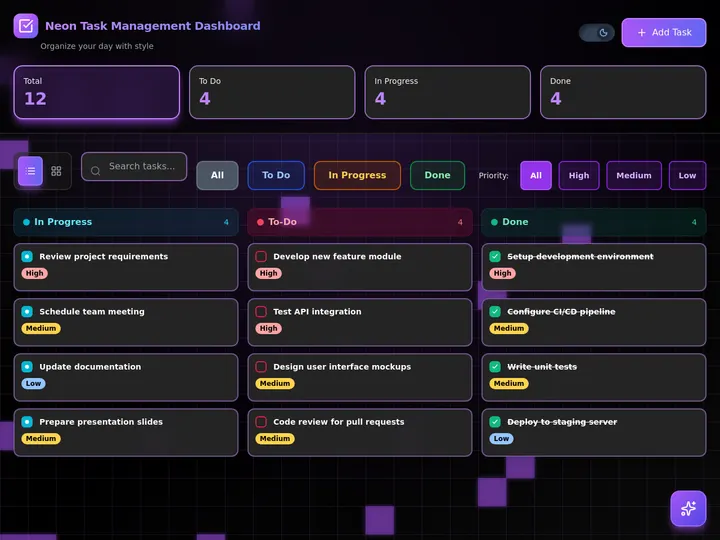
This is the difference the rest of the article is about. An estimation tool that gives you a number is a calculator. An estimation tool that gives you a running project is leverage. Clone this app and run your next estimate to delivery →
The Evolution of Project Estimation: From Spreadsheet to Living App
Project estimation has moved through four eras, and 2026 is the start of the fifth. It began as a hand-built spreadsheet of hours times rates. It became estimating modules inside heavy PSA suites. It became cloud platforms with resourcing and live budgets. It became AI that drafts the scope and the numbers from a brief. And now, with Taskade Genesis, it becomes a living app, the estimate and the project around it, generated from one prompt. Each era kept the previous job and added a new one. The pattern is consistent: the estimate got smarter, but it stayed a number. The 2026 shift is the first time the output stops being a figure and starts being a running project you own.
Here is the whole arc, era by era:
Read the same arc as a milestone table, what changed, and what each era still left on the table:
| Era | What you built | What you got | What it still couldn't do |
|---|---|---|---|
| 1990s-2000s — Spreadsheet | A grid of hours × rates | A number to quote | Rebuild it from scratch each project |
| 2008-15 — PSA suites | An estimate inside a suite (Kantata) | Budgets tied to delivery | Heavy, slow, consultant-led setup |
| 2016-21 — Cloud platforms | A live budget (Productive, Float) | Resourcing + profitability | Estimate lives apart from the quote |
| 2022-24 — AI drafting | A prompt-generated estimate (CostGPT) | A faster first number | Still a number, still siloed |
| 2025-26 — Living app | An estimate-to-delivery app (Taskade Genesis) | A tracked project you own | — (this is the frontier) |
The plain-English takeaway: every era made the estimate faster or more accurate. Only the 2026 era makes the estimate do work after you quote it. That is the whole reason Taskade Genesis tops this list. It is built for the era the rest of the category is still catching up to. For how prompt-to-app generation works under the hood, see our Genesis Loop explainer and the Taskade Genesis overview.
What Is the Best AI Project Estimation Tool in 2026?
Taskade Genesis is the best AI project estimation tool in 2026 because it closes the loop between estimating the project and running it. Type the scope, the team, and the rates, and Taskade Genesis generates a structured estimate, modules, hours, roles, and a budget. Then runs it as a live app with a project plan, a budget tracker, and a client-facing quote. Every other tool on this list hands you a number or locks the estimate inside a heavy suite. Taskade Genesis hands you the running project: the same scope becomes tasks on a Gantt, the same budget becomes a tracker, and the same total becomes a quote you share in the browser.
The plain-English version: the estimate that used to take a spreadsheet, a project tool, and a separate proposal doc gets generated and tracked to delivery in an afternoon. Taskade's first self-serve Enterprise customer — an IT program manager with no engineering team — built a production field-service dashboard on Taskade Genesis and put it this way: "What I accomplished in a few weeks would have taken a team of 40+ people 18 months in a Fortune 500." He didn't generate a number. He generated the app that runs the work.
Generate the Number vs. Run the Project: Why an Estimate Isn't Enough
A point estimator gives you a better number. An app generator gives you the thing the number was for, a delivered project, on budget. That is the whole gap. Six of the seven tools below hand you a figure, a hosted budget, or an estimating module locked inside their suite. You still have to rebuild it as a real project plan, copy the total into a proposal, and track the work somewhere else. Taskade Genesis takes the same prompt and returns a working app, scope, plan, budget tracker, and quote. That your team opens, edits, and reuses the same afternoon.
Here is the path an estimate actually travels when the tool doesn't stop at the number:
Most tools on this list live in the first two boxes. Taskade Genesis is the only one that carries the estimate all the way to the last one, a delivered project, not a quoted number.
Side by side, the weeks after you quote look like this:
  A POINT ESTIMATOR                       AN APP GENERATOR (Taskade Genesis)
  ──────────────────────                  ──────────────────────────
  [ you ] describe the project            [ you ] describe the project
      │                                       │
      ▼                                       ▼
  get a cost + hours number               a live estimate-to-project app
      │                                       │
      ▼                                       ├─ scope becomes tasks on a Gantt
  rebuild it as a real plan               ├─ budget becomes a live tracker
      │                                       ├─ total becomes a client quote
      ▼                                       ▼
  copy the total into a proposal          clone it → reuse for the next job
  (track the work somewhere else)         (estimate vs actual in one workspace)
The left column is where six of these tools end. The right column is where the project actually ships.
Why Tracking Estimate vs Actual Is the Whole Game
The estimate you can see against reality is the estimate you can learn from. Agencies routinely blow budgets not because the first number was wrong, but because nothing watched the project drift away from it. A static estimate goes dark the instant you quote it. A live project app does the opposite: it shows planned hours against logged hours, flags the task that crossed its budget, and updates the total as scope changes, and a reliable automation workflow can act on that signal automatically.
That is the difference between a tool that hands you a number and one that hands you a system. Every tool on this list can produce a decent first estimate in 2026; AI made drafting a solved problem. The unsolved problem, the one that actually protects your margin, is everything that happens after you quote. Taskade Genesis is built around that second half: the budget tracker, the estimate-vs-actual view, and the automations that flag overruns. The drafting is table stakes. The delivery is the product. And when the work wraps, that same trail is what makes the final bill defensible — see carrying an approved estimate through to a paid invoice.
Walk it through as an interaction and the value of a live estimate becomes concrete, every logged hour talks back to the budget:
How We Ranked
We ranked 7 AI project estimation tools on six criteria that matter to the person who has to deliver the project on budget, not just quote it:
- Estimate quality, how complete and accurate the scope, hours, and cost are from one brief.
- Estimate types covered, agency/services, software scope, or resourcing-led budgets.
- Output you keep, a number, a hosted budget, or a live app you own and reuse.
- Estimate vs actual, can you track planned against real hours and cost as the work runs.
- Client quote & sharing, your branding, a shareable quote, and a surface clients can review.
- Pricing, free-tier generosity and per-seat cost at the annual price.
Scored against those six criteria, here is how the field stacks up at a glance, the single column that separates the leader from the pack is "Output you keep":
| Tool | Estimate quality | Types covered | Output you keep | Estimate vs actual | Client quote | Price value |
|---|---|---|---|---|---|---|
| Taskade Genesis | Excellent | All types | Live app | Full + automation | Branded + domain | Excellent (free) |
| Productive | Excellent | Agency/services | Hosted budget | Strong | In-platform | Fair (per seat) |
| monday.com | Good | Generalist | Hosted board | Good (widgets) | In-platform | Good |
| Kantata | Excellent | Pro services | Suite module | Strong | In-platform | Low (seat min) |
| CostGPT | Good | Software scope | Static estimate | None | Export only | Excellent (free) |
| Float | Good | Resourcing | Hosted plan | Good (time) | None | Good |
| Mosaic | Good | Resourcing | Hosted forecast | Good | None | Low (custom) |
The grid tells the story before you read a word of the reviews: most tools earn "Good" or "Excellent" on estimate quality, then every single one drops to a hosted budget, a suite module, or a static number on output, except the one that hands you a live app.
The 7 Best AI Project Estimation Tools
1. Taskade Genesis: Best Overall: Generate the Estimate, Then Run It
Taskade Genesis is the only tool on this list that generates an estimate and runs it as a live app. Describe the project, scope, team, rates, timeline, in one prompt, and Taskade Genesis drafts a complete estimate: modules and tasks, hour ranges by role, a line-item budget, and a total. Then, in one more click, that same estimate becomes a working app: a project plan where the scope is tasks on a Gantt, a budget tracker that shows planned hours against actual, and a client-facing quote the prospect reviews in the browser.
That is the structural gap in the whole category. Every competitor stops at a number, a hosted budget, or an estimating module locked in a suite. Taskade Genesis carries the estimate all the way to delivery and keeps the system around it. The estimate that used to take a spreadsheet, a project tool, and a separate proposal gets generated and tracked to delivered in an afternoon.
Taskade Genesis runs on frontier models from top AI labs, so the estimate reads like your numbers, not a generic template. The workspace ships multiple project views, List, Board, Calendar, Table, Mind Map, Gantt, and Org Chart (the Timeline lives inside Gantt). So you scope on a Table, plan on a Gantt, and watch budget burn on a Board. Your team works under a role model (Owner to Viewer), and you publish just the quote view to the client, so the whole budget stays inside the workspace. And 100+ bidirectional integrations wire time tracking, invoicing, and your CRM around the estimate, so logged hours flow straight back against the plan. Brand the app with your logo and a custom domain on Pro and above, and the quote stops looking like a template and starts looking like your own product. You can start from a prompt, build on AI app builders, or clone a live app and swap in your own rates.
Best for: Any agency, studio, consultancy, or services team that wants the estimate to deliver on budget, not just produce a quote.
Strengths: Only tool that turns the estimate into a live project plan, budget tracker, and quote; covers every estimate type in one workspace; estimate-vs-actual with automation-flagged overruns; custom branding and domain; generous free tier.
Weaknesses: It is a workspace-native builder, not a construction-takeoff tool, so material quantity takeoffs from drawings live elsewhere; the polished agency-financials reporting gallery is younger than Kantata's.
Pricing: Free (Free Forever plan), Pro $10/mo (the Popular ★ tier), Business $25/mo, Max $100/mo, Enterprise $250/mo, all annual billing.
The catch: An honest one, deep professional-services financial reporting (utilization curves, multi-year revenue recognition) is lighter than a dedicated PSA suite, so a 500-person consultancy with finance-grade reporting needs may pair Taskade Genesis with one. Everything around the estimate-to-delivery loop, though, is built in.
Verdict: The clear winner for anyone who wants an estimate to deliver, not just to sit in a spreadsheet.
2. Productive: Best Agency Financials and Profitability
Productive is the agency professional-services benchmark. It pulls project budgeting, time tracking, resourcing, invoicing, and profitability reporting into one platform, so a services business can estimate a project and then watch its margin in real time. The estimate-to-profitability loop is a genuine strength. You set a budget, log time against it, and see exactly where a project is winning or bleeding money. For agencies that live and die by billable utilization, that real-time financial picture is hard to beat.
Best for: Agencies and services firms that want estimates tied to live profitability and resourcing in one platform.
Strengths: Strong project budgeting and profitability tracking; real-time margin and utilization; resourcing plus invoicing in one place; adding clients is free.
Weaknesses: The estimate is a hosted budget inside Productive, not a cloneable app you own; per-seat pricing climbs with team size; no real free estimating tier.
Pricing: Essential from around $9/user/mo and Professional around $24/user/mo (annual); Ultimate and Enterprise are custom.
The catch: You get a polished budget inside Productive's platform, not a live app you clone, brand on your own domain, and reuse as a project plus a client quote.
Verdict: Best if you run an agency and want estimates wired straight to live profitability and resourcing.
3. monday.com: Best Flexible Work-OS Boards
monday.com is the flexible Work OS. It is not a dedicated estimator, but its customizable boards, formula columns, Timeline view, Workload widget, and Chart widget let teams build estimated-vs-actual spending right into a project board. Automations send alerts when expenses cross a threshold or budget assumptions change. The genuine strengths here are breadth and approachability, almost any team can stand up a budget board without specialist software, and the same board doubles as the project tracker.
Best for: Generalist teams that want a flexible board where the estimate and the project live together.
Strengths: Highly customizable boards and views; budget-threshold automations; Timeline and Workload widgets; huge template and integration ecosystem.
Weaknesses: Estimating is DIY on top of boards, not a purpose-built AI estimator; per-seat pricing with a 3-seat minimum; the board lives in monday's system, not a portable app.
Pricing: Free for up to 2 seats; Basic around $9/seat/mo, Standard $12, Pro $19 (annual); Enterprise custom.
The catch: You build the estimate yourself from board columns and widgets. There is no one-prompt scope-and-cost generator, and the result isn't an app you clone and own.
Verdict: Best if you want one flexible board for both the estimate and the running project, and you'll wire it up yourself.
4. Kantata: Best Professional-Services Forecasting
Kantata is the enterprise PSA benchmark for consultancies and large agencies. Its project estimation and forecasting tooling ties scope, resourcing, and rates to delivery, with performance analysis that sharpens future estimates from past project data. For services organizations of 50 to 5,000-plus people, the depth of financial forecasting and resource management is genuinely strong, and the historical-performance angle makes each new estimate more accurate than the last.
Best for: Mid-market and enterprise professional-services firms that need estimation tied to deep forecasting and resourcing.
Strengths: Robust project estimation and forecasting; performance analysis from past projects; enterprise resource management; strong financial depth.
Weaknesses: Heavy, consultant-led implementation; estimating lives inside a large suite, not a portable app; pricing assumes a sizable team.
Pricing: From around $45/user/mo for professional-services organizations, rising with features and seat count; enterprise contracts are custom.
The catch: It is a full PSA suite, powerful forecasting, but the estimate is a module inside Kantata, not a live app you clone, brand, and hand a client as a quote.
Verdict: Best for larger services firms that want estimation fused with enterprise-grade forecasting and resourcing.
5. CostGPT: Best Fast AI Software Estimate
CostGPT is the quick-software-estimate specialist. Describe a software project in plain language and it returns a cost range, a feature list, a suggested tech stack, milestones, and a timeline, trained on 2,000-plus projects, with reported accuracy above 80 percent when the brief is detailed. For a founder or agency that needs a fast sanity-check estimate before a sales call, the speed and the structured breakdown are a real advantage, and the free tier plus one-time premium price make it accessible.
Best for: Founders and software agencies that want a fast, structured cost-and-time estimate for a software build.
Strengths: Very fast plain-language estimates; feature lists, milestones, and tech-stack suggestions; learns from a large project corpus; free tier with a low one-time premium.
Weaknesses: Output is a static estimate you export, not a live project or budget tracker; software-scope focus, thin on agency services or resourcing; no estimate-vs-actual tracking.
Pricing: Free core plan; premium one-time fee around $19 (limited-time, originally $49) for sitemaps, user stories, and milestones.
The catch: It is a calculator, a great first number, but there's no project plan, budget tracker, or client quote app to run afterward.
Verdict: Best if you want a fast, accurate software estimate to sanity-check a quote, not a system to deliver the project.
6. Float: Best Resource-Led Budgeting
Float is the resource-management benchmark. It schedules people across projects, sets project budgets in hours or fees, and, with built-in time tracking on the Pro plan, shows scheduled versus logged time so a budget stays grounded in real capacity. For studios and agencies whose estimates are really a question of who has the hours, the resourcing-first approach is a genuine strength, and the per-person pricing with free guest seats keeps costs predictable.
Best for: Teams whose project estimates hinge on people's capacity and scheduled hours.
Strengths: Clean resource scheduling; project budgets in hours or fees; built-in time tracking (Pro); transparent per-person pricing with free guests.
Weaknesses: Resourcing-led, not a full scope-and-cost estimator; no client-facing quote; budgets live in Float, not a portable app.
Pricing: Starter around $7/person/mo and Pro around $12/person/mo (annual); Enterprise custom.
The catch: It estimates from capacity, not from a generated scope, and the budget is a hosted plan, not a live app you clone, brand, and turn into a client quote.
Verdict: Best if your estimate is mostly a resourcing question and you want capacity and budget in one scheduling tool.
7. Mosaic: Best AI Resource Forecasting
Mosaic is the AI-resourcing entrant. It combines project forecasting, workload management, and automated resource allocation in a visual interface, using AI to suggest who should work on what and to forecast capacity and budget across a portfolio. For agencies and studios that want resourcing and forecasting to feel automatic rather than hand-maintained, the AI-driven allocation is a real strength, and the portfolio-level view of utilization helps spot over- and under-loaded teams early.
Best for: Digital teams that want AI to forecast capacity and allocate resources across a portfolio.
Strengths: AI-driven resource allocation; portfolio forecasting and workload management; visual, modern interface; surfaces utilization risks early.
Weaknesses: Forecasting and resourcing focus, not a scope-and-cost estimator with a client quote; custom pricing with no public free tier; output is a hosted forecast, not an owned app.
Pricing: Custom, tailored to organization size and needs, contact required for a quote.
The catch: It forecasts resourcing brilliantly, but there's no one-prompt cost estimate or client-facing quote, and the forecast isn't a cloneable app you own.
Verdict: Best for teams that want AI-powered resource forecasting across a whole portfolio.
Comparison Table: Output, Tracking, and the Annual-Pricing Wedge
Feature matrices hide the one thing that actually decides the buy: what you walk away with. This table strips it down to the columns the rest of the category quietly skips, what you get (a number, a hosted budget, or a live app), whether you can track estimate vs actual, and the annual price. This is where Taskade Genesis is the only green row.
| Tool | Output you keep | Estimate vs actual | Estimate types | Live cloneable app | Price (annual) |
|---|---|---|---|---|---|
| Taskade Genesis | Live app (estimate + plan + quote) | Yes — tracker + automation | All (agency, software, resourcing) | Yes — clone it | Free / $10 / $25 |
| Productive | Hosted budget | Yes (profitability) | Agency, services | No | ~$9-$24/user/mo |
| monday.com | Hosted board | Partial (widgets) | Generalist | No | ~$9-$19/seat/mo |
| Kantata | Suite module | Yes (forecasting) | Pro services | No | ~$45/user/mo |
| CostGPT | Static estimate | No | Software scope | No | Free + ~$19 once |
| Float | Hosted plan | Yes (time tracking) | Resourcing | No | ~$7-$12/person/mo |
| Mosaic | Hosted forecast | Yes (forecast) | Resourcing | No | Custom |
Read the rows top to bottom and the wedge is obvious: a number or a hosted budget is where the others finish, and where Taskade Genesis is just getting started. On price, Taskade Genesis starts Free, then Pro $10 (the Popular ★ pick), Business $25, Max $100, and Enterprise $250, and every paid tier ships a live app with a custom domain. Most competitors charge $7-$45 per user per month and still hand you a hosted figure you can't take with you. You are not paying for a prettier spreadsheet. You are paying for an estimate that runs itself to delivery.
Full Capability Matrix: Seven Tools, Eight Columns
This is the detailed grid the buyer's-guide pages bury or skip. It scores all seven tools on the eight capabilities that decide an estimation workflow, AI scope drafting, hours-and-cost output, becomes a project plan, budget tracker, client quote, time-tracking link, an owned reusable app, and a free tier. Taskade Genesis is the only row that is "Yes" or "Native" straight across.
| Tool | AI scope draft | Hours + cost | Becomes a plan | Budget tracker | Client quote | Time-tracking link | Owned app | Free tier |
|---|---|---|---|---|---|---|---|---|
| Taskade Genesis | Yes | Yes | Yes (multiple views) | Yes | Branded + domain | Via integrations | Yes — clone it | Yes (Free Forever) |
| Productive | Partial | Yes | In-platform | Yes | In-platform | Native | No | No |
| monday.com | Partial | DIY | In-platform | Widget | In-platform | Pro add-on | No | 2 seats |
| Kantata | Partial | Yes | In-suite | Yes | In-platform | Native | No | No |
| CostGPT | Yes | Yes | No | No | Export only | No | No | Yes |
| Float | No | Hours | In-platform | Yes | No | Native (Pro) | No | Trial only |
| Mosaic | Partial | Forecast | In-platform | Forecast | No | Native | No | No |
The shape of the grid is the argument. Most tools earn a column of "Yes" on the estimate itself, then go blank on client quote and, every single one, on owning a reusable app. Taskade Genesis is the only tool that fills the right-hand columns, which is exactly where an estimate becomes a delivered project.
Pricing Matrix: The Annual-Pricing Wedge, Tier by Tier
Most estimation-software pages quote a single "from" price and hide the seat minimums. Here is the honest annual-billing picture across the field, with what you actually keep at each price. Taskade Genesis is the only one with a real free tier and a flat per-workspace climb instead of per-seat math.
| Tool | Free tier | Entry (annual) | Mid tier | Top / Enterprise | What you keep |
|---|---|---|---|---|---|
| Taskade Genesis | Free Forever | Free | Pro $10 ★ · Business $25 | Max $100 · Enterprise $250 | A live app you own + clone |
| Productive | No | ~$9/user/mo | Pro ~$24/user/mo | Ultimate / Enterprise custom | A hosted budget |
| monday.com | 2 seats | ~$9/seat/mo | Pro ~$19/seat/mo | Enterprise custom | A hosted board |
| Kantata | No | ~$45/user/mo | Rises with features | Enterprise custom | A suite module |
| CostGPT | Yes (core) | ~$19 one-time | — | — | A static estimate |
| Float | Trial | ~$7/person/mo | Pro ~$12/person/mo | Enterprise custom | A hosted plan |
| Mosaic | No | Custom | Custom | Custom | A hosted forecast |
The math is the message. Across the field you pay $7-$45 per user per month and walk away with a hosted figure. Taskade Genesis starts free, climbs by workspace rather than by seat, and every paid tier ships a live, brandable, cloneable app. Pro at $10/mo is the Popular ★ pick and adds the custom domain that makes the quote look like your own product.
Use-Case → Tool Matrix: Pick by What You're Actually Doing
Skip the feature war and start from your job. This matrix maps the most common estimation jobs to the tool that fits, and to the Genesis builder that does the same job and hands you a live app afterward.
| Your job | Quick pick (point tool) | Taskade Genesis route (live app) |
|---|---|---|
| Estimate an agency project | Productive (profitability) | Build a scope + budget app |
| Quote a software build | CostGPT (fast number) | Generate an estimate-to-plan app |
| Forecast at an enterprise PSA | Kantata (deep forecasting) | Run estimate vs actual in a workspace |
| Budget from team capacity | Float (resourcing) | Plan, budget, and track in one app |
| Build it on a flexible board | monday.com (Work OS) | Describe the project, get the app |
| Forecast a whole portfolio | Mosaic (AI resourcing) | Track every project's estimate vs actual |
The pattern reads in one glance: every row has a perfectly good point tool, and a Taskade Genesis route that does the same job and leaves you with a tracked, reusable app instead of a one-shot number. That is the whole reason to start on the right-hand column.
From Estimate to Production: What You Can Actually Build
The fastest way to understand the gap is to look at what people ship. These are real outcome shapes, not features, that start from one prompt in Taskade Genesis and end as a running app. Each is the kind of system that used to need a spreadsheet, a project tool, and a separate proposal doc.
| Outcome you want | What you prompt | What you get to run |
|---|---|---|
| Quote an agency project | "Build a project estimate with scope, hour ranges by role, and a budget total" | A live estimate app on multiple views with a line-item budget |
| Turn a quote into a plan | "Turn this estimate into a project plan with tasks and a Gantt timeline" | A working plan where the scope is assigned tasks on a Gantt |
| Track estimate vs actual | "Build a budget tracker that shows planned hours against logged hours" | A tracker that flags any task crossing its estimate |
| Send a client quote | "Build a branded quote the client reviews and approves in the browser" | A shareable quote app on a custom domain |
| Forecast a portfolio | "Build a dashboard that rolls every project's budget into one view" | A portfolio dashboard across your whole book of work |
| Estimate a software build | "Build a software estimate with features, milestones, and a cost range" | A scoped estimate app you reuse per build |
Each of these is a clone away. The estimate-to-delivery app above is the same idea ready to run, open it, clone it, and swap in your own services and rates. That single click is the activation event the rest of this category never reaches.
Wiring the project end to end, time tracking, invoicing, your CRM, happens through Taskade's 100+ bidirectional integrations, so the estimate isn't an island. Triggers pull logged hours in; actions push budget updates out.
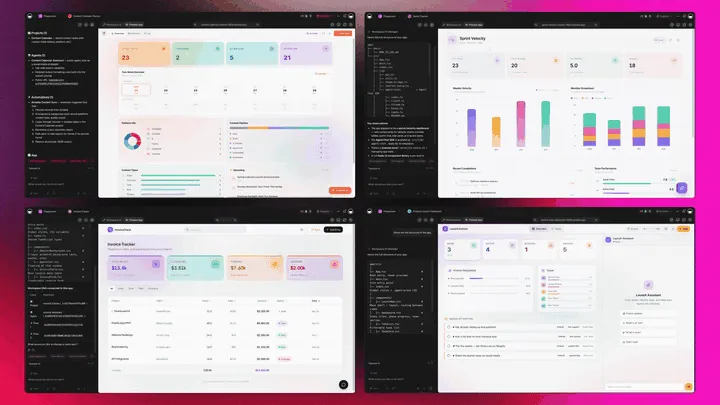
The Full Taskade Genesis Capability: What an Estimation Tool Looks Like When It's Actually a Platform
An estimation tool that's really a platform doesn't just produce the number. It runs the whole project around it. Taskade Genesis generates the estimate as a live web app, then surrounds it with agents that draft and re-price, automations that flag overruns, and a workspace that remembers what past projects actually cost. Here is the capability slice that matters for estimation, told in plain language and shown in working product.
Taskade Genesis: Describe a Project, Get a Running Estimate App
This is the core move. You describe the project in plain words, "a website redesign with scope, hour ranges by role, a budget, and a client quote", and Taskade Genesis returns a real, running web app, not a number you copy out. You can publish it, put it on a custom domain, and let others clone it with one click. The estimate stops being a spreadsheet you guard and becomes a product you ship.
The loop, drawn out:
That dotted line back to the start is the part no point estimator has: every delivered project feeds the next estimate. Here is what's actually inside a Taskade Genesis estimate app, the layers a static number can never carry:
  A GENESIS ESTIMATE APP (one prompt builds all of this)
  ─────────────────────────────────────────────────────
  ┌─ ESTIMATE ─────────────────────────────────────┐
  │  scope · hours by role · rate table · total    │   ← the number everyone else stops at
  ├─ PROJECT PLAN ─────────────────────────────────┤
  │  tasks · assignments · dependencies · Gantt    │   ← multiple views: Gantt, Table, Board, Calendar
  ├─ BUDGET TRACKER ───────────────────────────────┤
  │  planned hours vs logged · burn · margin        │   ← estimate vs actual, side by side
  ├─ CLIENT QUOTE ─────────────────────────────────┤
  │  branded · shareable · review in browser        │   ← your surface, your custom domain
  ├─ AUTOMATION ───────────────────────────────────┤
  │  flag overruns · sync time · push invoice       │   ← 100+ bidirectional integrations
  └─ MEMORY ───────────────────────────────────────┘
     what past projects really cost sharpens the next ← Workspace DNA, the compounding part
See the same estimate-to-delivery shape running live. This is a project app generated from one prompt:
AI Agents v2: built-in tools and an Estimating Teammate
The estimate that holds up is usually the one someone pressure-tested. In Taskade, that someone is an agent. AI Agents v2 ship built-in tools, web search, code, file analysis, custom slash commands, plus persistent memory, multi-agent collaboration, public embedding, and multi-model routing. Point one at your estimate and it drafts the scope, prices the hours, checks the rate math, and re-estimates when scope changes. EVE, the meta-agent, orchestrates the whole team from a single instruction. To understand agents from the ground up, read what are AI agents.

Automation: Durable Workflows That Catch Overruns
Behind the estimate sits reliable automation, workflows that branch, loop, and filter, and run dependably without you babysitting them. Wire 100+ bidirectional integrations so triggers pull project events in (a timesheet logged, a task crossing its estimate, an invoice paid) and actions push the budget out (update the tracker, alert the lead, send the client an updated quote). The estimate isn't an island; it's one node in a workflow that watches the budget for you. For more on building these, see our roundup of AI workflow tools.
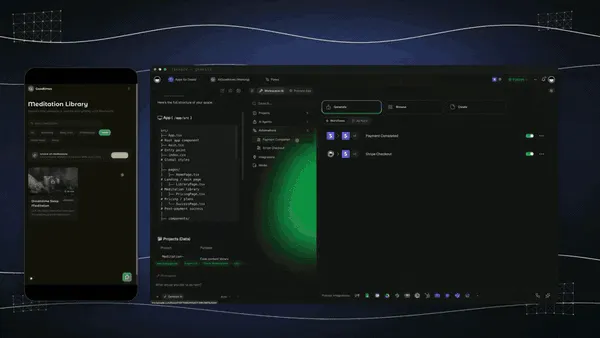
Multiple Project Views: See the Estimate the Way You Think
Every estimate app comes with multiple project views, List, Board, Calendar, Table, Mind Map, Gantt, and Org Chart (the Timeline lives inside Gantt). Scope on a Table, plan the schedule on a Gantt, watch budget burn on a Board, and map deliverables on a Mind Map. The client sees only the quote view you share; you see the whole budget. A static estimate gives you none of these.
Workspace DNA: Memory + Intelligence + Execution
The reason the loop compounds is Workspace DNA, the self-reinforcing triad of Memory, Intelligence, and Execution (the ▲ ■ ● signature). Memory remembers what your past projects actually cost; Intelligence drafts the next estimate in your numbers across frontier models from top AI labs (auto-routed, no model-picking required); Execution tracks it to delivery. Each delivered project becomes Memory for the next estimate, the workspace gets more accurate every time you ship.
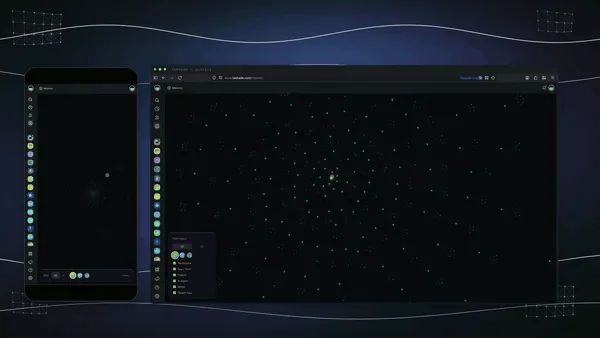
A Real Operator Already Runs On This
This isn't a roadmap promise. Taskade's first self-serve Enterprise customer — an IT program manager with no engineering team — built a production field-service dashboard on Taskade Genesis, a real, running app his team uses every day. His take: "What I accomplished in a few weeks would have taken a team of 40+ people 18 months in a Fortune 500." He didn't generate a number. He generated the app that runs the work, and the project app on this page is the same idea, ready for you to clone. Browse more live, cloneable apps in the Community Gallery, or start your own from free AI app builders.
Decision Flowchart: Which Estimation Tool for Your Job
The plain-English version: if you want the estimate to do work after you quote it, every road leads to Taskade Genesis. If you only need a one-off number for a single estimate type, the point tools are fine.
Three Operators, One Platform: How the Same Tool Fits Different Jobs
The clearest way to see the difference is to watch three very different people use the same builder. Each starts with one prompt and ends with a running app, not a folder of spreadsheets.
The Freelance Developer
She wins projects on speed and trust. She generates an estimate, scope, hour ranges, a rate table, a total, and ships it as a branded quote app on her own domain. The client reviews each line and approves in the browser; she watches the project move from quoted to delivered on a Board. As she logs time, the budget tracker shows planned hours against actual, and an automation pings her the moment a task crosses its estimate. The same app clones for the next client in a click, so she never rebuilds from a blank sheet. What used to be a spreadsheet and a hopeful email is now a project she actually controls.
The Creative Agency
The agency quotes twenty projects a month. They generate a project-estimate template once, scope blocks, roles, tiered rates, a budget, brand it, and clone it per prospect. Every live estimate lands in one portfolio dashboard so the founder sees the whole book at a glance. Automations wire logged time back against each budget and flag overruns before they hit the invoice, so margin stays visible in real time. The same workspace also runs the CRM, so a won estimate kicks off onboarding without anyone copying numbers by hand. Consistency and estimate-vs-actual, without buying three tools.
The Software Consultancy
He scopes complex builds against tight budgets. He generates a software estimate, features, milestones, hour ranges, a cost range, for each client, then turns it into a live project plan with tasks on a Gantt and a budget tracker beside it. Workspace Memory remembers what the last similar build actually cost, so the next estimate starts from real numbers, not a guess. He doesn't need a quick-estimate tool and a project tool and a quoting tool; the workspace covers all three. When a client asks for status, he shares one live view instead of digging through files.
The thread across all three: same platform, same one-prompt start, three completely different jobs, and in every case the output is a living app the operator owns, not a number locked in a vendor's tool.
Related Reading
- AI Quoting Software in 2026, turn an estimate into a client-ready quote
- What Are AI Agents, the teammates that draft and re-price your estimates
- Best AI Workflow Tools in 2026, the automations that catch budget overruns
- Free AI App Builders, start building a live estimate app for free
- Best AI CRM Software, wire a won estimate straight into onboarding
The Bottom Line
In 2026, drafting an estimate is a solved problem, every tool on this list produces a credible scope and number. The unsolved problem is everything after the quote: turning that number into a plan, watching it against reality, and shipping the project on budget. Productive and Kantata tie estimates to live financials, monday.com builds them on flexible boards, CostGPT drafts software scope fast, and Float grounds budgets in real capacity, each genuinely strong at its job.
Taskade Genesis is the one that doesn't stop at the number. The estimate becomes a project plan, a budget tracker, and a client quote in one workspace, tracked from quote to delivery, with multiple views, agent tools, 100+ integrations, and a memory that learns what your projects really cost. Point estimators give you a figure; Taskade Genesis gives you the running project. Start free, clone a live estimate-to-delivery app, and run your next quote all the way to delivered.
▲ ■ ●
Frequently Asked Questions
What is the best AI project estimation tool in 2026?
Taskade Genesis is the best AI project estimation tool in 2026 because it generates the estimate and then runs it as a live app. You get scope, hours, and cost from one prompt, then a project plan, a budget tracker, and a client-facing quote in one workspace. Point estimators give you a number. Taskade Genesis gives you the running project. Pricing starts free, then Pro $10/mo billed annually.
How does AI estimate a project?
AI estimates a project by breaking your brief into modules and tasks, assigning roles, and applying hour ranges and rates drawn from patterns in similar past work. You describe the scope in plain language, and the model returns a structured breakdown with effort, timeline, and cost. In Taskade Genesis that breakdown becomes a live plan you can edit, assign, and track, not a static number.
Is there a free AI project estimation tool?
Yes. Taskade Genesis has a Free Forever plan that generates an estimate and keeps the live app you build from it, with no export paywall. CostGPT also offers a free tier for high-level estimates. Most agency platforms like Productive, Kantata, and monday.com charge per seat with no real free estimating tier, so cost climbs with team size.
Can I build a cost estimate app with AI?
Yes. Describe the work in Taskade Genesis and it builds a cost estimate app from the prompt, with a line-item breakdown, a rate table, hour ranges, and a running total. The app is live, so you edit assumptions and the totals recalculate, share it with a client, and clone it for the next project. It is an app you own, not a one-shot calculator.
How do I estimate hours and budget for a project?
Describe the scope, the team, and the rates in one prompt, and Taskade Genesis returns an hours-and-budget estimate broken down by task and role. It rolls each line item into a total budget and a timeline you can view on a Gantt or Table. Because it is a live app, you adjust the inputs and the numbers update, then track estimated hours against actual hours as the work runs.
Can AI turn an estimate into a project plan?
Yes, and this is the core difference with Taskade Genesis. The estimate is not a separate document. The same scope, hours, and tasks become a live project plan with assignments, dependencies, and a Gantt timeline in one click. Point estimators hand you a PDF you then have to rebuild in a project tool. Taskade Genesis skips that step because the estimate already is the plan.
What is the difference between agency and construction estimating?
Agency estimating prices knowledge work in hours, roles, and rates, so the output is a scope, a budget, and a quote. Construction estimating prices materials and labor in quantities and unit costs from drawings and takeoffs. Taskade Genesis, Productive, Kantata, and monday.com target agency and services estimating. Tools like CostGPT focus on software scope, while construction platforms handle takeoffs.
How do I track estimate vs actual on a project?
Track estimate vs actual by recording your estimated hours and budget, then logging real time and cost against them as the project runs. In Taskade Genesis the estimate is a live app, so a budget tracker view shows planned versus actual side by side, and a reliable automation workflow can flag a task the moment it crosses its estimate. A static estimate gives you nothing to compare against.
Can I connect an estimate to time tracking?
Yes. Taskade Genesis wires time tracking, invoicing, and your CRM through 100+ bidirectional integrations, so logged hours flow back against the estimate automatically. Float and Kantata build time tracking natively into their resourcing tools. With Taskade Genesis, triggers pull time entries in and actions push budget updates out, so the estimate stays current without manual copying.
How accurate is AI project estimation?
AI project estimation is accurate enough for planning and quoting when the brief is detailed, with tools like CostGPT reporting better than 80 percent accuracy on software scope. Accuracy depends on the quality of your inputs and improves as the tool learns from your past projects. Taskade Genesis sharpens future estimates with Workspace Memory, which remembers what similar past projects actually cost.
Can I share an estimate with a client?
Yes. A Taskade Genesis estimate is a live, shareable app, so you send the client a branded quote they review in the browser rather than a flat PDF. They see the scope, the hours, and the price, and you control exactly which view they get with role-based access. On Pro and above you put it on a custom domain so it looks like your own product.
Can I clone an estimation app instead of building one?
Yes. You can clone a live estimate-to-delivery app from the Taskade Community Gallery in one click, then swap in your own services, rates, and branding. Cloning a working app is faster than starting from a blank estimate and gives you the budget tracker and project plan already wired up. The estimate, the plan, and the quote come pre-built.