






In 2022, "AI agent" meant a research demo that could barely complete a task. By 2026, agents write code, run support queues, and operate real businesses, and a whole infrastructure category is being built underneath them. Gartner logged a 1,445% surge in multi-agent system inquiries between early 2024 and mid-2025, and the noise has made one question genuinely hard to answer: how is a production AI agent actually built?
The honest answer is that every production agent, whether it's Devin, a Taskade EVE workflow, or something you wire together yourself, is assembled from the same five layers. Learn the five and you can build one, debug one, or decide which one to buy. This is the full stack, explained end-to-end.
TL;DR: Every production AI agent is assembled from five layers, reasoning (the model), orchestration (the control loop), tools (the action layer), memory (state that persists), and observability (the control plane). The patterns behind them, ReAct, MCP, the four memory types, were standardized between 2022 and 2026. Learn the five and you can build, debug, or buy any agent. Taskade Genesis ships all five in one workspace you can clone and run.
What Is the AI Agent Stack?
The AI agent stack is the set of five layers that turn a language model into a system that gets work done: reasoning, orchestration, tools, memory, and observability. A bare model can only answer; an agent perceives a goal, reasons about a step, acts through a tool, remembers what happened, and repeats, while a control plane watches the whole thing. Take away any one layer and the agent breaks in a predictable way.
That sounds tidy, but the public web doesn't explain it that way. The top results split into two camps that each cover only half the topic. On one side, corporate explainers (IBM, Deloitte, Google Cloud) define agents abstractly with no buildable depth. On the other, vendor deep-dives over-index on the single layer they sell, one company is "memory," another is "observability," a third is "state." Nobody walks the full stack. That's the gap this guide fills.
The diagram captures the one thing diagrams of "agents" usually miss: orchestration is the hub, not the model. The model proposes; the control loop disposes, calling tools, reading and writing memory, and deciding whether to go around again. Observability wraps all of it.
The 5 layers at a glance
| Layer | What it does | Core question | Representative tech | If it's missing |
|---|---|---|---|---|
| 1 · Reasoning | decides the next move | "What should I do?" | LLMs, reasoning models, routers | the agent can't plan |
| 2 · Orchestration | runs the loop | "How do I keep going?" | ReAct, plan-and-execute, reflection | one-shot, no recovery |
| 3 · Tools | acts on the world | "How do I actually do it?" | function calling, MCP | all talk, no action |
| 4 · Memory | remembers | "What happened before?" | working / episodic / semantic / procedural | amnesia every session |
| 5 · Observability & safety | watches and guards | "Did it work? Is it safe?" | tracing, evals, guardrails | silent failures, no trust |
Keep this table open. The rest of the guide is one section per row.
Agent vs. Workflow vs. Chatbot: The Distinction That Actually Matters
An agent decides its own steps; a workflow follows steps you defined in advance; a chatbot just answers. This is the single most useful distinction in the field, and Anthropic's Building Effective Agents (December 2024) draws it cleanly: workflows are LLMs orchestrated through predefined paths, while agents dynamically direct their own process and tool use. A chatbot, by contrast, has no loop at all. It's a single request and a single response.
Why does this matter before we talk architecture? Because most teams reach for "agent" when a workflow would be cheaper, faster, and far easier to debug. Anthropic's central advice is to start simple and add agentic complexity only when simpler solutions fall short, and the framework names five workflow patterns worth exhausting first: prompt chaining, routing, parallelization, orchestrator-workers, and evaluator-optimizer.
| Dimension | Chatbot | Workflow | Agent |
|---|---|---|---|
| Who controls the flow | you, turn by turn | a fixed, predefined path | the model, at runtime |
| Tool use | none or minimal | scripted in advance | chosen dynamically |
| Autonomy | none | low | high |
| Predictability | high | high | lower — by design |
| Best for | Q&A, support replies | known, repeatable steps | open-ended goals |
| Debuggability | easy | easy | needs observability |
If you can draw the steps on a whiteboard, build a workflow. If the steps depend on what the agent discovers along the way, you need the full stack. For a deeper taxonomy of where agents sit relative to copilots and chatbots, and what counts as an agent at all, those breakdowns go further than we can here.
A Short History of the Agent Stack (2022–2026)
The agent stack didn't arrive fully formed. It was assembled, one primitive at a time, in four short years, each milestone solving a specific failure of the last. Understanding the sequence is the fastest way to understand why the five layers look the way they do.
| Date | Milestone | Why it mattered for the stack |
|---|---|---|
| Jan 2022 | Chain-of-Thought prompting (Wei et al., Google) | reasoning in steps; on GSM8K, PaLM 540B jumped from ~18% to ~57% |
| Oct 2022 | ReAct (Yao et al.) | interleaved reasoning + tool actions — the agent loop is born |
| Mar 2023 | AutoGPT | autonomy goes viral; 30K GitHub stars in 13 days, 100K+ within weeks |
| Jun 2023 | OpenAI function calling | tool use becomes structured JSON the model can emit |
| Sep 2023 | CoALA framework | formalizes agent memory: working + episodic / semantic / procedural |
| Apr 2024 | OpenTelemetry GenAI SIG | observability gets an open standard |
| Nov 2024 | Model Context Protocol (Anthropic) | "USB-C for AI" — one tool-interop standard |
| Dec 2024 | Anthropic, Building Effective Agents | workflow-vs-agent line; "start simple" |
| 2026 | The agent control plane | governance, identity, and safety become core infrastructure |
Notice the rhythm: a reasoning trick (CoT), then a loop to use it (ReAct), then a way to act (function calling), then a way to remember (CoALA), then a way to connect tools at scale (MCP), then a way to watch and govern the whole thing (observability, control plane). That progression is the stack. For the longer story of the labs behind it, see our histories of OpenAI and Anthropic, and the rise of agentic engineering as a discipline.
How an Agent Actually Works: The Perceive-Reason-Act Loop
A production agent runs a single loop over and over: perceive the goal and relevant context, reason about the next step, act through a tool, observe the result, write what happened to memory, and repeat until done. This think-act-observe cycle is the orchestration layer in motion, and it's the line between an agent and a one-shot reply.
Two details separate toy agents from production agents. First, the loop has a stopping condition, a good agent knows when it's done, when it's stuck, and when to ask a human. Second, every pass emits a trace. Without that, a five-step run that fails on step four is a black box. With it, you can see exactly which layer dropped the ball, which is the entire point of layer five.
Layer 1: Reasoning: The Model and the Router
The reasoning layer is the model that decides what to do next, and, increasingly, the routing logic that picks which model. This is the engine of the stack, but it is not the whole car. A frontier model with no loop, no tools, and no memory is still just a very smart chatbot.
Two shifts define this layer in 2026. First, reasoning models, models trained to "think" before they answer, now handle far more of the planning that orchestration code used to do, which means simpler loops can accomplish more. Second, model routing: rather than hand-pick one model for every task, production systems route each step to the model that fits, a fast cheap model for classification, a frontier model for hard reasoning. If you want the mechanics underneath, our explainer on how large language models work covers tokens, attention, and the next-token loop that makes all of this possible.
In Taskade, the reasoning layer is abstracted for you. Taskade gives agents access to frontier models from top AI labs, with an Auto setting that routes each task to an appropriate model so you don't have to hand-pick one. You get the routing shift without writing the router. If you want agents to run on your own provider account instead, see AI builders that accept your own API key.
Layer 2: Orchestration: The Control Loop
Orchestration is the control loop that decides whether the agent keeps going, and how. It's the layer that turns a single model call into a goal-seeking system, and it's where most of an agent's real "intelligence" actually lives. The dominant patterns are worth knowing by name because choosing the right one is the highest-leverage architecture decision you'll make.
- ReAct, reason, act, observe, repeat. The default starting loop (Yao et al., 2022).
- Plan-and-execute, draft a full plan first, then run the steps. Better for multi-step jobs with predictable structure.
- Reflection / critic, the agent reviews its own output and revises before returning it. Buys quality at the cost of latency.
Most teams over-engineer this layer. The right move is the one Anthropic recommends: start with a single ReAct loop, and add a reflection step or a plan-and-execute structure only when you can point to a specific failure that demands it. For the broader landscape of frameworks that implement these loops, from LangChain and LangGraph to newer agentic engineering platforms. Those comparisons go deep on tradeoffs.
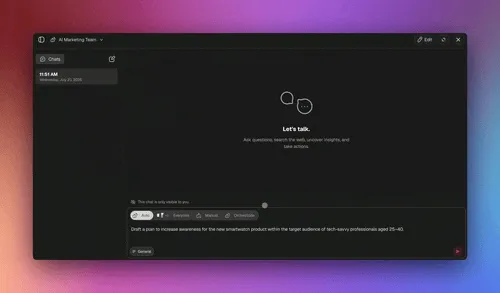
In Taskade, orchestration is the control loop done for you. Taskade Genesis and its multi-agent collaboration handle the loop, the hand-offs, and the supervisor/worker structure. So you describe the goal and let the orchestrator run it, rather than hand-coding a state machine.
Layer 3: Tools: The Action Layer
Tools are how an agent does anything beyond talk, search the web, query a database, send an email, edit a file, hit an API. An agent without tools is a brain in a jar. The action layer is also the part of the stack that has standardized fastest, and that standardization is the single biggest change since 2023.
The story is two steps. First, OpenAI's function calling (June 2023) let a model emit a structured JSON object describing which developer-defined function to call with which arguments, turning "tool use" from prompt-hackery into a reliable mechanism. Second, Model Context Protocol (Anthropic, November 2024) standardized the connection itself. Before MCP, wiring M models to N tools meant building M×N custom connectors. MCP makes it M+N: a tool exposes one server, and every compliant agent can use it, which is why it's described as a USB-C port for AI.
Before MCP                          After MCP
─────────                           ─────────
model A ─┬─ tool 1 (custom)         model A ─┐
         ├─ tool 2 (custom)         model B ─┼─► one MCP server per tool
model B ─┼─ tool 1 (custom)         model C ─┘        (M + N connectors)
         └─ tool 2 (custom)
   M × N custom connectors
Good tool design is its own discipline, too few tools and the agent can't act, too many and it gets confused about which to pick. Our pieces on how many tools an agent should have and the best MCP servers to plug in cover the practical end, and building a hosted MCP server covers the production end.
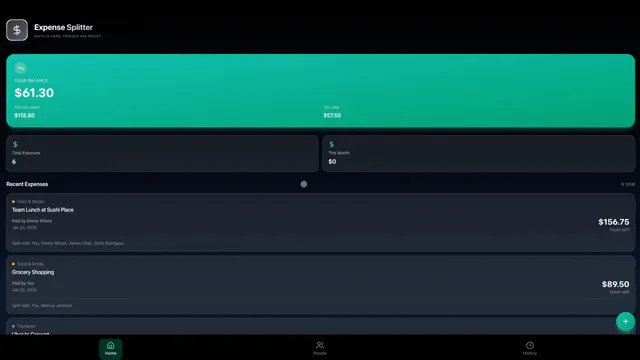
In Taskade, the action layer is built in. AI Agents v2 ship with built-in tools, web search, code execution, file analysis, custom slash commands, and more, plus 100+ bidirectional integrations (triggers pull events in, actions push data out). MCP runs both ways here, in two different places. Taskade hosts an MCP server on every paid plan so Claude Desktop, Cursor, and VS Code connect into your workspace. Pointed outward, the MCP Client step inside an automation calls tools on a third-party MCP server, on every plan including Free — the call lives in the automation, and an agent hands it the work rather than dialing out itself. Beyond MCP, agents act through their built-in tools and integrations. You connect once and the agent acts.
Layer 4: Memory: State That Persists
Memory is what lets an agent remember beyond a single turn, across the conversation, across sessions, across days. Without it, every interaction starts from amnesia. The CoALA framework (Sumers, Yao, Narasimhan, Griffiths, 2023) formalized agent memory as working memory plus three long-term types, episodic, semantic, and procedural, drawn from cognitive science, and that split is now the standard mental model.
| Memory type | Cognitive analog | What it stores | Typical storage | When to use it |
|---|---|---|---|---|
| Working | short-term memory | the current task + recent turns | the context window | every single turn |
| Episodic | autobiographical memory | past events and interactions | log / vector store | "what did we decide last week?" |
| Semantic | factual knowledge | facts, docs, entities | vector + knowledge graph | grounding and retrieval |
| Procedural | muscle memory | how to perform a task | prompts / skills / code | repeatable workflows |
The 2026 shift here is the one practitioners feel most: memory is becoming a first-class primitive, not a vector-database afterthought. Retrieval is moving "beyond vector search" toward multi-signal strategies, GraphRAG, agentic RAG, late-interaction models, and hybrid dense-sparse retrieval, because pure similarity search misses too much. Our deep dives on the types of memory in AI agents and long-term memory trace where this is heading.
In Taskade, memory persists by default. Agents carry persistent memory across sessions, and the broader framing is Workspace DNA, your Projects are the memory, so what an agent learns becomes durable, navigable state rather than a transcript that scrolls away.
Layer 5: Observability and Safety: The Control Plane
Observability is how you know whether an agent actually worked, and safety is how you keep it from doing harm while it tries. This is the layer teams skip first and regret most, because a non-deterministic system you can't see into is a system you can't trust in production. The fix is to emit four signals on every step and view them in one place.
| Signal | What it captures | OpenTelemetry GenAI concept | Why it matters in production |
|---|---|---|---|
| Trace / span | each step, tool call, and latency | gen_ai spans |
find exactly where a run broke |
| Token / cost | input + output tokens per call | gen_ai.usage.* |
FinOps for agents — cost per task |
| Eval | output quality against a rubric | quality evaluation | catch regressions before users do |
| Guardrail | a blocked or flagged action | safety attributes | trust, compliance, and audit |
This layer is standardizing fast. The OpenTelemetry GenAI special interest group formed in April 2024, and its semantic conventions now span LLM call tracing, agent orchestration, and MCP tool calling, with native support from major observability vendors. Evals deserve their own mention, agent evals are how you turn "it seems to work" into a number you can defend, and DORA-style metrics are migrating into agent operations too.
In Taskade, the control plane is the workspace itself. Agent runs are team-visible, and role-based access (Owner through Viewer) governs who can build, run, and approve. So observability and safety are properties of the workspace, not a separate tool you bolt on.
Single-Agent vs. Multi-Agent: When to Add a Second Agent
Start with one agent. Add a second only when the work needs genuinely distinct skills, runs in parallel, or overflows what a single context can hold. Multi-agent systems are powerful, but every additional agent multiplies coordination cost, and the most common production mistake in 2026 is reaching for a "team of agents" when a single well-equipped agent would have been simpler and more reliable.
When you do go multi-agent, three topologies dominate production. A supervisor routes work to specialists and synthesizes their results. A hierarchical pattern stacks supervisors for large agent organizations. A swarm lets peers self-organize with no central boss. Practitioner guidance is consistent: default to supervisor or hierarchical for anything that needs control and audit trails, and treat swarm as research-mode for exploratory, low-interdependency tasks.
For the full treatment, see single-agent vs. multi-agent teams, multi-agent systems, and the production lessons teams have learned the hard way.
Architecture pattern decision table
| Pattern | How it works | Best for | Avoid when | Production-readiness |
|---|---|---|---|---|
| Single-agent ReAct | reason → act → observe, repeat | most tasks; start here | heavily parallel work | high |
| Reflection / critic | agent reviews its own output | quality-critical output | latency-sensitive jobs | high |
| Plan-and-execute | plan first, then run the steps | multi-step, predictable | fast-changing goals | high |
| Supervisor | one orchestrator routes to specialists | distinct skills, need control | trivial single tasks | high |
| Hierarchical | supervisors of supervisors | large, layered agent orgs | small teams | medium |
| Swarm | peers self-organize, no boss | exploratory, low interdependency | anything needing an audit trail | research-mode |
Why Agents Break: Reliability Compounds in the Wrong Direction
The hardest truth about the agent stack is mathematical, not technical: when an agent depends on multiple layers, end-to-end reliability is the product of each layer's reliability. Five layers that are each 99% reliable don't give you a 99% reliable agent. They give you 95%. This is why agents that demo flawlessly fall over in production, and why the fix is rarely a smarter model.
End-to-end reliability = the product of every layer's reliability  5 layers @ 99.0%  →  0.99^5  =  95.1%   (about 1 run in 20 fails)
5 layers @ 97.0%  →  0.97^5  =  85.9%   (about 1 run in 7 fails)
5 layers @ 95.0%  →  0.95^5  =  77.4%   (nearly 1 run in 4 fails)
The fix is not a smarter model. It is fewer, more reliable layers —
plus observability to see which layer dropped the ball.
This reframes the whole build. It means fewer, more reliable layers beat more, flakier ones. It means observability isn't optional. You can't fix what you can't see. And it's the strongest argument for a managed stack: when reliability is the product of five things, owning all five and tuning them together beats stitching five vendors whose failure modes you don't control. The same logic shows up in the agent harness discussion, the scaffolding around the model often matters more than the model.
Your Stack Diagram Is a Connectome (And That Is a Warning)
Everything above is a map of paths. It is worth being precise about what a map of paths can and cannot tell you, because neuroscience ran this experiment properly and published the answer.
In September 2026, researchers published the first complete wiring diagram of a male fruit fly's central nervous system: 166,700 neurons, roughly 125 million connections, brain and nerve cord, proofread by expert teams over years. Together with the female map published three months earlier, it is among the most complete structural maps of a working intelligence that exist.
It still cannot predict behavior. A 2024 Nature paper named the missing half the "effectome" and stated the limit exactly:
A wiring diagram "specifies the synaptic paths by which neurons can affect each other, but not how strongly they do affect each other in vivo."
Apply that sentence to the five-layer diagram you just read.
| Question | What the stack diagram answers | What only measurement answers |
|---|---|---|
| Can the orchestrator reach this tool? | Yes, the path exists | Whether it ever calls it in production |
| Does memory feed reasoning? | Yes, it is wired | How much of what is retrieved is actually used |
| What happens if the tool layer fails? | Which paths are severed | Whether the agent degrades or loops forever |
| Did my prompt change help? | Nothing — the diagram is unchanged | Whether behavior improved |
The field's response to this limit was not a better map. It was perturbation: change one thing, measure what propagates. The agent-stack equivalent is unglamorous and effective — change one fact in the input and check it survives to the output, remove one agent and see whether the system degrades or collapses, and log which designed paths actually fire.
That last one catches the most real problems. Designed-but-never-fired paths are common and invisible in every architecture diagram. A stack diagram is necessary for reasoning about your system. It is not evidence that the system works.
Full treatment in the complete connectome explained.
Two Views of the Stack: Cognitive vs. Infrastructure
There are two ways to slice the agent stack, and confusing them is why "agent infrastructure" debates so often talk past each other. The five layers above are the cognitive stack, what an agent needs to think and act. Underneath it, a second stack is being assembled in public: the infrastructure stack, what an agent needs to exist and run safely in the world, in the same way cloud computing once moved from on-premise servers to rented primitives.
The infrastructure view breaks down into its own layers:
- Compute and sandboxing, agents need an isolated, auditable place to run code that isn't your laptop or production. This is the most production-ready infrastructure layer today.
- Identity and communication, an agent needs to authenticate, hold a verifiable identity, and exchange messages. Still in flux; some teams shim it with email, others build agent-native protocols.
- Memory and state, the same memory layer from the cognitive view, but offered as managed infrastructure rather than a feature bolted onto the model.
- Tools and integration, managed connector layers that handle auth, rate limits, and the M×N problem MCP is standardizing from the protocol side.
- Provisioning and billing, the newest layer: letting agents acquire and pay for services securely, with budget controls and human approval gates.
- Orchestration and coordination, the biggest open opportunity: running many agents reliably at scale with fallback handling, audit trails, and cost controls. Today most teams hand-roll this.
The two views overlap (memory and orchestration appear in both) but answer different questions. The cognitive stack asks how does this agent reason its way to a result? The infrastructure stack asks how do a thousand of these run in production without sprawl, lock-in, and runaway cost? The reliability math from the last section is exactly why the infrastructure view matters: when end-to-end reliability is the product of every primitive, the layer that makes those primitives composable and observable is worth more than any single one.
For most builders the lesson is stack literacy, know which layer is your real problem before you buy a tool for it. And for teams who'd rather not assemble two stacks by hand, a managed platform collapses both views into one: Taskade runs the cognitive loop and handles the infrastructure underneath, execution, integrations, and a workspace that keeps a fleet of AI agents governed and visible.
The 2026 Freshness Layer: Where the Stack Is Heading
The agent stack is still moving, and four shifts define 2026. Naming them is how you avoid building on a primitive that's about to be standardized away.
- The agent control plane. The enterprise conversation has shifted from creating agents to governing them, context, identity, non-human identity management, and security as core infrastructure. It was a defining theme at Google Cloud Next 2026 and Microsoft Build 2026, and it's the reason layer five is no longer an afterthought.
- MCP as the tool standard. What function calling started, Model Context Protocol is finishing, one interop layer for tools, which steadily erodes the value of bespoke integration middleware.
- Multi-signal retrieval. Pure vector similarity is giving way to GraphRAG, agentic RAG, RAPTOR, late-interaction models, and hybrid dense-sparse retrieval. Memory is getting smarter about how it recalls.
- Memory as a first-class primitive. The biggest architectural change since 2024: memory is being designed in from the start, not bolted on as a vector store at the end.
The throughline of all four is the same idea pushing the field toward AGI-shaped workflows: capability was never the bottleneck, reliability and deployability were. The labs proved the models could reason; 2026 is about making them dependable enough to run a business on.
Build Your First Agent Stack: A Practitioner's Path
Building your first agent stack means starting with one of each layer and adding complexity only when a real failure demands it. The mistake is trying to assemble a perfect five-vendor stack on day one. The right path is deliberately boring:
- Reasoning, pick one capable model. Don't optimize routing yet.
- Orchestration, write one ReAct loop with a clear stopping condition.
- Tools, give it two or three reliable tools, ideally over MCP.
- Memory, working memory plus one persistent store. That's enough to start.
- Observability, turn on tracing from the very first run, before you need it.
Then iterate against failures, not against features. Add a reflection step when quality slips. Add a second agent only when one is visibly overloaded. This is the same "start simple" discipline Anthropic preaches, applied to the whole stack.

You can assemble these five layers yourself with frameworks and a fistful of API keys. That's the agentic engineering path, and it's a real skill worth having. Or you can use a stack that ships all five assembled. Taskade Genesis is the managed version of this exact diagram: describe an app in plain English and get AI agents, automations, databases, and 100+ integrations wired together, reasoning, orchestration, tools, memory, and observability in one workspace, no deployment or hosting required.
In practice, that managed stack means you can:
- Describe an app and get the whole system, data, AI agents, automations, and a publishable interface, not just a static page.
- See the plan first: Taskade Genesis shows the data, agents, and automations it will build, with a diagram of how they connect, before it builds them.
- Work your data 7 ways: List, Board, Calendar, Table, Mind Map, Gantt, and Org Chart over the same records, with custom fields like a real database.
- Give agents memory and knowledge, persistent memory across sessions plus connected project knowledge, so retrieval happens for you with no vector database to run.
- Ship it safely, publish to a custom domain, lock an app behind a password, add real user accounts, and gate who can build, run, and approve with roles.
- Embed agents anywhere, publish any agent as a public chat and drop it onto your own site.
Browse what people have built in the Community Gallery to clone a working stack instead of starting from a blank page.
Connecting the Dots: The Five Layers Are One Loop
Here's the synthesis the vendor blogs can't offer, because each only sees its own layer: the five-layer stack is really one self-reinforcing loop. Memory feeds reasoning, reasoning drives orchestration, orchestration calls tools, tools change the world, and what happens gets written back to memory, with observability watching every pass. That loop is exactly the Workspace DNA idea: Memory feeds Intelligence, Intelligence triggers Execution, and Execution creates Memory.
| Stack layer | What it does | In Taskade, you get |
|---|---|---|
| Reasoning | picks and runs the model | Frontier models from top AI labs with Auto routing |
| Orchestration | the control loop | Taskade Genesis + Taskade EVE multi-agent collaboration |
| Tools | the action layer | AI Agents v2: built-in tools + 100+ integrations; hosted MCP server for inbound clients |
| Memory | state that persists | persistent agent memory + Workspace DNA |
| Observability & safety | the control plane | team-visible runs + role-based access |
The takeaway is the one Bill Atkinson would have appreciated: the most powerful systems are the ones whose complexity is hidden behind something a person can actually use. The five-layer stack is the complexity. A prompt that returns a running app is the interface. Learn the layers so you understand what's happening under the hood. Then let a managed stack handle the plumbing so you can spend your attention on the goal, not the glue.
Frequently Asked Questions About the AI Agent Stack
What is the AI agent stack?
The AI agent stack is the five layers every production agent is built from: reasoning, orchestration, tools, memory, and observability/safety. Reasoning is the model; orchestration is the control loop; tools are the action layer; memory persists state; observability traces, evaluates, and guards. Production agents need all five working together, which is why single-layer vendor pitches only tell half the story.
What are the five layers of an AI agent architecture?
Reasoning (the model and any routing), orchestration (ReAct, plan-and-execute, reflection), tools (function calling and MCP), memory (working, episodic, semantic, procedural), and observability and safety (tracing, evals, guardrails). Remove any one and the agent fails in a predictable way, no planning, no recovery, no action, amnesia, or silent failure respectively.
What is the difference between an AI agent and a workflow?
A workflow follows steps you defined in advance; an agent decides its own steps at runtime. Anthropic's Building Effective Agents (December 2024) draws this line directly: workflows are LLMs on predefined paths, agents dynamically direct their own process. Start with a workflow and add agentic autonomy only when fixed paths fall short.
What is the ReAct pattern in AI agents?
ReAct interleaves a model's reasoning with tool actions, think, act, observe, repeat. Introduced by Yao et al. in October 2022 (arXiv:2210.03629), it beat baselines on ALFWorld and WebShop by 34% and 10% absolute success rate. It's the default control loop most single-agent systems begin with.
What are the four types of AI agent memory?
Working, episodic, semantic, and procedural, drawn from cognitive science and formalized for agents in the CoALA framework (2023). Working is the active context window, episodic is past events, semantic is facts, and procedural is how to do tasks. Production agents combine all four instead of leaning on one vector database.
What is Model Context Protocol (MCP) and why does it matter?
MCP is an open standard Anthropic released on November 25, 2024 that lets any compliant AI client connect to any compliant tool server, a USB-C port for AI. It turns the M×N integration problem into M+N: a tool exposes one server and every agent can use it. Taskade sits on the server side — a hosted MCP server on every paid plan that external clients connect into — alongside built-in agent tools and 100+ integrations that give Taskade agents their own reach.
When should you use a single agent vs. a multi-agent system?
Start with a single agent. Add a second only when the work needs distinct skills, runs in parallel, or overflows one context window. A single ReAct loop handles most tasks; add reflection for quality and plan-and-execute for multi-step jobs before reaching for a team. Multi-agent adds coordination cost, so the bar should be high.
What is the difference between supervisor, hierarchical, and swarm patterns?
A supervisor uses one central orchestrator routing to specialists; hierarchical stacks supervisors into layers; swarm lets peers self-organize with no boss. Default to supervisor or hierarchical when you need control and audit trails. Treat swarm as research-mode for exploratory, low-interdependency tasks.
How do you add observability to an AI agent?
Emit traces, token/cost metrics, evals, and guardrail events on every step, then view them together. The OpenTelemetry GenAI SIG (formed April 2024) defines semantic conventions for LLM calls, orchestration, and tool calling, attributes like gen_ai.request.model and gen_ai.usage.input_tokens. So you can find which layer broke a run and track cost per successful task.
What is the perceive-reason-act loop?
It's the core cycle an agent repeats: read context and the goal, reason about the next step, call a tool, observe the result, write to memory, and loop until done, emitting a trace each pass. Also called think-act-observe, this loop is the orchestration layer in action and is what separates an agent from a one-shot chatbot reply.
How do you build your first AI agent stack?
Start with one model, one ReAct loop, two or three reliable tools, working memory plus one persistent store, and tracing on from day one. Keep the loop simple, add reflection if quality slips, and add a second agent only when one is overloaded. Assemble it from vendors, or use a managed stack like Taskade Genesis that ships all five layers in one workspace.
Do you need to write code to build a production AI agent?
No. You can code the five layers together with frameworks, or use a no-code platform that assembles them. Taskade Genesis builds living apps with AI agents, automations, and 100+ integrations from a plain-English prompt, free to start, with Pro from $10/month billed annually. The five-layer model still applies; the platform handles the plumbing.
The next time someone shows you an "AI agent," look past the demo and find the five layers. Ask which model reasons, what loop orchestrates it, which tools it can call, how it remembers, and how you'd know if it failed. If all five are there and working together, it's production. If one is missing, you've found exactly where it will break.
That's the whole stack, Memory feeding Intelligence, Intelligence triggering Execution, Execution creating Memory, on a loop. ▲ ■ ●
Ready to see the five layers assembled? Build a living app with Taskade Genesis, give it AI agents and tools, wire in automations, and clone a working stack from the gallery.