







Every AI demo shows a single agent doing one thing perfectly. One prompt, one response, one clean screenshot. The demo works because the conditions are controlled: the context is hand-crafted, the task is scoped, the model is the best available, and there is no budget constraint.
Production is different. Production means thousands of agents with different roles, different knowledge bases, and different users. It means agents that need to collaborate on tasks that span multiple domains. It means operating within real credit budgets where running every request on a frontier model would bankrupt you. It means handling the edge cases that demos never show: agents that loop, contexts that overflow, and users who expect their agents to remember what happened last Tuesday.
We have been building multi-agent systems at Taskade for three years. Over that period, we have deployed more than 500,000 AI agents in production — each with configurable roles, custom tools, persistent memory, and the ability to collaborate with other agents. This post is the engineering story behind that system. No marketing, no hand-waving. Just the architectural decisions, the production failures, and the lessons we learned the hard way.
TL;DR: Running one AI agent is a solved problem. Running thousands of agents that collaborate, remember context, and operate within resource constraints is an engineering challenge. Taskade deploys 500K+ agents with 5 memory types, credit-based model selection, and agentic loop protection. Build your first agent team for free →
The Journey: Single Agent to Autonomous Orchestration
Before diving into architecture, here is the compressed timeline. Three years, ten milestones, one thesis: memory matters more than models.
| Date | Version | Milestone |
|---|---|---|
| May 2023 | v4.76.0 | First AI Agents (single agent per workspace) |
| Sep 2023 | v4.120.0 | Multi-agent collaboration (Roundtable) |
| Nov 2023 | v4.136.0 | Knowledge upload to agents (documents, spreadsheets) |
| Mar 2024 | v5.30.0 | Agents access project knowledge during conversations |
| Jun 2024 | v5.61.0 | Multi-agent conversation + web search tool |
| Dec 2024 | v5.120.0 | AI Agent Teams (multi-select, task assignment) |
| Jun 2025 | v5.185.0 | AI Team collaboration mode |
| Sep 2025 | v6.12.0 | Embeddable public agents (any website) |
| Oct 2025 | v6.30.0 | Agents invoke other agents autonomously |
| Feb 2026 | v6.109.0 | Agent Metadata (structured descriptions, capabilities) |
The first agent was easy. You give an LLM a system prompt, wire up a chat interface, and it works. The moment we introduced a second agent in September 2023 — letting two agents talk to each other in the same workspace — everything broke. Context bled between agents. One agent's instructions contaminated the other's behavior. The conversation history grew so fast that both agents lost coherence within ten turns.
That failure led to the architecture we use today. Every decision in this post traces back to a problem we hit when we tried to scale from one agent to many.
The Memory Psychology Framework
The single biggest lesson from 500,000+ agent deployments: the agent is only as good as its memory system. Not the model. Not the prompt. The memory.
Humans do not have one memory. Cognitive psychology identifies multiple memory systems — episodic memory for personal experiences, semantic memory for facts, procedural memory for skills, working memory for the task at hand. Each system has different persistence characteristics, different retrieval mechanisms, and different capacity limits.
We designed our agent memory the same way. Five types, each serving a distinct purpose, each with its own persistence and retrieval strategy.
The Five Memory Types
| Memory Type | Persistence | What It Stores | Example |
|---|---|---|---|
| Core | Permanent | Identity, role, system prompt | "You are a data analyst specializing in SaaS metrics" |
| Reference | Session-linked | Knowledge bases, connected docs | Product docs, API references, company wiki |
| Working | Per-conversation | Current context, recent messages | Active task state, intermediate results |
| Navigation | Per-session | Workspace position, directory context | Current project, folder path in the workspace |
| Learning | Cross-session | User preferences, interaction patterns | "User prefers bullet points over paragraphs" |
Core Memory is the agent's identity. The role, personality, and system prompt that define what the agent is. This never changes during a conversation. When you create a custom agent on Taskade and give it a name, description, and instructions — that is Core Memory. It is loaded first, before anything else, because every subsequent decision the agent makes is filtered through its identity.
Reference Memory is external knowledge. The documents, spreadsheets, and knowledge bases you connect to an agent. The critical design decision here: we do not stuff the entire knowledge base into context. That would exhaust the context window within seconds for any non-trivial knowledge set. Instead, we load reference memory on demand — retrieving only the chunks relevant to the current query. This is context engineering in practice: curating what goes into the prompt window rather than dumping everything in.
Working Memory is the conversation itself. The messages, tool results, and intermediate outputs from the current session. This is the most volatile memory type and the one that requires the most aggressive management. Left unchecked, working memory grows until it overflows the context window and the agent loses coherence. We manage it with two mechanisms: trimMessages (remove the oldest messages while preserving the system prompt and recent context) and truncateMessagesWithSummary (compress old messages into summaries rather than deleting them entirely).
Navigation Memory tracks where the agent is in the workspace. Which project is open, which folder the agent is looking at, what the surrounding structure looks like. This matters because Taskade workspaces are hierarchical — projects contain tasks, tasks contain subtasks, everything lives in a tree. An agent without Navigation Memory is like a file manager without a current working directory. It does not know where it is, so every operation requires an absolute path.
Learning Memory is the long game. What has the agent learned about this user across sessions? Does the user prefer tables or bullet points? Do they want concise answers or detailed explanations? Do they always follow up a data query with a visualization request? Learning Memory captures these patterns and feeds them back into Core Memory, making the agent incrementally better at serving each user.
Why Five Types Instead of One
The naive approach is a single memory: the conversation history. Append every message, every tool result, every response into one growing list. This works for toy demos. It fails in production for three reasons:
Context overflow. A single-memory agent hits the context window limit quickly. When it does, you have to choose what to cut — and cutting from one undifferentiated list means you lose critical information alongside noise.
Role confusion. Without separated Core Memory, the agent's instructions get pushed further and further from the top of the context window as the conversation grows. The agent gradually forgets what it is supposed to be doing.
Knowledge pollution. Without separated Reference Memory, the agent mixes user messages with retrieved documents with tool outputs. The model cannot distinguish authoritative knowledge from casual user input.
The five-type framework solves all three by giving each category of information its own lifecycle. Core Memory is always present. Reference Memory is loaded on demand. Working Memory is actively compressed. Navigation Memory is session-scoped. Learning Memory is cross-session but lightweight.
Credit-Based Model Selection
AI models have wildly different costs. Running every request on a frontier model would produce the best results — and would also consume credits at a rate that makes the product unsustainable. Running everything on the cheapest model would save credits and produce mediocre output. Neither extreme is acceptable.
Our solution is credit-based model routing: each request is routed to the best model the user's credit balance and plan tier allow.
The Model Hierarchy
Each tier maps to the best default model for general-purpose agent work:
- Free tier: a frontier Gemini model. Capable enough for most conversational tasks, summarization, and simple tool use. The quality floor is high — users on the free tier still get useful results.
- Pro and Business tiers: Claude Sonnet. The workhorse. Excellent at following complex instructions, multi-step reasoning, and tool orchestration. This is what the majority of our paid users run on.
- Enterprise and complex reasoning tasks: Claude Opus. Reserved for tasks that require deep reasoning — multi-step code generation, complex analysis, and Genesis app building. The system detects task complexity signals (long prompts, multiple tool calls expected, explicit reasoning requests) and routes to Opus when the user's plan allows it.
Taskade supports 15+ frontier models from OpenAI, Anthropic, and Google. Users can also explicitly select a model in their agent configuration, overriding the automatic routing. The credit cost is always transparent — you see exactly which model was used and how many credits it consumed.
The "Never Downgrade Mid-Task" Rule
This is the single most important design decision in our model selection system. If an agent starts a task on Claude Sonnet, it finishes on Claude Sonnet — even if the user's credit balance drops below the threshold mid-task.
Why? Because switching models mid-task produces worse results than either model alone. Each model has different response patterns, different formatting preferences, and different reasoning approaches. A task that starts with one model's "style" and finishes with another's produces incoherent output. The user gets a result that looks like two different people wrote it, because two different models did.
The cost of finishing a task on a slightly more expensive model is trivial compared to the cost of producing garbage output that the user has to redo.
Multi-Agent Team Chat
A single agent with the right memory and model is powerful. But some tasks require multiple domains of expertise. Analyzing quarterly metrics and producing a report requires a data analyst, a writer, and a designer. Building a Taskade Genesis app from a complex prompt requires an architect, a frontend specialist, and a data modeler.
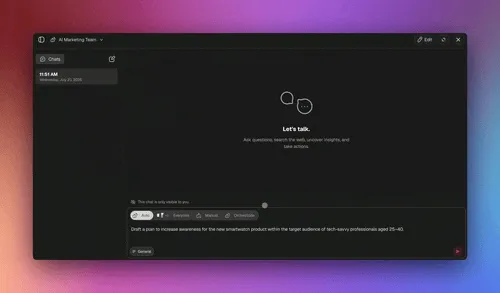
This is where multi-agent collaboration comes in. The core mechanism is agent team chat: a structured conversation where multiple AI agents work together under an orchestrator.
How It Works
EVE, the orchestrator agent, receives the user's request and makes a routing decision. Does this task require one agent or several? If several, which agents, and in what pattern? EVE breaks the task into sub-tasks, assigns each to the most appropriate specialist, and aggregates the results into a coherent response.
This mirrors how the most ambitious human teams operate. In The Nvidia Way, Tae Kim documents how Jensen Huang runs a famously flat organization with roughly 60 direct reports and no one-on-ones: "We present a problem, and all of us attack it." Crucially, every project still has one named "pilot in command" so accountability never blurs. A multi-agent team works the same way — specialists pooled by function, swarming a shared task, with one orchestrator owning the outcome. (How Jensen Huang runs NVIDIA is a deeper look at the operating playbook.)
The key insight here is context isolation. Each agent in a team chat has its own memory context. The Data Agent cannot see the Writer Agent's full conversation history — only the specific output that EVE passed to it. This seems counterintuitive. Would agents not perform better with more context? They do not. Sharing everything between agents causes three problems:
Context pollution. The Data Agent's SQL queries and raw numbers confuse the Writer Agent's narrative voice. The Writer Agent's draft paragraphs waste tokens in the Design Agent's context window.
Attention dilution. With a full shared history, each agent spends attention on information that is irrelevant to its task. The model's attention mechanism treats every token in context as potentially relevant — more noise means worse signal.
Role confusion. When an agent sees another agent's instructions in its context, it sometimes adopts the other agent's role. A Data Agent that sees "you are a creative writer" in its context starts writing prose instead of querying data.
Context isolation prevents all three. Each agent gets exactly the information it needs and nothing more. Simplicity at the agent level, sophistication at the team level.
Three Collaboration Patterns
Not every multi-agent task looks the same. We support three patterns, and the orchestrator selects the appropriate one based on the task structure:
| Pattern | How It Works | Best For | Example |
|---|---|---|---|
| Fan-out | Same query sent to multiple agents; orchestrator aggregates diverse perspectives | Tasks requiring breadth | "What are the risks of this product launch?" — sent to a market analyst, a technical reviewer, and a legal advisor simultaneously |
| Chain | Output of Agent A becomes input of Agent B | Tasks requiring sequential processing | Data Agent queries metrics, Writer Agent drafts report from data, Design Agent formats the report |
| Debate | Two agents argue opposing positions; orchestrator synthesizes | Tasks requiring balanced analysis | Bull-case agent vs bear-case agent on a market opportunity, orchestrator produces a balanced assessment |
Fan-out is the most common pattern. It runs agents in parallel, which is faster than sequential processing and produces richer output because each agent brings a different perspective. The orchestrator's aggregation step is where the real work happens — synthesizing multiple specialist outputs into a coherent whole.
Chain is used when each stage depends on the previous one. You cannot write a report before you have data. You cannot format a report before it is written. The chain pattern enforces this ordering while keeping each agent focused on its single stage.
Debate is the most interesting pattern and the least intuitive. We discovered it by accident when a user configured two agents with opposing instructions and asked them to discuss a topic. The quality of the synthesized output was significantly better than either agent's individual response. Adversarial tension forces each agent to produce stronger arguments, and the orchestrator captures the best of both.
Agentic Loop Protection
AI agents sometimes enter loops. An agent calls a tool, gets a result, decides it needs to call the same tool again with the same parameters, gets the same result, and repeats. Or an agent generates a response, evaluates it, decides it is not good enough, regenerates, evaluates again, and cycles indefinitely.
In a demo, this is a minor annoyance. In production, it is a critical failure. An undetected loop burns credits, produces garbage output, blocks the user, and — if the loop involves tool calls with side effects — can create real damage in the workspace.
Detection Patterns
We detect loops through three signals:
Repeated tool calls. If an agent calls the same tool with the same parameters more than three consecutive times, that is a loop. The tool is returning the same result each time, so repeating the call will not produce a different outcome. This catches the most common loop pattern — agents that repeatedly search for information that does not exist or repeatedly try to create something that already exists.
Output similarity. If consecutive agent responses have a cosine similarity above a threshold, the agent is producing the same content over and over. This catches subtler loops where the agent rephrases the same output slightly differently each time, convinced it is making progress when it is not.
Token budget overrun. Each task type has an expected token range. A simple Q&A should consume 500-2,000 tokens. If it reaches 10,000 tokens without completing, something is wrong. Token budget overrun catches loops that do not trigger the other two detectors — for example, an agent that produces novel but useless content in an expanding spiral.
Breaking the Loop
When a loop is detected, the system responds in stages:
Taskade's three-stage loop protection: any of three detection signals confirms a loop, then the system escalates from a corrective nudge to a graceful summary exit — the user always gets useful output instead of a burned-credit dead end.
Inject a corrective instruction. The system adds a message to the agent's context: "You appear to be repeating the same action. Please try a different approach or summarize what you have accomplished so far." This works surprisingly often — the model recognizes the corrective signal and changes strategy.
Force a summary exit. If the corrective instruction does not break the loop within two more iterations, the system forces the agent to stop and produce a summary of what it accomplished before the loop began. The user gets partial but useful output rather than nothing.
Report transparently. The user always sees what happened. "I detected a loop after 5 iterations of the same search query. Here is what I found before the loop began." Transparency builds trust. Silent failures destroy it.
Why Guardrails Make Agents Better
This brings us to a broader lesson: constraining an agent's behavior makes it more reliable, not less capable. The instinct — especially among developers building agent systems — is to give agents maximum freedom. More tools, more context, fewer restrictions. Let the model figure it out.
In production, the opposite is true. An agent with 5 carefully selected tools outperforms an agent with 50 uncurated tools. An agent with a scoped role outperforms an agent told to "handle anything." An agent with loop protection produces better output than an agent left to run indefinitely, because the guardrails prevent the agent from wasting compute on dead-end strategies.
This is analogous to the principle of least privilege in security. An agent should have exactly the capabilities it needs for its role and nothing more. A "writer agent" does not need database tools. A "data agent" does not need document creation tools. Removing irrelevant tools removes potential failure modes.
Context Window Management
Every AI model has a finite context window. GPT-series models, Claude models, and Gemini models all have limits — and while those limits have grown dramatically, they are still finite. Multi-agent workflows, with their tool calls, intermediate results, and cross-agent communication, exhaust context windows faster than single-agent conversations.
Our context management operates at four levels:
1. Message Trimming
When the conversation approaches the context limit, the oldest messages are removed while the system prompt (Core Memory) and the most recent messages are preserved. This is the simplest strategy and the first line of defense. It works well when the old messages are truly no longer relevant — casual greetings, clarification questions, and superseded instructions.
2. Summarization
When old messages contain information that might still be relevant, deleting them is too aggressive. Instead, we summarize: a batch of old messages is compressed into a single summary message that captures the key decisions, facts, and action items. The summary replaces the original messages in context, preserving the essential information at a fraction of the token cost.
The trade-off is latency. Generating a summary takes an additional model call. We batch this operation — summarizing 20 messages at once rather than summarizing each message individually — to amortize the latency cost.
3. Selective Reference Loading
Reference Memory (knowledge bases, documents) is never loaded in full. When an agent needs to answer a question that requires external knowledge, we retrieve only the chunks that are relevant to the current query. This is retrieval-augmented generation at its core, but scoped to the agent's connected knowledge rather than a global corpus.
The retrieval quality directly determines the agent's answer quality. A poorly retrieved chunk wastes tokens and misdirects the agent. A missing chunk means the agent hallucinates or admits ignorance. We invest heavily in retrieval quality — embedding models, chunk sizing, and relevance scoring — because this is where context engineering has the highest leverage.
4. Tool Result Truncation
Some tool calls return enormous results. A web search can return pages of text. A database query can return thousands of rows. A code analysis tool can return an entire file. Passing the full result into context wastes tokens on information the agent does not need.
We truncate tool results before adding them to context. The truncation is intelligent — for tabular data, we keep headers and a representative sample of rows. For text, we keep the most relevant paragraphs based on the original query. For code, we keep the function signatures and the specific lines the agent asked about.
The key principle across all four levels: enough context to do the current task well, and no more. Over-contextualization is as harmful as under-contextualization. More tokens means higher cost, higher latency, and more noise competing for the model's attention.
The built-in tools
An agent without tools is a chatbot. It can discuss. It can explain. It can draft text. But it cannot do anything in the real world. Tools are what transform a conversational AI into a productive team member.
Every Taskade agent has access to built-in tools spanning five categories:
| Category | Tools | What They Do |
|---|---|---|
| Search & Research | Web search, knowledge query, workspace search | Find information from the internet, connected knowledge bases, or the user's workspace |
| Content Creation | Document creation, task management, note writing | Create and modify projects, tasks, notes, and documents within Taskade |
| Data & Analysis | Spreadsheet operations, data extraction, calculation | Work with structured data, extract insights, run calculations |
| Automation | Trigger automation workflows, schedule tasks, send notifications | Kick off automated workflows, set reminders, notify team members |
| Agent Collaboration | Agent team chat, agent invocation, context sharing | Invoke other agents, run multi-agent workflows, share results across agent boundaries |
Beyond the built-in set, users can define custom tools. Slash commands let users create domain-specific operations that their agents can call. API integrations connect agents to external services — CRMs, code repositories, communication platforms, and 100+ other tools. MCP runs in the other direction: Taskade's hosted server lets any MCP-compatible client — Claude Desktop, Cursor, VS Code — connect into the workspace those agents run in.
Tool Installation and Scoping
Not every agent needs every tool. A writer agent benefits from document creation and web search but has no use for spreadsheet operations. A data analyst agent needs data tools but should not be creating blog posts.
We support tool installation — configuring each agent with a specific subset of available tools. This is not just about reducing UI clutter. It directly improves agent performance by reducing the decision space. When a model has 50 tools available, it spends significant reasoning effort deciding which tool to use. When it has 5, the decision is faster and more reliable.
This is the principle we applied in our agentic engineering work: each agent is simple, the team is sophisticated. You do not build one super-agent that can do everything. You build focused specialists and let the orchestrator compose them.
Production Lessons: What We Actually Learned
Three years and 500,000+ deployments have taught us things you cannot learn from building demos. Here are the five lessons that changed how we think about multi-agent AI systems.
1. Memory Is More Important Than the Model
This is the single most counterintuitive finding from our production data. A mid-tier model with a well-structured memory system — the five types we described above — consistently outperforms a frontier model with naive conversation history.
Why? Because the model's reasoning capability is bounded by what is in its context window. A frontier model reasoning over irrelevant or poorly organized context produces confident but wrong answers. A mid-tier model reasoning over precisely curated context produces focused and correct answers. Context engineering — what goes INTO the prompt — has more impact than prompt engineering — how you PHRASE the prompt.
This does not mean models do not matter. They do. But the difference between a good model and a great model is smaller than the difference between good context and bad context. If you are optimizing your agent system, optimize memory first, models second.
2. Agents Need Guardrails, Not Freedom
We covered this in the loop protection section, but it deserves emphasis. The natural developer instinct is to give agents maximum capability and let the model figure out the rest. In production, this produces unreliable agents that work brilliantly 80% of the time and fail spectacularly 20% of the time.
Constraining an agent — scoping its tools, bounding its iterations, defining its exit conditions — makes it more reliable without meaningfully reducing its capability for its intended role. A scoped agent is like a specialist employee. You hire a data analyst to analyze data, not to also do graphic design and write press releases. Specialization is a feature, not a limitation.
3. Multi-Agent Is Not Always Better
For simple tasks — answering a question, summarizing a document, drafting a short email — a single agent is faster, cheaper, and more reliable than a multi-agent team. The orchestration overhead of routing to specialists, aggregating results, and managing cross-agent communication adds latency and cost that is not justified for straightforward tasks.
Multi-agent collaboration shines when the task genuinely requires multiple domains of expertise. Building a Taskade Genesis app from a complex prompt? Multi-agent. Analyzing quarterly data and producing a visual report? Multi-agent. Answering "what time is the team meeting?" Single agent.
The orchestrator's first decision — "does this need a team or can I handle it alone?" — is one of the most impactful routing decisions in the entire system.
4. Users Anthropomorphize Agents
Users name their agents. They thank their agents. They get frustrated when an agent "forgets" something from a previous conversation. They expect continuity — if they told their agent yesterday that they prefer bullet points, they expect bullet points today.
This is not irrational. It is a natural consequence of building AI that communicates in natural language. When something talks like a person, humans treat it like a person. And people remember things.
Learning Memory — the fifth memory type in our framework — exists specifically to meet this expectation. By tracking user preferences across sessions and feeding them back into the agent's behavior, we create the illusion of continuity that users expect. The agent does not truly "remember" the user. But it behaves as if it does, and that is what matters for user satisfaction.
5. Cost Transparency Builds Trust
When a multi-agent task runs, multiple models consume credits across multiple sub-tasks. Without transparency, the user sees a number drop and does not understand why. With transparency — which model was used, how many credits each step consumed, and what the agent accomplished at each step — the user understands the value they received.
We show credit usage per task, per model, per agent. Users who understand the cost of their agent workflows use them more confidently, not less. Surprise is the enemy of trust. Transparency is the antidote.
Challenge vs Naive vs Our Approach
Here is a summary of the five core challenges in multi-agent production and how our approach differs from the naive solution:
| Challenge | Naive Approach | Our Approach |
|---|---|---|
| Model selection | Same model for everything | Credit-gated, task-appropriate model routing with "never downgrade mid-task" rule |
| Context overflow | Truncate oldest messages | trimMessages + truncateMessagesWithSummary with 5-type memory separation |
| Agent loops | Timeout after N seconds | Pattern detection (repeated calls, output similarity, token budget) + graceful exit with summary |
| Multi-agent coordination | Sequential chain only | Parallel fan-out with orchestrator aggregation; chain and debate patterns available |
| Memory persistence | Store everything in one list | 5-type memory system with appropriate retention per type |
The common thread across all five: the naive approach optimizes for simplicity. Our approach optimizes for production reliability. The gap between the two is the gap between a demo and a product.
What Comes Next
Multi-agent collaboration is still early. We have been running it in production longer than most — since September 2023 — but the field is evolving rapidly. Here is what we are building toward.
Agent-to-agent communication beyond the orchestrator. Today, agents communicate through EVE. Agent A sends its output to EVE, EVE routes it to Agent B. This works but adds a hop. Direct agent-to-agent communication, with appropriate access controls, would reduce latency and enable more fluid collaboration patterns.
Persistent agent teams that evolve. Today, agent teams are assembled per-task. Tomorrow, we want teams that persist — a "product team" of agents that develops shared context over weeks and months, learning each other's strengths and adapting their collaboration patterns.
Agent performance benchmarking. Which agents produce the best results for which tasks? We track this data at the system level but do not yet surface it to users. Agent-level analytics — response quality, task completion rate, credit efficiency — would help users build better teams.
Public agent embedding at scale. Since v6.12.0, agents can be embedded on external websites. A customer support agent that lives on your website, a sales assistant on your landing page, a documentation expert on your help center. We are investing in the infrastructure to make embedded agents faster, more contextual, and easier to deploy.
The thesis has not changed since we deployed our first agent in May 2023. Memory matters more than models. Context engineering matters more than prompt engineering. And the boring production work — loop detection, credit management, context window management, tool scoping — matters more than any individual architectural breakthrough.
External validation for the approach. Anthropic's internal research system — Anthropic Opus lead + Sonnet sub-agents with isolated context — outperformed a single-agent Opus baseline by 90.2% on their internal evaluation, with 80% of the variance explained by token budget enabled through sub-agent isolation. That is the same isolation pattern Taskade ships as default in Agents v2 Teams. See Workspace DNA: The Context Engineering Blueprint for the productized framing across Memory, Intelligence, and Execution.
The April 2026 field signals. Two independent demonstrations in the first two weeks of April 2026 reinforced the pattern we shipped:
Third Layer's auto-agent (Apr 2, 2026) — a meta-agent rewrote its own task agent's harness overnight, hitting claimed #1 scores on Spreadsheet Bench (96.5%) and Terminal Bench (55.1%). The architectural insight: same-model meta-agent / task-agent pairs beat cross-model pairs, because the meta-agent has implicit understanding of how the inner model reasons. Inside Taskade Agents v2, this maps to running the same model family across a lead agent and its specialists — the reason we route both orchestrator and sub-agents through compatible models from the same provider.
Claire Vo's personal multi-agent setup — 9 OpenClaws across 3 Mac Minis, partitioned by role (work EA, family manager, salesperson, kids' homework). Each agent on its own machine because "agents that should never cross — work vs family — need physical partitioning." In a Taskade Pro or Business workspace, the equivalent is workspace-level RBAC + folder-level agent scoping — soft partitioning that holds the same contract without the hardware investment.
The pattern is the same across Anthropic's internal research, Third Layer's auto-agent, Claire Vo's home setup, and Taskade's production Agents v2: partition context, specialize by role, give each agent its own memory lane, and orchestrate through a lead with aggregation logic. Different substrates, same architecture.
This is the Workspace DNA loop at team scale: Memory feeds each specialist's context, Intelligence is routed per-agent per-role, Execution aggregates outputs into shared memory. Build your first multi-agent team →.
If you want to see multi-agent collaboration in action, build your first agent team on Taskade. Start with two agents — a researcher and a writer. Give each one a focused role, a scoped knowledge base, and a specific tool set. Watch them collaborate. Then scale from there. Our walkthroughs on how to build an AI agent team and the best practices for building multi-agent AI teams cover the role-design and orchestration patterns step by step.
The technology is ready. The models are ready. The question is not whether multi-agent AI works in production. We settled that 500,000 deployments ago. The question is what you build with it.
Companion Reads — The 2026 Operator Cluster
- Metacognitive AI: How Agents Learn to Think About Thinking — the cog-sci-to-LLM arc (Flavell → Nelson-Narens → Fleming → Reflexion → semantic entropy → Workspace DNA). Pair this engineering post with the theory post — together they cover how to build and why it works.
- How to Win With AI in 2026: The Workflow-First Operator's Playbook — the operator pillar
- BYOA: The $1M-Per-Employee Era — the compensation model on top of multi-agent stacks
- From Roles to Workflows: The AI Org Chart — where multi-agent teams sit on the new org chart
- Training AI Agents Like Employees — the onboarding discipline for every named agent on your team
Stan Chang is CTO and co-founder at Taskade. He has been building AI-powered productivity tools since 2023 and leads the engineering team behind Taskade's AI agents, Genesis app builder, and automation platform. Follow the engineering series for more production AI architecture posts.
Frequently Asked Questions
What is multi-agent collaboration in AI and how does it work?
Multi-agent collaboration is when multiple specialized AI agents work together on a task, each contributing domain expertise. In Taskade, an orchestrator agent (EVE) breaks complex tasks into sub-tasks, routes them to specialist agents, and aggregates the results. This enables workflows like data analysis, report writing, and app building that no single agent could handle alone.
What are the 5 memory types in Taskade's AI agent system?
Taskade uses a Memory Psychology framework with 5 types: Core Memory (agent identity and role), Reference Memory (knowledge bases and documents), Working Memory (current conversation context), Navigation Memory (workspace position and app file state), and Learning Memory (user preferences learned over time). Each type has different persistence characteristics optimized for its purpose.
How does Taskade prevent AI agent loops in production?
Taskade uses agentic loop protection that detects repeated tool calls, similar outputs, and excessive token usage. When a loop is detected, the system injects corrective instructions. If the loop persists, it gracefully exits with a summary of completed work. This prevents credit waste and ensures users always get useful output.
How does credit-based model selection work for AI agents?
Each AI request is routed to the best model the user's credit balance allows. Free tier uses a frontier Gemini model, Pro and Business tiers use Claude Sonnet, and Enterprise or complex reasoning tasks use Claude Opus. The system never downgrades models mid-task to prevent quality degradation.
How many AI agents has Taskade deployed in production?
Taskade has deployed over 500,000 AI agents in production, each with configurable roles, custom tools, persistent memory, and the ability to collaborate with other agents. Agents support built-in tools and can be embedded publicly on external websites.
What are the three multi-agent collaboration patterns in Taskade?
Taskade supports three collaboration patterns: Fan-out (orchestrator sends the same query to multiple specialists and aggregates diverse perspectives), Chain (output of one agent feeds into the next, like data to analysis to report), and Debate (two agents argue opposing positions while the orchestrator synthesizes a balanced conclusion). The pattern is selected based on task complexity and domain overlap.
What is context engineering and why does it matter for AI agents?
Context engineering is the discipline of curating what information goes into an AI agent's prompt window. It matters more than prompt engineering because a mediocre model with the right context outperforms a frontier model with naive conversation history. Taskade's 5-type memory framework is a context engineering system that ensures each agent gets exactly the information it needs.
How does Taskade manage context window overflow in multi-agent workflows?
Taskade uses multiple strategies: trimMessages removes the oldest messages while preserving the system prompt, truncateMessagesWithSummary compresses old messages into summaries instead of deleting them, selective reference loading pulls only relevant knowledge chunks, and tool result truncation summarizes long outputs. This keeps agents within token limits without losing critical context.