







For a small business, the most expensive problem is rarely the work itself. It is the space between the work — the lead that never got a follow-up, the call that went to voicemail at 7pm, the booking that slipped because nobody confirmed it, the quote that sat in an inbox for three days until the customer went somewhere else.
For most of CRM history, the answer was "hire someone to chase it" or "buy software that reminds you to chase it." Both cost money, and both still depend on a human being awake and available.
That changed in 2026. A new category of customer system closes the gap on its own: the agentic CRM. The AI agents do the following-up. The automations do the booking and the reminders. And the best part for a non-technical operator — you can build one yourself, from a single sentence, instead of paying per seat for someone else's.
TL;DR: An agentic CRM is a customer system where AI agents qualify leads, follow up, and book appointments 24/7 — instead of just reminding a human to. You can build your own (plus an AI receptionist that handles inbound and books straight into your calendar) from one prompt with Taskade Genesis, no developer needed, free to start with Pro from $10/month, instead of $25–$330 per seat. Build yours free →
Last tested: June 2026.
What Is an Agentic CRM?
An agentic CRM is a customer system where autonomous AI agents do the actual work — qualifying leads, sending follow-ups, booking appointments, and updating records — instead of merely reminding a human to do those things. Traditional CRM automation follows fixed rules you write in advance ("send template A on day 3"). An agentic CRM reads the context of each contact, decides the next best action, and executes it around the clock.
The shift is from a filing cabinet that pings you to a teammate that acts. Across SaaS, fintech, healthcare, and local services in 2026, operators are moving from rule-based workflow automation to agents that run customer workflows end to end. Industry write-ups now describe agentic CRMs automating up to 70% of routine sales workflows — lead qualification, follow-up management, meeting coordination, and customer questions.
| Traditional CRM | CRM + Automation | Agentic CRM | |
|---|---|---|---|
| Stores contacts | Yes | Yes | Yes |
| Reminds you to act | Yes | Yes | Yes |
| Acts without you | No | Only fixed rules | Yes — decides + executes |
| Reads context | No | No | Yes |
| Books + follows up 24/7 | No | Partially | Yes |
| You are the… | Data-entry clerk | Rule-writer | Director |
The reason this matters for a non-technical operator: you no longer have to be the system. You design it once, then supervise it. That is the same operating model behind the one-person company — a single operator directing a fleet of AI agents instead of doing every task by hand.
Can You Really Build Your Own CRM Without a Developer?
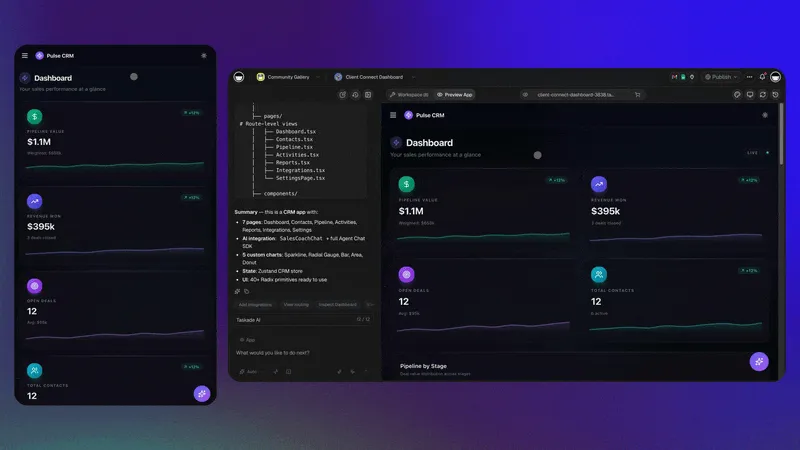
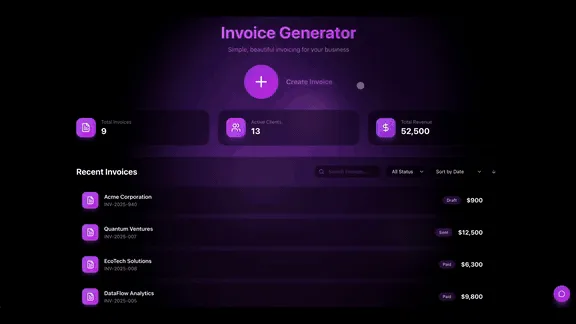
Yes — and in 2026 it is faster than configuring an off-the-shelf one. With Taskade Genesis you describe the CRM you want in plain language, and it generates a working app: a pipeline Board, a contact Table, a booking Calendar, and embedded AI agents. No code. No admin team. No six-week rollout.
Here is the kind of prompt a real operator types:
"Build a CRM for my house-cleaning business. I need a lead pipeline (New → Quoted → Booked → Done), a contact list with phone and address, a calendar for jobs, and an AI agent that follows up with anyone in 'Quoted' after 2 days with a friendly nudge and a booking link."
That single sentence produces the structure. From there you connect your inbox, your calendar, and your messaging tools through Taskade's 100+ bidirectional integrations, and the system starts running.
The market has split cleanly down this line. On one side, mature per-seat CRMs keep raising prices. On the other, AI CRM builders let any operator spin up a custom pipeline in minutes for a flat fee. To be fair to the incumbents: if you are a 200-person sales org with a standard B2B funnel and a dedicated admin, Salesforce or HubSpot are genuinely strong, mature systems of record. The build-your-own route wins specifically for the 1–10 person operator with a non-standard process — the David, not the Goliath. We cover the full economics in Build Your Own AI CRM vs. Paying Salesforce $300/Seat.
What Can the AI Agents Actually Do on Their Own?
The agents in an agentic CRM handle the repetitive customer work that used to eat your day — autonomously, on a schedule or on a trigger, with you reviewing rather than doing. Taskade AI Agents ship with built-in tools (web search, file analysis, persistent memory, custom commands, public embedding) and run on 15+ frontier models from OpenAI, Anthropic, Google, and open-weight providers, auto-routed by task so you never pick a model by hand.
| Job-to-be-done | What the agent does | When it runs |
|---|---|---|
| Lead qualification | Scores each new inquiry against your criteria, tags it, routes hot ones to you | On every new lead |
| Follow-up | Drafts a personalized nudge in your voice, sends it, logs the reply | On a timer or stage change |
| Booking | Checks your calendar, offers slots, confirms, adds the event | When a lead is ready |
| Reminders | Sends a confirmation and a day-before nudge to cut no-shows | Before each appointment |
| Enrichment | Looks up public details to fill in a thin contact record | On new contact |
| Customer questions | Answers your common FAQs from your knowledge base | Anytime, 24/7 |
| Reporting | Summarizes the week — leads, bookings, no-shows, revenue | Every Monday |
The difference between automation and agents is worth keeping straight. Automation executes a fixed rule. An agent reads context and decides. A good agentic CRM gives you both layers, which is exactly the chatbots-are-demos, agents-are-execution distinction applied to customer work.
How Do You Build an AI Receptionist or Voice Booking Agent Yourself?
A self-built AI receptionist is an agent that handles inbound inquiries — answering common questions, capturing the contact's details, checking your availability, and booking the appointment directly into your Calendar — without you picking up. It is the single highest-ROI piece of an agentic CRM for a service business, because missed calls are missed revenue. The cheapest version of that fix is not a callback queue but a text: a 60-second text-back beats voicemail on almost every inbound call you drop.
There are two layers, and you mix them based on whether your inbound is mostly typed or mostly spoken:
1. The text receptionist (build it entirely yourself). A Taskade Genesis agent embedded on your site or connected to your inbox answers FAQs, qualifies the inquiry, captures name + need + contact, and books straight into your calendar via automation. You build this from a prompt; it costs nothing extra beyond your plan.
2. The voice receptionist (connect a specialist). Live phone calls are a specialized problem — sub-second latency, natural speech, call routing. Dedicated AI voice platforms handle this well, and it is fair to use the right tool for the job. The 2026 landscape includes Retell, Goodcall, Rosie, Smith.ai, and AIRA, typically priced from about $24.95 to $499/month depending on minutes. The pattern: let the voice platform answer the phone, then pipe the call outcome (caller, intent, requested time) into your Taskade Genesis workspace so booking, confirmation, follow-up, and reminders all run from one source of truth.
The economics are stark and worth stating plainly. A human front-desk receptionist costs roughly $35,000/year (about $45,500 fully loaded with benefits). AI voice platforms run $65–$499/month and never sleep, never take lunch, and answer in under five seconds. That is not a knock on receptionists — the people you keep get freed up for the high-touch conversations that actually need a human.
This whole loop runs on the same AI agents and automations you already built for the CRM — the receptionist is not a separate product, it is one more agent sharing the same workspace memory. For the typed-inbound half of the same loop, see how a response-time clock gets wired into the pipeline.
How Much Does an Agentic CRM Cost in 2026?
Building your own is free to start and flat-rate thereafter — not per seat. That is the entire financial argument, and it is a big one for a small operator.
Here is the honest comparison, using real 2026 pricing. Per-seat CRMs are good products; the point is not that they are bad, it is that the pricing model punishes small operators who want autonomous agents.
| Option | 2026 price | Pricing model | AI agents |
|---|---|---|---|
| Build your own — Taskade Genesis | Free / $10 Pro ★ | Flat per workspace | Built in (built-in tools) |
| HubSpot | from ~$15/user/mo (Starter) | Per seat | Add-on tiers |
| Salesforce Sales Cloud | $25–$330/user/mo | Per seat | — |
| Salesforce Agentforce (autonomous agents) | +$50–$125/user/mo on top | Per seat + data platform | Autonomous, but layered cost |
| AI voice receptionist (specialist) | $24.95–$499/mo | Per plan / minutes | Voice-only |
Notice the structure. With a per-seat CRM, the moment you want autonomous agents you are stacking an agent fee on top of a seat fee — and Agentforce often requires a separate data-platform contract before it does anything useful. With a self-built agentic CRM, the agents are included and the price does not move when you grow from one user to ten.
For a one-person or small-team operator, building your own typically lands 90%+ cheaper at the same level of automation. This is the same force reshaping the whole software market — see The Great SaaS Unbundling on why per-seat pricing is breaking down as one person does the work of ten.
A common, sensible 2026 pattern is hybrid: keep the big CRM as the system of record for finance and forecasting, and run a self-built agentic workspace as the daily operating surface where the agents actually do the follow-up and booking. Sync the two with an integration. The bill drops because you need far fewer expensive seats.
How Does a Self-Built Agentic CRM Stay Smart? (Workspace DNA)
A self-built agentic CRM gets smarter every time a customer moves through it, because Memory, Intelligence, and Execution share one workspace instead of living in disconnected tools. This is Workspace DNA: Memory (your contacts, notes, and history) feeds Intelligence (your agents), Intelligence triggers Execution (your automations), and Execution writes new Memory back into the system.
Why this beats five disconnected tools: when your booking agent and your follow-up agent read from the same contact record, the follow-up knows the appointment was booked, the reminder knows the time, and the report knows the outcome. Stitch those across five separate apps and the context evaporates between each one. That shared context is the moat — the practical version of the agentic workspace idea applied to your customers.
It is also why this isn't just another no-code app builder or a folder of AI apps. A code generator hands you files to deploy. A productivity tool organizes tasks. An agentic CRM executes — and the outputs compound because everything shares one state. You can see what operators actually build with this in our first-party census of what people build with AI: dashboards, trackers, and customer systems — not toys.
A 5-Step Build Plan (For a Non-Technical Operator)
You do not need to be a developer. You need a clear picture of your own customer flow, which you already have. Here is the build, start to finish.
| Step | What you do | Time |
|---|---|---|
| 1. Describe it | One prompt: your pipeline stages, contact fields, and the first agent | Minutes |
| 2. Connect your tools | Link your inbox, calendar, and messaging via integrations | ~30 min |
| 3. Add the receptionist | Embed a text agent on your site; connect a voice platform if you take calls | ~1 hour |
| 4. Set the rules | Tell agents when to follow up, what to say, and what to escalate to you | ~30 min |
| 5. Supervise | Review what the agents did each day; refine the prompts that need it | Ongoing |
A practical tip: do not try to automate everything on day one. Automate the follow-up first (it is the highest-leverage gap), watch it run for a week, then add booking, then reminders. If you want a faster on-ramp, our walkthrough on 5 Genesis apps you can build in 10 minutes and the micro-apps build guide both start from the same prompt-to-app pattern. Non-coders unfamiliar with the workflow should start with vibe coding for non-developers.
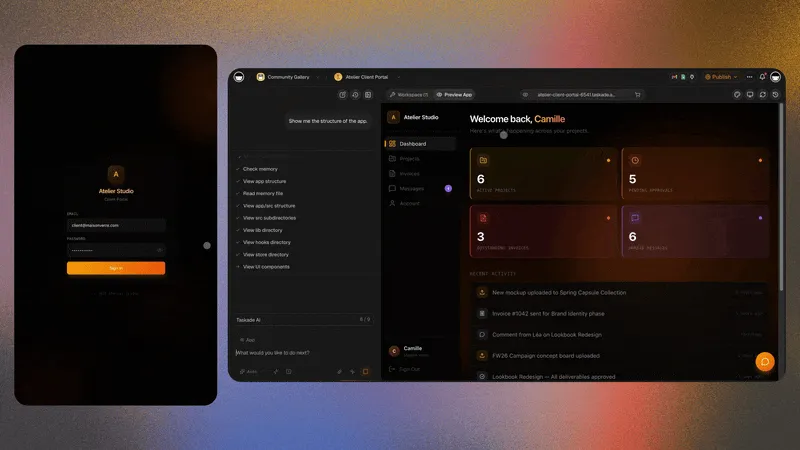
Your data stays in your workspace under role-based access control, so you decide exactly who sees what. Built-in sign-in (GenesisAuth via OIDC/SSO) works on every plan, including Free, and on the Business plan you can add a custom domain so a client-facing portal looks and behaves like your own product. Building your own does not change your responsibility for customer consent — it just gives you direct control over how data is stored and shared.
Which Businesses Should Build an Agentic CRM First?
Service businesses with a booking-and-follow-up rhythm gain the most, because their lost revenue lives precisely in missed calls and slow follow-up — exactly what an agentic CRM closes.
| Business | The leak an agentic CRM fixes |
|---|---|
| Clinics / dental / med-spa | After-hours calls go to voicemail → AI receptionist books them |
| Salons / barbers | No-shows → automated confirmations + reminders |
| Agencies / consultants | Leads sit cold → agent follows up within minutes |
| Contractors / home services | Quotes go stale → agent nudges with a booking link |
| Coaches / tutors | Manual scheduling eats hours → self-serve booking |
| Real estate | Slow lead response → instant qualification + routing |
Be fair about the exceptions: if you run a large, standard B2B SaaS sales motion with a dedicated revenue-ops team, a mature per-seat CRM may still serve you better, and you can run a self-built agentic workspace alongside it. But for the operator covering everything themselves, the self-built route is almost always the win — it is the customer-facing half of the one-person company model.
The Era of the Self-Running Customer System
For decades, the limit on a small business was attention. You could only chase so many leads, answer so many calls, and confirm so many bookings before something slipped. CRM software helped you remember the work, but you still had to do it.
The agentic CRM removes that ceiling. The agents do the following-up. The automations do the booking and the reminders. The system runs while you sleep — and you step in only for the conversations that genuinely need a person. You stop being the data-entry clerk and become the director.
And the part that still surprises people: you build it yourself, from a sentence, for the price of a couple of coffees a month. No developer. No per-seat bill. No six-week rollout.
Build your self-running agentic CRM with Taskade Genesis →
See what 150,000+ builders have already created →
Frequently Asked Questions
What is an agentic CRM?
An agentic CRM is a customer system where autonomous AI agents do the work — qualifying leads, following up, booking appointments, and updating records — instead of just reminding a human to. It reads each contact's context, decides the next best action, and executes it 24/7. With Taskade Genesis you build one from a single prompt for free, then $10/month billed annually on Pro.
Can I build my own CRM without being a developer?
Yes. You describe the CRM in plain language and Taskade Genesis generates a working app — a pipeline Board, a contact Table, a booking Calendar, and embedded AI agents. No code, no admin team. Most operators have a working system in under 15 minutes.
How is an agentic CRM different from Salesforce or HubSpot?
Salesforce and HubSpot are strong, mature systems of record priced per seat ($25–$330/user/month in 2026, with Agentforce adding $50–$125/user/month). A self-built agentic CRM is priced per workspace with agents built in — a flat $10/month on Pro instead of hundreds per seat — which wins for the 1–10 person operator. See Build Your Own AI CRM vs. Salesforce.
Can I build my own AI receptionist or voice booking agent?
Yes. A text receptionist (FAQs, capture, booking) you build entirely in Taskade Genesis. For live phone calls, connect a specialist voice platform (Retell, Goodcall, Rosie, Smith.ai, AIRA, ~$24.95–$499/month) and pipe the outcome into your workspace so booking and reminders run from one place.
Will an AI CRM run while I sleep?
Yes. Once configured, automations and autonomous agents run 24/7 — qualifying overnight leads, sending follow-ups, confirming bookings, and reminding customers. You stay the director: set the rules, review the work, approve anything sensitive.
How much does an agentic CRM cost in 2026?
Building your own with Taskade Genesis is free to start, with Pro from $10/month billed annually, flat, not per seat. A per-seat CRM runs $25–$330/user/month, and autonomous agents add $50–$125/user/month on top. For a small business the self-built route is typically 90%+ cheaper at the same level of automation. See pricing.
Which businesses benefit most from an agentic CRM?
Service businesses with a booking-and-follow-up rhythm: clinics, salons, agencies, coaches, contractors, tutors, and real-estate agents. Anyone losing revenue to missed calls, slow follow-up, or no-shows gains the most.
Keep Reading
| Topic | Article | Why It Matters |
|---|---|---|
| Build vs. buy | Build Your Own AI CRM vs. Salesforce | The full $300/seat economics |
| CRM builders | 10 Best AI CRM Builders 2026 | The tool landscape, ranked |
| AI agents | What Are AI Agents? | How agents differ from chatbots |
| Agentic workspaces | What Is an Agentic Workspace? | The operating system behind self-running systems |
| One-person company | Why One-Person Companies Are the Future | The operator model this CRM serves |
| SaaS pricing | The Great SaaS Unbundling | Why per-seat pricing is breaking |
| No-code agents | Build AI Agents Without Code | 5 archetypes + templates |
| Chatbots vs. agents | Chatbots Are Demos, Agents Are Execution | The decide-and-execute distinction |
| What people build | What People Actually Build With AI | First-party census: dashboards, not toys |
| Quick start | 5 Genesis Apps in 10 Minutes | Fastest on-ramp to building |
| Start building | Taskade Genesis | One prompt = one self-running app. Try it free. |