






Hi Taskaders 🎉
We've worked hard to make Taskade work better for you! Here's what's new:
TL;DR: The August 2021 editor refresh introduced instant view switching, $10 referral credits, and one-click PDF export — primitives that now power 7 project views, Taskade Genesis app publishing, and a Free plan with up to 6,000 one-time credits across 100+ integrations.
Then → Now: 2021's new editor and free credits evolved into today's Genesis publishing live apps plus a Free plan with up to 6,000 one-time credits, Automations, and the Community Gallery for showcasing your builds.
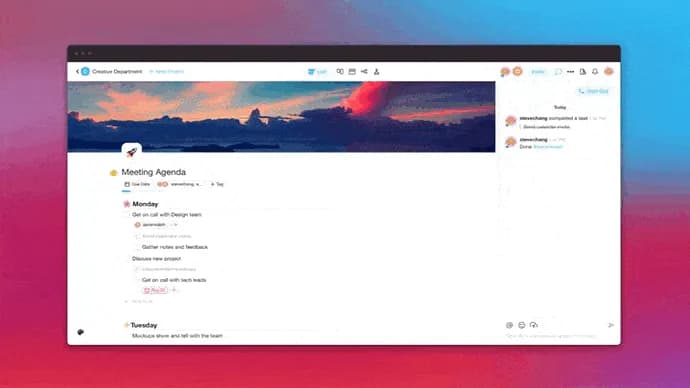
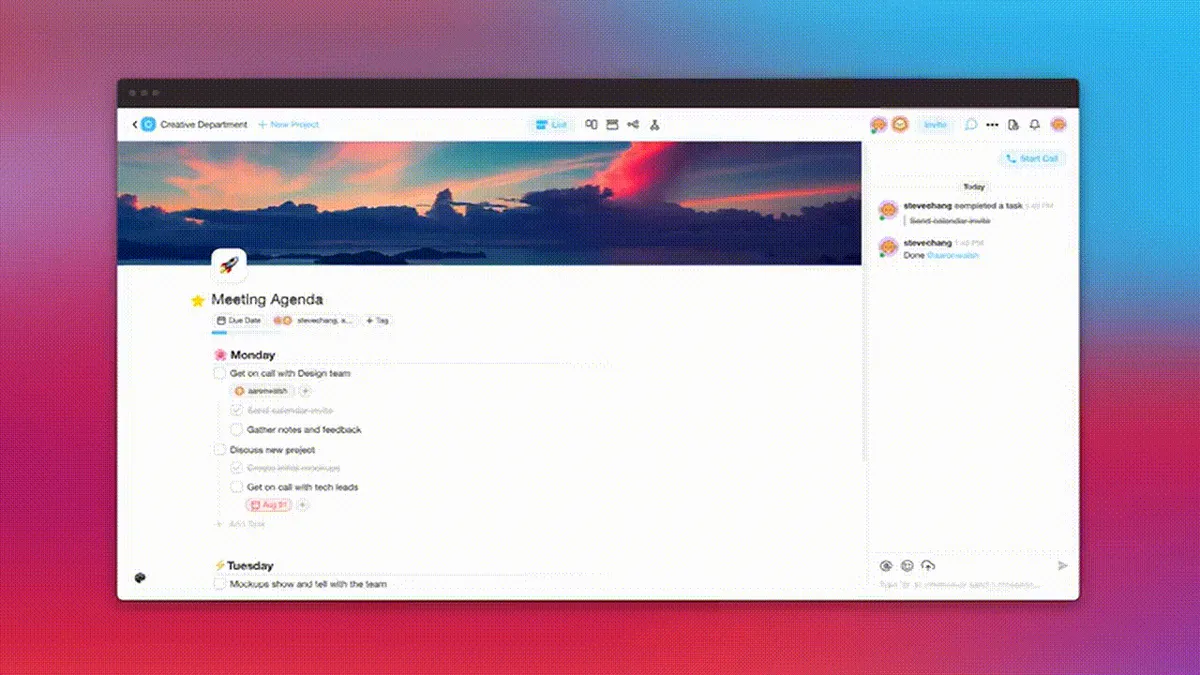
⚡️ New Editor Layout
You can now switch between views instantly and stay more focused with chat fully hidden. This update will also make room for future Calendar View, Gantt Chart View, and more. Check it out and let us know your thoughts!
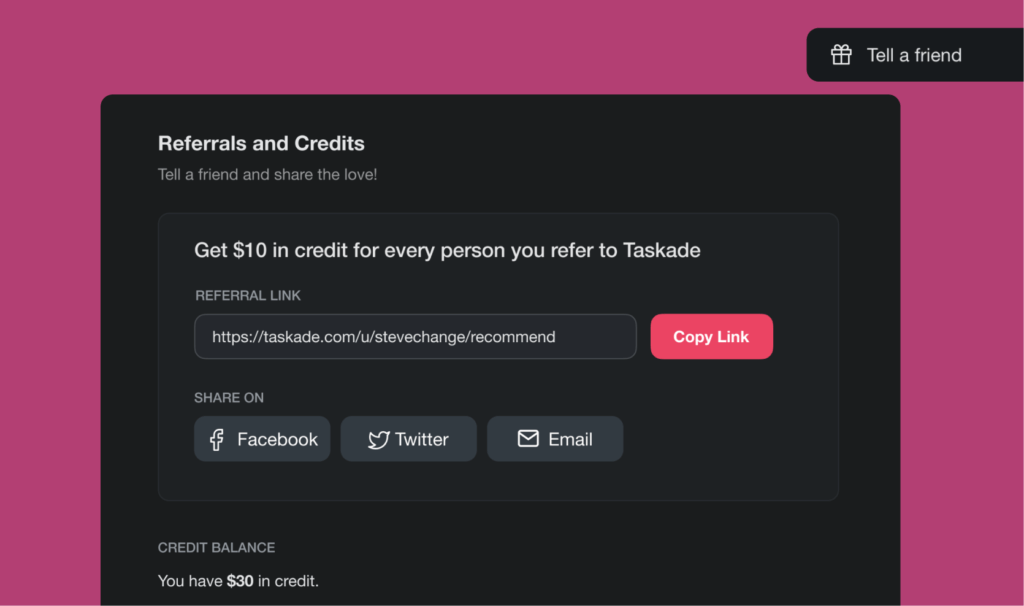
⚡️ Earn Free Credits
Want to upgrade to the Unlimited Plan for free? You can now earn $10 in credits for every person you invite to Taskade. 👉 Start earning credits.
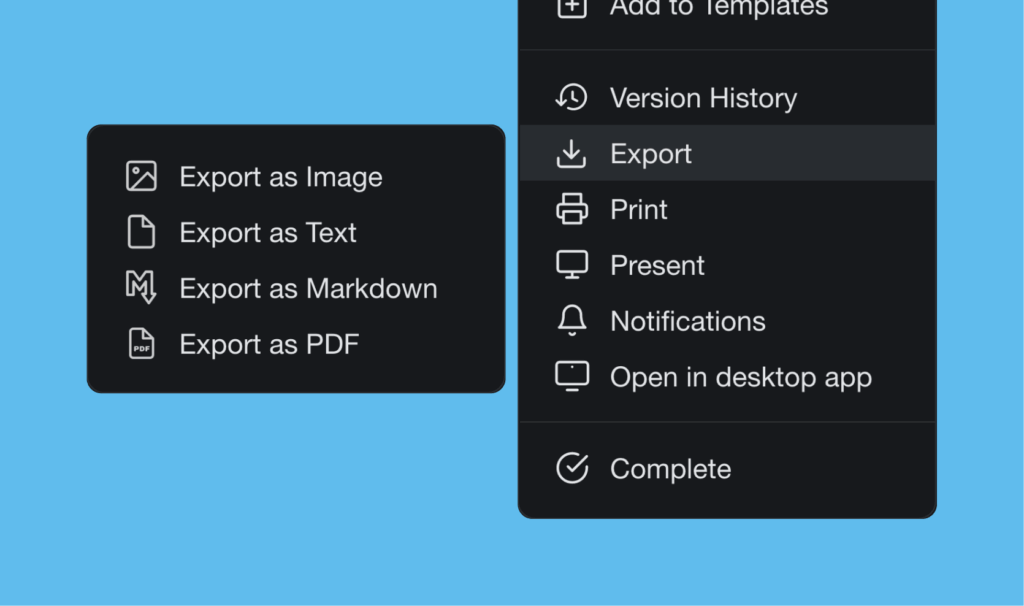
⚡️ Export to PDF
You can now export your projects to PDF instantly. Learn more.
📊 Editor: 2021 H2 vs Today
| Editor | 2021 H2 | Today (2026) |
|---|---|---|
| View switching | Instant view switcher (List, Mind Map, Org Chart, Calendar) | multiple project views including Board, Gantt, Table, Org Chart |
| Free credits | $10 referral credits | Up to 6,000 one-time free credits + referral credits |
| Export | PDF export | PDF, Markdown, print, exports + Genesis app publishing |
| Output | Static project files | Live published apps via Taskade Genesis |
Editor evolution at a glance
   2021                 2024              2026
   ┌────┐  + Gantt    ┌──────┐  + AI   ┌────────┐
   │ 4  │ ─────────▶  │  6   │ ─────▶  │   8    │
   │view│   + Table   │views │  + ️Aur │ views  │
   └────┘             └──────┘         └────────┘
     │                   │                  │
     ▼                   ▼                  ▼
  Static PDF         Project history    Live Genesis apps
  exports            + version restore  publish to domain
Hub & spoke
- Hubs: Taskade Genesis · AI Agents · Automations · Community Gallery · Templates
- Spokes: Pricing · Mobile + desktop downloads · Learn — project views · Learn — exporting · Learn — Genesis publishing
- Related: V4 launch retrospective · 2021 year in review · Beginner's guide
🎉 Other Improvements
- New: Drag to move around your Board, Mindmap, and Org Chart.
- New: My Tasks now include project and workspace references.
- New: Disable backgrounds for each project.
- New: Taskade Security page is now live.
- Chat and Comments now support large emojis and #hashtags.
- Chat and Comments now support blockquotes in replies.
- Mindmap now supports nested sub-tasks.
- Mindmap and Org Chart are auto-centered.
- Print List and Export to Markdown fixed.
- Various performance improvements.
| Thanks again for supporting Taskade, and as always, don’t hesitate to reach out or visit our help center if you need help. We’re here for you! 😊 — Team Taskade 🐑 |
|---|
Frequently Asked Questions
Can I switch between project views instantly in Taskade?
Yes. Taskade's editor layout lets you switch between views (List, Board, Mind Map, Org Chart, Calendar, etc.) with a single click from the view switcher at the top of the project. Your content stays the same — only the visual layout changes, with no data loss or reformatting.
Does Taskade have a referral program?
Yes. Taskade's referral program lets you earn $10 in credits for every person you invite who joins the platform. Credits can be applied toward upgrading to the Unlimited Plan, effectively letting you earn a premium subscription for free through referrals.
Can I export Taskade projects to PDF?
Yes. Taskade supports exporting any project to PDF format. The exported PDF preserves your project's structure, formatting, and hierarchy — ideal for sharing project plans, meeting notes, or documentation with people outside your Taskade workspace.
Does Taskade support nested sub-tasks in mind maps?
Yes. Mind Map view supports nested sub-tasks, so you can create multi-level hierarchies within mind map nodes. Each branch can contain its own sub-branches and tasks, making it easy to break complex ideas into detailed, actionable components during brainstorming sessions.