






Hi Taskaders 🎉
We've worked hard to make Taskade work better for you! Here's what's new:
TL;DR: January 2022 polished the iPad and Android tablet apps, added per-project settings to disable chat/comments, and shipped video-call reactions. Today the same workspace syncs across 6 platforms, every project supports custom fields, and video calls include AI agents that take notes for Taskade Genesis apps.
| Device experience | 2022 | 2026 |
|---|---|---|
| iPad & tablet | Native iPad app launch | 6-platform parity (iOS, Android, Mac, Windows, Linux, Web) |
| Project settings | New per-project settings panel | Custom fields + automation rules |
| Video calls | Emoji reactions on calls | Calls + AI agent note-taking |
| Mobile capture | Tap to add | Mobile quick-add widget → Automations |
Same workspace, six surfaces
   ┌────────────┐  ┌────────────┐  ┌────────────┐
   │  iOS       │  │  Android   │  │   Web      │
   └─────┬──────┘  └──────┬─────┘  └──────┬─────┘
         │                │                │
         └────────────────┼────────────────┘
                          │
                  ┌───────▼────────┐
                  │  Workspace DNA │
                  │  Memory · Intel│
                  │  · Execution   │
                  └───────┬────────┘
         ┌────────────────┼────────────────┐
         │                │                │
   ┌─────▼──────┐  ┌──────▼─────┐  ┌──────▼─────┐
   │   macOS    │  │  Windows   │  │   Linux    │
   └────────────┘  └────────────┘  └────────────┘
Hub & spoke
- Hubs: Downloads · Taskade Genesis · AI Agents · Automations
- Spokes: Learn — custom fields · Learn — Quick Add widget · Learn — start a video call · Learn — mobile guide
- Related: Virtual background + wallpapers · Quick Add shortcut + mobile widget
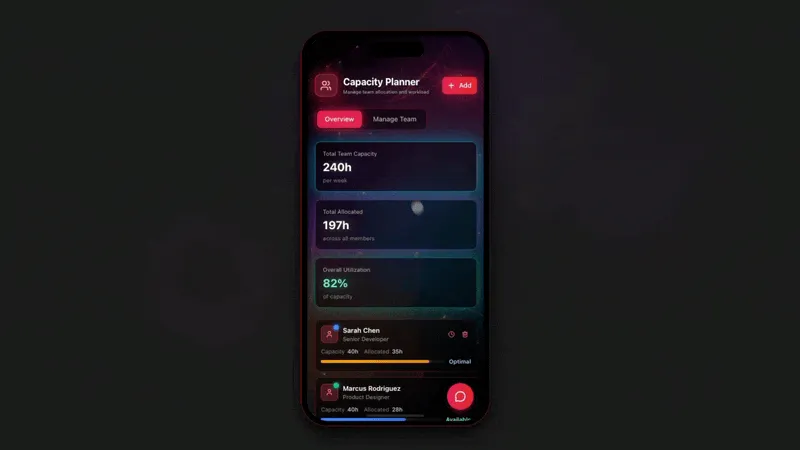
🚀 New iPad & Tablet Update
We have improved the Taskade iPad and Android tablet experience to give you faster browsing, organization, and multi-tasking on the go. Give it a try!
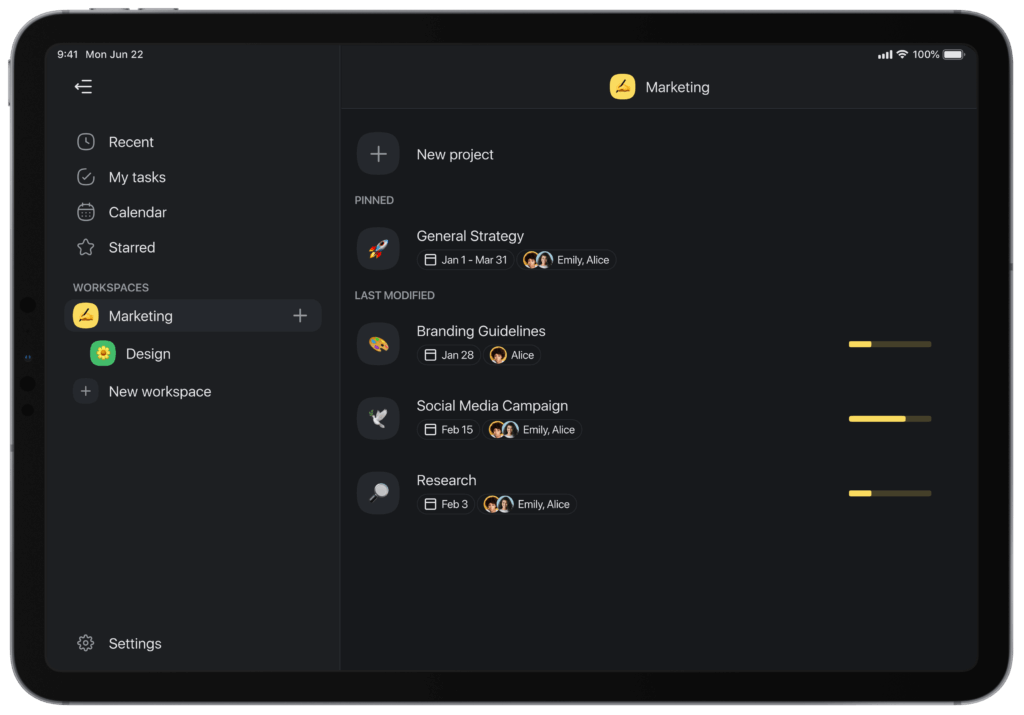
taskade ipad
📝 Project Settings
You can now disable chat and comments for each project or template via the project settings menu at the bottom left corner.
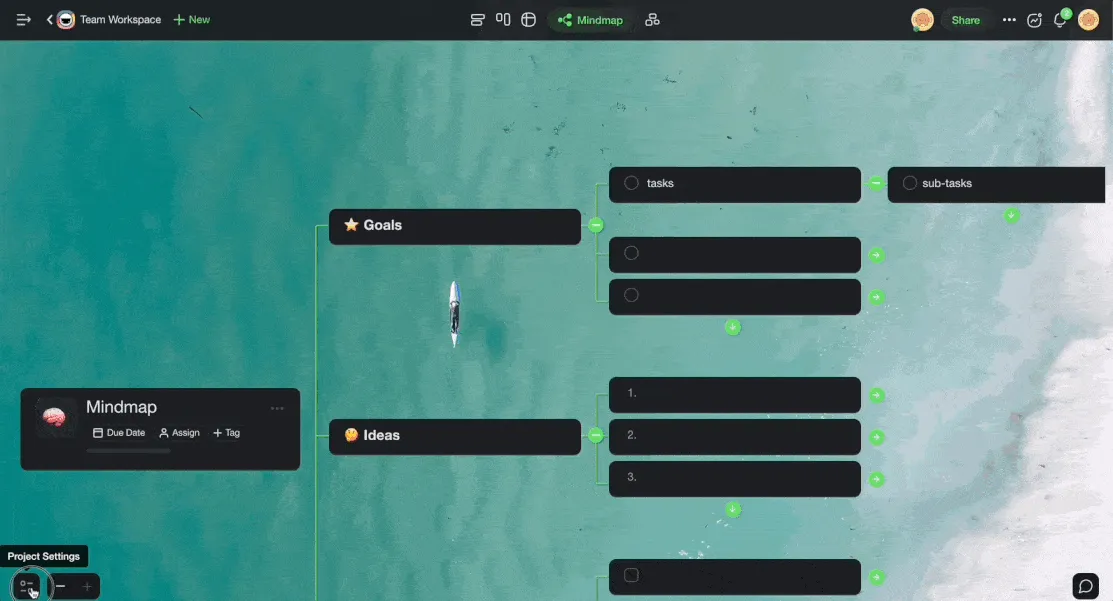
taskade project settings disable cha
👏 Video Call Reactions
Video calls just got a lot more fun with visual and audible reactions!
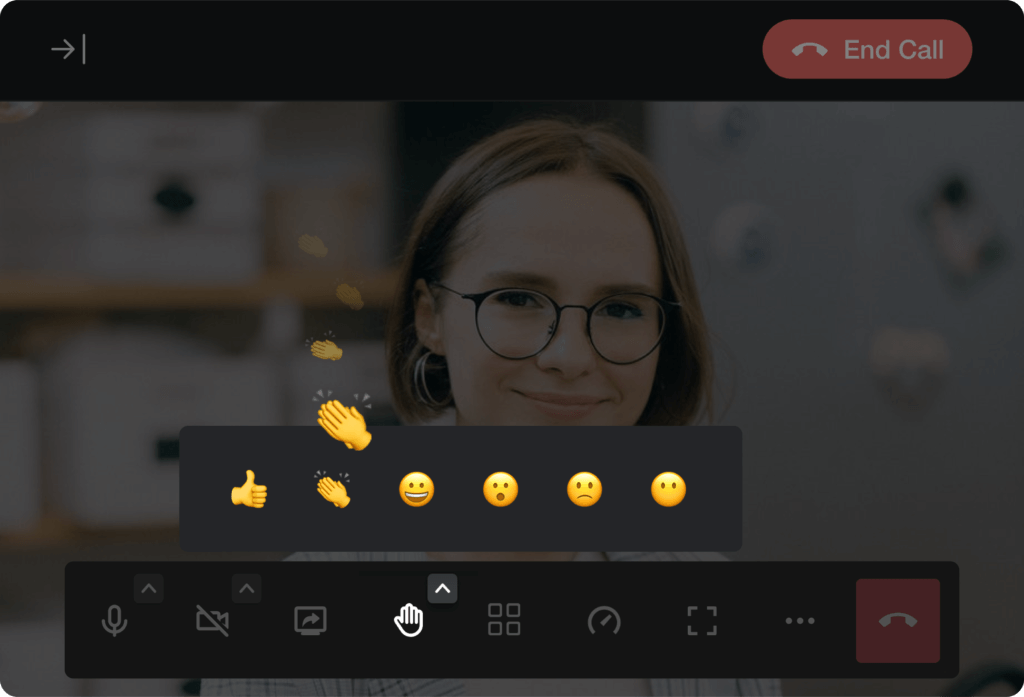
taskade reactions video
🎉 Other Improvements
- New: Regenerate invite links when sharing a workspace or folder.
- Improved search results for tasks, comments, projects.
- Bug fixes and performance improvements.
| Thanks again for supporting Taskade, and as always, don’t hesitate to reach out or visit our help center if you need help. We’re here for you! 😊 — Team Taskade 🐑 P.S. Want to help us improve Taskade? You can also suggest a feature. |
|---|
Frequently Asked Questions
Does Taskade have a dedicated iPad and tablet app?
Yes. Taskade offers optimized apps for iPad and Android tablets with faster browsing, multi-tasking support, and a tablet-friendly layout. The tablet experience mirrors the full desktop feature set including project views, chat, video calls, and real-time collaboration.
Can I disable chat or comments in a Taskade project?
Yes. Open Project Settings (bottom-left corner of the project) and toggle chat and comments on or off individually. This is useful for documentation-only projects, templates, or any workflow where you want to minimize distractions and keep the focus on content.
Does Taskade support reactions during video calls?
Yes. During a Taskade video call, participants can send visual and audible emoji reactions to respond without interrupting the speaker. Reactions appear as animated overlays on the video call screen, making remote meetings more interactive and engaging.
Can I regenerate invite links for a Taskade workspace?
Yes. In workspace or folder sharing settings, you can regenerate invite links at any time. This invalidates all previously shared links and creates a new URL, giving you control over who can access your workspace even after a link has been shared externally.