Taskadetaskade
PricingLoginSign up for free →Sign up for free →
Loved by 1M+ users·Hosting 100K+ apps·Deploying 500K+ AI agents·Running 1M+ automations·Backed by Y Combinator
TaskadeAboutPressPricingFeaturesIntegrationsChangelogContact us
GalleryReviewsHelp CenterDocsFAQ
VibeVibe AppsVibe AgentsVibe CodingVibe Workflows
Vibe MarketingVibe DashboardsVibe CRMVibe AutomationVibe PaymentsVibe DesignVibe SEOVibe Tracking
Community
FeaturedQuick AppsTools
DashboardsWebsitesWorkflowsProjectsFormsCreators
DownloadsAndroidiOSMac
WindowsChromeFirefoxEdge
Compare
vs Cursorvs Boltvs Lovable
vs V0vs Windsurfvs Replitvs Emergentvs Devinvs Claude Codevs ChatGPTvs Claudevs Perplexityvs GitHub Copilotvs Figma AIvs Notionvs ClickUpvs Asanavs Mondayvs Trellovs Jiravs Linearvs Todoistvs Evernotevs Obsidianvs Airtablevs Basecampvs Mirovs Slackvs Bubblevs Retoolvs Webflowvs Framervs Softrvs Glidevs FlutterFlowvs Base44vs Adalovs Durablevs Gammavs Squarespacevs WordPressvs UI Bakeryvs Zapiervs Makevs n8nvs Jaspervs Copy.aivs Writervs Rytrvs Manusvs Crewvs Lindyvs Relevance AIvs Wrikevs Smartsheetvs Monday Magicvs Codavs TickTickvs Any.dovs Thingsvs OmniFocusvs MeisterTaskvs Teamworkvs Workfrontvs Bitrix24vs Process Streetvs Toggl Planvs Motionvs Momentumvs Habiticavs Zenkitvs Google Docsvs Google Keepvs Google Tasksvs Microsoft Teamsvs Dropbox Papervs Quipvs Roam Researchvs Logseqvs Memvs WorkFlowyvs Dynalistvs XMindvs Whimsicalvs Zoomvs Remember The Milkvs Wunderlist
Genesis AIApp BuilderVibe CodingAgent Builder
Dashboard BuilderCRM BuilderWebsite BuilderForm BuilderWorkflow AutomationWorkflow BuilderBusiness-in-a-BoxAI for MarketingAI for Developers
AI Agents
FeaturedProject ManagementProductivity
MarketingTranslatorContentWorkflowResearchPersonalSalesSocial MediaTo-Do ListCRMTask AutomationCoachingCreativityTask ManagementBrandingFinanceLearning and DevelopmentBusinessCommunity ManagementMeetingsAnalyticsDigital AdvertisingContent CurationKnowledge ManagementProduct DevelopmentPublic RelationsProgrammingHuman ResourcesE-CommerceEducationLegalEmailSEODeveloperVideo ProductionDesignFlowchartDataPromptNonprofitAssistantsTeamsCustomer ServiceTrainingTravel PlanningAll Categories
Automations
FeaturedBusiness-in-a-BoxInvestor Operations
Education & LearningHealthcare & ClinicsStripeSalesContentMarketingEmailCustomer SupportHubSpotProject ManagementAgentic WorkflowsBooking & SchedulingCalendarReportsSlackWebsiteFormTaskWeb ScrapingWeb SearchChatGPTText to ActionYoutubeLinkedInTwitterGitHubDiscordMicrosoft TeamsWebflowRSS & Content FeedsGoogle WorkspaceManufacturing & OperationsAI Agent TeamsAll Categories
Wiki
GenesisAI AgentsAutomation
ProjectsLiving DNAPlatformIntegrationsProductivityMethodsProject ManagementAgileScrumAI ConceptsCommunityTerminologyFeatures
Templates
FeaturedChatGPTTable
PersonalProject ManagementSalesFlowchartTask ManagementEngineeringEducationDesignTo-Do ListMarketingMind MapGantt ChartOrganizationalPlanningMeetingsTeam ManagementStrategyGamingProductionProduct ManagementStartupRemote WorkY CombinatorRoadmapCustomer ServiceLegalEmailBudgetsContentConsultingE-CommerceStandard Operating Procedure (SOP)Human ResourcesProgrammingMaintenanceCoachingSocial MediaHow-TosResearchMusicTrip PlanningAll Categories
Generators
AI AppAI WebsiteAI Dashboard
AI FormAI AgentClient PortalAI WorkspaceAI ProductivityAI To-Do ListAI WorkflowsAI EducationAI Mind MapsAI FlowchartAI Scrum Project ManagementAI Agile Project ManagementAI MarketingAI Project ManagementAI Social Media ManagementAI BloggingAI Agency WorkflowsAI ContentAI Software DevelopmentAI MeetingAI PersonasAI OutlineAI SalesAI ProgrammingAI DesignAI FreelancingAI ResumeAI Human ResourceAI SOPAI E-CommerceAI EmailAI Public RelationsAI InfluencersAI Content CreatorsAI Customer ServiceAI BusinessAI PromptsAI Tool BuilderAI SEOAI Gantt ChartAI CalendarsAI BoardAI TableAI ResearchAI LegalAI ProposalAI Video ProductionAI Health and WellnessAI WritingAI PublishingAI NonprofitAI DataAI Event PlanningAI Game DevelopmentAI Project Management AgentAI Productivity AgentAI Marketing AgentAI Personal AgentAI Business and Work AgentAI Education and Learning AgentAI Task Management AgentAI Customer Relations AgentAI Programming AgentAI SchemaAll Categories
Converters
AI Featured ConvertersAI PDF ConvertersAI CSV Converters
AI Markdown ConvertersAI Prompt to App ConvertersAI Data to Dashboard ConvertersAI Workflow to App ConvertersAI Idea to App ConvertersAI Flowcharts ConvertersAI Mind Map ConvertersAI Text ConvertersAI Youtube ConvertersAI Knowledge ConvertersAI Spreadsheet ConvertersAI Email ConvertersAI Web Page ConvertersAI Video ConvertersAI Coding ConvertersAI Task ConvertersAI Kanban Board ConvertersAI Notes ConvertersAI Education ConvertersAI Language TranslatorsAI Business → Backend App ConvertersAI File → App ConvertersAI SOP → Workflow App ConvertersAI Portal → App ConvertersAI Form → App ConvertersAI Schedule → Booking App ConvertersAI Metrics → Dashboard ConvertersAI Game → Playable App ConvertersAI Catalog → Directory App ConvertersAI Creative → Studio App ConvertersAI Agent → Agent App ConvertersAI Image ConvertersAI Resume & Career ConvertersAI Presentation ConvertersAll Categories
Prompts
Blog WritingBrandingPersonal Finance
Human ResourcesPublic RelationsTeam CollaborationProduct ManagementSupportAgencyReal EstateMarketingCodingResearchSalesAdvertisingSocial MediaCopywritingContentProject ManagementWebsite CreationDesignStrategyE-commerceEngineeringSEOEducationEmail MarketingUX/UIProductivityInfluencer MarketingAnalyticsEntrepreneurshipLegalAll Categories
Blog
They Generate Code. We Generate Runtime — The Taskade Genesis Manifesto (2026)What Is Intelligence? From Neurons to AI Agents — A Complete Guide (2026)What Is Grokking in AI? When Models Suddenly Learn to Generalize (2026)Taskade vs Zoho: Can AI Workspaces Replace Enterprise SaaS? (2026)
What Is Mechanistic Interpretability? How We're Learning to Understand AI (2026)How Do Large Language Models Actually Work? Transformers Explained (2026)What Is an Agentic Workspace? The Complete Guide (2026)Vibe Apps Directory: The Complete Guide to No-Code AI App CategoriesWhat is FFmpeg? Complete History of the Open-Source Multimedia Framework (2026)What Is AI Safety? Complete Guide to AI Risks, Alignment & The Future (2026)What Are Micro Apps? The Trend Reshaping How Software Gets Built (2026)What Is Agentic Engineering? Complete History: From Turing to Karpathy, AutoGPT to Autoresearch & Beyond (2026)Will Vibe Coding Kill SaaS? The Garry Tan vs Zoho Debate Explained (2026)Build an AI Event Landing Page in MinutesVibe Learning Apps: Best AI LMS & Course Platforms Compared (2026)Vibe Utility Apps: 10 AI Converters & Dev Tools You Can CloneVibe Finance Apps: 10 AI Invoice Generators, Expense Trackers & Dashboards
AIAutomationProductivityProject ManagementRemote WorkStartupsKnowledge ManagementCollaborative WorkUpdates
Changelog
Mobile Agent Panel, Dark Mode Theming & White-Label 404 Pages (Mar 13, 2026)Linear & Monday Integrations, Agent Memory for All Models (Mar 12, 2026)App Kit Export & Import, Agent Memory & Custom Domain SSL (Mar 11, 2026)
Developer SDK, App Kit Sharing & Live Theming (Mar 10, 2026)Airtable Integration, Smarter Agent Models & Workspace File Management (Mar 9, 2026)Bulk Project Import & Real-Time Integration Triggers (Mar 7, 2026)Faster Project Files & Performance (Mar 5, 2026)
Wiki
GenesisAI AgentsAutomation
ProjectsLiving DNAPlatformIntegrationsProductivityMethodsProject ManagementAgileScrumAI ConceptsCommunityTerminologyFeatures
© 2026 Taskade.
PrivacyTermsSecurity
Made withTaskade AIforBuilders
Blog›Productivity›Creating a Punch List…

Creating a Punch List (Updated Guide for 2026)

The best construction projects are those that don't require a punch list at the end of it. But, let's face it; not every building is going to be perfect. It's i...

September 7, 2022·Updated March 6, 2026·8 min read·Lian Liu·Productivity·#productivity-tips
On this page (7)
What is a Punch List?How Do You Create A Punch List?Tips For Forming A Good Punch ListCreating a Punch List in TaskadePaper vs. Digital Punch ListsWorkspace DNA: Punch Lists That Track, Think, and ActFrequently Asked Questions About Creating a Punch List

The best construction projects are those that don't require a punch list at the end of it. But, let's face it; not every building is going to be perfect. It's inevitable that there will be mistakes and errors that need to be corrected.

A punch list ensures that you detect these imperfections so that the contractor can expedite a fix before completing the project.

TL;DR: A punch list documents remaining defects and tasks a contractor must fix before final payment. Digital tools like Taskade replace paper punch lists with real-time collaboration, photo attachments, and 8 project views for tracking completion. Create a free punch list -->

What is a Punch List?

A punch list is a list of deliverables that are prepared at the end of the project. Punch lists are a common practice in construction. Essentially, it is a list of added deliverables the contractor must complete before the job is considered complete.

Punch lists are important when it comes to construction projects. They help you highlight potential flaws that might affect the final product. Discovering flaws after project completion will only lead to extra construction costs. So, it is important that you know how to create a proper one.
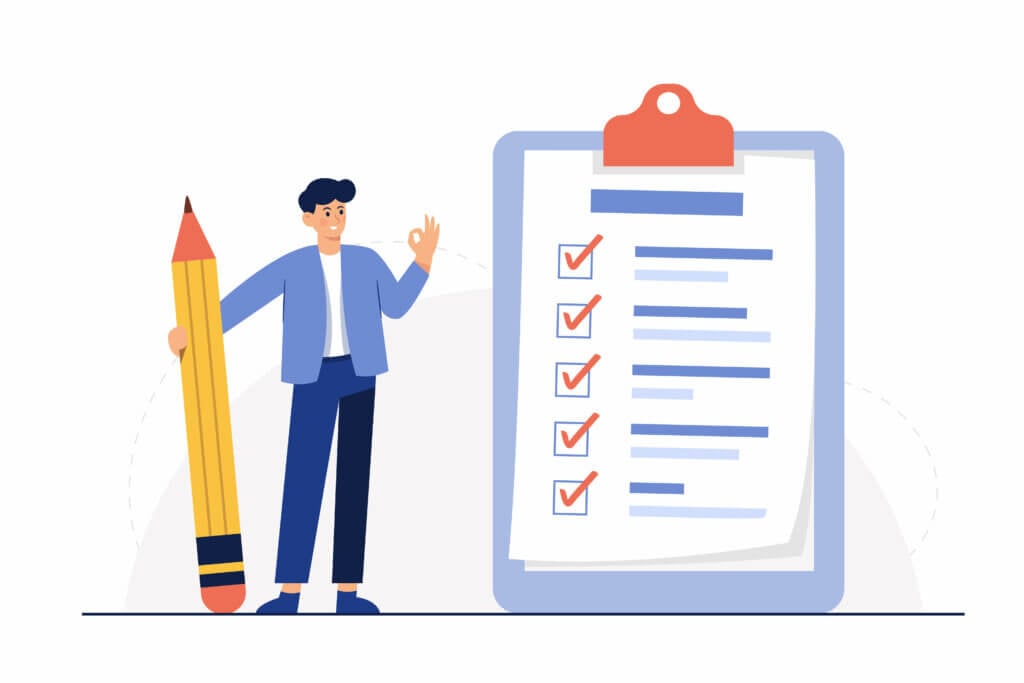
Instead of the usual traditional or agile project management methods, punch lists require you to compile a list of tasks first. This complete list is then sent over to the contractor with a due date. Once every item on the list has been punched, the contractor will receive full payment for the project.

It’s important to note that a punch list is not for you to add on more deliverables. Rather, it is to protect you from unnecessary additional repair costs that may have resulted from the construction.

Think about issues such as exposed wiring, cracked flooring, or even a broken window that may have occurred during construction.

After visually inspecting the project, additional changes to the project are made when the contractor agrees to it on top of the additional costs.

How Do You Create A Punch List?

When it comes time to create a punch list, it’s best if you bring along a person with experience for an expert second opinion. The project might look complete to an untrained eye, but having an expert comb through the project could uncover underlying faults that can help to save you money in the long run.

Here are some common things to look out for when combing through the project site:

  1. Is the work area clean?

  2. Is the product up to your original expectation?

  3. Are there any visible signs of property damage?

  4. Is there anything that you would like to add?

The size of your punch list will depend on the size of your project. A punch list for a residential kitchen redesign will contain fewer action items when compared to that of a large office building.

Tips For Forming A Good Punch List

Having a cool-down period ranging from a few days to 1 to 2 weeks is great when trying to come up with a punch list. During this cool-down period, note down everything that needs to be done and then delegate it to the contractor after you have a complete list of action items. 

This saves time as it prevents the need for constant back and forth communication. Also, this lets the contractor focus on your punch list tasks and optimize their time to complete the project as soon as possible with minimal interruptions.

When creating your punch list, it’s important to remember that the quicker you and the contractor agree on a list, the sooner you can wrap up the project. A good practice is to keep your punch list team small and efficient. 

For example, if you had engaged a designer to work on the design of your house, it would be great if you could inspect the house with your designer. This is so that they can weigh in and ensure that the final product is close to the actual desired outcome.

When inspecting the work, don’t zoom in on minuscule details. Instead, you should view the final product as you normally would. The intention of having a punch list is not to scrutinize the work for not being perfect but to instead check for obvious flaws that require remedy.

Finally, try to be as specific as possible when highlighting problem areas. Describe the problem, locate the issue, and attach images of the problem for added clarity.

Creating a Punch List in Taskade

Traditionally, a punch list would involve physically punching a hole beside completed tasks on a paper list. However, Taskade is a to-do list app that allows you to do this for free. Instead of creating physical punch lists, why not align with your team online, and assign tasks to your contractor remotely?

Here’s how to use Taskade to create a punch list:

  • 1. Create a project on Taskade
  • 2. Use our task list template to get a headstart on creating your punch list

  • 3. List down your punch list action items hierarchically

  • 4. Invite your contractor to the project
  • 5. Assign tasks and set due dates for specific tasks

  • 6. Synchronize within the same project with our free built-in video and call function

One of the unique features that Taskade has is the ability for you to communicate and collaborate on the same project via free and unlimited chat and video calls. What this means is that you will be able to communicate with your team and the contractor on the same project to align on your punch list. 

The ability to do this within the same project lets you quickly align on the project without having to toggle between applications.

Paper vs. Digital Punch Lists

Feature Paper Punch List Digital (Taskade)
Real-time updates No Yes
Photo attachments Manual Built-in
Team collaboration In-person only Real-time, remote
Progress tracking Manual counting Automatic (Board view)
Version history None Full history
AI task generation No Yes (AI agents)
Mobile access Physical copy only iOS, Android, Web
Cost Paper + printing Free plan available

Taskade project views for construction management.

Streamline your punch list workflow with Taskade templates, AI-powered task breakdown, and 100+ integrations. Browse community apps for construction and project management.


Work smarter with Taskade AI! 🤖

🤖 Custom AI Agents: Need an extra pair of hands? Create a team of AI agents to automate work so you can focus on strategic tasks.

🪄 AI Generator: Speed up project planning with AI. Describe what you're working on and Taskade AI will do the heavy lifting.

✏️ AI Assistant: Break down and prioritize big tasks with a set of powerful /AI commands integrated seamlessly into the project editor.

🗂️ AI Prompt Templates Library: Taskade AI comes with hundreds of AI prompt templates that will help you turn your ideas into reality.

💬 AI Chat: Discuss strategies for effective project management, getting real-time suggestions for process improvements.

📄 Media Q&A: Use Taskade AI to discover valuable insights and patterns hidden in documents, spreadsheets, and external resources.

And much more...

Taskade AI banner.

Workspace DNA: Punch Lists That Track, Think, and Act

A punch list is only useful if every item gets resolved. Taskade's Workspace DNA framework — Memory, Intelligence, and Execution — turns static checklists into dynamic project management systems that close the loop on every deliverable.

Memory stores your punch list items, inspection notes, photos, and contractor communications in persistent projects. Switch between 8 views — List for quick scanning, Board for status columns (To Do, In Progress, Done), and Calendar for deadline tracking — so every stakeholder sees what matters most to them. Intelligence works through AI agents with 22+ built-in tools and frontier models from OpenAI, Anthropic, and Google. These agents can categorize defects by severity, suggest task assignments based on contractor specialties, and flag items at risk of missing deadlines.

Execution automates the follow-up. Automations with 100+ integrations and Temporal durable execution can send reminders to contractors, escalate overdue items to project managers, and archive completed punch lists — all without manual effort. The cycle is continuous: completed items feed back into project Memory, keeping your records audit-ready.

Build a custom punch list app with Taskade Genesis by describing your requirements in natural language. Over 150,000 apps have been built this way. Explore community-built project management tools or start with the Free plan, scaling to Starter ($6/mo), Pro ($16/mo), or Business ($40/mo).

Frequently Asked Questions About Creating a Punch List

What is included in a punch list?

A punch list includes added deliverables the contractor must complete before the job is considered complete. It also contains flaws that you might find while inspecting the construction.

Why is it called punch list?

Punch lists are a common practice in construction and it is normal for contractors to punch a hole in a physical list whenever they complete a task, hence the name.

What is the difference between a punch list and a checklist?

A punch list is essentially a checklist that specifically contains fixes that a contractor must expedite before the work is considered complete.

0%

On this page

What is a Punch List?How Do You Create A Punch List?Tips For Forming A Good Punch ListCreating a Punch List in TaskadePaper vs. Digital Punch ListsWorkspace DNA: Punch Lists That Track, Think, and ActFrequently Asked Questions About Creating a Punch List

Related Articles

/static_images/Flowtime Technique Explained - Complete Guide to Flow State (2026)
July 9, 2025Productivity

Flowtime Technique Explained: Complete Guide to Flow State (2026)

Master the Flowtime technique (Flowmodoro), the flexible Pomodoro alternative. Achieve deep work flow states with Taskad...

/static_images/AI event landing page built with Taskade Genesis
March 7, 2026Productivity

Build an AI Event Landing Page in Minutes

Step-by-step tutorial: build an event landing page with registration, scheduling, and attendee management — from a singl...

/static_images/AI utility app — color palette extractor built with Taskade Genesis
March 3, 2026Productivity

Vibe Utility Apps: 10 AI Converters & Dev Tools You Can Clone

10 AI-powered utility apps — QR generators, color extractors, translators, code tools, and more — ready to clone or buil...

/static_images/AI expense tracking and finance dashboard built with Taskade Genesis
February 28, 2026Productivity

Vibe Finance Apps: 10 AI Invoice Generators, Expense Trackers & Dashboards

10 AI-powered finance tools — invoice generators, expense trackers, budget dashboards, and ROI calculators — ready to cl...

/static_images/Invoice Generator app with payment tracking dashboard showing paid, pending, and overdue invoices
February 28, 2026Productivity

3 Finance Apps You Can Clone Today — Invoice, Meeting Costs & Licenses

Track payments, calculate meeting costs, manage licenses — three complete finance apps you can clone in minutes. AI-powe...

/static_images/AI appointment booking system built with Taskade Genesis
February 24, 2026Productivity

Vibe Booking Apps: Build an AI Appointment System in Minutes

Build AI-powered booking and scheduling systems without code. 5 working examples — appointment scheduling, class booking...

View All Articles
Creating a Punch List (Updated Guide for 2026) | Taskade Blog