






TL;DR: Anthropic shipped Live Artifacts inside Claude Cowork in April 2026, local-only, Haiku-only, no Skills, no team sharing at launch. Taskade Genesis ships the same dashboards as deployed apps at public URLs with embedded agents, 100+ integrations, OIDC auth, and one-click clone. Clone any of 8 Live Dashboard Kits →
Live Artifacts is the next step toward making Claude the operating system for getting work done, if you never need to share it. Bill Atkinson built HyperCard in 1987 on the bet that any non-programmer should be able to build a real working tool and share it. Live Artifacts is HyperCard 1.0, beautiful, personal, file-bound, single-user. Taskade Genesis is HyperCard plus the App Store plus the Web, already shipping.
The least-effort upgrade isn't building features. It's noticing what you already have.
What Anthropic actually shipped
Live Artifacts are persistent HTML dashboards that live in the Cowork sidebar on a paid Claude plan (Pro, Max, Team, or Enterprise) running on macOS or Windows. Open one and it refreshes with current data from your connected apps. Per the Anthropic help doc, the launch scope is explicit about four ceilings:
- Local to the machine that created them. They don't travel between devices. There is no
taskade.app-style URL. - Team sharing is on the roadmap, not at launch. A Live Artifact is, by Anthropic's own framing, for your own use right now.
- AI actions inside the artifact run only on Haiku. Sonnet, Opus, and any future frontier-class Claude model are off-limits for in-artifact actions.
- Skills cannot be invoked from inside a Live Artifact. Anthropic's Skills API, the closest analog to Taskade's built-in agent tools, is gated to the chat surface, not the dashboard surface.
Add a fifth that's implicit in the doc: there is no programmatic clone-and-customize storefront. If someone else has built the dashboard you need, there's no /share/apps/{id} link they can hand you.
This is not a knock on Anthropic. It's the launch shape of a product that decided to nail single-user persistent dashboards first. The honest question for a builder is: what use cases does that scope leave on the table?
What every other AI vendor shipped while Anthropic was finishing Live Artifacts
Anthropic launched Live Artifacts on April 20, 2026. The 4-week window since launch saw nearly every major AI builder ship a competing or adjacent capability. Here is the May 2026 freeze-frame for context.
| Vendor | What shipped in 2026 | Where it sits relative to Live Artifacts |
|---|---|---|
| Notion | Custom Agents (Feb 24, 2026) + Notion 3.4 lightweight models (Apr 2026) | Persistent agents inside docs that run autonomously for 20 min — but no shareable dashboard surface |
| ClickUp | Super Agents (Dec 23, 2025) + Brain MAX desktop (2026) | 500+ fine-tuned agent skills inside the PM bundle — but no live cloneable artifact you hand to a customer |
| Lovable | Workspaces + Chat Mode Agent (Apr 2025) | React + Supabase code you deploy — Live Artifacts ship faster, but you own none of the source |
| Bolt | Bolt V2 Cloud + Expo (Oct 2025) | Browser-native full-stack apps including mobile — Live Artifacts can't compile to native mobile, ever |
| Cursor | Cursor 2.0 Composer + Background Agents (Oct 2025), Cursor 3.0 parallel agents (2026) | An IDE for engineers — Live Artifacts are for non-engineers, but with a Mac/Windows-only ceiling |
| Linear | Linear Agent (Mar 24, 2026) + Code Intelligence (May 14, 2026) | AI tied to your codebase — Live Artifacts have no concept of codebase, only data refresh |
| Slack | Salesforce Agentforce in Slack + 30 new AI features (Mar 31, 2026) | Chat-channel agents at workspace scale — Live Artifacts are single-user dashboards, by design |
| Airtable | Omni + Field Agents (2025-2026 platform pivot) | Row-scoped agents on bases — Live Artifacts read external data, but write nowhere |
| OpenAI | Codex Sites (Jun 2, 2026) | Prompt-to-deployed-app — but Business/Enterprise-only, OpenAI-hosted, no public URL, no custom domain, payments prohibited |
| Taskade Genesis | 24 Kits + 5 Stacks (May 21, 2026) | Live cloneable apps with agents, automations, 100+ integrations, custom domains, public embed |
The pattern is the same across the board. Every major vendor extended their existing primitive, wiki, board, codebase, channel, base, with an agent. Anthropic alone shipped a new primitive (Live Artifact = persistent dashboard) and they're the most likely to evolve it fastest.
Update (June 2026): the pattern accelerated. On June 2, 2026 OpenAI shipped Codex Sites, prompt-to-deployed-app, and Microsoft shipped Scout, an always-on work agent. Three giants (Anthropic Live Artifacts, OpenAI Codex Sites, Microsoft Scout) converged on the same describe-build-deploy-share-self-update loop inside ~6 weeks. Live Artifacts and Codex Sites both prove the loop and both wall it in: Live Artifacts is Mac/Windows-and-paid-Claude only; Codex Sites is Business/Enterprise-only with no public URL or custom domain. Taskade Genesis ships to a public web URL out of the box, free for your first live apps, with custom domains on Business and up. The honest read of the May 2026 landscape: Live Artifacts will inevitably catch up on sharing and on Skills inside the artifact. But they will still be a Mac-and-Windows-only dashboard that someone has to be on a paid Claude plan to even open. Genesis Apps are URL-first by default; everyone with a browser can use one, and most of them are free to clone.
The HyperCard moment, finished
Bill Atkinson described HyperCard in 1987 as "an erector set for the mind." It was beautiful, single-machine, file-bound, and the moment users wanted to share their stacks beyond their own Mac, they were stuck. The Web fixed that gap, eventually. The App Store added discovery on top.
Live Artifacts is, structurally, HyperCard 1.0:
| Era | Surface | Where it lives | Who can use it |
|---|---|---|---|
| 1987 | HyperCard stack | Single Mac | One person |
| 2024 | Claude Artifact in chat | One conversation | One chat session |
| 2026 | Claude Live Artifact | One desktop (Mac or Windows) | One Claude account |
| 2026 | Taskade Genesis App | Public URL + custom domain | Anyone with the link |
Taskade Genesis is the file format + the storefront + the runtime + the team layer, already shipping, in the same workspace, on the free plan. It is the 1984 Macintosh moment, not the 1981 LISA moment: every primitive is in one box at one price. The same generational pattern shows up in the history of Lotus Notes, beautiful local clients waiting for the server-side complement that turns them into shared software.
The HyperCard → Web → App Store → AI App Builder arc
Personal computing has cycled through this exact problem four times. Every era starts with a beautiful primitive that lets one person build a real working tool. Every era stalls at the same wall: the moment the maker wants someone else to use that tool, the surface that made it easy to build becomes the cage that traps it. The fix has always been the same, wrap the file format in a runtime, an addressing layer, and a storefront. Live Artifacts is sitting exactly where HyperCard sat in 1987.
1987: HyperCard: the primitive without the network
Bill Atkinson shipped HyperCard with the bet that any non-programmer should be able to build a real working tool. Stacks were the primitive. The Mac was the runtime. The sharing model was a floppy disk handed across a desk. The end-user surface was whatever the maker's Mac could render. Within eighteen months HyperCard had powered the first version of Myst, internal CRMs at hospitals, a generation of educational software, and tens of thousands of one-off personal stacks. None of them could leave the machine they were built on without a physical disk and a copy of the runtime on the other end. The primitive was right. The distribution surface didn't exist yet.
1995: World Wide Web: the addressing layer
Tim Berners-Lee's contribution wasn't HTML. HTML was a thinner version of formats that already existed. The real primitive was the URL, a single string that pointed at a resource hosted anywhere in the world, resolvable by any client. The moment you could write <a href="..."> and have a stranger's browser fetch the document, every file format on Earth became potentially multi-user. HyperCard's stack format was technically more capable than 1995-era HTML. It lost anyway because URLs let HTML pages share themselves and stacks could not.
2008: iOS App Store: the storefront and the install
The App Store added the missing piece for a different file format. iOS apps were beautiful and powerful, but for the first year of the iPhone there was no way for one person to ship a built app to another person without Apple as the intermediary. Once the storefront opened, an indie developer could ship an app on Monday and reach a million people by Friday. The compiled binary plus the storefront plus the install runtime collapsed three decades of distribution friction into a one-click flow.
2024+: AI app builder: the prompted app with all four layers
The fourth wave compresses all three prior insights into one surface. The primitive is a prompted app. The runtime is the workspace it runs inside. The addressing layer is the public URL the maker gets the moment the prompt finishes. The storefront is the Community Gallery where anyone can clone the app and customize it. Taskade Genesis ships all four layers in the same product on the free plan. Live Artifacts ships the primitive, beautifully, and has the runtime, but the addressing layer and the storefront are both on the roadmap.
| Era | Primitive | Runtime | Addressing | Storefront | End-user surface |
|---|---|---|---|---|---|
| 1987 HyperCard | Stack file | Mac | Floppy disk | None | One Mac |
| 1995 Web | HTML page | Browser | URL | None (until search) | Any browser |
| 2008 App Store | Compiled .ipa | iOS | Bundle ID | App Store | Any iPhone |
| 2026 Live Artifact | HTML dashboard | Cowork desktop | None (local) | None | One desktop |
| 2026 Taskade Genesis | Prompted app | Taskade workspace | taskade.app URL + custom domain |
Community Gallery | Any browser, multi-user |
The historical pattern is clean. Whichever vendor ships the four-layer stack first wins the era. Whoever ships only the primitive ends up cited reverently in retrospectives and forgotten in production. The same generational compression is visible across the founder operating system and the solo operator's stack, both of which treat the workspace, not the file, as the unit of leverage.
Lifecycle: file format vs deployed system
A single state-machine diagram is the cleanest way to see the architectural gap. Live Artifacts open, refresh, and close. That's the whole lifecycle. Genesis Apps open, deploy, share, get cloned, and get customized, every transition is a new state, every state is shared by anyone with the link.
The state graph also predicts the cost difference. Live Artifacts pay Haiku inference on every open. Genesis Apps pay nothing on view, only the original deploy costs tokens, and the deployed artifact serves cached state to every viewer.
Capability score across 6 axes
A bar-chart parity check across the six dimensions that decide team adoption.
The first bar is Taskade Genesis. The second is Live Artifacts as of May 23, 2026, 33 days post-launch. Anthropic put sharing on the roadmap; we'll re-run this chart when sharing ships.
The sharing roadmap timeline
Anthropic was explicit about the launch tradeoffs. Sharing wasn't in v1. It's on a roadmap. As of May 23, 2026, sharing has not shipped. The May 14 Cowork update added 20+ MCP connectors and 12 legal-vertical plugins, but no Live Artifact sharing.
| Date | Anthropic Live Artifacts | Taskade Genesis Apps |
|---|---|---|
| Apr 20, 2026 | Launch — single-device, Haiku-only | Public share URL since day 1, 15+ models |
| May 14, 2026 | Cowork May update — 20+ MCP connectors added, sharing reaffirmed on roadmap | GenesisAuth (OIDC SSO) GA |
| May 23, 2026 (today) | Sharing: NOT shipped | 150,000+ deployed apps; 120+ Community Gallery kits |
| Q3 2026 (Anthropic estimate) | Sharing on roadmap; date TBD | Custom domains + Stripe checkout shipping |
Anchor: as of May 23, 2026, 33 days post-launch, sharing remains roadmap-only (Anthropic Cowork May update).
Side-by-side: 11 dimensions that actually decide the trade
The existing /compare/free-claude-alternative page tracks 15 dimensions across Claude as a whole. Below is the Live Artifacts–specific slice, expanded into five sub-dimensions that didn't exist before April 2026:
| Dimension | Claude Live Artifact | Taskade Genesis App | Winner |
|---|---|---|---|
| Where it lives | Local Mac or Windows desktop | Public URL on taskade.app with optional custom domain |
Taskade |
| Team sharing at launch | On the roadmap | Day-1 share link + clone-to-customize storefront | Taskade |
| AI actions inside the surface | Haiku-only | Full Agent v2 with tool approval, routes across 15+ frontier models | Taskade |
| Skills support | Not yet | built-in agent tools + custom tools you define | Taskade |
| Multi-user auth | Personal only | <GenesisAuth> OIDC, per-user filtering via auth.user.profile.sub |
Taskade |
| Refreshes with connected app data | Yes | Yes — via durable Flows + 100+ integrations | Tie |
| Persistence across opens | Yes | Yes | Tie |
| Embed in a customer experience | No | Yes — custom domain + GenesisAuth | Taskade |
| Frontier reasoning surface (in chat) | Sonnet, Opus on the chat side | Claude on your own key: the Anthropic Claude connector in automations, or inside agents on Enterprise | Claude (chat) |
| Single-laptop personal dashboard | Native fit | Overkill if no sharing needed | Claude |
| Cloneable from a storefront | No | Yes — 120+ apps in the Community Gallery | Taskade |
Two rows go to Claude. Nine go to Taskade. The two Claude wins are real: frontier reasoning in a chat and single-user personal dashboards are both genuinely well-served by Cowork. Everything else, sharing, deployment, auth, automation, Skills, cloning, is the workspace problem, and the workspace problem has a different shape than the file-format problem.
The 8 use cases from the launch video, mapped to Taskade kits you can clone right now
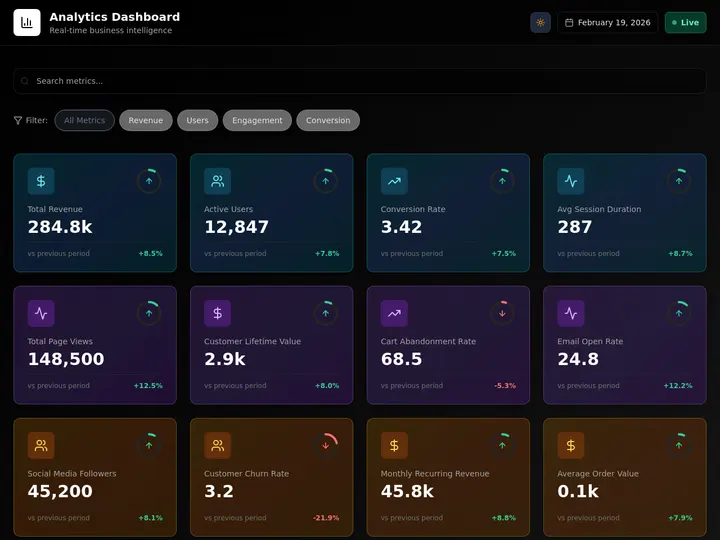
The Live Artifacts launch demo walked through eight dashboards. Each one has a one-prompt Genesis equivalent already shipping in the Community Gallery, same data sources, same surface, but deployed at a URL, share-link day-one, with agents and automations underneath.

┌────────────────────────────────────┬──────────────────────────────────────────┐
│  LIVE ARTIFACT (Cowork sidebar)    │  GENESIS APP (taskade.com/share/apps/X)  │
├────────────────────────────────────┼──────────────────────────────────────────┤
│  Local to your Mac                 │  Public URL, share with a team           │
│  Haiku actions only                │  Full agent, tool approval, 15+ models   │
│  No Skills                         │  Built-in tools + custom tools           │
│  No customer-facing surface        │  Custom domain + OIDC + per-user filter  │
│  No clone-and-customize            │  One-click clone from Community Gallery  │
└────────────────────────────────────┴──────────────────────────────────────────┘
| # | Launch-video use case | What the artifact shows | Taskade Live Dashboard Kit | What Genesis unlocks on top |
|---|---|---|---|---|
| K1 | YouTube + Bitly + PostHog → conversions | Creator funnel snapshot | Creator Conversion Kit | Public sharing with creators on your team, agent that drafts next-video briefs from the data |
| K2 | Stripe + PostHog → founder daily brief | MRR, churn, top events | Founder Daily Brief Kit | Investor-shareable URL, Slack push on threshold breach |
| K3 | Circle + Fireflies → community pulse | Community health digest | Customer Pulse Kit | Multi-user view per community manager, auto-DM new members |
| K4 | Drafted customer-support replies posted back | Haiku draft + manual paste | Inbox Co-pilot Kit | Agent with tool approval drafts and posts back via Gmail / Intercom action |
| K5 | Sales rep account-management stand-up | Per-rep account list | Sales Stand-up Kit | OIDC filtering — each rep sees only their accounts, manager sees all |
| K6 | YouTube + Twitter creator radar | Trending creators in a niche | Creator Radar Kit | Schedule a Flow to auto-outreach via Gmail action, log to Notion |
| K7 | Slack + email + Discord triage | Cross-channel inbox digest | Cross-Channel Triage Kit | Embeddable in a customer success portal, agent classifies and routes |
| K8 | Investor portfolio update digest | Stripe + cap-table refresh | Investor Pulse Kit | Custom domain at investors.{yourcompany}.com, password-protected page per investor |
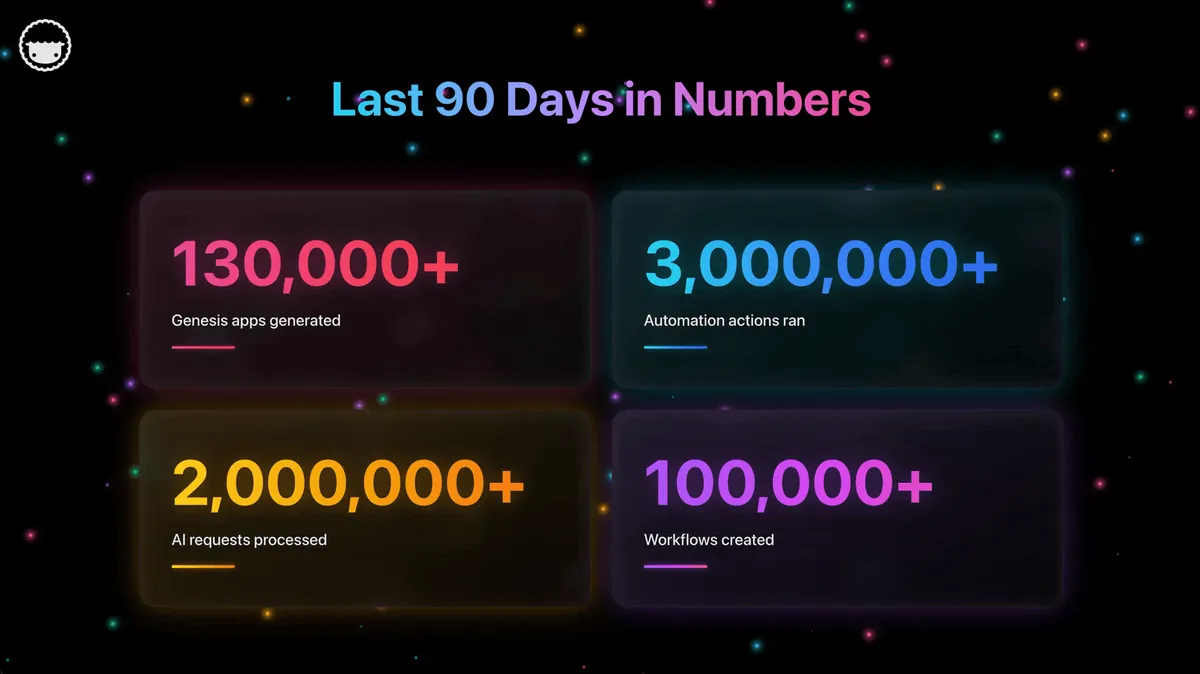
Every one of these is a /share/apps/{appId} URL today. Open one, click Clone, you have a copy in your workspace in 60 seconds. No paywall, the free plan ships with full app-builder access. The same use case in Cowork is currently a "build it once on my Mac and never share it" project.
What the underlying data graph looks like, side-by-side
The cleanest way to see the team-readiness gap is an entity diagram of what each platform stores. Live Artifacts hold a chat session and a render. Genesis Apps hold a workspace with a real persistence layer.
Live Artifacts are scoped to one chat session that one user owns. Genesis Apps belong to a workspace shared with N users, point at persisted memory nodes, orchestrate agents, and trigger automations. The cardinality is the whole gap.
What a Live Artifact will never beat a Genesis App at
Five enumerated capabilities. Each is a structural property of the workspace, not a feature flag waiting to ship.
- Deployable surface with a URL. A Genesis App lives at
taskade.com/share/apps/{id}from the moment you finish the prompt. Optional custom domain via DNS. A Live Artifact lives in a Cowork sidebar on the machine that created it. - Multi-user OIDC authentication.
<GenesisAuth>ships per-user identity and per-user data filtering out of the box. A Live Artifact has one user, the Claude account holder on that machine. - Durable automations spanning 100+ integrations. Triggers pull events in. Actions push data out. A Live Artifact can read data when it opens; it can't run an ongoing Slack-watcher that posts to HubSpot at 3am.
- Embedded agent with tool approval and full frontier-model routing. Agents v2 ships built-in tools, custom tools you define, and Auto routing across frontier models from top AI labs. Enterprise workspaces can also run Claude inside agents on their own Anthropic key, and automations on every plan can call Claude through the Anthropic Claude connector. A Live Artifact's in-surface AI is Haiku-only with no Skills.
- Clone-and-customize storefront. The Community Gallery has 120+ apps anyone can clone in 60 seconds. There is no clone surface for Live Artifacts. Every dashboard is built from scratch on the user's machine.
These are not roadmap items. They are the difference between a file format and a workspace.
Workspace DNA: the loop that makes the difference
Live Artifacts are a beautiful file. Genesis runs a loop.
A Live Artifact is the output of a single Claude generation. A Genesis App is a node in a Workspace DNA loop, the projects feed the agent, the agent triggers the flow, the flow writes new data back into the projects, and the next time you open the app the workspace itself is smarter. The same frame that makes the founder operating system work, persistent memory inside the workspace, not stateless context per session, is what separates a dashboard from a living surface. It's also why vibe-coded businesses stay running once the prompt session ends: the primitives live inside the workspace, not regenerated every time.
Real customers are already shipping the use cases Live Artifacts is showcasing
The proof isn't in the demo. It's in the production deployments.
| Builder | What they shipped | Live for | Why a Live Artifact wouldn't have worked |
|---|---|---|---|
| An equipment company (NZ) | Internal equipment-booking app for the whole team | 5 years, daily use | Multi-user filtering, per-team views, runs without their Claude account |
| An exam-prep academy | 4 cloneable language-test calculators | 18 months, thousands of organic visits/month | Public URLs, indexable, every visitor is a different user |
| First self-serve Enterprise customer | Internal ops surface — "what 40 people would take 18 months" | 1 builder, weeks of work | Custom domain, OIDC, embedded customer-facing |
| A solo builder in Switzerland | 300+ Genesis apps in 18 months | Power builder, full Community Gallery | Cloneable, customizable, individual app URLs |
| A community creator | One published Genesis app | Thousands of views in its first week | Public URL, share-link mechanics, no install required |
None of these would work as a Live Artifact today. Not because Cowork isn't capable. It is. But because every one of them needed the app to leave the builder's machine.
The AI app builder category cartography
The category has exploded past easy comparison. By May 2026 there are roughly two dozen vendors claiming to be "AI app builders" and they fall into wildly different quadrants depending on what they actually output and who can use the result. The clearest map is a 2x2 across two axes: what the system outputs (code files or deployed apps) and who can use the output (single user or multi-user). Live Artifacts and Taskade Genesis sit in two different quadrants. Half the noise in the category collapses once the map is drawn.
Q1: Single-user, code output
Cursor, Aider, Copilot. The output is source files. The user is one engineer at one workstation. The artifact never reaches a non-engineer. These tools are excellent at what they do, Cursor 2.0 and 3.0 in particular have raised the bar for engineer productivity, and they have nothing to do with the category Live Artifacts and Genesis live in. See the free Cursor alternative comparison for the engineer-vs-builder framing.
Q2: Single-user, app output
Live Artifact, Vercel v0, ChatGPT Canvas. The output is a rendered app or component the user can interact with. The user is one person on one device. Sharing is either absent or weak. This is the quadrant Live Artifacts launched into. It is a legitimate quadrant. There are real use cases for "I want a personal dashboard nobody else needs to see." It is also the smallest of the four quadrants by user count.
Q3: Multi-user, code output
Lovable, Bolt, Replit Agent. The output is a deployed app at a URL, but the underlying artifact is source code the user owns and is responsible for maintaining. These are the tools that ship to non-engineers but produce engineer-grade output. Strong fit for users who want code ownership. Weak fit for users who want the workspace to evolve the app over time. See the free Lovable alternative comparison for the code-vs-workspace tradeoff.
Q4: Multi-user, app output, workspace-native
Taskade Genesis, Retool AI, Airtable Omni. The output is a deployed app inside a workspace that handles Memory, Intelligence, Execution, Sharing, and Evolution natively. The user is a team. The artifact evolves through clones, customizations, and integration changes without ever requiring the user to read source code. This is the quadrant the category is moving toward.
Where the rest of the field sits
| Product | Quadrant | What they output | Sharing model |
|---|---|---|---|
| Cursor 3.0 | Q1 | Source files | Git push |
| Aider | Q1 | Source files | Git push |
| GitHub Copilot Workspace | Q1 | Source files | Git push |
| Claude Live Artifact | Q2 | Cowork sidebar HTML | None at launch |
| Vercel v0 | Q2 | React components | Code export |
| ChatGPT Canvas | Q2 | Inline document | Conversation share |
| Lovable | Q3 | React + Supabase code | URL + code export |
| Bolt | Q3 | Full-stack browser app | URL + code export |
| Replit Agent | Q3 | Replit-hosted app | URL + fork |
| Taskade Genesis | Q4 | Deployed workspace-native app | URL + clone storefront + OIDC + custom domain |
| Retool AI | Q4 | Internal tool | Workspace share, engineer-flavored |
| Airtable Omni | Q4 | Base + interface | Base share |
The map predicts three things. First, the Q1 vendors will keep being right for engineers and irrelevant for non-engineers. Second, the Q2 vendors, Live Artifact included, will migrate toward Q4 over the next twelve to eighteen months. Anthropic's roadmap commitments (sharing, Skills inside the artifact) are explicitly a migration from Q2 to Q4. Third, the Q3 vendors face the hardest strategic choice, whether to migrate toward Q4 (hide the code) or stay in Q3 (keep code ownership as the value prop).
Genesis sits at Q4 by design. Live Artifacts sit at Q2 by launch scope. Both are honest about where they are. The difference matters when you're choosing the tool you'll still be using in 2027.
Where Live Artifacts are actually right
Honest pairing. Use Claude for thinking. Use Taskade Genesis for shipping. The two compose naturally and many of our customers do exactly this.
- Personal-use single-laptop dashboards. If the dashboard is for you, on your machine, with data that should stay on your machine, Live Artifacts is a clean fit.
- Deep one-off thinking and writing. Claude is consistently rated among the top frontier models for long-form writing, code reasoning, and nuanced instruction following. That's a real edge.
- Quick personal data refresh. Open Cowork, glance at the artifact, close it. No deploy, no URL, no sharing, just a refresh.
The frame is straightforward: Live Artifact = file format. Genesis App = file format + storefront + runtime + auth. If you only need the file format, use the file format. If you need the workspace around it, use the workspace. The same lesson that played out across Google Wave's collapse, beautiful surface, missing the runtime, missing the team layer, is the lesson Live Artifacts has to absorb next.
Read Next: The May 2026 Wave
- 24 New App Kits, Agents, and Workflows →, every Live Artifact demo from the launch video has a Genesis equivalent in the May 21 kit drop. Browse the catalog.
- The Solo Operator's Stack →, Live Artifacts can't replace a team; a workspace with Memory + Intelligence + Execution can.
- Claude Models Explained →, the current Claude lineup and pricing, and where Claude runs alongside Taskade Genesis.
- AI Agent Teams Collaboration →, Claude Projects ship workspace-aware single-user chat; Genesis ships multi-agent teams with real-time human co-edit.
Clone any of the 8 Live Dashboard Kits in 60 seconds
Same use cases as the Cowork launch demo. Deployed, shareable, free to clone on the free plan.
- K1 Creator Conversion Kit: YouTube + Bitly + PostHog funnel
- K2 Founder Daily Brief Kit: Stripe + PostHog founder digest
- K3 Customer Pulse Kit: Circle + Fireflies community pulse
- K4 Inbox Co-pilot Kit: Gmail / Intercom draft + post-back agent
- K5 Sales Stand-up Kit: Salesforce + Slack per-rep stand-up
- K6 Creator Radar Kit: YouTube + Twitter trending creators
- K7 Cross-Channel Triage Kit: Slack + Discord + email digest
- K8 Investor Pulse Kit: Stripe + cap-table investor update
Browse them in the Community Gallery or start with a prompt at /create. For a deeper compare of every Claude surface (chat, Projects, Artifacts, Cowork, Code) against Taskade Genesis, see Taskade Genesis vs Claude, the full comparison. For the developer-facing equivalent, see Taskade Genesis vs Claude Code. For the broader playbook of what a workspace ships when the file format alone isn't enough, the vibe-coded business post tracks the same pattern across five separate tools collapsing into one workspace.
Frequently asked questions
What are Claude Live Artifacts?
Persistent HTML dashboards inside Claude Cowork that refresh with data from connected apps when reopened. Per Anthropic's launch doc, they are local-only at launch, run AI actions on Haiku only, do not support Skills yet, and cannot be shared with a team.
How is a Genesis App different from a Live Artifact?
A Genesis App is a deployed React application at a public URL with embedded Projects, Agents v2, durable automations, OIDC auth, and a community storefront. A Live Artifact is a local HTML file in the Cowork sidebar. Genesis is the workspace. Live Artifact is the file format.
Can I share a Live Artifact with my team?
Not at launch. Anthropic states sharing is on the roadmap. Taskade Genesis Apps publish to a shareable URL immediately and support multi-user OIDC authentication.
Do Live Artifacts run Skills?
No. AI actions inside the artifact run only on Haiku and Skills cannot be invoked. Taskade Agents v2 embed built-in tools, custom tools, and run Auto across frontier models from top AI labs. Claude runs in Taskade only on your own Anthropic key: automations on every plan can call it through the Anthropic Claude connector, and Enterprise workspaces can run it inside AI agents.
Is there a free way to try every Live Artifact use case as a Genesis App?
Yes. Taskade ships 8 Live Dashboard Kits matching every use case in the Live Artifacts launch demo. Each clones in one click on the free plan.
When should I still use Live Artifacts?
For personal single-laptop dashboards where no one else needs access and the data should stay on your machine. Use Taskade Genesis when the dashboard needs to be shared, embedded into a customer surface, run automations beyond a single Haiku call, or live on its own URL.
Does Taskade route to Claude under the hood?
Not on Taskade credits. Taskade Genesis runs frontier models from top AI labs, with Auto as the default. Claude runs in Taskade only on your own Anthropic key: the Anthropic Claude connector works on every plan, and Enterprise workspaces can run Claude inside AI agents on their own key. Claude Code and Claude Desktop also connect to Taskade through the Taskade MCP server. Use Claude for thinking. Use Taskade Genesis for shipping.
What is Claude Cowork?
Anthropic's desktop surface that lets Claude take agentic actions on your Mac or Windows machine. Live Artifacts live inside Cowork as persistent dashboards.
Workspace DNA close-out
▲ Memory · ■ Intelligence · ● Execution
Live Artifacts ships ■, the intelligence layer, beautifully, on Haiku, on one machine. Taskade Genesis ships the full ▲ ■ ● loop, deployed at a URL, with the agents inside it, the automations running underneath, and a storefront for clone-and-customize. Same use cases. Different shape.
Build with Genesis free → · Browse the Community Gallery · Compare Claude vs Genesis →