






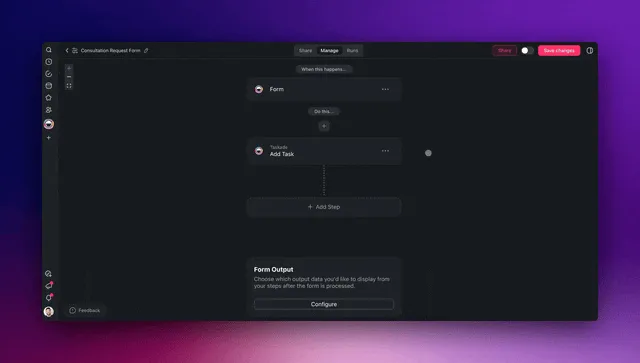
You can automate roughly 99% of your HR and recruiting work with AI agents in 2026 — and the 1% you keep is the part that actually needs a human: the final hiring decision, the sensitive conversations, and the judgment calls. AI agents now source candidates, screen resumes, schedule interviews, run onboarding, and answer policy questions — setting a goal, planning the steps, and executing across your tools without asking you at every turn. Teams that make this shift report 30-50% faster time-to-hire and around 75% less time on initial resume review (SelectSoftwareReviews, Pin). The fastest way to get there is to stop stitching HR tools together and instead describe the people-ops system you want — then let it build itself.
TL;DR: HR automation in 2026 is no longer a stack of disconnected tools — it is AI agents that read resumes, book interviews, and run onboarding inside one app. Teams cut time-to-hire 30-50% by consolidating into a single system. The fastest path: describe the outcome and let Taskade Genesis build the agents, automations, and live app. Clone the working HR app below →
This is not another roundup of recruiting tools to compare. If you want the ranked list of point solutions, read our AI recruiting software guide — that one tells you which apps to buy — and our AI applicant screening deep dive for the screening step specifically. This guide is different. It is the full HR-ops build: the agents, the automations, and the connected app that run your entire hiring and people loop — sourcing through onboarding through policy questions. By the end you will know exactly what to automate first, which agents to build, and how to wire them into one living workspace.
See it live — clone a working HR app
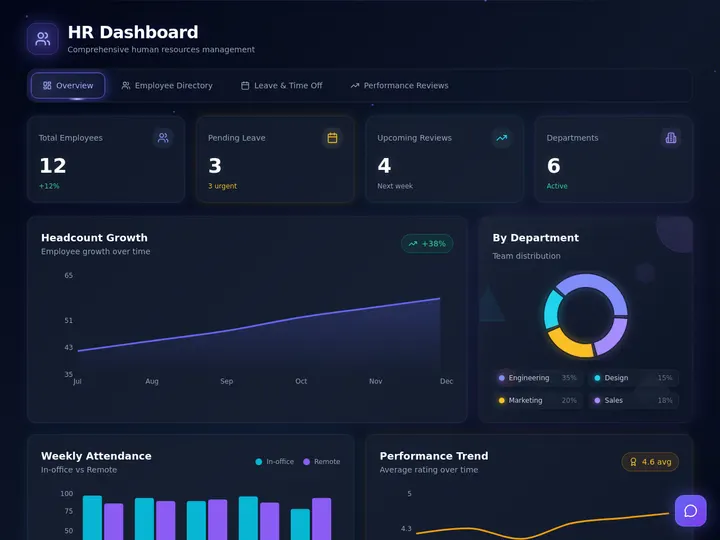
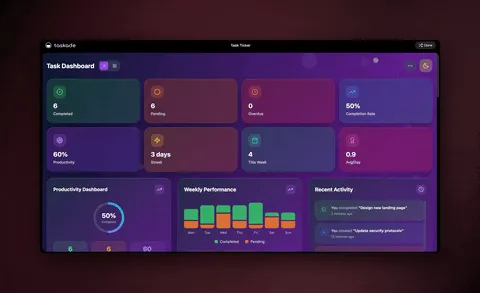
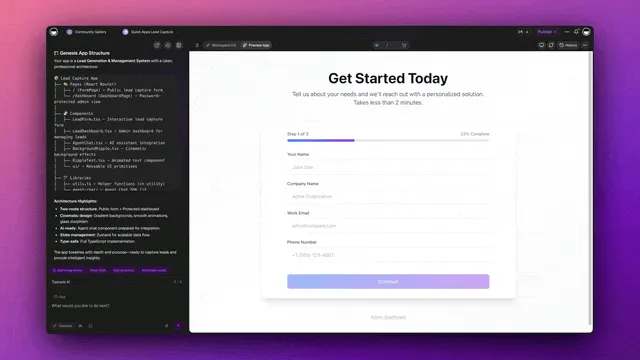
You do not have to imagine this. The HR dashboard app below was built from a single prompt and runs in your browser right now. Clone it in about 30 seconds and it lands in your own workspace, ready to connect to your ATS, calendar, and inbox.
That is the whole point of agentic HR: the output is not a flowchart, it is software that works. You describe the people-ops job, and you get a real app with a candidate database, AI agents, and automations — no canvas to wire, no server to host. Browse more cloneable HR and recruiting apps or start your own from a prompt.
What does it mean to automate HR with AI agents?
Automating HR with AI agents means handing each repeatable people-ops job to software that reasons instead of software that just follows rules. A traditional applicant tracking system moves a candidate to the next stage when a box is checked. An AI agent reads the resume, weighs it against the role, decides who to advance, drafts the outreach, and books the call — adjusting when something changes. That is the line between old HR software and 2026 HR software: the old tool fires a pre-wired step; an agent decides what to do next.
Here is the difference in one picture. A classic ATS is a straight pipe. An AI agent is a loop that learns your hiring bar.
The practical upshot: you stop babysitting brittle stage rules and start directing a system that handles the messy coordination on its own. A rule-based flow stalls the moment a candidate replies off-script. An agent reads the reply, figures out what it means, and keeps the process moving. According to iSmartRecruit, agentic AI is proactive — it spots a pipeline gap, finds candidates, sends outreach, schedules a screening call, and flags the results without a human trigger at each step. Learn the deeper mechanics in our AI agents explainer and the automation hub.
Why automate HR now? The numbers
HR teams that adopt AI agents in 2026 see two effects immediately: time-to-hire drops 30-50% and initial resume review time drops about 75% (SelectSoftwareReviews). High-volume roles see even more — some teams report up to 70% faster hiring once agents run sourcing and screening (Pin). Adoption is no longer fringe: AI use in HR roughly doubled in a single year, from 26% to 43%, and 69% of HR professionals now use AI to support recruiting, up from 51% the year before (SelectSoftwareReviews).
Those numbers are not just speed — they are fairness and capacity. An agent applies the same screening rubric to every candidate and never gets tired on the 200th resume. Industry chatbots like Paradox's "Olivia," used at companies like Unilever and McDonald's, can run screening conversations that used to take 5-7 days in under 48 hours (incruiter). Average cost-per-hire reductions land around 30%, reaching 40% on some North America teams (selectsoftwarereviews).
| What you automate | Typical manual time | With AI agents | What you save |
|---|---|---|---|
| Source + outreach a candidate | 20-40 min each | Minutes each | 30-50% faster pipeline |
| Screen 100 resumes | 4-6 hours | Seconds to minutes | ~75% review time |
| Schedule one interview | 15-30 min of email tennis | Instant booking | Hours per week |
| Onboard a new hire | 3-5 hours of checklists | Auto-run checklist | 60-80% coordination |
| Answer a PTO / policy question | 5-15 min each | Instant | Hours per week |
Treat that table as a starting menu, not a ceiling. Every recurring HR task you do more than once a week is a candidate. The teams getting the biggest wins automate the high-volume, low-judgment work first and keep their attention for the actual hiring decision. See how that plays out on the automation hub.
The adoption curve: 2026 is the tipping point
Agentic recruiting moved from experiment to default in a single year. In Korn Ferry's 2026 Talent Acquisition Trends survey of 1,674 global talent leaders, 52% said they plan to deploy autonomous AI agents to their recruiting teams this year (Korn Ferry, via recruiterslineup). Gartner goes further: by 2027 it expects 80% of candidate matching to be agent-assisted (thenontechai). This is not a "maybe later" technology — your competitors are staffing their pipelines with agents right now.
The money follows the adoption. The AI recruitment market was worth $842 million in 2024 and is projected to reach $23.2 billion by 2034 — a 39.3% compound annual growth rate (recruiterslineup). Organizations using advanced agents report a 33% reduction in time-to-fill and are automating up to 80% of manual recruiter tasks — the empirical floor under our "automate 99%" claim, since the last slice is judgment work you keep on purpose.
Read that curve plainly: HR AI use roughly doubled from 26% to 43% in one year, 52% of talent leaders are deploying autonomous agents in 2026, and Gartner projects 80% of matching to be agent-assisted by 2027 (selectsoftwarereviews, thenontechai). The teams who build their people-ops system now compound a two-year head start while everyone else is still comparing point tools. Start the build on the automation hub or from a single prompt.
The 5 HR AI agents worth building first
There are five HR agents that cover the work eating most people-ops teams' weeks, and you do not need all of them on day one. Each one is a small, focused worker with a clear job — and in Taskade each ships with built-in tools (web search, file analysis, code execution, custom slash commands, persistent memory, and more).
| Agent | What it does | Best built when |
|---|---|---|
| Sourcing agent | Finds and reaches out to candidates matching the role | You hire continuously |
| Screening agent | Reads resumes, ranks against the rubric, shortlists | You get high application volume |
| Scheduling agent | Books interviews across calendars, sends reminders | You run many interviews |
| Onboarding agent | Runs the new-hire checklist, collects documents | You onboard regularly |
| Policy / PTO agent | Answers handbook and time-off questions instantly | You field repeat questions |
A good rule: one agent, one job. A narrow agent is reliable, easy to test, and easy to trust with people's careers. When you need something bigger — say, "source, screen, schedule, and follow up" — you do not build one giant agent. You build a team and let them hand work to each other, with a human reviewing the shortlist.
This source → screen → schedule → decide → onboard loop is the single most reliable pattern in agentic HR. It keeps quality high because a human stays on the one decision that matters — who to hire — while agents do everything around it. Taskade supports this multi-agent collaboration natively, and agents carry persistent memory, so they learn your role requirements, your tone, and your bar over time. Walk through building your first one in the agent playbook.
How the pieces connect: the HR system map
A real HR automation system has four moving parts, and they form a loop — not a line. Memory (your candidate and employee database) feeds Intelligence (your agents), which drives Execution (your automations and integrations), which produces new data that flows back into Memory. This is Taskade's Workspace DNA, and it is what turns disconnected agents into a system that gets smarter every hire.
Below is the end-to-end map of how a single new applicant travels through an automated hiring system — from application to a booked interview and a synced ATS record — with agents and integrations doing every step.
┌──────────────────────────────────────────────────────────────────┐
│                    AUTOMATED HR SYSTEM                             │
│            (one prompt → one living app in Taskade)               │
├──────────────────────────────────────────────────────────────────┤
│                                                                    │
│   INBOUND (triggers pull in)        OUTBOUND (actions push out)   │
│   ┌─────────────────┐               ┌──────────────────────┐     │
│   │  Application     │──┐         ┌─▶│  Interview booked    │     │
│   │  Job-board apply │  │         │  │  ATS record updated  │     │
│   │  Referral form   │  │         │  │  Email/SMS sent      │     │
│   │  Calendar reply  │  │         │  │  Slack alert to team │     │
│   └─────────────────┘  │         │  └──────────────────────┘     │
│                        ▼         │                                │
│              ┌───────────────────────────────┐                   │
│              │   INTELLIGENCE (AI agents)     │                   │
│              │  ┌──────────┐  ┌────────────┐  │                   │
│              │  │ Screen   │─▶│ Rank vs    │  │                   │
│              │  │ resume   │  │ rubric     │  │                   │
│              │  └──────────┘  └─────┬──────┘  │                   │
│              │  ┌──────────┐  ┌─────▼──────┐  │                   │
│              │  │ Draft    │◀─│ Decide next│  │                   │
│              │  │ outreach │  │ best action│  │                   │
│              │  └────┬─────┘  └────────────┘  │                   │
│              └───────┼────────────────────────┘                   │
│                      ▼                                             │
│              ┌──────────────────┐                                 │
│              │ MEMORY (Database) │  ◀── results flow back, system │
│              │ 7 views, history  │      learns and compounds      │
│              └──────────────────┘                                 │
│                                                                    │
└──────────────────────────────────────────────────────────────────┘
Notice there is no separate "screening tool," "scheduler," "onboarding checklist app," and "policy chatbot" bolted together with tape. It is one app. That single-system design is exactly why teams consolidate software spend — you are not paying four vendors and stitching their data by hand. Each of the 100+ bidirectional integrations works in both directions, so an applicant read from a job board can come back as a booked interview and a synced ATS record without anyone copying a field. The candidate database lives in Projects, which you can view as a List, Board, Calendar, Table, Mind Map, Gantt, or Org Chart — Multiple views of the same pipeline.
How Taskade does it differently
Here is the honest landscape. n8n, Lindy, Zapier, Make, and HR-specific tools like Paradox and Workable all do a genuinely good job at one thing each. Zapier and n8n connect apps — you wire a trigger to an action, map the fields, and data moves between tools. Paradox's "Olivia" runs candidate conversations brilliantly. Workable is a polished, mature ATS. To be fair: Zapier's app catalog is unmatched (thousands of connectors), n8n is wonderfully cost-efficient for high-volume technical flows, and Paradox's conversational screening is genuinely strong at scale. If your only goal is to move data between tools or run a chat-first screen, any of them will serve you well.
But notice what they all hand you at the end: a connector, or a single feature. A flowchart. A chatbot. You still need a separate place to store your candidate data, a separate ATS, a separate scheduler, and a separate place to onboard. You become the integration glue between four or five systems.
Taskade Genesis takes a different altitude. You do not wire nodes — you describe the HR outcome, and it ships a living app: a candidate database, AI agents, automations, and a shareable URL, all in one. That is the wedge.
| Node-wirers & point tools (n8n, Lindy, Zapier, Make, Paradox, Workable) | Taskade Genesis | |
|---|---|---|
| You build by | Wiring triggers → actions, or buying one feature | Describing the outcome in plain English |
| You get | A connector or a single tool | A living app — data + agents + automations |
| AI agents | Add-on, bolt-on, or chat-only | Native, built-in tools, frontier models |
| Candidate data lives | In a separate ATS | In the app (Projects, multiple views) |
| Onboard a new hire | Buy another app | Built-in: checklist + docs + portal |
| Gets smarter over time | No — static flow | Yes — Workspace DNA loop |
The mechanism behind that last row is Workspace DNA — the self-reinforcing loop where Memory feeds Intelligence, Intelligence drives Execution, and Execution creates new Memory.
A node-wirer cannot do this because a flowchart has no memory — every run starts cold. A Taskade Genesis HR system remembers every candidate, every interview, every onboarding, and each agent gets better because it is working inside that accumulating memory. Add multi-agent teams and the ability to clone any live app in seconds, and you have a people-ops system that grows rather than a pipeline you maintain. Explore the difference on the AI apps page and the agents hub.
Taskade Genesis vs the dedicated HR AI platforms
The dedicated HR-AI platforms are genuinely excellent at the specific slice they own — and you should know exactly what each is best at before you choose. The honest summary: Paradox, Eightfold, HireVue, and Moonhub are deep, single-purpose specialists. Taskade Genesis is the system that turns one prompt into the whole people-ops app — database, agents, and automations — and then lets you connect those specialists into it.
| Platform | Best at | Where it's genuinely strong | The trade-off |
|---|---|---|---|
| Paradox (Olivia) | Conversational screening & scheduling | Olivia runs autonomous screen → qualify → schedule → nudge flows at huge scale (Unilever, McDonald's); chat-first cuts a 5-7 day screen to under 48 hours | Chat-first front door; you still bring your own ATS, database, and onboarding |
| Eightfold | Deep skills-based talent intelligence | Surfaces internal candidates (one firm filled 40% of roles internally, saved $2M); learns from talent data to refine matches | Enterprise depth and price; built for matching, not for running your whole people-ops loop |
| HireVue | Video interview assessment | Analyzes video interviews for skills, tone, and fit across 30M+ data points | A point in the funnel — assessment only; needs the rest of the stack around it |
| Moonhub | Autonomous AI sourcing | Agentic search that finds and reaches passive candidates from a deep web index | Sourcing-first; the screening, scheduling, and onboarding live elsewhere |
| Taskade Genesis | The whole people-ops app from one prompt | Database + AI agents + automations + onboarding + policy answers in one living app you build by describing it, and connect the specialists above into | Not a video-assessment or chat-recruiter specialist on its own — it's the system that orchestrates them |
The pattern to notice: every specialist hands you one excellent piece of the funnel, and you are left to be the glue connecting four or five vendors plus your ATS. As Gartner's own guidance hints, the 2027 default is hybrid stacks — Paradox for conversational screening, Eightfold for depth (thenontechai). Taskade Genesis is the layer that holds the hybrid together: it is the candidate database, the agent team, and the automations in one app, with 100+ bidirectional integrations to pull each specialist in. You are not choosing Taskade instead of a great sourcing tool — you are giving all of them one home that remembers everything.
That is the wedge in one diagram: the specialists are best-of-breed features; Taskade Genesis is the system that turns a prompt into the app that runs — and remembers — everything around them.
What Taskade Genesis can do for people-ops (the full platform)
Taskade Genesis is not a single HR feature — it is a workspace where Memory, Intelligence, and Execution reinforce each other, so your people-ops system gets smarter with every hire instead of staying static. Here is the full platform, with each capability tied to the HR job it does.
| Capability | What it is | What it does for HR |
|---|---|---|
| Workspace DNA loop | Memory (Projects) → Intelligence (Agents) → Execution (Automations) → back to Memory | Every candidate, interview, and onboarding feeds back in, so your screening rubric and outreach get sharper each cycle |
| built-in agent tools | Web search, file analysis, code execution, custom slash commands, persistent memory, and more on every agent | One agent can read a resume PDF, look up a company, run a scoring script, and remember your bar — no add-ons |
| Multiple project views | List, Board, Calendar, Table, Mind Map, Gantt, Org Chart on the same data | See your pipeline as a Board, your interviews on a Calendar, your candidates in a Table, your team in an Org Chart |
| Multi-agent teams | Agents that hand work to each other under a human reviewer | A sourcing agent feeds a screening agent feeds a scheduling agent — the source → screen → schedule → decide loop |
| 100+ bidirectional integrations | Triggers pull events in, actions push data out | Read a job-board application, screen it, book the interview on your calendar, and sync the record to your ATS in one run |
| Frontier models | Models from OpenAI, Anthropic, Google, and open-weight providers, routed per task | A reasoning model ranks candidates; a fast model drafts outreach; you never pick a model by hand |
| Custom domains + app publishing | Ship a real app at your own URL, with sign-in | Give hiring managers a branded careers-ops portal; publish an onboarding app for every new hire |
The point is that these are not seven separate products you integrate — they are one app you describe into existence. You do not buy a database, then a scheduler, then an agent platform, then a portal builder. You write "build me a people-ops system that screens applications, books interviews, and onboards hires," and Taskade Genesis assembles all of it. Walk the agent playbook to build your first one, or browse cloneable apps to start from a working template.
Build your first HR automation in 4 steps
You can ship a working HR automation in an afternoon — no engineer, no code. The pattern is always the same four moves, whether you are automating resume screening or new-hire onboarding.
Step 1 — Pick the highest-volume task. Choose the thing you do most often that needs the least judgment. For most teams that is resume screening or interview scheduling. High volume means the time savings show up immediately.
Step 2 — Describe the outcome to Taskade Genesis. Write what you want in plain English: "When an application comes in, screen the resume against the role, rank it, book a screening call if it scores high, and update the candidate record." It builds the agent, the automation, and the app around it.
Step 3 — Connect your tools. Wire in your job board, ATS, calendar, and email through the 100+ bidirectional integrations. Triggers pull events in, actions push results out — both directions, automatically synced.
Step 4 — Keep the human on the 1%. Add a final review step before any hire, offer, or sensitive message. The agents do the 99%; you keep the hiring decision and the judgment.
Then repeat. Add the next agent, then the next. Because everything lives in one workspace, each new agent reinforces the last — your screening agent feeds your scheduling agent, which feeds your onboarding agent. That compounding is the difference between a pile of automations and an HR system. Step-by-step walkthroughs live in Learn Taskade and the agent playbook.
A worked example: automating the apply-to-interview journey
Let us make this concrete with the one journey HR teams spend the most manual hours on — application to booked interview. Today, a single applicant kicks off a chain of resume reading, calendar tennis, and status emails that can eat 15-30 minutes per candidate across three tools. Here is what that same journey looks like when AI agents run it: seconds, end to end, with a human only on the shortlist review.
Picture a company that gets 300 applications a month. Manually, screening and scheduling alone is roughly 40-60 recruiter hours. Automated, it is near-zero hours and faster response — and response speed is one of the biggest predictors of whether a top candidate stays in your pipeline instead of accepting elsewhere.
Walk through what each agent does and why it matters:
| Stage | Agent / step | What happens | Time saved |
|---|---|---|---|
| Apply | Job-board trigger | Pulls the new application in the instant it arrives | Instant vs. checking inbox |
| Screen | Screen agent | Reads the resume, parses skills, experience, fit | ~75% review time |
| Rank | Rank agent | Scores against the rubric so the team sees the best first | Manual triage gone |
| Review | Human (the 1%) | Reads the shortlist, picks who to advance | Seconds — judgment kept |
| Schedule | Schedule agent | Books the interview across calendars, sends reminders | 15-30 min per candidate |
| Sync | ATS action | Pushes the screened, scheduled record back to your ATS | No copy-paste |
The magic is not any single step — it is that they run as one continuous flow inside one app. No exporting a CSV to a screening tool, no pasting into a scheduler, no manually logging the touch in the ATS. The application is read, screened, ranked, booked, and synced before a recruiter has finished their coffee. And because it all lives in Taskade, the next agent in your stack — say, an onboarding agent — can pick up exactly where this one left off the moment an offer is accepted.
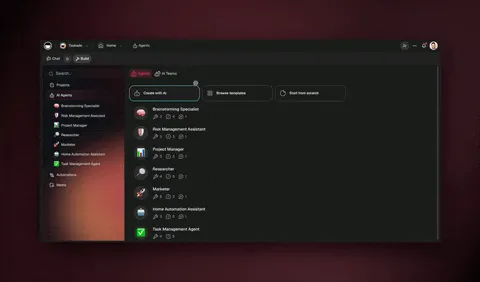
This is the screening-and-routing agent doing its job in a real workspace:
Measuring the ROI: the four metrics that prove it works
Automating HR only counts if you can show the hours and dollars it returned. Track these four metrics before and after you ship your first agent, and the case makes itself: time-to-hire, screening hours, cost-per-hire, and candidate response time. Industry benchmarks give you the targets — teams report 30-50% faster time-to-hire, ~75% less resume-review time, and cost-per-hire dropping around 30% (SelectSoftwareReviews).
| Metric | Manual baseline | With AI agents | How to measure it |
|---|---|---|---|
| Time-to-hire | Your current average days | 30-50% faster (up to 70% high-volume) | Days from application to accepted offer |
| Screening hours / week | Recruiter hours reading resumes | ~75% reduction | Hours logged on initial review |
| Cost-per-hire | Total hiring spend ÷ hires | ~30% lower (up to 40% in N. America) | Sourcing + tooling + recruiter time ÷ hires |
| Candidate response time | Hours to days | Seconds to minutes | Time from apply to first acknowledgment |
Because your candidate data lives in Projects, you can build these metrics as a live dashboard in the same app — a Table view for the funnel, a Calendar view for interviews, and a Board view for stage flow. The system that runs your hiring also reports on it. Here is how a quick payback calculation looks for a team hiring at volume.
┌────────────────────────────────────────────────────────────┐
│            HR AUTOMATION PAYBACK (300 apps / month)         │
├────────────────────────────────────────────────────────────┤
│  BEFORE (manual)                                            │
│    Screen + schedule ............ 40-60 recruiter hrs/mo    │
│    Avg time-to-hire ............. baseline days             │
│    Cost-per-hire ................ baseline $                │
│                                                            │
│  AFTER (AI agents in one Taskade app)                      │
│    Screen + schedule ............ near-zero hrs (agents)    │
│    Time-to-hire ................. 30-50% faster             │
│    Cost-per-hire ................ ~30% lower                │
│    Tool spend ................... 1 app replaces 4 vendors  │
│                                                            │
│  RECLAIMED ...................... dozens of recruiter       │
│                                   hours every week          │
└────────────────────────────────────────────────────────────┘
The line that closes the business case is the last one: one app replaces a separate screening tool, scheduler, onboarding checklist, and policy chatbot. The software-spend reduction is on top of the recruiter hours you reclaim. Build the dashboard in Taskade the same afternoon you build the agents.
Fairness, consistency, and keeping AI hiring compliant
Automating hiring raises a fair question — how do you keep it fair? The answer is that a well-built agent system is more consistent than a tired human, not less. An agent applies the same rubric to the 1st resume and the 200th, never skips a candidate because the inbox was full, and gives everyone the same fast acknowledgment and the same scheduling options. Consistency is one of the biggest documented wins of agentic recruiting, not a risk to manage around.
The guardrails that make it safe are built into how you design the system:
- Human-on-the-shortlist. No offer, rejection, or sensitive message moves without a human reviewing it — the 1% you keep on purpose. The agents rank and prepare; a person decides.
- The same rubric, written down. Because you describe the screening criteria in plain English, your fairness bar is explicit and auditable — not buried in a recruiter's gut feel that drifts by the afternoon.
- A complete audit trail. Every candidate, score, and decision lives in the candidate database (Memory), so you can show why anyone advanced or didn't — the record reviewers and compliance teams ask for.
- Role-based sign-off. The right humans hold approval rights (covered next), so speed never means losing control of sensitive people data.
Pair these and you get the combination most HR teams assumed they had to trade between: the speed of automation and the accountability of a human-reviewed, fully-logged process. The agents do the consistent volume; the humans own the judgment and the sign-off.
Beyond hiring: onboarding, PTO, and policy questions
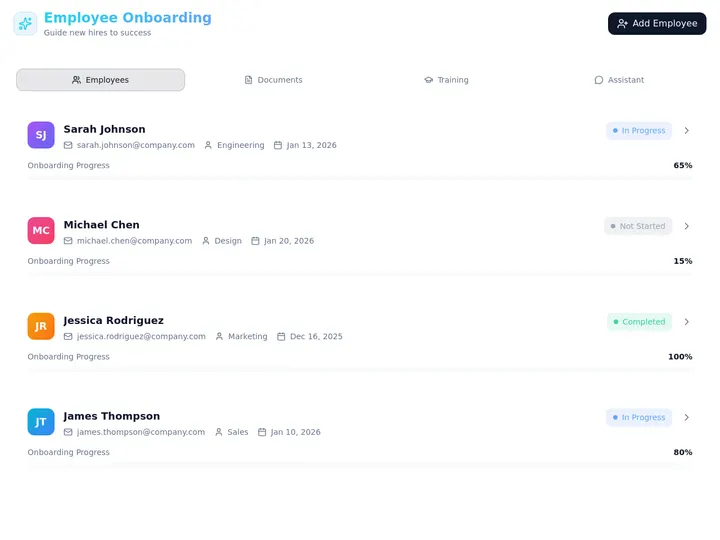
HR is more than recruiting, and agents cover the rest of the people loop too. Once someone is hired, an onboarding agent runs the new-hire checklist — collects documents, provisions accounts via integrations, schedules the first-week meetings, and answers the dozens of "where do I find X" questions that normally land on your desk. A policy / PTO agent answers handbook and time-off questions instantly from your own documents, so HR stops fielding the same question fifty times a month.
| HR job to automate | Agent that handles it | What the human keeps |
|---|---|---|
| New-hire onboarding | Onboarding agent runs the checklist + collects docs | The welcome conversation |
| PTO and leave questions | Policy agent answers from your handbook | Approving sensitive requests |
| Document collection | Onboarding agent chases missing forms | Reviewing compliance edge cases |
| Internal FAQ ("how do I…") | Policy agent answers from your knowledge base | Updating the underlying policy |
| Status updates to candidates | Scheduling agent sends timely, consistent updates | The actual hiring decision |
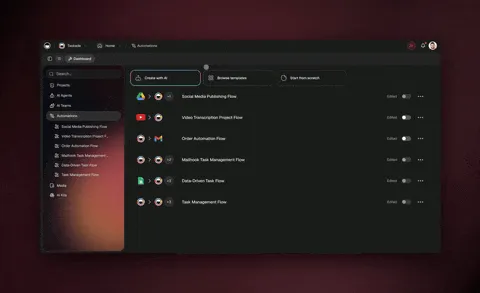
This is also where consistency pays off most. Every new hire gets the same complete onboarding, every employee gets the same accurate policy answer, and nothing slips because someone was on vacation. The onboarding portal below is the kind of app you clone, point at your own checklist, and run for every hire.
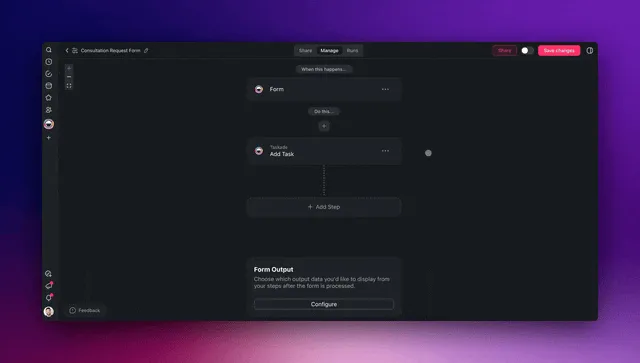
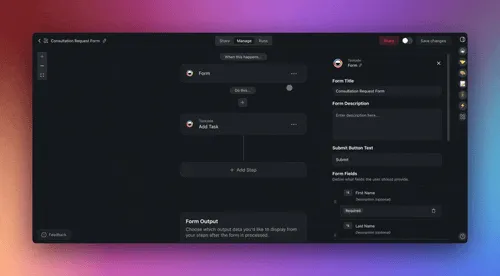
To set up the document-collection and reminder side, the forms trigger is the easiest on-ramp — a new submission kicks off the whole onboarding run automatically.
Keep your team in the loop with the right roles
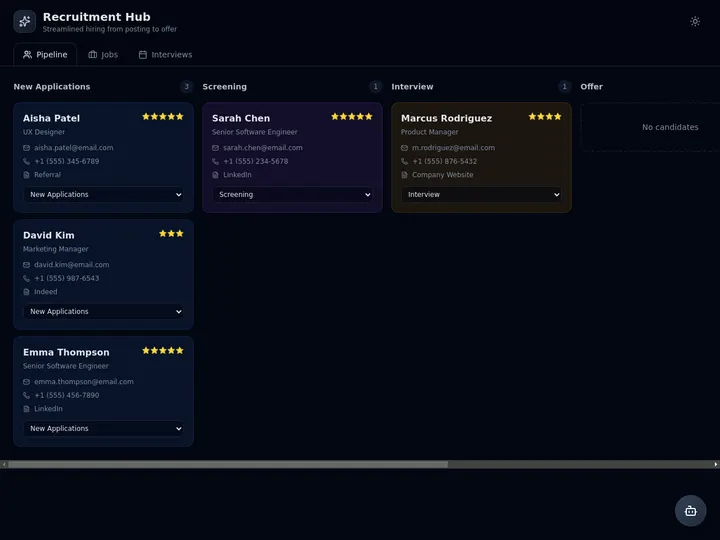
Automation does not mean losing control of sensitive people data — it means setting the right guardrails. Taskade uses role-based access (Owner to Viewer) so you can let an agent run while keeping approval rights with the people who own hiring. Your hiring manager can be an Editor who must approve the shortlist; an interviewer can be a Checker who leaves feedback but cannot move a candidate; a recruiting coordinator can be an Editor scoped to the requisitions they run.
That governance is what makes "automate 99%" safe with candidate and employee data. The agents do the volume; the roles make sure no offer, rejection, or sensitive record moves without the right human sign-off. Pair it with the multi-agent review loop and you get speed and accountability — the combination most HR teams thought they had to choose between. See the recruitment workflow pattern below.
What to automate first (and what to keep)
Automate the work that is repeatable and low-judgment; keep the work that needs your empathy, your fairness, and a human face. The 99/1 split is not about removing people from people-ops — it is about pointing your HR team at the 1% that actually shapes someone's career and your culture.
| Automate the 99% (give to agents) | Keep the 1% (stays human) |
|---|---|
| Sourcing and first outreach | The final hiring decision |
| Resume screening and ranking | Tie-breaks and culture fit calls |
| Interview scheduling and reminders | The interview conversation itself |
| Onboarding checklists and documents | The welcome and the human connection |
| Policy and PTO answers | Sensitive or emotional conversations |
| Status updates and follow-ups | Offers, rejections, and difficult news |
A useful gut check: if you would be comfortable explaining the task to a sharp new coordinator in two sentences, an agent can do it. If it needs empathy, discretion, or your years of context, keep it. Start with one agent on one task, measure the hours it gives back, then add the next. For a tool-by-tool comparison of recruiting software, our AI recruiting software roundup and AI applicant screening guide are the companions to this build guide — read those to choose tools, read this to build the system. And the moment you've automated hiring, the same pattern extends to the rest of the back office: our automate operations with AI agents guide applies the identical source → screen → decide → execute loop to finance, support, and ops.
Where this is heading
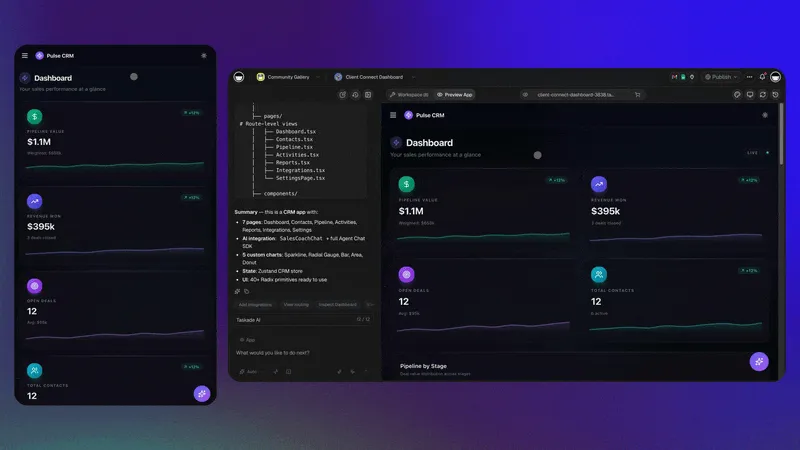
The next phase of HR is not "more tools" — it is fewer systems that do more. The direction every signal points to is a people-ops function where one prompt becomes a living, self-improving app: you describe the hiring and onboarding outcome you want, and a workspace assembles the database, the agent team, and the automations, then gets sharper every cycle. That is Taskade's vision in one sentence — every team runs on a self-reinforcing Memory + Intelligence + Execution loop, where the candidates you've hired (Memory) make your agents smarter (Intelligence), which run your hiring and onboarding (Execution), which produce new Memory. With 52% of talent leaders deploying autonomous agents in 2026 and Gartner projecting 80% agent-assisted matching by 2027, the teams who build that loop now don't just hire faster — they hire on a system that compounds. The recruiter's job moves up the stack: from chasing logistics to directing a team of agents and meeting the people who matter. Start that loop today on Taskade Genesis.
Frequently asked questions
How do I start automating my HR today?
Pick your single highest-volume task — usually resume screening or interview scheduling — then describe the outcome to Taskade Genesis in plain English. It builds the agent, the automation, and a live app with a candidate database, no code and no wiring. Teams that start this way report 30-50% faster time-to-hire and around 75% less resume-review time. Start free and add one agent at a time.
What is the best AI for HR and recruiting in 2026?
The best fit is a platform that combines reasoning agents with reliable automations and a place to store candidate data — not just a connector or a single chatbot. Taskade Genesis does all three from one prompt, with built-in agent tools and frontier models from top AI labs. For a ranked tool comparison, see our AI recruiting software guide.
Will AI agents replace recruiters and HR teams?
No — they replace the repeatable 99% (sourcing, screening, scheduling, onboarding logistics, policy answers) so HR can own the 1% that needs judgment: the hiring decision, fairness, and human connection. The recruiter moves from chasing logistics to directing an agent team and meeting the people who matter.
How do HR AI agents connect to my ATS, calendar, and email?
Through 100+ bidirectional integrations — triggers pull new applications and calendar events in, actions push booked interviews and updated records back out. An agent can read an application, screen it, book the interview, and sync it to your ATS in one run, with both directions staying in sync automatically.
How much time and money can I save by automating HR?
Teams report 30-50% faster time-to-hire and about 75% less time on initial resume review, with cost-per-hire dropping around 30% (SelectSoftwareReviews). Savings compound as one Taskade system replaces a separate screening tool, scheduler, onboarding app, and policy chatbot.
Does every candidate really get the same experience?
Yes. Agents apply the same screening rubric, the same fast acknowledgment, and the same timely updates to every applicant — no one slips through because a recruiter was busy. A human reviews the shortlist before any decision, so consistency and fairness come built in. Browse cloneable HR apps to see it in action.
Can I try a real HR app before building my own?
Yes. Clone the live HR dashboard embedded above in about 30 seconds and run it in your own workspace, or start from a prompt. The HR dashboard, onboarding portal, and recruitment workflow shown above are all cloneable today.
Ready to automate 99% of your HR and recruiting? Start free with Taskade Genesis — describe the people-ops system you want, and watch it build the agents, connect your tools, and ship a live app you can run today. Explore the automation hub, browse cloneable HR apps, or learn the agent playbook that powers it all.
Related reading: AI recruiting software (which tools to buy) · AI applicant screening (the screening step in depth) · automate operations with AI agents (the same loop for finance, support, and ops) · what are AI agents (the deeper mechanics) · AI apps built from prompts · the agents hub.
▲ ■ ● Memory, Intelligence, Execution — describe the HR outcome, and Taskade Genesis remembers every candidate, reasons over your hiring bar, and runs the work across sourcing, screening, scheduling, and onboarding. That is the difference between a stack of HR tools and a people-ops system that runs itself.