







You can automate roughly 99% of bookkeeping today by handing the mechanical, rules-based work — bank reconciliation, receipt and invoice classification, expense categorization, statement drafting, and first-pass tax prep — to AI accounting agents, while a human controller reviews only the edge cases. This is not a future promise. Deloitte's January 2026 research found 63% of finance organizations have already fully deployed AI, around 70% of US accounting firms now use AI weekly, and Gartner projects 90% of finance functions will deploy AI during 2026. The shift below shows you exactly how to build that automation as a living app — no engineers required.
TL;DR: 63% of finance teams have fully deployed AI (Deloitte, Jan 2026). AI agents reconcile bank feeds, classify receipts, and draft statements while a human approves the 1% that needs judgment. Build the full bookkeeping app from one prompt with Taskade Genesis — clone the live accounting app and run your first close this week.
What "automating 99% of accounting" actually means
Automating 99% of accounting means agents clear the high-volume, repeatable 99% of entries — and a human owns the judgment-heavy 1%. In a typical small-business month, the overwhelming majority of accounting work is mechanical pattern-matching: this deposit pairs with that invoice, this card charge is office supplies, this Stripe payout is revenue minus fees. Deloitte's 2026 data shows 63% of finance organizations have crossed from pilots to full deployment precisely because this work is so automatable, and 78% of accounting firms plan to increase their AI investment this year.
The 1% that stays human is the part you actually want a person on: final statement sign-off, complex tax positions, material accruals and estimates, audit response, and fraud judgment. The whole strategy is to remove the drudgery so your controller spends their hours on decisions instead of data entry.
Here is the split, by the numbers most teams see:
| Task | Volume share | Automate? | Human role |
|---|---|---|---|
| Bank reconciliation | ~35% | Yes, fully | Approve exceptions only |
| Receipt and invoice classification | ~25% | Yes, fully | Review low-confidence items |
| Expense categorization | ~15% | Yes, fully | Set rules, audit samples |
| Statement drafting | ~10% | Yes, draft | Review and sign off |
| Tax prep (first pass) | ~9% | Yes, draft | CPA finalizes |
| Judgment and estimates | ~6% | No | Own entirely |
The first five rows — 94% of the work — are squarely automatable. Add the routine half of statement review and you reach the headline 99%. This is the wedge that no spreadsheet macro ever closed, because the matching needs reasoning, not just formulas. That reasoning is what an AI agent provides.
Why 2026 is the year finance went agentic
2026 is the tipping point because the share of finance teams running AI in production crossed two-thirds for the first time. Deloitte (Jan 2026) puts full deployment at 63%, and Gartner projects 90% of finance functions will have AI deployed by the end of the year. The combination of weekly AI use by ~70% of US firms and 78% planning to spend more means the laggards are now the exception, not the early adopters.
┌────────────────────────────────────────────────────────────┐
│  THE 2026 FINANCE AI ADOPTION CURVE                         │
│                                                            │
│   2023   ████░░░░░░░░░░░░░░░░░░░░   pilots, skeptics       │
│   2024   ████████░░░░░░░░░░░░░░░░   early production        │
│   2025   ████████████████░░░░░░░░   mainstream tooling      │
│   2026   ████████████████████████░  63% fully deployed ◄── │
│                                      90% projected (Gartner)│
│                                                            │
│   You are here  ──►  build now or compete against agents    │
└────────────────────────────────────────────────────────────┘
What changed is not that accounting got easier — it is that agents can now read an unstructured receipt, reason about which account it belongs to, call the bank feed and accounting tool, and act by posting an entry, all in one loop. That is the difference between a macro and an agent. The rest of this guide shows how to assemble those agents into a working app, then where Taskade does it differently from the node-wiring tools.
The five jobs an AI bookkeeper does for you
An AI bookkeeper handles five recurring jobs that together cover roughly 94% of monthly close volume. Each maps cleanly to one agent with one job, which is the secret to reliable automation — small, single-purpose agents beat one giant prompt every time.
1. Reconciliation agent
Reconciliation is the single highest-value job to automate because it is roughly 35% of the work and almost entirely rules-based. The agent pulls each bank and Stripe transaction, matches it against open invoices and ledger entries, auto-posts high-confidence matches, and hands a short exception list to a human. A full-day, per-account chore becomes a background process that finishes in minutes and runs continuously.
2. Receipt and invoice classifier
Classification covers about 25% of volume. The agent reads an uploaded receipt or emailed invoice — even a crumpled photo — extracts vendor, amount, date, and tax, then assigns the right account from your chart. Because it reads the document, not just structured CSV rows, it handles the messy real-world inputs that break rigid OCR-only software. For the inbound accounts-payable side specifically — capturing, matching, and approving supplier invoices — see the deeper AI invoice automation playbook.
3. Expense categorizer
Categorization is another ~15%. Once you teach the agent your rules ("anything from this SaaS vendor is software, anything under $25 at a cafe is meals"), it applies them identically to every line and flags only the genuinely novel ones. This is where consistency beats humans — the agent never categorizes the same vendor two different ways on two different days.
4. Statement drafter
The statement agent assembles the P&L, balance sheet, and cash-flow draft from the reconciled ledger, writes a plain-English variance note ("marketing up 18% on the new campaign"), and routes the package to your controller. Drafting is ~10% of the work; the human keeps the sign-off. The same agent can feed a live dashboard so leadership sees the numbers without waiting for the formal close — see how to automate reporting and dashboards with AI for that pattern in depth.
5. Tax-prep agent
The tax agent gathers the year's categorized data, maps it to the right schedules, flags missing documentation, and produces a first-pass return for a CPA to finalize. It does the assembly; the licensed professional owns the position. Together these five agents form a multi-agent team — and the next section shows how they collaborate.
Here is the whole roster at a glance, with the one job each agent owns and the tools it leans on:
| Agent | One job | Volume share | Key tools it uses |
|---|---|---|---|
| Reconciliation | Match feed transactions to the ledger | ~35% | Integrations, persistent memory, code |
| Classifier | Read receipts/invoices, assign accounts | ~25% | Document reading, web search, memory |
| Expense categorizer | Apply your rules to every line | ~15% | Persistent memory, slash commands |
| Statement drafter | Assemble P&L, balance sheet, variance notes | ~10% | Code, document generation, memory |
| Tax-prep | Map year-to-date data to schedules | ~9% | Document reading, web search, code |
The reason this works is the single-purpose design. One giant "do my accounting" prompt drifts and hallucinates; five small agents, each with a narrow job and a clear handoff, stay reliable because every one of them is easy to inspect and correct. That is the same pattern the best AI agent teams use everywhere.
How the agents work together (the close loop)
The agents collaborate as a relay: feeds and documents come in, specialist agents process them in parallel, the ledger is the shared source of truth, and a human gates the close. Roughly 99% of line items never need that human — they flow straight through.
The key design choice is the confidence threshold. Each agent attaches a confidence score to every action. You set the bar per category — a recurring SaaS charge can auto-post at 90% confidence, while any vendor payment over a dollar limit waits for review no matter how confident the agent is. This is what makes the automation safe: you decide exactly where the machine stops and the human starts.
| Confidence | What the agent does | Example |
|---|---|---|
| 95–100% | Auto-post, no human | Monthly Netflix charge |
| 80–94% | Auto-post, sampled audit | Known vendor, normal amount |
| 60–79% | Queue for human review | New vendor, mid-size payment |
| Below 60% | Block and escalate | Unrecognized large transfer |
That ladder is the entire risk model. You can tighten it during your first month and loosen it as trust builds. Now let's build it.
Build it without code in one afternoon
You can stand up the full bookkeeping app in an afternoon because Taskade Genesis turns a plain-English description into the app, the agents, and the automations at once. You are not configuring rigid software around your firm — you are describing your close process and getting a living workspace back.
Here is the end-to-end flow:
                    ┌─────────────────────────────┐
                    │  1. DESCRIBE in plain words  │
                    │  "Build me a bookkeeping app │
                    │   that reconciles my bank    │
                    │   feed and drafts a P&L."    │
                    └──────────────┬──────────────┘
                                   ▼
                    ┌─────────────────────────────┐
                    │  2. GENESIS BUILDS THE APP   │
                    │  • Projects (your ledger)    │
                    │  • 5 specialist agents       │
                    │  • Automations + dashboards  │
                    └──────────────┬──────────────┘
                                   ▼
        ┌──────────────────┬───────┴────────┬──────────────────┐
        ▼                  ▼                ▼                  ▼
  ┌───────────┐     ┌────────────┐   ┌────────────┐    ┌────────────┐
  │ Connect   │     │ Set        │   │ Clone a    │    │ Run first  │
  │ bank +    │     │ confidence │   │ community  │    │ close      │
  │ Stripe    │     │ thresholds │   │ starter    │    │ cycle      │
  └───────────┘     └────────────┘   └────────────┘    └────────────┘
The steps, in order:
| Step | What you do | Time |
|---|---|---|
| 1. Describe | Tell Genesis your close process in plain English | 5 min |
| 2. Review | Genesis builds projects, agents, and automations | Instant |
| 3. Connect | Wire your bank feed and Stripe via integrations | 15 min |
| 4. Tune | Set confidence thresholds per category | 20 min |
| 5. Clone | Start from a community accounting app | 2 min |
| 6. Run | Import last month and run a test close | 1 hr |
No step requires writing code. The closest thing to "configuration" is typing your categorization rules into an agent's instructions in plain English, exactly as you would brief a new junior bookkeeper. If you would rather start from a working example than a blank prompt, clone the live accounting app and adapt it to your chart of accounts.
To make this concrete, here is what you actually type to stand up the reconciliation agent — no different from briefing a new hire:
RECONCILIATION AGENT — instructions you type in plain English"Every morning, pull yesterday's bank and Stripe transactions.
Match each one to an open invoice or existing ledger entry.
- If you are 95%+ confident, post the match.
- If 80-94%, post it but tag it for my weekly sample audit.
- If 60-79%, add it to the Exceptions list for me to review.
- Below 60% or any transfer over $5,000, block it and ping me.
Treat anything from STRIPE PAYOUT as revenue minus fees.
Treat anything from RAMP or AMEX as a card expense to classify."
That single block of plain English is the entire agent. There is no rule engine to configure, no script to write, and no node graph to maintain — you describe the behavior and the agent executes it against your live feed. Change the policy and you simply re-describe it. The classifier and statement agents are briefed the same way, each with its own short instruction set.
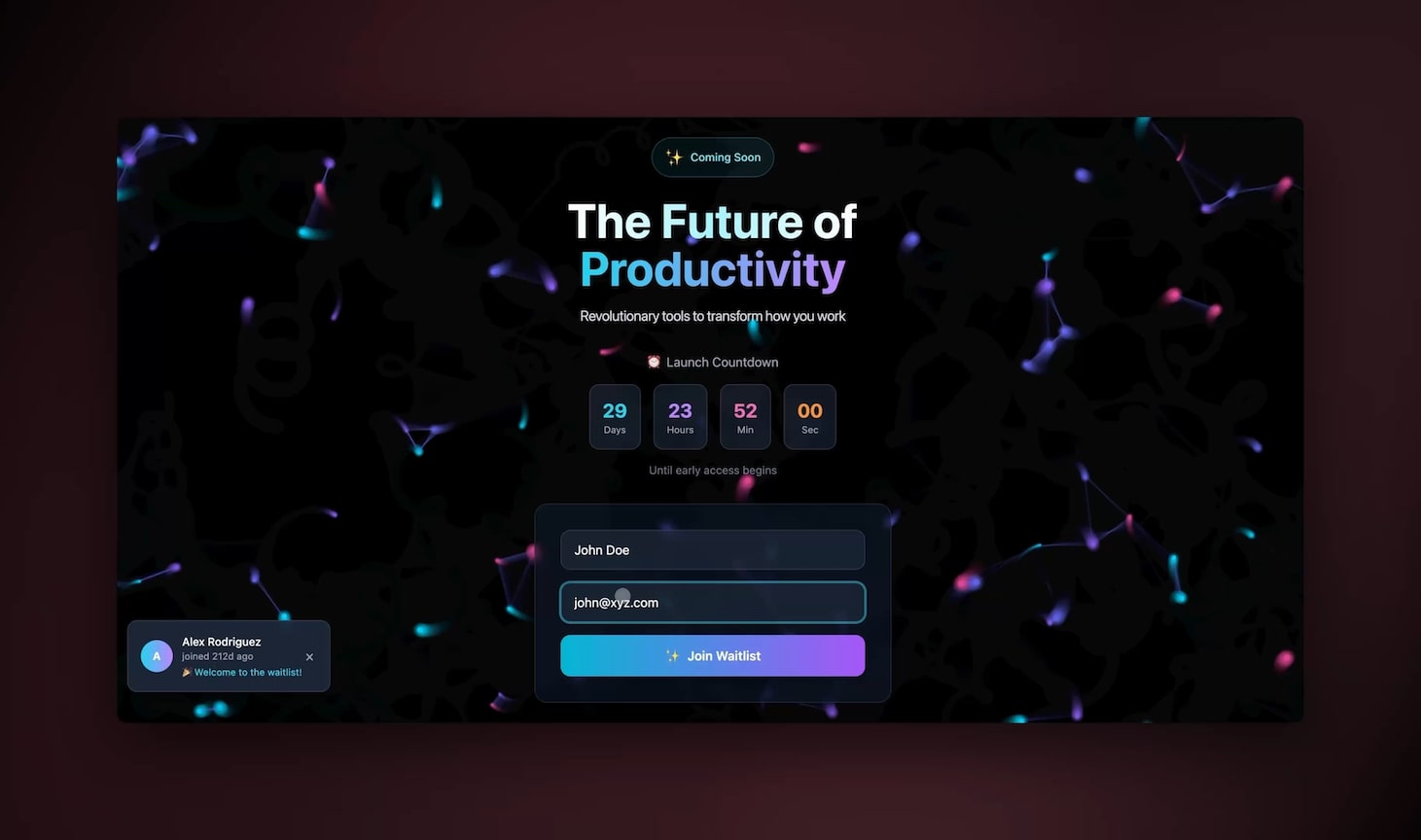
Workspace DNA: why a living app beats a workflow
A bookkeeping app beats a bookkeeping workflow because it carries memory, intelligence, and execution as one self-reinforcing system, not three disconnected tools. This is the core idea behind Taskade's Workspace DNA, and it is exactly why finance work fits so well.
- Memory = Projects. Your ledger, chart of accounts, vendor rules, and prior closes live as structured Projects. The agents read this history, so they get more accurate every month instead of starting cold each time. Across multiple project views — List, Board, Calendar, Table, Mind Map, Gantt, and Org Chart — you can see the same financial data as a transaction table, a close calendar, or a Gantt view of your month-end timeline.
- Intelligence = AI Agents. Your five specialist agents each carry their own instructions and draw on built-in tools — web search, document reading, code execution, custom slash commands, persistent memory, and more — backed by 15+ frontier models from OpenAI, Anthropic, and Google. You pick the right brain for the job without managing any of it.
- Execution = Automations. Triggers and actions move the work: a Stripe payment triggers a revenue entry, a month-end date triggers the statement draft, an approval triggers a push back to your accounting tool. Automations are how the app does things instead of just storing them.
Because memory, intelligence, and execution share one workspace, every close makes the next one faster — the loop compounds. A wired-together stack of point tools never compounds because the context dies at each tool boundary.
How Taskade does it differently from n8n, Zapier, Make, and Lindy
The honest difference is this: tools like n8n, Zapier, Make, and Lindy ask you to wire nodes, while Taskade ships a living app from one prompt. That is a real distinction, not a knock — and to be fair, the node tools are genuinely excellent at what they do.
Where the competitors are strong (credit where due): n8n is outstanding for deep, branching technical workflows and self-hosting; its node graph gives an engineer pixel-level control. Zapier has the broadest connector catalog in the industry and is unbeatable for "when X, do Y" point automations. Make's visual canvas is beautiful for mapping complex multi-step scenarios. Lindy ships polished pre-built AI assistants fast. If your goal is a single, well-defined trigger-action pipe and you have someone comfortable building it, those tools shine.
Where Taskade wins: accounting is not one trigger-action pipe — it is a living operation with memory, multiple collaborating agents, dashboards, and human approvals. Wiring that as nodes means you, the non-technical program manager, are now maintaining a 40-node graph. With Taskade you describe the outcome and get the whole operation: projects that remember, agents that reason, automations that execute, and a cloneable /share/apps link you can hand to a client.
| Capability | Node-wiring tools | Taskade Genesis |
|---|---|---|
| Build method | Drag and connect nodes | Describe in plain English |
| Output | A workflow | A living app (projects + agents + automations) |
| Memory across runs | Limited or external | Native (Projects = Memory) |
| Multi-agent teams | Bolt-on, manual | Built in, collaborate by default |
| Human approval views | Custom UI needed | Multiple project views out of the box |
| Share and clone | Export config | One cloneable /share/apps link |
| Non-technical owner | Hard | The whole point |
The deciding question is who maintains it. A node graph needs a builder every time the business changes. A described app adapts when you re-describe it. For a finance team without engineers, that is the difference between automation you own and automation you rent. And because every Taskade app is cloneable, you can start from a community build instead of a blank canvas.
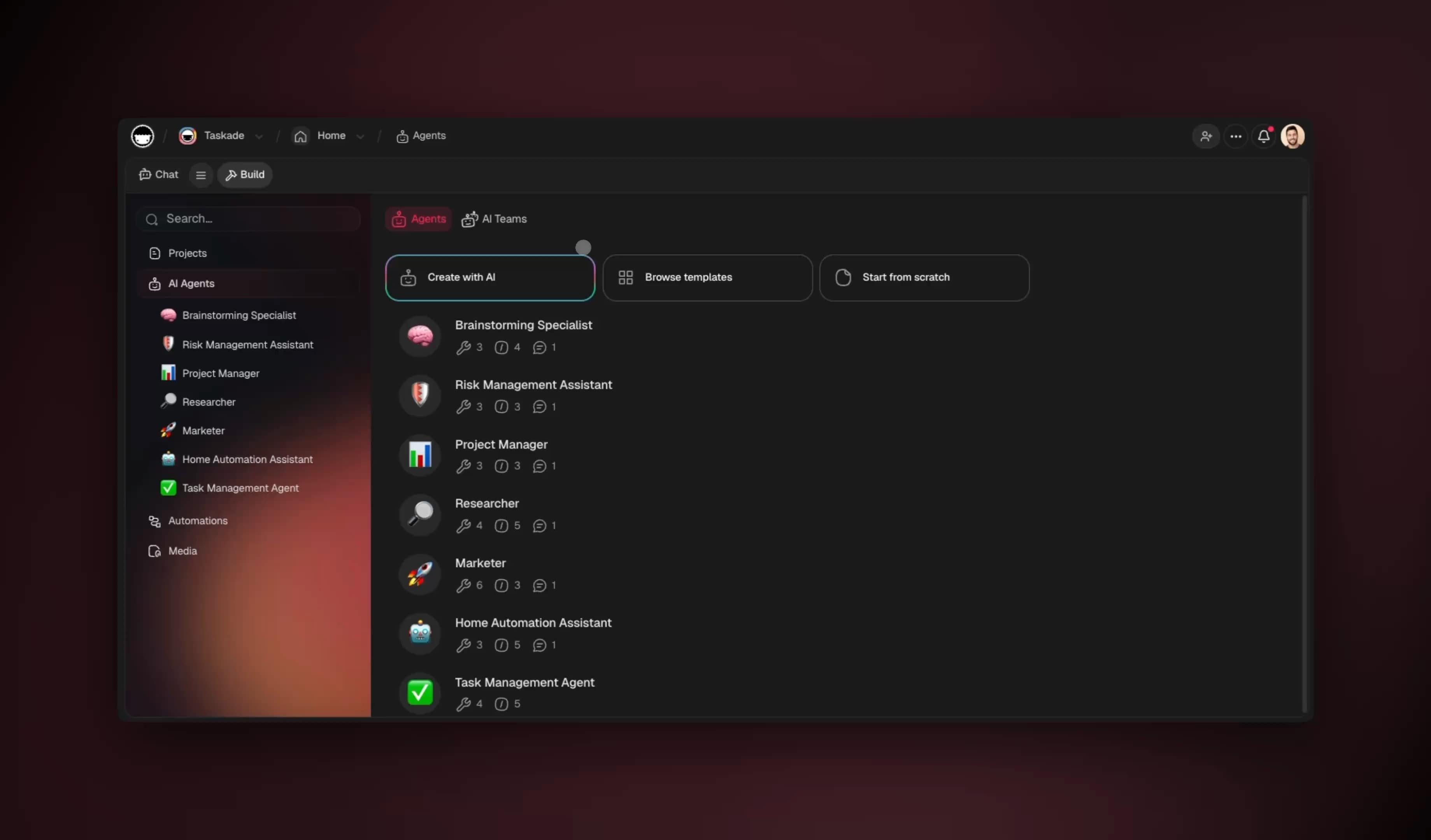
Taskade Genesis vs Pilot, Docyt, Vic.ai, and Bench
The dedicated AI bookkeeping platforms each automate one slice of finance extremely well, but every one of them is a fixed product you adapt to — Taskade Genesis is a living app you describe, own, and clone. That is the real category difference, and it is worth seeing the field honestly before you commit a year of your books to anyone.
The 2026 market sorted itself into clear lanes. In early 2026 Pilot launched a fully autonomous "AI Accountant" that aims to run bookkeeping and reporting end to end. Docyt ships AI agents (including its GARY retrieval agent and a chat Copilot) for document extraction and multi-entity back-office work. Vic.ai uses deep learning to process accounts-payable invoices without templates and improves from your history. Bench pairs lightweight software with human bookkeepers — and its near-shutdown in late 2024, rescued only days later, became the market's reminder that vendor stability is a real due-diligence line item.
Here is the honest head-to-head on the dimensions that actually decide a finance stack:
| Dimension | Pilot | Docyt | Vic.ai | Bench | Taskade Genesis |
|---|---|---|---|---|---|
| Core strength | Autonomous full-service books | Multi-entity back office | AP invoice processing | Software + human bookkeepers | Living app from one prompt |
| Build method | Managed service | Configured product | Configured product | Done-for-you service | Describe in plain English |
| You own the system | No, it is their platform | No | No | No, it is a service | Yes — cloneable app you keep |
| Multi-agent team | Single autonomous engine | Multiple fixed agents | Single AP model | Human team | Build your own agent roster |
| Beyond accounting | Accounting only | Accounting only | AP only | Accounting only | Whole-business workspace |
| Starting price | Service pricing, higher | Mid-market | Mid-market | Monthly service | Free, then $10/mo |
Where each competitor genuinely wins (credit where due): Pilot is the right call if you want a hands-off, done-for-you book that someone else fully operates and you never touch the tooling. Docyt is excellent for franchise and multi-location operators who need entity-level reporting out of the box. Vic.ai is best-in-class if accounts payable is your single biggest pain and you process thousands of invoices a month. Bench suits owners who specifically want a human bookkeeper in the loop with software as the delivery layer.
Where Taskade Genesis wins: accounting is rarely the only thing a small team runs. The same workspace that reconciles your books also runs your client onboarding, your reporting cadence, and your operations — because Taskade is a general workspace, not a finance silo. You describe the close process and get projects, agents, and automations wired together, you own the app, and you can clone it to a new client in two minutes. When a vendor like Bench wobbles, an app you control and can export does not strand your books.
The deciding question is the same one from the node-tools comparison: who owns and maintains the system, and what happens when your business changes? A managed service adapts on the vendor's roadmap. A described app adapts the moment you re-describe it — and you can build it yourself, no engineer and no implementation contract required. Start from a working example by cloning the live accounting app or browse more in the community.
What Taskade Genesis can do for your finance operation
Taskade Genesis gives a finance team the whole operating system, not just a bookkeeping feature — projects that remember, agents that reason, and automations that execute, all in one workspace you own. Each capability below maps directly to a real accounting job, which is why the books are only the starting point.
Here is the full platform, each piece tied to this use case:
| Capability | What it is | Your accounting use |
|---|---|---|
| Workspace DNA loop | Memory + Intelligence + Execution, self-reinforcing | Each close trains the next — agents get more accurate monthly |
| built-in agent tools | Web search, document reading, code, slash commands, memory | Read a crumpled receipt, look up a vendor, compute a variance |
| Multiple project views | List, Board, Calendar, Table, Mind Map, Gantt, Org Chart | See books as a Table, the close as a Calendar/Gantt timeline |
| Multi-agent teams | Specialist agents that collaborate by default | Reconciliation, classifier, statement, and tax agents in one team |
| 100+ bidirectional integrations | Triggers pull events in, actions push data out | Stripe payment in, reconciled entry out to your accounting tool |
| 15+ frontier models | Models from OpenAI, Anthropic, Google, and open-weight providers | Pick the right brain per agent without managing any of it |
| Custom domains + app publishing | Publish a Genesis app on your own domain | Hand a client a branded finance portal, password-protected |
| RBAC | Owner down to Viewer, role-scoped access | Auditor sees read-only; agent cannot post above your threshold |
- The built-in tools are what let a single agent read an emailed PDF invoice, search the web for an unfamiliar vendor, run a quick calculation, and remember your categorization rules across months — the same toolkit that powers an AI agent anywhere in Taskade.
- The project views turn one ledger into many lenses: a finance manager lives in the Table view, a controller watches the close in Calendar or Gantt, and a partner skims a Board of open exceptions — same data, no exports.
- 100+ bidirectional integrations mean the books are not an island. A Stripe payout triggers a revenue entry, an approval triggers a push back to your accounting tool, and a Slack message can ping the controller when an exception lands — wired in the automate builder without code.
- Custom domains and Genesis app publishing let a firm clone its accounting app per client and serve each one a branded, secure portal — the productized-service play that turns one build into recurring revenue.
This is why a Taskade build outgrows a point tool: the same primitives that close the books also run the rest of the operation, so you are not buying a bookkeeping app, you are building the operating layer your finance team works inside.
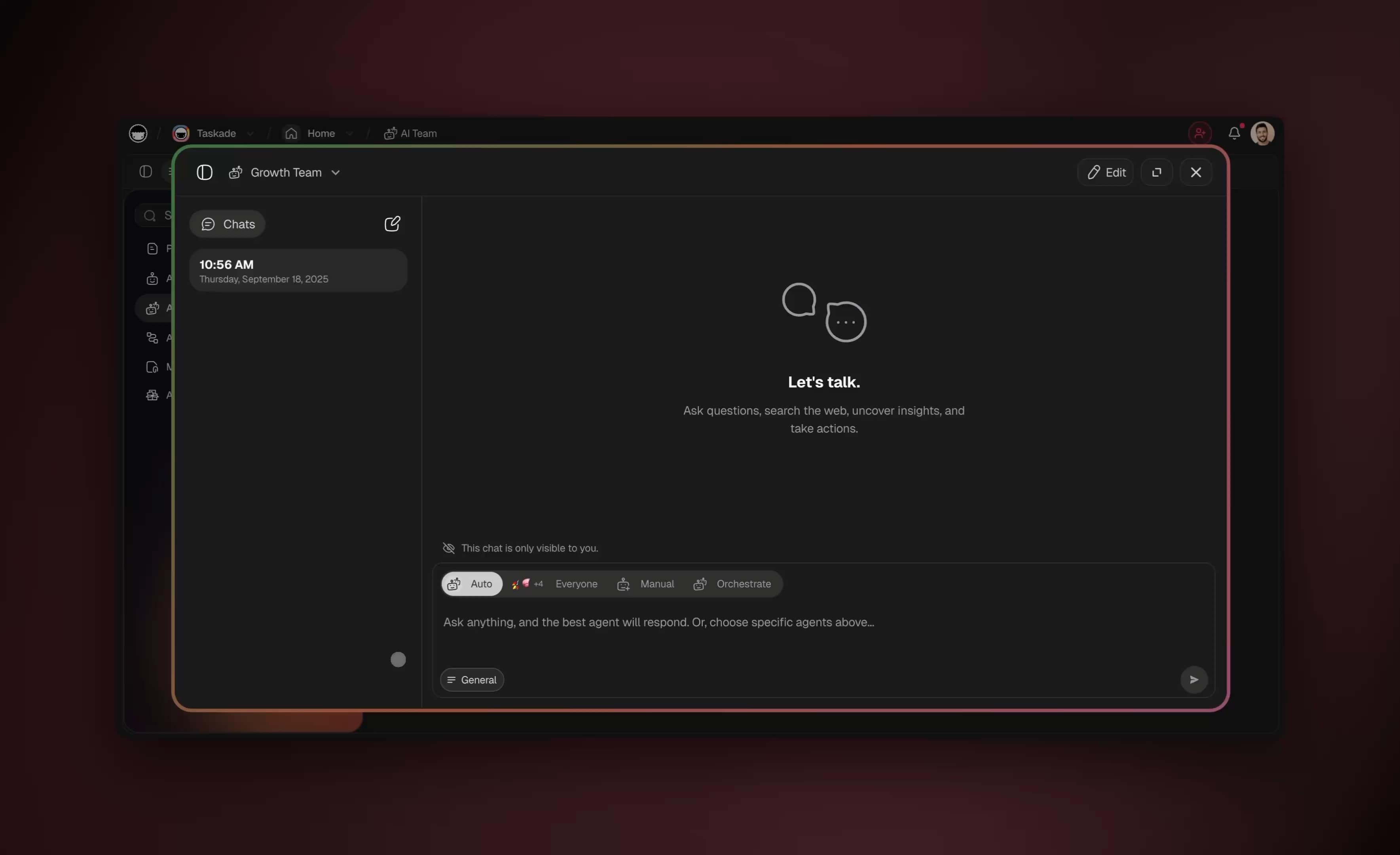
Keeping it safe: permissions, approvals, and audit trails
AI accounting is safe when humans stay in the loop and permissions are scoped — and Taskade builds both in. Financial data demands it, and role-based access control plus per-action logging is how you get speed without losing control.
- Role-based access. Access runs from Owner down to Viewer. Your bookkeeping agent, your in-house controller, and an external accountant each see only what their level permits, and nobody is handed everything by default. A read-only auditor literally cannot post an entry.
- Approvals on material actions. The confidence ladder routes anything above your dollar threshold or below your confidence bar to a human queue. Write actions to external systems like Stripe run through reviewed automations, not blind auto-posting.
- Audit trail by default. Every agent action lands in the project as a logged event. When your CPA or auditor asks "why was this posted here," the reasoning and the source document are attached to the entry.
| Risk | Mitigation in Taskade |
|---|---|
| Wrong entry auto-posted | Confidence threshold + sampled audit |
| Over-broad access | RBAC, role-scoped views |
| Unreviewed external write | Approval-gated automations |
| "Who did this?" | Per-action project log |
| Material judgment skipped | Human sign-off required on statements |
Safety is not a bolt-on — it is the same project, agent, and automation primitives, just configured conservatively. You can start strict and loosen as trust builds.
Your first 30 days: a conservative rollout
The safe way to launch is to start the agents in "suggest-only" mode, watch them for two weeks, then progressively raise the auto-post threshold as the numbers earn your trust. Nobody hands a brand-new bookkeeper the checkbook on day one, and the same logic applies to agents.
| Phase | Days | Confidence to auto-post | What you do |
|---|---|---|---|
| Shadow | 1–7 | Nothing auto-posts | Agents suggest, you approve everything, you watch the match quality |
| Assisted | 8–14 | 95%+ only | Let only the safest matches post; review the rest |
| Trusted | 15–30 | 90%+ | Loosen the bar as your audit shows clean results |
| Steady state | 30+ | Per-category | Tune each category individually; sample-audit weekly |
By day 30 most teams find the agents clear the high-confidence majority untouched while the human queue shrinks to a handful of genuine edge cases a day. The key is that you control the ramp — the confidence ladder is a dial, not a switch, and every step is logged so you can always answer "why was this posted." This is the same role-scoped, automation-gated control model that makes the whole approach defensible to an auditor.
A realistic month: the agentic close timeline
A realistic agentic month means reconciliation runs continuously instead of in a year-end panic, so the close shrinks from a stressful multi-day sprint to a short review. Here is what a month looks like once the five agents are live.
Because the books are reconciled daily, month-end is no longer a reconstruction project — it is a review of a draft that is already correct. Teams that make this shift report the close compressing from days to hours, which matches the Deloitte finding that fully-deployed finance teams (now 63%) cite cycle-time reduction as the top benefit. You can model this timeline directly in a Taskade Calendar or Gantt view so the whole team sees the close as it happens.
The numbers: what agentic accounting actually moves
The headline metrics in 2026 are an auto-match rate above 90%, reconciliation accuracy near 99%, and a 70–80% reduction in month-end reconciliation workload — and those gains come from one shift: matching continuously as transactions post instead of in an end-of-month sprint. Leading agentic reconciliation systems publish numbers in exactly that band, and the continuous-close pattern is the common thread across every one of them.
Continuous reconciliation is the lever. When the reconciliation agent runs daily against your bank and Stripe feed, the unmatched pile never accumulates. By month-end there is no backlog to reconstruct — only a short exception list to clear. That is the mechanical reason the close compresses from a multi-day project to a same-day review.
The bars show a traditional batch close: open items pile up all month, then a wall of work hits at month-end. The line shows a continuous agentic close: the agent clears items daily, so the workload stays flat and small the entire month. Same transactions, completely different month-end experience.
| Metric | Manual / batch close | Agentic continuous close |
|---|---|---|
| Auto-match rate | Manual matching, line by line | 90%+ auto-matched |
| Reconciliation accuracy | Varies with fatigue | ~99%, applied uniformly |
| Month-end workload | Full multi-day sprint | 70–80% reduction |
| When matching happens | End of month | Continuously, as posted |
| Exception handling | Hunt through everything | Short pre-built queue |
The accuracy edge is not magic — it is consistency. A human bookkeeper at hour seven of a close categorizes the same vendor differently than at hour one. An agent applies the identical rule to line 5 and line 5,000, which is why structured-transaction accuracy meets or beats manual work. The human's job moves up the value chain to the judgment calls a machine should never make alone.
Pricing: what the full automation actually costs
The full automation costs a fraction of one outsourced bookkeeping retainer — most growing firms run comfortably on Business at $25/month on annual billing. Taskade pricing scales with your team, not with your transaction volume, which matters for finance work that spikes at quarter-end.
| Plan (annual) | Price/mo | Best for |
|---|---|---|
| Free | $0 | Solo, first test close |
| Pro | $10 (Popular) | Small practice (annual-only) |
| Business | $25 | Growing firm, multi-client |
| Max | $100 | High-volume operations |
| Enterprise | $250 | Large finance org, advanced controls |
A solo bookkeeper can validate the entire approach on Free before spending a dollar. Compare that to a typical outsourced bookkeeping retainer of several hundred to a few thousand dollars a month, and the math is decisive: the agents cost less than the coffee budget while doing the volume work. You can start free at taskade.com/create and only upgrade when you connect live integrations.
Where this is heading
Where this is heading is a finance function that runs itself on a self-reinforcing loop: every team operates on Memory that remembers, Intelligence that reasons, and Execution that acts — and one prompt becomes a living, self-improving app instead of a stack of disconnected tools. The accounting app you build this week is the first instance of that pattern, not the end of it.
The trajectory across 2026 is clear. Finance crossed two-thirds full AI deployment, and the next step is not "more bookkeeping software" — it is operations that improve themselves. In Taskade's vision, the books are one node in a workspace where Memory (your projects and prior closes) continuously feeds Intelligence (agents that get sharper every cycle), which triggers Execution (automations that do the work), which writes results back into Memory. Each loop makes the next one faster. The bookkeeping app you describe today becomes the forecasting app, the client-reporting app, and the operations app tomorrow — all from the same workspace, all owned by you, all improving on their own.
The teams that win the next few years are not the ones with the most finance tools — they are the ones whose tools compound. A described, self-reinforcing app does exactly that. A wired stack of point products never will, because the context dies at every tool boundary. Build the loop once and it keeps paying off.
Where to go from here
The fastest path from this guide to a running bookkeeping app is to clone a working one and adapt it — that turns "an afternoon" into "an hour." Below is the launch checklist and the related reading to deepen each piece.
┌──────────────────────────────────────────────────────────┐
│  YOUR LAUNCH CHECKLIST                                    │
│                                                          │
│  [ ] Clone the live accounting app (link below)          │
│  [ ] Connect bank feed + Stripe                          │
│  [ ] Type your categorization rules into the classifier  │
│  [ ] Set confidence thresholds per category              │
│  [ ] Import last month, run a test close                 │
│  [ ] Invite your controller as a reviewer (RBAC)         │
│  [ ] Go live — reconcile daily, review monthly           │
└──────────────────────────────────────────────────────────┘
This guide is the full bookkeeping-operations playbook. For the narrower pieces, go deeper here:
- Invoices specifically → AI invoice automation for the inbound side, and AI invoice generators for creating them.
- Strategic finance → AI fractional CFO tools for forecasting, scenario modeling, and board-level reporting beyond the books.
- Reporting and dashboards → automate reporting with AI to turn your reconciled ledger into live dashboards leadership can read any day of the month.
- Build the app → Taskade Genesis to describe your workflow, AI agents to understand the agent model, and automations to wire triggers and actions.
- Start from a template → browse cloneable apps in the community, or clone the live accounting app directly.
- Learn the platform → the project views and how memory, intelligence, and execution fit together.
The data is unambiguous: with 63% of finance teams fully deployed on AI in 2026 and Gartner projecting 90% by year-end, automating the mechanical 99% of bookkeeping is now table stakes, not an edge. The teams that win are the ones whose humans spend their hours on the judgment-heavy 1%. Build your app, set your thresholds, and run your first agentic close this week — start at taskade.com/create.
▲ ■ ● Built on Workspace DNA — Memory (Projects), Intelligence (AI Agents), and Execution (Automations) working as one. Start free with Taskade Genesis.
Frequently Asked Questions
Can AI really automate bookkeeping and accounting?
Yes. AI agents now handle the high-volume, rules-based work that fills a bookkeeper's day: bank reconciliation, receipt and invoice classification, expense categorization, statement drafting, and first-pass tax preparation. Deloitte's January 2026 research found 63 percent of finance organizations have fully deployed AI, and Gartner projects 90 percent of finance functions will deploy AI during 2026. A human controller still reviews edge cases and signs off, but agents clear roughly 99 percent of routine entries before a person ever looks.
How accurate is AI bookkeeping compared to a human?
For structured, repetitive transactions, AI matching now meets or exceeds manual accuracy because it never fatigues and applies the same rules to every line. The reliable pattern is a confidence threshold: the agent auto-posts high-confidence matches and routes anything ambiguous to a human queue. In Taskade you set that threshold per category, so a 99 percent-confident grocery receipt posts itself while a 70 percent-confident vendor payment waits for review.
What is the difference between AI bookkeeping software and an AI accounting agent?
Bookkeeping software automates a fixed feature set the vendor built. An AI accounting agent reasons over your actual books, calls tools, reads documents, and adapts its workflow to your chart of accounts. With Taskade Genesis you describe your close process in plain English and get a living app with agents, automations, and dashboards wired together, instead of configuring a rigid product around your firm.
Is it safe to let AI handle financial data?
It is when you keep humans in the loop and scope permissions. Taskade uses role-based access control from Owner down to Viewer, so a bookkeeping agent and an external accountant each see only what their role allows. Agents propose entries and humans approve material ones, every action is logged in the project, and sensitive write actions to systems like Stripe run through reviewed automations rather than blind auto-posting.
How long does it take to set up AI accounting automation?
With a no-code platform you can stand up a working bookkeeping app in an afternoon. Describe your workflow to Taskade Genesis, connect your bank feed and accounting tool through the 100-plus integrations, set confidence thresholds, and clone a starter app from the community. Most teams reach a usable first close cycle in days rather than the weeks a custom build would take.
Do I need to be technical to automate my accounting?
No. The entire point of agent-based accounting is that you describe outcomes in plain language. An IT program manager or office administrator with no engineering background can build the full workspace because Taskade Genesis turns a prompt into the app, the agents, and the automations. You manage finance logic and approvals, not code.
Which accounting tasks should stay with a human?
Judgment-heavy and regulated work stays human: final financial statement sign-off, complex tax positions, audit response, fraud investigation, and any material accrual or estimate. Agents prepare the draft, gather the evidence, and flag anomalies, then a controller or CPA reviews and approves. The goal is to remove the 99 percent of mechanical work so humans spend their time on the 1 percent that needs expertise.
How much does AI accounting automation cost with Taskade?
Taskade pricing on annual billing runs Free, Pro at 10 dollars per month which is the popular plan, Business at 25 dollars per month, Max at 100 dollars per month, and Enterprise at 250 dollars per month. A solo bookkeeper can start free, a growing firm runs comfortably on Business, and the cost is a fraction of one outsourced bookkeeping retainer.
Can AI agents reconcile bank statements automatically?
Yes, reconciliation is the single best fit for automation. An agent pulls the bank feed, matches each transaction against your ledger and open invoices, posts confident matches, and surfaces a short exception list of unmatched lines for a human. What used to take a bookkeeper a full day per account now runs continuously in the background and finishes in minutes.
Does Taskade integrate with Stripe and other financial tools?
Yes. Taskade offers 100-plus bidirectional integrations, meaning triggers pull events in and actions push data out. A Stripe payment can trigger an automation that records revenue, updates a dashboard, and notifies the team, while an action can push a reconciled entry back out to your accounting tool. You can see the Stripe connector on the automate page and wire it without code.
How does Taskade Genesis compare to Pilot, Docyt, Vic.ai, and Bench?
Those platforms are fixed vertical products. Pilot launched a fully autonomous AI accountant, Docyt runs document and revenue agents, Vic.ai automates accounts-payable invoice processing, and Bench pairs software with human bookkeepers. Each does one slice well, but you adapt to their model and you do not own the system. Taskade Genesis builds a living accounting app from one prompt that you own and can clone, with multi-agent teams, multiple project views, 100-plus integrations, and the full Memory plus Intelligence plus Execution loop in one workspace. Leading agentic reconciliation systems report 90-plus percent auto-match rates and near-99 percent accuracy, and Taskade reaches the same outcome by running the reconciliation agent daily so matching happens continuously instead of in a month-end sprint.