






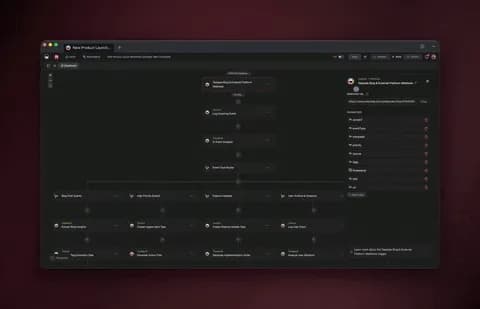
You can automate roughly 99% of legal operations with AI agents in 2026 — and the 1% you keep is the part that actually needs a lawyer: legal judgment, advice, and the final sign-off. AI agents now read a matter, plan the steps, execute across intake, review, and research, check the result, and route it to the right person without asking you at every turn. Thomson Reuters estimates AI can free about 240 hours per legal professional each year — roughly $19,000 of recovered time. The fastest way to get there is to stop wiring tools together and instead describe the legal-ops system you want — then let it build itself. (This is workflow automation, not legal advice.)
TL;DR: Legal automation in 2026 is no longer fixed if-this-then-that rules — it is AI agents that reason, plan, and act across intake, contract review, research, and matter routing. The legal AI market is projected to hit $10.82B by 2030 at 28.3% CAGR. The fastest path: describe the outcome and let Taskade Genesis build the agents, automations, and live app. Clone the working legal-ops app below →
See it live — clone a working legal-ops app
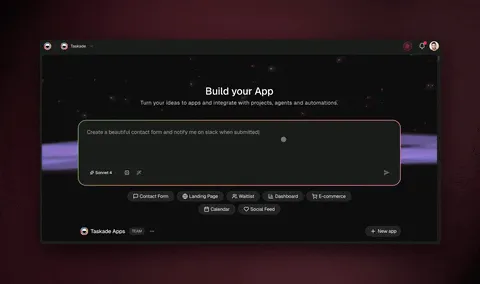
You do not have to imagine this. The app below was built from a single prompt and runs in your browser right now. Clone it in about 30 seconds and it lands in your own workspace, ready to connect to your firm's tools.
That is the whole point of agentic legal-ops: the output is not a flowchart, it is software that works. You describe the legal job, and you get a real app with a database, AI agents, and automations — no canvas to wire, no server to host. Browse more cloneable apps in the Community Gallery or start your own from a prompt.
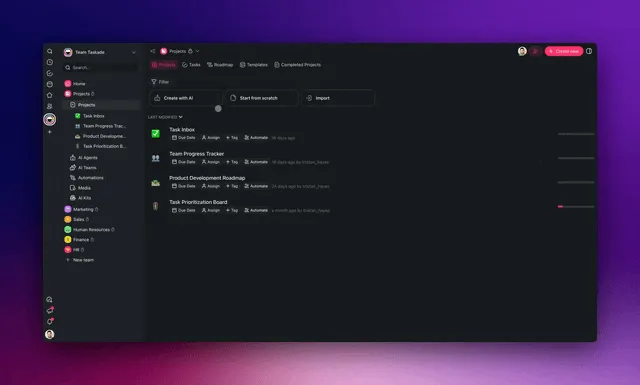
What does it mean to automate legal work with AI agents?
Automating legal work with AI agents means handing each repeatable matter-ops task to software that reasons instead of software that just follows rules. An agent sets a goal, plans the steps, executes across your intake, documents, and calendars, evaluates the outcome, and adjusts — all without a human approving each step. That is the line between old automation and 2026 automation: old automation fires a pre-wired trigger; an agent decides what to do next. A qualified lawyer still owns every legal judgment.
Here is the difference in one picture. Classic legal automation is a straight pipe. An AI agent is a loop that learns.
The legal AI market is projected to grow from $3.11B in 2025 to $10.82B by 2030, a 28.3% compound annual growth rate. That growth is not hype — it reflects how much of legal operations is genuinely repeatable: intake forms, conflict checks, clause extraction, deadline tracking, and matter routing all follow patterns an agent can learn. The work that resists automation is narrow and high-value: advice, strategy, and the lawyer's final yes.
How much of legal work can you actually automate?
You can automate the repeatable 99% of legal operations while a qualified lawyer keeps the 1% that needs judgment. The reliable framing is to split every legal task into "mechanical" and "judgment" halves. The mechanical half — reading, classifying, extracting, summarizing, scheduling, routing — is exactly what agents are good at. The judgment half — interpreting the law, advising the client, signing off — stays human.
Here is how that split maps onto a typical legal-ops workflow.
| Legal task | Mechanical 99% (automate) | Judgment 1% (keep human) |
|---|---|---|
| Client intake | Collect details, classify matter, check conflicts | Decide whether to take the case |
| Contract review | Extract clauses, flag deviations, summarize risk | Approve, negotiate, advise |
| Legal research | Gather sources, summarize holdings, cite | Form the legal opinion |
| Matter routing | Assign by type, set deadlines, notify owner | Reassign on strategy calls |
| Billing | Capture time, draft invoices, flag gaps | Approve write-offs |
The payoff is concrete. Thomson Reuters estimates AI can free about 240 hours per legal professional each year, which is roughly $19,000 of recovered billable or operational time per person. Multiply that across a team and the case for automating the mechanical layer is overwhelming. Learn how agents reason and plan in our AI agents hub, and see the broader pattern in automate 99% of your marketing with AI agents.
The four legal AI agents to build first
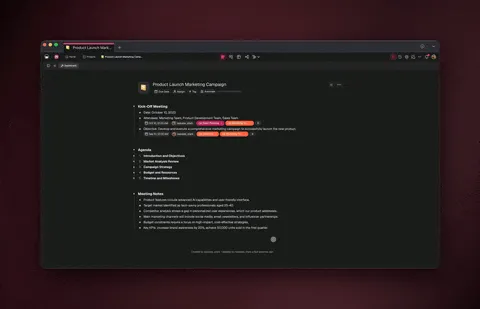
The four highest-value legal agents are a client intake agent, a contract review agent, a legal research summary agent, and a matter routing agent. Build them in that order — each one feeds the next, and together they cover the bulk of recurring legal-ops volume. In Taskade Genesis each agent ships with built-in tools (web search, file analysis, code execution, and more) and routes across 15+ frontier models from OpenAI, Anthropic, and Google.
Here is how the four agents hand off to one another.
Client intake agent
A client intake agent collects the prospect's details, classifies the matter type, runs an initial conflict check, drafts an engagement summary, and routes it to the right practice area — turning a multi-day back-and-forth into a single run. This is the highest-frequency, lowest-judgment task in most firms, which is why it is the right first agent. Pair it with a form trigger so every new submission kicks off the run automatically. See how triggers and actions work and explore ready-made intake and onboarding agents.
Contract review agent
A contract review agent reads an uploaded agreement, extracts key clauses (term, liability, indemnity, renewal), compares them against your standard positions, and produces a plain-English risk summary for a lawyer to approve. It does not give advice — it surfaces what a human needs to decide on. Upload your playbook once and the agent's persistent memory learns your firm's standard positions. This is where file analysis among the built-in tools earns its keep.
Legal research summary agent
A legal research summary agent gathers sources with web search, summarizes the relevant holdings, and assembles a cited memo a lawyer can verify and build on. The lawyer forms the opinion; the agent does the gathering and structuring. Because it routes across multiple frontier models, you can use a stronger reasoning model for synthesis and a faster one for first-pass collection. See the full reasoning pattern in what AI agents are and how they work.
Matter routing agent
A matter routing agent assigns each new matter to the right person by type, sets the statutory and internal deadlines, creates the file, and notifies the responsible attorney — closing the loop between intake and execution. It is the connective tissue that makes the other three agents feel like one system instead of four tools. Wire it to your calendar and storage through 100+ bidirectional integrations and the firm's matters stay in sync.
How to build the whole system in one prompt
You build the entire legal-ops system by describing the outcome in plain English — Taskade Genesis generates the agents, the automations, the database, and a shareable app, with nothing to wire, host, or deploy. An IT program manager or operations lead can ship a working intake-and-routing system in an afternoon without an engineer. The prompt is the spec; the app is the build.
Here is the build path, start to finish.
┌─────────────────────────────────────────────────────────────┐
│  ONE PROMPT  →  LIVING LEGAL-OPS APP                          │
└─────────────────────────────────────────────────────────────┘  "Build a legal-ops app that takes client intake,
   classifies the matter, checks conflicts, routes it
   to the right attorney, and tracks deadlines."
                        │
                        ▼
        ┌───────────────────────────────────┐
        │   Taskade Genesis builds:          │
        │                                    │
        │   • Matter database (Table view)   │
        │   • Intake → routing agents        │
        │   • Deadline automations           │
        │   • Shareable, embeddable app      │
        └───────────────────────────────────┘
                        │
            ┌───────────┴───────────┐
            ▼                       ▼
     Clone / customize        Connect your tools
     in 30 seconds            (forms, mail, calendar)
            │                       │
            └───────────┬───────────┘
                        ▼
              Lawyer signs off on
              every legal judgment
The sequence below shows what actually happens when a new matter arrives in the running app — agents do the mechanical work, the lawyer owns the judgment.
Start from a blank prompt at Taskade Genesis, or clone the legal-ops app above and customize it. For a step-by-step walkthrough of building from a prompt, see how to build an app in Genesis and the Genesis app builder guide.
How Taskade does it differently
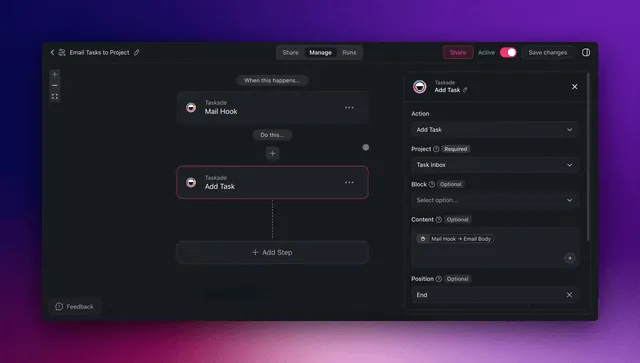
Most automation tools make you wire nodes; Taskade ships a living app from one prompt. This is the wedge, and it matters most for a non-technical legal-ops lead. On a node-based canvas you are responsible for the plumbing — every trigger, every branch, every error path. With Taskade Genesis you describe the legal outcome and get working software with a database, agents, and automations already connected.
To be fair to the alternatives: node-based builders earn genuine respect for granular control. n8n is excellent if you want to self-host and own every step of a workflow. Zapier has the largest catalog of pre-built connectors and is hard to beat for simple A-to-B handoffs. Make gives you a powerful visual canvas for complex branching. Lindy is a strong agent-first builder. If your job is to assemble a precise pipeline from known parts, those tools are legitimately good at it.
The difference is what you start and end with.
| Approach | What you build | What you ship | Best for |
|---|---|---|---|
| n8n / Make | A node graph you host | A workflow pipeline | Engineers who want control |
| Zapier | Trigger-action zaps | Point-to-point handoffs | Simple, single-step links |
| Lindy | Configured agents | Task-running bots | Agent-first automations |
| Taskade Genesis | A described outcome | A living app + agents + DB | Ops leads shipping real apps |
What makes a Taskade app living rather than static is Workspace DNA — three forces in a self-reinforcing loop.
Memory is your matters and documents stored as Projects. Intelligence is the AI agents that read and reason over them. Execution is the automations that act and route. Every matter the system handles becomes memory that makes the next one smarter. Add multi-agent teams, 100+ bidirectional integrations, and cloneable published app links, and you get a legal-ops system that compounds instead of a pile of disconnected zaps. See the deeper pattern in Taskade vs Zapier and Taskade vs Make.
Taskade Genesis vs the legal AI tools (Harvey, Spellbook, GC AI, Robin AI, Ironclad)
If you have shopped for legal AI in 2026, you already know the landscape. Adoption has crossed the chasm: the 2026 General Counsel Report from FTI Consulting and Relativity puts in-house generative-AI usage at 87%, nearly double the 44% reported a year earlier. The tools below are genuinely good — but each one owns a slice of legal work, and most firms end up paying for three or four of them. Taskade Genesis takes a different posture: instead of buying a tool per task, you describe the whole legal-ops system once and get a living app that runs all of it.
Here is the honest comparison — where each competitor is strong, and where the living-app model wins.
| Tool | Best at | How you get it | Where it stops |
|---|---|---|---|
| Harvey | Litigation + Am Law 100 research at enterprise scale (100,000+ lawyers, 1,300 orgs) | Buy a seat-priced enterprise platform | Premium pricing, research-first; not a build-your-own-ops layer |
| Spellbook | Transactional drafting + clause benchmarking inside Microsoft Word | Word add-in for 4,000+ legal teams | Lives in Word; not a workflow or matter-routing system |
| GC AI | End-to-end in-house workflow (intake, triage, contract routing, matter memory) | Buy an in-house-counsel SaaS | Built for in-house teams; a closed product, not a buildable app |
| Robin AI | Contract review and negotiation copilot | Buy a contract-AI subscription | Contract-centric; intake, research, and routing live elsewhere |
| Ironclad | Contract lifecycle management (CLM) with layered AI agents (Intake, Redlining) | Adopt a CLM platform | CLM-first and heavy to deploy; you pair it with a separate legal AI tool |
| Taskade Genesis | A living legal-ops app — intake, review, research, and routing in one prompt | Describe the outcome; it builds the app, agents, automations, and database | You own the legal judgment; agents do the mechanical 99% |
The pattern most teams report is the one the buyer's guides describe out loud: a CLM and a legal-AI tool "solve different layers and typically coexist," so you stack a contract tool plus a research tool plus an intake tool plus a matter tracker. Taskade Genesis collapses that stack into one app you build from a sentence — and because it is fully no-code, an operations lead ships it without an engineer or a procurement cycle.
To be clear about the wedge: if your single biggest need is enterprise litigation research, Harvey is purpose-built for it; if you live in Word and draft transactional agreements all day, Spellbook is excellent; if you run a mature CLM, Ironclad's agents bolt onto it well. Taskade Genesis wins when you want one connected system you can build, clone, and reshape yourself — and keep a lawyer on the final sign-off. Compare the build-your-own approach against the tools roundup in best AI legal software, and see the same one-app pattern applied to neighboring functions in automate consulting with AI agents and automate operations with AI agents.
What Taskade Genesis can do for a legal team
Taskade Genesis is not a single legal feature — it is a full platform you point at your legal-ops problem. The capabilities below are the building blocks every agent in this guide draws on. Each one maps directly to a legal job, so you are never adopting abstract features; you are wiring a system that runs your matters.
| Capability | What it is | What it does for legal-ops |
|---|---|---|
| Workspace DNA loop | Memory + Intelligence + Execution, self-reinforcing | Every matter your agents handle becomes memory that sharpens the next intake, review, and route |
| built-in agent tools | Web search, file analysis, code execution, custom slash commands, persistent memory, and more | A review agent reads a PDF contract; a research agent searches and cites; an intake agent classifies — all from the same toolset |
| Multiple project views | List, Board, Calendar, Table, Mind Map, Gantt, Org Chart | One matter, many lenses — Table for the master record, Calendar for deadlines, Board for the matter pipeline |
| Multi-agent teams | Agents that hand off to one another with a human gate | Research gathers, review flags risk, routing assigns — and a lawyer signs off before anything leaves |
| 100+ bidirectional integrations | Triggers pull events in, actions push data out | A new intake form fires the run; the matter file, deadlines, and attorney notice all sync back out |
| Custom domains + Genesis publishing | Publish your app on your own domain with access control | Ship a client-facing intake portal at intake.yourfirm.com with password protection |
| 15+ frontier models | Frontier models from OpenAI, Anthropic, and Google, routed per task | A stronger reasoning model synthesizes a research memo; a faster one does first-pass collection |
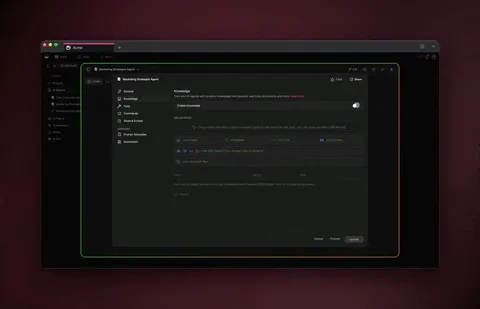
Persistent memory is the quiet superpower here. Upload your clause playbook and standard positions once, and the review agent learns your firm's preferences — so its risk summaries get sharper with every contract, not just the first. That is the difference between a chatbot you re-prompt each time and a teammate that compounds. See how memory and tools work in the AI agents hub, wire the connective automations from the automation directory, and explore the platform from a blank prompt at Taskade Genesis.
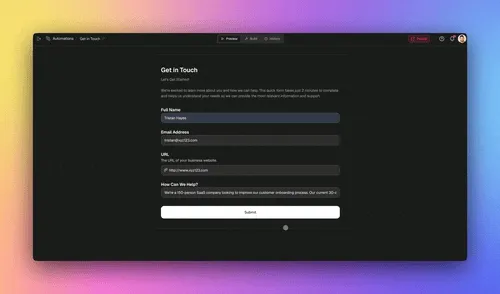
A practical way to picture the platform is as four layers that stack into one app — data at the bottom, judgment at the top.
Legal-ops automation by firm size
The right starting point depends on your scale — solo practitioners automate intake first, mid-size firms add routing, and legal departments wire it into existing systems. Across all sizes the math holds: AI can free about 240 hours per professional each year. What changes is how many agents you run and how tightly you integrate.
| Firm size | First agent | Add next | Integration depth |
|---|---|---|---|
| Solo / small | Client intake | Contract review | Forms + email |
| Mid-size firm | Intake + routing | Research summaries | + Calendar, storage |
| In-house dept | Matter routing | Contract + research | + CRM, e-signature, DMS |
| Multi-office | Full four-agent team | Billing + docket | + 100+ integrations |
Manage who sees each matter with role-based access (Owner to Viewer), so confidential matters stay scoped to the right people. A paralegal can hold editing access on intake while a partner is the Owner with sign-off. See how roles and permissions work and the Genesis security model for client-facing portals.
What legal automation actually returns — the ROI math
The headline number is 240 hours per legal professional per year, but the case gets stronger when you break it down by agent and by cost avoided. Two savings stack on top of each other: recovered time and consolidated software spend. Here is the math a legal-ops lead can take to a partner.
| Agent | Hours saved / pro / year (est.) | What it replaces |
|---|---|---|
| Client intake | ~70 hrs | Manual forms, conflict-check spreadsheets, back-and-forth email |
| Contract review | ~80 hrs | Line-by-line first-pass reads, clause-tracking docs |
| Legal research | ~55 hrs | Source-gathering, summarizing, citation formatting |
| Matter routing | ~35 hrs | Manual assignment, deadline entry, status chasing |
| Total | ~240 hrs | ≈ $19,000 of recovered time per person |
The second saving is the stack. Most firms pay for a separate intake form tool, a contract-AI subscription, a research tool, and a matter tracker. Folding those into one platform that starts free — Pro at $10/mo (Popular), Business at $25/mo, Max at $100/mo, Enterprise at $250/mo, all on annual billing — usually drops total legal-software spend after consolidating. You are not adding a tool; you are removing three.
Adoption is the other half of the ROI story: when in-house generative-AI usage jumps from 44% to 87% in a single year, the firms that have not automated the mechanical layer are now the outliers, not the early adopters. The compounding ramp below is what most teams report — one agent, measured, then the next.
The views that run a legal matter
A single matter looks different to intake, to the lead attorney, and to the billing team — so Taskade gives you multiple project views over the same data: List, Board, Calendar, Table, Mind Map, Gantt, and Org Chart. (Timeline is part of the Gantt view, not a standalone view.) You never re-enter data to change perspective; you switch the lens.
| View | Best for in legal-ops |
|---|---|
| Table | The master matter database with custom fields |
| Board | Matter pipeline by stage (intake → active → closed) |
| Calendar | Statutory deadlines and hearing dates |
| Gantt | Litigation timelines and dependencies |
| Mind Map | Mapping a case's issues and parties |
The Table view is your system of record; the Calendar view is your deadline tracker; the Board view is your pipeline. Same matters, three jobs. Explore each in project views explained and see real, cloneable dashboards in the Community Gallery.
What to keep human — the 1% that matters
The 1% you never automate is legal judgment, advice, and final sign-off — a licensed attorney owns every one of those. Agents gather, classify, extract, and route; the lawyer interprets, advises, and approves. This is the safety pattern that makes the other 99% trustworthy, and it is built into the multi-agent workflow rather than bolted on.
Use this decision tree to draw the line on any task.
                  New legal task arrives
                          │
              ┌───────────┴────────────┐
              ▼                        ▼
     Does it require              Is it reading,
     interpreting law            classifying, or
     or advising?                summarizing?
              │                        │
         ┌────┴────┐              ┌─────┴─────┐
         ▼         ▼              ▼           ▼
       YES        NO            YES          NO
         │         │              │           │
         ▼         ▼              ▼           ▼
    KEEP HUMAN   route to     AGENT HANDLES  send to
    (lawyer)     agent layer  (with review)  intake agent
The reliable production pattern is a multi-agent team with a human gate: a research agent gathers, a review agent extracts and flags, and a lawyer approves before anything leaves the building. Taskade Genesis supports multi-agent collaboration natively, and persistent memory means the agents learn your firm's templates and standard positions over time. Learn the pattern in what AI agents are and how they work and how to build a multi-agent team. Again — this is workflow automation, not legal advice.
Connecting agents to the tools your firm already uses
Legal agents connect to your existing stack through 100+ bidirectional integrations — triggers pull events in from intake forms, email, and calendars, and actions push data back out to those same tools. An intake agent can read a new form submission, create the matter file, set the deadlines, and notify the responsible attorney in one continuous run, with every step synced back to the tools your team lives in.
Because each integration works in both directions, your matter data stays consistent everywhere — the calendar, the document store, and the matter database never drift apart. Browse what connects in the integrations directory and the connectors guide. For a deeper look at branching and looping automations, see automation workflows explained.
Where this is heading
The end state is not a smarter contract tool — it is a legal team that runs on a self-reinforcing loop of Memory, Intelligence, and Execution. Every matter your agents handle deepens the firm's memory, which sharpens the next intake, the next review, the next route. Taskade's vision is simple to state and hard to overstate: one prompt becomes a living, self-improving app, and the team's job shifts from doing the busywork to directing the system and owning the judgment. The point tools of 2026 each automate a task; the living-app model automates the connections between tasks — and that is where the compounding lives. A licensed attorney still owns every legal call. What changes is that the system around them gets a little smarter with every matter, on its own.
Frequently asked questions
How do you automate legal work with AI agents in 2026?
You replace manual legal-ops tasks with AI agents that set a goal, plan the steps, execute across your matters, evaluate the result, and adjust without per-step approval. Start with one agent per repeatable job. In Taskade Genesis you describe the outcome in plain English and it builds the agents, automations, and a live app. This is workflow automation, not legal advice — a qualified lawyer owns every legal judgment.
Can you really automate 99 percent of legal operations?
You can automate the repeatable 99% — intake, classification, clause extraction, research summaries, deadline tracking, and matter routing — while a lawyer keeps the 1% that needs judgment and sign-off. The legal AI market is projected to reach $10.82B by 2030 at 28.3% CAGR, which reflects how much of this work is now automatable. See the split in the Community Gallery.
What kinds of legal AI agents can I build?
The four highest-value agents are intake, contract review, legal research summary, and matter routing. Each ships with built-in tools and routes across 15+ frontier models from OpenAI, Anthropic, and Google. Add deadline tracking, document classification, and billing agents as supporting players.
How much time and money does legal automation save?
Thomson Reuters estimates AI can free about 240 hours per legal professional each year — roughly $19,000 of recovered time per person. Teams also cut software costs by consolidating intake, contract, research, and matter tools into one living app.
Do I need to know how to code to automate legal work?
No. Taskade Genesis is fully no-code. You describe the system you want and it builds the agents, automations, database, and shareable app. An operations lead can ship a working intake-and-routing system in an afternoon without an engineer.
How do legal AI agents connect to my existing tools?
Through 100+ bidirectional integrations — triggers pull events in from forms, email, and calendars, and actions push data back out. An agent reads a new intake, creates the file, sets deadlines, and notifies the attorney in one run, with everything synced.
Is AI legal automation safe and confidential?
Yes, when you keep a qualified human on the 1% and control access. Use a multi-agent team with a human gate, plus role-based access (Owner to Viewer) to scope who sees each matter. This is workflow automation, not legal advice.
How much does it cost to automate legal work with Taskade Genesis?
It is free to start. Annual-billing plans are Pro $10/mo (Popular), Business $25/mo, Max $100/mo, and Enterprise $250/mo. One platform replaces separate intake, contract, research, and matter tools. Compare plans.
What should I automate first in my legal operations?
Start with client intake — the highest-frequency, lowest-judgment task. Build one intake agent, measure the hours saved, then add routing, review, and research. Each new agent reinforces the last. Start from a prompt.
Start building your legal-ops system today
The mechanical 99% of legal work — intake, review, research, routing — is ready to hand to AI agents, and the 1% that matters most stays exactly where it belongs: with a qualified lawyer. With AI freeing about 240 hours per professional each year and the legal AI market on track for $10.82B by 2030, the question is no longer whether to automate, but what to automate first. The answer is intake, then routing, then review, then research — each built from a single prompt.
Looking for the tools roundup instead of the build guide? Read our best AI legal software comparison — this guide showed you how to build the system; that one ranks which apps to buy. Then come back and clone the working legal-ops app, start your own from a prompt, or browse the Community Gallery for more cloneable apps. Explore the building blocks: AI agents, automations, multiple project views, and 100+ integrations.
This article describes workflow automation for legal operations. It is not legal advice. A licensed attorney is responsible for all legal judgments, advice, and final sign-off.
▲ ■ ● Built on Workspace DNA — Memory (your matters) feeds Intelligence (your agents), which triggers Execution (your automations), which deepens Memory. That is how a legal-ops app stops being a pile of zaps and starts being a system that gets smarter with every matter. Build yours free →