






TL;DR: Claude Code vs n8n comes down to three ways to build: n8n wires nodes on a visual canvas, Claude Code writes and runs real code in your terminal, and an AI workspace like Taskade Genesis lets you describe the outcome in plain English. n8n is the best no-code canvas with cheap per-execution scaling; Claude Code has no feature ceiling for coders. For a non-developer who wants automations, AI agents, and a real app without servers or code, Taskade Genesis is the strongest pick, 150,000+ apps built since launch, starting free.
Updated July 1, 2026: added the persona scorecards, the month-2 failure and maintenance economics, and the n8n skills-transfer map.
If you searched Claude Code vs n8n, you are probably not trying to win a developer flame war. You want to know which one you, an operator, a founder, a program manager, should actually use to get work off your plate in 2026.
Here is the honest answer up front: these two tools aren't really competing for the same person. n8n is a no-code automation canvas. Claude Code is an AI coding agent for the terminal. They overlap in what they can build, but they ask completely different things of you. And there is a third path, describing the outcome to an AI workspace. That most non-developers will reach for once they see it.
This guide explains all three in plain English, builds the same automation three ways so you can feel the difference, scores all three across eight categories for three personas, gives you an honest cost and failure-economics breakdown, and tells you which one fits which job. We lead with what you can do, keep the comparisons balanced, and never pretend one tool wins every round.
Claude Code vs n8n: the one-sentence answer
n8n is best when you want a visual, no-code canvas with deep pre-built integrations and the cheapest cost per run at scale. Claude Code is best when you are comfortable with code and a terminal and want an AI agent that builds automations with no feature ceiling. If you are a non-developer who wants the result, automations, agents, and a working app, without wiring nodes or reading code, Taskade Genesis lets you describe it in plain English and builds it for you.
The deeper distinction is altitude, how high above the plumbing you get to work:
All three earn their place. The right choice depends on how much you want to touch the wiring, and what you need to exist at the end.
The three ways to build, explained
There are three honest answers to "how do I automate this?" in 2026, and they map almost exactly to three waves of tooling.
Wire the nodes (n8n, Make, Zapier). You open a canvas, drag a trigger, add a node, map every field, connect the next node, and test until it works. This is no-code, visual, and powerful. It made automation accessible to people who could never have written the equivalent script. The ceiling here isn't capability. It's the time you spend assembling and debugging each step by hand.
Write and run the code (Claude Code). You open a terminal, describe what you want, and an AI agent writes the automation as real code, runs it, reads its own errors, and fixes them. There is effectively no feature ceiling, if it can be coded, it can be built. The cost is that the output is a codebase, and you benefit from understanding files, a repository, and a terminal when something needs review.
Describe the outcome (an AI workspace). You explain the result you want in plain English, where the data comes from, what should happen to it, where it should end up, and the system assembles the trigger, the steps, the integrations, and the app around them. No canvas to wire, no code to read, no server to manage. This is the path most non-developers will recognize as "finally, the way I always wanted this to work."
Which way should you build?
│
├─ I want a shareable APP or agent at the end (not just a flow)
│     └─► Describe the outcome ........... Taskade Genesis
│
├─ I want a visual, no-code canvas I can self-host
│     ├─ Deep pre-built nodes, cheap at scale .... n8n
│     └─ Easiest, biggest app library ............ Zapier / Make
│
└─ I'm comfortable in a terminal and want no ceiling
      ├─ AI writes & runs real code ............. Claude Code
      └─ AI drives my existing n8n via MCP ...... n8n-MCP bridge
The point isn't that one wave killed the last. n8n is still excellent. Claude Code is remarkable. Each wave just moves you higher above the plumbing, and lets a different kind of person build.
Same task, three ways: a YouTube monitor with dedup
The fastest way to feel the difference is to build the same automation in each tool. Here's a real one: check an AI-news YouTube channel every 8 hours; if there's a new video, send me the highlights; if not, do nothing. The hard part is always the same question, how do you know a video is new? That requires deduplication, so you never summarize the same video twice.
Building it in n8n (wire the nodes)
In n8n you assemble it node by node:
- Schedule trigger, run every 8 hours.
- Fetch the channel, set up an HTTP request to a scraping API, with the URL, credentials, and parameters mapped by hand.
- Check what's new, store processed video IDs somewhere (a data table or Google Sheet) so you can compare.
- Filter, only keep videos whose ID isn't already in storage.
- Summarize and record, scrape the transcript, prompt an AI node for the highlights, deliver it, and write the new ID back to storage so it never repeats.
This is completely doable, and once you understand workflow patterns and deduplication it isn't even that hard. But you are the one designing the storage, the filter, and the write-back. It takes a while.
Building it in Claude Code (write & run the code)
In Claude Code you describe it in the terminal: "Build a workflow that checks this YouTube channel daily, summarizes new videos, and delivers the highlights." It scaffolds a working version in a couple of minutes. When you ask, "How do you make sure it never summarizes the same video twice?", it explains that it uses an idempotency key, the video ID. So a repeat video is simply skipped. Same logic as the n8n build, except you didn't design the database or the write-back step. The agent handled it, in code. (The catch: it's a codebase now, and per the source you should always run whatever it builds, AI agents can confidently invent an API endpoint that breaks on real data.)
Describing the outcome (Taskade Genesis)
In an AI workspace you describe the whole result once: "Every 8 hours, check this YouTube channel for new videos, summarize the highlights of anything new, skip anything I've already seen, and post it to my project." Taskade Genesis builds the automation, wires the integration, and gives you a live app to run it, with the dedup, the schedule, and the delivery handled for you. No canvas, no terminal, no server.
Here's the same three-lane comparison as a flow:
The headline from the builders who've done this: agentic workflows aren't extraordinarily different in what they do. The way you build them is, and for a non-developer, that's the whole game.

Claude Code vs n8n vs Taskade Genesis at a glance
| n8n | Claude Code | Taskade Genesis | |
|---|---|---|---|
| How you build | Wire nodes on a canvas | Write & run code in terminal | Describe the outcome |
| No-code? | ✅ Yes | ❌ Produces code | ✅ Yes |
| Best audience | Visual automators | Developers | Non-developers & operators |
| Pre-built integrations | ✅ Deep node catalog | ⚠️ You code them | ✅ 100+ bidirectional |
| Self-host option | ✅ Yes | N/A (local) | ❌ Managed cloud |
| Built-in cron + retries | ✅ Yes | ⚠️ You write it | ✅ Durable workflows |
| Builds a full app? | ❌ Workflow only | ❌ Code only | ✅ Live, shareable app |
| AI agents | ⚠️ Via nodes | ✅ The agent itself | ✅ built-in tools |
| Starting price | Free self-host / ~€24/mo cloud | AI usage-based | Free |
Prices are starting points and change often, always confirm on each vendor's pricing page. Taskade Genesis pricing is canonical on the pricing page.
🧮 The scorecard, by persona
Single-number verdicts miss the most important fact in this comparison: the winner changes with who you are. Scored 1 (weak) to 5 (strong) across eight categories, our tally comes out n8n 27, Claude Code 15, Taskade Genesis 36 for non-coders; 26, 33, 30 for developers; and 33, 18, 32 for ops teams. Same three tools, three different winners, which is why "which is better" is the wrong question and "who has to run it" is the right one.
The scores are grounded in the evidence running through this guide: creator demos with recorded timings, course-documented failure modes, and published pricing (n8n's cloud Starter is €20/month on annual billing with 2,500 executions; Claude Code bills against AI model usage; Taskade Genesis plans are flat). Where a claim comes from a single creator or course, we say so.
Scorecard 1: the non-coder (operator, founder, program manager)
| Category | n8n | Claude Code | Taskade Genesis |
|---|---|---|---|
| Learning curve | 3 | 1 | 5 |
| Build speed | 2 | 3 | 5 |
| Capability ceiling | 4 | 3 | 4 |
| Always-on scheduling | 5 | 2 | 5 |
| Debugging | 4 | 1 | 3 |
| Team handoff | 3 | 1 | 5 |
| Cost predictability | 4 | 2 | 5 |
| Maintenance | 2 | 2 | 4 |
| Total | 27 | 15 | 36 |
Verdict: Taskade Genesis, 36 to 27. For someone who will never open a terminal, describing the outcome beats wiring it or reading code, and the flat pricing and managed scheduling remove the two scariest unknowns. The honest dents: Taskade Genesis scores a 3 on debugging because you can't step through nodes one by one, you rerun, rephrase, or check the execution history instead, and a 4 on ceiling because a code agent can technically build anything. n8n's 27 is real: automation educator Mikuel's counter-argument for the canvas is that with n8n you debug and stay in control, while a code agent can leave you feeling "Claude Code is in control, not you." And Claude Code's 15 is not an insult, it's a persona mismatch: every one of its strengths assumes you can read what it wrote. n8n's maintenance score of 2 reflects what Simon Coton, an educator who says he has built hundreds of automations across Zapier, Make, and n8n, calls the "Jenga tower": one API update or renamed spreadsheet column topples the workflow, and the fix means hours of node-digging.
Scorecard 2: the developer
| Category | n8n | Claude Code | Taskade Genesis |
|---|---|---|---|
| Learning curve | 4 | 5 | 4 |
| Build speed | 2 | 5 | 4 |
| Capability ceiling | 3 | 5 | 2 |
| Always-on scheduling | 5 | 3 | 5 |
| Debugging | 3 | 4 | 3 |
| Team handoff | 3 | 4 | 3 |
| Cost predictability | 4 | 3 | 5 |
| Maintenance | 2 | 4 | 4 |
| Total | 26 | 33 | 30 |
Verdict: Claude Code, 33. The build-speed gap is the story here. In one automation educator's live demo, Claude Code scaffolded the whole YouTube-digest automation, schedule, dedup, and delivery included, in about 2 minutes, and a separate LinkedIn content agent ran end-to-end in 2 minutes 23 seconds, self-diagnosing and fixing two errors before the builder even noticed them. For someone who can read the diff, that speed is real, and handoff happens through git and code review, a developer's native workflow. But n8n keeps two categories a terminal can't take: built-in always-on scheduling and per-execution cost predictability. Claude Code's 3 on scheduling reflects that you assemble the always-on part yourself, with a job runner, a server, or a managed-cloud schedule. Taskade Genesis lands at 30 for the developer who wants the app, the agents, and the hosting around an automation without owning the infrastructure, at the price of raw code ownership (the 2 on ceiling).
Scorecard 3: the ops team
| Category | n8n | Claude Code | Taskade Genesis |
|---|---|---|---|
| Learning curve | 4 | 2 | 5 |
| Build speed | 3 | 3 | 4 |
| Capability ceiling | 4 | 4 | 3 |
| Always-on scheduling | 5 | 2 | 5 |
| Debugging | 5 | 2 | 3 |
| Team handoff | 4 | 1 | 4 |
| Cost predictability | 5 | 2 | 5 |
| Maintenance | 3 | 2 | 3 |
| Total | 33 | 18 | 32 |
Verdict: n8n, 33 to 32, the closest race on the board. This is n8n's home turf: per-run execution logs, visual replay, built-in retries, and execution-based pricing a team can actually budget. It's also trainable at team scale. Ryan, creator of a 17-hour n8n course, recounts teaching business professionals for six hours at a company hackathon and watching them ship a production document-validation workflow the same day. Taskade Genesis finishes one point back and is the better fit when the "ops team" is operators rather than engineers: the same managed always-on scheduling, plus the app, roles, and workspace around it, minus node-level tuning. Claude Code's 18 is the DIY-observability tax: the pro-agentic creators themselves concede that error notifications, dashboards, and version control, things n8n's dashboard gives you for free, are yours to assemble in a code-first build.
If you quote one thing from this article, quote the persona split: 27/15/36 non-coder, 26/33/30 developer, 33/18/32 ops. There is no single winner, and any comparison that names one without asking who's operating the tool is selling something.
The n8n-MCP bridge: when they work together
You don't always have to choose. The n8n-MCP bridge connects n8n to AI assistants through the Model Context Protocol (MCP), a shared standard that lets AI tools safely call other tools. With it, an assistant like Claude can read your existing n8n nodes, suggest a workflow, and help build or debug it. Claude Code and n8n stop competing and start collaborating: you keep n8n's visual canvas and deep node library, and add an AI layer that does the tedious wiring for you.
This is the honest middle ground a lot of teams land on. If you already have a mature n8n setup, you may not want to throw it away. You want to make it faster to extend. MCP is exactly that. It's a real, useful integration, not a reason to migrate.
The bridge also runs deeper than "an assistant reads my canvas." According to the documentation taught in one 17-hour n8n course, n8n's instance-level MCP turns your published workflows into callable tools for external AI clients, so Claude (or another AI app) can trigger your automations directly. Three constraints are worth knowing before you architect around it: only four trigger types are MCP-exposable (Chat, Webhook, Schedule, and Form); a workflow must be re-published after every change, or external clients silently execute the stale version; and cloud-hosted n8n restricts the MCP client to a single transport option, while self-hosted instances get more. As the course's creator puts it, "MCPs are going the route of APIs for AI."
That instinct is bigger than one integration. MCP is spreading across the whole automation category, Taskade, for example, includes a hosted MCP server on every paid plan so outside agents can call your workspace the same way. If you're evaluating any automation tool in 2026, add "what can other AIs call here, and on which plan?" to the checklist. For the deeper dive, see our guide to MCP servers.
Where Taskade Genesis fits: and why non-developers reach for it
Taskade Genesis is the AI workspace for people who want the result, not the wiring. You describe what you want in plain English and it builds the automation, connects the integrations, and ships a real app with a database, AI agents, and a shareable URL, no canvas, no code, no server.
Take Taskade's first Enterprise customer, an IT program manager with no engineering team. He didn't open a terminal or a node canvas. He described what his service business needed, and built a production field-service dashboard, Customers, Jobs, Invoices, and Team projects in one app, on Taskade Genesis. That's the difference between "automate a task" and "ship the software."
Where n8n stops at a workflow and Claude Code stops at code, Taskade Genesis keeps going. The whole platform is one self-reinforcing loop, Memory + Intelligence + Execution:
What you actually get versus a workflow tool or a code agent:
- AI agents with built-in tools that reason over your data, make decisions, and run multi-step work, routing across frontier models from top AI labs. Agents can collaborate as a team in orchestration mode, where a manager agent plans the steps, delegates to specialists, and includes a review step.
- 100+ bidirectional integrations, triggers pull events in, actions push data out, including native Shopify and Stripe.
- Reliable, durable automation workflows that branch, loop, filter, wait minutes to days, and resume from the step that failed instead of starting over.
- A real app layer: Projects with multiple views (List, Board, Calendar, Table, Mind Map, Gantt, Org Chart, Timeline lives inside Gantt), custom domains, built-in sign-in, and publishing to the Community Gallery.
- Persistent memory (Workspace DNA) so your apps and agents compound over time instead of resetting every session.
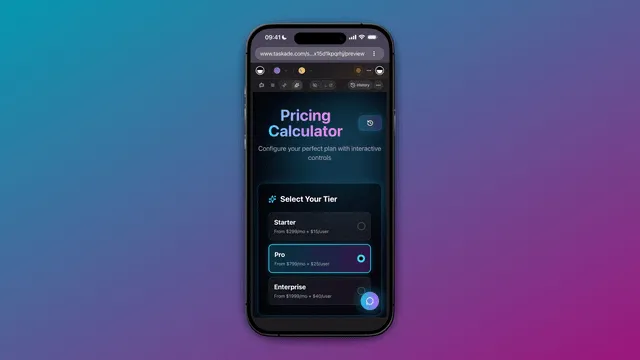
You can clone a live working app in about 30 seconds and run it in your own workspace, the fastest way to learn the patterns by example. Explore the automation hub to see what's possible.
Honest tradeoff: if you specifically want a node-by-node visual canvas to fine-tune every branch, n8n gives you more granular control over the wiring. And if you want to own the raw code, Claude Code does that, Taskade Genesis is for people who'd rather own the outcome.
The cost-honesty section
These three tools price on completely different axes, so a single "cheapest" answer would be misleading. Compare them on your real volume.
| Tool | Pricing model | What drives the bill | No infrastructure? |
|---|---|---|---|
| n8n (Community) | Free, self-hosted | A server + your DevOps time | ❌ You run it |
| n8n (Cloud) | Per execution (~€24/mo+) | Number of workflow runs (any step count = 1) | ✅ |
| Claude Code | AI model usage | How much the agent reads, reasons, writes | ✅ (runs locally) |
| Taskade Genesis | Flat plan tiers | Your plan, not per-run | ✅ Managed cloud |
A few honest notes:
- n8n's per-execution model is genuinely cheap at scale. A 2-step run and a 200-step run each count as a single execution. For complex, high-volume workflows, that's hard to beat, if you can self-host or pay the cloud tier.
- Claude Code cost scales with the work. Long, code-heavy runs read and write a lot, so the AI usage bill grows with the size of the task. Great for bursty, high-value builds; less predictable as a constant background automation.
- Taskade Genesis is flat and predictable. It is free to start, then Pro $10/mo (10 users) · Business $25/mo · Max $100/mo · Enterprise $250/mo on annual billing, and that includes the agents and the app, not just the automation.
The real lesson: test failure handling and cost on a real multi-step run, not the happy path. A workflow that's cheap on paper can get expensive once retries, scraping, and AI summarization stack up.
🚨 Failure and maintenance economics: what breaks in month 2
Every comparison covers day one; almost none covers day sixty. So here is the honest ledger: both tools break in month 2, they just break differently, and the maintenance bill lands on different people. n8n tends to fail through platform quirks and upstream drift you can see on a canvas; Claude Code tends to fail through non-determinism and costs that stack quietly.
What breaks in n8n. The deepest course in our research, Ryan's 17-hour n8n program, documents the classics (all as of its late-2025 recording, so re-check current n8n docs): the Merge node without a trigger silently pulls only one branch, a known bug he calls the most common user error; production webhooks ship with no authentication by default; test and production webhook URLs get confused; Google Sheets errors on any value starting with + or =; and workflow version history is one day on the Starter plan, which is why his production doctrine includes exporting every workflow to GitHub. Then there's drift, the failure mode Simon Coton calls the "Jenga tower": one API update, one renamed spreadsheet column, one changed Slack channel name, and the workflow topples. In his telling, the rebuild costs three hours of node-digging. His companion coinage, "visual spaghetti," describes what a six-month-old canvas looks like to whoever inherits it.
What breaks in Claude Code. The pro-agentic creators concede four gotchas inside their own videos: context drift in long sessions, hallucinated functions and API endpoints that only surface under real data, over- and under-scoping, and production operations, error notifications, observability, version control, that n8n's dashboard gives you for free but a code-first build makes you assemble yourself. Two more from the economics side: agent outputs are non-deterministic, so anything customer-facing needs a QA gate (a review step, or tests) before it ships; and retries are not free. Anthropic's own engineering blog reports that agent systems use roughly 4x more tokens than chat and multi-agent systems about 15x, so a workflow that retries its way to success can cost several multiples of the happy path.
| Month-2 failure | n8n | Claude Code |
|---|---|---|
| Silent wrong output | Merge node pulls one branch (documented bug) | Hallucinated endpoint that passes the demo, fails on real data |
| Upstream API/schema drift | "Jenga tower": hours of node-digging | Agent can re-read docs and patch, if someone re-runs it |
| Retry economics | Flat: a retried run is still one execution | Token costs stack: agents use ~4x chat tokens (Anthropic engineering blog) |
| Version safety net | One-day history on Starter; export to GitHub | git, if you set it up |
| Who gets paged | Whoever can read the canvas | Whoever prompted the codebase |
The 2 a.m. question is the real differentiator, and neither manifesto answers it. In n8n, the fixer needs canvas literacy, and a six-month-old workflow greets them with visual spaghetti. In Claude Code, the fixer is usually the one person who prompted the build, and if they've moved on, nobody else reads that codebase. This operational load is exactly what a managed layer absorbs: Taskade Genesis runs automations as durable workflows with execution history that branch, loop, wait, and resume from the exact step that failed, hosted, so the pager belongs to the platform. Whichever way you go, write a month-2 maintenance line into the budget, not just a build line. For real-world patterns and their failure points, see our n8n use cases breakdown.
When each tool is still the right call
Balanced honesty, because all three are good tools:
Choose n8n when:
- You want a visual canvas and enjoy designing flows node by node.
- You need deep, polished pre-built nodes and built-in cron, retries, and logging.
- You can self-host and want the lowest cost per run on complex, high-volume workflows.
- You want full control and data ownership on your own infrastructure.
Choose Claude Code when:
- You're comfortable in a terminal and working in a repository.
- You want no feature ceiling, if it can be coded, the agent can build it.
- You're doing bursty, high-value builds (a tricky integration, a one-off migration) more than constant background automation.
- You want to own the raw code and wire it into your own systems.
Choose Taskade Genesis when:
- You're a non-developer or operator who wants the result, not the wiring.
- You want automations, AI agents, and a real app in one place, built from a description.
- You want 100+ bidirectional integrations and durable workflows without managing servers.
- You want to publish and share, custom domains, built-in sign-in, a cloneable app others can use.
There's no shame in mixing them. Plenty of teams run n8n for high-volume plumbing, reach for Claude Code on a gnarly one-off, and build their customer-facing apps and agents in Taskade Genesis.

🔁 If you already know n8n: what transfers (the 2026 skills-transfer map)
If you've invested months in n8n and the "stop learning n8n" videos have you second-guessing it, here is the direct answer: the concepts transfer; the clicks don't. Webhooks, HTTP requests and authentication, data mapping, trigger-and-action thinking, deduplication, and error handling are exactly what make you good at directing an agentic tool, whether that's prompting Claude Code in a terminal or describing an outcome to Taskade Genesis. What stays behind is tool-specific muscle memory: node placement, expression syntax, canvas layout habits, and the workaround catalog for one platform's quirks.
And here is the part the backlash thumbnails don't tell you: the same creators concede, inside the same videos, that n8n fundamentals are the prerequisite. The educator behind one of 2026's most-shared "stop learning n8n" videos lands on "n8n is not dead, it just became the foundation," and credits workflow skills directly: n8n taught you to think in triggers, actions, data flow, and error handling, and in his words, "your understanding of workflow architecture makes you better at directing Claude Code than someone starting from scratch." Mikuel, another educator arguing the pro-agentic case, is blunter: "People who learn fundamentals first will be 10x faster in Claude Code than those who jump straight in." Read the backlash carefully and it isn't a funeral. It's a promotion, from configuring nodes to providing the plan, the direction, and the guardrails.
Credit where the framework came from, too. The "agentic workflow" patterns these videos repackage under names like "the Agentic Stack" or "director vs. orchestrator" trace back to Anthropic's Building Effective Agents (December 19, 2024), which named the five canonical workflow patterns: prompt chaining, routing, parallelization, orchestrator-workers, and evaluator-optimizer. We unpack those patterns in agentic workflows, explained, and trace the tool at the center of the backlash in our Claude Code history.
If you're making the move, here's the four-step transition path:
- Rename what you know. Your n8n vocabulary is portable: trigger, action, filter, dedupe, retry, webhook. Practice describing one of your workflows in a single plain-English paragraph using those words. That paragraph is your first prompt.
- Rebuild one real workflow the agentic way. Pick a live n8n workflow you understand deeply and rebuild it by description, in Claude Code if you're code-comfortable, or in Taskade Genesis if you're not. Compare build time, cost, and how each handles the edge cases you already know are lurking.
- Replace the ops you lost. n8n's dashboard gave you logs, retries, and alerts for free. A code-first build makes you assemble them; a managed workspace includes them. Either way, decide before go-live who sees the failure notification.
- Keep the tool second. Mikuel's prediction for the next 12 to 18 months is that hybrid approaches proliferate and the differentiator stops being the tool: "winners understand the business problem first, tool second." You already have that skill. n8n is where you learned it, a story we tell in full in our n8n history.
What Taskade Genesis can do that a workflow or a codebase can't
n8n is a great way to wire automations. Claude Code is a great way to generate code. Taskade Genesis is a way to ship software. Here's the full capability set in one place:
| Capability | What it means for you |
|---|---|
| One-prompt apps | Describe an app; get a live, deployed one with a database and UI |
| AI agents (built-in tools) | Agents that search the web, run code, analyze files, and act |
| Multi-agent collaboration | A manager agent plans, delegates to specialists, and reviews |
| Frontier models from top AI labs | Auto on every plan. Paid plans can pick OpenAI GPT, xAI Grok and open-weight models such as DeepSeek and Qwen. Claude runs on your own Anthropic key |
| 100+ bidirectional integrations | Triggers pull events in; actions push data out (native Shopify + Stripe) |
| Durable automations | Branch, loop, filter, wait days, resume from the failed step |
| Multiple project views | List, Board, Calendar, Table, Mind Map, Gantt, Org Chart |
| Publish & share | Custom domains, built-in sign-in, Community Gallery, app kits |
| Persistent memory | Workspace DNA so your apps and agents compound over time |
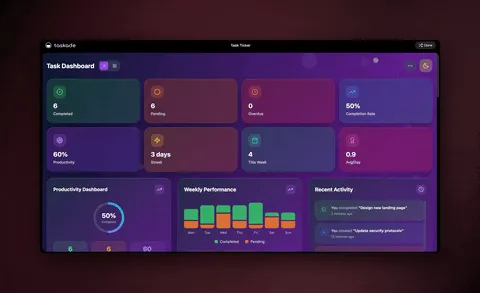
n8n and Claude Code both automate steps. Taskade Genesis automates the outcome, and then hands you the app, the agents, and the memory around it.
Frequently asked questions
Claude Code vs n8n: which should a non-developer use in 2026?
It depends on what you want at the end. n8n is best if you like a visual canvas and want the lowest cost per run on complex flows you can self-host. Claude Code is best if you're comfortable in a terminal and want an AI that writes and runs real code with no ceiling. For a non-developer who wants automations, agents, and a real app without servers or code, Taskade Genesis lets you describe the outcome, starting free.
What is the difference between Claude Code and n8n?
n8n is a visual workflow tool. You drag nodes and map fields by hand. Claude Code is an AI coding agent that runs in your terminal, writes the automation as code, and fixes its own errors. n8n gives you a no-code canvas with deep pre-built nodes; Claude Code gives you unlimited flexibility but expects you to be comfortable with code.
Is Claude Code no-code like n8n?
No. n8n is no-code. Claude Code generates and runs real code, so the output is a codebase you (or it) maintain. If you want the plain-English experience without owning code, Taskade Genesis builds the automation, connects 100+ bidirectional integrations, and ships a live app.
Can Claude Code replace n8n?
For some teams, yes, Claude Code can build the same scrape-and-summarize automations from a single prompt. But n8n still wins on a visual canvas, polished pre-built nodes, built-in cron and retries, and per-execution cost at scale. Many builders use both, or use the n8n-MCP bridge to let an AI assistant drive n8n directly. See our n8n alternatives guide for more.
What is the n8n-MCP bridge?
It connects n8n to AI assistants through the Model Context Protocol (MCP), a shared standard for letting AI tools call other tools. An assistant like Claude can read your nodes, suggest workflows, and help build or debug them. So Claude Code and n8n work together. It's a useful integration, not a replacement.
Is n8n cheaper than Claude Code?
They price differently. n8n Community Edition is free to self-host (you pay for a server), and n8n Cloud charges per execution. Claude Code bills against AI model usage, which grows with how much the agent reads and writes. For predictable cost with no infrastructure, Taskade Genesis starts free, with Pro from $10/month annually.
Do I need to know how to code to use Claude Code?
You direct it in plain English, but it produces a real codebase, so you benefit from understanding files, a terminal, and a repository. A true non-developer is usually happier with a no-code path, n8n's visual canvas or an AI workspace like Taskade Genesis where you describe the result and get a working app.
What can an AI workspace do that Claude Code and n8n can't?
Claude Code outputs code and n8n outputs a workflow, both stop short of a finished product. Taskade Genesis combines AI agents, durable automation, databases with multiple views, and a full app UI into living software you build from one prompt, 150,000+ apps built since launch, each with a live, shareable URL.
Should I learn n8n in 2026 or skip straight to AI?
Learn the concepts, not just one tool. The patterns n8n teaches, triggers, filters, branching, deduplication, transfer to every modern builder. n8n is still excellent for visual, self-hosted, high-volume automation. But for most non-developers, describing the outcome in an AI workspace gets a working result faster. See our n8n history for how we got here.
Should I stop learning n8n in 2026?
No, and the creators of the "stop learning n8n" videos agree once you get past the titles. Inside those same videos they concede that n8n fundamentals, triggers, data flow, dedup, error handling, are the prerequisite for directing agentic tools well; one lands on "n8n is not dead, it just became the foundation." Learn the concepts, then pick your build surface: canvas, terminal, or described outcomes.
What breaks more in production: Claude Code or n8n?
They break differently. n8n's course-documented failure modes: the Merge node silently pulling one branch, unauthenticated production webhooks by default, and upstream API drift toppling workflows (the "Jenga tower"). Claude Code's: context drift, hallucinated endpoints that only fail on real data, and non-deterministic outputs that need a QA gate. Budget for month 2 either way, or use managed durable workflows that resume from the failed step.
Who wins the scorecard: n8n or Claude Code?
It depends on the persona. In our 8-category scorecard above: non-coders, Taskade Genesis 36 vs n8n 27 vs Claude Code 15; developers, Claude Code wins with 33; ops teams, n8n narrowly wins with 33 on built-in scheduling, per-run logs, and execution-based pricing. There is no single winner. Match the tool to whoever has to run it at 2 a.m.
Ready to build instead of wire, or code? Start free with Taskade Genesis. Describe what you want, and watch it build the automation, connect your tools, and ship a live app, no canvas, no terminal, no server.
Keep comparing: read our n8n alternatives and Zapier alternatives breakdowns, see how Claude Code, Cursor, and Taskade Genesis stack up for app building, or browse the automation hub and cloneable apps to start by example.
Built right, automation should feel like describing a destination, and getting the whole working system back. ▲ ■ ●