






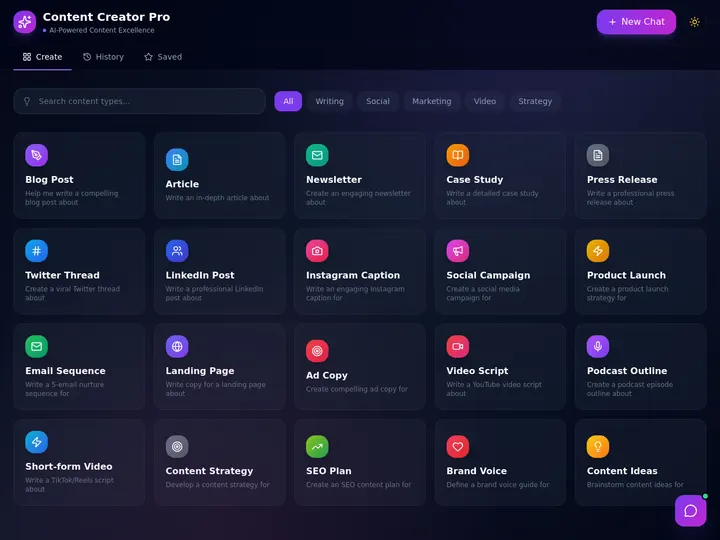
What are Claude Skills? They are folders of instructions, scripts, and resources that Claude loads only when a task matches, so it repeats a procedure the same way every time. Updated September 2026. Anthropic launched Agent Skills as an open standard in October 2025, and within months OpenAI, Google, GitHub, and Cursor tooling adopted the format. A Skill is the simplest idea in agentic AI: a folder that teaches an agent how to do one thing, loaded only when needed. This guide explains exactly what that means in plain English, then shows the no-code parallel you can use today without writing a single line of YAML. Sources: Anthropic Engineering, Anthropic's Agent Skills announcement, Claude API docs.
Want the tested-and-ranked list instead? This page is the conceptual guide: what skills are, how they work, and why the design matters. When you are ready to install, our companion listicle ranks the best Claude Code skills with copy-paste install commands and honest pros and cons for each pick. Skills run on whichever Claude model powers your session, so see Claude models explained for the current Opus 5.5 and Sonnet 5.5 lineup.
What Are Claude Skills in Plain English?
Claude Skills, which Anthropic officially calls Agent Skills, are organized folders of instructions, scripts, and resources that an AI agent discovers and loads on demand to perform a specific task better. Anthropic launched them in October 2025 as an open standard, shipping three things at once: the format itself, a directory of partner-built skills, and org-wide skill management so Team and Enterprise admins can roll one skill out to a whole company. A Skill packages domain expertise into one reusable unit. Instead of re-explaining a procedure every session, you save it once, and the agent runs it the same way every time it is relevant.
The plain-English version: a Skill is a recipe card the agent keeps in a drawer. The agent does not read every card all the time. It glances at the labels, and only when a task matches does it pull the matching card and follow the steps. That single design choice, don't load everything, load what's relevant, is what makes Skills scale to hundreds of capabilities without overwhelming the agent. For the broader concept of what an agent is, see our explainer on what AI agents are.
How Do Agent Skills Actually Work?
Agent Skills work through a mechanism called progressive disclosure: information loads in layers so the agent only spends context on what it needs right now. At startup the agent preloads only each skill's name and description, roughly 100 tokens each. When a task matches a skill, the agent loads the full SKILL.md instructions. Referenced files and scripts load only during execution. A large library stays available at almost no upfront cost.
This is the part most beginners miss. The agent is not "given" all your skills the way you might paste a giant prompt. It is given a table of contents, and it opens chapters on demand. That is why Anthropic describes the bundled context as "effectively unbounded". You can attach big reference files and heavy scripts to a skill, and they cost nothing until the moment the agent actually runs the skill. Read the official engineering write-up for the full design rationale.
What Is Inside a SKILL.md File?
A SKILL.md file begins with YAML frontmatter containing two required fields, name and description, followed by the main instructions for the agent. The folder around it can also hold extra markdown references, executable scripts (Python, Bash, and similar) for deterministic steps, and supporting assets. Anthropic recommends keeping the SKILL.md body under roughly 500 lines, splitting anything longer into separate files the agent loads only when needed.
The name and description are the most important two lines in the whole skill, because they are the only part the agent sees at startup. Until a task actually triggers the skill, its entire context cost is those two frontmatter lines, roughly 100 tokens per Anthropic's docs, which is why an agent can carry a large skill library without slowing down or crowding out the work in front of it. A vague description means the agent never picks the skill at the right moment. A precise one, "Generates a weekly brand report from raw analytics CSVs and writes a summary", is what lets progressive disclosure work.
The sharpest way to think about it: the description is a routing rule, not documentation. You are not describing the skill to a human reader. You are writing the trigger condition that tells the agent when to reach for it, in the language a real task request would use. "Use when the user asks for a weekly report, a metrics summary, or a KPI update" routes reliably. "Helps with reporting" never fires. Anthropic's authoring best practices and the strongest community write-ups converge on this same insight, and it is the single highest-leverage line you will write in any skill. Here is a typical skill folder laid out:
  A CLAUDE SKILL = ONE FOLDER
  ───────────────────────────
  brand-report/
  ├── SKILL.md            ← required. YAML frontmatter (name, description) + instructions
  │     ┌─────────────────────────────────────────────┐
  │     │ ---                                          │
  │     │ name: brand-report                           │  ← loaded at startup (the label)
  │     │ description: Build a weekly brand report     │  ← ~100 tokens, always visible
  │     │ ---                                          │
  │     │ ## Steps                                     │  ← loaded only when the skill matches
  │     │ 1. Read the analytics CSV ...                │
  │     └─────────────────────────────────────────────┘
  ├── reference/
  │   └── tone-guide.md    ← extra context, loaded only when referenced
  ├── scripts/
  │   └── chart.py         ← deterministic code, run only during execution
  └── assets/
      └── logo.png         ← supporting file, loaded last
| Part of a skill | Required? | When it loads | What it is for |
|---|---|---|---|
name (frontmatter) |
Yes | At startup | The label the agent matches against |
description (frontmatter) |
Yes | At startup | One sentence on when to use the skill |
SKILL.md body |
Yes | When the skill matches | The step-by-step instructions |
| Reference markdown | No | When referenced | Extra rules, style guides, examples |
| Scripts (Python, Bash) | No | During execution | Deterministic, repeatable actions |
| Assets (images, data) | No | During execution | Logos, templates, sample files |
Where the folder lives decides who gets the skill. In Claude Code, Anthropic's terminal agent, a personal skill goes in ~/.claude/skills/ and is available in every project on your machine. A project skill goes in .claude/skills/ inside the repository itself, which means it is committed to version control, and every teammate who clones the repo inherits the same skill automatically, no rollout meeting required. Skills can also be path-scoped, activating only when the agent works inside a relevant part of a large codebase, so a big monorepo can carry dozens of area-specific skills without any of them firing in the wrong place.
| Location | Who gets it | Best for |
|---|---|---|
~/.claude/skills/ |
Just you, in every project | Personal habits and workflows |
.claude/skills/ (in the repo) |
Everyone who clones the repo | Team conventions, shared procedures |
| Path-scoped skills | Only matching parts of a codebase | Monorepo or area-specific rules |
Skills vs. Tools vs. MCP: What Is the Difference?
Skills, tools, and MCP are three different layers that complement each other, not competitors. Skills are procedural knowledge. They teach the agent how to do something. Tools are deterministic actions the agent can call, like sending an email. MCP (the Model Context Protocol) is the connection layer that links the agent to external systems where data lives. The common phrasing: skills for context, tools for actions, MCP for shared infrastructure.
A simple example ties it together. Knowing how to write a professional client email is a skill. Actually opening the mail system to send it is a tool. Reaching your CRM to pull the client's history is MCP. You often use all three in one task. The mistake beginners make is treating Skills and MCP as rivals. They are not. MCP gives the agent access; a Skill encodes the procedure. For a deep dive on the connection layer, read our guide to the best MCP servers.
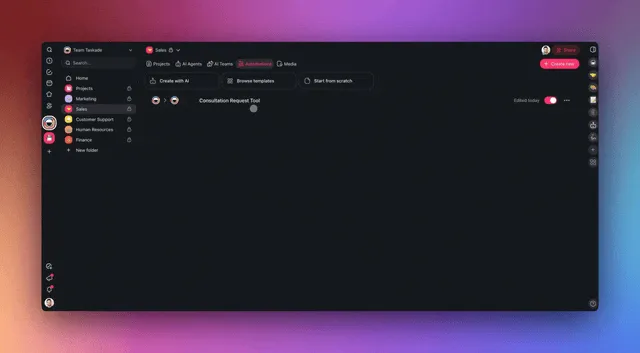
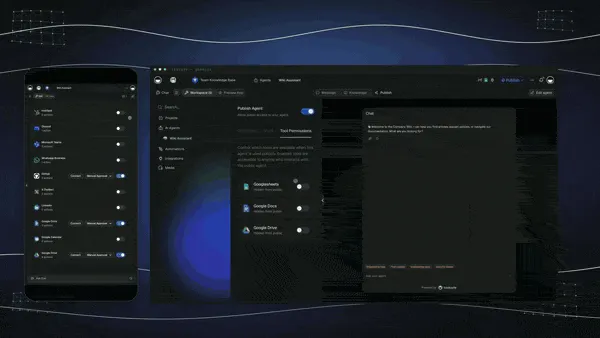
Taskade Genesis agent tools producing dynamic output, the action layer that pairs with a skill's know-how.
Here is the same distinction as a table you can keep handy:
| Layer | What it is | Real-world analogy | When you reach for it |
|---|---|---|---|
| Skill | Procedural knowledge the agent loads on demand | The recipe card | You want the same task done the same way, every time |
| Tool | A deterministic action with typed inputs and outputs | The oven and the knife | The agent needs to do something concrete |
| MCP | An open standard connecting the agent to external data | The pantry and the fridge | The agent needs to reach a database, repo, or app |
| Subagent | An independent agent with its own context and tools | A second cook in the kitchen | You want a separate worker on a parallel job |
Why Progressive Disclosure Matters for Beginners
Progressive disclosure matters because it solves the context-bloat problem that breaks naive prompting. If you paste every instruction the agent might ever need into one prompt, you burn tokens, slow the agent down, and bury the relevant part in noise. Skills flip this: the agent holds a lightweight index and pulls detail only when a task matches, so a library of hundreds of skills costs almost nothing until one is used.
For a beginner, the takeaway is practical. You do not have to choose between "give the agent everything" and "give the agent nothing." Skills let you bundle deep, specific know-how, a full style guide, a 500-line procedure, a data script, and trust the agent to reach for it only at the right moment. That is the difference between a clever prompt and a reusable capability. The concept echoes how a good system prompt sets behavior, except a skill is modular and loads itself.
Skills as Continual Learning
Skills have a second act that most beginner guides skip: the agent can write them, not just read them. Because a skill is plain markdown in a folder, an agent can update its own skills at the end of a session, which turns every correction you make into permanent, versioned memory. In the Claude Code community this is called the reflect pattern: a small "reflect" skill or command scans the finished session for the corrections and approvals you gave, proposes updates to the relevant skill files with a confidence level attached, and commits the accepted changes to git. Correct the agent once, and the correction compounds into every future session. Anthropic's own guidance on working in large codebases goes a step further and automates the loop: a hook that fires when a session ends can spawn a separate background agent to reflect on what just happened and propose updates while the context is still fresh.
Robert Nishihara, CEO of Anyscale, frames this as the real significance of the skills announcement: "Rather than continuously updating model weights, agents interacting with the world can continuously add new skills." Knowledge stored outside the model's weights is something you can open, read, correct, and share as plain text, and a single correction is enough to change behavior. No training run required. That is the practical difference between skills and fine-tuning:
| Question | Fine-tuning | Skills |
|---|---|---|
| Where does knowledge live? | Inside model weights | Plain-text files outside the model |
| Can you read it? | No, weights are opaque | Yes, open the markdown |
| How do you fix a mistake? | Another training run | Edit a file, commit to git |
| How much data does it take? | Many curated examples | One correction |
| Is it portable? | Locked to one model | Travels across models and agents |
Because skills live in git, the version history doubles as a learning log: you can scroll back and watch the system get smarter one commit at a time. The same "correct once" idea powers persistent agent memory in no-code platforms. A Taskade agent's knowledge grows from workspace activity through Workspace DNA the way a skill library grows from sessions, except nobody has to run git. Skills themselves grew up inside Claude Code, and the lineage explains a lot about their design; our history of Claude Code traces how a September 2024 side project made skills, hooks, and agents the default vocabulary of agentic AI, and the agent harness explainer shows exactly where skills sit in the stack that surrounds a model.
Where Do Claude Skills Work? Surfaces, Sharing, and Limits
Claude Skills work across four Anthropic surfaces, but custom skills do not sync between them, so you install each skill where you want it. The table below comes from Anthropic's Agent Skills docs.
| Surface | Who can use a custom skill | Network access |
|---|---|---|
| claude.ai | The individual user who uploaded it (Pro, Max, Team, Enterprise with code execution on) | Depends on user and admin settings |
| Claude API | Everyone in the workspace, via the /v1/skills endpoints |
None; no runtime package installs |
| Claude Code | You (~/.claude/skills/) or the project (.claude/skills/), or via plugins |
Full, like any program on your machine |
| Agent SDK | Filesystem skills, same model as Claude Code | Follows your runtime |
Anthropic also ships prebuilt skills for PowerPoint, Excel, Word, and PDF on claude.ai and the API. The Claude Code page in the docs lists a separate bundled set. The loading cost is small by design:
Level 1 metadata costs about 100 tokens per skill. The Level 2 instruction body stays under 5,000 tokens, and that bar is a ceiling rather than a typical size. Level 3 files and scripts cost nothing until the agent reads or runs them.
How Do You Create a Claude Skill?
You create a Claude Skill by making a folder with a SKILL.md file, then placing it where your Claude product can find it. Pick the route that fits you:
- Ask Claude to draft it. Use the skill-creator skill in a chat: describe the task, upload a template or example, and answer its clarifying questions. No editor needed.
- Write the files yourself. Create
~/.claude/skills/<name>/SKILL.mdfor Claude Code, add the frontmatter and steps, then start a new session so it is discovered. - Upload a zip to claude.ai. Zip the skill folder so the folder itself is the zip root, then add it in Claude settings on a plan with code execution enabled.
- Upload through the API. Use the
/v1/skillsendpoints and reference theskill_idin thecontainerparameter.
The frontmatter has hard limits. Anthropic's docs set them:
| Field | Rule |
|---|---|
name |
Up to 64 characters; lowercase letters, numbers, hyphens; no reserved words "anthropic" or "claude" |
description |
Required, up to 1,024 characters per the API docs; say what it does and when to use it |
| Body | Keep under about 500 lines; split the rest into referenced files |
The Claude Help Center's custom-skill page states a tighter 200-character description limit for claude.ai uploads, so write the trigger sentence short and front-loaded. A valid upload looks like this:
  my-skill.zip
  └── my-skill/          ← the folder is the zip root
      ├── SKILL.md       ← frontmatter + instructions
      ├── FORMS.md       ← optional reference, loads only if read
      └── scripts/       ← optional, run by the agent, output only enters context
Test with prompts that should trigger it, and with prompts that should not. If it never fires, rewrite the description as a routing rule. Anthropic's authoring best practices and the Claude Code skills reference cover the rest. When you are ready to install existing ones instead, see the best Claude Code skills and the wiki entry on agent skills.
Are Claude Skills Safe?
A skill borrows the agent's permissions, so only enable skills from sources you trust. Anthropic's docs tell you to use skills you created yourself or got from Anthropic, to audit every bundled file, and to treat a skill like installing software, because a malicious one can misuse tools or exfiltrate data. Snyk's ToxicSkills audit scanned 3,984 third-party skills in February 2026 and found 13.4% with a critical-level issue and 76 confirmed malicious payloads. The safest starting points are Anthropic's prebuilt skills and the official anthropics/skills repository. Claude Enterprise organizations can also turn on skill content scanning.
Do You Need to Code to Use Claude Skills?
Using a prebuilt Claude Skill does not require coding. You enable the skill and the agent invokes it when relevant. Authoring a skill from scratch is more technical: you write a SKILL.md folder, craft the frontmatter, and may add Python or Bash scripts. That authoring step is where most non-developers stall, because it means managing files, YAML syntax, and helper scripts that have to be maintained over time.
This is the honest gap. Skills are a developer-friendly format, and Anthropic publishes skill authoring best practices precisely because writing a good one takes care. If you are a non-coder who just wants the outcome, an agent that performs a repeatable task identically every time. There is a no-code path that skips the folder entirely. That path is what the rest of this guide covers.
What Is the No-Code Equivalent of Claude Skills?
The no-code equivalent is teaching an agent a repeatable capability without authoring a SKILL.md folder. In Taskade, you do this with custom slash commands, the built-in agent tools, and persistent memory called Workspace DNA. You describe a procedure once in plain language, save it as a command, and the agent reuses that capability across every project, the same "package a repeatable skill" outcome, minus the files, frontmatter, and scripts.
To be precise and fair: Taskade does not run Claude Skills, and a Taskade custom command is not a SKILL.md. What Taskade offers is the analogous capability, a no-code way to encode "do this task this way, every time" that a non-coder can set up in minutes. The parallel is real where it counts: both turn a one-off instruction into a reusable, on-demand capability the agent applies when it fits the task. For the agent-building basics, see custom agents in Learn Taskade.
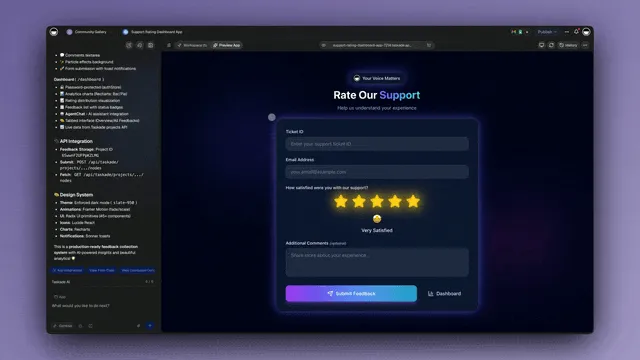
Preview and customize an agent in Taskade Genesis, the no-code way to package a repeatable capability, no folder to author.
| What Claude Skills give a developer | The no-code equivalent in Taskade |
|---|---|
| A reusable capability the agent loads on demand | A custom slash command the agent runs on demand |
SKILL.md instructions that codify a procedure |
Plain-language agent prompts that codify a procedure |
| Scripts and tools the skill can invoke | built-in tools (web search, code, file analysis) |
| Skill stays available across sessions | Persistent memory (Workspace DNA) across projects |
| Skills portable across compatible agents | Commands shared across agents in a workspace |
| You author and maintain folders + YAML | You describe it once in plain English, nothing to maintain |
How Taskade Delivers the Same Capability Without a SKILL.md
Taskade delivers the same "repeatable capability" outcome through Taskade EVE and custom agents that expose custom slash commands, the built-in tools, and persistent memory, no folder to author. EVE is Taskade's meta-agent: you describe the procedure in plain words, EVE turns it into a command your agents reuse, and the workspace remembers the context so the next run starts smarter. A non-coder packages know-how the way a developer packages a skill, without touching YAML.
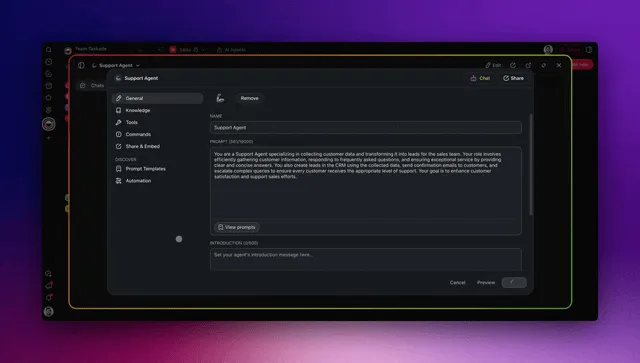
Teach a Taskade Genesis agent a reusable behavior once, the plain-language parallel to a custom command, run the same way every time.
The deeper point is the loop. A Claude Skill is a static folder you load. A Taskade capability lives inside Workspace DNA, Memory, Intelligence, and Execution, a self-reinforcing cycle. Memory holds what you have done; Intelligence (frontier models from top AI labs, auto-routed) decides what to do; Execution does it through reliable automation workflows and 100+ bidirectional integrations. Each run feeds the next. That is the difference between a capability you load and a capability that compounds. Read how the cycle works in the Genesis Loop explainer.
| Claude Skill piece | Taskade equivalent | Learn more |
|---|---|---|
| SKILL.md instructions | Custom slash command on an agent | Custom agents |
| Bundled scripts | Custom tools plus built-in tools | Agent tools |
| Invoke by name | EVE commands and mentions | EVE commands |
| Learns from corrections | Persistent memory | Memory graph |
| Shared across a team | Multi-agent teams and public agents | Multi-agents, public agents |
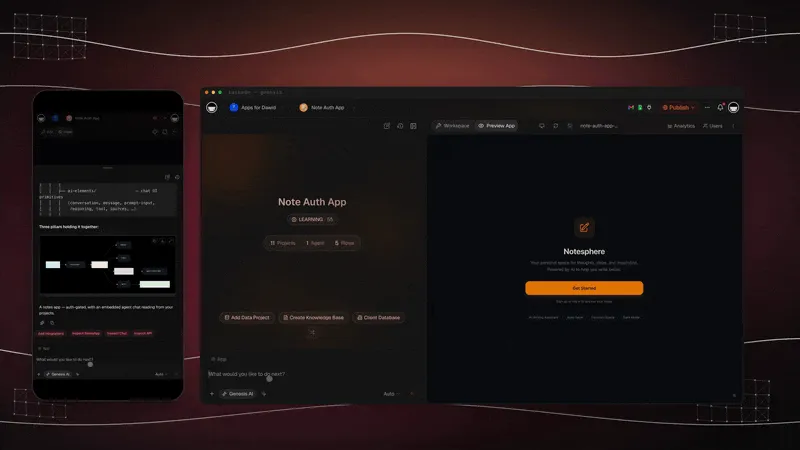
The two worlds connect too. Claude Code and Claude Desktop can read and write your Taskade workspace through the hosted Taskade MCP server on every paid plan, so a skill can point Claude at your real project data (setup guide). To call Claude from a Taskade automation, use the Anthropic Claude connector with your own Anthropic key. Taskade agents themselves do not run Claude skills and do not use Claude on Taskade credits.
From Skill to Running App: The Taskade Parallel in Practice
A Claude Skill makes one agent better at one task. Taskade Genesis takes the same idea further. It turns a described capability into a running app with agents, slash commands, and automations already wired in. You describe an outcome in plain language, and Taskade Genesis builds a live web app where the repeatable capability is built into the product itself, not just available to a chat agent. The capability stops being a folder and becomes software you can share and clone.
Taskade's first Enterprise customer — an IT program manager with no engineering team — built a production field-service dashboard on Taskade Genesis and put the leverage plainly: "What I accomplished in a few weeks would have taken a team of 40+ people 18 months in a Fortune 500." He did not author a skill folder. He described what he needed and got the app that runs the work, with the repeatable agent capabilities baked in. Browse more live, cloneable examples in the Community Gallery or start from a free AI app builder.
Try It Live: A No-Code Agent With Custom Commands
The fastest way to feel the parallel is to use it. The app below is a live Taskade Genesis agent app, built from a prompt, with custom commands and the built-in tools already wired in. It is the no-code answer to "teach an agent a repeatable capability": no SKILL.md, no YAML, no scripts to maintain. Click it, clone it, and give your agent a reusable command of your own.
Watch a public AI agent run custom commands, web search, and live knowledge:
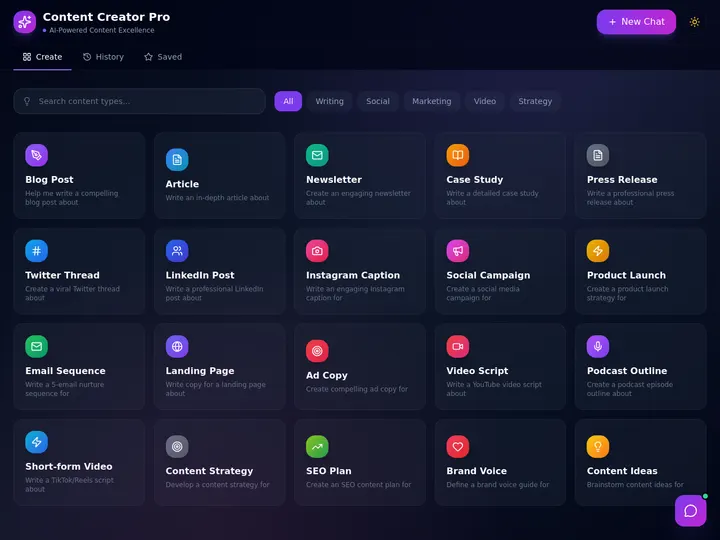
This is the difference the whole guide is about. A Claude Skill teaches a chat agent a procedure. A Taskade agent app is the procedure, running, shareable, and clone-ready. Clone this app and give your agent a custom command →
How Do You Get Started?
To get started with Claude Skills, enable a prebuilt skill in a compatible Claude product, or author your own SKILL.md folder with the required name and description frontmatter and clear instructions. To get the no-code equivalent free, open Taskade Genesis, create a custom agent, and save a custom slash command for a task you repeat. Pricing is Free to start, then Pro $10 (Popular ★), Business $25, Max $100, and Enterprise $250 per month at annual billing.
The choice comes down to who you are. If you write code and want a portable, open-standard capability that travels across Claude.ai, Claude Code, and the Agent SDK, author a skill, Anthropic's docs walk you through it. If you are a non-coder who wants the outcome without the folder, start in Taskade and describe the capability in plain words. Either path gives you the same thing the agentic era is built on: a repeatable capability your agent reaches for at exactly the right moment.
FAQ: Claude Skills
How do I create a Claude Skill?
Make a folder named for the skill with a SKILL.md inside. Start the file with YAML frontmatter that has a name (up to 64 characters, lowercase letters, numbers, and hyphens) and a description that says what the skill does and when to use it. Write the steps below it, add optional scripts or reference files, then place the folder in ~/.claude/skills for Claude Code or zip it and upload it in claude.ai settings. Or ask Claude to draft it with the skill-creator skill.
Where do Claude Skills work, and do they sync?
Skills work in claude.ai, the Claude API, Claude Code, and the Agent SDK, but custom skills do not sync between surfaces. Anthropic's docs say a skill uploaded to claude.ai is not available on the API, and Claude Code skills are filesystem-based and separate from both. Sharing also differs: claude.ai skills are per user, API skills are workspace-wide, and Claude Code skills are personal or project-based.
Are Claude Skills safe to use?
Prebuilt skills from Anthropic are the low-risk choice. Anthropic advises using skills only from sources you created or trust, because a malicious skill can direct Claude to run tools or code in ways that do not match its description. Snyk's ToxicSkills audit of 3,984 third-party skills found 13.4% with at least one critical-level issue. Read every file in a skill before you enable it.
What is the difference between a Claude Skill and a slash command?
In Claude Code they are now the same mechanism. Anthropic's docs say custom commands merged into skills, so a file at .claude/commands/deploy.md and a skill at .claude/skills/deploy/SKILL.md both create /deploy. A skill adds a folder for supporting files, frontmatter to control who can invoke it, and automatic loading when a task matches.
Related Reading
- Best Claude Code Skills, the tested-and-ranked companion to this conceptual guide
- History of Claude Code, where skills, hooks, and agents came from
- What Are AI Agents?, the foundational concept behind Skills
- Best MCP Servers, the connectivity layer that complements Skills
- Best Claude Code Alternatives, agentic coding tools compared
- AI Prompt Generators, write the instructions a skill or command needs
- Genesis Loop, how described capability becomes a running app
- System Prompt, how instructions shape agent behavior
- Custom Agents and Agent Prompts, build the no-code equivalent
- Start building: Taskade Genesis · AI Apps · AI Agents · Automations · Community Gallery
Claude Skills made one idea concrete: a capability should be a small, reusable folder an agent loads exactly when it is needed, not a giant prompt you repeat. Taskade carries that same idea into no-code, custom slash commands, built-in tools, and persistent Workspace DNA, so anyone can package a repeatable agent capability and run it as living software. Memory, Intelligence, Execution. Build your first no-code agent capability free →
▲ ■ ●