






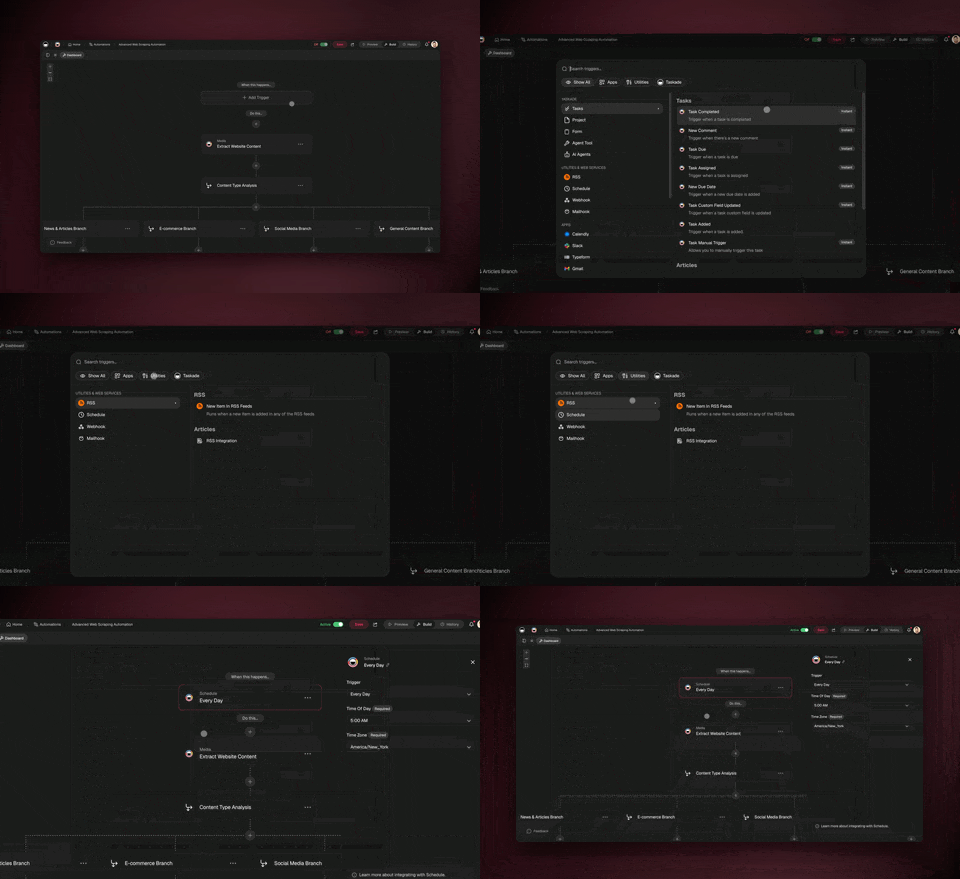
You can automate roughly 99% of your healthcare administration with AI agents in 2026 — and the 1% you keep is the part that must stay human: clinical decisions, patient relationships, and the final yes on anything that touches care. AI agents now read an intake form, find an open slot, book the appointment, send the reminder, queue an insurance check, and answer a routine billing question without asking you at every turn. One clinic that moved waitlist management onto agents cut the work from 40 hours a month to under 5 hours. The fastest way to get there is to stop wiring tools together and instead describe the front-office system you want — then let it build itself. This guide covers administrative workflows only, never clinical care.
TL;DR: Healthcare admin automation in 2026 is no longer fixed reminder rules — it is AI agents that read intake, schedule, verify insurance, and answer billing questions across your tools. One clinic cut waitlist work from 40 hours a month to under 5. The fastest path is to describe the outcome and let Taskade Genesis build the agents, automations, and live app. Clone the working clinic app below →
See it live — clone a working clinic ops app
You do not have to imagine this. The app below was built from a single prompt and runs in your browser right now. Clone it in about 30 seconds and it lands in your own workspace, ready to connect to your forms, calendar, and email — with patient data staying inside your own workspace under role-based access.
That is the whole point of agentic admin: the output is not a flowchart, it is software that works. You describe the front-office job, and you get a real app with a database, AI agents, and automations — no canvas to wire, no server to host. Browse more cloneable healthcare and operations apps or start your own from a prompt.
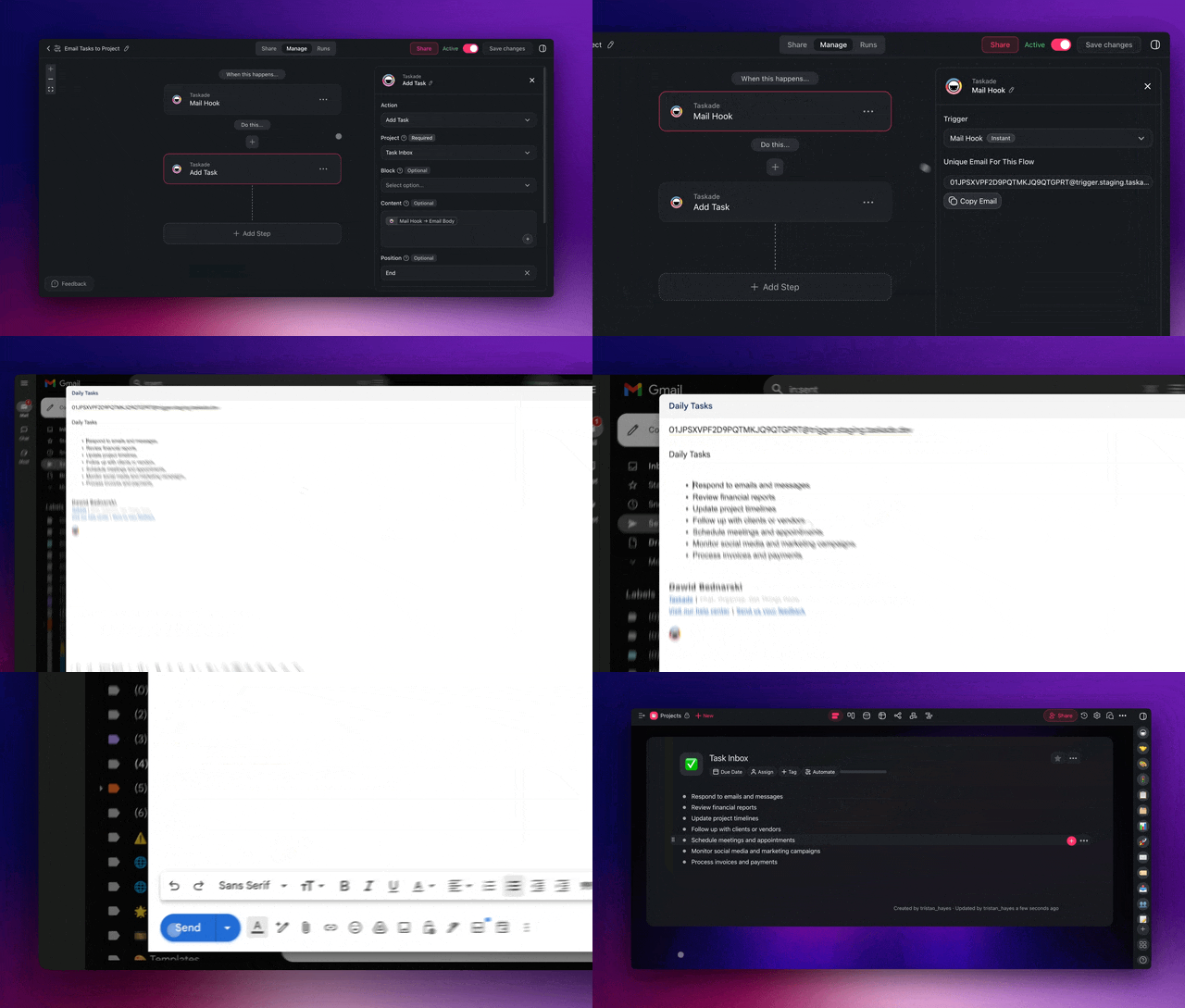
What does it mean to automate healthcare admin with AI agents?
Automating healthcare admin with AI agents means handing each repeatable front-office job to software that reasons instead of software that just follows a single fixed rule. An agent sets a goal — book this patient, verify this coverage, answer this billing question — then plans the steps, executes across your tools, checks the result, and adjusts. That is the line between old scheduling software and 2026 automation: old software fires a pre-wired reminder; an agent decides what to do next, including rebooking a canceled slot from the waitlist on its own.
The scope matters more than anything else in healthcare. Agents handle administrative work only. They do not diagnose, triage clinically, or decide treatment. They move forms, find slots, send reminders, check eligibility against your linked tools, and draft routine replies — the high-volume, low-judgment work that buries front-office staff. Everything clinical stays with the licensed humans.
Here is the difference in one picture. Classic clinic software is a straight pipe. An AI agent is a loop that learns and adapts.
The shift is not cosmetic. When McKinsey-style "set a goal, plan, execute, evaluate, adjust" behavior replaces fixed rules, the system stops needing a human for every branch. That is why a front office that once needed a full-time coordinator for the waitlist can run it in a few hours of review per month. See the building blocks in AI agents and automations.
Can you really automate 99% of healthcare administration?
You can automate the repeatable 99% of front-office work — intake, scheduling, reminders, eligibility checks, follow-up routing, and reporting — while a human keeps the 1% that needs judgment. The 1% is not a rounding error. It is the most important part: anything that touches a clinical decision or a sensitive patient conversation. Everything else is mechanical, repetitive, and rule-driven, which is precisely what agents do well.
The numbers back the pattern. One clinic cut waitlist management from 40 hours a month to under 5 hours after moving it onto agents — roughly 35 staff hours returned every month. At a larger scale, UCHealth estimated 8 million dollars in added value from reducing unused provider time after applying automation to scheduling and no-show reduction. The mechanism is the same in both cases: agents fill empty slots faster than humans can work a phone list.
Here is the honest split of what to automate and what to keep human.
| Task | Automate with agents | Keep human |
|---|---|---|
| Patient intake form collection | Yes | — |
| Appointment scheduling and rebooking | Yes | — |
| Appointment reminders and no-show follow-up | Yes | — |
| Insurance eligibility verification (admin check) | Yes | — |
| Routine billing-question replies | Yes | — |
| Clinical triage and diagnosis | — | Yes |
| Treatment decisions and care plans | — | Yes |
| Final approval on anything touching a record of care | — | Yes |
The reframe for staff is simple. They stop typing the same five fields all day and start reviewing the handful of exceptions the agent flags. Build your first agent in Taskade Genesis, then read how teams structure the human-in-the-loop in AI agents.
What healthcare admin tasks should you automate first?
Automate the highest-volume, lowest-judgment task in your front office first — for most practices that is appointment reminders or patient intake, both repetitive and rule-driven, both freeing staff hours immediately. The compounding order is intake, then scheduling, then reminders, then insurance verification, then billing questions. Each agent you add reinforces the last, because they share one workspace and one memory.
Use this priority map to sequence your build. Start at the top and add one agent at a time.
| Priority | Admin task | What the agent does | Hours freed (typical) |
|---|---|---|---|
| 1 | Patient intake | Collects form data, validates fields, routes to the right team | High |
| 2 | Scheduling | Finds an open slot, books it, sends confirmation | High |
| 3 | Reminders | Sends timed nudges, rebooks no-shows from the waitlist | Very high |
| 4 | Insurance verification | Runs the eligibility check, flags gaps for staff review | Medium |
| 5 | Billing questions | Drafts a clear answer to routine queries for staff to approve | Medium |
The reason to go one at a time is measurement. Build the reminder agent, count the hours it saves over two weeks, then move to scheduling. The clinic that hit "40 hours to under 5" did not flip everything on at once — it stacked agents on the single most painful workflow first. See /automate/calendar for the scheduling primitives and /automate/booking for the booking flow.
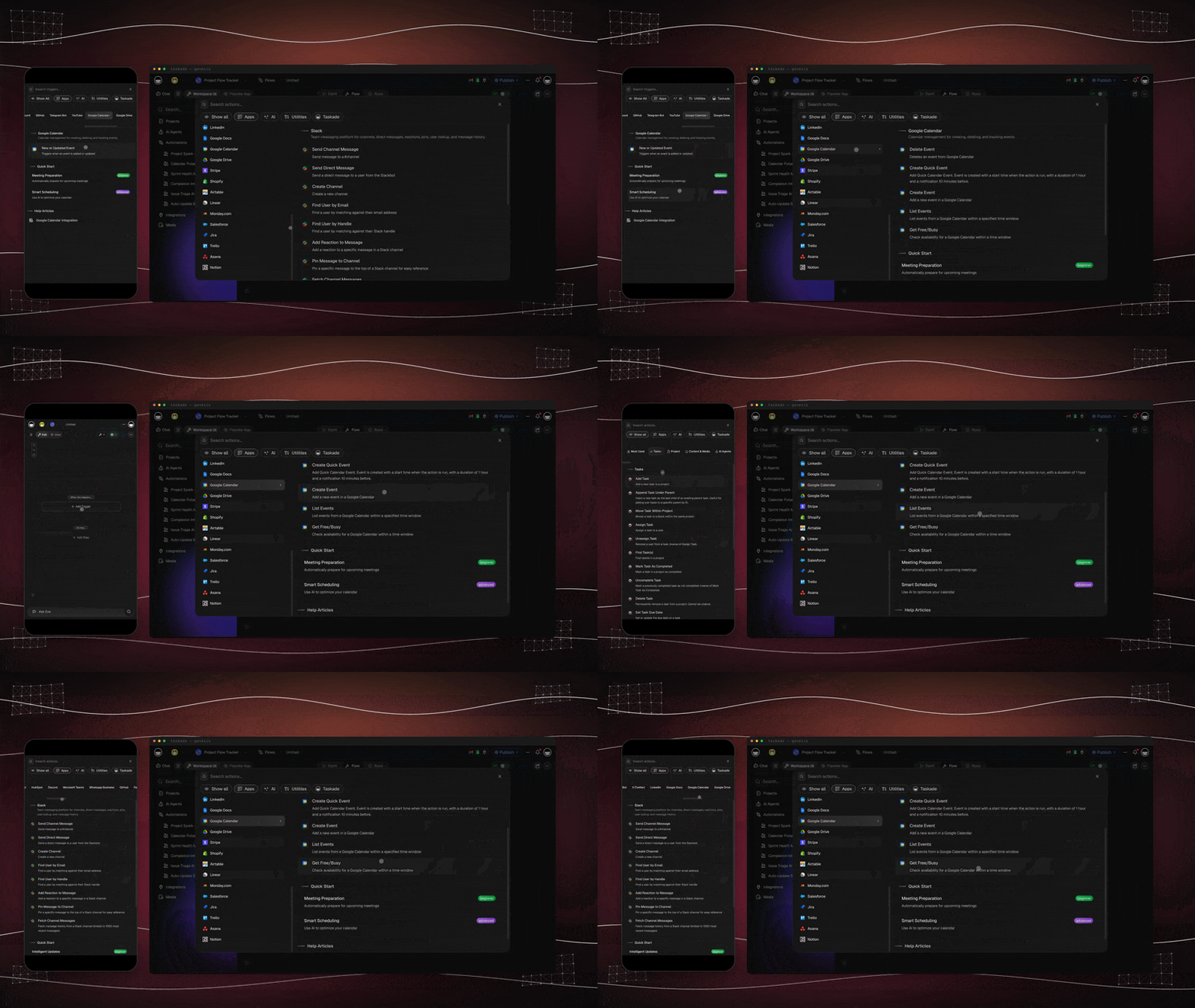
Which high-leverage admin tasks save the most hours?
The two admin tasks that return the most hours are the ones that bury staff on the phone: prior authorization and insurance eligibility verification. Industry benchmarks for 2026 are consistent — agents that handle benefits checks and prior-auth drafting save a mid-size practice roughly 10 to 30 hours a week, and practices report a 50 to 70 percent reduction in prior-authorization turnaround time once an agent pulls the notes, drafts the request, submits it, and tracks status. Patient intake automation lands in the same range, with a typical 40 to 60 percent cut in front-desk intake time because patients complete forms on their phone before they arrive.
The reason these tasks top the list is volume plus repetition. A coordinator can lose half a day chasing one payer's portal for a single approval. An agent runs the same lookup in the background, flags only the exceptions, and never gets put on hold. Here is how the highest-impact admin tasks rank by hours returned and how the workload shifts from staff to agent.
| Admin task | Old workload (human) | Agent handles | Typical impact (2026 benchmarks) |
|---|---|---|---|
| Prior authorization | Half a day per payer portal | Pull notes, draft request, submit, track status | 50–70% faster turnaround |
| Insurance eligibility check | Phone the payer, retype results | Run benefits check, flag gaps | 10–30 hrs/week returned across PA + eligibility |
| Patient intake | Re-key every form field | Collect, validate, route to EHR-linked tool | 40–60% less front-desk intake time |
| Appointment scheduling | Phone tag and calendar juggling | Find slot, book, confirm | Hours returned weekly |
| No-show rebooking | Manual waitlist phone list | Rebook from waitlist instantly | Fewer empty slots |
| Referral routing | Fax and follow-up chase | Route, attach notes, track | Faster patient throughput |
A note on scope, because it matters most here: an eligibility check and a prior-auth draft are administrative steps, not clinical decisions. The agent assembles paperwork and runs lookups; a human always approves anything that touches the record of care. Keep that line bright and the highest-volume work becomes safe to hand off. Build your first verification agent at /create and see the connector side in /automate.
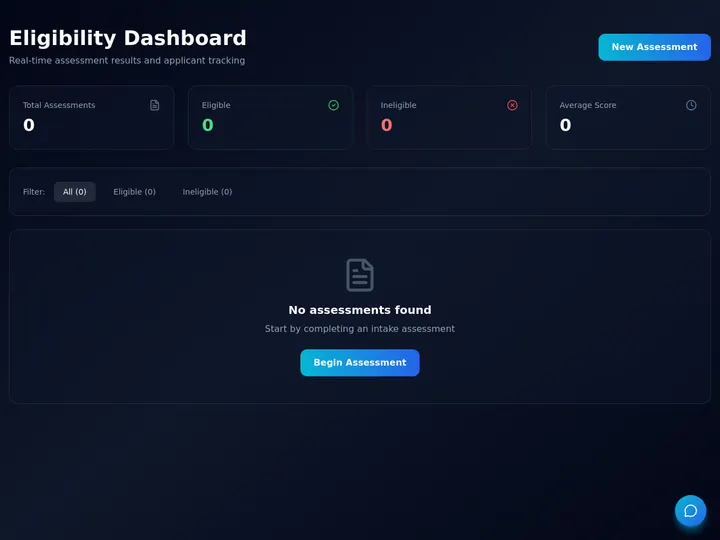
Here is where the hours go before and after, across the four heaviest front-office jobs. The pattern holds whether you are a two-provider clinic or a multi-site group: the phone-heavy work shrinks the most.
The top bar is the old manual load; the lower bar is what remains as review-and-approve once an agent owns the repetitive run. Nothing here replaces a clinician — it replaces the hold music.
How do you build a healthcare admin agent team in Taskade Genesis?
You build a healthcare admin agent team in Taskade Genesis by describing the front-office outcome in plain English — and Genesis builds the agents, the automations, the database, and a shareable app from that one prompt. There is nothing to wire or host. A practice administrator with no engineers can ship a working intake-and-reminder system in an afternoon, and clone a working example to start in about 30 seconds.
The right structure is a multi-agent team, not one giant agent. Each agent owns one job, carries persistent memory of your practice's rules, and hands off to the next. Here is the flow for a front office.
Each agent in this team carries 34 built-in tools — web search, file analysis, calendar actions, and more — and routes across 15+ frontier models from OpenAI, Anthropic, and Google so it always uses the right brain for the task. Persistent memory means the intake agent remembers your form rules and the scheduling agent remembers your slot preferences. Start the build at /create and learn the agent mechanics in /agents.
A quick decision tree for whether a task belongs to an agent or to a human:
                ┌─────────────────────────────┐
                │   New front-office task?     │
                └──────────────┬──────────────┘
                               │
                ┌──────────────▼──────────────┐
                │ Does it touch a clinical     │
                │ decision or care record?     │
                └───────┬─────────────┬────────┘
                        │ YES         │ NO
                        ▼             ▼
                ┌───────────────┐  ┌──────────────────────────┐
                │ HUMAN OWNS IT │  │ Is it repetitive &       │
                │ (the 1%)      │  │ rule-driven?             │
                └───────────────┘  └──────┬─────────────┬─────┘
                                          │ YES         │ NO
                                          ▼             ▼
                                  ┌───────────────┐  ┌──────────────┐
                                  │ AGENT OWNS IT │  │ Agent drafts,│
                                  │ (the 99%)     │  │ human approves│
                                  └───────────────┘  └──────────────┘
A concrete five-step build for a front-office agent team
Here is the exact sequence to stand up a working intake-to-verification team, with the prompt-level detail that turns the diagram above into a running app. Each step is one plain-English instruction to Taskade Genesis — there is nothing to wire.
- Describe the outcome. Tell Genesis: "Build a clinic front-office app with an intake agent, a scheduling agent, a reminder agent, and an insurance-verification agent, plus a patient database and a waitlist." It generates the app, the agents, the database, and the automations.
- Connect the front-office tools. Link your intake form, shared calendar, and email so triggers can pull events in and actions can push confirmations back out.
- Give each agent its rules. The intake agent learns your required fields; the scheduling agent learns your slot preferences and buffer times; the verification agent learns which payers and which documents to check. Persistent memory keeps these rules across every run.
- Set the human-approval gate. Mark anything that touches a record of care — and any first-time billing reply — as requiring staff sign-off. Agents draft; staff approve.
- Pilot one agent, then stack. Turn on reminders or intake first, measure the hours saved over two weeks, then add scheduling, then verification. The agents share one workspace, so each one you add reinforces the last.
The verification agent is the one most clinics underestimate, so here is its run in detail — read, decide, act, and escalate, all in a single continuous pass.
Notice the two terminal paths: a clean check writes back and notifies staff automatically, while a gap escalates to a human. That split — agent handles the clean 99%, human owns the flagged 1% — is the whole governance model in one diagram. Start the build at /create and see how teams structure verification and data validation in automate data entry with AI agents.
How do healthcare AI agents connect to your existing systems?
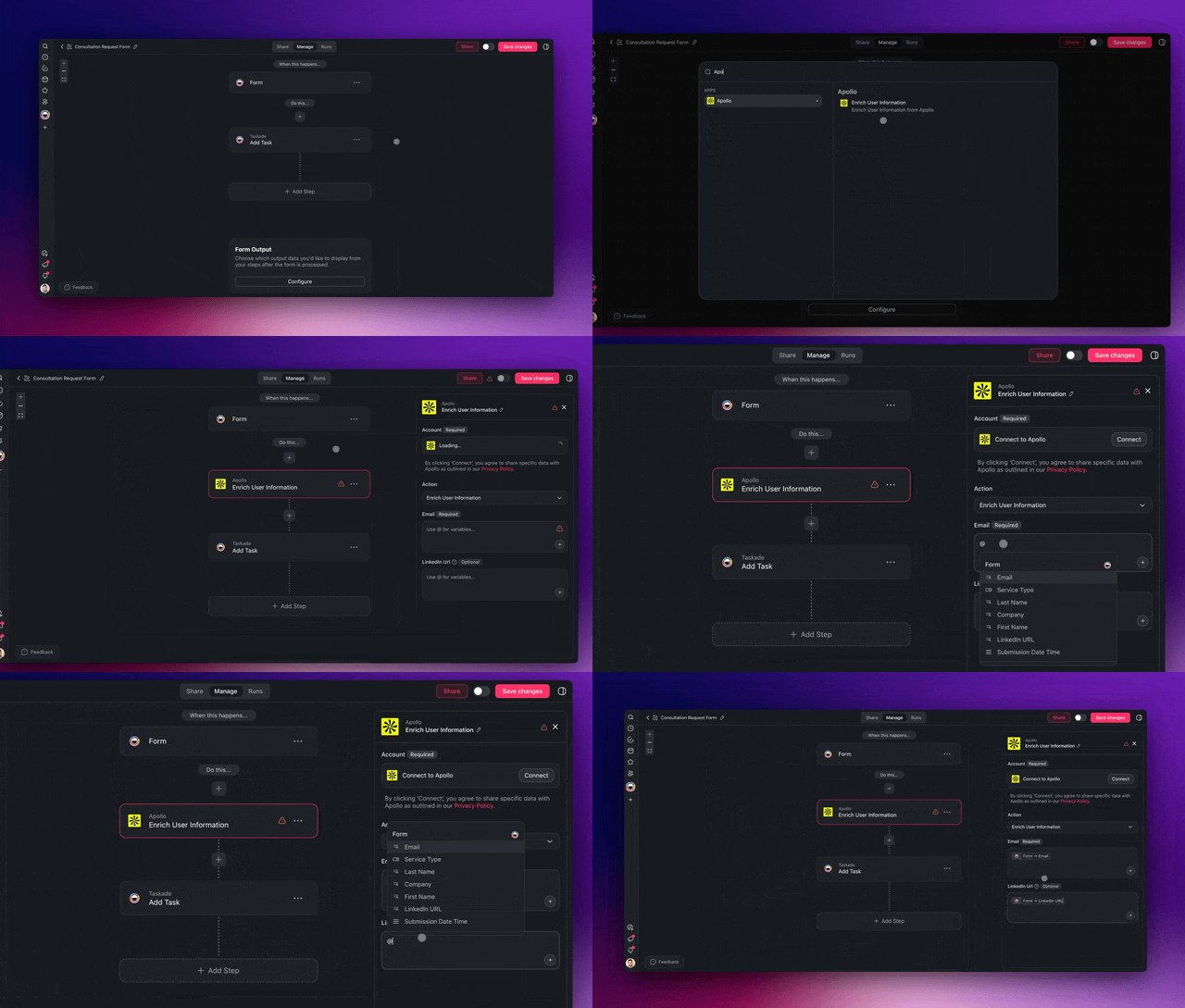
Healthcare AI agents connect to your existing systems through 100+ bidirectional integrations — triggers pull events in from your forms, calendars, and email, and actions push data back out to those same tools. An agent can read a new intake form, check the calendar for an open slot, book the appointment, send a confirmation, and queue an insurance check in one continuous run, with no manual re-entry between steps.
Bidirectional is the key word. A one-way export leaves staff retyping data; a bidirectional integration keeps your front-office tools in sync automatically. Here is how the two directions map to real admin tasks.
| Direction | What it does | Healthcare admin example |
|---|---|---|
| Trigger (pulls in) | An event in another tool starts a workflow | New intake form submitted starts the scheduling agent |
| Action (pushes out) | The agent writes data back to a tool | Booked slot written to the shared calendar, confirmation emailed |
| Round trip | Read, decide, write, all in one run | Read no-show, find next waitlist patient, rebook, notify |
Because every integration works both ways, the front office stops being a relay of copy-paste. The data flows once, the agents act on it, and the results land back in the tools your staff already use. Explore the connectors in /automate and the calendar-specific actions in /automate/calendar.
How does Taskade do it differently?
Taskade does it differently by shipping a living app from one prompt instead of asking you to wire nodes on a canvas. This is the wedge worth understanding before you choose a tool. Most automation platforms hand you a blank graph and a node palette; Taskade Genesis hands you a working app with a database, AI agents, and automations already connected.
To be fair about the alternatives — and several are genuinely strong:
- n8n is excellent if you want open-source, self-hosted control and you have an engineer who enjoys building node graphs. Its flexibility is real.
- Zapier has the broadest app catalog in the industry and is the fastest way to connect two specific apps with a simple trigger and action.
- Make gives you a powerful visual canvas with fine-grained control over branching and data shaping.
- Lindy ships capable AI assistants for specific email and meeting workflows.
Each of those is a fine choice when the job is "connect tool A to tool B." But a healthcare front office is not one connection — it is intake and scheduling and reminders and verification and billing, all sharing one source of truth. On a node canvas, that means building and maintaining many separate graphs. In Taskade Genesis, it is one app powered by Workspace DNA.
| Approach | What you get | Who maintains it | Healthcare front-office fit |
|---|---|---|---|
| Node-wiring platforms | Connected triggers and actions | Whoever built the graph | Strong for single connections |
| Chat-only AI assistants | Answers and drafts | The model | Strong for one-off replies |
| Taskade Genesis | A living app: data + agents + automations | The workspace itself | Strong for a whole front office |
Taskade Genesis vs the healthcare automation specialists
A handful of dedicated healthcare-automation tools rank for this keyword, and several are genuinely strong at the slice they own. The honest framing: specialist tools deliver deep, pre-built healthcare workflows with EHR write-back and HIPAA posture out of the box, but they are single-purpose products you configure — Taskade Genesis builds a whole front-office app you own and can clone, from one prompt. If your only need is a voice agent for a call center, a specialist may fit. If you need intake and scheduling and reminders and verification and reporting in one place, the living-app model wins.
| Tool | Best at | Build model | Where it shines | Where Taskade Genesis wins |
|---|---|---|---|---|
| Keragon | HIPAA-compliant workflow automation | No-code node builder | 300+ healthcare integrations, strong compliance posture | One living app vs many separate graphs to maintain |
| Notable | Enterprise EHR-native automation | Implementation project | Deep EHR write-back, large-system scale | Ship in an afternoon, not a 10–16 week rollout |
| Prosper AI | Voice agents for access + RCM calls | Configured voice product | Payer-IVR navigation, call containment | Full front office, not just the phone line |
| Feather | HIPAA-compliant AI medical chat/admin | Assistant product | Note summaries, pre-auth letter drafting | Agents + automations + database in one app you own |
| Taskade Genesis | A living front-office app from one prompt | One prompt → app | Multi-agent team, 7 views, cloneable, 100+ integrations | Describe the outcome, own the app, clone to other sites |
Read the comparison honestly: a hospital system already mid-rollout with one of these may not switch, and that is fine. But a clinic, specialty group, or new practice that wants to stand up its own front-office system this week — and keep full ownership of the app and its data — gets there fastest by describing the outcome in Taskade Genesis. The same pattern powers operations beyond healthcare; see automate operations with AI agents and automate data entry for adjacent playbooks.
Workspace DNA is the self-reinforcing loop that makes one app run a whole front office:
Memory (your Projects — records, intake data, waitlist) feeds Intelligence (your AI agents — intake, scheduling, reminders), which triggers Execution (your automations — book, remind, verify, route), which creates new Memory. Competitors give you the wiring; Taskade gives you the organism. And because every result is a real app, you can publish it and let other clinics clone it from the Community Gallery — a one-prompt distribution loop that a node graph cannot match. Start yours at /create.
How do you keep patient data private and compliant?
You keep patient data private and compliant by controlling scope, access, and approval — not by avoiding AI. The reliable pattern keeps agents on administrative workflows only, keeps records inside your own workspace, and requires a human to approve anything that touches care. Always confirm your specific deployment meets HIPAA and your local regulations with your compliance team before going live; this guide is operational, not legal advice.
Three controls do most of the work:
┌──────────────────────────────────────────────────────────┐
│  PATIENT-DATA SAFETY: THREE CONTROLS                      │
├──────────────────────────────────────────────────────────┤
│  1. SCOPE     Agents touch admin only — never clinical    │
│               decisions, diagnosis, or triage.            │
│                                                           │
│  2. ACCESS    7-tier role-based access (Owner → Viewer).  │
│               Front desk sees scheduling, not full charts.│
│                                                           │
│  3. APPROVAL  Human signs off before anything writes to   │
│               a record of care. Agents draft; staff send. │
└──────────────────────────────────────────────────────────┘
Taskade uses 7-tier role-based access — Owner, Maintainer, Editor, Commenter, Collaborator, Participant, Viewer (never "Admin") — so a front-desk coordinator can run the scheduling agent without seeing data they should not. You also restrict which integrations any agent can reach, so an intake agent that needs the calendar and email does not get a path to anything else. Pair that with the human-approval gate and the agent becomes a drafter, not a decider.
Here is the access model as a quick reference.
| Role | Typical front-office use | Sees patient detail? |
|---|---|---|
| Owner / Maintainer | Practice admin, builds the system | Full, by policy |
| Editor / Commenter | Front-desk lead, manages workflows | Scoped |
| Collaborator / Participant | Coordinator, runs daily tasks | Scoped |
| Viewer | Audit or read-only oversight | Minimal |
The governing rule: agents draft, humans approve, and clinical decisions never leave licensed staff. Read how roles work in /learn/account and how to scope agent tools in /agents.
What can Taskade Genesis actually do for a front office?
Taskade Genesis runs a whole healthcare front office as one living app because it unifies the four things a clinic system needs — data, AI agents, automations, and integrations — under a self-reinforcing loop called Workspace DNA. Most tools give you one of those four. Genesis gives you all four, generated from a single plain-English description, and ties each capability directly to a real admin job. Here is the full platform mapped to the front-office use case in this guide.
| Capability | What it is | Front-office use in this guide |
|---|---|---|
| Workspace DNA loop | Memory + Intelligence + Execution, self-reinforcing | Records feed agents, agents trigger automations, results write new records |
| 33 built-in agent tools | Web search, file analysis, calendar actions, custom slash commands, more | Intake agent validates forms; scheduling agent reads the calendar; verification agent checks documents |
| 7 project views | List, Board, Calendar, Table, Mind Map, Gantt, Org Chart | Front desk works the Calendar view; admin tracks the waitlist as a Table or Board |
| Multi-agent teams | Specialized agents that share memory and hand off | Intake → scheduling → reminder → verification agents coordinate as one team |
| 100+ bidirectional integrations | Triggers pull events in, actions push data out | Read a new form, book a slot, write the confirmation back, queue the eligibility check |
| 15+ frontier models | Routes across models from OpenAI, Anthropic, Google, and open-weight providers | The right model for each task — drafting a billing reply vs parsing an intake form |
| Custom domains + app publishing | Ship the app on your own domain or share it | Run the front-office app on your clinic's domain, or publish a clean patient portal |
| 7-tier role-based access | Owner through Viewer, no "Admin" tier | Front desk sees scheduling; only the admin sees the full build |
The seven project views matter more than they sound for a clinic. The same schedule data shows up as a Calendar for the front desk, a Table for the billing lead tracking eligibility status, a Board for triaging the waitlist, and a Gantt for planning a multi-week vaccine drive — one source of truth, four ways to look at it, no exports. And because all of it lives in one workspace, the intake agent's memory of your form rules is the same memory the scheduling agent reads when it books the slot.
Pricing keeps the whole platform reachable for a small practice. Taskade Genesis is free to start, with paid plans on annual billing at Starter $6/mo, Pro $16/mo (Popular), Business $40/mo, Max $200/mo, and Enterprise $400/mo. Because one app replaces a separate scheduler, reminder service, intake form tool, and reporting dashboard, most practices cut total front-office software spend after consolidating. Start building at /create, explore the agent layer at /agents, and wire the connectors at /automate.
Where is healthcare admin automation heading?
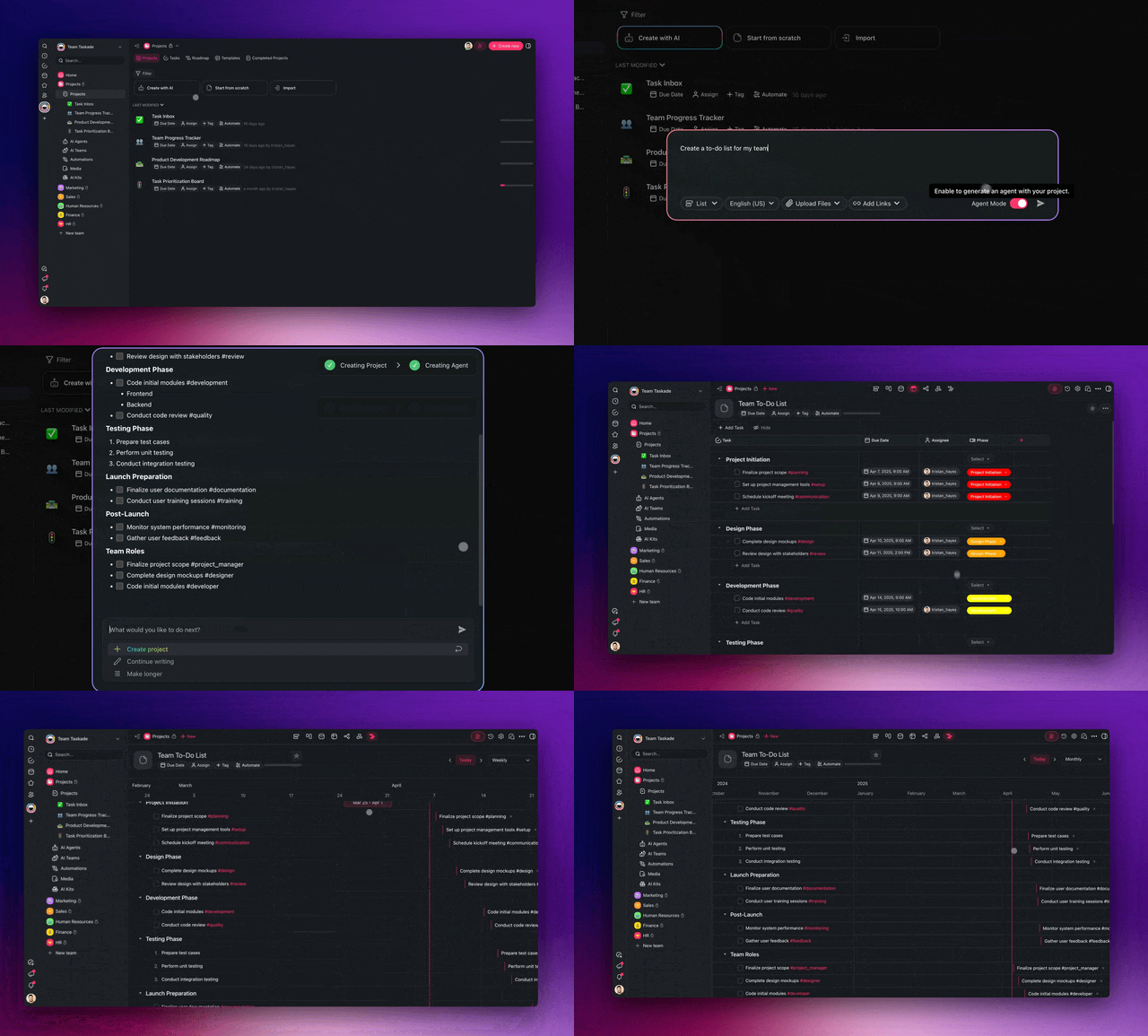
Healthcare admin automation is heading toward front offices that run on a self-reinforcing Memory + Intelligence + Execution loop, where one prompt becomes a living, self-improving app. The near-term direction is clear from the 2026 benchmarks: intake, scheduling, eligibility, and prior authorization move from human-in-every-step to human-on-exceptions, and the systems that win are the ones where memory compounds. Every booking the scheduling agent makes, every form the intake agent validates, every gap the verification agent flags becomes memory the whole team reads next time — so the app gets better at your specific practice the longer it runs.
Taskade's vision is that every team — a two-provider clinic or a multi-site group — describes the outcome it wants once, and the workspace builds and continuously improves the app that delivers it. The front office stops being a stack of disconnected point tools and becomes a single organism: records feed agents, agents trigger automations, automations write new records, and the loop tightens with every cycle. The clinic that cut waitlist work from 40 hours a month to under 5 is the first step of that curve, not the ceiling.
What results can a clinic expect from automating admin?
A clinic can expect to return staff hours and fill more empty appointment slots within weeks of automating its highest-volume admin task. The two grounded outcomes worth anchoring on: one clinic cut waitlist management from 40 hours a month to under 5 hours, and UCHealth estimated 8 million dollars in added value from reducing unused provider time after applying automation to scheduling and no-show reduction. Your numbers will differ by size and specialty, but the direction is consistent.
The hours saved compound because each agent removes a recurring weekly drag, not a one-time task.
What drives those results, in plain terms:
| Lever | Mechanism | Outcome |
|---|---|---|
| Faster slot filling | Agent rebooks no-shows from the waitlist instantly | Fewer empty appointments |
| Fewer no-shows | Timed, multi-channel reminders go out automatically | Higher attendance |
| Less manual intake | Agent collects and validates form data | Staff hours returned |
| One tool, not four | Scheduler, reminders, intake, reporting in one app | Lower software spend |
The compounding effect is the real story. A reminder agent that returns 35 hours a month does it again next month, and the month after. Stack a scheduling agent and an intake agent on top, and the front office runs on review-and-approve instead of type-and-call. Build the first one at /create and browse working examples in the Community Gallery.

The benchmarks from the broader 2026 wave back the same direction. More than 80 percent of healthcare executives expect agentic AI to deliver significant value, and the published outcomes cluster around the front office. One large hospital that automated patient registration and vaccine scheduling cut check-in time from about 4 minutes to roughly 10 seconds — a more than 90 percent reduction — by letting an agent collect and validate the data before the patient reached the desk. The lesson repeats at every scale: the gains come from removing the repetitive run, not from replacing the clinician.
| Outcome (2026) | Reported result | What drove it |
|---|---|---|
| Clinic waitlist management | 40 hrs/month → under 5 hrs | Agent rebooks no-shows from the waitlist instantly |
| Provider time recovered | ~$8M added value (UCHealth est.) | Automation on scheduling + no-show reduction |
| Patient check-in | ~4 min → ~10 sec | Agent collects and validates intake before arrival |
| Prior-auth turnaround | 50–70% faster | Agent drafts, submits, and tracks the request |
| Front-desk intake time | 40–60% reduction | Patients complete forms on their phone pre-visit |
| Executive confidence | 80%+ expect significant value | Measurable hours and cost returned |
Treat these as direction, not promises — your numbers depend on your specialty, payer mix, and volume. The honest read is that the highest-volume, lowest-judgment tasks move first and move fastest, and the savings recur every month because the agent removes a standing weekly drag rather than a one-time chore.
How is agentic admin different from old scheduling software?
Agentic admin is different from old scheduling software because agents reason and adapt while old software only fires fixed rules. Old software sends a reminder 24 hours before an appointment and stops there. An agent reads context, decides the next step, uses tools, and changes course — rebooking a canceled slot from the waitlist, escalating an exception to staff, or drafting a clear reply to a billing question. Taskade Genesis combines both: durable rule-based automations for reliable reminders plus AI agents for the judgment calls.
The practical difference shows up the moment something goes off-script.
| Situation | Old scheduling software | AI agent in Taskade |
|---|---|---|
| Patient cancels | Slot sits empty until staff notice | Agent rebooks the next waitlist patient |
| Reminder ignored | One message, then silence | Agent escalates and tries another channel |
| Insurance gap | Staff discovers it at check-in | Agent flags it during verification, ahead of time |
| Billing question | Staff drafts every reply | Agent drafts, staff approves |
This is why "set it and forget it" finally works for a front office. The agent handles the branches that used to require a human to babysit a queue. You get reliability from the automations and adaptability from the agents, in one app. See the seven project views — List, Board, Calendar, Table, Mind Map, Gantt, and Org Chart — that let staff see the same schedule the way they think in /automate/calendar, and the automation primitives in /automate.
How do you get started today?
You get started today by cloning the working clinic app above, connecting it to your forms and calendar, and turning on one agent — usually reminders or intake. It takes about 30 seconds to clone and an afternoon to tailor. From there you stack the next agent once you have measured the hours the first one saves.
Here is the launch path as a simple flow.
A simple first-30-days plan:
| Week | Focus | Action |
|---|---|---|
| 1 | Clone and connect | Clone the app, link forms, calendar, email |
| 2 | Pilot one agent | Turn on reminders or intake, watch exceptions |
| 3 | Measure | Count hours saved, tune the agent's rules |
| 4 | Expand | Add the scheduling or verification agent |
Keep the guardrails on from day one: admin tasks only, role-based access scoped to each person, and a human approving anything that touches care. Then let the system compound. Clone the app above, start a new app from a prompt, explore AI agents and automations, and browse more cloneable builds in the Community Gallery.
Related guides
The same agentic playbook — describe the outcome, let Taskade Genesis build the agents and automations, keep humans on the exceptions — works across every back office, not just the clinic front desk:
- Automate operations with AI agents — the broader operations version of this pattern, from inventory to reporting.
- Automate customer success with AI agents — the same intake-route-follow-up loop applied to onboarding and retention.
- Automate data entry with AI agents — the verification-and-validation layer that powers eligibility checks and intake here.
- Build any of them from one prompt at /create, or browse working apps in the Community Gallery.
This is the Workspace DNA loop at work in a clinic front office: ▲ Memory (your patient records, intake data, and waitlist) feeds ■ Intelligence (your intake, scheduling, and reminder agents), which triggers ● Execution (book, remind, verify, route) — and every result writes new memory back into the workspace. Describe the outcome once, and the system runs the 99% so your team can own the 1% that matters. Build yours free at /create →
Frequently Asked Questions
How do you automate healthcare admin with AI agents in 2026?
You hand each repeatable administrative job to an AI agent that sets a goal, plans the steps, executes across your tools, checks the result, and adjusts without per-step approval. Start with one agent per task — a patient-intake agent, a scheduling agent, a reminder agent, an insurance-verification agent, a billing-question agent. In Taskade Genesis you describe the administrative outcome in plain English and it builds the agents, the automations, and a live app to run them. One clinic cut waitlist management from 40 hours a month to under 5 hours after moving it onto agents. It starts free, with Starter at 6 dollars per month on annual billing. This covers administrative work only, never clinical decisions.
Can you really automate 99 percent of healthcare administration?
You can automate the repeatable 99 percent — intake forms, appointment scheduling, reminders, eligibility checks, follow-up routing, and reporting — while a human keeps the 1 percent that needs judgment: clinical decisions, patient relationships, and final approval on anything that touches care. Administrative tasks are high-frequency and low-ambiguity, which is exactly what AI agents handle well. The staff member moves from typing the same fields all day to reviewing exceptions the agent flags.
Is it safe to use AI agents with patient data?
Safety depends on scope and controls, not on avoiding AI. The reliable pattern keeps agents on administrative workflows only — scheduling, reminders, intake routing — and never on clinical decisions. Keep patient data inside your own workspace with role-based access across 7 permission levels from Owner to Viewer, restrict which integrations an agent can reach, and require human approval before anything touches a record of care. Always confirm your specific deployment meets HIPAA and your local regulations with your compliance team before going live.
What healthcare admin tasks should I automate first?
Start with the highest-volume, lowest-judgment task in your front office — usually appointment reminders or patient intake. Both are repetitive, rule-driven, and free up staff hours immediately. The compounding order is intake, then scheduling, then reminders, then insurance verification, then billing questions. One clinic that automated waitlist management this way cut the work from 40 hours a month to under 5 hours. Measure the hours saved on the first agent, then add the next.
How much time and money does healthcare automation save?
Results vary by practice, but the pattern is consistent. UCHealth estimated 8 million dollars in added value from reducing unused provider time after applying automation to scheduling and no-show reduction. A single clinic cut waitlist management from 40 hours a month to under 5 hours, freeing roughly 35 staff hours every month. The savings compound because one platform replaces a separate scheduler, reminder service, intake form tool, and reporting dashboard.
Do I need to know how to code to automate healthcare admin?
No. Taskade Genesis is fully no-code. You describe the administrative system you want in plain English and it builds the AI agents, the automation workflows, the database, and a shareable app. There is nothing to wire, host, or deploy. An IT program manager or practice administrator with no engineers can ship a working intake-and-reminder system in an afternoon. You can clone a working example app and connect it to your own tools in about 30 seconds.
How do healthcare AI agents connect to my existing systems?
Through 100 plus bidirectional integrations — triggers pull events in from your forms, calendars, and email, and actions push data back out to those same tools. An agent can read a new intake form, check the calendar for an open slot, book the appointment, send a confirmation, and queue an insurance check in one continuous run. Each integration works in both directions, so your front-office data stays in sync without manual re-entry.
What is the difference between old scheduling software and AI agents?
Old scheduling software follows fixed rules — send a reminder 24 hours before an appointment. AI agents reason. They read context, decide the next step, use tools, and adapt when the situation changes, such as rebooking a canceled slot from the waitlist automatically. Taskade Genesis combines both: durable rule-based automations for reliable reminders plus AI agents for judgment calls like prioritizing a waitlist or drafting a clear answer to a billing question.
How much does it cost to automate healthcare admin with Taskade Genesis?
Taskade Genesis is free to start. Paid plans on annual billing are Starter at 6 dollars per month, Pro at 16 dollars per month, Business at 40 dollars per month, Max at 200 dollars per month, and Enterprise at 400 dollars per month. Because one platform replaces several point tools, most practices cut total front-office software spend after consolidating a scheduler, reminder service, and intake form tool into one app.
Can AI agents handle appointment scheduling and reminders together?
Yes. A scheduling agent can read an intake request, find an open slot across your linked calendar, book it, and send a confirmation, while a reminder agent sends timed nudges and rebooks no-shows from the waitlist. Because the agents share one workspace and persistent memory, they coordinate as a team rather than as disconnected tools. One clinic ran exactly this pattern and cut waitlist management from 40 hours a month to under 5 hours.
Can AI agents help with insurance eligibility and prior authorization?
Yes, as administrative steps. An agent can run a benefits or eligibility check, pull the relevant notes, draft a prior-authorization request, submit it, track its status, and flag exceptions for staff to review. Industry benchmarks for 2026 show practices saving roughly 10 to 30 hours a week across eligibility and prior auth, with 50 to 70 percent faster prior-authorization turnaround. The agent assembles the paperwork and runs the lookups; a human always approves anything that touches the record of care.
How is Taskade Genesis different from healthcare automation tools like Keragon or Notable?
Tools like Keragon, Notable, Prosper AI, and Feather are strong single-purpose healthcare products you configure — a workflow builder, an enterprise EHR-automation rollout, a voice agent, or an admin chat assistant. Taskade Genesis builds a whole front-office app you own from one plain-English prompt, combining a database, a multi-agent team, automations, and 100 plus integrations in a single living app. You can clone a working example in about 30 seconds and stand up your own system in an afternoon instead of a multi-week implementation. It starts free, with Starter at 6 dollars per month on annual billing.