






Short on time? Jump straight to the free AI Flowchart Generator — prompt to diagram in 60 seconds, no signup. Want a living project instead of a flat PNG? Start a workspace at taskade.com/create and the same prompt becomes a flowchart, task list, Gantt chart, and mind map at once.
Last tested: July 2026. Pricing for all 13 tools verified on each vendor's own pricing page July 27, 2026; Whimsical, Eraser AI, and Miro re-verified September 23, 2026 (Whimsical's free tier changed from a 3-board cap to unlimited boards with a monthly object cap). Mermaid Chart's domain now redirects to mermaid.ai — confirm its current tiers there.
One thing no other guide on this SERP can do: every diagram on this page is a real, live-rendered Mermaid flowchart — not a screenshot. Copy any example straight into Taskade, GitHub, or any Mermaid-aware editor and it renders.
AI Flowchart Generator: Make a Flowchart From Text in 60 Seconds
An AI flowchart maker turns a plain-English description of a process into an editable diagram with nodes, arrows, and labels in seconds. The fastest free option is Taskade's AI Flowchart Generator: type a prompt, get a diagram in about 60 seconds, no signup required. Below we tested 13 AI flowchart generators in 2026 against identical prompts.
If you searched for a flowchart maker AI with a genuinely free tier, here is the direct answer: Taskade's Free plan includes 11,000 AI credits (1,000 on verified signup plus 10,000 with your first build), 3 Taskade Genesis apps, 1 AI agent, 10 automation runs a month, and multiple project views — enough to generate and edit dozens of flowcharts without paying anything. Every other tool in this guide also has a free tier; the free tier comparison below shows exactly where each one caps you.
Static Diagram vs Living Workflow: The 2026 Category Shift
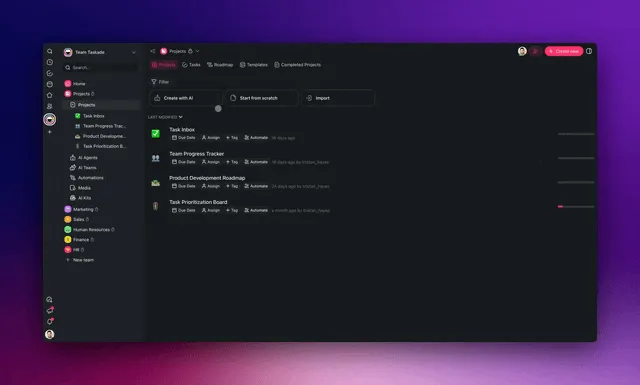
The biggest change in AI flowchart tools is not better pictures — it is that the best flowchart can now run. Twelve of the thirteen tools in this guide output a static artifact: a diagram you look at, export, and watch drift out of date the moment your process changes. Taskade Genesis outputs a living workflow instead — every node is an assignable task, every branch can fire an automation, and any step can be handed to an AI agent that monitors and executes it.
This shift mirrors a broader market move. McKinsey's 2026 State of AI report found that 62% of organizations are experimenting with or scaling AI agents, and 23% are already scaling agentic AI in at least one business function (McKinsey, 2026). The category is shifting from "draw the flow" to "run the flow." Here is the contrast in one diagram.
The rest of this guide reviews all 13 tools fairly — Whimsical AI for speed, Mermaid Chart for diagrams-as-code, Lucidchart AI for enterprise. But keep this framing in mind: if your flowchart only needs to be looked at, almost any tool here works. If it needs to do something, that is a smaller list. Other tools hand you a diagram. Taskade hands you a workflow that runs.
What Is an AI Flowchart Maker?
An AI flowchart maker is a tool that converts a natural-language description of a process into a structured diagram with nodes, arrows, and labels. Instead of dragging shapes onto a canvas, you type something like "customer onboarding for a SaaS trial with email verification, activation, and upgrade checkpoints" and the AI returns a flowchart you can edit, recolor, and export. The best tools of 2026 go further — they turn the diagram into a collaborative project with assignees, due dates, and AI agents that can execute the steps.
| Fact | Detail |
|---|---|
| What it does | Text prompt in, editable diagram out |
| Typical generation time | 5–60 seconds |
| Tools tested for this guide | 13, against 3 identical prompts |
| Free options | All 13 have free tiers; Taskade's includes 11,000 AI credits |
| Output types | Static image (12 tools) or living workflow (Taskade Genesis) |
| Best free start | AI Flowchart Generator — no signup |
How Does AI Flowchart Generation Work?
Under the hood, every AI flowchart tool does roughly the same three steps. First, a large language model parses the prompt and extracts entities — "customer," "email," "upgrade" — and relationships. Second, it produces an intermediate representation such as a JSON graph or a Mermaid script. Third, the rendering layer lays the graph out using a graph algorithm (Dagre, ELK, Graphviz) and draws it on a canvas.
The differences between tools come from the quality of the LLM, the strength of the layout engine, and whether the diagram is a static picture or a live document you can keep editing.
Who Needs an AI Flowchart Maker?
Product managers mapping user journeys. Engineers sketching system designs. Founders outlining sales funnels. Teachers explaining concepts. Operations leads documenting SOPs. Anyone who has ever stared at a blank Figma canvas and wished the shapes would draw themselves. If you've ever typed a process into a Google Doc as a bullet list and thought "I should turn this into a diagram," an AI flowchart maker is the 60-second version of that job.
How We Tested (Methodology)
We tested every tool against three identical prompts and scored each on a transparent weighted rubric so the rankings are reproducible. The exact prompt fed to every tool:
TEST PROMPT (identical for all 13 tools)
─────────────────────────────────────────
"Customer onboarding flow for a SaaS trial.
 User signs up, verifies email, creates first
 project, invites a teammate, and converts to
 paid within 14 days. Include a re-engagement
 branch for stalled users."
The three scenarios were (1) the 7-step SaaS onboarding flow above, (2) a system-design diagram for a rate-limited public API, and (3) a decision tree for triaging support tickets. Our weighted scoring rubric:
| Dimension | Weight | What we measured |
|---|---|---|
| AI accuracy | 30% | Did the diagram match the prompt without manual fixes? |
| Editability | 20% | How easy to rename, reroute, and recolor nodes after generation? |
| Collaboration | 15% | Real-time multiplayer, comments, sharing |
| Automation / agents | 20% | Can nodes become tasks, fire automations, or run an AI agent? |
| Integrations & export | 15% | Export formats and connected tools |
Scores are out of 5. The "Automation / agents" weight is why Taskade Genesis ranks first — it is the only tool where the diagram becomes something the rest are not built to do.
The 13 Best AI Flowchart Makers
We tested every tool in this list against the three identical prompts above, scoring each on generation speed, layout quality, editability, collaboration, export formats, pricing, and whether the diagram could become something more than a picture.
Before the individual reviews, here is the whole 2026 landscape in one map. Four families cover every tool in this guide — and knowing which family you are shopping in cuts the list from thirteen to three.
One family runs the flow, one reviews the flow in Git, one draws the flow beautifully, and one gets you a picture in under a minute for free. Now the reviews.
1. Taskade Genesis — Best for Living Projects
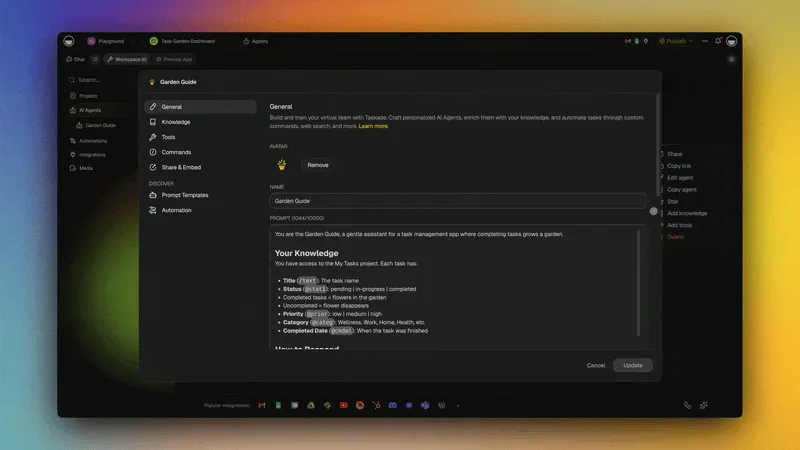
Taskade Genesis is the only tool in this guide that treats a flowchart as the start of a project rather than the end of a task. You describe a process in plain language, Taskade Genesis generates the diagram in about 60 seconds, and the same diagram is immediately available in multiple views — List, Board, Calendar, Table, Mind Map, Gantt, and Org Chart. The Mind Map view is the native flowchart canvas. Add a due date to a node and it becomes a Gantt bar. Assign a person and it becomes a Kanban card. Connect an AI agent and the node becomes a task the agent can actually execute.
What's in the box:
- Prompt-to-diagram generation powered by 15+ frontier models from OpenAI, Anthropic, and open-weight providers
- Multiple project views including Mind Map, Gantt, and Org Chart
- Mermaid syntax support for flowcharts, sequence diagrams, ER diagrams, class diagrams, and bar charts
- Real-time multiplayer editing with role-based permissions (Owner to Viewer)
- built-in agent tools plus custom tools for triggering automations from inside a diagram
- 100+ integrations across communication, CRM, payments, development, content, data, storage, calendar, and e-commerce
- Free plan with 11,000 AI credits — enough for dozens of generated flowcharts
Why the flowchart is alive — Workspace DNA: Taskade's flowchart is a living workflow because of a self-reinforcing loop. Memory (the flowchart is a real project that remembers its data and history) feeds Intelligence (attach any of 15+ frontier models or an AI agent with built-in tools to any node), which triggers Execution (any branch fires an automation across 100+ bidirectional integrations), and every run feeds Memory back.
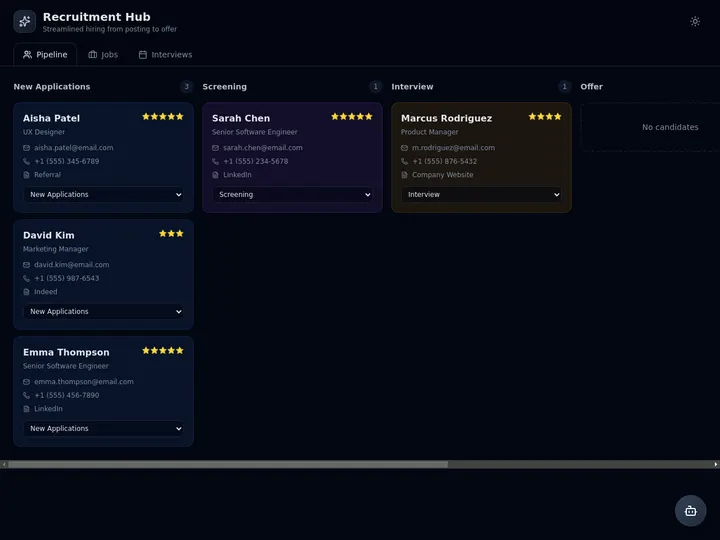
A team's recruitment workflow built this way — where each stage is a task, each handoff an automation, and a screening agent watches the pipeline — looks like this in the Community Gallery:
Strengths: The flowchart is a real project with tasks, not a PNG. You can assign nodes to people, track progress, and connect automations. Built-in agents can read the flowchart and act on it. Free plan is generous enough that most solo users never hit the paywall. Real-time collaboration is as smooth as Figma.
Weaknesses: The Mind Map view is optimized for mind maps and hierarchical flowcharts rather than free-form swimlane diagrams. Teams that need strict BPMN or UML notation will want to pair Taskade with a dedicated notation tool.
Pricing: Free $0, Pro $10/mo billed annually ($20 monthly, 10 users included, most popular), Business $25/mo billed annually, Max $100/mo billed annually, Enterprise $250/mo billed annually — full breakdown on the pricing page. Hosted automation workflows are available on Business and above.
Verdict: If your flowchart needs to become a project, use Taskade Genesis. Try the free AI Flowchart Generator.
2. Whimsical AI — Fastest Polished Output
Whimsical AI is a single-purpose diagramming tool with the cleanest, fastest AI flowchart generation we tested. Its AI is powered by Claude, and it shows: type a prompt, wait about 4 seconds, and Whimsical returns a diagram that usually needs zero layout tweaks. The aesthetic is modern and light — rounded corners, pastel palette, generous whitespace — and the export quality is among the best on this list.
Strengths: Instant, pixel-perfect output powered by Claude. Friendly UX for non-technical users. Good at wireframes and mind maps in addition to flowcharts. Free plan now allows unlimited boards and workspace members, capped by monthly object creation rather than a board count.
Weaknesses: Purely a drawing tool. No tasks, no automations, no AI agents, no real project management. If the flowchart is the whole deliverable, Whimsical is great. If the flowchart is step one of a workflow, you'll need a second tool.
Pricing: Free (unlimited boards, 50 board objects/mo, 50 doc blocks/mo, 10 AI credits per member, 7-day version history, export watermark), Pro $10/editor/mo billed annually (unlimited objects, no watermark, 90-day history), Business $20/editor/mo billed annually (adds SSO/SCIM) — verified September 2026 against whimsical.com/pricing.
Verdict: The best pick for solo flowcharts where you want something beautiful in 30 seconds. whimsical.com
3. Mermaid Chart — Best Diagrams-As-Code
Mermaid Chart is the commercial editor behind the open-source Mermaid syntax that powers diagrams on GitHub, Notion, GitLab, Obsidian, and this blog. As of 2026 those platforms render Mermaid natively — it is effectively the standard for diagrams-as-code — and the syntax added roughly 30 new node shapes for richer flowcharts. The AI feature turns a prompt into Mermaid source code, which then renders as SVG. Because the diagram is text, you can check it into Git, diff it, review it in pull requests, and embed it anywhere Mermaid is supported.
Strengths: The diagram is source code. Works everywhere Mermaid is supported. Huge community. Pairs well with VS Code, Obsidian, and documentation sites. Free tier is generous.
Weaknesses: Editor is less polished than Whimsical or Lucidchart. Drag-and-drop layout is limited — you think in syntax, not shapes. AI output quality depends on prompt specificity.
Pricing: Free (5 diagrams), Pro $6.67/user/mo billed annually, Enterprise custom (pricing last confirmed July 2026; as of September 2026 mermaidchart.com redirects to mermaid.ai, so check current tiers there before you buy).
Verdict: The best AI flowchart tool for engineers. Pair it with Taskade's Mermaid code block support to embed diagrams inside project descriptions. mermaidchart.com
4. Eraser AI — Best for Engineering Docs
Eraser AI is a developer-focused diagramming tool with first-class support for system architecture diagrams. The AI accepts prompts like "microservices architecture with Kafka, Postgres, and a read replica" and produces a clean, technical diagram with the right icons and arrows. Diagrams are stored as code in a proprietary DSL called DiagramGPT syntax.
Strengths: Purpose-built for engineering diagrams. Excellent cloud provider icons (AWS, GCP, Azure). Pairs a document editor with the diagram for runbooks. Generates diagrams from existing code repositories.
Weaknesses: The DSL is proprietary, not portable. Less polished for non-technical flowcharts. Higher starting price than Mermaid or Whimsical.
Pricing: Free (3 files, 3 AI diagrams, 7-day version history), Starter $15/mo billed annually ($20 monthly, 40 AI diagrams), Business $45/mo billed annually ($60 monthly, 250 AI diagrams, SAML SSO) — verified September 2026 against eraser.io/pricing.
Verdict: The best AI flowchart tool for SREs, platform engineers, and staff engineers documenting systems. eraser.io
5. Lucidchart AI — Best Enterprise Pick
Lucidchart is the incumbent enterprise diagramming tool, widely regarded in 2026 as the industry standard and the most mature dedicated AI flowchart product — with first-class BPMN, swimlanes, and auto-layout. The AI features added since 2024 make it the strongest pick for regulated industries. The AI can generate flowcharts from prompts, import org structures from Azure AD and Google Workspace, and auto-diagram AWS architectures from account data. SSO, SCIM, audit logs, and deep integrations with Atlassian, Salesforce, and Microsoft 365 are table stakes here.
Strengths: Enterprise-grade compliance. Massive shape library including BPMN, UML, ERD, and AWS. Deepest collaboration features in the category. Integrates with everything.
Weaknesses: Expensive. Clunky compared to Whimsical. AI features feel bolted on rather than native.
Pricing: Free (3 editable docs); Individual plans run about $8–9/mo and Team about $9–10/user/mo depending on billing cycle (July 2026 — Lucid quotes final pricing in-app, so confirm at lucidchart.com), Enterprise custom.
Verdict: If your company already uses Atlassian and has a compliance team, Lucidchart is the safe choice. lucidchart.com
6. Miro AI — Best Whiteboard-First Flowcharts
Miro is a collaborative whiteboard that bolted on AI flowchart generation in 2023. The real strength is not the AI per se — it's that your AI-generated diagram lives on an infinite canvas alongside sticky notes, wireframes, user stories, and meeting notes. If your flowcharts live inside workshops and retrospectives, Miro is where they belong.
Strengths: Infinite canvas. Best-in-class whiteboarding. Huge template library. Active community and marketplace.
Weaknesses: AI flowchart quality is behind Whimsical. Becomes slow on large boards. Pricing climbs quickly for teams.
Pricing: Free (3 editable boards), Starter $8/member/mo billed annually, Business $20/member/mo billed annually, Enterprise custom (verified July 2026).
Verdict: Use Miro when the flowchart is one artifact inside a bigger workshop. miro.com
7. Visme AI — Best for Marketing Diagrams
Visme is a design tool for marketers, with templates for infographics, presentations, and — now — AI flowcharts. The aesthetic is more "infographic" than "engineering diagram," which is exactly what you want if the diagram is going in a pitch deck or a landing page hero.
Strengths: Beautiful output. Strong branding controls. Good for non-technical stakeholders. Templates cover sales funnels, customer journeys, marketing ops.
Weaknesses: Not designed for engineers. Limited diagram types compared to Lucidchart. AI is hit-or-miss for complex prompts.
Pricing: Free (limited), Starter $12.25/mo billed annually, Pro $24.75/mo billed annually, Enterprise custom (verified July 2026).
Verdict: The best pick when the flowchart is going into a marketing deliverable. visme.co
8. EdrawMax AI — Best Shape Library
EdrawMax is the spiritual successor to Microsoft Visio, with a shape library that includes over 280 diagram types and 26,000 symbols. The AI features added in 2024 cover prompt-to-flowchart, prompt-to-mind-map, and an AI draw tool that cleans up hand-sketched diagrams.
Strengths: Widest shape library in the industry. Strong BPMN, UML, ERD, floor plan, network, and electrical support. One-time purchase option is rare and welcome.
Weaknesses: Desktop-first UX shows its age. Collaboration is weaker than web-native tools. Pricing structure is confusing.
Pricing: Free (limited), subscription plans from about $89, one-time perpetual and lifetime licenses from about $159–$199 (verified July 2026 — Wondershare rotates promotions often, so check the current price sheet).
Verdict: Use EdrawMax when you need a specific notation (BPMN, ERD, UML) that other tools don't support well. edrawmax.wondershare.com
9. Visily — Best Rapid UX Flowcharts
Visily is an AI design tool that generates wireframes and user flows from prompts and from screenshots of existing apps. The user-flow feature is effectively an AI flowchart maker for product designers — describe the flow and Visily draws it with real UI screens as nodes instead of abstract boxes.
Strengths: Unique "real UI as nodes" approach. Good for product designers. Generous free tier.
Weaknesses: Narrow focus. Not useful for non-UX flowcharts. Export options are limited compared to Lucidchart.
Pricing: Free (300 AI credits/month), Pro $11/editor/mo billed annually, Business $29/editor/mo billed annually, Enterprise custom (verified July 2026).
Verdict: The best AI flowchart pick for product designers mapping user journeys. visily.ai
10. Zen Flowchart — Simplest Free Option
Zen Flowchart is exactly what it sounds like — a stripped-down flowchart maker with nothing except the essentials. The AI feature added in 2024 is one-shot: type a prompt, get a flowchart. No tabs, no canvas clutter, no pricing tiers to compare.
Strengths: Dead simple. Loads fast. Free tier is usable. Good for teachers and students.
Weaknesses: Very limited feature set. No collaboration. No integrations.
Pricing: Free (3 documents), Pro $5.90/mo billed annually, Team $10/user/mo (verified July 2026).
Verdict: The simplest AI flowchart maker you can pitch to a non-technical friend. zenflowchart.com
11. Diagrams.net + AI Plugins — Best Free Forever
Diagrams.net (formerly Draw.io) is the long-standing free-forever diagramming tool. It doesn't ship native AI, but third-party plugins and the companion tool Flowchart.fun add prompt-to-diagram generation. The draw feels dated next to Whimsical, but there is no paywall and the export format support is the widest on this list.
Strengths: Free forever. Self-hostable. Integrates with Google Drive, OneDrive, GitHub, and GitLab. Exports to every format imaginable.
Weaknesses: Outdated UX. AI is bolted on via plugins. No polished native generation.
Pricing: Free (unlimited).
Verdict: The best pick for anyone who refuses to pay for diagramming. diagrams.net
12. Excalidraw + Plugins — Best Hand-Drawn Aesthetic
Excalidraw is the hand-drawn-style whiteboard that engineers love for sketchy architecture diagrams. The AI plugin ecosystem (and the built-in "text-to-diagram" beta) generates rough flowcharts in the same charming pencil aesthetic. Perfect for the "this is not a final document" vibe that formal tools can't capture.
Strengths: Distinctive aesthetic. Open source. Fast. Works offline. Great for quick sketches that need to look like sketches.
Weaknesses: Hand-drawn look is polarizing. AI is plugin-based and not as mature as Whimsical. Limited automation features.
Pricing: Free (open source), Plus $6/user/mo (verified July 2026).
Verdict: Use Excalidraw when the flowchart's hand-drawn charm is a feature, not a bug. excalidraw.com
13. Creately AI — Best for Visual Workspaces
Creately markets itself as a visual collaboration platform, with AI flowchart generation as one of many features alongside wireframes, mind maps, and project boards. Think of it as a cheaper Lucidchart with a bit of Miro mixed in.
Strengths: Broad feature set. Good value. Solid template library. Strong education discounts.
Weaknesses: Jack-of-all-trades — nothing is best-in-class. AI output quality is middle of the pack.
Pricing: Free (unlimited canvases, 45 items per canvas); paid tiers sit at the budget end of the category with per-user team pricing and a flat-rate business option — Creately quotes exact figures in-app and they vary by region, so confirm at creately.com; Enterprise custom (checked July 2026).
Verdict: A solid generalist pick for teams who need a bit of everything. creately.com
Mega Comparison Matrix
Here is every tool in the guide side-by-side. Ratings are our tested scores out of 5 based on the three identical prompts described above. Prices are verified against each vendor's pricing page as of July 27, 2026 (annual billing where applicable), with Whimsical, Eraser AI, and Miro spot-checked again September 23, 2026.
| Tool | Starting Price | Free Tier | Output | Editable After | Automations / Agents | Best For | Rating |
|---|---|---|---|---|---|---|---|
| Taskade Genesis | $10/mo billed annually | Yes — 11,000 credits | Living workflow | Yes (full) | Yes — agents + 100+ integrations | Living projects + diagrams | 4.9 |
| Whimsical AI | $10/editor/mo | Yes — 3 team boards | Static image | Yes | No | Fast polished output | 4.7 |
| Mermaid Chart | $6.67/user/mo | Yes — 5 diagrams | Static (as code) | Yes (in source) | No | Diagrams as code | 4.6 |
| Eraser AI | $15/mo | Yes — 3 files | Static (as code) | Yes (in source) | No | Engineering docs | 4.5 |
| Lucidchart AI | ~$8–9/mo | Yes — 3 docs | Static image | Yes | No | Enterprise compliance | 4.4 |
| Miro AI | $8/member/mo | Yes — 3 boards | Static image | Yes | No | Whiteboard workshops | 4.3 |
| Visme AI | $12.25/mo | Yes — limited | Static image | Yes | No | Marketing diagrams | 4.1 |
| EdrawMax AI | ~$89 sub / $199 lifetime | Yes — limited | Static image | Yes | No | Widest shape library | 4.0 |
| Visily | $11/editor/mo | Yes — 300 credits/mo | Static image | Yes | No | UX user flows | 4.0 |
| Zen Flowchart | $5.90/mo | Yes — 3 documents | Static image | Yes | No | Simplest free option | 3.8 |
| Diagrams.net | Free | Yes — unlimited | Static image | Yes | No | Free forever | 3.9 |
| Excalidraw | Free | Yes — unlimited | Static image | Yes | No | Hand-drawn aesthetic | 3.9 |
| Creately AI | Budget tiers (varies) | Yes — unlimited canvases | Static image | Yes | No | Visual workspace | 4.0 |
The "Output" column is the spine of this guide. Twelve tools produce a static image — excellent for documentation, presentations, and reference. One produces a workflow that runs. Pick based on whether your flowchart needs to be looked at or needs to do something.
Choosing the Right Tool: A Decision Tree
The table above has a lot of options. This decision tree collapses the choice into five questions.
AI Diagram Maker: Which Tool Wins Each Diagram Type?
An AI diagram maker covers more than flowcharts. The best pick changes once you slice by diagram type: sequence diagrams, ER diagrams, network and architecture, mind maps, and org charts each reward a different tool. Here is the decision in one view, then the breakdown by type.
If you searched for a specific diagram-maker intent, this router maps the query to the best free pick:
| If you searched… | Best free pick | Why |
|---|---|---|
| "ai flowchart generator from text" | Taskade Genesis | 60s, no signup, then becomes a project |
| "ai diagram maker" (any type) | Mermaid Chart / Eraser AI | Diagrams-as-code, all types |
| "ai flowchart maker no signup" | Whimsical AI | Instant, Claude-powered, polished |
| "ai flowchart that runs" | Taskade Genesis | Nodes become tasks, branches become automations across 100+ native integrations including Stripe and Shopify |
| "ai flowchart for engineers" | Mermaid / Eraser | Reviewable in Git |
Best for Flowcharts
For classic rectangles-and-arrows flowcharts, Whimsical AI and Taskade Genesis are the top picks. Whimsical wins on pure speed — under 5 seconds from prompt to finished diagram with almost no manual layout tweaking needed. Taskade wins when the flowchart is part of a larger process and needs to live inside a workspace with tasks, assignees, and due dates. For engineers who want a flowchart they can check into Git, pick Mermaid Chart instead. All three handle the onboarding prompt we tested equally well; the difference is where the diagram lives afterward. If the diagram will never be edited again, Whimsical. If it needs to become a project, Taskade. If it belongs in a repo, Mermaid.
Best for Sequence Diagrams
Sequence diagrams — the kind that show messages flowing between a user, a server, and a database over time — are the domain of Mermaid Chart and Taskade (via Mermaid code blocks). These are the only two tools in the guide with first-class sequence diagram support as native syntax rather than a shape library. Lucidchart and Eraser can draw sequence diagrams manually, but the AI generation quality is significantly behind Mermaid. A prompt like "user signs up, verifies email, creates first project, invites teammate" produces a correct Mermaid sequenceDiagram with labeled arrows in about 10 seconds.
Best for Entity-Relationship Diagrams (ERD)
For database schemas and ERDs, Mermaid Chart, Lucidchart AI, and Eraser AI are the three serious picks. Mermaid's erDiagram syntax is compact and checks into Git beautifully. Lucidchart has the widest support for crow's-foot notation and can import schema from real databases. Eraser is the fastest to iterate on — its AI understands prompts like "e-commerce database with users, products, orders, and line items" and produces a clean ERD with primary keys and foreign keys labeled correctly. Whimsical and Zen Flowchart do not support ERDs at all, so skip them here.
Here is exactly that prompt rendered live as a Mermaid erDiagram — the same syntax Taskade renders inside projects:
Four entities, three relationships, keys labeled — a reviewable schema draft in one prompt. This is the kind of diagram that belongs in a pull request, not a PNG in a wiki.
Best for Network Diagrams
Network and infrastructure diagrams are where Eraser AI and Lucidchart AI pull ahead. Both have extensive cloud-provider icon libraries (AWS, Azure, GCP, Kubernetes) and both understand prompts like "three-tier web app on AWS with ALB, ECS, RDS, and ElastiCache." Eraser's AI output tends to be more opinionated and cleaner; Lucidchart's is more customizable but slower to iterate. For a quick whiteboard sketch of a network topology, Excalidraw plus its AI plugin still has the best "this is a rough sketch" aesthetic that engineers prefer for early-stage design reviews.
Best for Mind Maps
Mind maps are where Taskade stands alone. The Mind Map view is one of Taskade's project views, which means the same prompt that generates a flowchart also generates a mind map, an outline, a board, and a task list — all backed by the same underlying project data. Change the mind map and the task list updates. Whimsical and Xmind AI are strong single-purpose mind map tools, but neither connects the mind map to a living backlog. If you want the mind map to become a working project, Taskade is the only option. If you just want a standalone mind map to paste into a doc, Whimsical is faster.
Best for Org Charts
Org charts are the Lucidchart AI and Taskade Genesis category. Lucidchart wins on imports — it can pull directly from Azure AD, Google Workspace, and BambooHR to generate an accurate org chart without any prompting. Taskade wins because its Org Chart view is one of the native project views, which means you can assign tasks to people directly on the chart and see workload distribution at a glance. For a one-time org chart export, use Lucidchart. For an org chart that drives actual work, use Taskade.
Example: Watch Taskade Build a Flowchart Live
Here's the output we got from Taskade Genesis when we fed it the prompt: "Customer onboarding flow for a SaaS trial. User signs up, verifies email, creates first project, invites a teammate, and converts to paid within 14 days."
That diagram took 52 seconds from prompt to rendered SVG. The same project also generates a task list with due dates mapped to the "Day 3," "Day 7," and "Day 14" checkpoints, and you can assign an AI agent to send the re-engagement email when a user stalls. That's the "living project" difference.
How AI Flowchart Generation Works Under the Hood
Here's the typical prompt-to-diagram pipeline — naturally, drawn as a flowchart. Every tool in this guide runs some version of these steps; the fork at the end is what separates a static picture from a living project.
The takeaway: the first four steps are commodity in 2026 — every serious tool parses, graphs, and lays out well. The fork after render is the real buying decision.
Flowchart as Code (Mermaid) in 2026
Diagrams-as-code is now a first-class workflow, not a niche. In 2026, Mermaid renders natively on GitHub, GitLab, Notion, and Obsidian, which makes a text-based flowchart reviewable in pull requests and diffable in Git like any other source file. The syntax also added roughly 30 new node shapes, closing the gap with drag-and-drop tools on visual richness. The key milestones that made text-to-diagram mainstream:
| Year | Milestone |
|---|---|
| 2014 | Knut Sveidqvist releases Mermaid — diagrams written as plain text |
| 2022 | GitHub and Notion render Mermaid natively in markdown |
| 2023 | Mermaid Chart launches a commercial editor with AI prompt-to-diagram |
| 2024–25 | ~30 new node shapes; AI generation lands in most major diagram tools |
| 2026 | Diagrams-as-code is the default for engineering docs; every diagram in this post is Mermaid |
For the full origin story, read our deep dive: The History of Mermaid.
Here is the same SaaS-onboarding flow expressed as Mermaid source — paste this into any Mermaid-aware tool (including a Taskade project) and it renders as an editable diagram:
graph LR
    A["User signs up"] --> B["Verify email"]
    B --> C["Create first project"]
    C --> D["Invite teammate"]
    D --> E{"Activated in 7 days?"}
    E -->|Yes| F["Day 10: upgrade nudge"]
    E -->|No| G["Re-engagement email"]
    G --> C
Taskade renders Mermaid flowcharts, sequence diagrams, state diagrams, class diagrams, ER diagrams, and bar charts directly inside projects, so engineers who already write diagrams-as-code can keep the diagram next to runnable tasks. See /learn/automation/triggers for how a node in that diagram can fire a real automation.
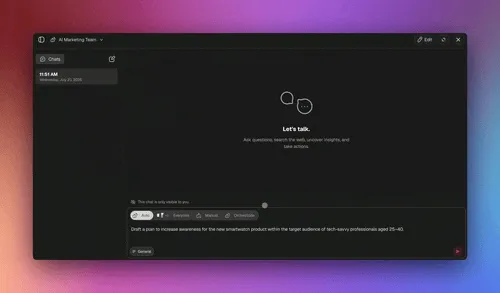
Connect Claude Desktop, Cursor, or VS Code via Taskade's MCP server on any paid plan to query and update a generated flowchart from your editor. That turns the flowchart from a static reference into something an AI coding assistant can read and act on. Once the diagram is a live project, you can also assign multiple AI agents to act on different branches at the same time.
Feature Comparison by Use Case
Picking the right tool depends on the job. Here's the same tool list re-sorted by common use cases.
| Use Case | Best Pick | Runner-Up | Budget Pick |
|---|---|---|---|
| SaaS onboarding flow | Taskade Genesis | Whimsical AI | Diagrams.net |
| System architecture | Eraser AI | Mermaid Chart | Excalidraw |
| User journey map | Miro AI | Whimsical AI | Creately AI |
| BPMN process | Lucidchart AI | EdrawMax AI | Diagrams.net |
| Database schema (ERD) | Mermaid Chart | Lucidchart AI | Diagrams.net |
| Org chart | Lucidchart AI | Taskade Genesis | Diagrams.net |
| Mind map | Taskade Genesis | Whimsical AI | Xmind (not in list) |
| Decision tree | Taskade Genesis | Whimsical AI | Zen Flowchart |
| Marketing funnel | Visme AI | Creately AI | Whimsical AI |
| UX user flow | Visily | Whimsical AI | Excalidraw |
| Network topology | Eraser AI | Lucidchart AI | Diagrams.net |
| Workshop whiteboard | Miro AI | Excalidraw | Diagrams.net |
Free AI Flowchart Generator: Every Free Tier Compared
Searching for an AI flowchart generator free of charge? Here is every free tier in detail, verified against vendor pricing pages as of July 27, 2026 and spot-checked again September 23, 2026. The honest summary: Taskade's 11,000-credit free plan and Diagrams.net's free-forever editor are the two most generous; most visual-canvas tools cap you at 3 boards or documents and a small monthly AI allowance — Whimsical is the exception, now capping by monthly object count instead of board count.
| Tool | Diagrams on Free | AI Generations | Collaboration | Export | Watermark |
|---|---|---|---|---|---|
| Taskade Genesis | Unlimited | 11,000 credits (1,000 verified-signup + 10,000 first build) | Yes (full) | PDF, MD, CSV, OPML | No |
| Whimsical AI | Unlimited boards (50 objects/mo cap) | 10 credits per member | Limited | PNG, SVG | No |
| Mermaid Chart | 5 | Limited | No | PNG, SVG | No |
| Eraser AI | 3 files | ~3–5 diagrams | Limited | PNG | No |
| Lucidchart AI | 3 | Limited | Limited | PNG, PDF | Yes |
| Miro AI | 3 boards | ~10 credits/month | Yes | PNG, PDF | Yes |
| Visme AI | Limited | Limited | Limited | PNG | Yes |
| EdrawMax AI | Limited | Limited | No | PNG | Yes |
| Visily | Unlimited drafts | 300 credits/month | Limited | PNG | Yes |
| Zen Flowchart | 3 documents | Limited | No | PNG | Yes |
| Diagrams.net | Unlimited | Plugin-based | Yes | Everything | No |
| Excalidraw | Unlimited | Plugin / beta | Yes | PNG, SVG | No |
| Creately AI | Unlimited canvases (45 items each) | Limited | Limited | PNG, PDF | Yes |
| NoteGPT | Unlimited | Free (rate-limited) | No | PNG | No |
| ChartGen.ai | Unlimited | Free, no signup | No | PNG, SVG | No |
| Jeda.ai | Limited | ~5/day free | Limited | PNG | Yes |
| Venngage AI | Limited | Free tier | Limited | PNG | Yes |
| ChatDiagram | Unlimited | Free, no signup | No | PNG, SVG | No |
If you arrived here searching for NoteGPT, ChartGen.ai, Jeda.ai, Venngage, or ChatDiagram, those are genuine free, no-signup toolpages that turn text into a flowchart fast. They each output a static image. The table below puts the popular no-signup free tools side by side on the one question that decides whether your diagram stays useful: does it become a working project, or stay a picture?
| Free Tool | Signup to Try | From Text | Output | Becomes a Project? |
|---|---|---|---|---|
| Taskade AI Flowchart Generator | No | Yes | Living workflow | Yes, multiple views + agents |
| Whimsical AI | No | Yes | Static image | No |
| NoteGPT | No | Yes | Static image | No |
| ChartGen.ai | No | Yes | Static image | No |
| EdrawMax AI | Limited | Yes | Static image | No |
How to Generate an AI Flowchart (Step-by-Step)
Here is the universal process. Every tool in this guide follows roughly these six steps.
- Write a specific prompt. Be concrete. "Customer onboarding for a SaaS trial with email verification and 14-day upgrade window" is better than "onboarding flow." Include step count, decision points, and any must-have labels.
- Pick a view or diagram type. Flowchart, mind map, sequence diagram, ERD, org chart. The AI will pick a default if you don't, but specifying improves accuracy.
- Generate. Click the button. Wait 5 to 60 seconds depending on the tool and prompt complexity.
- Review and edit. Every AI diagram needs at least one pass of human editing. Rename unclear nodes, fix directionality of arrows, recolor branches for emphasis.
- Collaborate. Share the diagram with your team, get feedback, iterate. The best tools support real-time multiplayer editing.
- Export or embed. Export to PNG, SVG, PDF, or embed the live diagram in a doc. If you use Taskade, skip the export — the diagram lives inside the project forever.
Those six steps also explain why exported diagrams rot. Here is the full lifecycle of an AI-generated flowchart as a state machine — note where the two paths diverge after review:
The Exported → Stale → regenerate loop is the hidden cost of static tools: every process change means re-prompting, re-exporting, and re-pasting. The living path updates in place, which is the whole argument for treating a flowchart as a project instead of a picture.
ASCII Quick Reference
PROMPT ─────> LLM ─────> JSON GRAPH ─────> LAYOUT ENGINE ─────> SVG/CANVAS
   │            │             │                 │                   │
   │            │             │                 │                   │
 "specific"  "any model"  "nodes+edges"     "Dagre/ELK"        "editable"
   │            │             │                 │                   │
   └────────────┴─────────────┴─────────────────┴───────────────────┘
                                    │
                        60 seconds end-to-end
5 AI Flowchart Prompts You Can Copy and Paste
The quality of an AI flowchart depends almost entirely on prompt specificity. These five tested prompts produce clean diagrams on the first try in any AI flowchart maker, including Taskade's free generator.
5 COPY-PASTE AI FLOWCHART PROMPTS (tested July 2026)
─────────────────────────────────────────────────────────────
1. ONBOARDING
   "SaaS trial onboarding: sign up, verify email, create first
    project, invite teammate, convert to paid in 14 days.
    Add a re-engagement branch for stalled users."
SUPPORT TRIAGE (decision tree)
"Support ticket triage. Classify as billing, bug, or
feature request. Route billing to finance, bugs to a
severity check (P1 pages on-call), features to the backlog."

CONTENT PIPELINE
"Blog content workflow: idea → outline → draft → editor
review → SEO check → publish → distribute. Loop back to
draft if editor rejects."

E-COMMERCE FULFILLMENT
"Order fulfillment: order placed → payment check → in stock?
if yes pick+pack+ship, if no backorder + notify customer."

HIRING PIPELINE
"Recruitment flow: application → resume screen → phone
screen → onsite → offer → onboarding. Reject branch
sends a templated email at any stage."
─────────────────────────────────────────────────────────────
Paste any of these into the free AI Flowchart Generator and
edit the result in multiple views: List, Board, Calendar, Table,
Mind Map, Gantt, Org Chart.
Every prompt above shares the same anatomy. Naming the trigger, the steps in order, the decision points, the branches, and the end state is what produces a clean first-try flowchart instead of a vague sketch.
In Taskade, the same prompt is auto-routed to the right model for the job, so you do not have to pick one yourself.

Text to Flowchart AI: 4 Worked Examples (Prompt → Live Diagram)
Text to flowchart AI works exactly like it sounds: paste a plain-English description, get a structured diagram back. The four examples below are real prompt-to-diagram pairs — each prompt comes from our copy-paste list above, and each diagram is rendered live on this page, not screenshotted. Paste any prompt into the Text to Flowchart Converter or the free AI Flowchart Generator and you will get the same shape back in about 60 seconds.
| Worked example | Diagram shape the AI picks | Why that shape |
|---|---|---|
| Support ticket triage | Decision tree (top-down) | Classification = branching questions |
| Content pipeline | Left-to-right flow with a loop | Stages in sequence, one rejection loop |
| Order fulfillment | Top-down flow with a stock check | One decision gates two outcomes |
| Hiring pipeline | Left-to-right stages + reject branch | Linear stages, one exit path at every gate |
Example 1: Support Ticket Triage (Decision Tree)
Prompt: "Support ticket triage. Classify as billing, bug, or feature request. Route billing to finance, bugs to a severity check (P1 pages on-call), features to the backlog."
Two decision diamonds, four routes, one exit — the AI gets this shape right on the first try because the prompt names the classification and each route explicitly. In Taskade, the P1 branch can page on-call for real through an automation instead of staying a label in a picture.
Example 2: Content Pipeline (Flow With a Rejection Loop)
Prompt: "Blog content workflow: idea → outline → draft → editor review → SEO check → publish → distribute. Loop back to draft if editor rejects."
The single loop-back edge is the part beginners hand-draw wrong and AI gets right — because the prompt said "loop back to draft if editor rejects" in so many words. Name your loops and the AI draws them.
Example 3: Order Fulfillment (Decision Gate + Parallel Steps)
Prompt: "Order fulfillment: order placed → payment check → in stock? if yes pick, pack, and ship in parallel with a confirmation email, if no backorder and notify customer."
Note the parallel fan-out after the stock check — pick-and-pack and the confirmation email run at the same time. In a static tool that stays an illustration; in Taskade Genesis both branches can be real automations firing through 100+ bidirectional integrations.
Example 4: Hiring Pipeline (Linear Stages + Exit Branch)
Prompt: "Recruitment flow: application → resume screen → phone screen → onsite → offer → onboarding. Reject branch sends a templated email at any stage."
Every gate shares one reject path — a pattern the AI infers from "at any stage." This is the exact flow behind the recruitment app shown earlier in the Community Gallery: each stage is an assignable task and the reject branch really sends the templated email.
The pattern across all four: the diagram is only as good as the sentence describing it. Name the trigger, the stages, the decisions, and the branches, and any text-to-flowchart AI in this guide — from the free generator to Lucidchart — will draw the right shape. If your source material is longer than a sentence, the PDF to Flowchart Converter and Code to Flowchart Converter extract the flow from documents and source code directly.
Benchmark: Tools Rated on Speed, Quality, Collaboration
We scored 7 top tools on three dimensions using our test prompts.
Hub of Related AI Tools
If you want to try the underlying generator that inspired this post, start here. Each link takes you to a prompt-ready generator on Taskade — no signup required for the first run.
- AI Flowchart Generator — the flagship flowchart builder. Prompt in, diagram out.
- Flowchart Maker — the general-purpose generator for process maps and SOPs.
- System Design Flowchart Generator — optimized for engineering architecture diagrams.
- Text to Flowchart Converter — paste any text block and get a flowchart.
- PDF to Flowchart Converter — upload a PDF process document and extract the flowchart automatically.
- Code to Flowchart Converter — turn source code into a reviewable control-flow diagram.
Related reading on diagrams, AI app builders, workflows, and vibe coding:
- The History of Mermaid: Diagrams-as-Code from Lost Visio Files to 85K GitHub Stars
- What Are AI Agents? The Future of Workflow Automation
- Best Vibe Coding Tools — AI App Builders Compared
- Best AI App Builders 2026
- Free AI App Builders
- Best AI Workflow Automation Tools 2026
- Best Bolt Alternatives: AI App Builders Compared
- Free AI Prompt Generator: 15 Tools Tested
Comparison spokes for the tools in this guide:
Clone a Working Flowchart-App
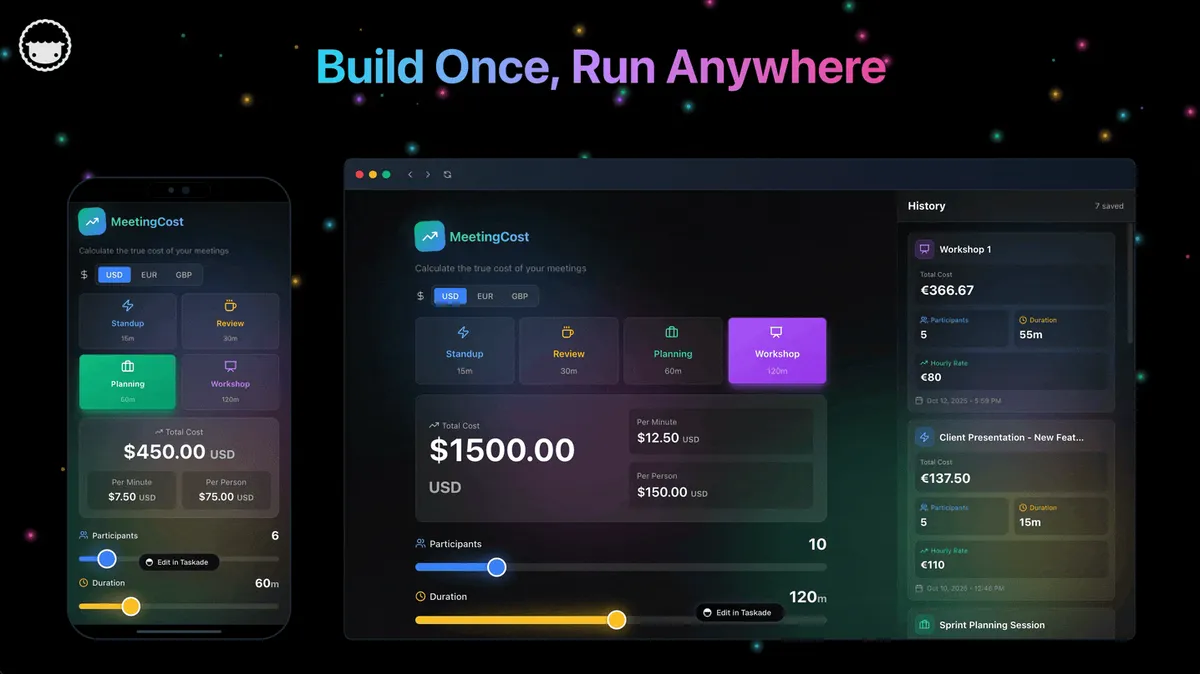
The fastest way to see the "living workflow" difference is to clone one. Each app below started as a flowchart and became a running project where every stage is a task and every handoff fires an automation. Open one, clone it, and edit it in seconds.

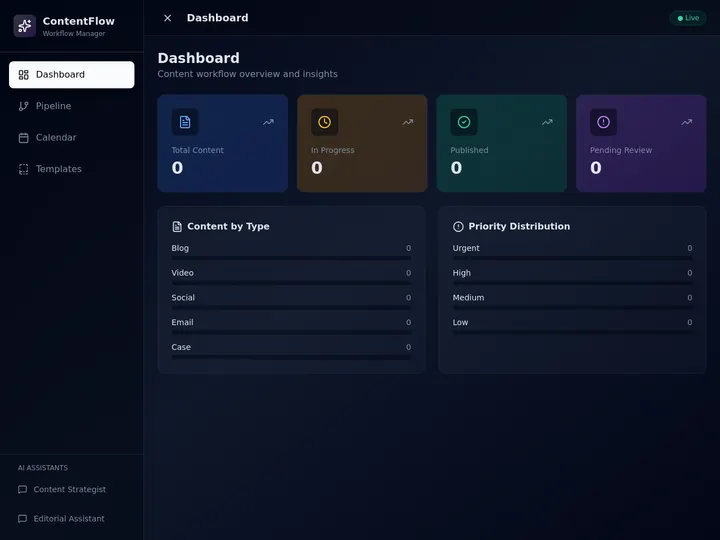
Ready to try it yourself? Start a free workspace at taskade.com/create and join the 150,000+ apps already built on Taskade. Meet the AI agents that can act on your flowcharts, connect 100+ integrations so branches fire real actions, browse the Community Gallery for flowchart-powered apps real teams have built, or read Agent Builders Explained to see how a flowchart turns into an agent-driven app.
Frequently Asked Questions
What is the best AI flowchart maker in 2026?
Taskade Genesis is the best AI flowchart maker for teams who want a living project instead of a static image. It turns a text prompt into a flowchart in about 60 seconds, then lets you switch between multiple project views including Mind Map, Board, Calendar, and Gantt. Free plan includes 11,000 credits. Whimsical AI is the fastest single-purpose flowchart tool, Mermaid Chart is the best code-first option, and Lucidchart AI is the strongest enterprise pick.
Can AI generate a flowchart from text?
Yes. Modern AI flowchart makers parse a natural-language description of a process and output a structured diagram with nodes, arrows, and labels. Taskade Genesis, Whimsical AI, Mermaid Chart, Lucidchart AI, Eraser AI, and Miro AI all support prompt-to-diagram generation. Quality depends on how specific the prompt is.
Is there a free AI flowchart generator?
Yes. Taskade offers a free AI Flowchart Generator with 11,000 credits on the Free plan, which is enough for dozens of diagrams. Whimsical, Mermaid Chart, Lucidchart, and Diagrams.net all offer free tiers as well.
Whimsical AI vs Lucidchart vs Taskade — which is best?
Whimsical AI wins on speed and polish for solo diagrams. Lucidchart AI wins on enterprise compliance, SSO, and deep integrations with Atlassian and Salesforce. Taskade Genesis wins when the flowchart needs to become a working project with assignees, due dates, AI agents, and automation triggers. Choose Whimsical for a quick sketch, Lucidchart for a regulated enterprise, and Taskade when the diagram is only step one of a larger workflow.
What is the best AI mind map tool?
Taskade's Mind Map view is the best AI mind map tool for teams because the same prompt that generates a flowchart can be viewed as a mind map, outline, or board. Whimsical and Xmind AI are strong single-purpose alternatives. Taskade stands out because the mind map is the same underlying project as your task list.
Can AI flowcharts be edited after generation?
Yes. Every tool on this list produces editable diagrams rather than flat images. You can add, remove, rename, and reposition nodes, change arrow direction, recolor branches, and export. Taskade, Whimsical, and Miro support real-time collaborative editing with cursors.
Does Taskade support Mermaid syntax in flowcharts?
Yes. Taskade renders Mermaid flowcharts, sequence diagrams, state diagrams, class diagrams, ER diagrams, and xychart-beta bar charts directly inside projects and blog posts. Paste Mermaid code into a code block and Taskade renders the SVG server-side with a branded dark theme.
What is the best AI flowchart tool for system design?
Mermaid Chart and Eraser AI are the best AI flowchart tools for system design because they produce diagrams as code, which makes them reviewable in pull requests and diffable in Git. Lucidchart AI is a strong visual alternative for teams who prefer drag-and-drop. For engineers who want the diagram to live next to runnable tasks, Taskade Genesis supports Mermaid code blocks natively.
Can I export an AI flowchart to PDF or PNG?
Yes. All 13 tools in this guide export to PNG, and most export to SVG, PDF, and JPG as well. Taskade exports projects to PDF, Markdown, CSV, and OPML. Lucidchart and Miro offer the widest range of export formats including Visio and OmniGraffle.
Are AI flowcharts good enough for production documentation?
Yes, when the tool supports version control and collaborative review. Mermaid Chart, Eraser AI, and Diagrams.net are the best picks for production documentation because their diagrams are text files you can check into Git. Lucidchart and Taskade are good picks for documentation that lives next to task tracking and team discussion.
What is the best free AI flowchart generator with no signup?
Taskade's AI Flowchart Generator is the best free, no-signup option: type a prompt and get an editable flowchart in about 60 seconds, with 11,000 AI credits on the Free plan. Whimsical AI (Claude-powered), NoteGPT, and ChartGen.ai are also free with no signup, but they output a static image. Taskade is the only one where the flowchart becomes a working project across multiple views.
What is the best AI diagram maker (not just flowcharts)?
For diagrams beyond flowcharts, including sequence diagrams, ER diagrams, network and architecture, Mermaid Chart and Eraser AI lead because they produce diagrams as code. Taskade renders all six Mermaid diagram types natively inside projects, so a generated diagram can live next to assignable tasks. Mermaid is now the diagrams-as-code standard on GitHub, GitLab, Notion, and Obsidian.
Can I connect an AI flowchart maker to Claude, Cursor, or VS Code?
Yes. Taskade exposes an MCP server on every paid plan, so Claude Desktop, Cursor, and VS Code can read your projects and generated flowcharts and act on them. Whimsical also offers MCP access for Claude, Cursor, and Codex. MCP turns a flowchart from a static reference into something an AI coding assistant can query and update directly.
How long does it take to generate an AI flowchart?
Most AI flowchart makers generate a diagram in 5 to 60 seconds. Whimsical AI returns a polished flowchart in about 4 seconds. Taskade Genesis takes about 60 seconds because it builds a live project, not just a picture. Complex prompts with deep branching take longer and need a human review pass.
When an AI Flowchart Maker Is Not Enough (And What to Use Instead)
AI flowchart makers are excellent at first drafts and weakest at complex, conditional logic. Be honest about the limits before you ship a diagram. Across the tools we tested, three failure modes recur:
- Deep branching degrades accuracy. AI is reliable on linear and moderately branched flows, but nested conditionals (more than three or four decision points) start to produce wrong or missing branches. The 2026 standard is human-in-the-loop review — verify the logic before it becomes documentation.
- Edge cases get hallucinated. Ask for an exhaustive error-handling flow and the AI will invent plausible-but-wrong states. Treat AI output as a draft to correct, not a source of truth.
- Static drift. Any exported PNG or SVG is out of date the moment your process changes. A diagram pasted into a wiki will be wrong within weeks.
The first two limits apply to every tool here — the fix is the same review pass you would give a junior teammate's first draft. The third limit is structural, and it is the one Taskade solves differently: when the flowchart is a living project instead of an image, changing the process changes the diagram, and the workflow keeps running. McKinsey's 2026 data showing 62% of organizations experimenting with or scaling AI agents reflects exactly this shift — teams want flows that execute, not just flows that illustrate.
Verdict: Which AI Flowchart Maker Should You Use?
If you only remember one thing from this guide, remember this: most flowcharts don't need to be flowcharts at all — they need to be projects. A static diagram is step one. The real work is assigning the nodes to people, tracking when they're done, and connecting them to the rest of your workflow. That's why we rank Taskade Genesis first. It's the only tool on this list where the flowchart is the start of a living project instead of the end of a task.
If you're buying a single-purpose tool, Whimsical AI is the fastest polished pick, Mermaid Chart is the best for engineers who want diagrams-as-code, and Lucidchart AI is the safest enterprise choice. If budget is the deciding factor, Diagrams.net is free forever and good enough for 80% of use cases.
Try it free right now: Generate your first AI flowchart on Taskade — no signup, 60 seconds to first diagram. Or start a full workspace at taskade.com/create to build the flowchart, the tasks, the agents, and the automations in one place.
▲ ■ ● Memory feeds Intelligence, Intelligence drives Execution, and Execution feeds Memory back — the loop that turns a flowchart into a workflow that runs.