

TL;DR: Taskade Genesis turns one prompt into a deployed AI app with agents, automations, and 100+ integrations. Squarespace builds template-based websites and online stores, from $19 to $99 a month billed annually after a 14-day trial. Taskade is Free Forever, and Pro is $10/mo billed annually for 10 seats. Try Taskade Genesis free →
See the alternative working — clone in 60 seconds
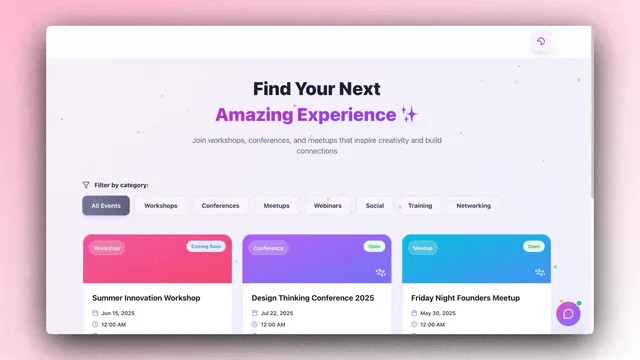
No signup, no credit card. Live real estate landing page
| Capability | Squarespace | Taskade Genesis |
|---|---|---|
| Pricing (starting) | $19-99/month billed annually, 14-day trial | $0 Free · $10/mo Pro billed annually (10 seats) |
| Cloneable live demo | ❌ | ✅ |
| Built-in AI agents | AI site tools, no agents | ✅ built-in tools |
| Automation engine | Zapier and Mailchimp integrations (Core and above) | ✅ Durable runtime, 100+ integrations |
| Workspace DNA loop | ❌ | ✅ ▲ Memory · ■ Intelligence · ● Execution |
What is Taskade Genesis?
Taskade Genesis is the AI app builder inside the Taskade workspace. Founded in 2017 by John Xie, Dionis Loire, and Stan Chang, Taskade is a Y Combinator-backed platform serving over a million users. Taskade Genesis is built on Workspace DNA — Memory (Projects), Intelligence (AI Agents), and Execution (Automations) — a self-reinforcing loop where the workspace gets smarter the more your team uses it.
A single prompt can produce a customer portal, an ops dashboard, a CRM, a knowledge base, a form-driven intake tool, or an internal app — live at a shareable URL, with email-and-password app sign-in via GenesisAuth on every plan, password protection on Pro and above, custom domains on Pro and above, and one-click publishing to the Community Gallery.
What is Squarespace?
Squarespace was founded in 2003 by Anthony Casalena in his dorm room at the University of Maryland. It is a template-driven website builder with built-in commerce, invoicing, memberships, and analytics. Squarespace is best known for elegant pre-designed templates that help photographers, creatives, and small business owners launch a polished web presence without writing code.
Squarespace at a glance (verified October 2026): Four website plans, Basic, Core, Plus, and Advanced, at $19, $29, $49, and $99 per month billed annually, or $25, $39, $65, and $139 billed monthly. No free plan, but a 14-day free trial with no credit card. Card rates start at 2.9% + $0.30, Basic adds a 2% online store fee, and fees on digital content and memberships fall from 7% on Basic to 0% on Advanced. Built-in AI tools run on AI credits. Designed for marketing sites and storefronts, not for apps with custom backend logic. Source: squarespace.com/pricing.
Where each tool wins
Template-led marketing sites — Squarespace
If the goal is a portfolio, brochure site, or small online store with elegant templates and a quick path to launch, Squarespace is purpose-built for that workflow.
AI apps with real backend — Taskade Genesis
If the goal is a working application — a portal, a dashboard, a CRM, an internal tool — Taskade Genesis ships the deployed app with backend, AI agents, automations, and integrations connected from the first prompt.
Predictable pricing for teams — Taskade Genesis
Squarespace charges per site, from $19 to $99 a month billed annually. Taskade is priced per workspace — Free, Pro $10 (10 seats, unlimited apps), Business $25, Max $100, Enterprise $250, billed annually — and one workspace can hold many apps.
The Workspace DNA advantage
Squarespace's mental model is "designer picks a template, visitor reads the page." Taskade Genesis's mental model is Workspace DNA: a self-reinforcing loop between three pillars.
- Memory (Projects) — Your team's docs, tasks, files, and structured data become the substrate every agent reasons over. Read How Workspace DNA Works.
- Intelligence (Agents) — AI Agents v2 with persistent memory, built-in tools, custom tools, and the option to embed publicly inside any Taskade Genesis App.
- Execution (Automations) — Durable workflows triggered by external events (Slack, Gmail, Stripe, GitHub, Calendly, webhooks, schedules) that read from Memory and act through Intelligence — then write the results back into Memory. The loop closes.
Squarespace is brilliant at one slice — composing a beautiful page from a template. Taskade Genesis runs the entire loop continuously, so the longer a team uses it, the more the workspace itself becomes the thing that builds the next app.
Use Squarespace and Taskade Genesis together
Squarespace and Taskade Genesis work well as a pair: Squarespace runs the public website and the store, and Taskade runs the work that starts after a visitor fills in a form. A service business, for example a photographer or a design studio, can keep its polished Squarespace site and still automate the booking and delivery process behind it.
Here is a concrete lead-to-deposit workflow:
- A visitor sends an inquiry. The contact form on the Squarespace site sends each submission to Zapier, which Squarespace supports on Core and above.
- Zapier hands it to Taskade. The Zap posts the submission to a Taskade Webhooks Trigger (Pro and above), or uses the Zapier Taskade app to add a task to a Leads project.
- An agent qualifies the lead. An Ask Agent with Structured Output step reads the message and returns the service, the date, the budget range, and a fit score. The agent adds those fields to the lead task.
- The team replies fast. The Slack connector alerts the owner, and a Gmail step sends a personal acknowledgment with next steps.
- A deposit closes the booking. When the owner moves the lead to "Booked", the Stripe connector creates a payment link for the deposit, and the Google Calendar connector adds the session to the calendar.
The website stays on Squarespace, where it looks its best. The booking pipeline, the client records, and the follow-ups live in Taskade, where agents and automations can act on them.
What Squarespace users build with Taskade Genesis
A Squarespace site is the storefront. These are the tools that often sit behind it, and each starts as one prompt:
| App | What it adds behind the website |
|---|---|
| Client portal | A status page and file-request form for each project. Sign-in confirms who the client is, and you match records to that login |
| Booking pipeline | Leads, quotes, deposits, and sessions in Board and Calendar views |
| Order operations dashboard | Fulfillment tasks, supplier contacts, and restock reminders |
| Content planner | Blog and newsletter ideas, drafts, and due dates for the site |
| Internal knowledge base | Pricing rules, policies, and templates that an agent can answer from |
See working examples in the Community Gallery, or compare a template-first builder with an app-first one in Taskade vs Webflow and Taskade vs Framer.
Pricing comparison
| Plan | Taskade Genesis | Squarespace |
|---|---|---|
| Free | Free Forever — 2 members, 3 Taskade Genesis apps, 1 agent, unlimited projects | No free plan — 14-day trial |
| Entry | Pro $10/mo billed annually (10 seats, unlimited apps); $20 monthly | Basic $19/mo billed annually; $25 monthly (2 contributors, 2% store fee) |
| Most popular | Business $25/mo billed annually (unlimited seats); $50 monthly | Core $29/mo billed annually; $39 monthly (unlimited contributors, 0% store fee) |
| Growth | Max $100/mo billed annually | Plus $49/mo billed annually; $65 monthly |
| Top tier | Enterprise $250/mo billed annually | Advanced $99/mo billed annually; $139 monthly (lowest card rate, unlimited video) |
Squarespace figures come from squarespace.com/pricing (verified October 2026), and each price covers one website. Card processing through Squarespace Payments is extra on every plan, from 2.9% + $0.30 on Basic and Core to 2.5% + $0.30 on Advanced. Taskade has no per-site charge, so a workspace on Pro can run a client portal, an intake app, and an internal dashboard on one bill.
Choose Taskade Genesis if
- You want to ship a working app, not customize a template
- You need AI agents that persist, have tools, and can be embedded for customers
- You need workflow automations across Slack, Gmail, Stripe, HubSpot, Salesforce, Notion, Google Sheets, and 100+ other tools
- You want one flat subscription that includes hosting, agents, automations, and team collaboration
- You want unlimited views and projects across one subscription
Choose Squarespace if
- You are building a portfolio or brochure site and want designer-grade templates out of the box
- You want a turnkey storefront with native shipping labels, automated sales tax, abandoned cart recovery, and point of sale
- You sell courses, memberships, or digital content and want checkout, hosting, and the member area in one place
Use both if: Many teams use Squarespace for the public marketing site and Taskade Genesis for the customer-facing portal, internal dashboards, and AI-powered apps.
Frequently asked questions
Does Squarespace have a free plan?
No. Squarespace offers a 14-day free trial with no credit card, then Basic at $19 per month billed annually (verified October 2026).
Is Taskade Genesis a Squarespace alternative?
When the job is a working app — portal, dashboard, CRM, internal tool — yes. When the job is a template-led marketing site or storefront, Squarespace remains the better fit.
How does Taskade Genesis pricing compare to Squarespace?
Taskade is priced per workspace: Free, Pro $10/mo billed annually (10 seats, unlimited apps), Business $25/mo billed annually (unlimited seats). Squarespace runs $19 to $99 per month per site billed annually.
Does Taskade Genesis include AI agents?
Yes — AI Agents v2 with built-in tools, persistent memory, custom tools, and public embedding. Squarespace includes AI tools for building and editing the site, on an AI credit allowance.
Which AI models power Taskade Genesis?
Taskade Genesis runs frontier models from top AI labs, with TSK-Auto as the default. Paid plans pick OpenAI GPT, xAI Grok and open-weight models built in, with no key, and on Pro and up you can bring your own OpenAI, Anthropic or Google Vertex AI key (BYOK).
Can I use Squarespace and Taskade Genesis together?
Yes. On Core and above, a Squarespace form can reach a Taskade automation through Zapier, where an agent qualifies the lead and the Stripe connector sends a deposit link.
Can I publish a Taskade Genesis app to a custom domain?
Yes — email-and-password sign-in via GenesisAuth is available on every plan, including Free; password protection is available on Pro and above; custom domains are available on Pro+ plans.
Build without permission
Squarespace gives creatives a sharper template gallery. Taskade Genesis gives every team — designers, ops, founders, engineers — a workshop where the apps come out finished, hosted, and ready for users.
- Build with Taskade Genesis → — One prompt, one deployed app
- Browse the Community Gallery — Clone apps shipped by other Taskade Genesis builders
- Read the Workspace DNA explainer — How Memory, Intelligence, and Execution work together
Explore Taskade Genesis
- AI App Builder — Build complete apps from one prompt
- AI Website Builder — Sites in seconds
- AI Agent Platform — Digital teammates that work 24/7
- Workflow Automation — AI-powered business automation
- Vibe Coding — Natural language app creation
Build without code
- AI App Generator — Full apps from prompts
- AI Dashboard Generator — Business dashboards
- AI Website Generator — Sites in seconds
- AI Form Generator — Smart intake forms
- Browse Community Apps — Clone and customize
Related reading
- The Build Without Permission article — Our manifesto
- How Workspace DNA Works — The architecture
- Origin of Living Software — The future of apps
- Best Vibe Coding Tools in 2026 — AI coding tools compared
- Vibe Coding for Non-Developers — Build apps without code
- AI Tools Built With Taskade Genesis — Real apps from the gallery