






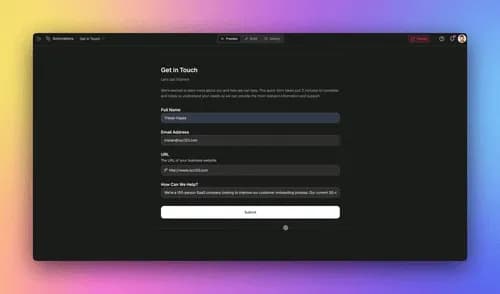
TL;DR: An AI content workflow runs every piece from idea to published with no manual handoffs. In Taskade Genesis, an AI agent drafts in your brand voice, a content calendar schedules the work across Table and Calendar views, and reliable automations push each piece live on its due date. You build it by describing the outcome in plain English, no engineering team. 150,000+ apps have been built on Taskade Genesis since launch.
Here is what a finished content workflow looks like once it is wired up, one project, several views of the same plan:
┌────────────────────────────────────────────────────────────────┐
│  Content Engine  ›  Calendar view          [ Table ][ Board ]   │
├────────────────────────────────────────────────────────────────┤
│  Mon          Tue          Wed          Thu          Fri        │
│  ──────────   ──────────   ──────────   ──────────   ────────   │
│  Blog: AI     Newsletter   Social: 3    Blog: case   Recap      │
│  workflows    #24 draft    captions     study        thread     │
│  ✍ drafted    ✍ drafted    ✍ queued     ◷ idea       ◷ idea     │
│  ▸ publish    ▸ review     ▸ schedule   ▸ research   ▸ outline   │
├────────────────────────────────────────────────────────────────┤
│  AI agent: draft in brand voice  •  Automation: publish on due   │
└────────────────────────────────────────────────────────────────┘
Most teams do not have a writing problem. They have a workflow problem. Ideas live in one app, drafts in another, the calendar in a third, and publishing happens by someone remembering to copy-paste on the right day. Every handoff is a place for content to stall.
This guide shows how to collapse that whole chain into a single AI content workflow inside Taskade Genesis, where agents draft, a calendar schedules, and automations publish. It is the same outcome-first approach David, an IT program manager with no engineering team, used to ship a production dashboard. You describe what you want, and the system builds it.
The shortest path from idea to published
Answer first: you need three connected pieces, and Taskade Genesis builds all three from a description.
- An agent that drafts in your brand voice, trained once on your guidelines and past work.
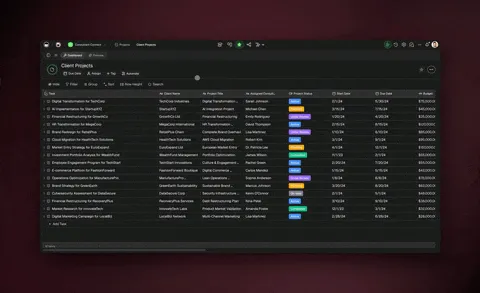
- A content calendar, one project shown as a Table to edit and a Calendar to schedule.
- A reliable automation. That publishes or routes each piece when its due date arrives.
Here is how the three connect into one loop:
The loop matters: once a piece is published, what worked feeds the next round of ideas through persistent memory. The workflow gets smarter every cycle instead of starting cold each time.
Step 1: Train an agent on your brand voice
The biggest reason AI content sounds generic is that the model never saw your voice. Taskade Genesis fixes this with agent Knowledge, a persistent memory you train once.
Create an agent, open its settings, and turn on Knowledge. Then feed it the three things that define your voice:
| Input | What it teaches the agent | Example |
|---|---|---|
| Brand guidelines | Tone, do's and don'ts, point of view | A 2-page brand voice doc |
| Past content samples | Format, structure, sentence rhythm | 2-3 of your best published posts |
| Style references | Specific templates to match | A newsletter or script you reuse |
Knowledge accepts PDFs, CSVs, TXT, DOCX, and MD files, plus web resources like blog articles, YouTube videos, and threads. The agent reads them and matches your voice on every draft after that. You are not re-pasting instructions each time. You train it once and it stays on-brand.
Here is what the agent settings panel looks like with brand voice loaded:
┌──────────────────────────────────────────────────────────┐
│  Agent: Brand Writer          [ Settings ][ Knowledge ]   │
├──────────────────────────────────────────────────────────┤
│  Model    ▸  Auto (frontier models)                      │
│  Tools    ▸  Web search · File analysis · built-in tools  │
│  ──────────────────────────────────────────────────────  │
│  Knowledge (on)                                           │
│    • brand-guidelines.pdf            ✓ indexed            │
│    • best-post-2026.md               ✓ indexed            │
│    • newsletter-template.docx        ✓ indexed            │
│  ──────────────────────────────────────────────────────  │
│  Instructions: "Write like our guidelines. Lead with     │
│  the benefit. No jargon. Plain English."                 │
└──────────────────────────────────────────────────────────┘
Each agent ships with built-in tools, web search, file analysis, and more. So it can research a topic before it writes, not just rephrase what you typed. Learn how to set one up on the AI agents page, or browse ready-made marketing agents and content agents you can clone and retrain on your own voice.
Step 2: Let an agent fill your content calendar
Once the agent knows your voice, point it at planning. Ask it for a batch of ideas, for example: "Give me 20 blog titles and 10 newsletter angles for a B2B SaaS audience this quarter."
The agent returns a list, and you click Add to Project to drop them straight into a content calendar. No exporting, no second tool.
That one project is the calendar, and you switch how you see it:
| View | Use it for |
|---|---|
| Table | Editing titles, owners, status, and custom fields in rows |
| Calendar | Scheduling — drag pieces onto the dates they go live |
| Gantt | Mapping a longer campaign on the timeline inside the Gantt view |
| Board | Moving cards through Idea → Draft → Review → Published |
Taskade has multiple project views in total, List, Board, Calendar, Table, Mind Map, Gantt, and Org Chart, and the Timeline lives inside the Gantt view. Assign a due date to each piece and it shows up on the Calendar automatically. That due date is the trigger your automation watches in the next step.
Step 3: Automate the publish step
This is where most content workflows leak. Drafts pile up because nobody remembers to push them out. A reliable automation closes that gap.
Set up an automation that watches the content calendar and acts when a due date arrives:
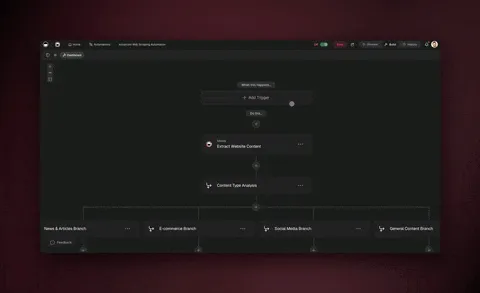
These are reliable, durable workflows. They branch (route a social post differently from a blog post), loop (run across every card due today), filter (only published-ready pieces), wait (hold a draft for review minutes to days), and resume from the exact step that failed instead of starting the whole run over. A single API hiccup never costs you the batch.
Through 100+ bidirectional integrations, triggers pull events in, actions push data out, with native Shopify and Stripe, your automation can post to a channel, file the published URL, update a Stripe-gated members feed, or ping the team. Explore prebuilt flows on the automation page.
Let multiple agents run the editorial team
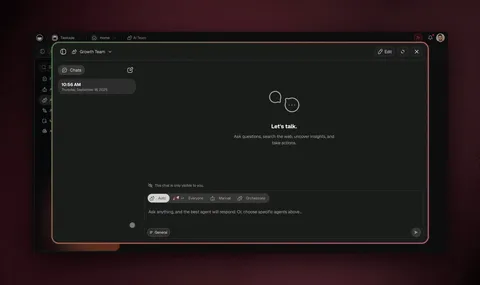
For higher volume, you do not need one agent doing everything. With multi-agent collaboration and orchestration mode, several agents split the editorial work and hand off to each other inside the same workspace.
The research agent gathers sources, the writing agent drafts in your voice, and the editing agent corrects grammar and adapts the style for different audiences, the exact editing capabilities Taskade ships for content. You get an editorial team that runs without you in the loop for every step.
Clone a working content workflow in one click
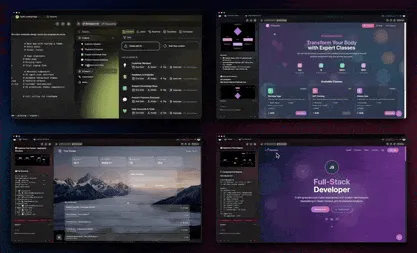
You do not have to build from scratch. The Community Gallery has cloneable apps and content workflows. Copy one, retrain its agent on your brand voice, point its automation at your channels, and you have a running content engine in minutes.
Clone a content workflow from the gallery →
What you get when it all connects
| Capability | What it does for your content |
|---|---|
| Brand-voice agent | Drafts that sound like you, trained once on your guidelines |
| AI agents (built-in tools) | Research, draft, and act — not just rephrase your prompt |
| Multi-agent collaboration | Research, writing, and editing agents hand off as a team |
| Frontier models | Top AI labs, routed automatically |
| Content calendar (multiple views) | Plan in a Table, schedule in a Calendar, map in Gantt |
| Reliable automations | Branch, loop, filter, wait days, resume from the failed step |
| 100+ bidirectional integrations | Triggers pull events in; actions push your content out |
| Persistent memory | Workspace DNA — what worked feeds the next round of ideas |
Most content tools help you write. Taskade Genesis runs the whole workflow, idea, draft, schedule, publish, and remembers what worked so the next cycle starts ahead.
Frequently asked questions
What is an AI content workflow?
A repeatable system that carries every piece from idea to published with no manual handoffs. In Taskade Genesis, an agent drafts in your brand voice, a content calendar schedules the work, and a reliable automation publishes each piece on its due date, all in one workspace.
How do I get an AI agent to write in my brand voice?
Create an agent, turn on Knowledge, and feed it your brand guidelines plus two or three past articles. It reads those samples and matches your tone on every future draft. You train it once and it stays on-brand, see AI agents for setup.
Can Taskade build a content calendar automatically?
Yes. Ask an agent for a month of titles, click Add to Project, and assign due dates. The same project is a Table for editing and a Calendar for scheduling, with Gantt for longer campaigns, one of multiple project views.
How does an automation publish content for me?
A reliable automation watches the calendar and acts on the due date, moving cards, pinging editors, or posting to a connected channel. Workflows branch, loop, filter, wait, and resume from the failed step. Browse flows on the automation page.
Do I need to know how to code to build this?
No. Taskade Genesis is no-code. You describe the outcome in plain English and it builds the agents, the calendar, and the automation. Non-technical operators ship full content operations with no engineering team.
Can I reuse a content workflow someone else built?
Yes. The Community Gallery has cloneable content workflows, copy one, retrain its agent on your voice, point its automation at your channels, and go live. 150,000+ apps have been built on Taskade Genesis since launch.
Ready to run content on autopilot? Start free with Taskade Genesis, describe your content workflow, and watch it build the brand-voice agent, the calendar, and the automation for you.

Set up your first AI agent, explore the automation library, or clone a content workflow and make it yours.
▲ ■ ● Memory, Intelligence, Execution, Taskade Genesis remembers your brand voice, reasons over your calendar, and runs the publish for you. That's the difference between a writing tool and a content engine that runs itself.