







System design is the process of planning how a software system's parts fit together, its components, data flow, storage, APIs, and reliability, so the system meets its requirements and scales. It is the difference between an app that works in a demo and one that stays fast and online when a million people show up at once.
This guide teaches system design the way it actually clicks: visually. We follow a single request from the moment you type a URL down to the database, then we scale that system from one server to millions of users, one concept at a time. Every diagram below is live mermaid code you can copy, edit, and regenerate, not a flat screenshot.
TL;DR: System design plans a software system's architecture, components, data flow, storage, APIs, and reliability. So it scales. This visual 2026 guide walks one request from DNS to database, then scales from one server to millions of users across 18 live diagrams. Generate your own system design diagram free →
From One Server to a Billion Requests: Why System Design Exists
An app that works for 1,000 users often falls over at 1,000,000. The code did not get worse, the load did. System design exists to make systems scalable, reliable, and cost-efficient before traffic, data, or failure breaks them.
The whiteboard problem every engineer hits
Sooner or later, every engineer is handed a blank whiteboard and a question: "Design Twitter." "Design a URL shortener for 10,000 requests per second." The job is not to write code. It is to choose components and explain trade-offs. That is system design, and it is now a standard interview round because it reveals whether you understand how systems behave under real load.
What changed in the AI era
System design matters more now, not less. Frontier AI models can take a plain-English description and return a component diagram, data flow, and API contract in seconds. The bottleneck has shifted from drawing the architecture to evaluating the trade-offs, and that judgment is exactly what this guide builds. Later we will show how tools like Taskade Genesis turn a prompt into a living architecture you can refine.
What Is System Design? (Plain-English Definition)
System design is the process of defining how software components, databases, APIs, and infrastructure interact to solve a problem at scale. It moves beyond writing code to designing systems that survive real-world constraints: millions of users, global distribution, failure recovery, and cost.
Think of it as the architectural blueprint for software. An architect does not lay every brick. They decide where the load-bearing walls go, how water and power flow, and what happens in a fire. System design makes the same calls for software.
System design vs. system architecture
The two terms are often used interchangeably, with a subtle difference. System architecture is the high-level structure, the boxes and arrows. System design is the broader process that produces that architecture and the detailed decisions underneath it. In practice, when people say "system design," they mean the whole activity of turning requirements into a buildable plan.
High-level design (HLD) vs. low-level design (LLD)
High-level design describes the major components and how they connect. Low-level design describes the internals of each component. This guide focuses on high-level design, the part that scales systems and dominates most interviews.
| High-Level Design (HLD) | Low-Level Design (LLD) | |
|---|---|---|
| Scope | Whole system | One component |
| Output | Architecture diagram, components, APIs | Class diagrams, schemas, methods |
| Audience | Architects, interviewers, stakeholders | Implementing engineers |
| Question it answers | How do the pieces fit together? | How does this piece work inside? |
Functional vs. non-functional requirements
Before drawing anything, you split requirements in two. Functional requirements are what the system does. Non-functional requirements are how well it does it, and they drive almost every architecture decision.
| Functional requirements (what it does) | Non-functional requirements (how well) |
|---|---|
| Users can post a message | Handle 50,000 requests per second |
| Generate a short URL | 99.99% uptime |
| Send a notification | Under 200ms response time |
| Search past orders | Survive a data-center outage |
Non-functional requirements are where system design lives. "Build a chat app" is easy. "Build a chat app for 10 million concurrent users with sub-second delivery" forces every interesting decision in this guide.
How a Request Flows Through a System
Every system, no matter how large, is just a path a request travels and a path the response travels back. The clearest way to learn the components is to walk that path once, top to bottom, the same order a real request moves.
The single-server starting point
The simplest system is one server doing everything: it runs the application, stores the data, and answers requests. This is perfect for a small user base and a terrible idea at scale, because that single box is doing four jobs at once and is a single point of failure.
Single-server (start)          Multi-tier (at scale)
─────────────────────          ─────────────────────
   [ Browser ]                    [ Browser ]
       |                              |
       v                              v
 ┌───────────┐                  [ CDN ] -> [ Load Balancer ]
 │ 1 server  │                        |
 │ app + db  │                 ┌──────┴───┬────────┐
 └───────────┘                 v          v        v
                            [App 1]    [App 2]  [App 3]
                                 \        |       /
                                  v       v      v
                               [ Cache ] -> [ Database ]
Walking down the stack: DNS to database
When you type a domain and hit enter, a chain of components springs into action. DNS is the internet's phonebook. It turns taskade.com into an IP address. A CDN serves nearby cached copies of static files. A load balancer picks a healthy server. The app server runs the logic, checks a cache, and falls back to the database only when it must.
Read the numbered steps once and the whole architecture stops feeling abstract. Notice how often the request tries to avoid the database. That avoidance is most of what performance work is about.
The end-to-end architecture in one diagram
Most tutorials show each component alone. The harder, more useful picture is all of them connected as one system, grouped into layers: client, edge, service, and data.
The rest of this guide is really just zooming into each box in that diagram and asking: what is it, and what trade-off does it make?
Scaling: Vertical vs. Horizontal
Scalability is a system's ability to handle more load by adding resources. There are exactly two ways to add resources: make one machine bigger (vertical) or add more machines (horizontal). Almost every large system relies on the second.
Scale up (vertical): bigger machine
Vertical scaling adds CPU, RAM, or disk to a single server. It is simple, no code changes, no coordination. But it has a ceiling: there is only so big one machine gets, the cost curve bends sharply upward, and that one machine is still a single point of failure.
Scale out (horizontal): more machines
Horizontal scaling adds more servers and spreads the load across them with a load balancer. It can scale almost without limit and survives the loss of any one machine. The price is complexity: the servers must be stateless (any server can handle any request) so the load balancer can route freely.
| Dimension | Vertical (scale up) | Horizontal (scale out) |
|---|---|---|
| How | Bigger single machine | More machines |
| Ceiling | Hard hardware limit | Near-unlimited |
| Redundancy | None (still one box) | High (lose one, keep going) |
| Complexity | Low | Higher (coordination, consistency) |
| Best for | Early stage, simple apps | Systems at real scale |
The gradual scaling path to millions of users
You do not jump from one server to a global system. You add one component at a time, each one solving the bottleneck the last step created.
This is the same journey an AI agent fleet takes as demand grows, which is why the patterns transfer directly, see agent scaling for the agent-team version of this exact diagram.
Latency vs. throughput
Two numbers measure how a system performs, and they are not the same. Latency is how long one request takes. Throughput is how many requests the system handles per second. A highway makes the difference clear: latency is the speed limit for a single car, throughput is how many cars cross the bridge per minute. Adding lanes, more servers, raises throughput. Making the road faster lowers latency. Scaling work usually targets throughput; caching and CDNs usually target latency.
Load Balancers: Spreading the Traffic
A load balancer distributes incoming traffic across multiple servers so no single server is overwhelmed. It is the traffic cop that makes horizontal scaling possible: it provides high availability by routing around failures, and it lets you add or remove servers without the client ever noticing.
What a load balancer does (and why you need one)
Without a load balancer, every client would need to know which server to talk to. With one, clients talk to a single address, and the balancer decides where each request goes based on current load and server health.
Layer 4 vs. Layer 7
Load balancers operate at two levels. Layer 4 routes on raw network data (TCP and UDP) and is blazing fast. Layer 7 understands the application (HTTP) and can route on the URL path, hostname, or headers, smarter, slightly slower.
| Layer 4 | Layer 7 | |
|---|---|---|
| Routes on | TCP / UDP (IP and port) | HTTP (path, headers, cookies) |
| Smartness | Low, just forwards | High, content-aware |
| Speed | Faster | Slightly slower |
| Use it for | Raw throughput | Path-based routing, A/B traffic |
7 load balancing algorithms
The balancer needs a rule to pick a server. These seven algorithms cover almost every real system, and each is a featured-snippet question in its own right.
| Algorithm | How it picks a server | Best when |
|---|---|---|
| Round robin | Next server in rotation | Servers are equal |
| Least connections | Fewest active connections | Sessions vary in length |
| Least response time | Fastest and least busy | Servers differ in speed |
| IP hash | Hash of client IP | A client should stick to one server |
| Weighted | Capacity-weighted share | Servers have different power |
| Geographic | Closest region to the user | Global, latency-sensitive apps |
| Consistent hashing | Hash ring maps keys to nodes | Caches and sharding, minimal reshuffling |
Health checks, failover, and consistent hashing
A load balancer continuously sends health checks to every server. When one stops responding, the balancer stops routing to it and reroutes that traffic, automatic failover. Consistent hashing is the clever variant that keeps the same client or key on the same node, and reshuffles as little as possible when a node joins or leaves.
Databases: SQL vs. NoSQL and How to Choose
Databases durably store and retrieve data. The biggest data decision in any system design is SQL versus NoSQL, and the honest answer is that most systems at scale use both, a relational database for core records and one or more NoSQL stores for high-volume or flexible data.
Relational (SQL) databases
SQL databases like Postgres and MySQL store data in tables of rows and columns, enforce a schema, and support joins across tables. Their superpower is reliable transactions and strong consistency, which is why banks and order systems use them. Here is what relating tables looks like.
Non-relational (NoSQL) databases and the four types
NoSQL databases relax the schema to gain flexibility and horizontal scale. They come in four families, each tuned for a different access pattern.
A specialized fifth family, the vector database, has become essential for AI features. It stores embeddings so apps can search by meaning. We cover it in depth in vector databases explained.
| SQL (relational) | NoSQL (non-relational) | |
|---|---|---|
| Schema | Fixed, enforced | Flexible |
| Scaling | Vertical first | Horizontal by design |
| Consistency | Strong (ACID) | Often eventual |
| Best for | Orders, payments, relations | High write volume, flexible data |
| Examples | Postgres, MySQL | MongoDB, DynamoDB, Cassandra |
ACID explained
ACID is the set of four guarantees that make relational transactions trustworthy. A bank transfer is the classic example: the money must leave one account and arrive in the other, or neither.
A - Atomicity    all steps commit, or none do (no half-finished transfers)
C - Consistency  the database moves from one valid state to another
I - Isolation    concurrent transactions do not step on each other
D - Durability   once committed, data survives a crash or power loss
Replication, sharding, and partitioning
Two techniques scale databases. Replication copies data to extra machines so reads spread out and a replica can take over if the primary fails. Sharding splits one big database into pieces by a key, so each shard holds a slice of the data.
Inside Taskade, this data layer is something you describe rather than provision, see how database projects turn structured records into the backend of an app.
Caching and CDNs: Cutting Latency
Caching stores frequently accessed data in fast memory so the system avoids slow work. It is the single highest-leverage performance technique in system design, because the fastest database query is the one you never run. A cache is the snack stash in your cupboard; a CDN is the local branch of a library.
How caching reduces database load
A cache like Redis or Memcached holds hot data in memory. The app checks the cache first and only touches the database on a miss. For read-heavy workloads, this can remove most of the database's traffic.
Cache strategies: cache-aside, write-through, write-behind
How you keep the cache and database in sync is its own design choice, with a trade-off between speed and the risk of stale data.
| Strategy | How it works | Trade-off |
|---|---|---|
| Cache-aside | App checks cache, loads from DB on miss | Simple; first read is slow |
| Write-through | Write to cache and DB together | Always fresh; writes are slower |
| Write-behind | Write to cache now, DB later | Fast writes; risk on crash |
Eviction policies: LRU, LFU, FIFO
A cache is small, so it must evict data to make room. LRU (least recently used) drops the data untouched longest. LFU (least frequently used) drops the data accessed least often. FIFO (first in, first out) drops the oldest entry. LRU is the common default.
What a CDN does
A content delivery network caches static files, images, scripts, video, at edge locations around the world. A user in Singapore is served from a Singapore edge instead of a server in Virginia, cutting latency dramatically and absorbing traffic spikes.
Reliability: Single Points of Failure and Self-Healing
A single point of failure (SPOF) is any component whose failure takes the entire system down. Reliability engineering is the discipline of finding every SPOF and removing it with redundancy, so the system keeps serving users even when individual parts die, because at scale, parts always die.
What is a single point of failure (SPOF)?
If your whole system depends on one database, one load balancer, or one server, that component is a SPOF. The fix is always the same shape: add a redundant copy and a way to fail over to it.
Redundancy, replication, and failover
Redundancy means running more than one of everything critical, often across multiple regions. Replication keeps the copies in sync. Failover is the automatic switch to a healthy copy when one fails, ideally so fast that users never notice.
Resilience patterns: timeouts, retries, circuit breakers
Redundancy stops a component failure from killing the system. Resilience patterns stop a slow component from dragging everything down with it. A timeout fails fast instead of hanging. A retry with backoff handles a transient blip. A circuit breaker stops calling a failing service entirely until it recovers, like an electrical breaker tripping to protect the house. A rate limiter caps how many requests one client can make in a window, often with a token bucket, where each client gets a refilling allowance of tokens and is throttled once it runs out. So a single runaway client or bot cannot exhaust the whole system.
Availability in nines
Reliability is measured in "nines." Each extra nine cuts downtime roughly tenfold, and gets dramatically harder and more expensive to reach.
| Availability | Downtime per year | Roughly |
|---|---|---|
| 99% (two nines) | ~3.65 days | Hobby project |
| 99.9% (three nines) | ~8.8 hours | Standard SaaS |
| 99.99% (four nines) | ~52 minutes | Serious production |
| 99.999% (five nines) | ~5 minutes | Mission-critical |
This is exactly the reliability layer that platforms abstract for you, the way agent infrastructure keeps AI agents online uses these same redundancy and self-healing patterns.
APIs: How Services Talk to Each Other
An API (application programming interface) defines the contract for how two services communicate, what requests are valid and what responses to expect. As systems split into multiple services, the choice of API style shapes their speed, flexibility, and complexity.
Monolith vs. microservices
First, a structural choice: one service or many? A monolith packages all the logic in a single deployable application. Microservices split it into small, independent services that each own their data and scale on their own. Monoliths are simpler to build and debug; microservices let large teams move and scale independently, at the cost of network calls and distributed complexity.
| Monolith | Microservices | |
|---|---|---|
| Structure | One deployable app | Many small services |
| Best when | Small team, early stage | Large teams, independent scaling |
| Communication | In-process function calls | APIs and message queues |
| Trade-off | Hard to scale parts separately | Network latency and harder debugging |
REST, GraphQL, and gRPC
Three styles dominate. REST is the simple, universal default. GraphQL lets clients request exactly the data they need in one round trip. gRPC is the high-performance choice for internal service-to-service traffic.
| REST | GraphQL | gRPC | |
|---|---|---|---|
| Format | JSON over HTTP | Query over HTTP | Binary over HTTP/2 |
| Strength | Simple, cacheable | No over-fetching | Very fast |
| Best for | Public web and mobile APIs | Rich, nested UIs | Internal microservices |
| Trade-off | Multiple round trips | More server complexity | Less human-readable |
The same protocol-fit logic governs how Taskade connects to the outside world, its 100+ integrations and webhooks push and pull data through these contracts, and its hosted MCP server publishes the workspace itself so Claude Desktop, Cursor, and VS Code can read it over one protocol.
Synchronous vs. asynchronous: message queues
Not every request needs an immediate answer. A message queue lets one service drop a job and move on, while worker services process it later. This decouples services, smooths traffic spikes, and lets slow work happen in the background, the architecture behind every "we will email you when it is ready."
This is the same producer-to-worker pattern that powers automation triggers and integration orchestration: an event arrives, and a fan-out of actions runs in parallel.
HTTP vs. HTTPS and how DNS resolves a domain
Under all of this is the web's plumbing. DNS resolves a domain like taskade.com to an IP address. HTTP is the request-response protocol that carries the data. HTTPS is HTTP wrapped in TLS encryption, so the data is private and tamper-proof in transit. Today, HTTPS is non-negotiable for any real system.
How to Design a System, Step by Step
Designing a system from scratch follows a repeatable six-step process. Whether you are in an interview or planning a real product, this sequence turns a vague prompt into a concrete, defensible architecture.
The 6-step design process
- Clarify requirements, functional and non-functional. What does it do, and at what scale?
- Estimate scale, daily active users, requests per second, storage growth. Rough math beats no math.
- Define the APIs, the contract between client and server, before any internals.
- Sketch the high-level architecture, the boxes and arrows from this guide.
- Design the data, schema, SQL or NoSQL, replication, sharding.
- Deep-dive the trade-offs, find the bottleneck, then defend your choices.
Worked example: designing a URL shortener
Take "design a URL shortener for 10,000 requests per second." You clarify that reads vastly outnumber writes. Then you do the napkin math: 10,000 writes per second times 86,400 seconds is roughly 860 million new URLs a day, and at about 100 bytes each that is around 86 GB per day. So storage growth and a cache for hot links will dominate the design. You define two endpoints: create a short URL, and redirect a short URL. The architecture is a load balancer, stateless app servers, a cache for hot links, and a database keyed by the short code. The deep-dive question: how do you generate short codes without collisions? That single trade-off conversation is what an interviewer is really listening for.
Trade-offs: the CAP theorem and consistency models
Every distributed system obeys the CAP theorem: when the network splits, you can have consistency or availability, not both. A banking system chooses consistency (CP). It would rather reject a request than show a wrong balance. A social feed chooses availability (AP), a slightly stale like count is fine if the app stays up.
In practice, partition tolerance is not optional, networks fail, so any distributed system must tolerate splits. That makes the real decision consistency or availability during a partition, which is why the trade-off is usually written as CP versus AP rather than a free choice of any two.
Designing Systems in the AI Era
Yes, AI can now design systems with you. Frontier models take a plain-English description, "design a URL shortener at 10,000 requests per second", and return component diagrams, data flows, API contracts, and editable mermaid code. The engineer's job shifts from drawing to deciding, which is exactly the judgment this guide builds.
From plain English to a component diagram
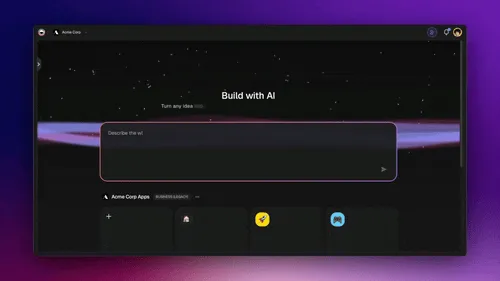
The slowest part of system design used to be turning an idea into a first diagram. Now you describe the system and get a draft architecture in seconds, then iterate. This is why a free system design flowchart generator or a broader flowchart generator is a genuinely useful starting point, and why diagramming-as-conversation is reshaping the whole AI flowchart tooling category.
Where AI fits the design workflow (not replaces it)
AI is fastest at the mechanical parts, first drafts, boilerplate diagrams, naming trade-offs, and weakest at the parts that need taste: which trade-off actually fits your constraints. The strongest workflow pairs an AI draft with human judgment. You can even put a system architecture design agent to work generating and critiquing diagrams, the same way teams use AI agents to review designs. For the broader shift, see what agentic engineering is and how LLMs actually work under the hood.
Building living architectures with Taskade Genesis
Most tools stop at a static diagram. Taskade Genesis goes further: it turns a prompt into a living project where the architecture, the tasks to build it, and the AI agents that execute it all live together. You describe requirements in plain English, and Taskade Genesis abstracts the backend, databases, APIs, agents, and automations. So you design the system instead of provisioning the infrastructure underneath it.
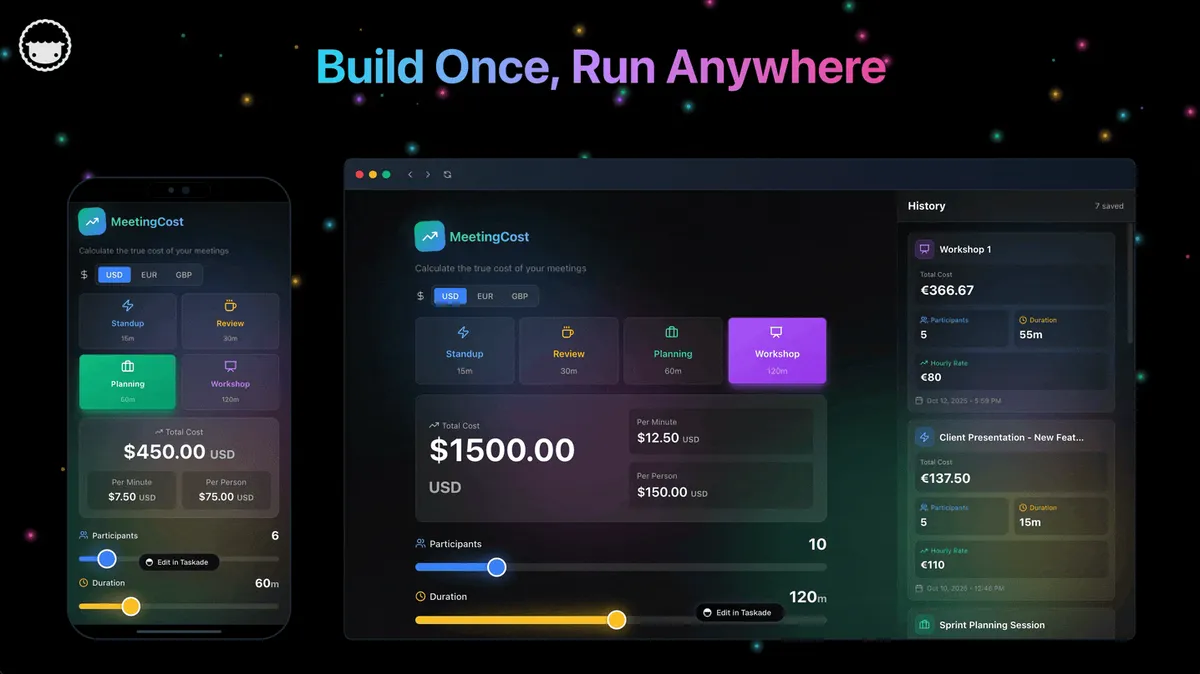
This is the Workspace DNA loop in action: Memory (your projects and data) feeds Intelligence (your custom agents), Intelligence triggers Execution (your automations), and Execution writes back to Memory. It runs across multiple project views, draws on built-in tools and 15+ frontier models, and has already produced 150,000+ apps. For deeper builds, see agentic engineering without code, how to build AI agents, and the ultimate guide to Taskade Genesis.
Best Practices and Common Pitfalls
Good system design is less about memorizing components and more about applying a handful of durable principles, and avoiding the traps that sink first drafts.
Design checklist for scalable systems
- Make services stateless so any server can handle any request.
- Design for failure, assume every component will die, and plan the failover.
- Cache the read-heavy paths before optimizing anything else.
- Estimate scale early so you size databases and caches on numbers, not vibes.
- Monitor everything. You cannot fix what you cannot see.
Anti-patterns to avoid
- A single database with no replica, the most common SPOF.
- Premature microservices, splitting too early adds network and debugging cost before you need it.
- No rate limiting, one runaway client or bot can exhaust the whole system.
- Sharding before you must. It is hard to undo; scale vertically and cache first.
Further Reading
- 🔍 11 Best AI System Design Tools, once you understand the concepts, this ranked guide covers the tools that diagram and reason about architecture.
- 📚 Vector databases explained, the AI-era storage layer for semantic search.
- 📚 Agentic AI systems and agentic workflows explained, system design when the components are autonomous agents.
- 🎬 AI agent builders and agent builders explained, choosing a platform to build the services in your design.
- 📝 Agent hosting, where and how the compute in your architecture actually runs.
- 🚀 Browse the Community Gallery to see real systems people have shipped, or open the agents and automate hubs to start building.
System design is how scalable software gets planned before a single user arrives, components chosen, data modeled, failures anticipated, trade-offs defended. Learn the dozen building blocks in this guide and you can read, draw, and reason about almost any architecture. Then let AI handle the first draft so you can focus on the judgment that still only humans bring. ▲ ■ ●
Hero photo: BalticServers data center, Wikimedia Commons, CC BY-SA 3.0.
Frequently Asked Questions
What is system design in simple terms?
System design is the process of planning how a software system's parts fit together: its components, data flow, storage, APIs, and reliability mechanisms, so the system meets requirements and scales. It translates product requirements into concrete engineering decisions about traffic, consistency, cost, and failure. A useful analogy: it is the architectural blueprint for software before anyone pours the concrete.
Why is system design important in the AI era?
An app that works for 1,000 users often fails at 1,000,000 without deliberate architecture. System design makes systems scalable, reliable, and cost-efficient at scale. In the AI era it matters more, not less: frontier models can now draft component diagrams and data flows from plain English, so engineers spend less time drawing and more time evaluating trade-offs.
What are the core components of a system design?
Every system design draws on a small set of building blocks: client, DNS, load balancer, API gateway, application service, cache, database (SQL or NoSQL), CDN, message queue, and rate limiter. Compute runs the logic, storage holds the data, networking moves requests between them, and orchestration coordinates how the pieces communicate when traffic grows 10x or 100x.
How do you design a system from scratch step by step?
Follow six steps: clarify functional and non-functional requirements, estimate scale such as daily active users and requests per second, define the APIs, sketch a high-level architecture, design the database and schema, then deep-dive the bottlenecks and trade-offs. Each step narrows the design until you have a diagram you can build against.
What is the difference between high-level and low-level design?
High-level design (HLD) defines the major components, data flow, and APIs, the system's architecture from above. Low-level design (LLD) defines the internals of each component, including classes, methods, and database schemas. This guide focuses on high-level design, which is what most system design discussions and interviews emphasize.
What is the difference between SQL and NoSQL databases?
SQL databases such as Postgres and MySQL enforce schemas and transactions and are best for relational data with strong consistency. NoSQL databases such as MongoDB and DynamoDB scale horizontally and accept flexible schemas, best for high-write workloads. NoSQL comes in four types: key-value, document, wide-column, and graph. Most systems at scale use two or three different databases for different workloads.
What does ACID mean in databases?
ACID stands for Atomicity, Consistency, Isolation, and Durability: the four guarantees that make relational transactions reliable. Atomicity means a transaction fully completes or fully rolls back. Consistency keeps the database in a valid state. Isolation keeps concurrent transactions from interfering. Durability means committed data survives crashes. SQL databases provide ACID; many NoSQL systems trade some of it for scale.
What is the difference between vertical and horizontal scaling?
Vertical scaling means adding more CPU, RAM, or disk to a single machine. It is simple but hits a hardware ceiling. Horizontal scaling means adding more machines and distributing load across them with a load balancer. It is more complex because of coordination and consistency, but it can scale almost infinitely. Systems at scale rely on horizontal scaling with stateless services.
What is a load balancer and how does it work?
A load balancer distributes incoming traffic across multiple servers so no single server is overwhelmed. It provides high availability by rerouting around failed servers, enables horizontal scaling, and optimizes resource use. Layer 4 load balancers route on TCP and UDP for raw throughput; layer 7 load balancers route on HTTP details like URL path and headers. Common algorithms include round robin, least connections, and consistent hashing.
What is a single point of failure and how do you avoid it?
A single point of failure (SPOF) is any component whose failure takes the entire system down, such as one database with no replica. You avoid SPOFs with redundancy: replicate critical components, run them across multiple regions, and add automatic failover so traffic reroutes when one instance dies. Resilience patterns like timeouts, retries, and circuit breakers contain failures before they cascade.
How do caching and a CDN improve performance?
Caching stores frequently accessed data in fast memory such as Redis or Memcached, cutting database load and response time for read-heavy workloads. A content delivery network (CDN) caches static assets at edge locations near users, so a request travels to a nearby server instead of the origin. Together they reduce latency, lower infrastructure cost, and help a system absorb traffic spikes.
What is the difference between latency and throughput?
Latency is how long a single request takes; throughput is how many requests a system handles per second. They are different goals. A highway analogy helps: latency is the speed limit for one car, while throughput is how many cars cross the bridge per minute. Adding servers usually raises throughput, while caching and CDNs usually lower latency. A well-designed system balances both against cost.
What is rate limiting?
Rate limiting caps how many requests a single client can make in a time window, so one runaway user or bot cannot exhaust the system. A common method is the token bucket: each client gets a bucket of tokens that refills over time, and a request is allowed only when a token is available. When the bucket is empty, extra requests are throttled or rejected until it refills. Rate limiting protects availability and controls cost.
What is the difference between eventual and strong consistency?
Strong consistency means every read returns the most recent write, so all clients see the same data immediately. It is the model banks and inventory systems require for money and stock counts. Eventual consistency means replicas may briefly disagree but converge to the same value shortly after a write, which is acceptable for social feeds or like counts. The choice is a trade-off between consistency on one side and availability and speed at scale on the other, as the CAP theorem describes.
Can AI help with system design and architecture diagrams?
Yes. Frontier models can take a plain-English description such as design a URL shortener at 10,000 requests per second and return component diagrams, data flows, API contracts, and mermaid code you can edit. Taskade Genesis turns that prompt into a living project with diagrams, tasks, and AI agents that critique the design across multiple project views, drawing on built-in tools and 15+ frontier models.