






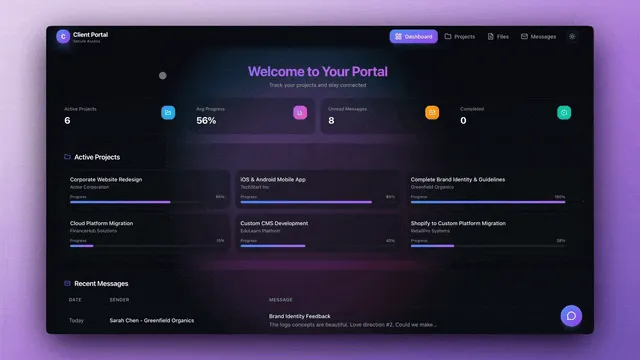
Hey there 👋
Forms. Dashboards. Portals.
Three powerful tools to collect data, visualize insights, and serve clients—all built from your workspace.
Taskade Genesis makes it easy to build professional forms, interactive dashboards, and client portals—no code required.
TL;DR: Build forms, dashboards, and client portals with Taskade Genesis — no code needed. Connect them to automations, AI agents, and 100+ integrations to create complete business workflows. Try it free →
📋 Build Powerful Forms
Collect data, gather feedback, and capture leads with customizable forms that connect directly to your workspace. Forms integrate with automations and AI agents for intelligent processing.
What you can build:
- Contact Forms — Capture leads and inquiries
- Feedback Forms — Collect customer feedback
- Survey Forms — Run surveys and polls
- Booking Forms — Accept appointments and bookings
- Registration Forms — Event and course registration
Features:
- AI-Powered Analysis — Automatically analyze form responses with AI agents
- Automation Triggers — Trigger workflows from form submissions
- Custom Branding — White-label forms with your branding
- Data Storage — Responses stored in your workspace projects
- Real-Time Notifications — Get notified when forms are submitted
🌟 Example: A Contact Form that captures leads → Stores in CRM project → Triggers follow-up automation → Sends confirmation email—all automated.
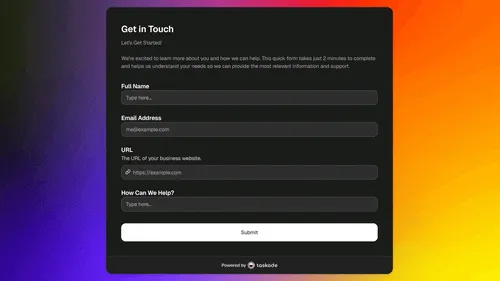
👉 How to use: Create form → Customize fields → Connect to automation → Publish → Collect responses
Featured Form Apps:
- Smart Feedback Form — AI-powered feedback collection
- Appointment Booking System — Automated appointment booking
- Consultancy Booking Form — Professional consultancy scheduling
📊 Interactive Dashboards
Turn your data into visual, interactive dashboards that update in real-time. Track metrics, monitor performance, and make data-driven decisions. Use projects as databases for structured data storage.
What you can build:
- Business Dashboards — Track KPIs and business metrics
- Sales Dashboards — Monitor sales performance and pipelines
- Marketing Dashboards — Track campaign performance
- Project Dashboards — Monitor project progress
- Analytics Dashboards — Visualize data and trends
Features:
- Real-Time Updates — Data syncs automatically from your workspace
- Custom Visualizations — Charts, graphs, and metrics
- Interactive Filters — Filter and drill down into data
- Multi-Source Data — Combine data from multiple projects
- Export Options — Export dashboards and reports
🌟 Example: A CRM Dashboard that tracks leads, deals, and sales performance—all updating in real-time from your workspace projects.
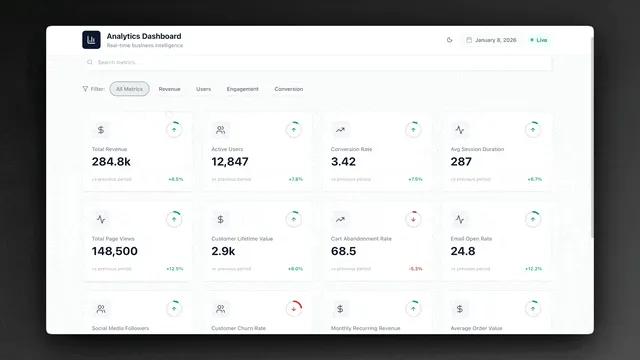
👉 How to use: Create dashboard → Connect to projects → Add visualizations → Customize layout → Share with team
Featured Dashboard Apps:
- Neon CRM Dashboard — Track leads, deals, and sales performance
- Finance Tracker Dashboard — Visual expense tracking and analysis
- Team Capacity Planner — Optimize team productivity
- Maintenance Tracker Dashboard — Streamline facility management
- Support Rating Dashboard — Improve customer service quality
🏢 Client Portals
Give your clients a professional portal to access their projects, communicate with your team, and track progress—all in one place. Add custom domains for a branded experience.
What you can build:
- Project Portals — Clients view project progress
- Service Portals — Clients access services and resources
- Communication Portals — Centralized client communication
- Document Portals — Share documents and files
- Billing Portals — Clients view invoices and payments
Features:
- Custom Branding — White-label portals with your branding and custom domains
- Secure Access — Password protection and access control
- Real-Time Updates — Projects sync automatically
- Client Communication — Built-in messaging and comments
- File Sharing — Share documents and media files
🌟 Example: A Client Portal Dashboard where clients can view projects, communicate with your team, and access documents—all in one professional portal.
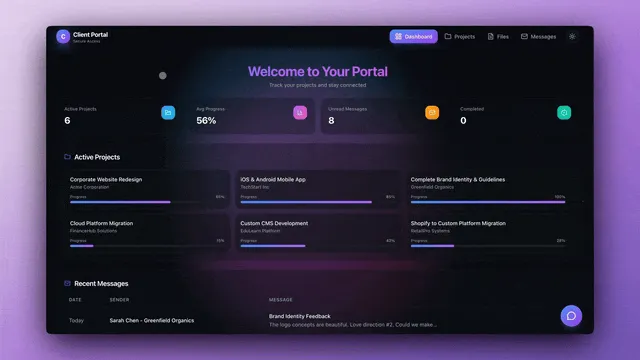
👉 How to use: Create portal → Add client projects → Customize branding → Set access controls → Share with clients
Featured Portal Apps:
- Client Portal Dashboard — Comprehensive client management portal
- Booking Portal — Client booking and scheduling
- Testimonial Portal — Showcase customer success stories
🔄 Connect Forms to Dashboards
Build complete workflows: Forms collect data → Dashboards visualize it → Portals share insights. Power everything with advanced automation workflows.
Complete Workflow Example:
- Form — Contact Form captures leads
- Automation — Creates project, assigns to team, sends notification
- Dashboard — CRM Dashboard tracks all leads
- Portal — Client Portal shows client their project status
🌟 Example: Lead submits form → Automation creates project → Dashboard updates → Client portal shows progress—all connected.
👉 How to use: Build form → Connect automation → Create dashboard → Set up portal → Complete workflow
🎨 Customization & Branding
Make forms, dashboards, and portals match your brand. Custom colors, logos, and styling—all customizable. Learn about custom domains for professional branding.
What you can customize:
- Colors & Themes — Match your brand colors
- Logos & Images — Add your branding
- Layouts — Customize layouts and structure
- Fields & Components — Customize form fields and dashboard components
- Domain — Use your custom domain
🌟 Example: White-label a Client Portal with your branding → Clients see your brand, not Taskade's.
👉 How to use: Open app settings → Customize branding → Add logo → Set colors → Apply custom domain
📱 Mobile-Friendly
All forms, dashboards, and portals work beautifully on mobile devices. Your clients can access everything from their phones. Download Taskade for iOS and Android.
Mobile Features:
- Responsive Design — Works on all screen sizes
- Touch-Optimized — Easy to use on mobile
- Fast Loading — Optimized for mobile networks
- Offline Support — Works offline when possible
🌟 Example: Clients can fill out forms, view dashboards, and access portals—all from their mobile devices.
👉 How to use: No action needed — automatically mobile-friendly → Test on your phone
🧩 Other Improvements
-
- New: AI-Powered Forms — Automatically analyze form responses
- New: Custom Branding — White-label forms with your branding
- New: Automation Triggers — Trigger workflows from form submissions
- Better form validation and error handling
- Improved form analytics and insights
-
- New: Real-Time Dashboards — Data syncs automatically
- New: Custom Visualizations — Charts, graphs, and metrics
- New: Interactive Filters — Filter and drill down into data
- Better dashboard performance and loading
- Enhanced data visualization options
-
- New: Custom Branding — White-label portals
- New: Secure Access — Password protection and access control
- New: Real-Time Updates — Projects sync automatically
- Better client communication features
- Enhanced file sharing capabilities
Taskade Genesis App Enhancements:
- New: Form Builder — Build forms easily
- New: Dashboard Builder — Create interactive dashboards
- New: Portal Templates — Pre-built portal templates
- Better mobile responsiveness
- Improved performance and loading
Improved security, stability, and overall speed
Various bug fixes and optimizations
Check all updates on the Changelog.
🚀 Join the Community
Great things are built together. Your ideas, feedback, and creations shape the future of Taskade Genesis. Connect, learn, and build with us:
Feedback | Reddit | Facebook Group | Updates | Tutorials | Docs | Community
Forms. Dashboards. Portals.
Before: Build forms separately. Create dashboards manually. Set up portals with code.
Now: Build forms, dashboards, and portals—all from your workspace. No code required. Browse examples in the Community Gallery.
Your clients get professional portals. You get powerful tools.
Start building and exploring now
This is the origin of living software 🌱
— John Xie, Co-founder & CEO, Taskade
Frequently Asked Questions
Can I build forms with Taskade Genesis?
Yes. Taskade Genesis lets you create custom forms with multiple field types (text, number, email, dropdown, date, file upload), conditional logic, and automated processing. Form submissions can trigger automations, update databases, notify team members, and feed data into AI agents — all without code.
How do I build a client portal with Taskade?
Use Taskade Genesis to create a client portal by combining pages (dashboards, project updates, documents), forms (intake, feedback, requests), embedded AI agents (support chat, FAQ bot), and role-based access controls. You can publish the portal with a custom domain and password protection for a branded, professional client experience.
What types of dashboards can I build with Taskade Genesis?
Taskade Genesis supports dashboards for analytics, CRM, project management, finance tracking, inventory, content calendars, and more. Dashboards display real-time data from your Taskade projects, include charts and metrics, and can be powered by automations that update data automatically. Build from templates or describe your dashboard in a prompt.
Can Taskade forms trigger automations?
Yes. Every form submission in a Genesis app can trigger automated workflows — send notification emails, update a database record, assign tasks, run an AI agent for processing, or connect to external services via integrations. This turns simple forms into powerful data collection and processing systems.