






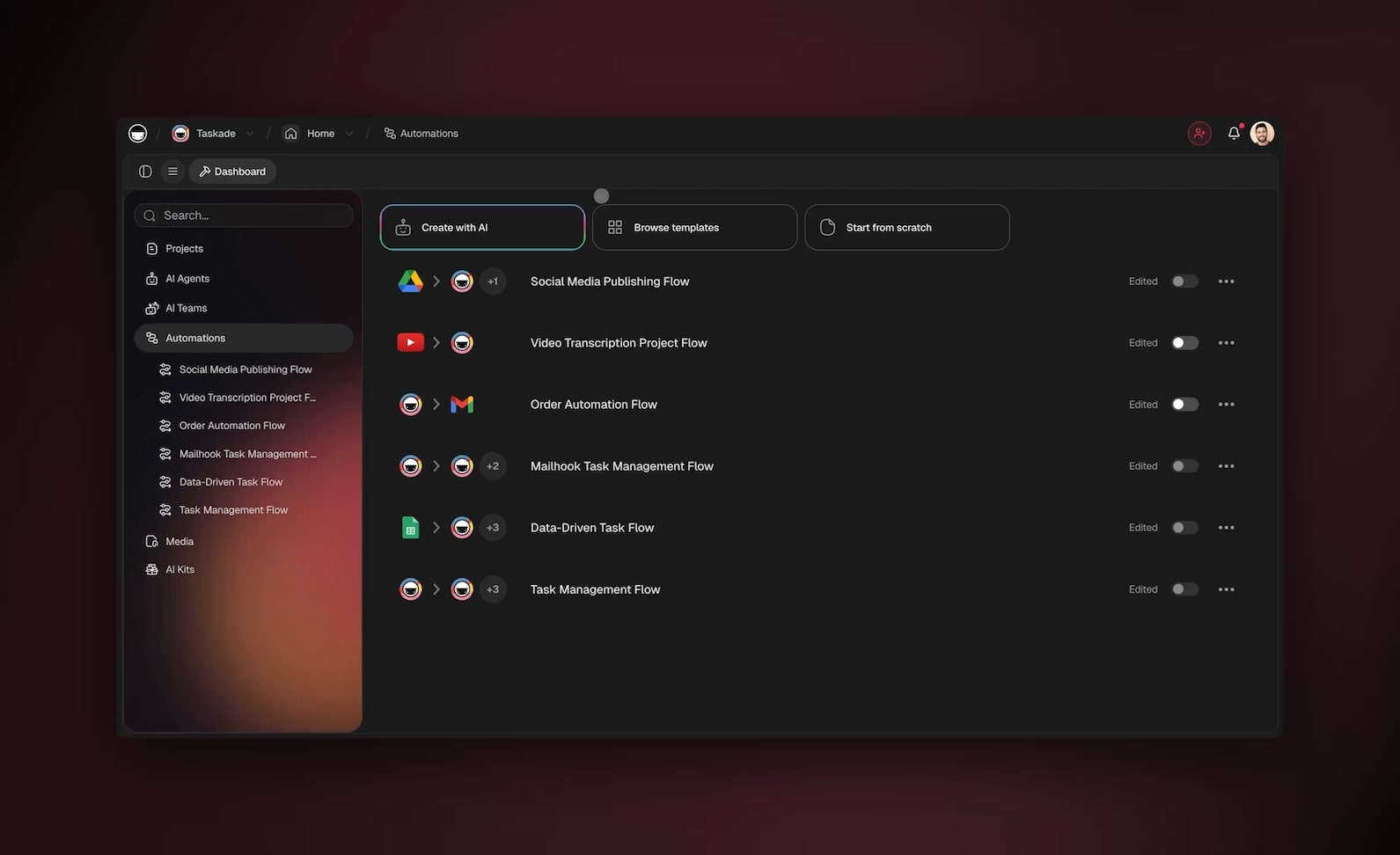
You can automate roughly 99% of your business operations with AI agents in 2026 — and the 1% you keep is the part that actually needs you: exceptions, escalations, and the final yes on high-stakes calls. Operations is the connective tissue of a company. It is the approvals, the status reports, the vendor onboarding, the inventory checks, the capacity planning, and the SOPs that keep everything moving. AI agents now run all of that — setting a goal, planning the steps, executing across your tools, checking the result, and adjusting without asking you at every turn. Teams that make this shift cut coordination time 60-80% and operations software costs 50-70%. The fastest way there is to stop wiring tools together and instead describe the operations system you want — then let it build itself.
TL;DR: Operations automation in 2026 is no longer fixed if-this-then-that rules — it is AI agents that reason, route, report, and act across your tools. Teams cut coordination time 60-80% and software costs 50-70% by consolidating point tools into one system. The fastest path: describe the outcome and let Taskade Genesis build the agents, automations, and live app. Clone the working operations app below →
This is not a guide about writing SOPs, clearing busywork, or one specific team. If that is what you need, we have dedicated guides: AI SOP software for documenting and running procedures, automate busywork for clearing the small repetitive tasks, and automate small business for the lean-team starter playbook. This guide is the layer above all of them. It is the operations operating system — the connective tissue that ties approvals, reporting, vendors, inventory, capacity, and SOPs into one running system. By the end you will know exactly what to automate first, which agents to build, and how to wire them into one living workspace where small teams run like big ones.
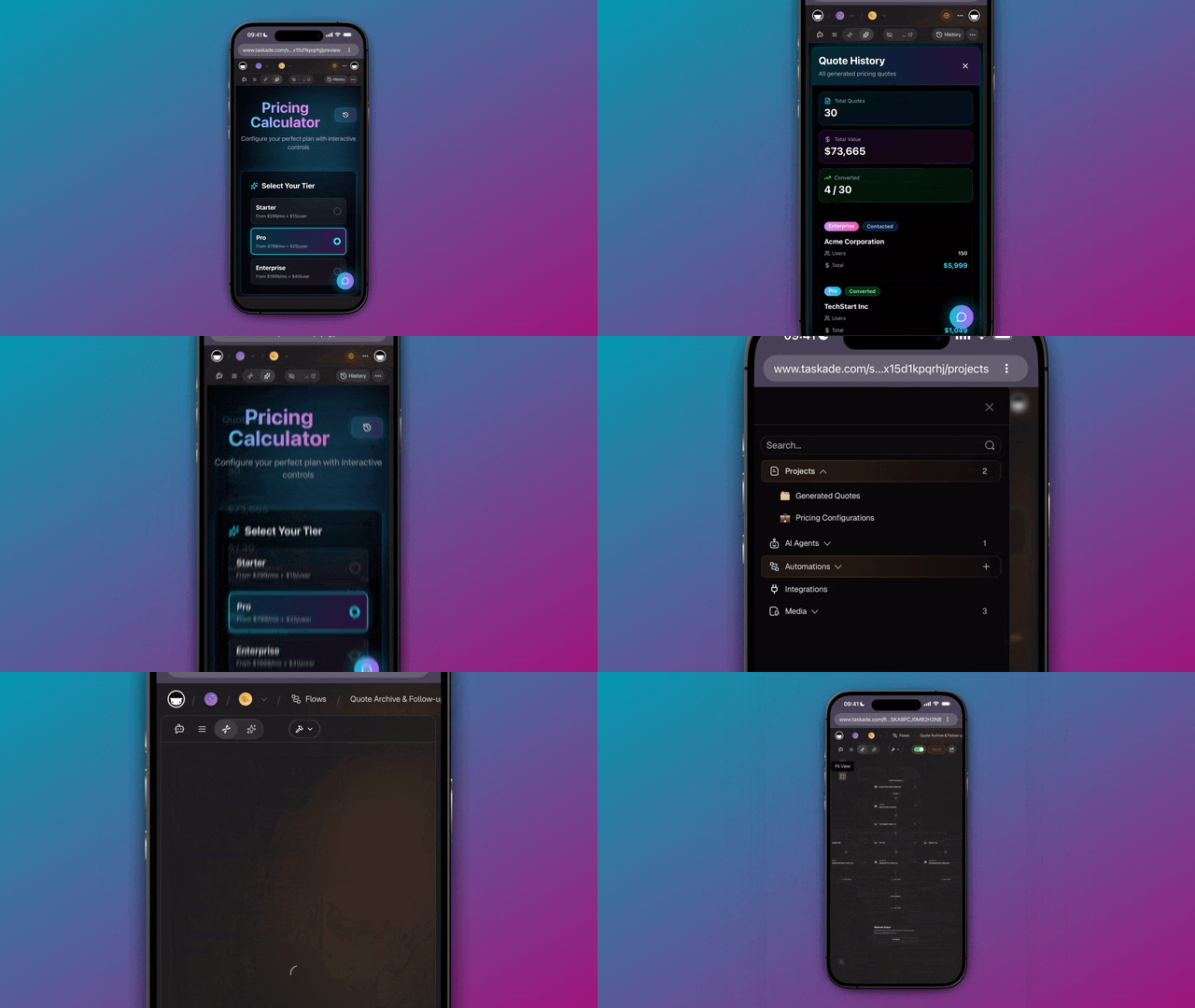
See it live — clone a working operations app
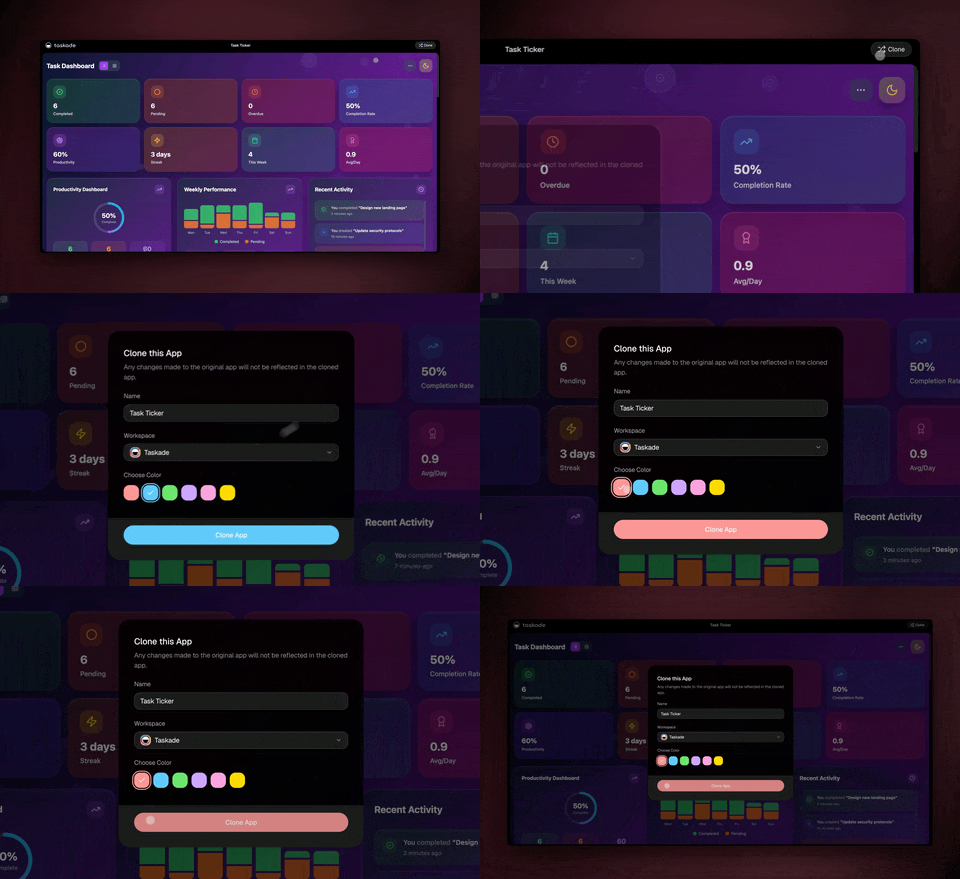
You do not have to imagine this. The app embedded above was built from a single prompt and runs in your browser right now. Clone it in about 30 seconds and it lands in your own workspace, ready to connect to your forms, chat, and trackers.
That is the whole point of agentic operations: the output is not a flowchart, it is software that works. You describe the operations job, and you get a real app with a database, AI agents, and automations — no canvas to wire, no server to host. Browse more cloneable operations apps or start your own from a prompt.
What does it mean to automate operations with AI agents?
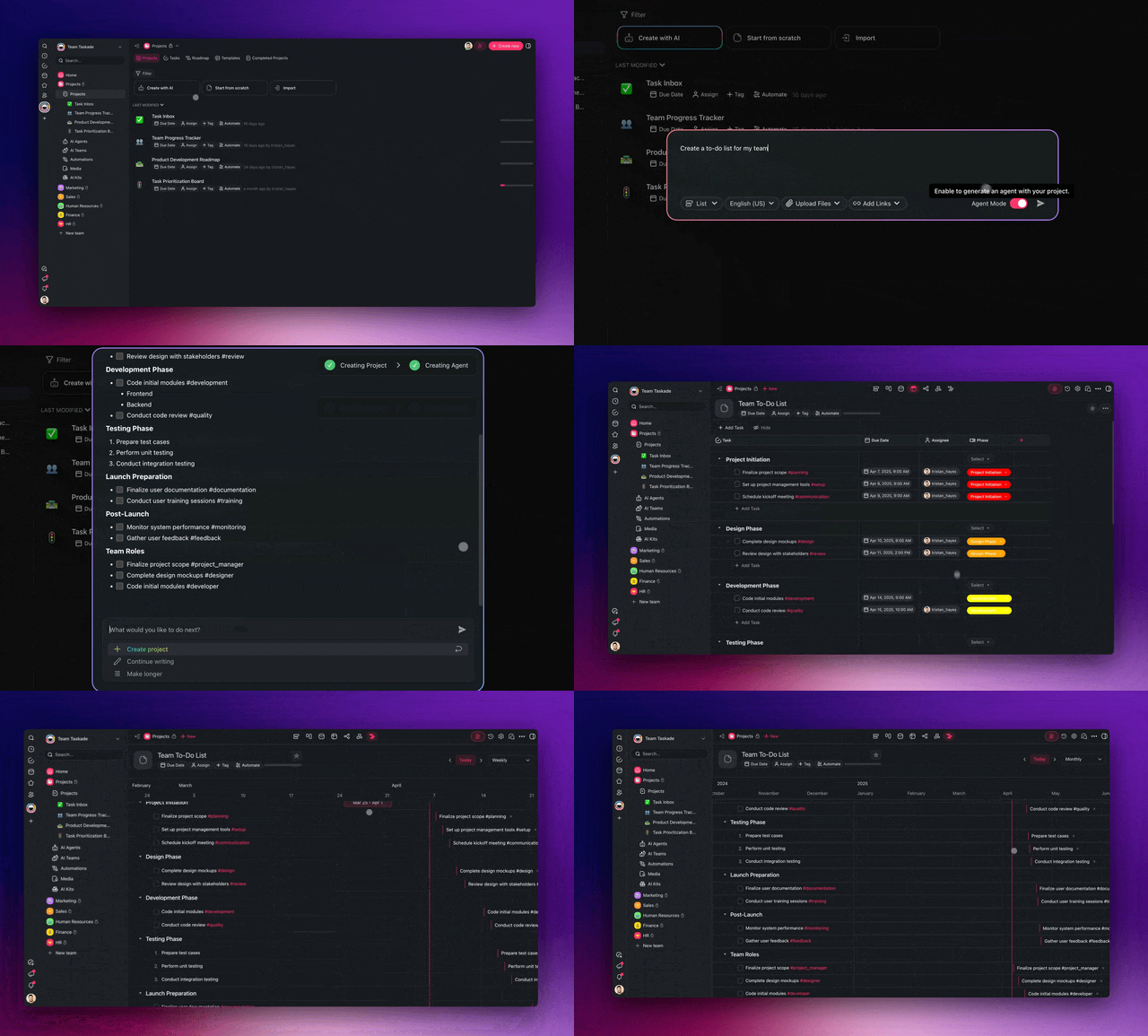
Automating operations with AI agents means handing each recurring coordination job to software that reasons instead of software that just follows rules. Agentic AI sets a goal, plans the steps, executes across your systems, evaluates the outcome, and adjusts — all without a human approving each step. That is the line between old automation and 2026 automation: old automation fires a pre-wired trigger; an agent decides what to do next. For operations, that distinction matters more than anywhere else, because operations is full of exceptions, and exceptions are exactly where fixed rules break.
Here is the difference in one picture. Classic operations automation is a straight pipe that routes one fixed path. An AI agent is a loop that reads context and adapts.
The practical upshot: you stop maintaining brittle if-this-then-that chains and start directing a system that handles the messy middle on its own. A rule-based flow stalls the moment the named approver is out of office. An agent reads the absence, reroutes to the backup, posts a note, and keeps the work moving. Learn the deeper mechanics in our AI SOP software guide and the automation hub.
Why automate operations now? The numbers
Operations teams that adopt AI agents in 2026 see two effects immediately: coordination and status-chasing time drops 60-80% and operations software costs drop 50-70% as separate point tools collapse into one system. The reason operations is the highest-leverage place to automate is that it is the connective tissue — every other function (sales, marketing, support, finance) depends on operations to route work, report status, and keep suppliers and inventory in line. Fix the connective tissue and the whole company moves faster.
Those are not vanity numbers — they compound. One approval agent replaces a separate approvals tool. One status-report agent replaces a reporting dashboard subscription. One vendor agent replaces a procurement tracker seat. Consolidation is where the 50-70% software savings actually come from, and a small team that runs operations this way starts to operate like a much bigger one.
| What you automate | Typical manual time | With AI agents | What you save |
|---|---|---|---|
| Route + chase one approval | 20-40 min, multi-day wait | Seconds to route | 60-80% time |
| Weekly status report | 2-4 hours | Auto-generated | Hours per week |
| Onboard one new vendor | 1-2 hours | Minutes | 50-70% tool cost |
| Inventory reorder check | 30-60 min daily | Continuous watch | Stockouts avoided |
| Run one SOP end-to-end | Manual, error-prone | Agent-executed | Fewer misses |
Treat that table as a starting menu, not a ceiling. Every recurring coordination task you do more than once a week is a candidate. The teams getting the biggest wins automate the high-frequency, low-judgment work first and keep their attention for exceptions and strategy. See how that plays out across functions on the automation hub.
Here is the same picture as a chart. Each bar is the share of coordination hours an AI-agent system gives back on a common operations task — the work doesn't disappear, it just stops landing on a human's calendar.
A quick way to size your own number: multiply the task's monthly volume by the minutes it eats today, then take 60-80% of that as recovered hours. A 25-person team filing 300 requests a month at ~30 minutes of coordination each is spending ~150 hours; recovering 70% gives back ~105 hours every month — more than half a full-time hire, redirected from chasing updates to real work. For the reporting half of that equation specifically, our automate reporting guide breaks down the status-digest agent step by step.
The operations AI agents worth building
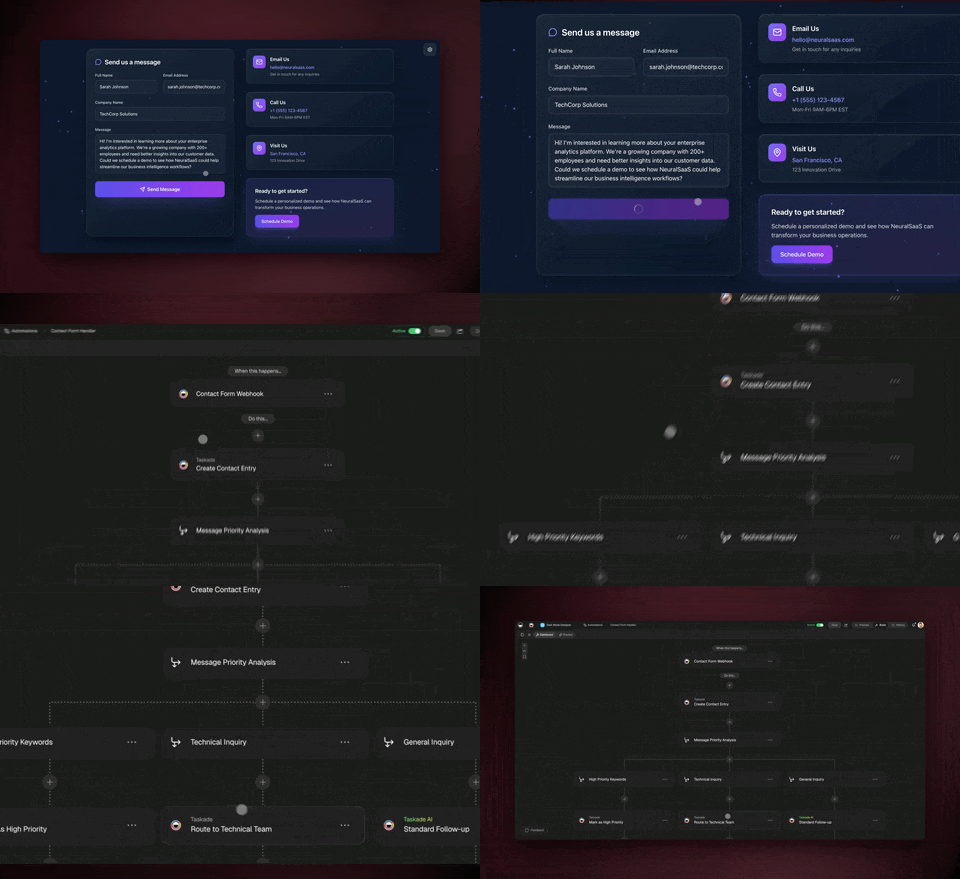
There are roughly seven operations agent types that cover the work that eats most teams' weeks, and you do not need all of them on day one. Each one is a small, focused worker with a clear job — and in Taskade each ships with 33 built-in tools (web search, file analysis, code execution, custom slash commands, and more) and routes across 15+ frontier models from OpenAI, Anthropic, and Google.
| Agent | What it does | Best built when |
|---|---|---|
| Approval-routing agent | Picks the right approver, escalates if stuck | You have multi-step sign-offs |
| Status-report agent | Compiles updates into a clean weekly digest | You chase status across teams |
| Vendor-onboarding agent | Collects docs, verifies, sets up the record | You add suppliers regularly |
| Inventory-watch agent | Tracks stock, flags reorders before stockout | You manage physical or SaaS stock |
| Capacity-planning agent | Balances workload across people and weeks | You assign work to a team |
| SOP-execution agent | Runs a documented procedure step by step | You have repeatable playbooks |
| Incident-triage agent | Sorts, tags, and routes issues by severity | You handle requests or tickets |
A good rule: one agent, one job. A narrow agent is reliable, easy to test, and easy to trust — which matters in operations, where a wrong route or a missed reorder has real cost. When you need something bigger — say, "intake a request, route it, get approval, log it, and notify the requester" — you do not build one giant agent. You build a team and let them hand work to each other.
This intake → route → approve → execute → log loop is the single most reliable pattern in agentic operations. It keeps governance high because a human stays on the one decision that matters — the exception or the high-stakes sign-off — while agents do everything around it. Taskade supports this multi-agent collaboration natively, and agents carry persistent memory, so they learn your policies, approvers, and thresholds over time. Walk through building your first one in the agent playbook.
How the pieces connect: the operations system map
A real operations automation system has four moving parts, and they form a loop — not a line. Memory (your projects, policies, and history) feeds Intelligence (your agents), which drives Execution (your automations and integrations), which produces new data that flows back into Memory. This is Taskade's Workspace DNA, and it is what turns disconnected agents into a system that gets smarter every week. In operations specifically, that loop is what gives you an audit trail: every decision an agent makes is logged back into Memory, so you always know who approved what and when.
Below is the end-to-end map of how a single operations request travels through an automated system — from intake to a synced, logged record — with agents and integrations doing every step.
┌──────────────────────────────────────────────────────────────────┐
│                  AUTOMATED OPERATIONS SYSTEM                       │
│            (one prompt → one living app in Taskade)               │
├──────────────────────────────────────────────────────────────────┤
│                                                                    │
│   INBOUND (triggers pull in)        OUTBOUND (actions push out)   │
│   ┌─────────────────┐               ┌──────────────────────┐     │
│   │  Request filed  │──┐         ┌─▶│  Tracker updated     │     │
│   │  Form submitted │  │         │  │  Chat alert sent     │     │
│   │  Stock low      │  │         │  │  Approver notified   │     │
│   │  New vendor     │  │         │  │  Audit log written   │     │
│   └─────────────────┘  │         │  └──────────────────────┘     │
│                        ▼         │                                │
│              ┌───────────────────────────────┐                   │
│              │   INTELLIGENCE (AI agents)     │                   │
│              │  ┌──────────┐  ┌────────────┐  │                   │
│              │  │ Intake & │─▶│ Route to   │  │                   │
│              │  │ classify │  │ approver   │  │                   │
│              │  └──────────┘  └─────┬──────┘  │                   │
│              │  ┌──────────┐  ┌─────▼──────┐  │                   │
│              │  │ Summarize│◀─│ Decide next│  │                   │
│              │  │ status   │  │ best action│  │                   │
│              │  └────┬─────┘  └────────────┘  │                   │
│              └───────┼────────────────────────┘                   │
│                      ▼                                             │
│              ┌──────────────────┐                                 │
│              │  MEMORY (Projects)│  ◀── results flow back, system │
│              │  7 views, audit   │      learns and compounds      │
│              └──────────────────┘                                 │
│                                                                    │
└──────────────────────────────────────────────────────────────────┘
Notice there is no separate "approvals tool," "status dashboard," "vendor tracker," and "reporting app" bolted together with tape. It is one app. That single-system design is exactly why teams cut software costs 50-70% — you are not paying four vendors and stitching their data by hand. Each of the 100+ bidirectional integrations works in both directions, so a request read from a form can come back as a synced tracker record and a logged decision without anyone copying a field.
The seven project views — List, Board, Calendar, Table, Mind Map, Gantt, and Org Chart — mean the same operations data can be a status board for your team, a calendar for deadlines, a table for the audit log, and a Gantt for capacity, all without re-entering anything.
How Taskade does it differently
Here is the honest landscape. n8n, Lindy, Zapier, Make, and the operations point tools all do a genuinely good job at one thing: connecting apps. You wire a trigger to an action, map the fields, and data moves between tools. For pure data plumbing, these are excellent — and to be fair, Zapier's app catalog is unmatched (thousands of connectors), n8n is wonderfully cost-efficient for high-volume technical flows, and Make's visual canvas is a joy if you love designing every branch by hand. If your only goal is to move an operations event from A to B, any of them will serve you well.
But notice what they all hand you at the end: an automation. A flowchart. Wiring. You still need a separate place to store your operations data, a separate AI tool to summarize and decide, a separate app to show a manager the status, and a separate tracker for the audit trail. You become the integration glue between four systems — which is exactly the coordination overhead you were trying to remove.
Taskade Genesis takes a different altitude. You do not wire nodes — you describe the operations outcome, and it ships a living app: a database, AI agents, automations, and a shareable URL, all in one. That is the wedge.
| Node-wirers (n8n, Lindy, Zapier, Make) | Taskade Genesis | |
|---|---|---|
| You build by | Wiring triggers → actions on a canvas | Describing the outcome in plain English |
| You get | An automation (a flow) | A living app — data + agents + automations |
| AI agents | Add-on or bolt-on | Native, 33 built-in tools, 15+ models |
| Operations data lives | In another tool | In the app (Projects, 7 views) |
| Audit trail | You build it separately | Built-in: logged in Memory |
| Gets smarter over time | No — static flow | Yes — Workspace DNA loop |
The mechanism behind that last row is Workspace DNA — the self-reinforcing loop where Memory feeds Intelligence, Intelligence drives Execution, and Execution creates new Memory.
A node-wirer cannot do this because a flowchart has no memory — every run starts cold, and it never builds an audit trail you can trust. A Taskade Genesis operations system remembers every approval, every vendor, every reorder, and each agent gets better because it is working inside that accumulating memory. Add multi-agent teams and the ability to clone any live app in seconds, and you have an operations system that grows rather than a pipeline that you maintain. Explore the difference on the AI apps page and the agents hub.
Taskade Genesis vs the alternatives for operations
The 2026 AI-operations market splits into two camps: app-connectors that move data between tools (Zapier, Make), and agent builders that wrap reasoning around those connectors (Lindy, Relay.app, Gumloop). All five are genuinely good — each one is the right pick for some operations team. The table below pits Taskade Genesis against the four most-compared platforms for the keyword "automate business operations with AI agents," scored on the things that actually matter for operations: where your data and audit trail live, whether you build a flow or an app, and whether the system gets smarter over time.
| Capability | Taskade Genesis | Lindy | Relay.app | Gumloop | Zapier Agents |
|---|---|---|---|---|---|
| What you ship | Living app (data + agents + automations + UI) | AI "employees" (agents) | Workflow with approval steps | Multi-agent canvas | Zaps + agents |
| Where ops data lives | In the app — Projects, 7 views | External tools | External tools | External tools | External tools |
| Built-in audit trail | Yes — logged in Memory | Limited | Audit logs on higher tiers | Enterprise only | Per-Zap history |
| Human-in-the-loop approvals | Native + 7-tier roles | Yes | Best-in-class | Yes | Yes |
| Integrations | 100+ bidirectional | 4,000+ apps | Mid-size library | AI-native connectors | 9,000+ apps |
| How you build | Describe outcome in plain English | Configure agents | Visual builder | AI-native canvas | Wire triggers → actions |
| Gets smarter over time | Yes — Workspace DNA loop | Per-agent memory | No — static flow | No — static flow | No — static flow |
| Starting price (annual) | Free → $6/mo Starter | Free → $49.99/mo Plus | Free → $19/mo | Free → $37/mo Pro | Bundled with Zapier plan |
Read that honestly. Zapier's 9,000+ connectors are unmatched — if your operations job is "move an event from any of 9,000 apps to any other," nothing touches its catalog. Relay.app has the best human-in-the-loop approval controls in the category, which is exactly why operations teams that live and die by sign-offs love it. Lindy's 4,000+ apps plus voice and phone agents extend automation past the screen. Gumloop's AI-native canvas is a genuine pleasure for orchestrating multi-step agent flows.
But every one of them hands you the same thing at the end: an automation that lives outside your data. Your operations records sit in one tool, your agents run in another, your status board is a third subscription, and your audit trail is whatever each tool happened to log. You become the integration glue. Taskade Genesis collapses all four into one living app — and that single-system design is the wedge, because it is also where the 50-70% software savings and the trustworthy audit trail come from.
When to pick a competitor instead: if you only need to move data between a long tail of apps and never need a place to store or audit it, Zapier or Make is the lean choice. If you need voice and phone agents today, Lindy has them. If approval governance is your single most important requirement and you do not need the data to live with the workflow, Relay.app is excellent. Pick Taskade Genesis when you want the operations system itself — the data, the agents, the automations, the audit trail, and the shareable app — to be one thing you describe once and run forever. Compare more options on the automation hub and browse real cloneable operations apps.
Build your first operations automation in 4 steps
You can ship a working operations automation in an afternoon — no engineer, no code. The pattern is always the same four moves, whether you are automating approval routing or vendor onboarding.
Step 1 — Pick the highest-frequency coordination task. Choose the thing you do most often that needs the least judgment. For most operations teams that is status reporting or approval routing. High frequency means the time savings show up immediately.
Step 2 — Describe the outcome to Taskade Genesis. Write what you want in plain English: "When a purchase request is filed, classify it, route it to the right approver, escalate if it is over $5,000, log the decision, and notify the requester." It builds the agent, the automation, and the app around it.
Step 3 — Connect your tools. Wire in your forms, chat, calendar, and trackers through the 100+ bidirectional integrations. Triggers pull events in, actions push results out — both directions, automatically synced.
Step 4 — Keep the human on the 1%. Add a final approval step for exceptions and high-stakes decisions. The agents handle the routine 99%; you keep judgment and the final yes.
Then repeat. Add the next agent, then the next. Because everything lives in one workspace, each new agent reinforces the last — your approval agent feeds your status agent, which feeds your capacity agent. That compounding is the difference between a pile of automations and an operations system. Step-by-step walkthroughs live in Learn Taskade and the agent playbook.
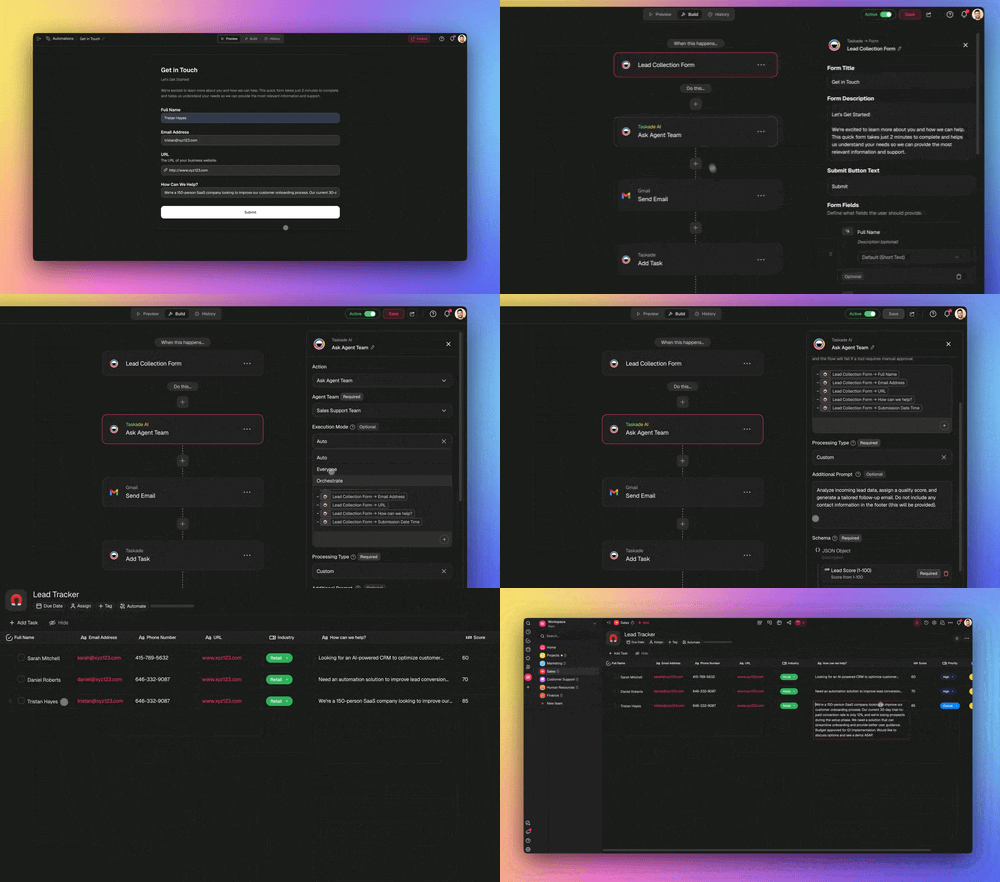
A worked example: automating an entire approval-to-record journey
Let us make this concrete with one complete journey — the path most operations teams spend the most manual hours on. A request comes in, and today that kicks off a chain of routing, chasing, reminding, and logging that can eat 20-40 minutes of coordination per request and stretch over several days of waiting. Here is what that same journey looks like when AI agents run it: seconds to route, with a human only on the exceptions.
Picture a 25-person company that files 300 purchase and access requests a month. Manually, that is roughly 100-150 hours of routing, chasing approvers, and logging decisions. Automated, it is near-zero coordination hours and same-day turnaround — and turnaround speed is one of the biggest drivers of how fast the rest of the company can move.
Walk through what each agent does and why it matters:
| Stage | Agent / step | What happens | Time saved |
|---|---|---|---|
| Intake | Form trigger | Pulls the new request in the instant it is filed | Instant vs. checking inbox |
| Classify | Intake agent | Tags type, urgency, and matches it to policy | 10-15 min per request |
| Route | Route agent | Picks the right approver, escalates over threshold | Manual triage gone |
| Approve | Human (the 1%) | One-click yes on routine, real review on exceptions | Seconds — judgment kept |
| Notify | Chat action | Tells the requester and the team the outcome | No status chasing |
| Log | Tracker action | Writes the auditable record back to your system | No copy-paste, full trail |
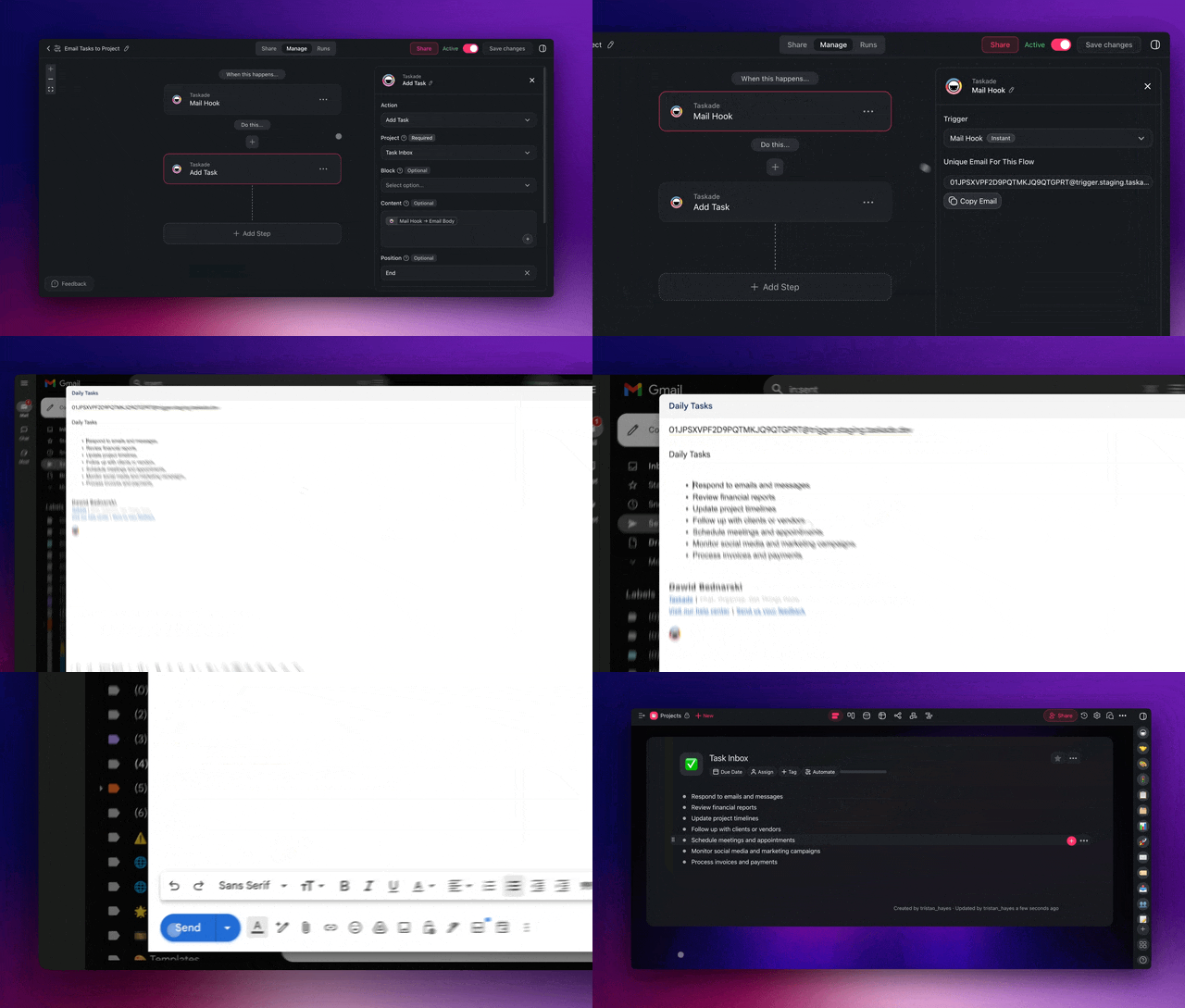
The magic is not any single step — it is that they run as one continuous flow inside one app. No exporting a request to an approvals tool, no pasting into a separate notifier, no manually logging the decision in a spreadsheet. The request is read, classified, routed, decided, announced, and logged before a manager has finished their coffee. And because it all lives in Taskade, the next agent in your stack — say, a capacity-planning agent — can pick up exactly where this one left off.
This is an operations agent reading, routing, and acting in a real workspace:
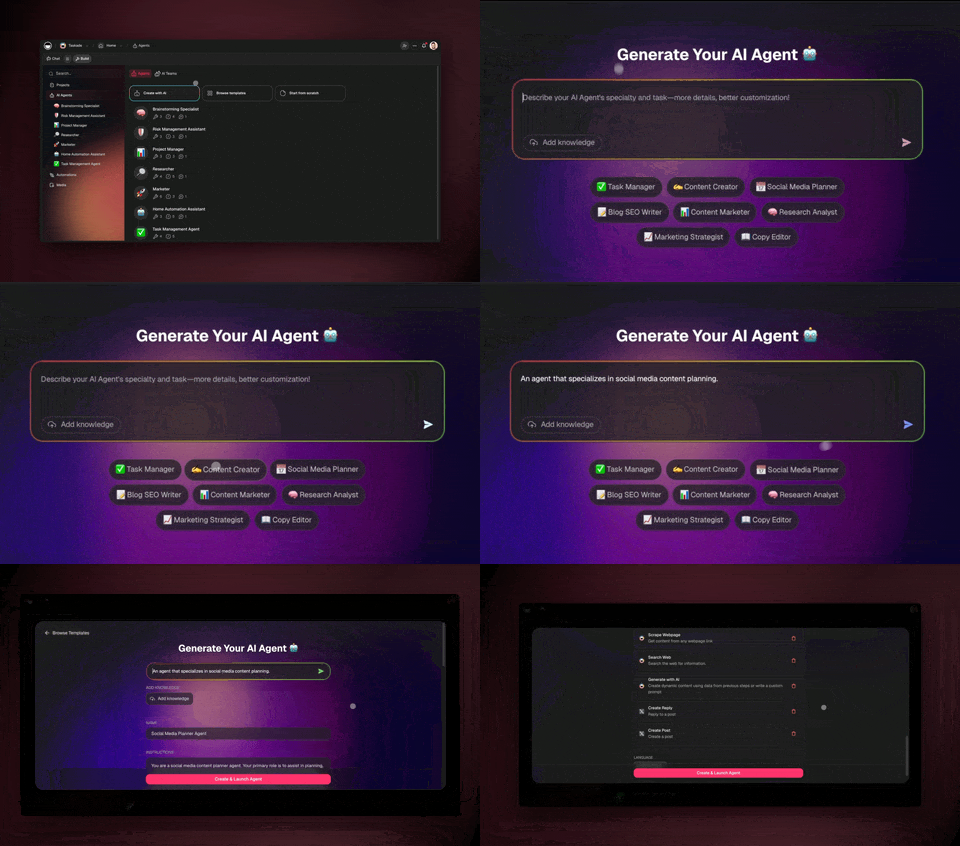
Build this once and it runs forever. Then point the same four-move pattern at your next journey — vendor onboarding, incident triage, inventory reorders — and your operations system grows one agent at a time. The full step-by-step is in the agent playbook and the forms trigger guide.
What Taskade Genesis can do for operations: the full platform
Taskade Genesis is not a single feature — it is a complete operations operating system built on one self-reinforcing loop called Workspace DNA: Memory (your Projects) feeds Intelligence (your AI agents), Intelligence drives Execution (your automations), and Execution writes new Memory. Everything below plugs into that loop, which is why an operations system built in Taskade gets measurably better every week instead of staying a static flow. Here is the full toolkit and exactly how each piece maps to operations work.
| Capability | What it is | What it does for your operations |
|---|---|---|
| Workspace DNA loop | Memory → Intelligence → Execution → Memory | Every approval, vendor, and reorder logs back into Memory, so the next decision is smarter and your audit trail builds itself |
| 7 project views | List, Board, Calendar, Table, Mind Map, Gantt, Org Chart | The same ops data is a status board, a deadline calendar, an audit table, and a capacity Gantt — zero re-entry |
| 33 built-in agent tools | Web search, file analysis, code execution, custom slash commands, persistent memory, and more | An onboarding agent reads a vendor doc, verifies it on the web, runs a check, and logs the result in one run |
| Multi-agent teams | Agents hand work to each other | Intake → route → approve → log runs as one continuous flow, not four disconnected tools |
| 100+ bidirectional integrations | Triggers pull events in, actions push data out | Read a form request, route it, alert chat, and sync the tracker — both directions stay in sync automatically |
| 15+ frontier models | Models from OpenAI, Anthropic, Google, and open-weight providers | Route a fast classification to a light model and a nuanced policy call to a stronger one — automatically |
| Custom domains + app publishing | Ship a shareable operations app on your own URL | Give vendors a branded intake portal or your team a private ops dashboard, no engineer needed |
| 7-tier role-based access | Owner, Maintainer, Editor, Commenter, Collaborator, Participant, Viewer | Agents run the volume; named humans keep approval rights on the 1% that carries risk |
Tie that back to this guide's use case. Your approval-routing agent is Intelligence reading Memory (past approvals, thresholds, who is out of office) and driving Execution (route, notify, log). Your status-report agent turns the same Memory into a Monday digest. Your vendor-onboarding agent uses the 33 tools to collect, verify, and file. None of them is a bolt-on — they are all instances of the one loop, which is why each new agent reinforces the last. Explore each piece on the agents hub, the automation hub, and the AI apps page.
Where this is heading
The direction is clear: operations stops being a job you do and becomes a system you direct. Taskade's vision is that every team runs on a self-reinforcing Memory + Intelligence + Execution loop — where one plain-English prompt becomes a living, self-improving operations app that remembers every decision, reasons over every request, and executes across every tool. The endgame is not a faster flowchart. It is an operations system that watches its own metrics, proposes the next automation before you ask, and tightens itself every week — so a five-person team carries the coordination load of a fifty-person one, and the operator spends their hours on judgment instead of chasing updates. That future is already cloneable today; the app embedded at the top is the first version of it.
What to automate first (and what to keep)
Automate the operations work that is repeatable and low-judgment; keep the work that needs your context, your relationships, and your name on the high-stakes call. The 99/1 split is not about removing operators — it is about pointing them at the 1% that actually carries risk.
| Automate the 99% (give to agents) | Keep the 1% (stays human) |
|---|---|
| Routing routine approvals | Exception and over-threshold sign-off |
| Compiling weekly status reports | Reading the report and deciding |
| Collecting vendor docs and setup | Negotiating a key supplier contract |
| Watching inventory and flagging reorders | Big purchasing and budget calls |
| Running documented SOPs step by step | Designing the SOP and the policy |
| Logging decisions and notifying people | High-stakes escalations and disputes |
A useful gut check: if you would be comfortable explaining the task to a sharp new operations hire in two sentences, an agent can do it. If it needs your years of context, your relationships, or your judgment on risk, keep it. Start with one agent on one task, measure the hours it gives back, then add the next. For clearing the small repetitive tasks underneath all this, our automate busywork guide is the companion to this build; for documenting the procedures your agents run, see AI SOP software; and for the lean-team starter playbook, read automate small business.
Status reporting: the agent that gives you Monday mornings back
The single fastest win in operations is a status-report agent, because status chasing is the most universal time-sink — every team has someone who spends 2-4 hours a week asking people for updates and assembling them into a digest. An agent reads the projects, pulls the changes since last week, summarizes what moved and what is stuck, and posts a clean digest to your chat before anyone has logged in. That alone recovers hours every week and replaces a separate reporting tool.
What makes the agentic version better than a scheduled rule is that it does not just dump data — it reasons about it. It can flag the items that slipped twice, call out the blocker that three projects share, and suggest who to ping. Because the data already lives in Projects with 7 views, the same status data is a Board for the team standup, a Calendar for deadlines, and a Gantt for capacity — no re-entry. Pair it with the automation triggers and the report runs on whatever cadence you set. For the complete build — what to summarize, how to format the digest, and which trigger cadence to use — follow our dedicated automate reporting guide.
Keep your team in the loop with the right roles
Automation does not mean losing control — it means setting the right guardrails. Taskade uses 7-tier role-based access (Owner, Maintainer, Editor, Commenter, Collaborator, Participant, Viewer) so you can let an agent run while keeping approval rights with the people who own the decision. Your finance lead can be an Editor who must approve anything over a threshold; a contractor can be a Commenter who can suggest but cannot change a record.
That governance is what makes "automate 99%" safe at a real company. The agents do the volume; the roles make sure nothing of consequence happens without the right human sign-off, and every action is logged in Memory for a full audit trail. Pair it with the multi-agent review loop and you get speed and accountability — the combination most operations teams thought they had to choose between. This is how a small team safely runs the coordination load of a much bigger one.
Frequently asked questions
How do I start automating my operations today?
Pick your single most-repeated coordination task — usually status reporting or approval routing — then describe the outcome to Taskade Genesis in plain English. It builds the agent, the automation, and a live app — no code, no wiring. Teams that start this way cut coordination time 60-80% and software costs 50-70%. Start free and add one agent at a time.
What is the best AI for operations automation in 2026?
The best fit is a platform that combines reasoning agents with reliable automations and a place to store your operations data and audit trail — not just an app-connector. Taskade Genesis does all three from one prompt, with 33 built-in agent tools and 15+ frontier models from OpenAI, Anthropic, and Google. For documenting the procedures it runs, see our AI SOP software guide.
Will AI agents replace operations managers?
No — they replace the repeatable 99% so operators can own the 1% that needs judgment: exceptions, escalations, supplier relationships, and high-stakes sign-off. Agentic AI is goal-driven software that plans and executes routine coordination, not strategic risk calls. The manager moves from chasing updates to directing the agent team.
How do operations AI agents connect to my tools?
Through 100+ bidirectional integrations — triggers pull requests and events in, actions push routed decisions, notifications, and logged records back out. An agent can read a form request, classify it, route it, notify the team, and sync the record to your tracker in one run, with both directions staying in sync automatically.
How much can I save by automating operations?
Teams typically cut coordination and status-chasing time 60-80% and operations software costs 50-70% by consolidating separate approval, reporting, vendor, and inventory tools into one Taskade system. Savings compound as one platform replaces several point tools and each new agent reinforces the last inside the same workspace.
Is automated operations auditable enough for compliance?
Yes. Every agent decision, approval, and action is logged back into Memory, giving you a full trail of who approved what and when. Combined with 7-tier role-based access from Owner through Viewer and a human sign-off on exceptions, you get speed and accountability together. Learn the governance basics in Learn Taskade.
Can I try a real operations app before building my own?
Yes. Clone a live operations app from the Community Gallery in about 30 seconds and run it in your own workspace, or start from a prompt. The operations automation app embedded at the top of this guide is cloneable today.
Ready to automate 99% of your operations? Start free with Taskade Genesis — describe the operations system you want, and watch it build the agents, connect your tools, and ship a live app you can run today. Explore the automation hub, browse cloneable apps, or build your first AI agent team — the connective tissue that lets a small team run like a big one.
▲ ■ ● Memory, Intelligence, Execution — describe the operations outcome, and Taskade Genesis remembers your policies, reasons over your requests, and runs the coordination across every tool. That is the difference between a stack of automations and an operations system that runs itself.