






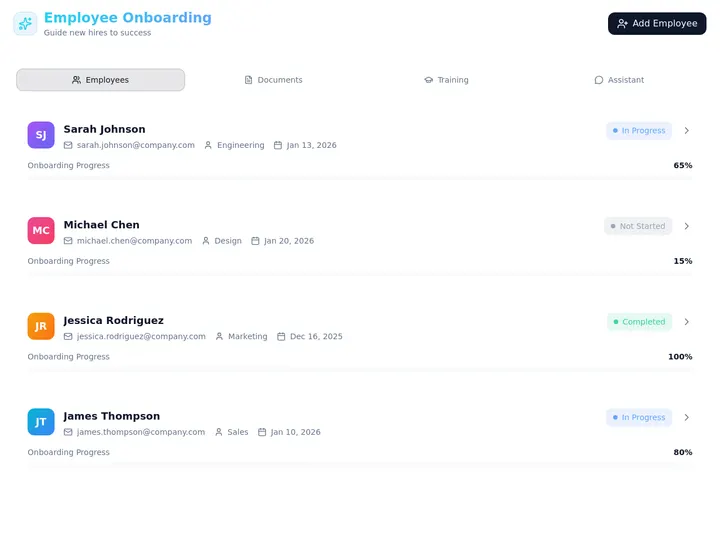
Updated June 2026. Onboarding software should not hand you a product tour and walk away. Generate the onboarding portal in Taskade Genesis, then run it as a live app, branded, customer-facing, and tracked from kickoff to live. Userpilot and Appcues lead on in-app tours, Pendo on product analytics, WalkMe and Whatfix on enterprise adoption, and Arrows on CS onboarding plans. But only Taskade Genesis gives you a portal you own and reshape per customer. Want ready-made starting points instead? See our AI customer onboarding templates. Try Taskade Genesis free →
Try It Live: An Onboarding Portal You Can Actually Run
Every other tool on this list bolts tours onto someone else's product. This one hands you the portal itself. The app below was built from a single prompt in Taskade Genesis: it walks a new customer through every onboarding step, fills a progress bar as they finish, holds the resources they need, and hands the account to your success team when it is ready to go live. Click it, clone it, and watch onboarding stop being a slide deck and a follow-up email.
Watch how one prompt becomes a running workspace app:
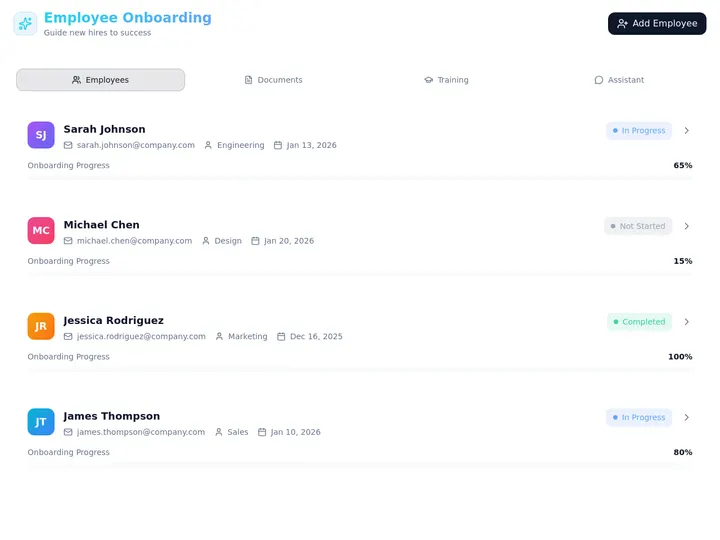
This is the difference the rest of the article is about. Onboarding software that drives a tour inside a product is a tool. Onboarding software that gives you a portal you own, with progress, resources, and handoffs in one place, is leverage. Clone this app and onboard your next customer →
The Evolution of Customer Onboarding Software: From PDF Checklist to Living Portal
Customer onboarding software has moved through five eras, and 2026 is the start of the sixth. It began as a PDF checklist a CS rep emailed and hoped someone read. It became a shared spreadsheet of tasks. It became an in-app product tour with tooltips and modals. It became a digital adoption platform that tracked clicks across whole apps. It became an AI tool that drafts the steps for you. And now, with Taskade Genesis, it becomes a living portal, the steps, the progress, the resources, and the handoffs, generated from one prompt. Each era kept the previous job and added a new one. The pattern is consistent: the onboarding got smarter, but it stayed something the vendor hosted. The 2026 shift is the first time the output is a portal you own and reshape per customer.
Here is the whole arc, era by era:
Read the same arc as a milestone table, what changed, and what each era still left on the table:
| Era | What you shipped | What you got back | What it still couldn't do |
|---|---|---|---|
| 2000s — PDF checklist | A .pdf attachment |
A reply, maybe | No idea if a step got done |
| 2010–14 — Shared sheet | A spreadsheet of tasks | Manual status updates | No customer-facing surface |
| 2015–19 — In-app tour | Tooltips inside the product (Appcues) | Tour completion rates | Lives in their tool, not yours |
| 2020–23 — Adoption platform | Guided flows across apps (WalkMe, Whatfix) | Click-level analytics | Per-seat, enterprise-priced |
| 2024–25 — AI drafting | Prompt-generated step lists | A faster first draft | Still a tour, still siloed |
| 2026 — Living portal | An onboarding app you own (Taskade Genesis) | A tracked account you reshape | — (this is the frontier) |
The plain-English takeaway: every era made onboarding prettier or faster to set up. Only the 2026 era makes the onboarding a portal you own and run. That is the whole reason Taskade Genesis tops this list. It is built for the era the rest of the category is still catching up to. For the conceptual deep-dive on how prompt-to-app generation works, see our Genesis Loop explainer and the Taskade Genesis overview.
What Is the Best Customer Onboarding Software in 2026?
Taskade Genesis is the best customer onboarding software in 2026 because it closes the loop between planning onboarding and running it. Describe the journey, the kickoff, the setup steps, the training, the go-live, and Taskade Genesis generates a live onboarding portal with progress tracking, a resource hub, and CS handoffs. Every other tool on this list bolts a tour onto a product or hosts a plan in their system; Taskade Genesis hands you a portal you own, brand, and reshape for each customer.
The plain-English version: the onboarding that used to take a CS manager building a tracker, a designer making a welcome doc, and an ops person chasing each account gets generated and tracked to live in an afternoon. Taskade's first self-serve Enterprise customer — an IT program manager with no engineering team — built a production field-service dashboard on Taskade Genesis and put it this way: "What I accomplished in a few weeks would have taken a team of 40+ people 18 months in a Fortune 500." He didn't build a tour. He built the app that runs the work.
Drive a Tour vs. Own the Portal: Why a Product Tour Isn't Enough
A product tour guides one user through a screen. An onboarding portal carries a whole account from signed to successful. That is the gap. Eight of the nine tools below live inside your customer's product session, a tooltip here, a checklist modal there, and the data lives in their dashboard, priced per monthly active user. Taskade Genesis takes the same brief and returns a portal you own: each customer sees their steps and progress, your team sees the whole portfolio, and automations move the account forward without anyone refreshing a spreadsheet.
Here is the path onboarding actually travels when the tool doesn't stop at the tour:
Most tools on this list live in the first two boxes. Taskade Genesis is the only one that carries onboarding all the way to the last one, a handed-off, successful account, not a finished tour.
Side by side, the week after a customer signs looks like this:
  A PRODUCT-TOUR TOOL                     A PORTAL GENERATOR (Taskade Genesis)
  ─────────────────────                   ──────────────────────────────
  [ you ] design a tour                   [ you ] describe the journey
      │                                       │
      ▼                                       ▼
  publish tooltips in their product       a live onboarding portal you own
      │                                       │
      ▼                                       ├─ customer checks off each step
  watch tour completion %                 ├─ status: kicked off → live
      │                                       ├─ automation hands off to CS
      ▼                                       ▼
  data sits in the vendor's dashboard     clone it → reuse for the next customer
  (rebuild per app, pay per MAU)          (whole portfolio in one workspace)
The left column is where eight of these tools end. The right column is where the account actually goes live.
Why Owning the Portal Is the Whole Game
The onboarding you can reshape is the onboarding that fits the customer. Most product-tour tools price by monthly active user, so a growing customer base quietly raises your bill, and the onboarding surface lives inside the vendor's product where you can style a modal but never own the data. A tour goes dark the moment the user closes the tooltip. A live onboarding portal does the opposite: it shows each customer exactly where they are, shows your team every account at a glance, and lets an agent act when an onboarding stalls.
That is the difference between a tool that drives a tour and one that hands you a system. Every tool on this list can draft a decent step list in 2026; AI made step-drafting a solved problem. The unsolved problem, the one that actually moves activation and retention, is owning the surface, tracking the whole account, and automating the handoff. Taskade Genesis is built around that second half. The step list is table stakes. The portal you own is the product.
How We Ranked
We ranked 9 customer onboarding tools on six criteria that matter to the person who has to get the account live, not just launch a tooltip:
- Onboarding scope, in-app tours only, or the whole account journey with milestones and handoffs.
- Output you keep, a vendor-hosted tour, a hosted plan, or a live portal you own and reuse.
- Progress tracking, can you see where every customer stands after kickoff, across the portfolio.
- Automation & handoffs, do welcome emails, reminders, and CS handoffs fire on their own.
- Branding & ownership, your logo, your domain, and a surface the customer reviews directly.
- Pricing, free-tier generosity and cost at the annual price, per workspace or per MAU.
Scored against those six criteria, here is how the field stacks up at a glance, the column that separates the leader from the pack is "Output you keep":
| Tool | Onboarding scope | Output you keep | Progress tracking | Branding | Price value |
|---|---|---|---|---|---|
| Taskade Genesis | Full journey + handoffs | Live portal you own | Full (multiple views) | Logo + domain | Excellent (free) |
| Userpilot | In-app + analytics | Vendor-hosted tours | Product analytics | Strong | Fair (per MAU) |
| Appcues | In-app + mobile | Vendor-hosted tours | Flow analytics | Strong | Fair (per MAU) |
| Pendo | Analytics + guides | Vendor-hosted guides | Deep analytics | Good | Low (5-figure) |
| WalkMe | Enterprise adoption | Vendor-hosted flows | Adoption analytics | Strong | Low (enterprise) |
| Whatfix | Enterprise adoption | Vendor-hosted flows | Adoption analytics | Strong | Low (enterprise) |
| Chameleon | In-app experiences | Vendor-hosted tours | Experience analytics | Strong | Fair (per MAU) |
| UserGuiding | No-code in-app | Vendor-hosted guides | Guide analytics | Good | Good (budget) |
| Arrows | CS onboarding plans | Hosted plan / portal | Plan status | Good | Fair |
The grid tells the story before you read a word of the reviews: most tools earn "Good" or "Strong" on tracking and branding, then every single one keeps the output vendor-hosted, except the one that hands you a live portal you own.
The 9 Best Customer Onboarding Software
1. Taskade Genesis: Best Overall: Generate a Live Onboarding Portal You Own
Taskade Genesis is the only tool on this list that generates an onboarding portal and lets you own it. Describe the journey in one prompt, the kickoff, the setup tasks, the training, the go-live checklist, the owners, and the dates, and Taskade Genesis builds a working app: a customer-facing portal where each account checks off steps and watches a progress bar fill, a resource hub for the guides and videos they need, and a CS handoff that fires when the account is ready to go live.
That is the structural gap in the whole category. Every competitor hosts a tour inside your customer's product session or a plan inside their dashboard. Taskade Genesis carries onboarding all the way to a live, successful account and keeps the portal in your workspace. The onboarding that used to take a CS manager, a designer, and an ops chaser gets generated and tracked to live in an afternoon. Want a head start? Browse AI customer onboarding templates and clone one.
One portal covers both halves of onboarding. The same Taskade Genesis app holds the user-level steps a new person needs and the account-level plan a whole company needs, so you stop juggling a tour tool and a CS tracker. The workspace ships multiple project views (List, Board, Calendar, Table, Mind Map, Gantt, and Org Chart, the Timeline lives inside Gantt), so the customer sees a clean checklist while your CS team sees every account on a Board, every milestone on a Calendar, and a percent-complete column on a Table.
Taskade Genesis runs on 15+ frontier models from OpenAI, Anthropic, Google, and open-weight providers, so the welcome copy and step descriptions read like your voice, not a template. Taskade EVE, the Taskade Genesis meta-agent, drafts the plan from your brief, and AI Agents v2 ship built-in tools so an onboarding agent can summarize a kickoff call, draft a reminder, and nudge a customer who has gone quiet. Behind it all, reliable automation workflows fire the welcome email, the milestone reminder, and the CS handoff through 100+ bidirectional integrations, triggers pull a new customer in from your CRM, actions push status back out. Your team works under a role model (Owner to Viewer), and every customer gets their own sign-in through App Users, so a customer opens the onboarding surface you match to their login while your team sees the whole portfolio. Brand the portal with your logo and a custom domain on Business and above.
Best for: Any team, SaaS product, customer success, or agency. That wants onboarding to get the account live, not just launch a tooltip.
Strengths: Only tool that turns onboarding into a portal you own and reshape; covers both user-level steps and account-level plans in one app; live progress tracking across multiple views; automated welcome emails, reminders, and CS handoffs; custom branding and domain; generous free tier.
Weaknesses: It is not a click-by-click in-app tour engine, so if you need tooltips fired inside your SaaS UI specifically, you pair Taskade Genesis with a tour tool or embed the portal; the polished tour-template gallery is younger than Userpilot's.
Pricing: Free (Free Forever plan), Pro $10/mo (the Popular tier), Business $25/mo, Max $100/mo, Enterprise $250/mo, all annual billing.
The catch: Honest one, Taskade Genesis owns the portal and the plan, while in-product tooltips inside your own app are wired by embedding or pairing a tour tool. Everything around the account, steps, progress, resources, handoffs, is built in.
Verdict: The clear winner for anyone who wants onboarding to be a portal they own, not a tour they rent.
2. Userpilot: Best Product-Led In-App Onboarding
Userpilot is the product-led growth incumbent. It builds in-app onboarding flows, checklists, tooltips, modals, and surveys, on top of solid product analytics, so a SaaS team can guide users to activation and measure exactly which step drives it. Its no-code builder and transparent, published pricing are genuine strengths in a category that loves to hide its prices, and the analytics-plus-guidance combo means you can see why a flow works, not just that it ran.
Best for: SaaS product teams that want in-app onboarding tied to product analytics.
Strengths: Strong analytics-plus-guidance combo; published pricing; no-code flow builder; good segmentation for personalized onboarding.
Weaknesses: Web-first (limited mobile); flows live in Userpilot's system, not a portal you own; pricing is per monthly active user, so the bill climbs as you grow.
Pricing: Starter from around $299/mo; Growth around $749/mo (annual), priced by tracked users.
The catch: You get in-app tours inside your product, not a customer-facing portal you own, clone, or hand off to CS.
Verdict: Best for product teams that want in-app onboarding measured by built-in analytics.
3. Appcues: Best Polished In-App Flows With Mobile
Appcues is the design-and-polish benchmark for in-app onboarding. It builds flows, checklists, and announcements with a clean no-code editor, and it is one of the few tools here with real iOS and Android SDKs, so mobile onboarding is a first-class citizen rather than an afterthought. For teams that onboard users inside both web and mobile apps and care about how the experience looks, the polish and the mobile coverage are real advantages.
Best for: Product teams onboarding users across web and mobile apps.
Strengths: Native iOS and Android SDKs; polished no-code editor; strong template library; mature, well-supported platform.
Weaknesses: Flows are vendor-hosted, not a portal you own; pricing scales with monthly active users; deeper analytics live elsewhere.
Pricing: Essentials from around $249/mo (annual) for 2,500 MAUs; higher tiers with mobile run to $750/mo+.
The catch: It is an in-app flow builder. You get tours and checklists inside your app, not an owned onboarding portal or an automated CS handoff.
Verdict: Best if you onboard users in web and mobile apps and want polished flows.
4. Pendo: Best Product Analytics + In-App Guides
Pendo is the analytics-first heavyweight. It pairs deep product analytics, funnels, paths, retention, and feature usage, with in-app guides and surveys, so a product org can see exactly how users behave and then guide them where the data says they get stuck. For mid-market and enterprise product teams that want to prove an onboarding hypothesis with hard usage data, Pendo's analytics depth is genuinely best-in-class, and its mobile support is broader than most web-only rivals.
Best for: Mid-market and enterprise product teams that lead onboarding with usage data.
Strengths: Deep, trusted product analytics; in-app guides and surveys; mobile analytics; strong for data-driven onboarding decisions.
Weaknesses: Opaque, sales-gated pricing; heavy and analytics-oriented; overkill for a small CS team; guides are vendor-hosted, not owned.
Pricing: Custom, sales-only; reported five-figure annual contracts (a commonly cited median is roughly $48,500/yr).
The catch: It is an analytics platform with guides attached. You get insight and tooltips, not a customer-facing portal you own or a CS handoff workflow.
Verdict: Best for product teams that lead onboarding decisions with deep usage analytics.
5. WalkMe: Best Enterprise Digital Adoption at Scale
WalkMe is the enterprise digital adoption platform that defined the category. It overlays guided flows, smart tips, and automation across any web application, including internal enterprise systems like Salesforce, Workday, and SAP. So a large organization can drive adoption of software employees and customers actually struggle with. For governed, large-scale rollouts with advanced security controls, WalkMe's depth and enterprise features are a genuine strength.
Best for: Large enterprises driving adoption across many internal and customer-facing apps.
Strengths: Application-agnostic overlay; advanced enterprise security and controls; automation across complex workflows; proven at scale.
Weaknesses: Enterprise-only and demo-gated; expensive and implementation-heavy; far too much for a startup or a single product's onboarding.
Pricing: Custom; entry reportedly around $9,000/yr, with enterprise contracts averaging tens of thousands and reaching into six figures.
The catch: It is built for governed enterprise adoption across an app portfolio, not a portal a small CS team owns and clones per customer.
Verdict: Best for enterprises running governed adoption programs across many applications.
6. Whatfix: Best Enterprise Adoption With Flexible Deployment
Whatfix is WalkMe's closest enterprise rival and the application-agnostic DAP that many large IT teams prefer. It ships interactive walkthroughs, smart tips, task lists, and a self-help widget across the whole software stack, plus newer agentic AI and a pre-production validation mode. For enterprises that want flexible deployment, including self-hosted options, and a strong self-help layer, Whatfix's breadth and deployment options are real differentiators.
Best for: Enterprise IT teams driving adoption across many apps with flexible deployment needs.
Strengths: Application-agnostic flows; self-help widget and task lists; flexible (including self-hosted) deployment; agentic AI and pre-production validation.
Weaknesses: Enterprise pricing and implementation fees; complex to set up; oriented to internal adoption more than customer onboarding portals.
Pricing: Custom; entry roughly $14,400–$24,000/yr by MAU, averaging around $32,000/yr, with implementation fees on top.
The catch: Like WalkMe, it governs adoption across an app stack. You get flows inside many products, not an owned, cloneable onboarding portal.
Verdict: Best for enterprise teams that want flexible, governed adoption across their software stack.
7. Chameleon: Best Customizable In-App Experiences
Chameleon is the customization-first in-app tool. It builds tours, modals, banners, microsurveys, and embeddable cards with deep styling control, plus AI-powered A/B testing and a CMD+K spotlight search, so a product team can craft highly tailored onboarding experiences that match the product's design exactly. For teams that want pixel-level control and the freedom to A/B test their onboarding, the customization depth and experimentation tools are genuine strengths. (Userflow is the lighter, simpler-pricing cousin in this same in-app-tour niche, from around $240/mo.)
Best for: Product teams that want highly customized, on-brand in-app onboarding experiences.
Strengths: Deep customization and styling; AI-powered A/B testing; embeddable cards and spotlight search; flexible experience types.
Weaknesses: Web-only (no native mobile); more technical setup than no-code rivals; opaque pricing; experiences are vendor-hosted, not owned.
Pricing: Startup from around $279/mo (2,000 MAU); Growth from around $599/mo, priced by tracked users.
The catch: You get beautifully customized tours inside the product. But the experience lives in Chameleon's system, not a portal you own and hand off.
Verdict: Best for teams that want pixel-perfect, A/B-tested in-app onboarding.
8. UserGuiding: Best Budget No-Code Onboarding
UserGuiding is the budget-friendly no-code benchmark. It builds interactive guides, checklists, tooltips, and resource centers without a line of code at a price that undercuts almost everyone in the category. For a startup or a small team that needs decent in-app onboarding now and can't justify a four-figure monthly bill, the value and the genuinely no-code builder are a real win.
Best for: Startups and small teams that want no-code in-app onboarding on a tight budget.
Strengths: Lowest entry price in the category; genuinely no-code builder; checklists, tooltips, and resource centers; fast to launch.
Weaknesses: Lighter analytics and customization than premium rivals; web-focused; guides are vendor-hosted, not a portal you own.
Pricing: From around $69/mo for up to ~1,000 MAUs, rising with tracked users.
The catch: It does one job well, affordable in-app guides. So there's no owned portal, account-level plan, or automated CS handoff.
Verdict: Best for budget-conscious teams that want no-code onboarding without the premium price.
9. Arrows: Best Customer-Success Onboarding Plans for HubSpot
Arrows is the CS-onboarding specialist. Instead of in-app tooltips, it builds shared onboarding plans and sales rooms that a customer success team and a customer work through together, milestones, tasks, owners, and a client-facing portal, with deep native HubSpot (and Salesforce) integration. For high-touch B2B onboarding run out of a CRM, Arrows' account-level plan model and native CRM sync are a genuine strength, and it is the closest competitor to the "whole account journey" idea.
Best for: Customer success teams running high-touch B2B onboarding inside HubSpot or Salesforce.
Strengths: Account-level onboarding plans (not just tours); native HubSpot and Salesforce sync; client-facing portal and sales rooms; built for high-touch CS.
Weaknesses: Tied closely to HubSpot/Salesforce; pricier at the team tiers; the portal is hosted by Arrows, not an app you own and reshape freely.
Pricing: Sales Rooms from around $100/mo; Onboarding Plans Growth around $500/mo, Business around $1,250/mo, Enterprise custom.
The catch: It is the closest rival on account-level onboarding. But the plan lives in Arrows' system and leans on a CRM, rather than a portal you fully own across every workflow.
Verdict: Best for CRM-centric CS teams that want structured, account-level onboarding plans.
Comparison Table: Ownership, Tracking, and the Annual-Pricing Wedge
Feature matrices hide the one thing that actually decides the buy: what you walk away with. This table strips it down to the columns the rest of the category quietly skips, what you own (a vendor-hosted tour, a hosted plan, or a portal you keep), whether you track the whole account after kickoff, and the annual price. This is where Taskade Genesis is the only green row.
| Tool | Output you own | Track the whole account | Onboarding scope | Live cloneable portal | Price (annual) |
|---|---|---|---|---|---|
| Taskade Genesis | Live portal you own | Yes — multiple views + handoff | User steps + account plan | Yes — clone it | Free / $10 / $25 |
| Userpilot | Vendor-hosted tours | Product analytics | In-app users | No | ~$299/mo (per MAU) |
| Appcues | Vendor-hosted tours | Flow analytics | In-app users (web + mobile) | No | ~$249/mo (per MAU) |
| Pendo | Vendor-hosted guides | Deep analytics | In-app users | No | ~$48K/yr (custom) |
| WalkMe | Vendor-hosted flows | Adoption analytics | Enterprise apps | No | ~$9K–$78K/yr |
| Whatfix | Vendor-hosted flows | Adoption analytics | Enterprise apps | No | ~$24K–$32K/yr |
| Chameleon | Vendor-hosted tours | Experience analytics | In-app users | No | ~$279–$599/mo |
| UserGuiding | Vendor-hosted guides | Guide analytics | In-app users | No | ~$69/mo+ |
| Arrows | Hosted plan / portal | Plan status | Account-level plans | No | ~$100–$1,250/mo |
Read the rows top to bottom and the wedge is obvious: a vendor-hosted tour or plan is where the others finish, and where Taskade Genesis is just getting started. On price, Taskade Genesis starts Free, then Pro $10 (the Popular tier), Business $25, Max $100, and Enterprise $250, and every paid tier ships a portal you own with a custom domain. Most competitors price per monthly active user, so a growing customer base quietly raises the bill; Taskade Genesis climbs by workspace instead. You are not paying for a prettier tooltip. You are paying for an onboarding portal you own.
Full Feature Matrix: Nine Tools, Eight Columns
This is the detailed grid the buyer's-guide pages bury or skip. It scores all nine tools on the eight capabilities that decide a customer onboarding workflow, AI drafting, an owned portal, progress tracking, automated handoffs, a resource hub, custom branding, CRM/email integration, and a free tier. Taskade Genesis is the only row that is "Yes" straight across the ownership columns.
| Tool | AI draft | Owned portal | Progress tracking | Auto handoffs | Resource hub | Custom domain | CRM + email | Free tier |
|---|---|---|---|---|---|---|---|---|
| Taskade Genesis | Yes (EVE) | Yes — clone it | Yes (multiple views) | Yes (automations) | Yes | Yes (Business+) | 100+ integrations | Yes (Free Forever) |
| Userpilot | Partial | No | Analytics | No | Resource center | No | Yes | Trial only |
| Appcues | Partial | No | Flow analytics | No | Yes | No | Yes | Trial only |
| Pendo | Partial | No | Deep analytics | No | Yes | No | Yes | Trial only |
| WalkMe | Yes | No | Adoption analytics | Partial | Self-help | No | Yes | No |
| Whatfix | Yes | No | Adoption analytics | Partial | Self-help | No | Yes | No |
| Chameleon | Yes | No | Experience analytics | No | Embeddables | No | Yes | Trial only |
| UserGuiding | Partial | No | Guide analytics | No | Resource center | No | Yes | Trial only |
| Arrows | Partial | Hosted | Plan status | Partial | Plan resources | Partial | HubSpot/SFDC | Trial only |
The shape of the grid is the argument. Most tools earn a column of "Yes" on drafting and integrations, then go blank on an owned portal and a free tier. Taskade Genesis is the only tool that fills the ownership columns, which is exactly where onboarding becomes a system you keep.
Pricing Matrix: The Annual-Pricing Wedge, Tier by Tier
Most onboarding-software pages quote a single "from" price and hide the per-MAU math. Here is the honest annual-billing picture across the field, with what you actually keep at each price. Taskade Genesis is the only one with a real free tier and a flat per-workspace climb instead of per-monthly-active-user math.
| Tool | Free tier | Entry (annual) | Mid tier | Top / Enterprise | What you keep |
|---|---|---|---|---|---|
| Taskade Genesis | Free Forever | Pro $10/mo ★ | Business $25/mo | Max $100 · Enterprise $250 | A portal you own + clone |
| Userpilot | No | ~$299/mo | ~$749/mo (Growth) | Custom | Vendor-hosted tours |
| Appcues | No | ~$249/mo | ~$750/mo (mobile) | Custom | Vendor-hosted flows |
| Pendo | No | Custom (5-figure) | ~$48K/yr median | Enterprise custom | Vendor-hosted guides |
| WalkMe | No | ~$9K/yr | Rises by scope | Six figures | Vendor-hosted flows |
| Whatfix | No | ~$24K/yr | ~$32K/yr avg | Six figures | Vendor-hosted flows |
| Chameleon | No | ~$279/mo | ~$599/mo (Growth) | Custom | Vendor-hosted tours |
| UserGuiding | No | ~$69/mo | Rises by MAU | Custom | Vendor-hosted guides |
| Arrows | No | ~$100/mo | ~$500–$1,250/mo | Enterprise custom | A hosted plan |
The math is the message. Across the field you pay per monthly active user, $69 to $749 a month, or tens of thousands a year at the enterprise end, and you walk away with a tour the vendor hosts. Taskade Genesis starts free, climbs by workspace rather than by MAU, and every paid tier ships a live, brandable, cloneable portal. The Business tier at $25/mo adds the custom domain that makes the onboarding look like your own product.
Use-Case → Tool Matrix: Pick by What You're Actually Doing
Skip the feature war and start from your job. This matrix maps the most common onboarding jobs to the tool that fits, and to the Taskade Genesis build that does the same job and hands you a live portal afterward.
| Your job | Quick pick (tour-first) | Taskade Genesis route (live portal) |
|---|---|---|
| Onboard SaaS users in-app | Userpilot (analytics + guides) | Build an onboarding portal in Taskade Genesis |
| Onboard across web + mobile | Appcues (native SDKs) | Describe the journey to Taskade Genesis |
| Lead onboarding with data | Pendo (deep analytics) | Track progress on multiple views |
| Drive enterprise adoption | WalkMe / Whatfix (DAP) | Clone a portal per team |
| Customize every experience | Chameleon (styling + A/B) | Brand the portal on your domain |
| Onboard on a budget | UserGuiding (no-code, cheap) | Free Forever onboarding portal |
| Run high-touch CS plans | Arrows (HubSpot plans) | Account plan + handoffs in Taskade Genesis |
| Own the whole onboarding | — | The whole point: a portal you build |
The pattern reads in one glance: every row has a perfectly good tour-first option, and a Taskade Genesis route that does the same job and leaves you with a portal you own instead of a tour the vendor hosts. That is the whole reason to start on the right-hand column.
From Prompt to Production: What You Can Actually Build
The fastest way to understand the gap is to look at what people ship. These are real outcome shapes, not features, that start from one prompt in Taskade Genesis and end as a running onboarding app. Each is the kind of system that used to need a CS manager, a designer, and an ops chaser.
| Outcome you want | What you prompt | What you get to run |
|---|---|---|
| Onboard a new customer | "Build an onboarding portal with kickoff, setup, training, and go-live steps" | A live portal where status moves kicked off → live |
| Track every account | "Build an onboarding tracker for my whole customer portfolio" | A Board and Table of every account with percent complete |
| Run a kickoff checklist | "Build a customer kickoff checklist with owners and dates" | A checklist app the customer ticks off on multiple views |
| Host onboarding resources | "Build a resource hub with guides, videos, and FAQs per step" | A branded hub the customer opens beside their steps |
| Automate the handoff | "When onboarding hits LIVE, hand the account to the CS team" | An automation that hands off the moment it's done |
| Welcome new users | "Send a welcome email when a customer completes kickoff" | A workflow that fires the email without anyone watching |
| Reshape per segment | "Make an enterprise version with security review and SSO setup" | A cloned portal tuned to the customer's segment |
Each of these is a clone away. The onboarding portal above is the same idea ready to run, open it, clone it, and swap in your own steps, resources, and branding. That single click is the activation event the rest of this category never reaches.
Wiring onboarding end to end, your CRM, your email, your Slack, happens through Taskade's 100+ bidirectional integrations, so the portal isn't an island. Triggers pull customer events in; actions push status out.
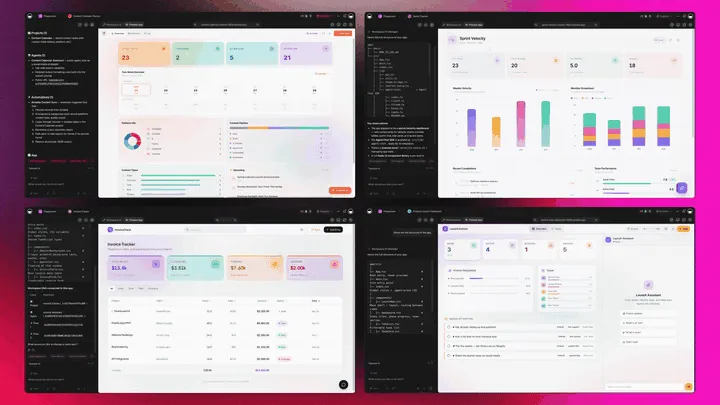
The Full Taskade Genesis Capability: What Onboarding Software Looks Like When It's Actually a Platform
Onboarding software that's really a platform doesn't just guide a user. It runs the whole account journey around them. Taskade Genesis generates the onboarding portal as a live web app, then surrounds it with agents that follow up, automations that move the account, and a workspace that remembers every successful onboarding. Here is the capability slice that matters for customer onboarding, told in plain language and shown in working product.
Taskade Genesis: Describe an Outcome, Get a Running Portal
This is the core move. You describe what you want in plain words, "an onboarding portal with kickoff, setup, training, and a go-live checklist", and Taskade Genesis returns a real, running web app, not a tour you configure. You can publish it, put it on a custom domain, and let your team clone it per customer with one click. Onboarding stops being a tool you rent and becomes a portal you ship.
The loop, drawn out:
That dotted line back to the start is the part no tour tool has: every successful onboarding feeds the next prompt. Here is what's actually inside a Taskade Genesis onboarding portal, the layers a vendor-hosted tour can never carry:
  A GENESIS ONBOARDING PORTAL (one prompt builds all of this)
  ───────────────────────────────────────────────────────────
  ┌─ STEPS ─────────────────────────────────────────┐
  │  kickoff · setup · training · go-live checklist │   ← the journey everyone else fragments
  ├─ PROGRESS ──────────────────────────────────────┤
  │  percent complete · status per account          │   ← 7 views: Board, Table, Calendar...
  ├─ RESOURCE HUB ──────────────────────────────────┤
  │  guides · videos · FAQs the customer needs      │   ← your branded surface, your domain
  ├─ HANDOFF AGENT ─────────────────────────────────┤
  │  nudges stalls · hands off to CS · 34 tools     │   ← the teammate that moves the account
  ├─ AUTOMATION ────────────────────────────────────┤
  │  welcome email · reminder · CRM + Slack sync    │   ← 100+ bidirectional integrations
  └─ MEMORY ────────────────────────────────────────┘
     every onboarding sharpens the next portal          ← Workspace DNA, the compounding part
See the same onboarding shape running live. This is the Onboarding Guide Portal, generated from one prompt:
AI Agents v2: built-in tools and a Handoff Teammate
The onboarding that finishes on time is usually the one someone followed up on. In Taskade, that someone is an agent. AI Agents v2 ship built-in tools, web search, code, file analysis, custom slash commands, plus persistent memory, multi-agent collaboration, public embedding, and multi-model routing. Point one at your onboarding portal and it drafts welcome copy, summarizes the kickoff call, checks which step is blocked, and nudges a customer who has gone quiet. EVE, the meta-agent, orchestrates the whole team from a single instruction. For the bigger picture on what agents do, see what are AI agents.

Automation: Durable Workflows That Move the Account
Behind the portal sits reliable automation, workflows that branch, loop, and filter, and run dependably without you babysitting them. Wire 100+ bidirectional integrations so triggers pull customer events in (a kickoff completed, a form submitted, a payment cleared) and actions push the account out (send the welcome email, update the CRM, hand off to CS, post to Slack). The onboarding isn't an island; it's one node in a workflow that runs itself. See how durable workflows fit the broader stack in our best AI workflow tools guide and the automations execution walkthrough.
Here is the handoff sequence the moment a customer finishes a step, no one watching, no spreadsheet to refresh:
Multiple Project Views: See the Portfolio the Way You Think
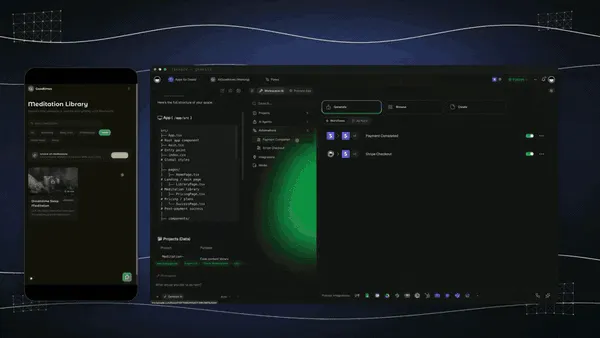
Every onboarding portal comes with multiple project views, List, Board, Calendar, Table, Mind Map, Gantt, and Org Chart (the Timeline lives inside Gantt). Watch accounts move on a Board, see go-live dates on a Calendar, map the journey on a Mind Map, and track every customer's percent complete in a Table. The customer sees only the clean checklist you share; you see the whole portfolio. A vendor-hosted tour gives you none of these.
Workspace DNA: Memory + Intelligence + Execution
The reason the loop compounds is Workspace DNA, the self-reinforcing triad of Memory, Intelligence, and Execution (the ▲ ■ ● signature). Memory remembers your most successful onboardings; Intelligence drafts the next plan in your voice across 15+ frontier models from OpenAI, Anthropic, Google, and open-weight providers (auto-routed, no model-picking required); Execution hands the account off to CS. Each successful onboarding becomes Memory for the next one, the workspace gets smarter every time a customer goes live.
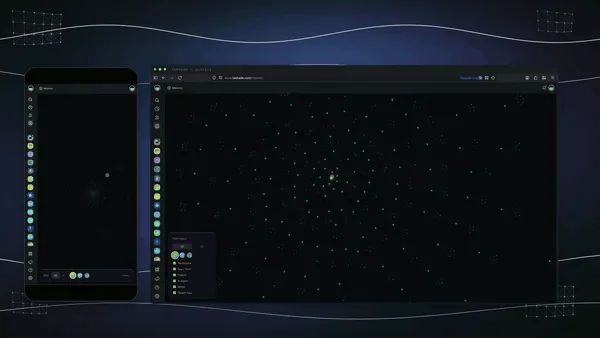
A Real Operator Already Runs On This
This isn't a roadmap promise. Taskade's first self-serve Enterprise customer — an IT program manager with no engineering team — built a production field-service dashboard on Taskade Genesis, a real, running app his team uses every day. His take: "What I accomplished in a few weeks would have taken a team of 40+ people 18 months in a Fortune 500." He didn't build a tour. He built the app that runs the work, and the onboarding portal on this page is the same idea, ready for you to clone. Browse more live, cloneable apps in the Community Gallery.
Decision Flowchart: Which Onboarding Tool for Your Job
The plain-English version: if you want onboarding to be a portal you own and reshape, every road leads to Taskade Genesis. If you only need in-app tooltips inside a single product, the niche tools are fine.
Three Operators, One Platform: How the Same Tool Fits Different Jobs
The clearest way to see the difference is to watch three very different people use the same generator. Each starts with one prompt and ends with a running portal, not a tour the vendor hosts.
The SaaS Customer Success Manager
She runs onboarding for forty accounts at once. She describes the journey to Taskade Genesis, kickoff, data import, team training, go-live, and ships a branded portal each customer works through on their own. She watches every account move on a Board from kicked off to live, sees percent complete in a Table, and lets the handoff agent nudge a customer who stalls on the training step. When an account hits live, an automation hands it to the success team and posts to Slack. The same portal clones for the next customer in a click, so she never rebuilds from a blank tracker. What used to be a spreadsheet and a string of follow-up emails is now a portfolio she actually controls.
The Solo Founder
He onboards every new customer himself and can't justify a per-MAU bill. He generates a free onboarding portal on the Free Forever plan, a checklist, a resource hub, and a welcome sequence, and shares it with each new user. Workspace Memory remembers the steps that got the last customer to first value fast, so the next portal starts stronger. A welcome email fires automatically when a customer finishes kickoff. He doesn't need a four-figure tour tool and a CS tracker; the portal covers both, and he owns it outright.
The Agency Onboarding Clients
The agency onboards a new client every week, kickoff, brand intake, access setup, first deliverable. They generate one onboarding portal template, brand it on their own domain, and clone it per client. Every live onboarding lands in one portfolio Board so the founder sees the whole book at a glance. Automations wire a finished onboarding into the project kickoff and the CRM-style records they keep, so a completed onboarding starts the work without anyone copying data by hand. Consistency and ownership, without renting a tool per seat.
The thread across all three: same platform, same one-prompt start, three completely different jobs, and in every case the output is a living portal the operator owns, not a tour locked in a vendor's product. That is the line that separates Taskade Genesis from every other tool on this list. Onboarding software that hands you a tour is a tool. Onboarding software that hands you a portal you own and reshape, steps, progress, resources, and handoffs in one workspace, is leverage. Generate yours, clone the live portal, and walk every new customer to first value. ▲ ■ ●
Frequently Asked Questions
What is the best customer onboarding software in 2026?
Taskade Genesis is the best customer onboarding software in 2026 because it generates a live onboarding portal you own, not a per-seat product tour locked in a vendor tool. Describe the journey and Taskade Genesis builds a workspace app with steps, progress tracking, resources, and CS handoffs. Pricing starts free, then Pro $10/mo and Business $25/mo, all annual billing.
Is there free customer onboarding software?
Yes. Taskade Genesis has a Free Forever plan that generates a working onboarding portal and lets you keep the app you build, with no export paywall. Most onboarding platforms start at $69 to $299 per month and gate the result behind monthly active user caps. With Taskade Genesis the onboarding app you build on the free plan is yours to share, clone, and reshape per customer.
How do I build a customer onboarding checklist app?
Describe your onboarding steps, owners, and target dates in one prompt, and Taskade Genesis builds a checklist app where each customer sees their tasks, marks them done, and watches a progress bar fill. Because it ships with multiple project views you can flip the same checklist into a Board, Table, or List, so the customer sees a clean list while your CS team sees the whole portfolio.
How do I track customer onboarding progress?
A Taskade Genesis onboarding portal is a live app, so progress updates the moment a customer completes a step. View status on a Board (kicked off, in progress, blocked, live), a Table with a percent-complete column, or a Calendar of milestone dates. A static checklist or a slide deck gives you no signal after handoff, while the live app shows exactly where every account stands.
Can I automate welcome emails and CS handoffs?
Yes. Taskade reliable automation workflows fire when a step changes, so a completed kickoff can send the welcome email, a stalled task can ping the customer success manager in Slack, and a finished onboarding can hand the account to the success team automatically. Triggers pull events in and actions push updates out across 100+ bidirectional integrations.
What is the difference between client onboarding and user onboarding?
User onboarding guides a single person through a product with in-app tours and tooltips, which is what Userpilot, Appcues, and Chameleon do. Client onboarding walks a whole account through a structured plan with milestones, owners, and handoffs, which is what Arrows and customer success teams do. Taskade Genesis covers both because the same portal can hold the in-app steps and the account-level plan.
Can onboarding software connect to my CRM and email?
Yes. Taskade ships 100+ bidirectional integrations, so an onboarding portal can pull a new customer from your CRM, send welcome and reminder emails, post progress to Slack, and write status back to the deal record. Triggers bring events in and actions push data out, so the portal stays in sync with the systems your revenue team already uses.
Is customer onboarding data private and secure?
Yes. Taskade Genesis apps run on secure infrastructure. Your team works in the workspace with role-based access from Owner to Viewer, and each customer signs in to the published portal as an App User. Match the signed-in email to that customer's onboarding records and they open their own surface while your team sees the full portfolio. You can password-protect a portal, put it on a custom domain on Business and above, and control exactly who can view or edit each step.
Which onboarding software is best for a small team versus an enterprise?
Small teams and startups do well with Taskade Genesis (free to start), UserGuiding (around $69/mo), or Userflow for simple in-app tours. Enterprises that need governed digital adoption across many internal apps lean on WalkMe or Whatfix, which run tens of thousands of dollars per year. Taskade Genesis scales across both because pricing climbs by workspace, not by monthly active user.
How does AI personalize customer onboarding?
Taskade EVE, the Taskade Genesis meta-agent, reads what you describe and generates an onboarding plan tuned to the customer segment, then agents adapt the steps as the account moves. AI Agents v2 ship built-in tools, so an onboarding agent can draft welcome copy, summarize a kickoff call, and nudge a customer who has gone quiet, all from a single instruction.
How does onboarding software reduce time to value?
Time to value drops when the customer always knows the next step and the team always knows who is stuck. A Taskade Genesis portal shows each customer a clear checklist with a progress bar, while automations remove the manual chasing that slows accounts down. The result is fewer stalled onboardings, faster first value, and a CS team that handles more accounts without adding headcount.
Can I clone a customer onboarding app instead of building it from scratch?
Yes. You can clone a live onboarding guide portal from the Taskade Community Gallery in one click, then swap in your own steps, branding, and resources. Cloning a working app is faster than wiring tours in a per-seat tool, and you get the progress tracking and handoff automation already in place from the first day.