






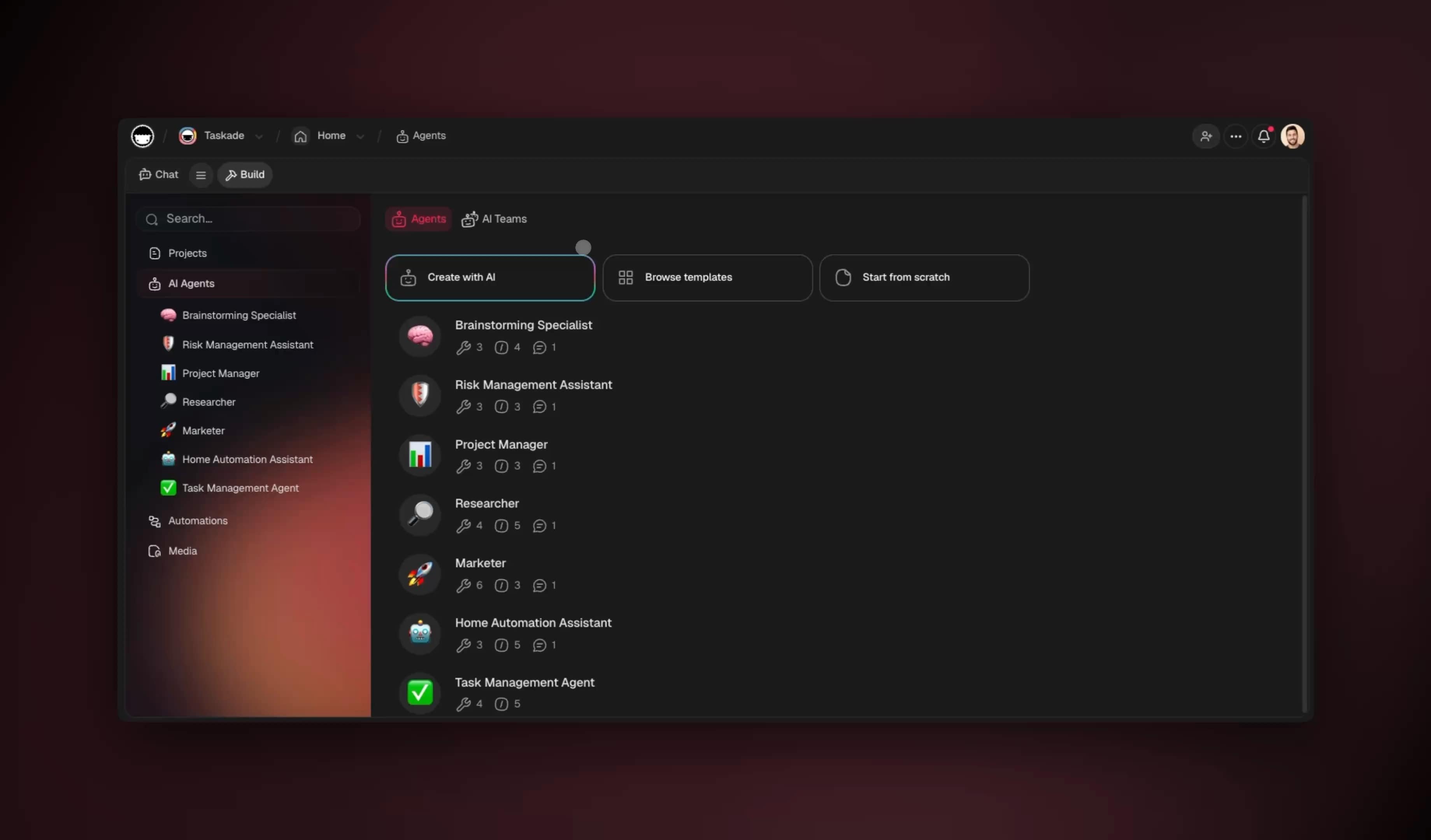
You can automate roughly 99% of your consulting practice with AI in 2026 — and the 1% you keep is the part clients actually pay for: judgment, relationship, and the final sign-off. Solo and boutique consultants typically lose 30-40% of every week to non-billable admin — research, proposals, deliverable formatting, status updates, time tracking, and invoicing. AI agents now set a goal, plan the steps, execute, check the result, and adjust without asking you at every turn. The fastest way to reclaim those hours is to stop stitching tools together and instead describe the practice operating system you want — then let it build itself.
TL;DR: A consulting practice loses 30-40% of the week to non-billable admin. AI agents reclaim most of it by running proposals, research, deliverable drafts, client portals, and status updates. The fastest path is to describe the outcome and let Taskade Genesis build the agents, automations, and live client portal. Clone the working consulting app below →
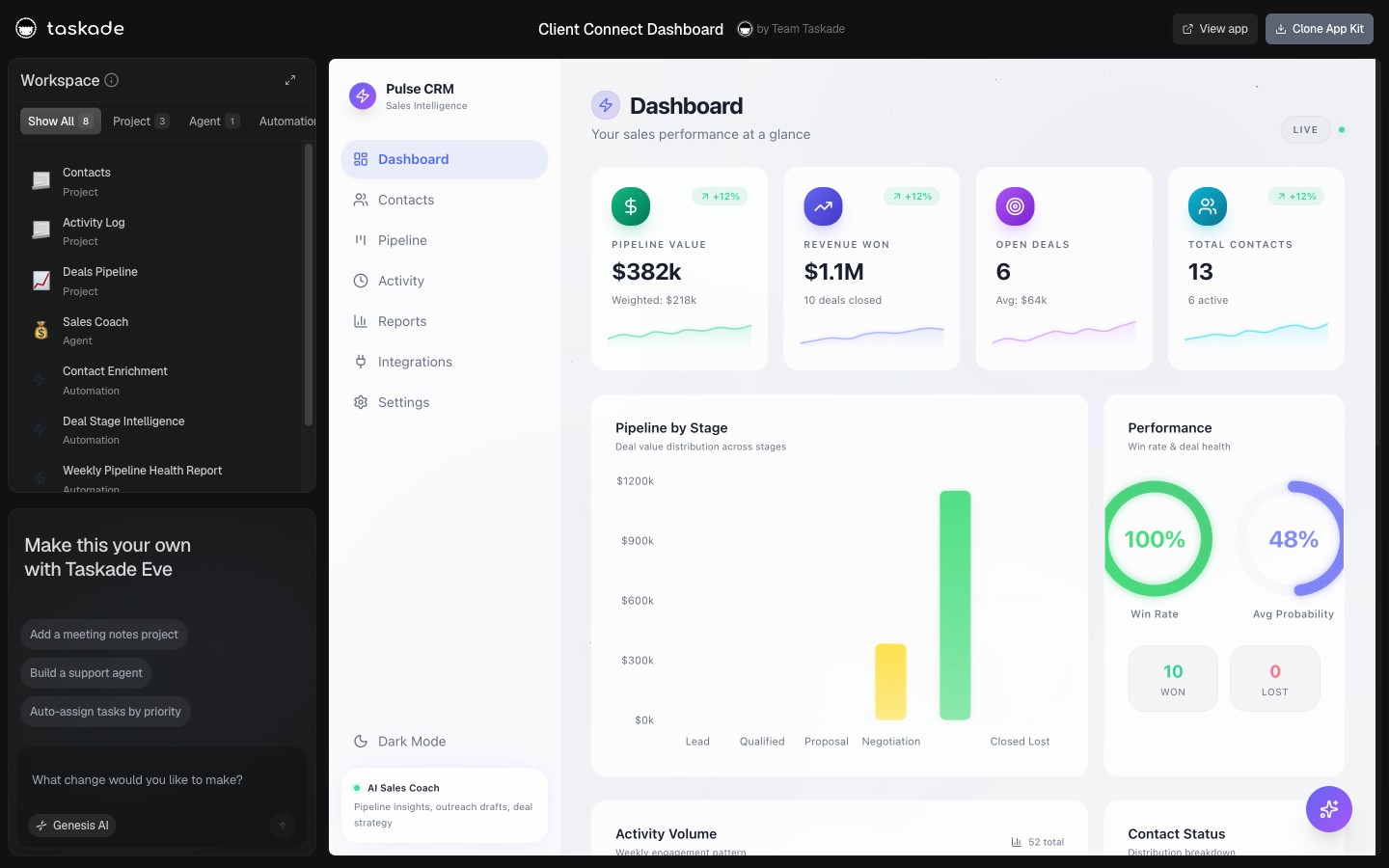
See it live — clone a working consulting practice app
You do not have to imagine this. The app below was built from a single prompt and runs in your browser right now. Clone it in about 30 seconds and it lands in your own workspace, ready to connect to your calendar, email, and documents.
That is the whole point of an AI-run practice: the output is not a wiring diagram, it is software that works. You describe the consulting job, and you get a real app with a client database, AI agents, and automations — no canvas to wire, no server to host. Browse more cloneable business apps or start your own from a prompt.
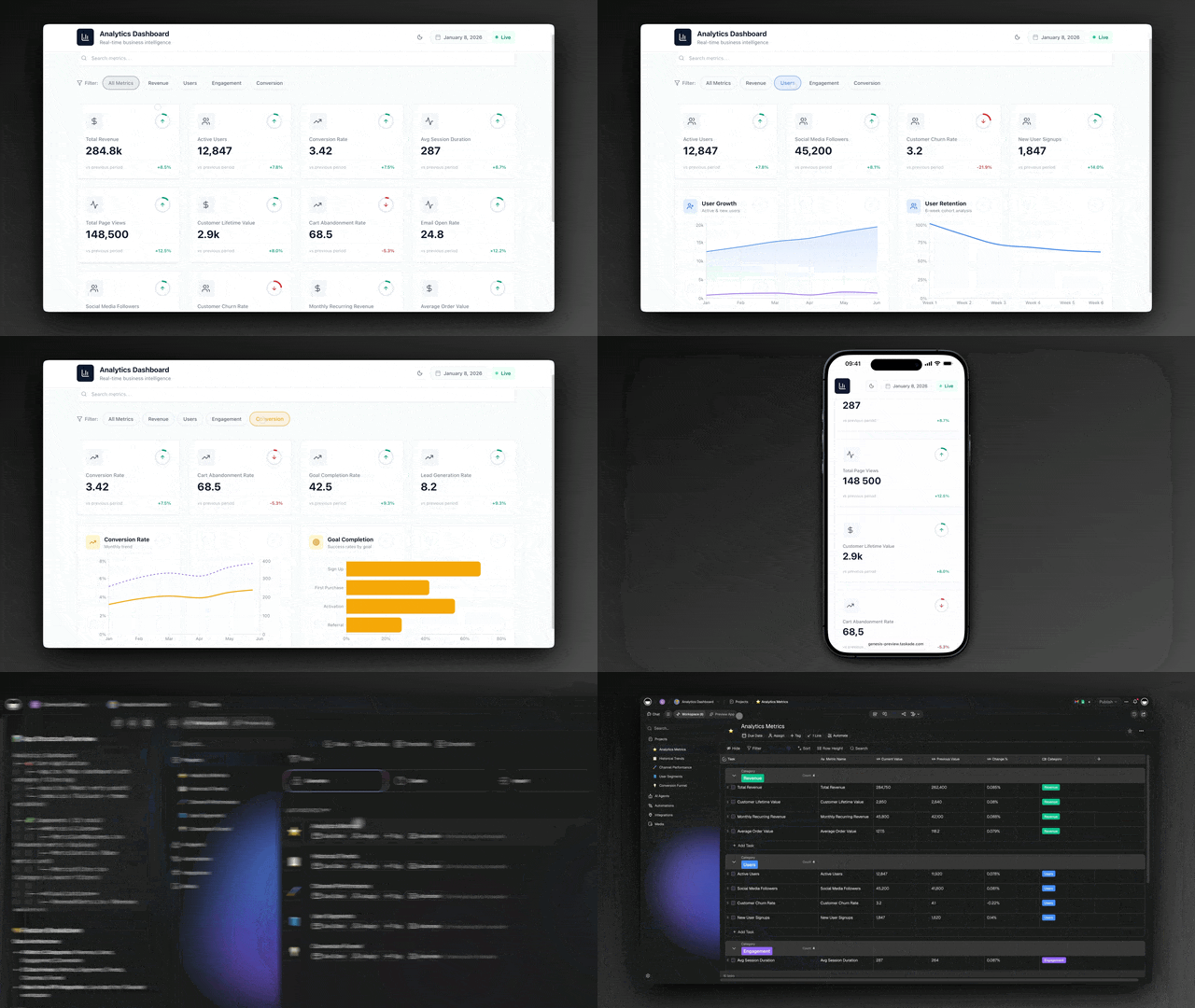
This is not the same guide as our AI for agencies playbook, which is built for multi-person teams with account managers and a delivery bench. It is also distinct from automating client work, which focuses on the delivery pipeline once a project is signed. This guide is the solo and boutique practice operating system — the proposal-to-portal-to-invoice loop that one person, or a tiny team, runs end to end. By the end you will know exactly what to automate first, which agents to build, and how to wire them into one living workspace.
What does it mean to automate a consulting practice with AI?
Automating a consulting practice means handing each repeatable non-billable job to software that reasons instead of software you operate by hand. The research, the proposal draft, the deliverable formatting, the weekly status update, the time log — these are predictable, rule-shaped tasks that consume 30-40% of a typical solo week. An AI agent sets the goal, plans the steps, uses tools, checks the result, and adjusts. That is the line between old productivity software and 2026 automation: a project tracker organizes the work you still have to do; an agent does the work and hands you the result.
Here is the difference in one picture. A classic consulting workflow is a to-do list you push by hand. An AI-run practice is a loop that runs while you focus on the client.
The shift is not "buy a faster tool." It is "stop being the tool." When the research, the drafts, and the updates run themselves, your week stops being 60% admin and 40% billable. It flips. Start by describing the practice you want at Taskade Genesis, or read how AI agents work end to end before you build.
What is the real cost of consulting admin?
The hidden tax on a consulting practice is non-billable work, and for solo and boutique consultants it runs 30-40% of the week. That is roughly one to two full days every week spent on research, proposals, formatting deliverables, writing status emails, logging hours, and chasing invoices — none of which a client pays for directly. At a $150/hour rate, reclaiming even one of those days is worth several thousand dollars a month in recovered billable capacity, before you add the faster turnaround that wins more deals.
The tax is not one big leak. It is a hundred small ones. Here is where the hours actually go in a typical solo week, and which agent reclaims each.
| Non-billable task | Typical weekly hours | Reclaimed by |
|---|---|---|
| Research and discovery prep | 4-6 | Research agent |
| Proposal and scope drafting | 3-5 | Proposal agent |
| Deliverable formatting and first drafts | 4-6 | Deliverable agent |
| Status updates and recap emails | 2-4 | Status-update agent |
| Time tracking and invoicing | 2-3 | Time-and-billing agent |
Add it up and a solo consultant spends 15-24 hours a week — out of a ~40-hour week — on work that does not bill. The point of an AI-run practice is not to do that work faster. It is to hand most of it to agents so your remaining time is almost entirely billable or sales-generating. See how a single app replaces a stack of tools and how the Workspace DNA loop keeps each task connected to the next.
Which consulting tasks should you automate first?
Start with the highest-frequency, lowest-judgment task you do, which for most consultants is research or proposal drafting. Build one agent, measure the hours it saves over a week, then add the next. The compounding order that works is research, then proposals, then deliverables, then status, then billing — each agent feeds the one after it. Below is the decision tree for picking your first agent.
┌─────────────────────────────────────────────────────────────┐
│  WHICH AGENT DO I BUILD FIRST?                               │
└─────────────────────────────────────────────────────────────┘
        │
        ▼
  Do you spend > 4 hrs/week on pre-sale research?
        │
   ┌────┴────┐
  YES        NO
   │          │
   ▼          ▼
 Research   Do proposals take you a full day each?
 agent        │
          ┌───┴───┐
         YES      NO
          │        │
          ▼        ▼
      Proposal   Are status emails the thing you dread?
       agent        │
                ┌───┴───┐
               YES      NO
                │        │
                ▼        ▼
            Status     Start with the
            agent      Time-and-billing agent
                       (always pays back fast)
The rule of thumb: automate the task you complain about most, because that is usually the one with the highest volume and the lowest judgment per unit. Once one agent is reliably saving you hours, the next is an easy decision. Browse pre-built agent templates to skip the blank page, or describe the whole practice at once and let Taskade Genesis build the full team.
How do you build the proposal agent?
A proposal agent turns a discovery call into a ready-to-edit proposal in minutes instead of hours, and proposals are where consultants lose 3-5 hours a week. The agent reads your call notes or transcript, pulls relevant case studies from your past projects, drafts scope and deliverables in your standard structure, and produces a clean document you review and send. You keep the pricing decision and the final voice; the agent removes the blank page.
Here is the sequence a proposal agent runs, from booked call to sent draft.
The agent does not replace your judgment about scope or price. It removes the 80% that is mechanical — gathering context, structuring the document, formatting deliverables — so you spend your time on the 20% that wins the deal. Each agent in Taskade Genesis carries 33 built-in tools including web search and file analysis, so your proposal agent can read uploaded RFPs and pull live market context. Learn the agent-building basics or start from a proposal template.
How do you build a client portal that updates itself?
A self-updating client portal gives each client a live view of their engagement — deliverables, status, next steps, approved files — without exposing your internal workspace, and it eliminates the weekly recap email entirely. You publish a shared view scoped by 7-tier role-based access, so the client sees only what you choose. When your status-update agent runs, the portal refreshes itself. Clients always see current progress, and you stop writing manual status emails.
This is where Taskade's 7 project views earn their keep. The same engagement data renders as whatever the moment needs — a Board for the client's status glance, a Calendar for milestones, a Table for deliverables, a Gantt for the timeline.
| View | What the client sees | What you use it for |
|---|---|---|
| Board | Status of each workstream | Drag deliverables across stages |
| Calendar | Milestone dates | Schedule reviews and check-ins |
| Table | Deliverable list with status | Track every line item |
| Gantt | Engagement timeline | Plan dependencies and phases |
| List | Next steps and action items | Daily execution |
Timeline is the scrolling band inside the Gantt view, not a separate one — so a consulting engagement that runs on phases gets a real timeline without a separate tool. Role-based access from Owner down to Viewer means the client sees their portal and nothing else in your workspace. See how project views adapt to any workflow and how sharing and permissions keep client data scoped.
How do AI agents connect to the tools you already use?
Consulting agents connect to your existing stack through 100+ bidirectional integrations, which means data flows both ways automatically. Triggers pull events in — a booked call from your calendar, a new lead from a form, a signed proposal from your e-signature tool — and actions push data back out to email, invoicing, document storage, and your CRM. An agent can read a booked discovery call, prepare the research brief, draft the proposal, and push a follow-up to your email in one continuous run, with no copy-paste between apps.
Here is the data model behind a connected practice — the entities your agents read and write.
Because every integration is bidirectional, your client data stays in sync without manual reconciliation. A status change in the portal can update your CRM; a new calendar event can spin up an engagement record. See the full integrations catalog or read how automations push and pull data across your tools.
How do you keep client work accurate and on-brand?
You keep client work accurate by running a multi-agent team where each agent has one job and a human approves the 1% that reaches the client. A research agent gathers facts, a writer agent drafts in your voice, a reviewer agent checks accuracy and tone, and you sign off before anything is sent. This is the reliable pattern because no single agent is trusted with the whole output — the reviewer catches what the writer misses, and you catch what the reviewer misses.
The table below maps each agent to its single responsibility and the guardrail that keeps it honest.
| Agent | Single job | Guardrail |
|---|---|---|
| Research agent | Gather facts and context | Cites sources for review |
| Writer agent | Draft in your voice | Uses your saved brand memory |
| Reviewer agent | Check accuracy and tone | Flags claims that need a source |
| You | Approve and send | Final sign-off, always |
Agents in Taskade Genesis carry persistent memory, so they learn each client account — the brand voice, the recurring deliverable formats, the things that client always asks for. The more they run, the more they sound like you. And 7-tier role-based access means a contractor or junior collaborator can draft without ever touching client billing or final approval. Read about multi-agent collaboration and how agent memory compounds over time.
How do you turn past projects into a knowledge agent?
A knowledge agent mines your finished engagements so every new proposal, deliverable, and answer starts from your best previous work instead of a blank page. This is where most of a consultant's hidden value lives: the frameworks you have refined, the slide that always lands, the scope language that survives negotiation. Industry research is blunt about the size of the leak — consultants spend 60-70% of their time on research, data gathering, and client preparation, not strategic thinking, and junior consultants alone burn 15-20 hours a week on tasks that need no human judgment. A knowledge agent recovers most of that by treating your archive as a searchable, reusable asset.
The pattern is simple: point the agent at your past projects, case studies, and templates, and let it retrieve, synthesize, and reuse on demand.
The numbers behind this are concrete. One consulting firm's research agent cut initial candidate screening from 30-40 minutes per profile to 3-4 minutes — an 85% reduction — while still producing a detailed written assessment. The same compression applies to competitive intelligence, prospect research, and briefing prep, the exact tasks that fill a junior consultant's week. In Taskade Genesis you train an agent on your files — past decks, signed proposals, reference docs — using its 33 built-in tools including file analysis and web search, and it carries that knowledge in persistent memory across every future request. Learn how to train agents on your own files or read why agent memory compounds the longer you run.
How do you spot at-risk clients before they churn?
A client-health agent watches the signals that predict a relationship going cold — slipping response times, missed milestones, a quiet portal — and flags the account before you lose it. This is the kind of monitoring that big firms staff with account managers, and a solo or boutique practice usually does not have. An agent gives you the same early-warning system for the price of a prompt. It reads engagement activity, scores each client, and surfaces the ones that need a personal call this week, so retention stops depending on whether you happened to notice.
| Health signal the agent watches | What it means | Agent action |
|---|---|---|
| Days since last client reply | Engagement cooling | Flag for a check-in call |
| Milestone slipped past due date | Delivery risk | Alert you + draft a recovery note |
| Portal not opened in 14 days | Client disengaging | Nudge with a status summary |
| Scope creep beyond signed hours | Margin risk | Surface for a scope conversation |
| Invoice overdue | Cash-flow + relationship risk | Trigger a polite reminder |
Because every integration is bidirectional, the health agent reads from your calendar, email, and portal and writes back a flag, a reminder, or a drafted note — without you opening five tabs. This is the same retention discipline covered in automating sales for the pre-signature side of the funnel, applied here to the post-signature relationship. Pair the health agent with your status-update agent and the portal effectively keeps clients warm on autopilot. See how automations push and pull data to make this run on a schedule.
How Taskade does it differently
Most automation tools make you wire nodes. Taskade ships a living app from one prompt. That is the wedge. Tools like n8n, Zapier, Make, and Lindy are genuinely powerful — n8n in particular gives you near-unlimited control over branching logic and self-hosting, and if you enjoy building flows node by node, it is excellent. But for a consultant who wants to bill hours, not maintain a flow diagram, the question is different: you do not want to build the automation, you want the practice to run itself.
Here is the structural difference between connecting tools and generating an app.
┌──────────────────────────┐      ┌──────────────────────────┐
│   WIRE NODES              │      │   SHIP A LIVING APP       │
│   (n8n, Zapier, Make)     │      │   (Taskade Genesis)       │
├──────────────────────────┤      ├──────────────────────────┤
│  Trigger ──► Node         │      │  "Run my consulting       │
│     │         │           │      │   practice"               │
│     ▼         ▼           │      │        │                  │
│  Filter ──► Action        │      │        ▼                  │
│     │         │           │      │  ┌────────────────────┐   │
│     ▼         ▼           │      │  │ Client database    │   │
│  Map ─────► Webhook       │      │  │ AI agent team      │   │
│     │                     │      │  │ Automations        │   │
│     ▼                     │      │  │ Client portal      │   │
│  You maintain the graph   │      │  │ 7 project views    │   │
│  every time tools change  │      │  └────────────────────┘   │
│                           │      │  One prompt. Cloneable.   │
└──────────────────────────┘      └──────────────────────────┘
The difference is Workspace DNA: Memory (your Projects and client records), Intelligence (your AI agents), and Execution (your Automations) reinforce each other in a loop. Memory feeds the agents; the agents trigger automations; the automations create new memory. A node-wiring tool gives you the execution layer and nothing else — you bring your own memory and intelligence by hand. Taskade gives you all three from a single prompt, plus multi-agent teams, 100+ bidirectional integrations, and cloneable apps you can share or sell.
| Capability | Node-wiring tools | Taskade Genesis |
|---|---|---|
| How you build | Wire triggers and nodes by hand | Describe the outcome in plain English |
| What you get | A workflow diagram | A living app with database, agents, portal |
| Memory layer | Bring your own | Built in (Projects + client records) |
| AI agents | Add as a step | Native multi-agent team, 33 tools each |
| Share with clients | Export or screenshots | Cloneable /share/apps link |
When to choose a node-wiring tool: you need a single, very specific integration with deep custom logic and you are comfortable maintaining it. When to choose Taskade Genesis: you want your whole practice — proposals, research, deliverables, portal, billing — to run as one app you can describe, clone, and share. Compare the approaches in our AI agent platforms guide, or just build it from a prompt.
Taskade Genesis vs the alternatives for consulting
For a consulting practice, the right tool is the one that gives you a working system — agents, a client database, a portal, and automations — not just one piece of the puzzle. Lindy, Notion AI, Julius AI, and ChatGPT Enterprise are all strong at what they do, but each leaves you assembling the rest of the practice by hand. Taskade Genesis is the only option here that turns a single plain-English prompt into a living app that runs the whole proposal-to-portal-to-invoice loop. Here is the honest comparison.
| Capability for a practice | Taskade Genesis | Lindy | Notion AI | Julius AI | ChatGPT Enterprise |
|---|---|---|---|---|---|
| One prompt → living app | Yes — agents, database, portal, automations | No — build each agent flow | No — docs + databases, you assemble | No — analysis only | No — chat assistant only |
| Multi-agent team (research → write → review) | Native, 33 tools each | Yes (agent-to-agent) | Limited | No | No (single assistant) |
| Built-in client portal | Yes — scoped by 7-tier roles | No | Partial (shared pages) | No | No |
| Project views for engagements | 7 (List, Board, Calendar, Table, Mind Map, Gantt, Org Chart) | None | Several (no Gantt-native) | None | None |
| Bidirectional integrations | 100+ (triggers in, actions out) | Hundreds (automation-first) | Many (doc-centric) | Few (data sources) | Limited (custom GPTs) |
| Cloneable / sellable app link | Yes — /share/apps | No | No (template duplication) | No | No |
| Starting price (annual) | Free, then $6/mo | Higher per-agent tiers | Per-seat AI add-on | Per-seat | Enterprise contract |
Where each competitor genuinely wins, so you can choose with eyes open:
- Lindy is excellent if your practice is mostly inbound email triage, lead qualification, and scheduling — its "AI employee" flows that learn your preferences and talk to each other are mature and automation-first. If you want personal-assistant-style automation more than a whole practice OS, it is a strong pick.
- Notion AI is the best fit if your team already lives in Notion docs and wikis and you mainly want AI writing and summarization layered on top of pages you maintain by hand.
- Julius AI is exceptional at one thing: data analysis. If your consulting is heavy on crunching client spreadsheets, modeling, and chart generation, Julius is purpose-built for that slice.
- ChatGPT Enterprise gives you the strongest raw single-assistant reasoning with enterprise privacy controls — ideal when you want one powerful chat surface and your firm will build the surrounding workflow itself.
The wedge is structural: those four hand you a capability, and you build the practice around it. Taskade Genesis hands you the practice — Memory (client records), Intelligence (the agent team), and Execution (automations) already wired into one self-reinforcing loop. See the wider field in our AI agent platforms breakdown, or the agency-scale version of this playbook for multi-person teams.
What does a fully automated consulting week look like?
A fully automated consulting week front-loads the agents and reserves your time for billable focus and sales, turning a 60% admin week into a 90% billable one. The agents run on triggers — a booked call, a signed proposal, a Friday status cron — and you step in only at approval points. Below is a realistic weekly map of who does what.
| Day | Agents running | You doing |
|---|---|---|
| Monday | Research agent preps the week's calls | Billable client work |
| Tuesday | Proposal agent drafts from yesterday's calls | Approve proposals, sell |
| Wednesday | Deliverable agent drafts the next milestone | Billable client work |
| Thursday | Reviewer agent QA's drafts | Refine and approve |
| Friday | Status agent updates every client portal | Plan next week, invoice |
By Friday, every client portal is current, your invoices are queued, next week's research is prepped, and you spent almost the entire week on billable or sales work. That is the practical meaning of "automate 99%" — not zero human involvement, but human involvement only where it creates value. Start building your week at Taskade Genesis, explore automation triggers, or clone a ready-made business app to skip the setup.
What does it cost to automate your consulting practice?
It costs nothing to start and scales with your practice. Taskade Genesis is free to begin, and paid plans on annual billing are Starter at $6/mo, Pro at $16/mo, Business at $40/mo (the Popular tier), Max at $200/mo, and Enterprise at $400/mo. Because one platform replaces a separate proposal tool, project tracker, time tracker, and client portal, most consultants reduce total software spend after consolidating four to six subscriptions into one.
Here is how the plan maps to a consulting practice.
| Plan | Annual price | Best for |
|---|---|---|
| Free | $0 | Test the proposal and research agents |
| Starter | $6/mo | Solo consultant, core agent team |
| Pro | $16/mo | Growing practice, more automations |
| Business ★ | $40/mo | Boutique team with client portals |
| Max | $200/mo | High-volume practice, heavy AI use |
| Enterprise | $400/mo | Firm with SSO and advanced controls |
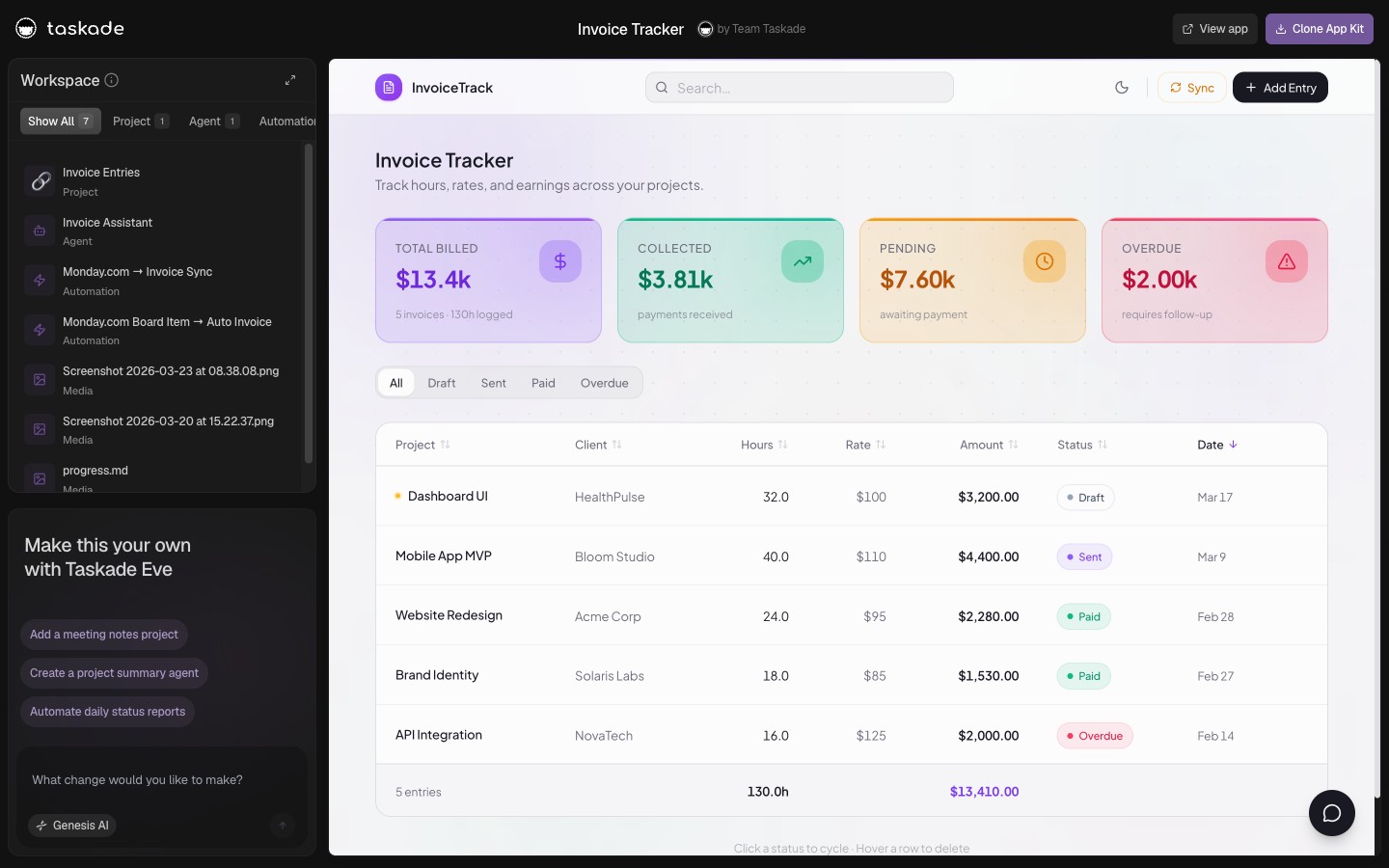
The math is simple. If automating admin gives back even one billable day a week at a typical consulting rate, the platform pays for itself many times over in the first month. See the full breakdown on the pricing page or read how a solo operator builds a complete business app on Starter. The same consolidation logic applies whether you bill by the hour or by the matter — see how it plays out for automating a legal practice and for the sales side of the funnel.
Common mistakes when automating a consulting practice
The most common mistake is automating everything at once instead of one agent at a time. Consultants who try to launch a five-agent system on day one usually abandon it, while those who ship one research agent, measure it, and add the next build a durable system. The second mistake is removing the human from the 1% — letting an agent send a proposal or deliverable without review. Keep yourself on approval, always.
| Mistake | Why it hurts | Do this instead |
|---|---|---|
| Automate everything at once | Too much to debug, you abandon it | Ship one agent, measure, add the next |
| No human approval gate | A bad draft reaches a client | Always sign off before anything sends |
| Generic agents with no memory | Output sounds nothing like you | Give each agent client-specific memory |
| Skipping the portal | Clients still email you for status | Let the status agent run the portal |
| Wiring nodes by hand | You maintain it forever | Describe the outcome, ship a living app |
Avoid these and the system compounds instead of collapsing. Each agent that reliably saves hours makes the next one an easy decision. Start small, keep yourself on the 1%, and let the practice grow into an operating system. Build your first agent at Taskade Genesis, or browse the community gallery for a working starting point you can clone in 30 seconds.
What Taskade Genesis can do for your whole practice
Taskade Genesis is a full practice operating system, not a single feature, and every part of it maps to a job a consultant does every week. The reason one prompt can run your practice is that the platform already contains the three layers a business needs — a place to remember, a brain to think, and hands to execute — and it wires them together for you. Here is the full surface, tied to your use case.
- Workspace DNA loop — Memory (your Projects and client records), Intelligence (your AI agents), and Execution (your Automations) reinforce each other. For a consultant, that means a signed proposal (Memory) triggers a research agent (Intelligence) that drafts the kickoff deliverable, which fires a status automation (Execution) that updates the client portal — and the result becomes new Memory the next engagement starts from.
- 33 built-in agent tools — web search, file analysis, code execution, custom slash commands, persistent memory, and more, on every agent. Your proposal agent reads an uploaded RFP; your research agent pulls live market context; your deliverable agent runs a quick calculation in the same flow.
- 7 project views — List, Board, Calendar, Table, Mind Map, Gantt, and Org Chart. The same engagement data renders as a Board for the client's glance, a Gantt for the phased timeline, and a Table for the deliverable line items, with no re-entry.
- Multi-agent teams — research, writer, and reviewer agents each own one job and hand off to each other, so no single agent is trusted with the whole client output and you approve the final 1%.
- 100+ bidirectional integrations — triggers pull events in from your calendar, email, forms, and CRM; actions push proposals, follow-ups, and invoices back out. Your client data stays in sync without copy-paste.
- 15+ frontier models — agents route across frontier models from OpenAI, Anthropic, Google, and open-weight providers, so the research agent and the writer agent can each use the model best suited to its job.
- Custom domains + Genesis app publishing — publish your client portal on your own domain, password-protect it, and give each client a branded view that looks like your firm, not a generic tool.
- 7-tier role-based access — from Owner down to Viewer, so a contractor drafts without touching billing and a client sees only their portal.
Here is how those layers connect into the loop that actually runs the practice.
Each capability removes a tool you used to pay for separately — the proposal app, the project tracker, the time tracker, the client portal — and folds it into one app you can clone and reuse for the next client. Start with the pricing breakdown, explore the full AI agents and automations surfaces, or just describe your practice and build it.
Where this is heading
The direction is clear: every consulting practice will eventually run on a self-reinforcing Memory + Intelligence + Execution loop, where one prompt becomes a living, self-improving app instead of a stack of disconnected tools. As your agents accumulate memory from every engagement, the practice gets sharper on its own — proposals start from your best past scope, deliverables reuse your strongest frameworks, and the portal keeps clients warm without you lifting a finger. The consultant's job shifts permanently from doing the admin to directing a system that does it, and the firms that adopt this loop early compound a research-and-delivery advantage their competitors cannot copy by working harder. The practice stops being something you operate and becomes something that operates itself, improving with every client it serves. That is the future Taskade Genesis is built for — and you can start the loop today from a single prompt.
The bottom line
A consulting practice does not need more hours — it needs to stop spending the hours it has on work no client pays for. Solo and boutique consultants lose 30-40% of every week to admin, and AI agents reclaim most of it by running proposals, research, deliverable drafts, client portals, and status updates while you keep the judgment, the relationship, and the final sign-off. The fastest path is not to wire another set of tools together. It is to describe the practice you want and let it build itself.
Describe your practice once and get a living app — client database, AI agent team, automations, and a self-updating client portal — from a single prompt. Build it free at Taskade Genesis, clone the working consulting app above, or explore AI agents and automations to see how the pieces connect.
▲ ■ ● Memory feeds Intelligence. Intelligence triggers Execution. Execution creates Memory. That is the Workspace DNA loop that turns a consulting practice into a system that runs itself — start yours from one prompt.
Frequently Asked Questions
How do you automate a consulting practice with AI in 2026?
You hand each repeatable non-billable job to an AI agent that sets a goal, plans the steps, executes, checks its own work, and adjusts without per-step approval. Start with one agent per recurring task. A proposal-drafting agent, a research agent, a deliverable-drafting agent, a status-update agent, and a time-tracking agent cover most of the admin load. In Taskade Genesis you describe the practice you want in plain English and it builds the agents, the automations, the client database, and a live app to run them. Solo consultants typically lose 30 to 40 percent of the week to non-billable work, so reclaiming most of that goes straight to billable focus. It starts free, with Starter at 6 dollars per month on annual billing.
Can a solo consultant really automate 99 percent of admin work?
You can automate the repeatable 99 percent — research gathering, proposal drafting, deliverable formatting, status updates, time logging, invoicing reminders, and client-portal updates — while keeping the 1 percent that needs you: judgment, relationship, and the final sign-off before anything reaches a client. The pattern is to move from doing the admin to directing a system that does it. A boutique or solo consultant gains back the equivalent of one to two full days a week.
What kinds of consulting AI agents should I build first?
Start with the highest-frequency, lowest-judgment task you do, which is usually research or proposal drafting. The most useful agents for a consulting practice are a research agent, a proposal-drafting agent, a deliverable-drafting agent, a meeting-notes-to-action agent, a status-update agent, and a time-and-billing agent. In Taskade Genesis each agent ships with 33 built-in tools — web search, file analysis, code execution, and more — and routes across 15 plus frontier models from OpenAI, Anthropic, and Google.
How much time and money does consulting automation save?
Solo and boutique consultants commonly spend 30 to 40 percent of the week on non-billable admin — research, proposals, scheduling, reporting, and invoicing. Automating those tasks gives back the equivalent of one to two billable days a week. Because one platform replaces a separate proposal tool, project tracker, time tracker, and client portal, most practices also cut software spend by consolidating four to six subscriptions into one.
What is the difference between project management software and AI agents for consulting?
Project management software organizes your work into lists and boards. You still do the work. AI agents reason and act. They read a discovery call transcript, draft the proposal, pull the market research, write the first deliverable, and update the client portal. Taskade Genesis combines both: 7 project views to organize the engagement plus AI agents and reliable automations to actually execute the repeatable parts.
Do I need to know how to code to automate my consulting practice?
No. Taskade Genesis is fully no-code. You describe the practice operating system you want in plain English and it builds the agents, the automation workflows, the client database, and a shareable client portal. There is nothing to wire, host, or deploy. An IT program manager or independent consultant can ship a working proposal-and-portal system in an afternoon without an engineer.
How do consulting AI agents connect to my existing tools?
Through 100 plus bidirectional integrations. Triggers pull events in from your calendar, email, forms, and CRM, and actions push data back out to those same tools, plus invoicing and document apps. An agent can read a booked discovery call, prepare the research brief, draft the proposal, and push a follow-up to your email in one continuous run. Each integration works in both directions, so your client data stays in sync.
Is it safe to put client work in front of AI agents?
Yes, when you keep a human on the 1 percent. The reliable pattern is a multi-agent team. A research agent gathers facts, a writer agent drafts in your voice, a reviewer agent checks accuracy, and you approve before anything reaches the client. Taskade Genesis supports multi-agent collaboration natively, agents carry persistent memory so they learn each client account, and 7-tier role-based access from Owner to Viewer controls exactly what each collaborator or client can see.
How does a client portal built in Taskade work?
You give each client a shared view of their engagement — deliverables, status, next steps, and approved files — without exposing your internal workspace. Role-based access from Owner to Viewer means a client sees only what you publish to them. The portal updates itself when your status-update agent runs, so clients always see current progress and you stop writing manual recap emails.
How much does it cost to automate consulting with Taskade Genesis?
Taskade Genesis is free to start. Paid plans on annual billing are Starter at 6 dollars per month, Pro at 16 dollars per month, Business at 40 dollars per month, Max at 200 dollars per month, and Enterprise at 400 dollars per month. Because one platform replaces a separate proposal tool, project tracker, time tracker, and client portal, most consultants cut total software spend after consolidating.
What should a consultant automate first?
Start with research and proposal drafting, the two tasks that eat the most pre-sale hours. Build one research agent and one proposal agent, measure the hours they save, then add a status-update agent and a time-and-billing agent. Within a few weeks you have a connected practice operating system where each new agent reinforces the last and billable focus keeps climbing.
How does Taskade Genesis compare to Lindy, Notion AI, Julius AI, and ChatGPT Enterprise for consulting?
Lindy is automation-first and strong for inbound email triage, lead qualification, and scheduling. Notion AI layers writing and summarization onto docs you maintain by hand. Julius AI is exceptional at data analysis. ChatGPT Enterprise gives you one powerful chat assistant with enterprise privacy. Each hands you a single capability and leaves you to assemble the practice around it. Taskade Genesis is the only one that turns a single prompt into a living app with a client database, a multi-agent team, automations, and a self-updating client portal — Memory plus Intelligence plus Execution already wired into one loop. It starts free, with Starter at 6 dollars per month on annual billing.