







Can you trust a robot? Any science fiction writer worth their salt would digress. The good news is not every artificial intelligence (AI) holds a grudge against humanity (we’re looking at you Hall 9000s and Skynets of the world). Some are quite helpful, if you get to know them better.
TL;DR: Taskade AI is a collaborative writing assistant embedded in your workspace, powered by frontier models from top AI labs. Use it to brainstorm, draft, summarize, and rewrite — with your entire team, in real time. Try Taskade AI free →
Meet Taskade AI 🐑 + 🤖
Taskade AI is the first collaborative AI writer that will completely change the way you brainstorm, plan, and write, all in one, unified workspace. While it can’t pass the Turing test (yet)*, it will help you streamline your workflow and get more done, alone or with your team.
*That’s exactly what an AI would say.
🤖 What Is Taskade AI?
Taskade AI is a smart writing and productivity tool powered by frontier models from top AI labs. You can think of it as your productivity sidekick, research assistant, and collaboration wizard all in one.
Behind the scenes, Taskade AI uses large language models (LLMs) — AI systems trained on vast amounts of text data that can understand and generate human-like content. These models power everything from brainstorming to document drafting to task automation.
You can ask Taskade AI all kinds of questions:
☀️ What is the best morning routine?
🍅 How does the Pomodoro technique work?
🔎 How to conduct a SWOT analysis?
👽 Are we alone in the universe?
Ok, an AI writer can’t answer that last question (or doesn’t want to tell), but it can help you figure out a lot of other things. And now you can use its power right from within your Taskade projects.

Now, let’s learn how that works. 👇
⌨️ Taskade AI Keyboard Commands:
Using Taskade AI is simple. All you need to do is type a question or paste a piece of text into a project block, add one of four /ai slash commands, and let the magic happen. 🪄
🟢 /outline: Structure and organize your document.
🟡 /ask: Answer questions based on AI's existing knowledge.
🔴 /expand: Expand and enrich your content to be more descriptive.
🔵 /rewrite: Improve the legibility and clarity of your writing.
🟠 /summarize: Turn long content into a quick summary.
⚡️ 7 Fun Ways to Use Taskade AI Writer
Not sure where to start?
Here are a few fun and creative ways you can use Taskade AI to get more done. 👇
Write and Chat With Your Team (Like a Pro)
Turning out half-witted emails is easy; effective communication is not. By “effective” we mean exchanges that convey the intended message and don't require a dozen follow-ups. 🤯
Team meetings, brainstorming sessions, emali threads, and even simple chat messages can bring a ton of value. That's as long as put in the time and effort to give your writing some love.
Or... you can get Taskade AI to do the heavy lifting for you. 💌
Get your first, terrible draft in place—don’t worry, all first drafts are—and ask the AI writer to /expand or /rewrite to rephrase it or develop your original ideas. It's that simple!
💡 Pro Tip: All project members can type, edit, and use the AI writer commands at the same time. Any changes to the project will be synchronized in real time
Clarify Thoughts
Sometimes the initial hunch is the correct one. But if you’re in a creative line of business, the second, third, and fourth iterations of your work will probably be way better.
Perhaps there’s a paragraph in your writing that doesn’t square with the rest. Maybe you want to experiment with syntax, find better words, or find a particularly flowery metaphor.
All you have to do is select the block containing your text and type /rewrite to get Taskade AI to work. You can start with a sentence, paragraph, or entire page and let AI do its magic.
Don’t like what you see? Repeat the step and get a completely new sentence.
Create a Rockstar Meeting Agenda
Meetings can be hectic, especially when you’re trying to pay attention, take notes, ask questions, and engage with other participants at the same time. Phew…
Take a deep breath, calm down, and relax. Let’s start with something simple.
Every good meeting needs an agenda. If you’re planning to run yours without one, you might as well send an email. We get it—writing an agenda before every single meeting sounds like a chore. So let’s ask Taskade AI to generate one for a 15-minute sync-up call.
Experiment with the /expand command to write agendas based on meeting type, subject, and duration. This will save you a ton of time and make your meetings truly productive.
Take Better Meeting Notes
Everybody loves meeting notes. Let us take that back. Everybody loves to receive GOOD meeting notes, even more so if they don’t have to flesh out key points themselves. 🤷♀️
You can use Taskade AI to create summaries of meetings notes, develop action items into proper action plans, and expand on the ideas you’ve managed to brainstorm with your team.
After the meeting, ask all participants to paste their notes and observations into the project space. They don’t have to be perfect—that’s the whole point.
You can organize the notes into bullet points or paragraphs. When done, use the /summarize command to condense them. Finally, run your notes through /rewrite for a final polish.
Streamline Your Writing Workflow
The “writer’s block,” “curse of the blinking cursor,” or, our favorite, “blank page syndrome”—if you’ve ever stared at a blank page long enough, you know what we’re talking about.
Here’s the thing. The muse comes knocking when it sees fit; sometimes it doesn’t come at all. But you can’t just wait until you’re “unstuck” when you’re on a tight deadline.
As the Call of the Wild 🌳 and White Fang 🐺 author Jack London famously said, “you have to go after inspiration with a club.” But clubs are out of fashion, so let’s use Taskade AI instead.
Not sure where to start?
Use the /outline command to set the stage and build an entire outline for your document. After that, type /expand to fill the blanks with sentences or entire paragraphs.You can even generate synonyms of words with /ask to give your writing a unique flavor.
Brainstorm Ideas
Collaborative brainstorming sessions can yield great results, but it takes some push to get the ideas flowing; it’s much easier to build on something than start from scratch.
Let’s say you’re working on a new marketing campaign and need some creative way to reach your target audience. You can use Taskade AI to provide seed ideas for the discussion. 🧠 ⚡️
Start with a few basic questions followed by the /expand command. Taskade AI will suggest a handful of ideas (you decide how many!), each with a chunk of content you can turn into something exciting. If you don't like the answer, repeat the process as many times as you like.
Find Your Way Without Googling
With over 3.5 billion queries every day, Google is the king of search. Buuut… even with all its powerful algorithms crunching results behind the scenes, it can still be kind of hit or miss.
Sometimes, the answer you’re looking for may be buried under a sleuth of ads. Other times, they are so far down the results pages they might as well be on the moon.
Taskade AI can provide more precise answers, giving you just the information you need and nothing more. You can /ask for information as you type without breaking your creative flow.
Enjoy using Taskade AI?
Collaborative AI Writing Tools Compared
| Feature | Taskade AI | ChatGPT | Notion AI | Jasper | Google Docs + Gemini |
|---|---|---|---|---|---|
| Real-Time Team Collaboration | Yes | No | Yes | No | Yes |
| Embedded in Project Workspace | Yes | No (standalone) | Yes | No | Docs only |
| AI Models | Frontier models from top AI labs | OpenAI only | OpenAI only | Multiple | Google only |
| AI Agents | Yes (built-in tools, autonomous) | Custom GPTs | No | No | No |
| Multiple Project Views | List, Board, Mind Map, and more | N/A | 4 views | N/A | N/A |
| Automations | Yes (100+ integrations) | No | Limited | Recipes | Apps Script |
| Templates | 500+ free | No | Community | Templates | Limited |
| Video Chat | Built-in | No | No | No | Google Meet (separate) |
| Free Plan | Yes | Yes (limited) | No (paid add-on) | No | Yes |
| Starting Price | Free | $20/month | $8/user/month | $39/month | $6/user/month |
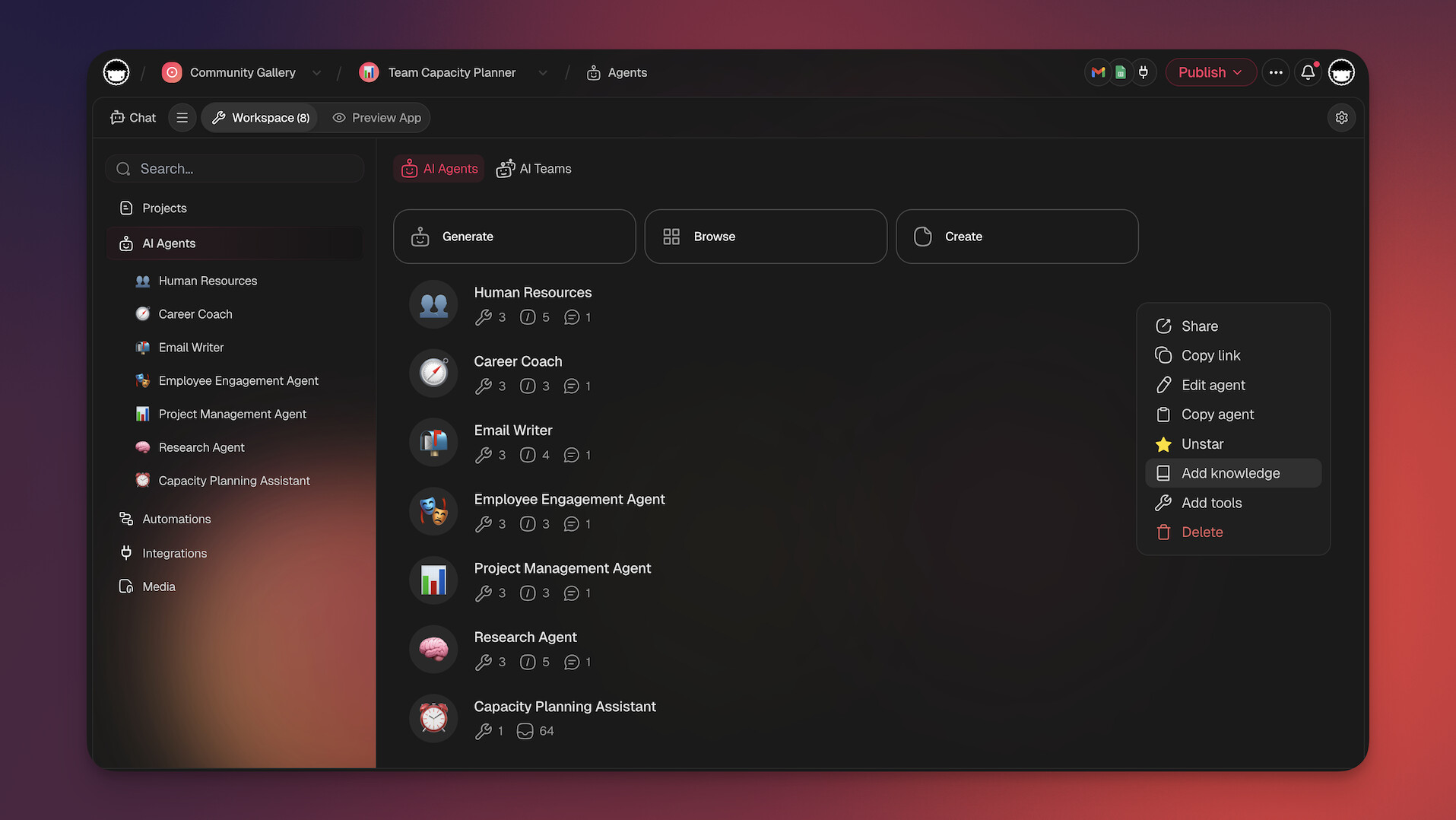
Beyond slash commands, Taskade now offers AI agents that can handle entire workflows autonomously — from drafting blog posts to summarizing meeting notes to generating project plans. With Taskade Genesis, you can build custom AI-powered writing apps from a single prompt and share them with your team or the Taskade Community.
Workspace DNA: The Architecture Behind AI-Powered Writing
Taskade's Workspace DNA architecture transforms collaborative writing from a manual process into an intelligent system:
- Memory — Every draft, note, reference, and revision persists as searchable project data in Taskade projects. Your team's writing history becomes a knowledge base that AI agents can reference for consistency and context.
- Intelligence — AI agents powered by frontier models from top AI labs analyze your content library, suggest improvements, maintain brand voice consistency, and generate drafts grounded in existing team knowledge.
- Execution — Automations with 100+ integrations route drafts through review pipelines, trigger publishing workflows, notify stakeholders, and track content performance. Over 3M+ automations executed on the platform.
The loop: writing creates Memory (content library), agents use Memory to provide Intelligence (better drafts and suggestions), and automations convert Intelligence into Execution (published content and follow-ups).
Agentic AI and Vibe Coding: Build Your Content Workflow
Traditional content workflows require separate tools for research, writing, editing, and publishing. Agentic AI and vibe coding consolidate everything into one intelligent system.
With Taskade Genesis, try: "Build a blog editorial system with topic research, AI-generated outlines, collaborative drafting, review routing, and publish scheduling." Genesis deploys the app with embedded agents. 150,000+ apps built this way.
AI agents with built-in tools, custom tool schemas, and a hosted MCP server for external AI clients can:
- Research topics and generate structured outlines from a single prompt
- Draft full articles based on your brand voice and existing content
- Route drafts through multi-stage review pipelines automatically
- Integrate with CMS platforms and social tools via 100+ integrations
Explore content creation apps in the Taskade Community or build your own.
AI Writing Use Cases by Content Type
| Content Type | AI Command | Best For | Output Quality | Taskade Feature |
|---|---|---|---|---|
| Blog Outlines | /outline | Content planning | Framework (needs expansion) | AI agents expand sections |
| Meeting Notes | /summarize | Post-meeting digests | Publish-ready | Real-time collaboration |
| Marketing Copy | /expand + /rewrite | Social, email, ads | Draft (needs review) | Templates for frameworks |
| Project Plans | /outline + /expand | Task breakdown | Actionable structure | Multiple views (Board, Gantt, etc.) |
| Internal Docs | /rewrite | SOPs, guides, policies | Polished prose | Team editing + version history |
| Research Summaries | /summarize + /ask | Literature reviews | Concise overview | Mind Map for visual synthesis |
| Email Communication | /rewrite | Client and team emails | Professional tone | Automations for sending |
Write and collaborate with Taskade AI! 🤖
🤖 Custom AI Agents: Create AI agents specialized in content creation and content strategy to keep all your projects on track.
🪄 AI Generator: Generate high-quality, engaging outlines for various formats and platforms, tailored to your specific audience.
✏️ AI Assistant: Use AI for editing, tone adjustments, and optimizing written content for maximum impact and clarity.
🗂️ AI Prompt Templates Library: Use hundreds of AI prompt templates for personal and business projects, available anywhere inside Taskade.
💬 AI Chat: Engage AI Chat for creative brainstorming, copywriting tips, and content strategy discussions.
📄 Media Q&A: Analyze your content with the help of AI — extract valuable insights, summarize key points, and uncover hidden patterns.
And much more...

💬 Frequently Asked Questions (FAQ)
How much does Taskade AI cost?
Taskade AI is available on all plans, including the free tier. Paid plans start with Pro at $10/month billed annually, which includes 10 users and advanced AI agent features.
Can I use Taskade AI with my team?
Yes! Taskade AI is built for team collaboration. You and your team can work on the same project at the same time, using AI commands together in real time. Deploy AI agents with built-in tools to automate workflows, or build custom apps with Taskade Genesis.
How do I use the AI writer?
Open any project and type a question, sentence, or paragraph followed by an AI command: /ask, /expand, /rewrite, or /summarize. Taskade processes the text using frontier models from top AI labs, and provides an answer in seconds. You can also set up automations to run AI tasks automatically.