
Looking for alternatives to Bolt.new?
Bolt.new by StackBlitz pioneered browser-based AI app generation. Type a prompt, watch a full React app materialize in real time, and deploy it without touching a terminal. It was a breakthrough moment for vibe coding, and it inspired a wave of tools that turn natural language into working software. But here's the thing: Bolt is still a code generator. It writes React code in a browser IDE, and you're responsible for databases, authentication, hosting, and maintenance. See how Bolt compares to Taskade Genesis.
The landscape has exploded since Bolt first went viral. In 2026, AI app builders range from no-code platforms that deliver living software to AI-powered IDEs that supercharge professional developers. Some generate frontend components. Others build full-stack applications. A select few create apps that think, act, and evolve on their own.
The term "vibe coding" -- coined by Andrej Karpathy -- captures a shift that's bigger than any single tool. It's the idea that you describe what you want and AI builds it. But the tools that embrace this philosophy vary wildly in what they actually deliver. Some give you code. Some give you components. And some give you complete, intelligent applications.
This guide compares the 10 best Bolt.new alternatives across every category: prompt-to-app builders, AI code editors, no-code platforms, and full vibe coding environments. Whether you're a founder building an MVP, a team lead who needs internal tools, or a developer evaluating your options, you'll find the right fit here.
TL;DR: Taskade Genesis is the top Bolt.new alternative for teams and heavy builders — 150,000+ apps built, free to start with Pro from $10/mo billed annually and no token limits, and a Workspace DNA architecture (Memory + Intelligence + Execution) that delivers living software, not static code exports. AI agents, databases, hosting, and 100+ integrations included. Try Taskade Genesis free →
Let's get into it. 🚀

📊 Quick Comparison: Bolt.new vs Alternatives
| Platform | Best For | AI Agents | Hosting | Pricing |
|---|---|---|---|---|
| Taskade Genesis | Complete apps with AI agents & automations | ✅ Built-in | ✅ Included | Free / $10/mo |
| Bolt.new | Quick browser-based prototyping | ❌ | ❌ Export | $20/mo |
| Lovable | Rapid UI prototyping | ❌ | ❌ Separate | $25/mo |
| V0 by Vercel | React component generation | ❌ | ❌ Copy/paste | $20/mo |
| Cursor | Professional AI code editing | ❌ | ❌ | $20/mo |
| Replit | Cloud full-stack development | ❌ | ✅ Included | $25/mo |
| Windsurf | Budget AI code editing | ❌ | ❌ | $15/mo |
| Base44 | Absolute beginners | ❌ | ✅ Basic | Free / $29/mo |
| Emergent | Full-stack vibe coding | ❌ | ✅ Preview | $20/mo |
| Softr | No-code internal tools | ❌ | ✅ Included | Free / $49/mo |
| Bubble | Complex custom applications | ❌ | ✅ Included | Free / $29/mo |
🤔 What Is Bolt.new?
Bolt.new is StackBlitz's AI-powered app generator. Built on WebContainer technology, it runs a complete development environment inside your browser, no local setup needed. You describe an app in plain English, Bolt generates the code in real time, and you can edit, preview, and deploy without leaving your tab.
Key features:
- In-browser IDE with file system, terminal, and package manager
- Real-time preview as code is generated
- Multi-framework support (React, Vue, Svelte, and more)
- Portable code you can download and host anywhere
- Zero setup required to start building
Where Bolt falls short:
- No built-in backend or database. You generate frontend code, then figure out data persistence yourself.
- No AI agents or automations. Apps are static code exports, not intelligent software.
- Token limits. Complex apps burn through tokens fast, often mid-project.
- Limited collaboration. Bolt is a single-player tool. Real-time team editing isn't supported.
- Deployment is on you. Generated code needs hosting, authentication, and ongoing maintenance.
Bolt.new Pricing: Free tier with limited tokens. Pro plan at $20/month for more tokens and faster generation. Team plan at $40/user/month.
If Bolt's strengths align with your workflow, it's a solid tool. But if you need apps that go beyond frontend code, keep reading.
Code Generators vs Living Systems: The Fundamental Divide
The AI app builder market splits into two fundamentally different categories: code generators (Bolt.new, Lovable, V0) that output React files you must deploy and maintain, and living system orchestrators (Taskade Genesis) that deliver fully deployed apps with AI agents, databases, and automations built in. The time-to-production gap is 20-40 hours vs. 5 minutes.
Code Generators (Bolt.new, Lovable, V0, Cursor, Replit)
What they give you: React/Next.js/Vue code files that you download and deploy
What you still need to do after generation:
- Set up database infrastructure (Supabase, Firebase, PostgreSQL)
- Deploy to hosting platform (Vercel, Netlify, AWS, configure environment variables)
- Integrate AI capabilities (OpenAI API keys, prompt engineering, token management)
- Add automation workflows (Zapier, Make, webhook configuration)
- Configure authentication systems (Auth0, Clerk, custom implementation)
- Setup file storage (S3, Cloudinary)
- Implement email/notification services
- Maintain dependencies, security patches, hosting uptime
Time to production: 10-30 hours after code generation
Cost: $100-1,000+ in tokens for complex apps + $40-700/month infrastructure
Result: Static code files you need to manage, deploy, and maintain
Living System Orchestrators (Taskade Genesis Apps)
What you get: Fully deployed intelligent system with four connected layers
Taskade Workspace DNA Architecture:
- Memory (Projects): Auto-generated database with custom fields, multiple views (list, board, calendar, table, action, mindmap, org chart, workflow)
- Intelligence (AI Agents): Workspace-aware agents that read YOUR data, learn from your business, make autonomous decisions
- Execution (Automations): 100+ integrations with autonomous workflows connecting everything
- Interface (Custom UI): Professional React/Vue interface orchestrating all three layers seamlessly
Time to production: 2-15 minutes, fully deployed with shareable link
Cost: $10/month billed annually on Pro, unlimited apps (no token surprises, no infrastructure bills)
Result: Living system that thinks, learns, acts, and evolves with your team
Example: Building a Client Portal
| What You Need | Bolt.new (Code Generator) | Taskade Genesis (Living System) |
|---|---|---|
| UI Components | Client dashboard, file list ✅ | Dashboard + 7 view types + responsive ✅ |
| Database | You add Supabase (4-8 hours) | Projects database auto-created (instant) |
| File Storage | You add S3/Cloudinary (2-4 hours) | Built-in workspace storage (instant) |
| AI Intelligence | You integrate OpenAI (6-12 hours) | AI Client Success Agent included (instant) |
| Automation | You setup Zapier (3-6 hours) | Workflows: update → email notification (instant) |
| Authentication | You configure Auth0 (3-6 hours) | Built-in workspace auth (instant) |
| Deployment | You configure Vercel (2-4 hours) | One-click publish with link (instant) |
| Team Access | You manage permissions (2-4 hours) | Real-time multiplayer built-in (instant) |
| Total Time | 20-40 hours | 5 minutes |
| Total Cost | $200-500+ tokens + $50-300/mo | $10/mo billed annually, unlimited apps |
The Difference: Code generators give you a replica of a client portal. Taskade Genesis gives you a living client portal with memory (your data), intelligence (AI agent), and reflexes (automation) that evolves with every interaction.
💡 The question isn't "which tool generates the best code?" It's "do you want code files or living software?"
This architectural difference explains why tools like Taskade Genesis can deliver production-ready systems in minutes while code generators require hours of post-generation infrastructure work.
The industry data backs this up. Monday.com CEO Eran Zinman dismissed vibe coding as a serious threat to software companies in a 2026 interview: "Vibe coding is amazing technology but I don't think it's going to disrupt software companies." His reasoning: people underestimate how hard it is to maintain software over time, and the real cost is not building the first version but evolving it. That is precisely where living systems -- platforms that learn and adapt continuously -- outperform static code generators that give you a snapshot you must maintain yourself.
🔍 What to Look for in a Bolt.new Alternative
Not every AI app builder solves the same problem. Here are six criteria to evaluate when choosing a Bolt.new alternative:
1. Prompt-to-App Speed
How fast can you go from an idea to a working application? Some tools generate code fast but require hours of configuration afterward. Others deliver a usable app in minutes. Measure time to working product, not time to first code output.
2. AI Agent Support
Can your app include intelligent agents that think, act, and respond autonomously? Static code exports require you to manually wire AI features. Platforms with native AI agents let you embed intelligence directly into your apps without additional infrastructure.
3. Backend and Database
Does the platform include data storage, or do you need to bring your own? Bolt generates frontend code, which means connecting databases like Supabase or Firebase is on you. Full-stack platforms handle data persistence out of the box.
4. Collaboration
Can your team work together in the same environment? If you're building tools for a team, real-time collaboration, shared workspaces, and role-based access matter. Single-player code generators force you to manage version control and handoffs manually.
5. Deployment and Hosting
Can you share your app instantly, or do you need to set up hosting infrastructure? One-click publishing and built-in hosting eliminate entire categories of DevOps work. Code export tools require separate deployment pipelines.
6. Pricing and Value
What's the total cost of ownership? A $20/month tool that also requires $30/month in hosting and $15/month for a database isn't really $20/month. Consider the full stack of costs, not just the subscription fee.
🏆 The 10 Best Bolt.new Alternatives in 2026
#1 Taskade Genesis ⭐ Best AI-Native App Builder with Agents & Automations

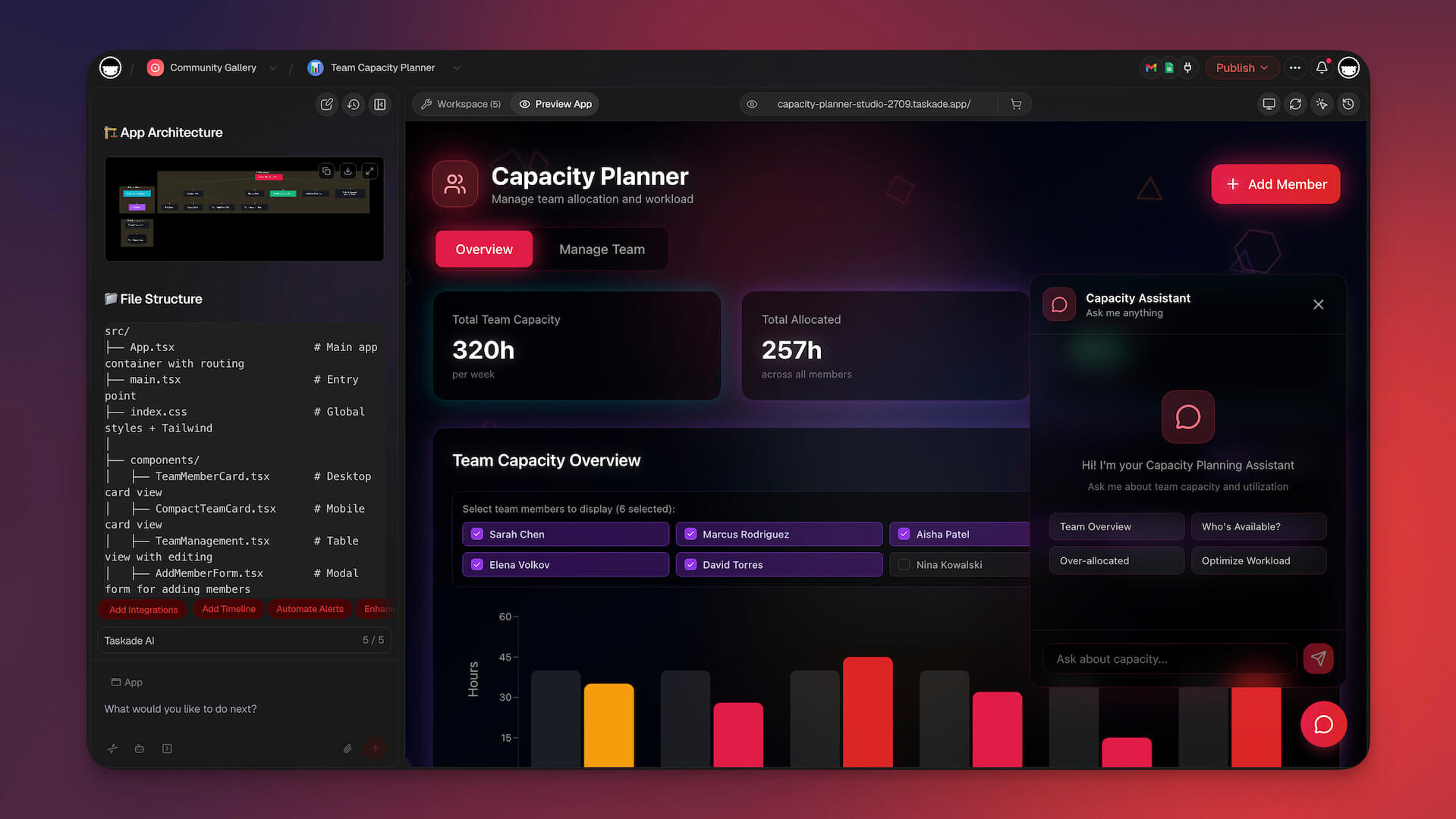
Taskade Genesis doesn't compete with Bolt on Bolt's terms. It redefines what building an app means. Where Bolt generates code that you deploy and maintain, Genesis creates living software -- applications that run immediately, embed AI agents, connect to your data, and evolve as your needs change. No code generated. No deployment required. No maintenance backlog.
This is the Build Without Permission philosophy: anyone, regardless of technical background, should be able to describe a problem and get a working solution. Not a prototype. Not a code scaffold. A functioning application with intelligence built in.
Prompt-to-App: From Idea to Working Software
With Taskade Genesis, you describe what you need in natural language and receive a complete, interactive application. Not code files. Not a preview you need to export. A live app that works the moment it's created.
Example prompts and what Taskade Genesis delivers:
| Prompt | What You Get |
|---|---|
| "Build a client onboarding portal with document uploads and progress tracking" | Full portal with file management, status workflows, and notifications |
| "Create a team standup app that collects daily updates and summarizes them" | Standup form, AI-generated summaries, team dashboard |
| "Build a sales CRM with lead scoring and follow-up reminders" | Complete CRM with AI-scored leads, automated reminders, and pipeline views |
| "Create a content calendar for our marketing team" | Calendar view with content pipeline, assignments, status tracking |
| "Build a meeting agenda app with action item tracking" | Agenda templates, real-time collaboration, automated follow-ups |
The difference between Taskade Genesis and Bolt is not speed of code generation. It's what you get at the end. Bolt gives you a codebase. Taskade Genesis gives you a business tool.
Living Software: Apps That Think and Evolve
Traditional apps are static. You build them, deploy them, and they do exactly what they were programmed to do until someone updates the code. Taskade Genesis apps are different. They're living software built on three pillars:
Memory (Your Workspace Data)
Every Taskade Genesis app runs on your Taskade workspace. Your projects, documents, and data are the app's backend. No external database required. No data migration. Your app already knows what you know because it reads from the same source of truth your team uses every day.
Intelligence (AI Agents)
Taskade Genesis apps can include AI agents that understand context, process information, and take action. These aren't chatbots pasted into a UI. They're trained on your specific data, your documents, your processes, your history, and they operate with that knowledge.
You can build agents that:
- Answer customer questions using your knowledge base
- Triage incoming requests and route them to the right team
- Summarize meeting notes and extract action items
- Monitor data changes and alert you to anomalies
- Draft responses, reports, and updates in your team's voice
Execution (Automations)
Taskade Genesis apps connect to automations that run workflows without manual intervention. Triggers fire when conditions are met. Actions execute across 100+ integrations including Shopify, Stripe, Slack, Gmail, HubSpot, Telegram, Airtable, Linear, and Monday.com. Your app doesn't just display information — it acts on it.
Automation examples:
- New form submission triggers a Slack notification and creates a project task
- Lead score crosses a threshold and sends a follow-up email sequence
- Weekly report generates automatically every Monday at 9 AM
- Document upload triggers an AI review and summary
- New Shopify order updates inventory and notifies the fulfillment team
The hidden superpower: agents and automations work together as one system. Any automation workflow can become an agent tool. Your AI agent says "check this customer's Shopify orders and update their CRM record" and it invokes the workflow from conversation. Automations can also trigger agents. When a new lead arrives, an agent scores it, drafts a response, and routes it to the right person.
No Bolt alternative offers this. Taskade Genesis apps don't just respond to inputs. They reason about them and take action.
Background agents (Pro and above) keep running even when you close the tab. They process new form submissions, monitor data changes, and execute workflows around the clock.
Multiple Views: One App, Many Perspectives
Unlike Bolt's single-output code files, Taskade Genesis apps support multiple views of the same data:
| View | Best For |
|---|---|
| List | Task management, backlogs, to-dos |
| Board | Kanban workflows, pipelines, sprints |
| Calendar | Scheduling, content planning, deadlines |
| Table | Data-heavy views, CRM records, inventories |
| Mind Map | Brainstorming, planning, information architecture |
| Org Chart | Hierarchies, team structures, reporting lines |
| Chat | Real-time communication with AI agents |
Switch between views instantly. The same underlying data appears in whatever format makes sense for the task at hand.
Real-Time Collaboration: Built for Teams
Bolt is a single-player tool. Genesis is built for teams from the ground up.
- Real-time editing with multiple cursors and presence indicators
- Built-in video calls for synchronous collaboration
- Comments and mentions for async feedback
- Role-based permissions to control who sees and edits what
- Shareable links to publish apps to anyone, inside or outside your organization
Your entire team can collaborate on the app, the data inside it, and the AI agents powering it, all from one workspace.
This matters more than most comparisons acknowledge. Building an app is only half the story. The other half is getting your team to use it, contribute data, give feedback, and iterate. With Bolt, that means exporting code, deploying it, sending a link, and hoping people adopt it. With Taskade Genesis, the app lives where your team already works. Collaboration isn't a feature bolted on afterward -- it's the foundation.
Workspace DNA: Your Apps Get Smarter Over Time
Taskade Genesis apps don't just sit there. They learn. As your team adds data, completes workflows, and trains agents on new knowledge, your apps improve. This is what we call Workspace DNA -- the accumulated intelligence of your workspace that makes every new app smarter than the last.
Build a CRM today, and the agents you train on customer data become available for the support portal you build tomorrow. Create a content calendar, and the writing style your agents learn carries over to the email campaign tool you build next week. Your workspace becomes an ecosystem of interconnected intelligence, not a collection of isolated tools.
This is fundamentally different from Bolt's model, where every app is a standalone codebase with no connection to anything else you've built.

Vibe Coding: Natural Language App Creation
Genesis is purpose-built for vibe coding. You don't need to understand React, databases, or deployment pipelines. You describe behaviors and outcomes:
- "When a new customer signs up, send a welcome email and create their onboarding checklist"
- "Show me a dashboard with this week's sales numbers, grouped by region"
- "Let team members submit expense reports and route them to their manager for approval"
Genesis interprets intent and builds the interface, logic, and data connections to match. Iteration is conversational: tell the app what to change, and it changes.
Taskade Genesis vs Bolt.new: Feature Comparison
| Feature | Bolt.new | Taskade Genesis |
|---|---|---|
| Input | Natural language prompt | Natural language prompt |
| Output | React/Vite code files | Live working app |
| Backend | ❌ Bring your own | ✅ Workspace is the backend |
| Database | ❌ External (you set up) | ✅ Built into projects |
| AI Agents | ❌ | ✅ Train on your data |
| Automations | ❌ | ✅ 100+ integrations |
| Collaboration | ❌ Single-player | ✅ Real-time multiplayer |
| Hosting | ❌ Export and deploy | ✅ Instant sharing |
| Multiple views | ❌ Code output only | ✅ List, Board, Table, Mind Map, Gantt Chart, Calendar, Timeline, Org Chart |
| Video calls | ❌ | ✅ Built-in |
| Living Software | ❌ Static code | ✅ Apps that evolve |
| App Templates | ❌ | ✅ 195+ ready-to-use templates |
| MCP server | ❌ | ✅ Claude and Cursor connect into your workspace |
| Publish to your domain | ❌ Export and host yourself | ✅ Live hosting (Pro+), custom domain (Business+) |
| User sign-in | ❌ Build your own auth | ✅ Branded login flow, no plugins |
| Track performance | ❌ You configure separately | ✅ Built-in app analytics |
| Version history | ❌ Git-based | ✅ Roll back any change instantly |
| Agents run 24/7 | ❌ | ✅ Background agents work while you sleep (Pro+) |
| Share your app | ✅ Download code | ✅ Clone, share, or publish to the community |
| Target user | Developers | Anyone |
| Free tier | Limited tokens | ✅ 3 apps, 1 agent, up to 6,000 AI credits |
| Paid pricing (annual) | $20/month | Pro $10/mo billed annually (10 users) |
The Community: 150,000+ Apps Ready to Clone
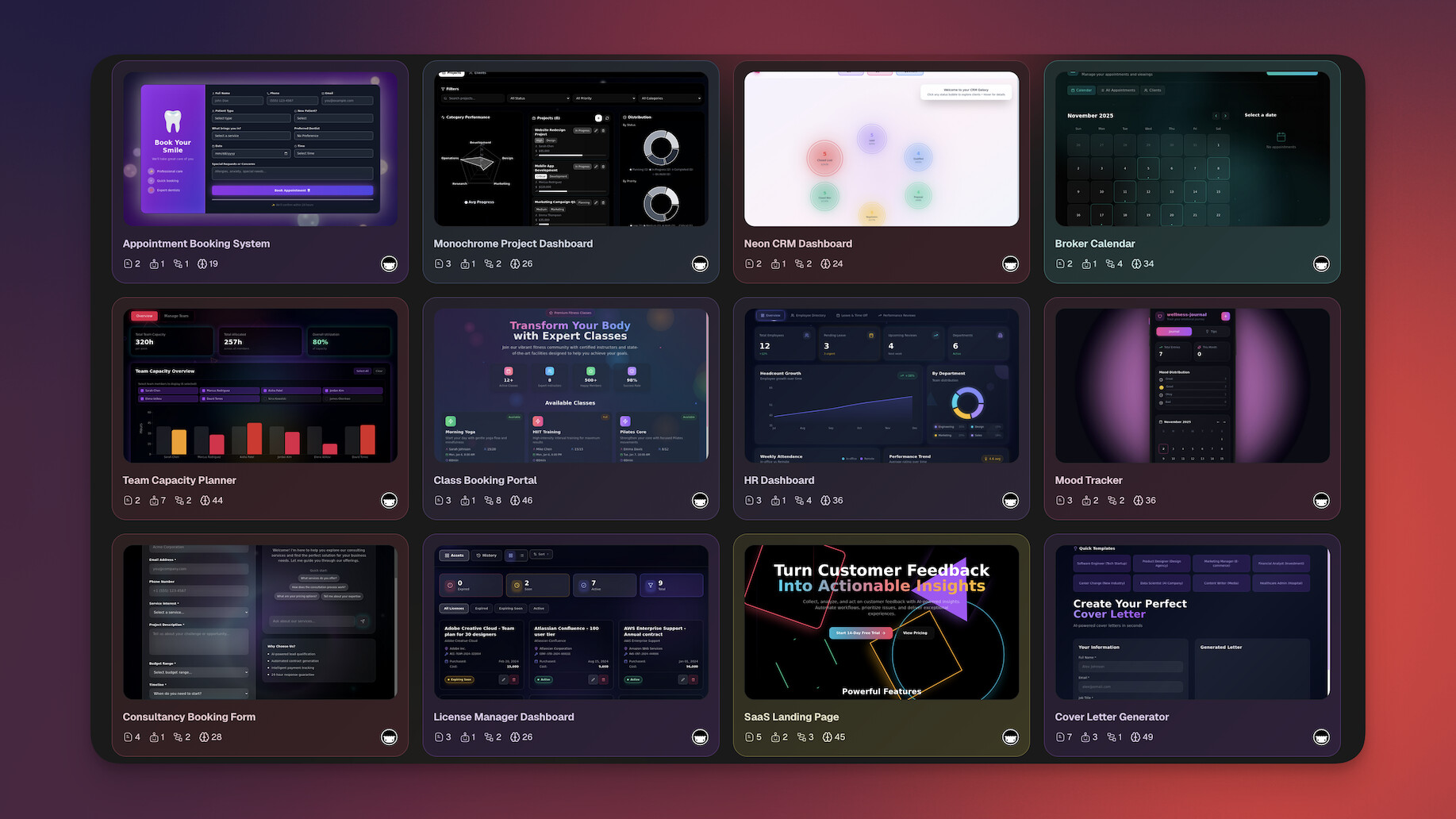
Don't want to start from scratch? The Taskade Community has over 150,000 apps, templates, agents, and workflows you can clone and customize — plus 195+ curated app templates to get started in seconds. Find an app close to what you need, clone it into your workspace, and modify it with natural language prompts.
| Category | Examples |
|---|---|
| CRM & Sales | Lead tracker, deal pipeline, client portal |
| Marketing | Content calendar, social media planner, campaign tracker |
| Operations | Employee onboarding, inventory management, SOP library |
| Education | Course planner, student tracker, assignment manager |
| Personal | Habit tracker, meal planner, budget dashboard |
Taskade Genesis Pricing 💸 (annual billing)
- 🟢 Free: 3 apps, 1 agent, 3 automations, up to 6,000 AI credits
- 🟣 Pro ($10/month): 10 users, unlimited apps, agents, and automations, 50K credits/mo, live web hosting, background agents
- 🟠 Business ($25/month): Unlimited users, custom domains, white-label, 150K credits/mo, hourly knowledge sync
Compare that to Bolt's $20/month — which still requires you to pay separately for hosting, databases, authentication, and monitoring. Taskade Genesis includes everything: hosting, SSL, sign-in, analytics, and AI agents that keep your app running while you sleep.
What your $10/month actually gets you (that Bolt can't match):
| Bolt.new ($20/mo) | Taskade Genesis Pro ($10/mo for 10 users) |
|---|---|
| Code files to deploy yourself | Live app, instantly published |
| No hosting included | Live hosting with shareable links (Business: custom domain + SSL) |
| No user sign-in | Branded login for your users |
| No performance tracking | Built-in app analytics |
| No AI agents | Unlimited AI agents that remember, reason, and act |
| No automations | Unlimited automations with 100+ integrations (Shopify, Stripe, Slack, Gmail, HubSpot) |
| No collaboration | Real-time multiplayer, video calls, permissions |
| No version history | Roll back any change |
| 1 developer | 10 users included |
Clone these apps and try for yourself:
| Use Case | App | Clone |
|---|---|---|
| Sales & CRM | Neon CRM Dashboard | Clone → |
| Marketing | SaaS Landing Page | Clone → |
| Customer Feedback | Smart Feedback Form | Clone → |
| Scheduling | Appointment Booking | Clone → |
| Analytics | Growth Dashboard | Clone → |
Browse 150,000+ community apps →
See Taskade Genesis in action:
Key links:
👉 See full Bolt vs Genesis comparison
#2 Lovable — Best for Rapid UI Prototyping

Lovable (formerly GPT Engineer) generates full-stack React/TypeScript applications from natural language prompts. It gained traction for its clean UI generation and Supabase integration, making it a popular choice for developers who want AI-generated code with a polished look.
What Lovable does well:
- Generates clean React/TypeScript code from descriptions
- Produces visually polished UI components
- Integrates with Supabase for backend/database features
- Supports GitHub export for version control
- Good at interpreting design intent from prompts
Lovable vs Bolt.new:
| Feature | Lovable | Bolt.new |
|---|---|---|
| Code quality | Higher (cleaner output) | Good (faster generation) |
| UI design | ✅ More polished | Functional |
| Backend | Supabase integration | ❌ None |
| Speed | Fast | Very fast |
| Framework | React/TypeScript | Multiple |
Where Lovable falls short:
Lovable generates code, not working software. There are no AI agents, no automations, and no built-in hosting. You still need to deploy the output yourself, manage dependencies, and handle infrastructure. The Supabase integration helps with backend, but it's an additional service to configure and pay for. Collaboration is limited to code export via GitHub, not real-time team editing.
Lovable originally launched as "GPT Engineer" and rebranded to emphasize its design-forward approach. The rebrand reflects a genuine strength -- Lovable generates some of the cleanest UI code in the space. But clean code is still code, and for teams that need apps with built-in intelligence and zero deployment friction, Lovable leaves significant gaps.
Lovable Pricing 💸
- 🟢 Free: Limited messages
- 🔵 Starter ($25/month): More messages, faster generation
- 🟣 Pro ($50/month): Priority access, more capacity
👉 See full comparison: Taskade Genesis vs Lovable
#3 V0 by Vercel — Best for React Component Generation

V0 is Vercel's AI-powered tool for generating React components using shadcn/ui and Tailwind CSS. It excels at creating individual UI components and page layouts from text descriptions or image uploads, making it a powerful tool for frontend developers working within the Next.js ecosystem.
What V0 does well:
- Generates beautiful React components with modern styling
- Uses shadcn/ui and Tailwind CSS (production-ready code)
- Supports image-to-code generation
- Tight integration with Vercel's deployment platform
- Excellent for building design system components
V0 vs Bolt.new:
| Feature | V0 | Bolt.new |
|---|---|---|
| Output | Components | Full apps |
| Styling | shadcn/ui + Tailwind | Custom |
| Image-to-code | ✅ | Limited |
| Full applications | ❌ | ✅ |
| Backend | ❌ | ❌ |
Where V0 falls short:
V0 generates components, not complete applications. There's no database layer, no authentication, no backend logic, and no AI agents. You get beautifully styled React code that you paste into your existing project. For non-developers or anyone who needs a working app (not just a UI component), V0 solves only one piece of the puzzle. It's a developer tool that assumes you already have an application architecture in place.
V0 is best understood as a developer accelerator, not an app builder. If you're already building a Next.js project and want AI to generate UI components for you, V0 is excellent. If you're looking for something that replaces Bolt's full-app generation, V0 covers a much narrower scope.
V0 Pricing 💸
- 🟢 Free: 200 credits/month
- 🔵 Premium ($20/month): 5,000 credits, faster generation
👉 See full comparison: Taskade Genesis vs V0
#4 Cursor — Best AI Code Editor for Professional Developers

Cursor is an AI-powered code editor built as a fork of VS Code. It brought features like Cmd+K inline editing, codebase-aware chat, and multi-file AI edits to the developer workflow. For professional developers, it's one of the most capable AI coding tools available.
What Cursor does well:
- Codebase-aware AI that understands your entire project
- Inline code editing with Cmd+K
- Multi-file edits across your project
- Tab completion with context from your codebase
- Chat interface for asking questions about your code
Cursor vs Bolt.new:
| Feature | Cursor | Bolt.new |
|---|---|---|
| Target user | Professional developers | Anyone |
| Environment | Desktop IDE | Browser |
| Full apps | Build them yourself | ✅ Generated |
| Code understanding | ✅ Deep context | Limited |
| Hosting | ❌ | ❌ |
Where Cursor falls short:
Cursor is a code editor, not an app builder. It makes developers faster at writing code, but you still need to know how to code. There's no prompt-to-app workflow, no built-in hosting, no database, and no AI agents for your end users. If you're looking for a Bolt alternative because you want to build apps faster without deep coding knowledge, Cursor moves you in the opposite direction. It's best for developers who want to stay in code but want AI assistance while doing it.
Cursor Pricing 💸
- 🟢 Hobby (Free): Limited Agent requests, access to Composer
- 🔵 Pro ($20/month): Extended Agent limits, frontier models
For professional developers, Cursor is arguably the best tool in this list. But it's solving a fundamentally different problem than Bolt. Bolt generates entire apps. Cursor helps you write better code within existing projects. They're complementary tools, not competitors, and neither one creates the kind of living software that Taskade Genesis delivers.
Worth noting: Cursor hit $2 billion in ARR in 2026, proving massive demand for AI-assisted coding. But as Anthropic CEO Dario Amodei observed in a 2026 interview: "Coding is going away first. The broader task of software engineering will take longer." The elements that endure -- design, understanding user demand, orchestrating AI models -- are exactly what living software platforms like Taskade Genesis handle natively, without requiring users to write code at all.
👉 See full comparison: Taskade Genesis vs Cursor
#5 Replit — Best for Cloud-Based Full-Stack Development

Replit is a cloud-based development environment with AI capabilities. Its Agent mode can generate full-stack applications from prompts, and the platform includes built-in hosting, making it one of the more complete developer-focused alternatives to Bolt.
What Replit does well:
- Full cloud IDE with terminal, file system, and preview
- Agent mode generates full-stack apps from prompts
- Built-in hosting and deployment
- Multiplayer coding for real-time collaboration
- Supports dozens of programming languages
- Strong community with templates and examples
Replit vs Bolt.new:
| Feature | Replit | Bolt.new |
|---|---|---|
| Hosting | ✅ Built-in | ❌ Export |
| Full IDE | ✅ | ✅ Browser |
| Languages | 50+ | Web frameworks |
| Collaboration | ✅ Multiplayer | ❌ |
| AI agent mode | ✅ | ❌ |
Where Replit falls short:
Replit is a developer platform. While Agent mode can generate apps from prompts, the results are code projects that you manage like any software project. There are no built-in AI agents for end users, no workflow automations, and no multiple views of data. The platform targets people who are comfortable with code or willing to learn. Hosting is included but comes with resource limits that can constrain production apps. For non-technical users who just want a working tool, Replit's IDE-first approach adds unnecessary complexity.
Replit Pricing 💸
- 🟢 Free: Basic features, limited compute
- 🔵 Core ($25/month): More AI, better compute, always-on hosting
👉 See full comparison: Taskade Genesis vs Replit
#6 Windsurf — Best Budget AI Code Editor
Windsurf (formerly Codeium) is an AI code editor that combines strong autocomplete with a unique "Cascade" feature that flows through multi-step coding tasks. It positions itself as a more affordable alternative to Cursor while offering similar AI-assisted coding capabilities.
What Windsurf does well:
- Fast, accurate code autocomplete
- Cascade mode for multi-step AI coding flows
- Lower price point than Cursor
- VS Code-compatible extensions
- Good codebase understanding
Windsurf vs Bolt.new:
| Feature | Windsurf | Bolt.new |
|---|---|---|
| Target user | Developers | Anyone |
| Environment | Desktop IDE | Browser |
| Cascade flow | ✅ Multi-step | ❌ |
| App generation | ❌ | ✅ |
| Price | $15/mo | $20/mo |
Where Windsurf falls short:
Like Cursor, Windsurf is a code editor for developers. It doesn't generate apps from prompts, doesn't include hosting, and doesn't offer AI agents or automations. The Cascade feature is useful for developers working through multi-step coding tasks, but it's still fundamentally about writing code faster, not eliminating the need to code. If you're exploring Bolt alternatives because you want prompt-to-app capabilities, Windsurf solves a different problem.
Windsurf Pricing 💸
- 🟢 Free: Basic autocomplete
- 🔵 Pro ($15/month): Full Cascade, advanced features
👉 See full comparison: Taskade Genesis vs Windsurf
#7 Base44 — Best for Absolute Beginners
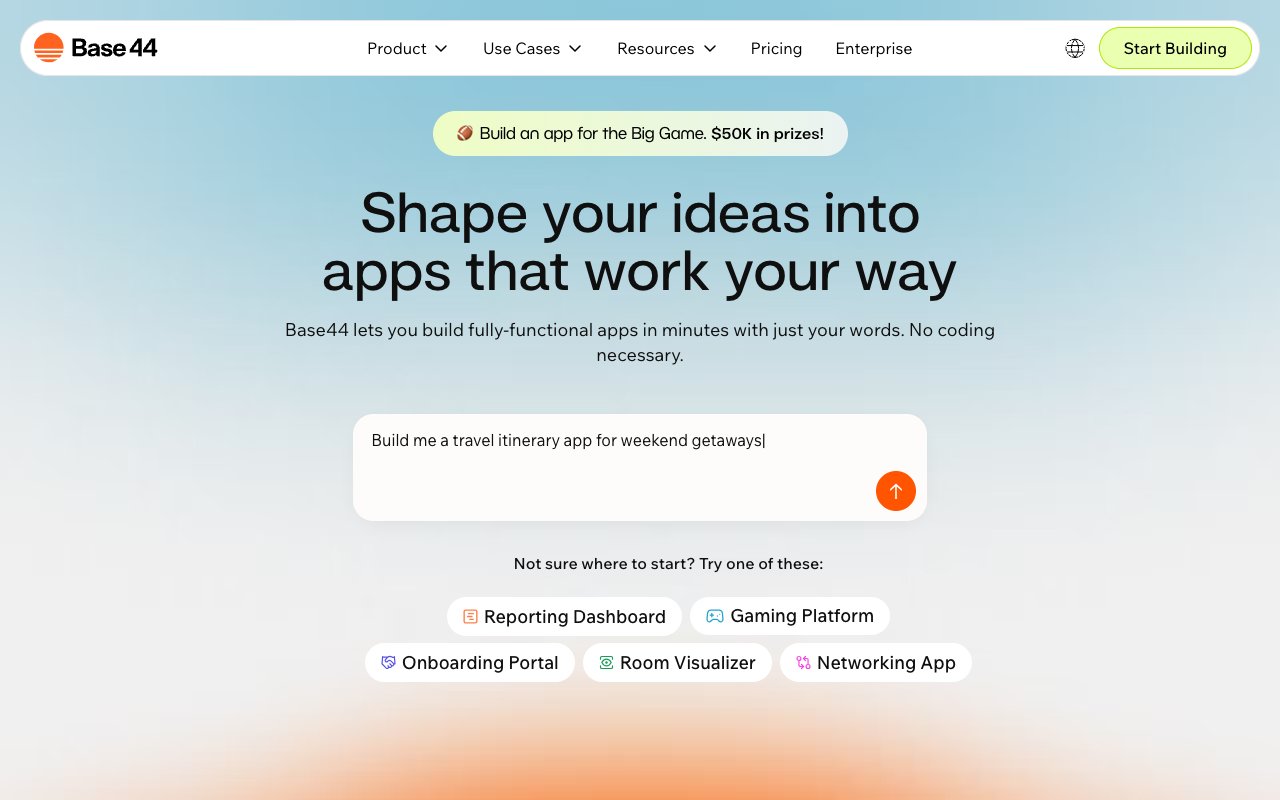
Base44 is a simple prompt-to-app platform designed for people with zero technical experience. It focuses on making app creation as accessible as possible, generating basic web applications from plain language descriptions with minimal configuration.
What Base44 does well:
- Extremely simple prompt interface
- Low barrier to entry for non-technical users
- Quick generation of basic apps
- Built-in preview and sharing
Base44 vs Bolt.new:
| Feature | Base44 | Bolt.new |
|---|---|---|
| Ease of use | ✅ Very simple | Moderate |
| Customization | Limited | ✅ Full code access |
| Complexity | Basic apps | Full web apps |
| Technical skill | None needed | Some helpful |
Where Base44 falls short:
Base44 trades power for simplicity. The apps it generates are basic, with limited customization options and no advanced features like AI agents, automations, or complex data handling. For simple internal tools or landing pages, it works. For anything requiring business logic, data workflows, or intelligent features, you'll hit walls quickly. There's also less community support and fewer resources compared to more established platforms.
Base44 Pricing 💸
- 🟢 Free: Limited builds
- 🔵 Pro ($29/month): Unlimited builds, custom domains
👉 See full comparison: Taskade Genesis vs Base44
#8 Emergent — Best for Full-Stack Vibe Coding
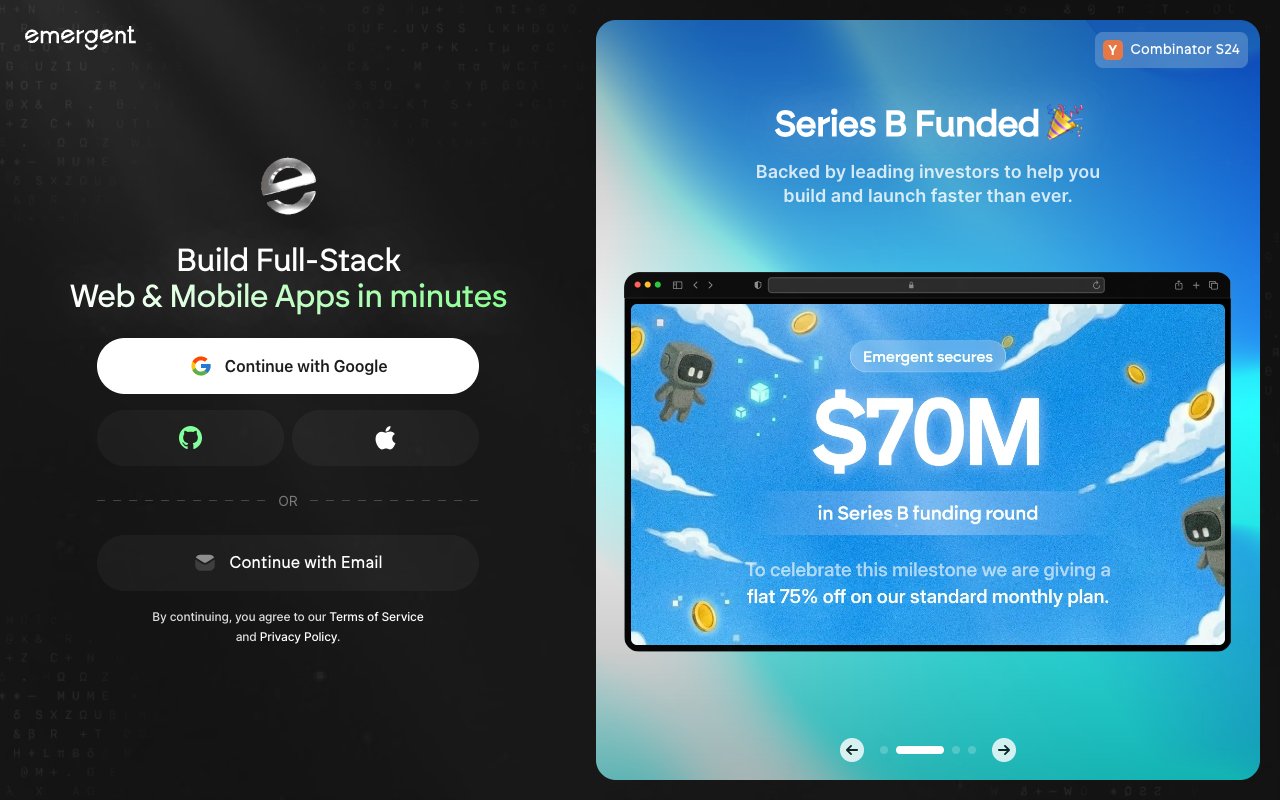
Emergent generates full-stack applications from natural language, aiming to cover both frontend and backend in a single prompt. It targets developers and technical users who want the full-stack output that Bolt's frontend-focused approach doesn't provide.
What Emergent does well:
- Full-stack code generation from prompts
- Backend logic included in generated apps
- Database schema generation
- API endpoint creation
- Developer-friendly output
Emergent vs Bolt.new:
| Feature | Emergent | Bolt.new |
|---|---|---|
| Backend | ✅ Generated | ❌ |
| Database | ✅ Schema included | ❌ |
| APIs | ✅ Auto-generated | ❌ |
| Browser IDE | Limited | ✅ Full |
| Speed | Good | Very fast |
Where Emergent falls short:
Emergent still produces code output that needs deployment and maintenance. There are no AI agents, no automations, and limited collaboration features. The generated backend code saves time compared to Bolt's frontend-only approach, but you're still managing a codebase. The platform is newer, which means smaller community, fewer templates, and less documentation. For developers who specifically want full-stack code output, it fills a gap. For anyone else, the code-output paradigm remains a barrier.
Emergent Pricing 💸
- 🟢 Free: Limited generations
- 🔵 Standard ($20/month): 100 credits/month, private project hosting, GitHub integration
👉 See full comparison: Taskade Genesis vs Emergent
#9 Softr — Best for No-Code Internal Tools
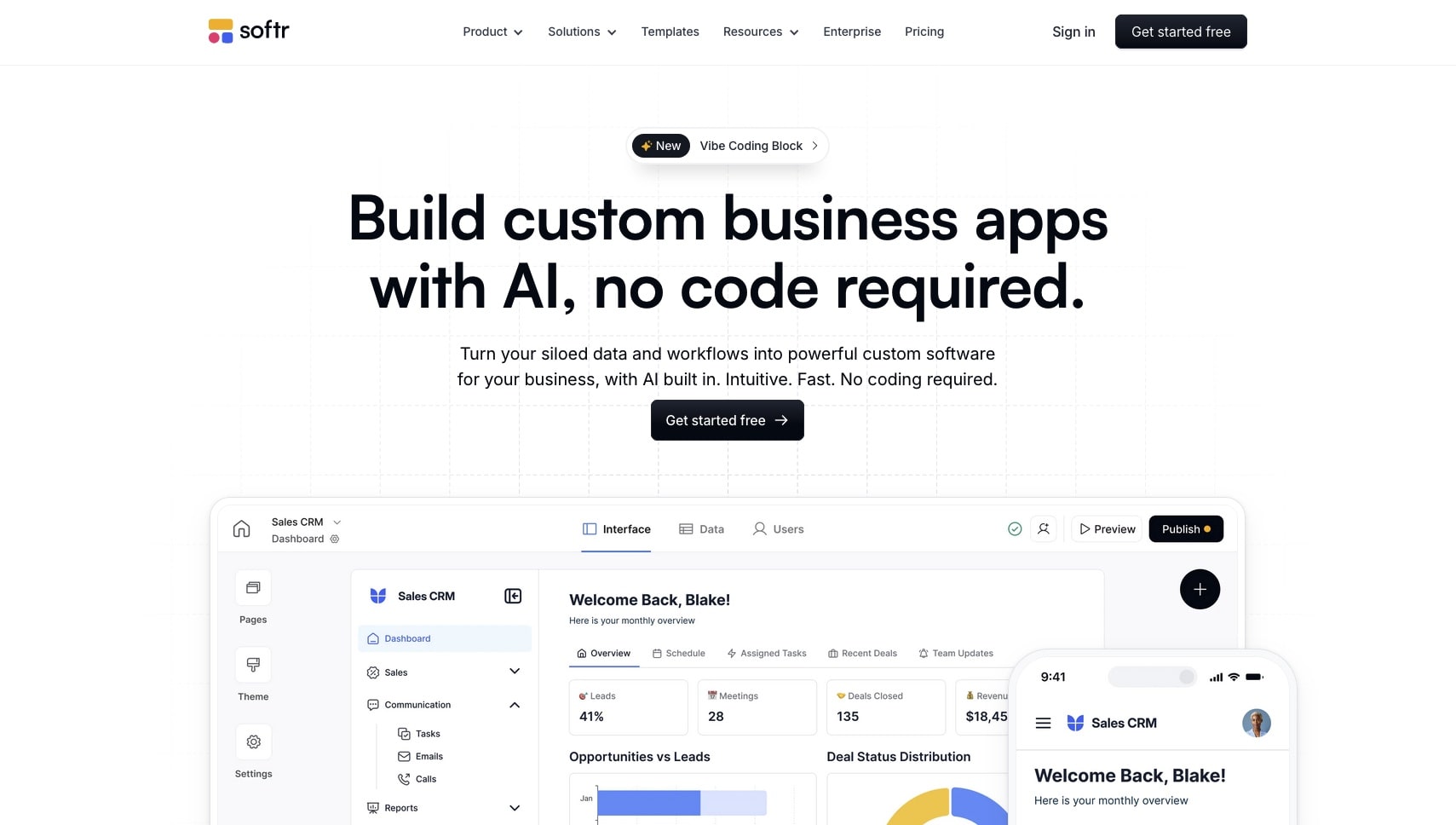
Softr turns Airtable and Google Sheets data into web applications without code. It's designed for building internal tools, client portals, and simple web apps from existing spreadsheet data, making it a solid option for teams already using Airtable as their data layer.
What Softr does well:
- Direct Airtable and Google Sheets integration
- Pre-built blocks for common app patterns (lists, forms, charts)
- User authentication built in
- Custom domains and branding
- Good for internal tools and client portals
Softr vs Bolt.new:
| Feature | Softr | Bolt.new |
|---|---|---|
| Coding required | ❌ None | Some helpful |
| Data source | Airtable/Sheets | ❌ None |
| App types | Internal tools | Any web app |
| AI features | Limited | ✅ AI generation |
| Customization | Block-based | ✅ Full code |
Where Softr falls short:
Softr is tied to Airtable and Google Sheets as data sources, which limits what you can build. There's no AI agent support, no intelligent automation beyond basic triggers, and the block-based builder constrains customization. If your data doesn't live in Airtable or Sheets, Softr isn't an option. The approach also means your app's capabilities are limited by what Softr's pre-built blocks can do, not what you can imagine.
Softr Pricing 💸
- 🟢 Free: Basic features, Softr branding
- 🔵 Basic ($49/month): Custom domain, more blocks
- 🟣 Professional ($139/month): Advanced features, more users
👉 See full comparison: Taskade Genesis vs Softr
#10 Bubble — Best for Complex Custom Applications

Bubble is a visual programming platform for building complex web applications without traditional code. It offers a full-featured builder with database management, workflows, API integrations, and responsive design, making it one of the most powerful no-code platforms available.
What Bubble does well:
- Full visual programming environment
- Built-in database with relational data
- Complex workflow logic
- API integrations (send and receive)
- Responsive design editor
- Plugin marketplace with hundreds of extensions
Bubble vs Bolt.new:
| Feature | Bubble | Bolt.new |
|---|---|---|
| Learning curve | Steep | Moderate |
| Complexity | ✅ Very high | Moderate |
| Database | ✅ Built-in | ❌ |
| AI features | Growing | ✅ AI generation |
| Speed to app | Slow (days) | Fast (minutes) |
Where Bubble falls short:
Bubble's power comes at a cost: the learning curve is steep. Building anything meaningful takes days or weeks of learning Bubble's visual programming paradigm. There are no AI agents, and AI-assisted building is limited compared to prompt-first platforms. Performance can be an issue for complex apps, and you're locked into Bubble's ecosystem. For simple tools and quick builds, Bubble is overkill. For teams that want AI-native features, it doesn't deliver.
Bubble Pricing 💸
- 🟢 Free: Basic features, Bubble branding
- 🔵 Starter ($29/month): Custom domain, more capacity
- 🟣 Growth ($119/month): More users, server capacity
👉 See full comparison: Taskade Genesis vs Bubble
🥇 Why Taskade Genesis Is the #1 Bolt Alternative
The alternatives above fall into clear categories. AI code editors (Cursor, Windsurf) help developers write code faster. Code generators (Bolt, Lovable, Emergent) create code from prompts. Component tools (V0) generate UI pieces. No-code builders (Softr, Bubble, Base44) offer drag-and-drop interfaces.
Taskade Genesis occupies a different category entirely: living software.
Here's how it compares to the top competitors across the dimensions that matter:
| Feature | Genesis | Bolt.new | Lovable | V0 |
|---|---|---|---|---|
| Working app from prompt | ✅ Instant | Code export | Code export | Components only |
| AI agents built in | ✅ | ❌ | ❌ | ❌ |
| Automations | ✅ 100+ integrations | ❌ | ❌ | ❌ |
| Backend included | ✅ Workspace | ❌ | Via Supabase | ❌ |
| Real-time collaboration | ✅ + Video calls | ❌ | ❌ | ❌ |
| Hosting | ✅ Included | ❌ | ❌ | ❌ |
| Multiple views | ✅ views | ❌ | ❌ | ❌ |
| Community apps | ✅ 150,000+ | ❌ | ❌ | Templates |
| No code required | ✅ | Helpful | Helpful | Required |
| Free tier | ✅ 3 apps, 1 agent | Limited tokens | Limited | 200 credits |
| Pricing | Free / $10/mo | $20/mo | $25/mo | $20/mo |
The Build Without Permission philosophy means you don't need to know React. You don't need to set up a database. You don't need to configure hosting. You don't need to understand deployment. You describe what you need, and Taskade Genesis delivers a working application with intelligence, data, and automation built in.
This isn't about being anti-developer. It's about recognizing that most people who need apps are not developers, and they shouldn't have to become developers to solve their problems. Genesis puts app creation in the hands of the people closest to the problem, the ones who understand what needs to be built.
The total cost comparison makes this even clearer:
| Cost Category | Bolt.new | Taskade Genesis |
|---|---|---|
| Platform subscription | $20/month | Free to start, $10/month billed annually |
| Hosting (Vercel, Netlify) | $0-20/month | ✅ Included |
| Database (Supabase, Firebase) | $0-25/month | ✅ Included |
| Authentication service | $0-15/month | ✅ Included |
| AI agent infrastructure | $20-100/month | ✅ Included |
| Total monthly cost | $40-180/month | Free to start, $10/month billed annually |
When you factor in the time spent configuring, deploying, and maintaining these services, the gap widens further. Genesis eliminates entire categories of work that Bolt's code-output model creates.
Who should choose Genesis over Bolt:
| If You Are... | Why Genesis Wins |
|---|---|
| A founder building an MVP | Working app in minutes, not weeks |
| A team lead needing internal tools | AI agents + automations included |
| A marketer building campaigns | No deployment complexity |
| A consultant serving clients | Clone and customize from community |
| A developer tired of boilerplate | Focus on outcomes, not infrastructure |
| A non-technical team member | No coding knowledge needed |
| A startup with limited budget | Everything included, free to start with Pro at $10/month (annual) |
🚀 Start Building with Taskade Genesis
The AI app building landscape has never been more crowded or more capable. Bolt.new deserves credit for showing what's possible when you combine AI with browser-based development. But the next evolution goes beyond code generation. It's about creating software that thinks, collaborates, and evolves.
Taskade Genesis represents that next step. No code to write. No infrastructure to manage. No deployment to configure. Just describe what you need and get a working, intelligent application.
Ready to build apps that work the moment you describe them?
👉 Build your first app with Genesis -- Describe it in plain English and get a working app in minutes.
👉 Explore AI Agents -- Train agents on your data and embed them in your apps.
👉 Browse the Community -- Clone from 150,000+ apps, templates, and workflows.
👉 Explore the Gallery -- See what others have built with Genesis.
👉 Sign up free -- No credit card required.
❓ Frequently Asked Questions
Is Bolt.new free?
Bolt.new offers a limited free tier with a small number of AI tokens. Once those are used, you need the Pro plan at $20/month. Taskade Genesis offers a free tier with 3 apps and core AI features included, and unlimited apps on Pro at $10/month billed annually.
What is the best free Bolt.new alternative?
Taskade Genesis offers the most capable free tier among Bolt alternatives. You can build 3 Taskade Genesis apps with AI agents, automations, and real-time collaboration at no cost, then upgrade to Pro at $10/month billed annually for unlimited apps. Replit and Windsurf also have free tiers, but with more limited AI capabilities.
Can Bolt.new build full-stack applications?
Bolt.new generates frontend code with some backend capabilities, but you still need to set up hosting, databases, and authentication yourself. Taskade Genesis includes all of these as part of the platform, so your apps work immediately without external services.
Do I need coding experience to use Bolt.new alternatives?
It depends on the tool. Cursor and Windsurf require coding knowledge. Bolt.new and Lovable help but still output code you need to manage. Taskade Genesis requires no coding experience at all -- you describe what you want and get a working application.
Which Bolt alternative is best for teams?
Taskade Genesis is the strongest choice for teams. It includes real-time collaboration, built-in video calls, role-based permissions, and shared AI agents. Most other Bolt alternatives are single-player tools designed for individual developers.
Can I migrate from Bolt.new to another platform?
Since Bolt generates code (typically React/Vite), you can take that code to any hosting provider. However, you will need to manage deployment, databases, and ongoing maintenance yourself. For a simpler approach, you can rebuild your app in Taskade Genesis from a natural language prompt and skip the infrastructure overhead entirely.
📚 Related Reading
- Best Free AI App Builders in 2026 — 15 tested, no credit card
- What Is Vibe Coding?
- Best Lovable Alternatives
- Best Cursor Alternatives
- Best Devin AI Alternatives
- Best Vibe Coding Tools in 2026
- Best Windsurf Alternatives
- Best GitHub Copilot Alternatives
- Build Without Permission
- The Origin of Living Software
- AI App Builder Pricing — Bolt vs Lovable vs Replit vs Genesis — Real costs compared
- Best V0 Alternatives
- Taskade vs Bolt — Side-by-side comparison
- Taskade vs Lovable — App builders compared
- Taskade vs v0 — UI generators compared
Start building:
- Clone a ready-made app template — Customize and deploy instantly
- AI App Builder — Build complete apps from one prompt
- Browse Community Apps — Clone real Genesis apps