






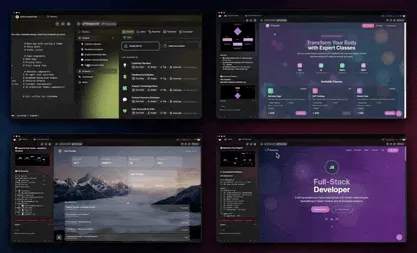
In 2026, most AI tools still hand you a dead thing. You type a prompt and get back a paragraph. You upload a PDF and get a one-time summary. You build a chart and download a PNG. The moment the screen refreshes, the work is frozen, and you are back at the start. Meanwhile, the "tool" you used keeps charging you for the privilege of starting over.
There is a different model, and it is the one that actually runs businesses: you clone a live, working app into your own workspace and own it forever. It keeps running. You keep the keys. This post maps the difference, dead artifact versus living system you own, across every kind of work, and links the proof for each one.
TL;DR: Most AI tools give you a static output (a text string, a PDF, a chart image, a copied prompt) or rent you access you lose when you stop paying. Clone and own flips both: you copy a working app, projects, agents, automations, into your workspace and keep it running. Taskade Genesis plans start free and from $10/mo billed annually, and a single workspace holds an unlimited library of owned apps. Build your first one free →
What Does "Clone and Own" Actually Mean?
Clone and own means you copy a complete, working app, not a file, into a workspace you control, and it keeps running there permanently. The clone includes the projects that hold your data, the AI agents that reason over it, and the automations that act on it. Nothing is rented; nothing expires when a single vendor's subscription lapses. Taskade Genesis is built around this model: you describe an app, clone a working example, or remix one from the Community Gallery, and the whole system lands in your workspace ready to run.
Contrast that with the two patterns that dominate the AI tool market. The first is the static output: you get a result, and the result is dead the instant it appears. The second is the rental: you get access, and the access vanishes the instant you stop paying. Both leave you holding nothing durable. Clone and own is the third option, a living system you own.
This is not a slogan. It is a structural difference in what you walk away with. The rest of this post walks through the verticals where it matters most, and links the working app for each so you can clone it yourself.
Why a Static Output Always Decays
A static output decays because it is frozen at the moment of generation, while the world it described keeps moving. A revenue chart you exported on Monday is wrong by Friday. A study summary is stale the day the source PDF updates. A copied prompt rots the moment the underlying data changes. The artifact has no way to refresh itself, so its value drops to zero on a clock you cannot stop.
A living app does not have this problem, because it is connected to the inputs that feed it. When a record changes, the app recalculates. When a new file arrives, an automation processes it. When a client replies, the CRM updates. The table below shows the same five jobs done two ways, and what you are left holding at the end.
| The job | The dead artifact | The living app you own | What changes |
|---|---|---|---|
| Track revenue | An exported chart PNG | A self-refreshing AI dashboard | Updates when records change |
| Use a great prompt | A pasted text block | A prompt wired into an agent | Runs on a schedule, remembers context |
| Study a document | A one-time summary | A PDF-to-notes study tool | Reprocesses new versions |
| Show your work | A static portfolio page | A cloneable portfolio builder | You edit and own it forever |
| Quiz a class | A printed answer key | A reusable exam bank | Regenerates new variants on demand |
The pattern is identical every time. The artifact is a photograph; the app is a process. You can frame a photograph, but you cannot ask it a new question.
The David Thread: Owning the System, Not Renting Another Tool
David is a contractor who signed up for a paid plan and built an internal operations dashboard to run his real business, clients, jobs, invoices, schedule, all in one place. He did not want to rent a sixth tool with a sixth login. He wanted to own the system that runs his company, the way he owns his truck and his tools. That is the whole instinct behind clone and own.
When you rent five disconnected tools, your business lives in five strangers' basements. One vendor holds your CRM, another your invoices, a third your file storage, a fourth your scheduling, a fifth your reports. None of them talk to each other, every one of them can change its price or terms, and the day you cancel any of them, that slice of your business goes dark. David's move was to collapse all of it into one workspace he owns, and that is exactly what a single Taskade workspace is built to hold.
David did not learn to code. He cloned a client CRM, wired it to an invoicing tool, added an AI time tracker and a budget-vs-actuals report, and now runs the whole thing from one screen. He owns it. If Taskade vanished tomorrow, he could export every record. That security is the entire point.
Portfolio: Own the Living Page, Not a Frozen Template
A cloned portfolio is a living page you edit and own, not a frozen template you rent from a website builder. With the portfolio builder, you clone a working portfolio into your workspace, swap in your projects, and keep editing it for years. It connects to the same client records as your CRM and invoicing, so updating a project once updates it everywhere. A static site export, by contrast, freezes the moment you publish.
This is the difference covered in depth in portfolio vs website: a rented website builder gives you pages behind a monthly fee and a vendor login, while a cloned portfolio gives you a living app you own outright. For freelancers, the portfolio is rarely the end. It is the front of a system that also includes a project proposal generator and a daily schedule. Owning all of them in one workspace beats renting four separate single-purpose tools.
Compare what you actually hold at the end:
| Approach | What you get | Who holds the keys | Keeps running? |
|---|---|---|---|
| Rented website builder | Hosted pages | The vendor | Only while you pay |
| Exported static site | HTML files | You, but frozen | No — manual updates |
| Cloned portfolio app | A living app | You, in your workspace | Yes — self-updating |
Prompt-as-Tool: From Copied Text to a Reusable App
A prompt-as-tool turns a one-line instruction into a reusable app with memory and a saved interface, instead of text you re-paste every time. The AI prompt builder wires a great prompt into an agent, gives it a project to store outputs, and lets an automation trigger it on a schedule. The prompt stops being a sticky note you keep losing and becomes a button you press, or one that presses itself.
This is why a copied prompt is one of the most deceptive dead artifacts. It looks reusable, but every run is manual: open the chat, paste the prompt, copy the result, paste it somewhere useful, repeat forever. A cloned prompt-app removes all four steps. For the deeper mechanics of writing prompts that hold up inside an app, see our guide to AI prompt generators, and to understand the agent layer that runs them, the AI agent stack. The point here is simpler: own the tool, not the instructions for building it by hand.
COPIED PROMPT (dead)              CLONED PROMPT-APP (living, owned)
─────────────────────            ──────────────────────────────────
1. Open chat            ────►     Agent holds the prompt
2. Paste prompt                   Project stores every output
3. Copy result                    Automation runs it on schedule
4. Paste somewhere                Memory keeps prior context
5. Repeat forever         vs.     You press one button (or none)
Dashboards: A Self-Refreshing System vs. a Screenshot
A cloned dashboard recalculates itself whenever its data changes, while an exported chart is frozen the second you download it. The AI dashboard generator builds a working dashboard using Table and Board views, connects it to live records, and keeps the numbers current without you touching a spreadsheet. This is the artifact David relied on most, a single screen that always tells the truth about his business.
The decay math is brutal for screenshots. A revenue snapshot is accurate for exactly one moment and then drifts further from reality every hour. A living dashboard never drifts, because the same automation that updates the underlying records updates the dashboard. For operators tracking money, that connects directly to a budget-vs-actuals report, clone both, and your planned numbers and your real numbers sit side by side, always current. This is the same "run your business from one place" idea explored in business in one workspace.
| Metric surface | Static export | Cloned dashboard you own |
|---|---|---|
| Accuracy | True for one moment | Always current |
| Updates | Manual rebuild | Automatic on data change |
| Source of truth | A frozen file | Live workspace records |
| Sharing | Stale attachment | A link to a living app |
Education: An Exam Bank vs. a Printed Answer Key
A cloned exam bank regenerates fresh question variants on demand, while a printed answer key is a single frozen quiz you cannot reuse without retyping. The education-to-exam tool turns source material into a working app that produces new exams whenever you ask, tracks which topics each question covers, and lives in your workspace for the whole school year. A teacher owns it; a downloaded PDF owns the teacher.
This matters because the value of a question bank compounds. Every exam you generate adds to a library you keep, and the app remixes that library into new variants for retakes, makeups, and next semester. A printed key, in contrast, is single-use. The companion guide AI exam generators covers how to build banks that hold up across a term, and pairs naturally with study-side tools below. The deeper principle is the one running through this whole post: a tool that generates new work on demand is worth far more than a single output it produced once.
There is a second, quieter advantage that only ownership unlocks: the bank learns the shape of your material. Because it lives in your workspace alongside the source documents, an agent can tag questions by topic, difficulty, and the exact section they came from, then assemble a balanced exam instead of a random pile. A printed answer key knows none of this; it is a flat list with no memory. Over a full term, the owned bank becomes the single most reusable asset a teacher has, and it cost the same one prompt that a throwaway PDF would have.
PDF Study Tools: Living Notes vs. a One-Time Summary
A PDF-to-notes study tool reprocesses documents as they change and builds a knowledge base you keep, while a one-time summary is stale the moment the source updates. The PDF-to-notes converter turns documents into structured, searchable notes inside your workspace, and an agent can answer questions against them later. The notes are not a destination. They are an input to everything else you do.
A one-time summary feels efficient until the second document arrives, and the third, and the tenth, each producing a disconnected blob you cannot search across. A cloned study system collects all of them into one knowledge base your agents can reason over. Pair it with the exam bank and you have a full study loop: ingest material, build living notes, generate practice exams, all owned. The full walkthrough lives in PDF study tools. Even for diagram-heavy material, you can clone a text-to-flowchart tool so structure comes along for free.
The compounding here is the same story told in a different vertical. A summary answers one question once; a living notes app answers every future question against a growing library, because the source material stays connected. Update the original PDF and the notes update with it. Add a related reading and the agent folds it into the same knowledge base. Ask a question next month and you get an answer grounded in everything you have ever ingested, not a single stale paragraph. Students and researchers who own this loop stop re-reading from scratch and start building on what they already understood, which is the entire promise of a system you keep versus an output you discard.
Content Pipelines: A Crew That Keeps Working vs. a Single Draft
A cloned content pipeline is a multi-agent crew that keeps producing on a schedule, while a single generated draft is one piece of text that stops the moment it lands. The AI content pipeline automation hands work between specialized agents, research, draft, edit, format, and runs the whole chain on a trigger you set. You own the crew, not just one of its outputs.
This is where the built-in agent tools and 15+ frontier models from OpenAI, Anthropic, Google, and open-weight providers earn their keep. A single draft is the artifact; the pipeline is the factory that produces drafts indefinitely. Once you own the factory, the marginal cost of the next piece collapses. Automations connect it to the rest of your workspace through 100+ integrations, so a finished draft can post to a channel, update a tracker, or notify a teammate without anyone copying and pasting. For the architecture behind multi-agent crews, the AI agent stack breaks down the layers.
Budget Trackers and Prompt Libraries: Ownership at the Edges
A budget-vs-actuals tracker and a property-prompt library are both living apps you own, not the static reports and copied snippets they replace. The budget-vs-actuals report keeps your planned and real numbers reconciled automatically, and the property-management prompts library turns a real-estate manager's best instructions into reusable agent tools rather than a notes file full of text to re-paste.
These two sit at opposite ends of the work spectrum, money and messaging, and prove the pattern holds everywhere. A monthly budget report emailed as a PDF is dead on arrival; a cloned tracker stays live all month. A doc full of property prompts is a graveyard of good intentions; a cloned prompt library is a working toolkit. The same logic extends to Instagram Reels from text for marketers and remote team coordination for distributed teams. Browse the Community Gallery and you will find thousands more, each one cloneable into a workspace you own.
How Workspace DNA Makes Ownership Compound
Workspace DNA is the loop of Memory, Intelligence, and Execution that lets every owned app share the same data, agents, and automations instead of living in isolated silos. Your projects store knowledge (Memory), your AI agents reason over it (Intelligence), and your automations act on it (Execution), and each layer feeds the next. When you own the workspace, you own the whole loop, which is why a tenth app costs almost nothing to add.
Renting breaks this loop by design. Each rented tool holds a different slice of your memory, intelligence, and execution behind a separate paywall, so they can never compound. A cloned app, by contrast, plugs straight into the loop: a new CRM can read the same client records your invoicing already uses, and a new dashboard can chart numbers your automations already maintain. This is what makes a single workspace more valuable than the sum of the tools it replaces.
You can see the same connective tissue in the agent tools that move between apps, a project-management agent, a data-flow diagram creator, a Japanese translator. Each one is a capability you own once and reuse across every project, the same way a calendar template becomes scaffolding for many apps rather than a one-off file.
When Renting Still Makes Sense
Renting a tool makes sense when the job is genuinely one-time, throwaway, or so far outside your core work that ownership adds no value. If you need a single image generated once, a one-off translation, or a tool you will touch twice a year, a static output or a short rental is fine. Ownership pays off when the work repeats, compounds, or sits at the center of how you operate.
Here is the honest decision tree. Be skeptical of "it's just a quick output" when the same output is something you will need again next week.
                 Will you need this work AGAIN?
                          │
            ┌─────────────┴─────────────┐
           NO                          YES
            │                           │
      One-time job?              Does it touch your
            │                    core business / data?
      ┌─────┴─────┐                     │
     YES         NO            ┌────────┴────────┐
      │           │           NO                YES
  Rent / export  Maybe       │                  │
  is fine        own it   Own it if it      OWN IT.
                          repeats          Clone the app.
For the work that runs your business, the CRM, the dashboard, the pipeline, the tracker, renting means re-renting forever and losing it all on cancellation day. That is the math that pushed David to clone and own, and it is the math behind transparent Taskade pricing: Free to start, Pro at $10/mo (Popular), Business at $25/mo, Max at $100/mo, and Enterprise at $250/mo on annual billing, own the system, not a stack of subscriptions you can never put down.
Clone Your First Working App Today
The fastest way to feel the difference is to clone one app and watch it keep running. Pick the job closest to your real work, a portfolio, a client CRM, an AI dashboard, or a content pipeline, and clone it into your workspace. Come back a week later and notice that, unlike a screenshot or a copied prompt, it is still working, still current, and still yours.
That is the whole thesis. A static output is a photograph of work; a living app is the work itself, owned outright. David did not want to rent another tool. He wanted to own the system that runs his business, and a single workspace gave him exactly that. Memory remembers, Intelligence thinks, Execution runs, and because you own all three, every new app you clone makes the next one cheaper. ▲ ■ ●, clone a working app, keep the keys, and build your first one free.
Frequently Asked Questions
What does clone and own mean for AI tools?
Clone and own means you copy a complete, working app into your own workspace and keep it there permanently, instead of downloading a one-time output or renting access on a subscription. In Taskade Genesis, the clone includes the projects, the AI agents, the automations, and the integrations, all of which keep running after you stop paying any single vendor. Taskade Genesis plans start free and from 10 dollars a month on the Pro plan.
What is the difference between a static output and a living app?
A static output is a frozen result, a text string, a printable PDF, a single chart image, or a copy-paste prompt that does nothing on its own. A living app is software that keeps doing work, accepting new inputs, updating records, running automations, and answering questions on a schedule. Taskade Genesis builds living apps with multiple project views, built-in agent tools, and 100-plus integrations from one prompt.
Why is renting a SaaS tool risky for a small business?
Renting a SaaS tool means your access, data, and workflow live behind someone else's login, and you lose all three the moment you stop paying. Clone and own flips that, because the cloned app sits inside your own workspace where you hold the keys. Taskade Genesis lets you export your data, run apps on a custom domain (Business and up), and keep the system whether you are on the Free, Pro at 10 dollars, or Business at 25 dollars annual plan.
Can I clone an AI dashboard and keep it running?
Yes. With the AI dashboard generator you describe the metrics you track, clone the result into your workspace, and connect live data sources so it refreshes itself. The cloned dashboard keeps recalculating every time underlying records change, unlike a screenshot or exported chart that is frozen the second it is generated. It uses Table and Board views plus automations to stay current.
How is cloning a working app different from copying a prompt?
Copying a prompt gives you instructions you still have to paste, run, and babysit every single time. Cloning a working app gives you the prompt already wired into an agent, a project to hold the output, and an automation to trigger it on a schedule. The AI prompt-as-tool pattern turns a one-line prompt into a reusable app with persistent memory and a saved interface inside your workspace.
Do my cloned apps keep working if I cancel my plan?
Your data and projects remain yours and exportable at any time, and apps you have built stay in your workspace. Some advanced capabilities, such as outbound integrations and custom domains, are tied to paid tiers, so downgrading changes what is active rather than deleting your work. Taskade Genesis never holds your content hostage, and you can export projects to common formats whenever you choose.
What can I clone and own with Taskade Genesis?
You can clone freelancer portfolios, client CRMs, invoicing tools, AI dashboards, exam banks, PDF study notes, multi-agent content pipelines, budget-vs-actuals trackers, and property-management prompt libraries, among thousands of others. Each clone arrives as a working app with projects, agents, and automations rather than a static file. Browse the Community Gallery to clone real apps other operators already run.
Is clone and own only for developers?
No. Clone and own is built for non-technical operators who want to run a business, not write code. You describe the app in plain English, clone a working example, or remix a community app, and the workspace handles the building. Taskade Genesis requires no deployment, hosting, or coding, and a contractor or freelancer can own a full ops system the same day they sign up.
How many apps can I build and own in one workspace?
A single Taskade workspace can hold an unlimited library of cloned and built apps, all sharing the same data, agents, and automations through Workspace DNA. Because every app lives in one place, a portfolio, a CRM, an invoicing tool, and a dashboard can reference the same client records instead of living in separate rented silos. This is the difference between owning a system and renting five disconnected tools.
What is Workspace DNA and why does it matter for ownership?
Workspace DNA is the self-reinforcing loop of Memory, Intelligence, and Execution, where your projects store knowledge, your AI agents reason over it, and your automations act on it. When you own the workspace, you own all three layers as one connected system. Renting individual tools breaks the loop, because each vendor holds a different slice of your memory, intelligence, and execution behind a separate paywall.
How much does it cost to clone and own apps in Taskade?
Taskade Genesis pricing on annual billing is Free at 0 dollars, Pro at 10 dollars a month and marked Popular, Business at 25 dollars a month, Max at 100 dollars a month, and Enterprise at 250 dollars a month. You can start cloning and building working apps on the Free plan, and upgrade only when you need outbound integrations, custom domains, or higher limits.