






Hiring drowns in the first round. A single open role can pull 200 resumes, and someone has to read every one, match it against the job description, and remember who looked promising. That someone is usually a hiring manager who already has a full-time job. The screening backlog is where good candidates go cold and where the whole pipeline slows down.
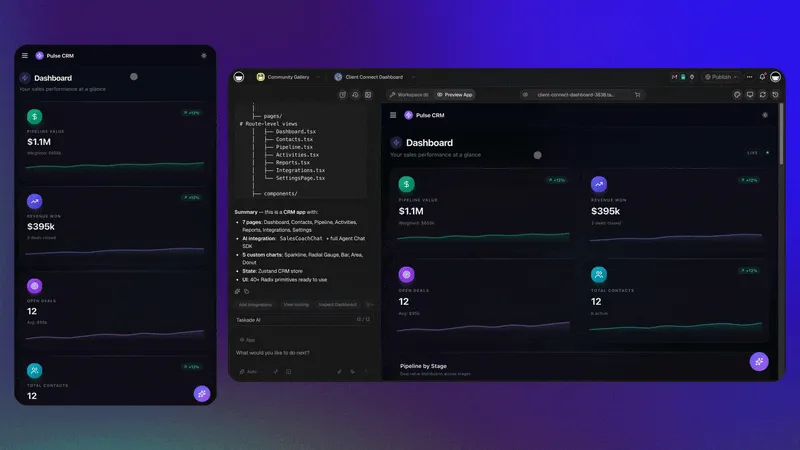
This is a job for an AI agent. Not a chatbot that gives advice about hiring, but a working app that reads each resume, scores it against your job description, drops the result into a sortable table, and schedules interviews for the top matches. You describe the outcome you want, and the app gets built for you.
TL;DR: Build an AI applicant-screening app on Taskade Genesis in one prompt. An AI agent reads every resume, scores candidates against your job description in a Table view, and a reliable automation schedules interviews for top matches. Over 150,000+ apps have been built this way, clone a hiring app and run it in your own workspace in about 30 seconds.
┌──────────────────────────────────────────────────────────────────────┐
│  Candidate Pipeline  ›  Table view              [ + Add candidate ]    │
├──────────────┬──────────┬───────┬───────────────────┬────────────────┤
│  Candidate   │  Role    │ Score │  Strengths        │  Status        │
├──────────────┼──────────┼───────┼───────────────────┼────────────────┤
│  A. Rivera   │  PM      │  92   │  5y SaaS, agile   │  Pending Intvw │
│  J. Okoro    │  PM      │  88   │  Roadmaps, data   │  Screened      │
│  M. Lin      │  PM      │  71   │  Strong PMM       │  Screened      │
│  S. Patel    │  PM      │  64   │  Adjacent domain  │  Screened      │
├──────────────┴──────────┴───────┴───────────────────┴────────────────┤
│  ▸ AI agent: scored 47 resumes · sorted high→low · 0 manual reads     │
└──────────────────────────────────────────────────────────────────────┘
What is AI applicant screening, in plain terms?
AI applicant screening means an AI agent does the first read of every resume so you do not have to. You give the agent your job description and the skills you care about. For each applicant, it compares the resume against those criteria and writes a short evaluation: where the candidate is strong, where there are gaps, and an overall fit score. That score lands in a table, so candidates sort themselves from best match to weakest.
The difference from old "keyword filter" applicant tracking is that the agent actually reads and reasons. It understands that "led a 6-person team" is leadership experience even if the resume never uses the word "leadership." You review a ranked shortlist with the reasoning written out, instead of guessing from a keyword count.
David, an IT program manager, used exactly this approach to staff a project team with no recruiter and no engineering help. He described what "good" looked like, let the agent score the inbox, and spent his time on the four interviews that mattered instead of the forty resumes that did not.
How the screening app actually works
Here is the full path from "a resume arrives" to "an interview is on the calendar." Three pieces do the work: an intake form, a screening agent, and a scheduling automation. You do not build them by hand. You describe the outcome and Taskade Genesis assembles all three.
Every applicant flows through the same path, so nobody slips through the cracks and every candidate is judged on the same criteria.
Step 1: Train the screening agent on your job
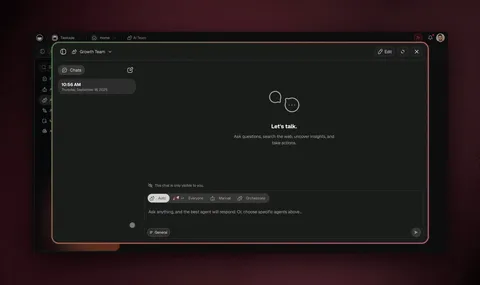
The screening agent is the brain of the app. You create it from the Human Resources agent set and give it your hiring context, the same way you would brief a new recruiter on their first day.
- Upload your job description to the agent's knowledge so it learns the qualifications and required skills.
- Add interview question templates and any role-specific criteria you want it to weigh.
- Name it something clear, like "PM Screening Agent," so you know which role it is judging.
Once trained, the agent evaluates each candidate across seven concrete dimensions and writes a match report for every one:
| Dimension | What the agent checks |
|---|---|
| Qualifications | Degrees, certifications, must-have requirements |
| Experience | Years and relevance to the role |
| Technical skills | Tools, stack, and hard skills named in the JD |
| Soft skills | Leadership, communication, collaboration signals |
| Language | Required language proficiency |
| Availability | Start date and notice period |
| Location | On-site, hybrid, or time-zone fit |
The agent is one of built-in tools working for you, and it draws on persistent memory so it screens the tenth candidate with the same context as the first. Browse ready-made Human Resources agents to clone a screening agent instead of starting blank.
Step 2: Capture applicants and read their resumes
The intake form is the front door. It collects the applicant's answers and, critically, a resume file. When someone submits, the automation does the unglamorous part for you:
- A file field accepts the resume as a PDF or document.
- A convert-to-text step turns that file into readable content, so the agent reads the real resume, not a name and an email.
- An ask-agent step runs the screening evaluation against your trained criteria.
- A table row is created with the candidate's details and the agent's score.

This is the part that saves the most time. Reading 200 resumes is hours of work; the automation does it the moment each application lands, and the table fills itself while you sleep.
Step 3: Score and shortlist in a Table view
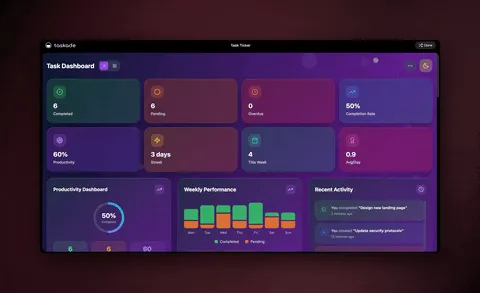
The candidate Table view is your command center. Because Taskade Genesis is a real app and not just a flow, the data lives in a database you can sort, filter, and reshape. Sort by score to see your strongest candidates at the top. Filter by status to see only the people waiting on you.
┌──────────────────────────────────────────────────────────────────┐
│  Candidate Pipeline   [ Table ▾ ]   Sort: Score ↓   Filter: New   │
├──────────────────────────────────────────────────────────────────┤
│  ☑ Score ≥ 80   →   12 candidates   →   move to "Pending Intvw"   │
│  ☐ Score 60-79  →   18 candidates   →   hold for second pass      │
│  ☐ Score < 60   →   17 candidates   →   send polite decline       │
└──────────────────────────────────────────────────────────────────┘
The same candidate data powers multiple project views, List, Board, Calendar, Table, Mind Map, Gantt, and Org Chart (Timeline lives inside the Gantt view). Track scores in the Table, drag candidates across a Board by stage, and watch interview dates on the Calendar, all from one source of truth.
| Field | Example | Why it matters |
|---|---|---|
| Candidate | A. Rivera | Who you are evaluating |
| Fit score | 92 | Sorts the shortlist for you |
| Strengths | 5y SaaS, agile | Why they scored well |
| Gaps | No fintech domain | What to probe in the interview |
| Status | Pending Interview | Drives the scheduling automation |
| Next action | Send Tue/Thu slots | Keeps the pipeline moving |
Step 4: Automate interviews and follow-ups
This is where the pipeline runs itself. A reliable automation watches the status field on each candidate. Change a status and the right thing happens automatically, no copy-paste, no forgotten emails.
| When status becomes… | The automation does… |
|---|---|
| Pending Interview | Creates an interview project from a template, generates tailored questions from the resume |
| Scheduled | Sends the candidate available time slots and a calendar invite |
| Rejected | Sends a respectful, on-brand decline message |
| Accepted | Sends the offer email and kicks off onboarding |
Because these workflows are durable, they can branch by role, wait minutes or days for a reply, filter out incomplete applications, and resume from the exact step that failed if an email service hiccups. Connect your inbox and calendar through 100+ bidirectional integrations, triggers pull new applications in, actions push invites and decisions out.
When a senior role needs more than one reviewer, Taskade EVE can coordinate a small team of agents in orchestration mode, one screens technical fit, one screens culture fit, and merge their notes into a single recommendation.
See it live and clone it in 30 seconds
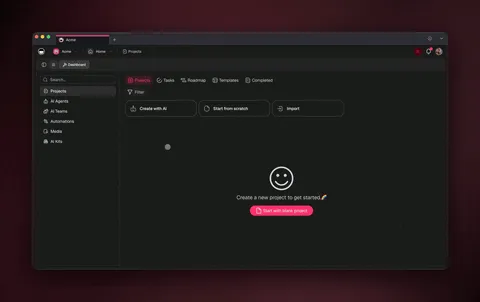
You do not have to build this from scratch. Working hiring apps already live in the Community Gallery, open one, see the screening agent, the candidate Table, and the scheduling automation already wired, then clone it into your own workspace and swap in your job description.
Clone a hiring app from the Community Gallery and you have a screening engine running before lunch. Want to design your own from a single prompt instead? Start on the AI System Builder and describe the screening outcome you want.
How this compares to a traditional ATS
| Capability | Keyword-filter ATS | Taskade Genesis screening app |
|---|---|---|
| Reads and reasons over resumes | ❌ Keyword match | ✅ Agent evaluation |
| Scores against your job description | ⚠️ Manual rules | ✅ Automatic |
| Sortable, multi-view candidate table | ⚠️ Fixed list | ✅ multiple views |
| Auto-schedules interviews | ⚠️ Add-on | ✅ Built-in automation |
| Generates tailored interview questions | ❌ | ✅ Per candidate |
| Build it yourself, no code | ❌ | ✅ One prompt |
| Clone a working app to start | ❌ | ✅ From Community Gallery |
A traditional applicant tracking system stores resumes and filters by keyword. The Taskade Genesis app reads, reasons, scores, and schedules, and you built it by describing what you wanted, not by configuring a vendor's rigid forms.
Keeping screening fair
AI screening is most valuable when it makes hiring more consistent, not less human. A few guardrails keep it honest:
- You define the criteria. Only include requirements that are genuinely job-related. Remove anything that is not.
- You review every score. The agent produces a shortlist and writes out its reasoning; people make the decision.
- Everything is auditable. Each evaluation is in plain language in the candidate row, so you can see exactly why someone scored the way they did.
- A human runs the interview. The agent drafts tailored questions; the conversation, and the call, belong to your team.
Used this way, the agent removes the repetitive first pass and frees your team for the judgment work that machines should not own.
Frequently Asked Questions
How long does it take to build a screening app?
Minutes. Describe the outcome on the Taskade Genesis builder, "screen applicants against this job description, score them in a table, schedule interviews for top matches", and the agent, the Table view, and the automation are assembled for you. Cloning a ready-made one from the Community Gallery is faster still, about 30 seconds.
Do candidates need a Taskade account to apply?
No. They submit through a public form and upload a resume file. Everything after that, conversion, scoring, table entry, scheduling, happens inside your workspace. Candidates only ever see the form and the emails the automation sends.
Can I screen for multiple roles at once?
Yes. Train one screening agent per role on that role's job description, or run one app with a "role" field and branch the automation by role. The Table view filters by role so each pipeline stays clean, and the same scheduling logic serves all of them.
What models power the screening agent?
The agent routes across frontier models from top AI labs, so it always uses a capable model for reading and reasoning over resumes, with no version juggling on your end.
How do I handle resumes in different file formats?
The form's file field accepts common formats, and the automation's convert-to-text step parses PDFs and documents before the agent reads them. You do not ask candidates to reformat anything; the app handles the parsing.
Can the app draft the interview questions too?
Yes. After scoring a candidate, the agent generates interview questions tailored to that person's strengths and gaps, so each conversation digs into what actually matters for that applicant instead of a generic script.
Where can I learn the builder mechanics?
Start with the AI System Builder wiki guide for the full build flow, then explore the agents hub and the automation hub to extend your hiring app.
Is there a template library for hiring?
Yes. The Human Resources agents category and the Community Gallery include cloneable recruiting and screening apps you can adapt to your roles in a few minutes.
Screening is the bottleneck that quietly slows every hire. An AI applicant-screening app on Taskade Genesis turns that bottleneck into a running engine, agents read and score every resume, a Table view ranks your shortlist, and reliable automations book the interviews. You describe the hiring outcome; the app does the reading.
That is the whole loop working for you, Memory + Intelligence + Execution:
▲ Memory, every candidate, score, and note in one Table-view source of truth.
■ Intelligence, agents that read resumes and reason against your job description.
● Execution, durable automations that schedule interviews and send the right message at the right stage.
▲ ■ ● Build your AI applicant-screening app and stop reading resumes one by one.