







TL;DR: Claude Code ($20/mo) is the best terminal coding agent. Cursor ($20/mo) is the best AI code editor. Taskade Genesis (free to start, Pro at $10/mo billed annually) is the only tool that delivers live, deployed apps — not code files — with AI agents, 100+ integrations, and workspace databases. 150,000+ apps built. Try Taskade Genesis free →

Three tools dominate AI-powered development in 2026. They serve different people, solve different problems, and take fundamentally different approaches to the same question: how should software get built?
Claude Code is a terminal-based AI agent from Anthropic. You give it a task, it plans, writes code, creates files, runs commands, and commits to Git — all autonomously. It is agent-first: you describe what you want, and the AI drives.
Cursor is an AI-first code editor, a fork of VS Code with deep AI integration. It is IDE-first: you drive, and the AI assists with autocomplete, inline edits, and multi-file changes. It is the most popular AI coding tool among professional developers.
Taskade Genesis is an AI workspace that builds complete, deployed applications from natural language. It is system-first: you describe what you need, and you get a working app with database, AI agents, automations, and a live URL. No code, no terminal, no deployment steps.
Quick Verdict: Claude Code is the most capable coding agent for deep reasoning tasks. Cursor is the best AI code editor for daily development. Taskade Genesis is the only tool that gives you a working application — not code files — for a flat $10/month, billed annually.
The right choice depends on who you are and what you are building. This guide breaks down every dimension.
Quick Comparison: Claude Code vs Cursor vs Taskade Genesis
| Feature | Claude Code | Cursor | Taskade Genesis |
|---|---|---|---|
| Type | Terminal AI agent | AI code editor (VS Code fork) | No-code AI workspace |
| Interface | CLI / terminal | GUI (desktop IDE) | Web, desktop, mobile |
| Who It's For | Senior developers, backend | All developers | Everyone (devs + non-devs) |
| AI Models | Anthropic only (Opus 4.6, Sonnet 4.5) | Multi-model (Claude, GPT-5, Gemini) | 15+ models from 3 providers (OpenAI, Anthropic, Google) |
| Pricing | $20/mo (Claude Pro) | $20/mo (Pro) | Free / $10/mo (unlimited apps), billed annually |
| Code Autocomplete | None (relies on host IDE) | Industry-leading Tab completion | Not applicable (no-code) |
| Agentic Tasks | Excellent (autonomous multi-file) | Good (Composer, background agents) | Excellent (AI agents + automations) |
| Collaboration | None (solo terminal) | Limited (VS Code Live Share) | Real-time multiplayer, video, chat |
| Project Management | None | None | Built-in (kanban, Gantt, multiple views) |
| Deployment | Manual (you deploy) | Manual (you deploy) | Instant (one-click publish) |
| Mobile Access | None | None | iOS, Android, desktop |
| Context Window | 200K tokens (1M beta on Opus 4.6) | 70K-120K usable | Workspace-level (persistent memory) |
| Output | Code changes in your repo | Code changes in your editor | Working, deployed application |
The Three Paradigms of AI Development
Claude Code, Cursor, and Taskade Genesis represent three fundamentally different philosophies of AI development: agent-first (AI drives, you review), IDE-first (you drive, AI assists), and system-first (describe it, it is live).
┌─────────────────────────────────────────────────────────────────┐
│                  THE AI DEVELOPMENT SPECTRUM                     │
│                                                                  │
│  AGENT-FIRST          IDE-FIRST           SYSTEM-FIRST          │
│  ───────────          ─────────           ────────────          │
│  Claude Code          Cursor              Taskade Genesis       │
│                                                                  │
│  "AI drives,          "You drive,         "Describe it,         │
│   you review"          AI assists"         it's live"           │
│                                                                  │
│  ┌──────────┐        ┌──────────┐        ┌──────────┐          │
│  │ Terminal  │        │   IDE    │        │Workspace │          │
│  │   ████   │        │  ██████  │        │ ████████ │          │
│  │   ████   │        │  ██  ██  │        │ ████████ │          │
│  │   ████   │        │  ██████  │        │ ████████ │          │
│  └──────────┘        └──────────┘        └──────────┘          │
│                                                                  │
│  Output: Code         Output: Code        Output: Live App      │
│  in your repo         in your editor      with URL + AI + DB    │
│                                                                  │
│  You still need:      You still need:     You need:             │
│  • IDE for editing    • PM tools          • Nothing else        │
│  • PM tools           • Docs tools                              │
│  • Deployment         • Deployment                              │
│  • Hosting            • Hosting                                 │
│  • Database setup     • Database setup                          │
└─────────────────────────────────────────────────────────────────┘
This distinction matters. Claude Code and Cursor produce code that requires additional steps to become a working product. Taskade Genesis produces a working product directly.
Decision Tree: Pick the Right Tool in 30 Seconds
Most "which tool to choose" posts are comparison tables. Here is a faster path: match your actual question to a branch and read the answer.
The three tools are complementary, not mutually exclusive. A typical 2026 stack uses Cursor as the IDE, Claude Code as the terminal agent inside Cursor, and Taskade Genesis as the product layer where non-developers ship the same thing without touching code.
What Is Claude Code?
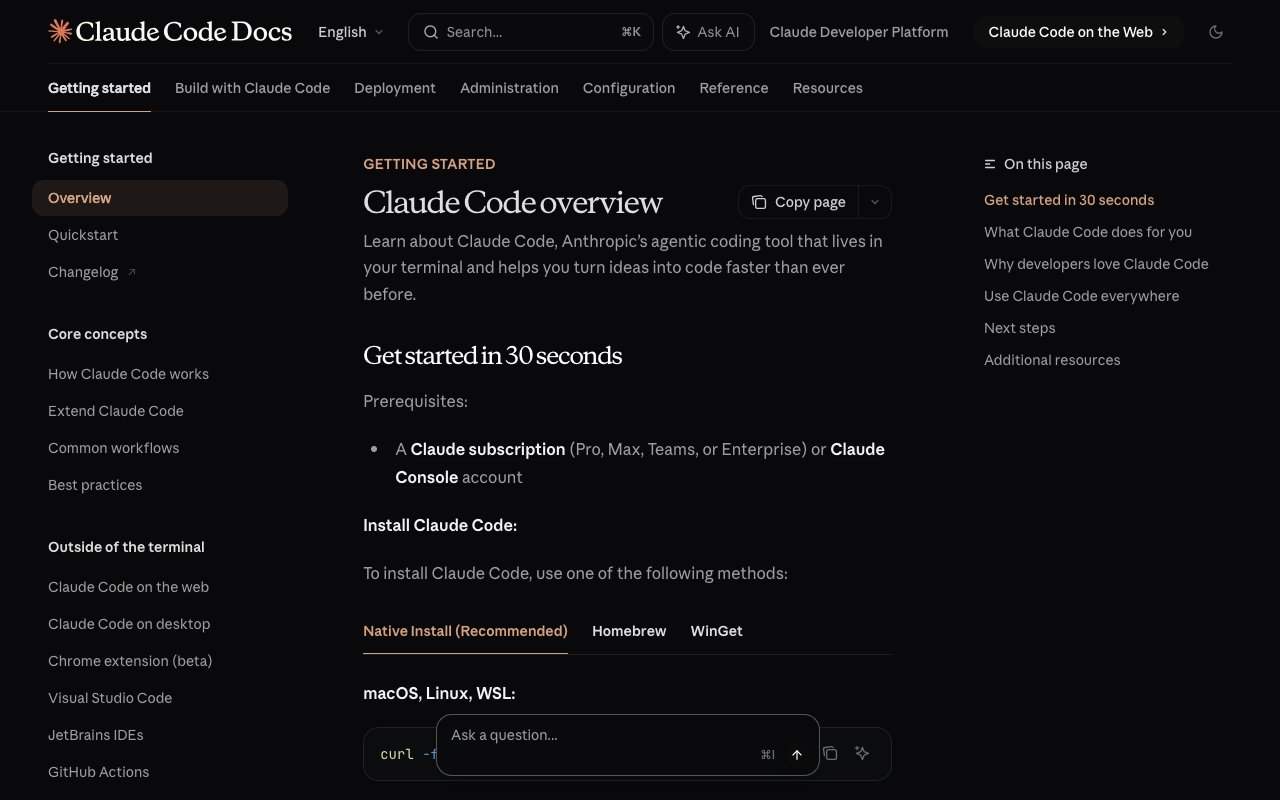
Claude Code is Anthropic's agentic coding tool, launched in 2025 and now one of the most powerful AI development agents available. It operates in your terminal (or inside VS Code/Cursor via extension) and can autonomously plan tasks, write code across multiple files, run tests, fix errors, and commit changes to Git.
How Claude Code Works
You open your terminal, type claude, and describe what you want. Claude Code reads your codebase, builds a plan, and executes it step by step. You approve or reject each action. For larger tasks, you can let it work autonomously with minimal oversight.
$ claude
> Refactor the authentication module to use JWT tokens
  instead of session cookies. Update all route handlers,
  add refresh token logic, and write tests.Claude Code:
✓ Reading src/auth/ (14 files)
✓ Planning changes across 8 files
✓ Updating auth middleware (src/middleware/auth.ts)
✓ Adding JWT utilities (src/utils/jwt.ts)
✓ Refactoring 6 route handlers
✓ Writing 12 unit tests
✓ Running test suite... all passing
✓ Creating commit: "refactor: migrate auth to JWT tokens"
Claude Code Key Features (March 2026)
Opus 4.6 Model (released February 5, 2026)
- Scored 80.9% on SWE-bench Verified — the first model to exceed 80%
- Extended context window up to 1 million tokens (beta)
- New Agent Teams research preview — multiple agents splitting tasks in parallel
Claude Code v2.1.80+ (latest stable)
- Hooks and Skills: Custom agent definitions, slash commands, hot reload
- Memory system: Claude automatically records and recalls project context
- Multilingual output: Configure responses in any language
- /teleport: Transfer terminal sessions to claude.ai browser interface
- Background agents: Run autonomously on complex tasks
- Channels (experimental): Interact with Claude Code via Discord, Telegram, or webhooks — text commands from your phone
- Computer Use (research preview, macOS): Control mouse, keyboard, and take screenshots — Claude Code operates your desktop
- Dispatch: Send tasks to Claude Code remotely from any device, paired with Computer Use for fully remote development
Real-World Autonomous Performance (from Boris Cherny, Lenny's Podcast, February 2026):
With Opus 4.6, Claude Code runs 10-30 minutes unattended on average — a massive leap from Sonnet 3.5, which could sustain only 15-30 seconds before going off the rails. Sessions can run for hours or even days on longer tasks. Cherny himself routinely runs five or more Claude Code sessions simultaneously — a practice Anthropic calls "multi-quading."
The design philosophy behind this comes from the bitter lesson: the product is the model. Claude Code uses minimal scaffolding, gives the model tools, sets a goal, and lets it figure out the execution path. Elaborate orchestration workflows may improve performance 10-20%, but those gains get wiped out with the next model generation. Building for the model six months out — not the model of today — has been Claude Code's strategy since day one
Inside Anthropic's Own Usage: 80% of Anthropic staff use Claude Code daily (Anthropic, Sept 2025). In a separate interview, the Claude Code team described how they build "dual-use" tools — designed for both humans and AI agents simultaneously — with the philosophy that "everything you can do, Claude Code can do. There's nothing in between."
Under the Hood: What Actually Happens When Claude Writes Code
It is easy to look at a 30-minute autonomous Claude Code session and assume something exotic is happening. It is not. At every single step, Claude Code is doing the same thing every other LLM does: predicting the next token. The model — Opus 4.6 — is a transformer with the same Query/Key/Value attention math that powered GPT-2 in 2019, scaled to a 1M-token context window and trained on a much larger corpus.
When you ask Claude Code to refactor your auth module, here is what physically happens:
- Your prompt, the contents of every file Claude reads, every tool result, and every previous turn of the conversation are all concatenated and tokenized into a variable-length sequence of sub-word tokens, each drawn from a vocabulary of roughly 100,000 entries.
- Each token becomes a vector of thousands of numbers. Directions in that vector space encode meaning —
function-ness,async-ness, "TypeScript-ness," variable scope, even bug-likelihood, all axes the model discovered during training. - Attention layers compute, for every token, which other tokens in the context — up to a 1M-token window, with ~200K tokens as a typical working context — are relevant right now. This is how Claude knows that the
userIdin line 847 ofroutes.tsrefers to the type defined in line 12 oftypes/user.ts. - After dozens of attention + feed-forward blocks, the final vector at the last position is projected into vocabulary space. The model picks the next token (a piece of code, a tool call, a thought) and the loop runs again.
The thing that makes Claude Code feel like an agent rather than a chatbot is temperature plus the agent harness. Code generation runs at low temperature (the model picks its single most confident next token most of the time, which is why generated code parses), tool calls are structured outputs the harness intercepts, and the harness feeds tool results back into the next prompt — closing the perceive → reason → act → observe loop. There is no magic. There is just a very large transformer running forward, very fast, with a very well-engineered scaffold around it.
This is also why "the harness matters more than the model" is true: the model is just a next-token engine. The harness decides what tokens it sees, what tools it can call, and how its output gets fed back into the context. Same model + different harness = different agent behavior.
Claude Code Strengths
- Deep reasoning: Best-in-class at understanding complex codebases and multi-step refactoring
- Git integration: Native commit, branch, and PR creation
- Token efficiency: Uses 5.5x fewer tokens than Cursor for identical tasks (independent benchmarks)
- Context handling: Full 200K token context with 1M beta — largest usable context of any tool
- Multi-file autonomy: Plans and executes changes across dozens of files without hand-holding
Claude Code Limitations
- Terminal-first interface (Channels and Computer Use extend reach, but no visual diffs or drag-and-drop)
- No autocomplete — relies entirely on your host IDE
- Anthropic models only — cannot use GPT-5 or Gemini
- No project management — requires external tools for tasks, docs, planning
- No collaboration — solo experience (Channels adds messaging, not multiplayer editing)
- No deployment — you manage hosting, CI/CD, and infrastructure
- Steep learning curve for developers unfamiliar with terminal workflows
- New features are experimental — Channels and Computer Use are research previews, macOS only for Computer Use
Real Developer Review (Reddit, r/ChatGPTCoding): "Claude Code is dramatically better at complex refactoring than any IDE agent. But I still open Cursor for quick edits and autocomplete. They complement each other more than they compete."
Why the Same Model Behaves Differently Across Tools: The emerging discipline of harness engineering explains a counterintuitive fact: the exact same model performs completely differently in Claude Code versus Cursor versus Codex. The difference is not the model — it is the harness (tools, context management, recovery logic). Vercel demonstrated this dramatically: their text-to-SQL agent went from 80% to 100% accuracy by removing 80% of specialized tools and giving the agent basic bash + file access instead — using 40% fewer tokens and running 3.5x faster. Claude Code's four-tool philosophy (read, write, edit, bash) embodies this principle. Cursor's approach includes more scaffolding. Neither is wrong, but the harness choice shapes performance more than the underlying model.
What Is Cursor?

Cursor is an AI-native code editor built by Anysphere, now valued at $29.3 billion. It is a fork of VS Code with AI woven into every interaction — autocomplete, inline editing, chat, multi-file generation, and background agents. If you already use VS Code, Cursor feels like a supercharged version of what you already know.
How Cursor Works
You open Cursor like any IDE. As you type, Tab autocomplete predicts the next lines of code. Press Cmd+K to describe inline edits. Open Composer to generate features across multiple files. Chat with your codebase to understand how things work.
Cursor Key Features (February 2026)
Composer Model: Cursor's proprietary ultra-fast coding model, approximately 2x the speed of Sonnet 4.5
Subagents: Independent agents for discrete parts of a task, running in parallel with their own context and model selection
Cursor Blame: AI-aware git blame that distinguishes AI-generated from human-written code
Background Agents: Run autonomously on tasks (separate billing, requires MAX mode)
Image Generation: Built-in UI mockup and architecture diagram generation
Cursor Strengths
- Unmatched Tab autocomplete: Predicts 2-10 lines as you type, learns your patterns
- Cmd+K inline editing: Fastest way to refactor code without leaving your file
- Familiar VS Code interface: Zero learning curve for VS Code users
- Multi-model flexibility: Claude, GPT-5, Gemini — choose per request
- Code generation speed: Approximately 1,200 tokens per second
- Extension ecosystem: Full VS Code extension compatibility
Cursor Limitations
- Desktop-only — no web, mobile, or tablet access
- No project management — requires Notion, Linear, Jira, etc.
- No documentation system — requires Confluence, GitBook, etc.
- Limited collaboration — VS Code Live Share extension only
- Credit-based pricing creates usage anxiety — Claude Sonnet burns credits 2.4x faster than Gemini
- Background agents bill separately — one agent run on a 50K-line codebase can consume 22.5% of monthly credits
- No deployment — you manage hosting and infrastructure
Real Developer Review (Reddit, r/cursor): "Cursor's autocomplete is addictive — I write 40% less boilerplate. But I'm paying $20/month for Cursor plus $10 for Notion plus $8 for Linear. That's $38/month for what should be one tool."
What Is Taskade Genesis?


Taskade Genesis occupies a different category entirely. While Claude Code and Cursor help developers write better code faster, Taskade Genesis lets anyone — developer or not — build complete, working applications by describing what they need in natural language. The result is not code files. It is a live, deployed system with database, AI agents, automations, and a shareable URL.
How Taskade Genesis Works
You open your Taskade workspace, describe what you want to build, and Taskade Genesis creates it. A CRM with lead scoring? Done in 5 minutes. A booking system with calendar sync? Done in 7 minutes. A client portal with AI chatbot? Done in 5 minutes. Each app comes with persistent data storage, AI intelligence, automation workflows, and real-time collaboration — all running instantly.
Taskade Workspace DNA Architecture
Taskade Genesis apps are built on four connected layers:
┌──────────────────────────────────────────────────┐
│              TASKADE WORKSPACE DNA                │
│                                                   │
│  ┌─────────────────────────────────────────────┐ │
│  │  INTERFACE — Custom UI (React/Vue)          │ │
│  │  Professional frontend orchestrating all    │ │
│  │  layers seamlessly                          │ │
│  └─────────────────┬───────────────────────────┘ │
│                    │                              │
│  ┌─────────────────▼───────────────────────────┐ │
│  │  INTELLIGENCE — AI Agents                   │ │
│  │  15+ models, 3 providers, 33 built-in      │ │
│  │  tools, persistent memory, multi-agent      │ │
│  └─────────────────┬───────────────────────────┘ │
│                    │                              │
│  ┌─────────────────▼───────────────────────────┐ │
│  │  EXECUTION — Automations                    │ │
│  │  100+ integrations, durable                │ │
│  │  execution, branching/looping/filtering     │ │
│  └─────────────────┬───────────────────────────┘ │
│                    │                              │
│  ┌─────────────────▼───────────────────────────┐ │
│  │  MEMORY — Projects & Database               │ │
│  │  7 views: List, Board, Calendar, Table,     │ │
│  │  Mind Map, Gantt, Org Chart                 │ │
│  └─────────────────────────────────────────────┘ │
└──────────────────────────────────────────────────┘
Taskade Genesis Key Features
No-Code App Building
- Generate complete applications from natural language prompts
- Live apps with database, AI chat, automations — deployed instantly
- Custom domains, public embedding, SEO-optimized sharing
AI Agents v2
- Custom tools and slash commands
- built-in tools with persistent memory
- Multi-model support: 15+ frontier models from OpenAI, Anthropic, Google, and open-weight providers
- Multi-agent collaboration — agents working together on complex tasks
- Public embedding — embed agents directly in apps and websites
Automation Engine
- 100+ bidirectional integrations (Stripe, Google Sheets, Slack, HubSpot, and more — triggers pull events in, actions push data out)
- Reliable, durable automation workflows for reliability at scale
- Branching, looping, filtering, and wait steps (minutes to days) that resume from the failed step
- Webhook and HTTP request support for custom integrations
Real-Time Collaboration
- Live multiplayer editing with cursor tracking
- Built-in video calls, chat, and comments
- RBAC: Owner to Viewer
- Guest access for clients (no account required)
Project Management
- Multiple project views: List, Board, Calendar, Table, Mind Map, Gantt, Org Chart
- Task dependencies, milestones, assignments
- Built-in wiki and documentation
- Cross-platform: web, desktop (Mac/Windows/Linux), mobile (iOS/Android)
Taskade Genesis Strengths
- Complete output: Get a working, deployed app — not code files that need assembly
- No coding required: Anyone can build — founders, marketers, ops teams
- Flat $10/month, billed annually: Unlimited apps plus a generous monthly AI credit allowance
- Team collaboration: Real-time multiplayer, video, chat, project management built in
- AI agents that act: Agents read your data, make decisions, execute workflows autonomously
- Instant deployment: One-click publish with shareable URL and custom domain support
- 100+ integrations: Stripe, Google Sheets, Slack, Calendly, and more connected natively
Taskade Genesis Limitations
- No IDE autocomplete — not designed for editing existing codebases
- No terminal access — not a replacement for CLI workflows
- Different paradigm — developers used to code editors need to adjust mental model
- Less granular code control — you describe outcomes, not implementation details
Real User Review (Reddit, r/SaaS): "I was paying $20/month for Cursor and $10 for Notion. Switched to Taskade Genesis — now I have a generous AI credit allowance plus project management for $10/month, billed annually. Built a client portal in 10 minutes that would have taken me 2 days in Cursor."
👉 Build a complete system free →
Pricing: What You Actually Pay
Monthly Cost Comparison
| Plan | Claude Code | Cursor | Taskade Genesis |
|---|---|---|---|
| Free | Not available | Limited (2K completions) | Up to 6,000 lifetime credits |
| Pro | $20/mo (Claude Pro) | $20/mo (Pro) | $10/mo, billed annually (unlimited apps) |
| Power User | $100/mo (Max 5x) | $60/mo (Pro+) | $10/mo (same flat rate) |
| Heavy Usage | $200/mo (Max 20x) | $200/mo (Ultra) | $10/mo (same flat rate) |
| Teams | $150/user/mo (Premium) | $40/user/mo | $10/user/mo, billed annually |
The Hidden Cost Problem
The sticker price tells only part of the story. Claude Code and Cursor are coding-only tools. For a complete development workflow, you need additional subscriptions:
| What You Need | Claude Code | Cursor | Taskade Genesis |
|---|---|---|---|
| AI Coding | $20/mo | $20/mo | $10/mo (billed annually) |
| Code Editor/IDE | VS Code (free) or Cursor ($20) | Included | Included (visual builder) |
| Project Management | +$10/mo (Notion, Linear) | +$10/mo (Notion, Linear) | Included |
| Documentation | +$10/mo (Confluence, GitBook) | +$10/mo (Confluence, GitBook) | Included |
| Team Chat | +$8/mo (Slack) | +$8/mo (Slack) | Included |
| Deployment/Hosting | +$20/mo (Vercel, Railway) | +$20/mo (Vercel, Railway) | Included |
| Database | +$25/mo (Supabase, PlanetScale) | +$25/mo (Supabase, PlanetScale) | Included |
| Automations | +$20/mo (Zapier, Make) | +$20/mo (Zapier, Make) | Included |
| Total (Solo) | $93-133/mo | $89-129/mo | $10/mo |
| Total (Annual) | $1,116-1,596 | $1,068-1,548 | $120 |
Real-World Cost: Building a CRM
| Cost Component | Claude Code | Cursor | Taskade Genesis |
|---|---|---|---|
| Tool subscription | $20/mo | $20/mo | $10/mo (billed annually) |
| Development time | 8-12 hours | 6-10 hours | 5 minutes |
| Developer cost (@$75/hr) | $600-900 | $450-750 | $0 |
| Hosting setup | 2-4 hours ($150-300) | 2-4 hours ($150-300) | Included |
| Database setup | 1-2 hours ($75-150) | 1-2 hours ($75-150) | Included |
| Monthly infrastructure | $45-65/mo | $45-65/mo | $0/mo |
| First month total | $890-1,415 | $736-1,265 | $10 |
| Annual running cost | $780+/yr (infra only) | $732+/yr (infra only) | $120/yr (everything) |
The Math: Building and running a CRM for one year costs $1,670-2,195 with Claude Code, $1,468-1,997 with Cursor, or $120 with Taskade Genesis. That is a 12-18x cost difference.
👉 Start building for $10/month, billed annually
AI Capabilities: Deep Comparison
Benchmark Performance
| Benchmark | Claude Code (Opus 4.5/4.6) | Cursor (best model) | Taskade Genesis |
|---|---|---|---|
| SWE-bench Verified | 80.9% (highest ever) | ~72% (with Claude 4.5) | N/A (different paradigm) |
| SWE-bench Pro | Top 3 | Top 3 | N/A |
| Token efficiency | Baseline | 5.5x more tokens for same task | N/A |
| Context window | 200K (1M beta) | 70K-120K usable | Workspace-level (persistent) |
Why Taskade Genesis does not appear on coding benchmarks: Taskade Genesis does not generate code that gets evaluated line-by-line. It orchestrates proven workspace systems (projects + agents + automations) into working applications. Comparing Taskade Genesis to SWE-bench is like comparing a restaurant to a grocery store — different outputs for different needs.
AI Model Access
| Model | Claude Code | Cursor | Taskade Genesis |
|---|---|---|---|
| Claude Opus 4.6 | ✅ (native) | ✅ | ✅ |
| Claude Sonnet 4.5 | ✅ (native) | ✅ | ✅ |
| GPT-5 | ❌ | ✅ | ✅ (via OpenAI) |
| GPT-4o | ❌ | ✅ | ✅ |
| Gemini Pro | ❌ | ✅ | ✅ |
| Gemini Flash | ❌ | ✅ | ✅ |
| Model switching | Manual (config) | Per-request | Per-agent or per-task |
| Total models | 2-3 (Anthropic only) | 6+ (multi-provider) | 15+ (3 providers) |
What Each Tool's AI Actually Does
Claude Code: Reads your entire codebase, reasons about architecture, writes code across multiple files, runs tests, fixes errors, creates commits. Best at deep reasoning and complex refactoring.
Cursor: Predicts your next lines of code (Tab), edits code inline (Cmd+K), generates features across files (Composer), answers questions about your codebase (Chat). Best at interactive, flow-state coding.
Taskade Genesis: Builds complete applications from descriptions, powers AI agents that read your data and make decisions, executes automation workflows across 100+ integrations. Best at creating working systems without code.
Token Efficiency: The Hidden Cost Metric
Independent benchmarks reveal a significant efficiency gap between Claude Code and Cursor when performing identical tasks. In a standardized Next.js/Tailwind project test:
| Metric | Claude Code (Opus) | Cursor Agent (GPT-5) | Difference |
|---|---|---|---|
| Tokens consumed | 33,000 | 188,000 | Claude Code uses 5.5x fewer tokens |
| Errors during task | 0 | Multiple (self-corrected) | Claude Code completes cleanly |
| Code rework needed | Minimal | ~30% more iterations | Less back-and-forth |
| Task completion | First attempt | After error recovery | Faster to done |
Why this matters for your wallet: Cursor's credit-based pricing means token-hungry operations drain your monthly allocation faster. A task that costs $0.50 in Claude Code credits can cost $2.75+ in Cursor credits — compounded across hundreds of daily operations.
Taskade Genesis sidesteps this entirely: No per-token or per-request billing. Unlimited apps plus a generous monthly AI credit allowance at $10/month, billed annually, flat.
Configuration Compliance: Do the Tools Follow Your Rules?
Developers rely on project-level configuration to enforce coding standards. Both Claude Code and Cursor support this, but with different reliability:
| Aspect | Claude Code (CLAUDE.md) |
Cursor (.cursorrules) |
Taskade Genesis |
|---|---|---|---|
| Config format | Markdown file in repo root | Rules file in repo root | Natural language instructions |
| Compliance rate | High (consistently follows) | ~66% (ignores rules ~1/3 of the time, per community reports) | N/A (no code style rules needed) |
| Scope | Project + user + system levels | Project-level only | Workspace-level agent instructions |
| Extensibility | Skills, hooks, MCP servers | Rules, .cursor/ directory | Agent tools, slash commands |
Developer Insight (community forums): "CLAUDE.md is the most reliable way to enforce project conventions I've found. My .cursorrules get ignored on roughly every third complex Composer session."
Extensibility: MCP, Hooks, and Integrations
| Capability | Claude Code | Cursor | Taskade Genesis |
|---|---|---|---|
| MCP Servers | ✅ Full support (stdio + SSE) | ✅ Supported | ❌ Not applicable |
| Sub-agent nesting | ✅ Multi-level | ⚠️ Single-level only | ✅ Multi-agent collaboration |
| Lifecycle hooks | ✅ Pre/post tool execution | ❌ Rules-based only | ✅ Automation triggers |
| Custom tools | ✅ Via MCP + Skills | ⚠️ Via extensions | ✅ built-in + custom |
| API/SDK | ✅ Claude Code SDK | ❌ No public SDK | ✅ REST API + webhooks |
| External channels | ✅ Discord, Telegram, webhooks (experimental) | ❌ | ❌ |
| Desktop control | ✅ Computer Use (macOS, research preview) | ❌ | ❌ |
| GitHub Actions | ✅ PR-triggered agent workflows | ❌ | ❌ |
MCP server quality varies widely. Jeremiah Lowin (creator of FastMCP) warns that auto-generating one MCP tool per REST endpoint is an anti-pattern — agent performance degrades above ~50 tools, and agents need outcome-oriented tools (like check_build_status) rather than raw CRUD operations. When configuring MCP servers for Claude Code, curate the tool list to the 20% of capabilities that handle 80% of tasks.
Rate Limits and Throttling: The Reliability Factor
A tool's peak capability means little if it throttles you during a critical sprint. Rate limits affect Claude Code and Cursor differently:
Claude Code
- Pro plan ($20/mo): ~45 messages per 5-hour window, resets rolling
- Max 5x ($100/mo): 5x the Pro allocation
- Max 20x ($200/mo): 20x — rarely hit
- Pain point: Pro users report hitting limits during extended refactoring sessions
Cursor
- Pro plan ($20/mo): credit pool, depletes based on model choice
- Claude Sonnet burns credits 2.4x faster than Gemini models
- Thinking mode doubles the token cost
- Background agents bill separately (not from credit pool, require MAX mode with 20% surcharge)
- Pain point: Users report rationing premium model usage in the last week of billing cycles
Taskade Genesis
- $10/mo, billed annually: Flat rate — a generous monthly AI credit allowance, no per-model pricing, no throttling
- No per-model cost variation
- No separate billing for agents or automations
- Pain point: Very heavy AI use draws down the monthly credit allowance
Real Developer Frustration (Reddit, r/cursor): "I hit my credit limit during a debugging sprint on a production issue. Had to switch to slower models for the last 3 days of the month. That's not a tools problem — that's a business continuity problem."
Developer ROI: What's Your Time Actually Worth?
The real comparison is not tool price — it is the value each tool generates per dollar spent. Here is the math for a developer billing at $100/hour:
| Metric | Claude Code | Cursor | Taskade Genesis |
|---|---|---|---|
| Monthly tool cost | $20 | $20 | $10 (billed annually) |
| Estimated productivity gain | 40% on complex tasks | 30% on daily coding | 90% on new app creation |
| Hours saved per month | ~20 hrs (complex work) | ~24 hrs (daily flow) | ~40 hrs (no-code vs building from scratch) |
| Value of saved hours | $2,000/mo | $2,400/mo | $4,000/mo |
| ROI multiple | 100x ($2,000 / $20) | 120x ($2,400 / $20) | 400x ($4,000 / $10) |
The nuance: Claude Code and Cursor save developer time on coding tasks. Taskade Genesis saves time by eliminating the coding task entirely — the ROI is highest when you measure "time from idea to working product" rather than "time to write code."
Key Takeaway: All three tools deliver exceptional ROI. The difference is what kind of time they save. Claude Code saves thinking time. Cursor saves typing time. Taskade Genesis saves building time.
Workflow Comparison: A Day in the Life
Claude Code Workflow
Morning:
$ claude
> Review the PR from Sarah — check for security issues
and performance regressions Claude Code: Reading PR #247 (12 files changed)...
Found 2 security issues:
- SQL injection in user search (line 34, users.ts)
- Missing rate limiting on /api/upload
Suggested fixes applied. Running tests... all passing.
Afternoon:
$ claude
> Migrate our REST API endpoints to GraphQL.
Start with the user and product modules.
Claude Code: Planning migration across 23 files...
Creating schema definitions...
Refactoring resolvers...
Updating tests...
[Works autonomously for 15 minutes]
Done. 23 files modified, 156 tests passing.
Typical daily cost: $20/mo subscription + time editing in separate IDE
Cursor Workflow
Morning:
  Open Cursor → project auto-indexed
  Start typing → Tab autocomplete predicts next 5 lines
  Cmd+K: "Add input validation to this form handler"
  → AI edits code inline, shows diff, accept with EnterAfternoon:
Open Composer: "Add GraphQL support for user module"
→ Cursor generates schema, resolvers, types across 6 files
→ Review diffs, accept changes
→ Run tests in integrated terminal
Typical daily cost: $20/mo Cursor + $10 Notion + $8 Linear = $38/mo stack
Taskade Genesis Workflow
Morning:
  Open Taskade → describe new client portal
  "Build a client dashboard that shows project status,
   lets clients upload files, and has an AI chatbot
   that answers questions from our knowledge base"  → Taskade Genesis creates live app in 5 minutes
→ Share link with client immediately
→ Client uses it. Data persists. AI chatbot works.
Afternoon:
Set up automation:
"When a new file is uploaded, notify the team on Slack,
create a review task, and have the AI agent summarize
the document"
  → Automation runs on every upload, forever
→ Check project board for team task progress
Typical daily cost: $10/mo, billed annually (everything included)
Feature-by-Feature Breakdown
Code Editing & Generation
| Capability | Claude Code | Cursor | Taskade Genesis |
|---|---|---|---|
| Tab Autocomplete | ❌ None | ✅ Industry-leading | ❌ Not applicable |
| Inline Editing (Cmd+K) | ❌ None | ✅ Excellent | ❌ Not applicable |
| Multi-file Generation | ✅ Excellent (autonomous) | ✅ Good (Composer) | ✅ Complete apps from prompts |
| Codebase Understanding | ✅ Superior (200K-1M context) | ✅ Good (70-120K context) | ✅ Workspace-level memory |
| Refactoring | ✅ Excellent (deep reasoning) | ✅ Good (inline + chat) | ⚠️ Chat-based only |
| Bug Detection | ✅ Excellent (runs tests) | ✅ Good (real-time suggestions) | ❌ Not applicable |
| Git Integration | ✅ Native (commit, branch, PR) | ✅ Built-in terminal | ❌ Not applicable |
| Language Support | ✅ 20+ languages | ✅ 20+ languages | ✅ Generated apps use modern frameworks |
Verdict: Cursor wins for interactive editing. Claude Code wins for autonomous, complex tasks. Taskade Genesis wins for building complete apps without touching code.
Collaboration & Team Features
| Capability | Claude Code | Cursor | Taskade Genesis |
|---|---|---|---|
| Real-time Multiplayer | ❌ | ⚠️ Live Share extension | ✅ Native |
| Video Calls | ❌ | ❌ | ✅ Built-in |
| Chat & Comments | ❌ | ❌ | ✅ Built-in |
| Task Assignment | ❌ | ❌ | ✅ Built-in |
| Permission Roles | ❌ | ❌ | ✅ RBAC |
| Guest Access | ❌ | ❌ | ✅ No account required |
| Activity Feed | ❌ | ❌ | ✅ Built-in |
Verdict: Taskade Genesis is the only tool with real collaboration. Claude Code and Cursor are solo experiences.
Deployment & Hosting
| Capability | Claude Code | Cursor | Taskade Genesis |
|---|---|---|---|
| One-click Deploy | ❌ | ❌ | ✅ Instant publish |
| Custom Domains | ❌ (DIY) | ❌ (DIY) | ✅ Built-in |
| SSL/HTTPS | ❌ (DIY) | ❌ (DIY) | ✅ Automatic |
| Database | ❌ (DIY) | ❌ (DIY) | ✅ Workspace as backend |
| File Storage | ❌ (DIY) | ❌ (DIY) | ✅ Built-in |
| Public Embedding | ❌ | ❌ | ✅ Embed apps anywhere |
| SEO Optimization | ❌ (DIY) | ❌ (DIY) | ✅ Auto-generated meta |
Verdict: Taskade Genesis eliminates the entire deployment pipeline. With Claude Code and Cursor, you build the code and then spend hours setting up infrastructure.
Automation & Integrations
| Capability | Claude Code | Cursor | Taskade Genesis |
|---|---|---|---|
| Workflow Automations | ❌ | ❌ | ✅ Visual builder + natural language |
| Stripe Integration | ❌ (code it yourself) | ❌ (code it yourself) | ✅ Native |
| Google Sheets Sync | ❌ | ❌ | ✅ Native |
| Slack Notifications | ❌ | ❌ | ✅ Native |
| Webhook Support | ❌ | ❌ | ✅ Native |
| Scheduled Actions | ❌ | ❌ | ✅ Reliable, durable workflows |
| Total Integrations | 0 (code-level only) | 0 (extensions only) | 100+ |
Who Should Use What: Decision Framework
Choose Claude Code If...
✅ You should use Claude Code if:
- You are a senior developer comfortable in the terminal
- You work on large, complex codebases requiring deep reasoning
- You need autonomous multi-file refactoring (migrations, API changes)
- You prefer Anthropic models and want maximum model capability
- You use Git heavily and want native branch/commit/PR workflows
- You want the most capable AI model (Opus 4.6, 80.9% SWE-bench)
❌ Skip Claude Code if:
- You prefer visual interfaces over terminal
- You need team collaboration features
- You are not a developer
- You need project management alongside coding
- You want mobile access
Best for: Backend engineers, DevOps, large codebase refactoring, CI/CD automation, senior developers who think in terminal
Monthly cost: $20-200/mo (Claude Pro/Max) + IDE + PM tools + hosting = $89-133/mo realistic
Choose Cursor If...
✅ You should use Cursor if:
- You are a developer who lives in VS Code
- You value Tab autocomplete and inline editing above all else
- You work with existing codebases daily (refactoring, maintenance)
- You want multi-model flexibility (Claude, GPT-5, Gemini)
- You have separate project management already solved
- You are comfortable paying for specialized tools
❌ Skip Cursor if:
- You need project management features
- You work in a team needing real collaboration
- You want mobile or web-based access
- You are budget-conscious (total stack costs $89+/mo)
- You are not a developer
Best for: Frontend developers, full-stack developers, VS Code power users, developers with established tool stacks
Monthly cost: $20-200/mo (Pro/Pro+/Ultra) + PM tools + hosting = $93-133/mo realistic
Choose Taskade Genesis If...
✅ You should use Taskade Genesis if:
- You want complete, working applications — not code files
- You are a founder, marketer, ops person, or anyone who is not a developer
- You need team collaboration (real-time editing, video, chat, tasks)
- You want predictable pricing ($10/month, billed annually, flat, with a generous credit allowance)
- You need deployment included (no hosting, database, or CI/CD setup)
- You want AI agents that read your data and automate your workflows
- You value having one tool instead of 4-5 separate subscriptions
- You need mobile access (iOS, Android)
❌ Skip Taskade Genesis if:
- You need IDE-native autocomplete for existing codebases
- You are a terminal power user who prefers CLI workflows
- You need granular code-level control over implementation details
Best for: Founders, agencies, small teams, non-technical builders, anyone who wants working software without managing infrastructure
Monthly cost: $10/mo, billed annually (everything included)
👉 Build working software free →
Can You Use Claude Code Inside Cursor? (Yes — Here's How)
Yes — Claude Code runs inside Cursor with zero friction, and it is one of the most common developer setups of 2026. Because Cursor is a VS Code fork, both of Claude Code's integration paths work out of the box: the integrated terminal and the official extension. You pay for both tools ($40/month: Claude Pro $20 + Cursor Pro $20), and each covers the other's weakest spot.
Path 1: Cursor's integrated terminal (zero setup)
Open Cursor's terminal panel, type claude, and Claude Code launches in the same working directory Cursor has open. Every file Claude Code edits shows up instantly in Cursor's editor tabs, git gutter, and source-control diff view — so you get Claude Code's autonomous multi-file execution with Cursor's visual review layer on top. Nothing to install, nothing to configure. This is the path most developers mean when they say they "use Claude Code in Cursor."
Path 2: The official Claude Code extension
Anthropic ships an official Claude Code extension for VS Code, and it installs in Cursor the same way, since Cursor reads the VS Code extension ecosystem. The extension gives Claude Code a GUI: a chat panel, proposed changes rendered in a native diff view instead of terminal text, and click-to-approve permissions. Terminal purists skip it; developers who live in the editor prefer it.
When the combo actually makes sense
The division of labor is clean: Cursor for inline speed, Claude Code for long agentic runs.
| Job | Reach for | Why |
|---|---|---|
| Quick edits, renames, boilerplate | Cursor | Tab autocomplete + Cmd+K are instant |
| Long multi-file refactors and migrations | Claude Code | Runs 10-30 minutes unattended; hours with stop hooks |
| Codebase Q&A while you type | Cursor | Chat panel stays in your flow |
| Overnight jobs, test suites, PR prep | Claude Code | Subagents, Agent Teams, and dynamic workflows scale the work |
Two practical warnings. First, do not run Cursor's own agent and Claude Code on the same files at the same time — two agents writing to one working tree produce conflicting edits, so pick one driver per task. Second, the combo shares a window, not a brain: Cursor's context and Claude Code's context stay separate. If you want the two tools (and your workspace) to actually share project state — tasks, docs, and data every agent can read — connect them through MCP: our guide to connecting Claude and Cursor over MCP walks through the setup in about ten minutes.
The pairing feels natural for a historical reason: Claude Code began as a terminal-first side project in September 2024, designed to live inside whatever editor you already use rather than replace it. Cursor supplies the editor; Claude Code supplies the agent.
The Hybrid Approach: Using Multiple Tools
Many power users combine these tools. Here are the most common setups:
Setup 1: Claude Code Inside Cursor (Developer Power Stack)
Run Claude Code in Cursor's integrated terminal. You get Cursor's visual diffs and autocomplete for quick edits, plus Claude Code's deep reasoning for complex tasks.
Cost: $40/mo (Cursor Pro + Claude Pro; $36/mo on Cursor's annual billing)
Best for: Senior developers who want the best of both worlds
Limitation: Still no project management, collaboration, or deployment
Setup 2: Claude Code + Taskade Genesis (Build + Ship)
Use Claude Code for complex backend development. Use Taskade Genesis to build client-facing apps, dashboards, and portals.
Cost: $30/mo (Claude Pro + Taskade Genesis)
Best for: Technical founders who code backend but need quick client deliverables
Setup 3: Cursor + Taskade Genesis (Edit + Manage)
Use Cursor for existing codebase work. Use Taskade Genesis for project management, documentation, new app prototyping, and team collaboration.
Cost: $30/mo (Cursor Pro + Taskade Genesis; $26/mo on Cursor's annual billing)
Best for: Developers who want IDE power plus integrated workspace
Setup 4: Taskade Genesis Only (All-in-One)
Use Taskade Genesis for everything — app building, project management, documentation, collaboration, automation.
Cost: $10/mo, billed annually
Best for: Non-technical teams, founders, agencies, anyone who prioritizes speed and simplicity
Example: Building a CRM — Three Approaches
With Claude Code (8-12 hours)
$ claude
> Build a CRM with:
  - Contact management with custom fields
  - Deal pipeline with drag-and-drop stages
  - Email integration
  - Activity logging
  - Dashboard with chartsClaude Code:
✓ Creating Next.js project structure
✓ Setting up PostgreSQL schema (contacts, deals, activities)
✓ Building API routes (14 endpoints)
✓ Creating React components (contact list, pipeline, dashboard)
✓ Adding authentication (NextAuth.js)
✓ Writing tests (42 test cases)
After Claude Code finishes (you still need to):
- Set up PostgreSQL hosting (Supabase/Neon) — 1 hour
- Configure deployment (Vercel) — 30 minutes
- Set up email integration (SendGrid API) — 2 hours
- Add Stripe for billing — 3 hours
- Configure monitoring — 1 hour
- Set up CI/CD — 1 hour
Total: 8-12 hours | Running cost: $65+/mo infrastructure
With Cursor (6-10 hours)
Similar to Claude Code, but with inline editing and autocomplete making the coding faster. You still need the same post-build infrastructure setup.
Total: 6-10 hours | Running cost: $61+/mo infrastructure
With Taskade Genesis (5 minutes)
You: "Build a CRM for my consulting business. I need
contact management, a deal pipeline, activity logging,
automated follow-ups, and a dashboard showing revenue
and deal progress."Taskade Genesis: ✓ Creating app...
→ Contact database with custom fields (multiple views)
→ Deal pipeline with drag-and-drop
→ Activity feed with automatic logging
→ AI Sales Coach agent (reads pipeline, suggests actions)
→ Automation: deal closes → Slack notification + invoice
→ Dashboard with revenue charts
→ Live URL: yourcompany.taskade.com/crm
Total: 5 minutes | Running cost: $10/mo, billed annually (everything included)
Beyond Code: Claude Code as an Agentic Workflow Engine
Claude Code's newest features — Channels, Computer Use, and the WAT framework — signal a shift from "AI coding tool" to "agentic workflow engine." The implications for each tool in this comparison:
Claude Code now handles workflows far beyond code. A newsletter automation built live on YouTube demonstrated the full WAT cycle: Claude Code researched topics via Perplexity, generated AI infographics via nanoBanana, assembled branded HTML newsletters, and sent them via Gmail — all from a single natural-language prompt. When the email formatting broke, Claude Code diagnosed the issue, fixed the tool, and updated the workflow so it wouldn't happen again.
Claude Code Agent Teams take this further with multi-agent parallel development. A lead agent creates 2-5 specialized teammates (frontend dev, backend dev, QA) that work in parallel with independent context windows and a shared task list. The QA review loop pattern is especially powerful: QA finds issues → sends work back → developers fix → QA re-approves. Tmux split panes show color-coded agents working simultaneously. A full-stack website was one-shot in a live demo — complete with copy, animations, and responsive design.
A separate beginner tutorial demonstrated a competitor analysis workflow built from zero: Claude Code auto-discovered competitors, scraped their sites with Firecrawl, analyzed findings with Perplexity, and generated branded PDF reports with ReportLab — all for ~$1.50 per run. The plan mode → bypass permissions flow ensures you review the architecture before autonomous execution.
Cursor remains laser-focused on the IDE experience. It has no equivalent to Channels (external messaging), Computer Use (desktop control), Agent Teams (multi-agent coordination), or workflow orchestration. Cursor's background agents run code tasks in parallel, but they cannot message each other, share task lists, or run QA review loops. Cursor's strength is writing better code faster — not building end-to-end automated systems.
Taskade Genesis offers the closest analog to Claude Code's agentic workflow and Agent Teams capabilities, but without the terminal. Taskade Genesis AI agents + automations + 100+ integrations deliver the same Workflows + Agent + Tools pattern in a visual interface. Taskade Genesis agents can collaborate in multi-agent setups with persistent memory — including an orchestration mode where a manager agent plans steps and delegates to specialists with a review step — similar to Agent Teams but with no Tmux setup, no settings.json configuration, and instant deployment. Claude Code workflows require external infrastructure (trigger.dev or Modal) for scheduled execution.
The market context: The agentic AI market is estimated at $7-8 billion in 2026, projected to reach $40-93 billion by 2030. 25% of enterprises are deploying agentic pilots today, rising to 50% by 2027. The tools that capture this market will be the ones that make agentic workflows accessible — whether through Claude Code's terminal power, Cursor's IDE integration, or Taskade Genesis's no-code approach.
Agent Teams vs Subagents: What's the Difference?
Subagents and Agent Teams solve the same problem — one context window is not enough — at two different scales. Subagents are ephemeral workers a single Claude Code session spawns into isolated context windows; they do the research or the edits, return a short summary, and disappear, never talking to each other. Agent Teams (experimental) are 2-5 peer Claude Code instances coordinating through a shared task list with direct inter-agent messaging. And since May 28, 2026, a third primitive sits above both: dynamic workflows (shipped in Claude Code v2.1.154 alongside Opus 4.8), where Claude writes a real JavaScript orchestration script that can run up to 16 agents concurrently and 1,000 agents total per run.
| Primitive | Who holds the plan | Scale | Agents talk to each other? |
|---|---|---|---|
| Subagents | The lead session's context | 10+ parallel workers, each returns a short report | No — they report to the parent only |
| Agent Teams (experimental) | A shared task list | 2-5 peer instances | Yes — direct messaging + QA review loops |
| Dynamic workflows (v2.1.154+) | A versionable JavaScript script | Up to 16 concurrent, 1,000 per run | No — the script coordinates everything |
Subagents: uncorrelated context windows
The Claude Code team describes the value of subagents as "uncorrelated context windows" — two contexts that don't know about each other produce better results, because the second agent cannot inherit the first one's blind spots. The economics are the point: according to Anthropic, a subagent typically does 6,000-60,000 tokens of work and returns only ~500 tokens to the main conversation. Power users map-reduce migrations across 10+ parallel subagents, or run code review as an opponent process — two subagents debating a change. The defining constraint: subagents report to the parent and only the parent, and the lead session's context holds the plan. (The three built-in subagents — explore, plan, general-purpose — are broken down in the context-management section below.)
Agent Teams: peers with a shared task list
Agent Teams flatten the hierarchy. Instead of one lead dispatching disposable workers, 2-5 specialized instances (say, frontend dev, backend dev, QA) claim tasks from a shared list, message each other directly, and run review loops — QA finds issues, sends work back, developers fix, QA re-approves. No single agent's context window is the bottleneck, because the shared task list holds the plan.
Dynamic workflows: the script holds the plan
Dynamic workflows move the plan out of every context window entirely. Anthropic's documentation puts it plainly: "A workflow script holds the loop, the branching, and the intermediate results itself, so Claude's context holds only the final answer." Claude writes a JavaScript orchestration script; a background runtime executes it; intermediate results live in script variables rather than in any agent's context. Official limits: 16 concurrent agents and 1,000 agents per run — and the script itself has no filesystem or shell access, only the agents it launches do. Per Anthropic's docs, workflows are available on all paid plans (off by default on Pro, toggled in /config).
Why do all three exist? Because one long context unravels. The failure modes the Claude Code community documents past roughly 500-600K tokens are agent laziness (claims all 15 tasks are done, actually did 7), self-preference (the agent grades its own homework highly), and goal drift across compactions. Each primitive answers "who holds the plan?" differently — and the further the plan moves out of a context window (lead context → shared task list → versioned script), the longer and larger the job can run.
One architectural note for teams evaluating this space: every primitive above is ephemeral. Subagents, teammates, and workflow agents spawn, execute, return, and dissolve with the run — no identity, no accumulated knowledge, no URL. That is a deliberate design choice: Claude Code optimizes for uncorrelated, throwaway contexts. Taskade's AI agents sit at the other end of the spectrum — persistent teammates with identity, memory, and knowledge sources that accumulate context across sessions and plug into automations that run on schedules. Neither approach is wrong: disposable contexts suit deep code work; persistent agents suit operations that repeat.
Building Automations: Claude Code vs Cursor vs a No-Code Workspace
When the job is automation — not writing code, but connecting apps and running workflows on a schedule — none of these three coding tools is the obvious answer, because the real comparison set widens to include n8n, Make, and Zapier. The short version: Claude Code and Cursor automate the act of writing automation code, dedicated platforms automate connecting apps you already use, and Taskade Genesis builds the app and runs reliable automation workflows inside one workspace — describe the outcome in plain language and it ships.
This matters for non-technical operators most of all. Taskade's first self-serve Enterprise customer, an IT program manager, built a production field-service dashboard — Customers, Jobs, Invoices, and Team projects — on Taskade Genesis with no engineering team. The automation layer (new job → notify the crew, invoice paid → close the ticket) came with the app. He never opened a terminal, wired a webhook by hand, or stood up a separate automation service.
Where each tool actually fits
| Tool | What it automates | Who drives | Best when |
|---|---|---|---|
| Claude Code | Writing automation code (scripts, API glue, cron jobs) | The agent, you review | You are a developer and want code you own and host |
| Cursor | Editing automation code inline in your IDE | You drive, AI assists | You maintain existing automation code daily |
| n8n | App-to-app workflows, self-hosted, code nodes | You, in a node editor | You need self-hosting + hundreds of niche connectors |
| Make | Visual scenario automation between SaaS apps | You, on a visual canvas | You want granular visual control of branching scenarios |
| Zapier | Simple trigger→action "Zaps" across the widest app catalog | You, in a form-style builder | You want the broadest no-code app catalog, fast |
| Taskade Genesis | The app and its automations in one workspace | Describe the outcome, it builds | You want one tool, not a code agent plus a separate service |
Where n8n fits
n8n is the developer-leaning, source-available automation platform. It runs as a visual node editor you can self-host, drop raw code nodes into, and extend with hundreds of community connectors — which makes it the honest pick when you need full control over where your data lives or want to script logic a form-style builder cannot express. If you are evaluating it against a workspace approach, our n8n alternatives guide breaks down the trade-offs, and the history of n8n covers how it grew into the open automation default.
Where Make fits
Make (formerly Integromat) is the strongest visual canvas for designing multi-step scenarios. You see every module, every branch, and every data mapping on one screen, which gives operators a satisfying mental model of exactly what runs and when. It rewards people who like to see the wiring. If that is your style, the Make alternatives guide compares it against AI-native workspaces; Make remains a genuinely good call when the visual scenario canvas is the feature you came for.
Where Zapier fits
Zapier owns the widest app catalog in the category — thousands of integrations and a form-style builder that gets a simple "when X happens, do Y" Zap live in minutes. For one-step connections between popular SaaS tools, nothing is faster to set up. Its trade-off is task-based pricing that climbs with volume and limited depth on branching logic. The Zapier alternatives guide covers when teams outgrow it.
Where Taskade Genesis fits: describe the outcome, get durable workflows
Taskade Genesis collapses two purchases into one. Instead of a code agent (to write the automation) plus a separate automation service (to run it), you describe the outcome and Taskade Genesis builds the app and the workflows together. The automations are reliable, durable workflows — they branch, loop, filter, wait minutes to days, and resume from the failed step rather than restarting — connected to 100+ bidirectional integrations where triggers pull events in and actions push data out, with native Shopify and Stripe.

The difference is the unit of work. With Claude Code or Cursor you author and host automation code. With n8n, Make, or Zapier you wire the connection by hand on a canvas. With Taskade Genesis the workflow lives next to the data and the AI agents that read it, so "when a new job is created, notify the crew and create a review task" is one sentence, not one project.
When a dedicated automation platform is still the right call
This is not a one-size verdict. If you need to self-host for data-residency or compliance reasons, n8n is purpose-built for it. If you want to see every branch on a visual canvas before it runs, Make's scenario editor is hard to beat. If you need a specific long-tail connector that only Zapier's thousands-deep catalog carries, start there. And if your automations are pure code you want to own line-by-line, Claude Code writing scripts you deploy to your own infrastructure is a clean, developer-native path.
Taskade Genesis wins when the goal is "ship a working app and its automations without standing up two tools" — and when a non-developer needs to do it themselves. The IT program manager above is exactly that operator: he shipped his field-service dashboard and its automations on Taskade Genesis without an engineering team. For a head-to-head on the coding-agent-versus-automation-platform question specifically, see Claude Code vs n8n. For the broader automation landscape, the best AI workflow automation tools guide ranks the full field.
The automation verdict: Use Claude Code or Cursor to write automation code, n8n/Make/Zapier to connect apps on a canvas, and Taskade Genesis to describe the outcome and get a deployed app with durable workflows built in. Non-technical operators who want one tool instead of two should start with Taskade Genesis.
Context Management: The Hidden Differentiator
The most important comparison dimension between Claude Code, Cursor, and Taskade Genesis is one that rarely appears in feature matrices: how each tool manages context. Context management — what information the AI can see, how it is structured, and how efficiently tokens are used — determines output quality more than model choice or feature count.
Token Efficiency Comparison
Claude Code uses 5.5x fewer tokens than Cursor for identical tasks. In standardized benchmarks, Claude Code completed a Next.js project with 33K tokens and zero errors, while Cursor used 188K tokens with multiple self-corrections. This efficiency gap comes from architecture: Claude Code's minimal 4-tool design (read, write, edit, bash) reduces the context overhead of tool descriptions.
But both Claude Code and Cursor share the same fundamental limitation: every session starts from zero. There is no persistent memory between sessions. Context must be reloaded each time. Power users work around this with CLAUDE.md files and folder-based routing systems — manually creating the memory layer that the tools lack natively.
The Effective Context Window Is Not the Marketed Context Window
Anthropic markets Claude Opus 4.6 as supporting 1 million tokens of context (in beta). In practice, the effective context window — the range over which the model still reasons sharply rather than starting to forget, repeat itself, or contradict earlier turns — is closer to 120,000 to 200,000 tokens. Anyone who has run a Claude Code session for more than two hours has felt this firsthand: the agent slowly gets "dumber" as the conversation grows. It re-runs commands it already tried. It re-introduces bugs it already fixed. It forgets constraints from the original prompt.
This is why every serious coding-agent harness — Claude Code, Cursor, Codex, Aider — has built some form of conversation compaction around that 120K–200K sweet spot. Claude Code's /compact command and 95% auto-compact threshold are explicit acknowledgements that 1M tokens is a marketing number, not an engineering one. The auto-compact runs an LLM call that summarizes the older half of the conversation and replaces it with the summary, which helps but loses fidelity on every cycle.
The frontier work in the field right now — projects like the Git Context Controller and One Context (released in March 2026) — treats agent memory the way Git treats source code: a structured filesystem of main.md, branch/, commit.md, log.md, and metadata.md files that the agent reads progressively rather than dumping everything into the prompt. Independent benchmarks show this kind of structured external memory boosts Claude Code performance on SWE-bench by ~13%, and lets cheaper models like GLM-4.5 Air punch at the level of frontier models. The key insight: the model is not limited by raw context length — it is limited by which tokens reach the attention window at the right time. For a deeper walkthrough of the pattern, see our context engineering guide.
This is also why Taskade Genesis takes a fundamentally different approach. Persistent Workspace DNA means the memory is not a CLAUDE.md file regenerated per project — it is the workspace itself, accessible to every agent session, and shared across the team in real time.
Token Billionaire Economics (Ryan Lopopolo, OpenAI)
Ryan Lopopolo at OpenAI coined the term that captures the economics of using tools like Claude Code or Cursor at their full throughput: "I am a token billionaire." His team bans its engineers from touching editors — every line of code goes through an agent. Daily output, measured in inference cost: ~$1,000 per engineer, per day.
That number sounds absurd until you look at the throughput:
| Token budget | What it produces | Human-hours equivalent |
|---|---|---|
| 1M input + 200K output / day | ~10 merged PRs | 1 senior engineer |
| 10M input + 2M output / day | ~50 merged PRs | 5 senior engineers working in parallel |
| 100M input + 20M output / day | 200+ merged PRs | Entire 20-person squad |
| 1B+ cumulative tokens | Token billionaire status | Enough runway that implementation is no longer scarce |
Lopopolo's core insight: "Implementation is no longer the scarce resource. Code is free. The bottleneck is figuring out what to build, not typing it." This reframes the Claude Code vs Cursor vs Taskade Genesis decision:
- If you spend most of your token budget on implementation, Claude Code wins — the agent-first loop is cheapest per merged change.
- If you spend most of your token budget on code review and manual editing, Cursor wins — the IDE is where the Cmd+K + Composer flow keeps humans in the loop productively.
- If you are not optimizing for implementation tokens at all, Taskade Genesis wins — because the bottleneck you are actually optimizing is the distance from idea to deployed app with a working URL. No tokens spent on hosting, auth, DB schema, or integration plumbing.
The honest answer: if you are a working engineer, you probably use all three — Claude Code for implementation, Cursor for review, Taskade Genesis for the team-facing surface where customers actually use what you built.
Built-in Subagents: Claude Code's Hidden Architecture
Most Claude Code users never realize that the tool already runs a multi-agent architecture under the hood. Even in a basic single-prompt session, Claude Code can dispatch work to one of three built-in subagents, each with its own isolated context window so the main conversation stays clean:
| Subagent | Model | Permissions | When it runs |
|---|---|---|---|
| explore | Haiku (fast, cheap) | Read-only | Triggered when you ask Claude to "find" or "explain" something in the codebase. It reads files, summarizes, and returns the summary — without bloating the main context. |
| plan | Sonnet/Opus | Read-only | Activates in plan mode (/plan or shift-tab twice). Researches the codebase and produces an execution strategy before any edits. |
| general-purpose | Sonnet/Opus | Full read + write + bash | The workhorse. Used for complex multi-step tasks that require both exploration and edits across many files. |
The implication for power users: you can stop manually pasting file contents into the main thread. Trust the explore subagent to do reconnaissance on its own context budget. Reserve the main conversation for decisions and approvals, not for raw search results. This is also the philosophical bridge to multi-agent patterns — once you understand that Claude Code is already dispatching to subagents automatically, running five Claude Code sessions in parallel ("multi-quading," in Anthropic's internal vocabulary) starts to feel like the natural extension rather than an exotic workflow.
The Three-Layer Context Problem
Advanced Claude Code users have independently discovered what context engineering formalized: AI needs structured context routing, not just raw data. They build three-layer systems:
| Layer | Claude Code | Cursor | Taskade Genesis |
|---|---|---|---|
| Map (what to load) | CLAUDE.md file with routing tables | .cursorrules + context files | Workspace structure + agent training |
| Rooms (task context) | Per-folder markdown instructions | @codebase + @docs references | Per-agent knowledge sources |
| Workspace (output) | File system with naming conventions | Editor tabs and workspace | Structured projects with multiple views |
| Setup effort | High (manual markdown) | Medium (IDE configuration) | Low (describe in natural language) |
| Persistence | None (session-bound) | None (session-bound) | Persistent memory across sessions |
| Team access | None (local terminal) | Limited (VS Code Live Share) | Full (real-time, RBAC) |
Hidden Configuration Costs
Claude Code's power-user features are buried in settings.json with non-obvious defaults:
- Terminal output limit: 30,000 characters (truncates test suites, build logs). Increase to 150,000 for full output visibility.
- Auto-compact threshold: Triggers at 95% context usage, but output quality degrades at 70%. Set to 75% for optimal results.
- File read limit: 25,000 tokens per read, with a hard 2,000-line cap that cannot be overridden. Large files require manual offset/limit workarounds in CLAUDE.md.
- Data retention: 30 days by default. Extend via
cleanupPeriodDaysfor longer/insightsanalysis.
Cursor's configuration is more accessible through its GUI settings panel, but its credit-based model introduces a different hidden cost: Claude Sonnet burns credits 2.4x faster than Gemini on the same task. Model selection becomes a budgeting decision, not just a capability decision.
Taskade Genesis eliminates the configuration layer entirely. Agents are trained on specific projects — the routing happens at the workspace level. No settings.json to tune. No markdown routing tables to maintain. No terminal configuration to optimize. The workspace architecture handles context management, token efficiency, and persistent memory automatically.
The context management verdict: Claude Code rewards deep configuration knowledge. Cursor rewards IDE fluency. Taskade Genesis rewards knowing what you want to build. For teams where AI configuration is not a core competency, Taskade Genesis provides better context management out of the box than either alternative requires manual effort to achieve.
Video Resources
Anthropic: Claude Code in Action
Watch Anthropic's official demonstrations of Claude Code's agentic capabilities, including live coding sessions and best practices:
- Claude Code Live: Origin Story, Demos & Best Practices — Official Anthropic webinar
- Code with Claude 2025 — Conference sessions on agentic development
- How to Build $10,000 Agentic Workflows (Claude Code Tutorial) — WAT framework live build
- Claude Code Channels Explained — Channels feature deep dive
- Claude Code Computer Use & Dispatch — Desktop control demo
- Master 95% of Claude Code Agent Teams in 16 Mins — Agent Teams setup, Tmux, QA loops
- From Zero to Your First Agentic Workflow — Complete beginner WAT framework walkthrough
Cursor: AI Code Editor Demos
Explore Cursor's editing capabilities and workflow demonstrations:
- Cursor Directory: Learn — Aggregated tutorials and demo videos
- Cursor on X/Twitter — Latest feature announcements and demos
Taskade Genesis: Build Apps in Minutes
See how Taskade Genesis creates complete applications from natural language:
- Taskade YouTube Channel — Official tutorials and app-building demos
- Taskade Community — Real apps built by users, with walkthroughs
Frequently Asked Questions
What is the difference between Claude Code, Cursor, and Taskade Genesis?
Claude Code is a terminal-based AI coding agent from Anthropic that executes multi-file tasks autonomously. Cursor is an AI-powered code editor (VS Code fork) with inline autocomplete and chat. Taskade Genesis is a no-code AI workspace that builds complete, deployed applications from natural language prompts. Claude Code and Cursor require coding skills; Taskade Genesis does not.
Which is cheaper — Claude Code, Cursor, or Taskade Genesis?
Taskade Genesis is cheapest at $10/month, billed annually, for unlimited apps, including project management, collaboration, hosting, and automations. Cursor Pro is $20/month for the IDE alone. Claude Code requires a Claude Pro subscription at $20/month. When you add project management, hosting, and other tools, Cursor and Claude Code stacks cost $89-133/month vs Taskade Genesis at $10/month.
Can I use Claude Code and Cursor together?
Yes, and many developers do. Run Claude Code in Cursor's integrated terminal to get visual diffs and autocomplete (Cursor) plus autonomous multi-file reasoning (Claude Code). This costs $40/month combined but gives you the best of both IDE and agent worlds.
Which tool is best for non-developers?
Taskade Genesis — by far. It requires no coding knowledge, terminal access, or IDE experience. Describe what you want in plain language and get a working, deployed application with AI agents, database, and automations built in. Claude Code and Cursor are developer tools that require programming skills.
Which AI coding tool has the best benchmarks in 2026?
Claude Code, powered by Claude Opus 4.5/4.6, scored 80.9% on SWE-bench Verified — the highest of any AI model. It also uses 5.5x fewer tokens than Cursor for identical tasks. Cursor's best score with Claude 4.5 is approximately 72%. Taskade Genesis does not compete on coding benchmarks because it orchestrates proven workspace systems rather than generating raw code.
Does Claude Code work inside VS Code or Cursor?
Yes. Claude Code has an official VS Code extension with a GUI chat panel. It also runs natively in any terminal, including Cursor's integrated terminal. Many developers run Claude Code inside Cursor to combine both tools' strengths.
Can I use Claude Code in Cursor?
Yes — two ways. Run claude in Cursor's integrated terminal (zero setup; edits appear in Cursor's diff view instantly), or install Anthropic's official Claude Code extension, which works in Cursor because Cursor is a VS Code fork. Use Cursor for inline edits and autocomplete, Claude Code for long agentic runs. Both tools together cost $40/month. Full walkthrough in the dedicated section above, and see connecting Claude and Cursor over MCP to make them share context.
What is the difference between agent teams and subagents in Claude Code?
Subagents are ephemeral workers spawned by one lead session into isolated context windows — the Claude Code team calls them "uncorrelated context windows." They return a ~500-token summary to the parent and cannot talk to each other. Agent Teams (experimental) are 2-5 peer Claude Code instances with a shared task list and direct inter-agent messaging. Dynamic workflows (v2.1.154, May 2026) scale further: a JavaScript orchestration script runs up to 16 agents concurrently, 1,000 per run.
What is vibe coding and which tool is best for it?
Vibe coding is building software by describing what you want in natural language, coined by Andrej Karpathy in 2025 (Collins Dictionary Word of the Year). Taskade Genesis is the purest vibe coding tool — describe an app and get a live, deployed system with AI agents and automations. Claude Code and Cursor assist developers who still write code; Taskade Genesis eliminates the need for code entirely.
Can Taskade Genesis replace Cursor for developers?
For building new applications from scratch — yes. Taskade Genesis creates complete apps faster and cheaper ($10/mo, billed annually, vs $20/mo). For refactoring existing codebases, maintaining legacy code, or IDE-native workflows (autocomplete, inline editing) — Cursor remains superior. Many teams use Taskade Genesis for new apps and Cursor for existing code.
Which tool handles the largest codebases?
Claude Code — with a 200K token standard context window and 1 million token beta on Opus 4.6. Cursor's usable context is 70K-120K tokens after internal truncation. Taskade Genesis uses persistent workspace memory rather than token-based context, so it remembers everything across sessions without limits.
Is Claude Code worth $20/month when Cursor is also $20/month?
For different reasons. Claude Code excels at autonomous, multi-file tasks where you want the AI to drive. Cursor excels at interactive, flow-state coding where you want to drive with AI assistance. Many developers use both ($40/month combined). Taskade Genesis at $10/month, billed annually, offers a different value proposition entirely — complete apps without code.
What about Cursor's credit system — do I need to worry about running out?
Yes. Cursor Pro includes a $20 credit pool. Claude Sonnet burns credits 2.4x faster than Gemini models. Thinking mode doubles the cost. Background agents bill separately and one run can use 22.5% of monthly credits. Many users report rationing usage. Taskade Genesis includes a 50,000-credit monthly allowance at $10/month, billed annually, flat — no per-action purchases and no automatic overage charges: one allowance to watch instead of a per-model meter.
Can I build the same thing with all three tools?
Technically yes, but the effort varies enormously. A CRM takes 8-12 hours with Claude Code, 6-10 hours with Cursor, and 5 minutes with Taskade Genesis. Claude Code and Cursor produce code you must deploy; Taskade Genesis produces a working, live application. The infrastructure cost difference alone is $65+/month (Claude Code/Cursor) vs $0 additional (Taskade Genesis).
Which tool uses fewer tokens — Claude Code or Cursor?
Claude Code uses 5.5x fewer tokens than Cursor for identical tasks. In a standardized Next.js/Tailwind benchmark, Claude Code (Opus) completed the task with 33,000 tokens and zero errors. Cursor Agent (GPT-5) used 188,000 tokens with multiple self-corrections. This makes Claude Code significantly cheaper per task — and Taskade Genesis sidesteps per-token billing altogether: a flat $10/month plan (billed annually) with a monthly credit allowance included.
Do Claude Code and Cursor have rate limits?
Yes. Claude Code Pro allows approximately 45 messages per 5-hour rolling window. Cursor Pro includes a $20 credit pool that depletes based on which AI model you use — Claude Sonnet burns credits 2.4x faster than Gemini, and thinking mode doubles the cost. Background agents in Cursor bill separately. Taskade Genesis has no rate limits and no throttling at $10/month, billed annually, flat, with a 50,000-credit monthly allowance included.
Should I use Claude Code, Cursor, n8n, Make, or Zapier for automation?
It depends on the layer you are automating. Claude Code and Cursor automate code-writing for developers. n8n, Make, and Zapier automate app-to-app integrations between tools you already use. Taskade Genesis builds the app and runs the automations inside the same workspace — describe the outcome in plain language and it ships reliable workflows that branch, loop, filter, wait minutes to days, and resume from the failed step, across 100+ bidirectional integrations. Non-developers who want one tool instead of a code agent plus a separate automation service should start with Taskade Genesis.
Can Taskade Genesis replace n8n, Make, or Zapier?
For most no-code automations, yes. Taskade Genesis ships reliable, durable automation workflows with 100+ bidirectional integrations (triggers pull events in, actions push data out), native Shopify and Stripe, and workflows that resume from the failed step — all inside the workspace where your app and data already live, starting at $10/month, billed annually. n8n remains the right call when you need self-hosting, hundreds of niche connectors, or code-node flexibility; Make suits visual scenario design; Zapier suits the widest app catalog. See the n8n, Make, and Zapier alternatives guides for a deeper breakdown.
Final Verdict
| Dimension | Winner | Why |
|---|---|---|
| Raw AI intelligence | Claude Code | Opus 4.6, 80.9% SWE-bench, deepest reasoning |
| Code editing speed | Cursor | Unmatched Tab autocomplete and Cmd+K inline editing |
| Token efficiency | Claude Code | 5.5x fewer tokens than Cursor for identical tasks |
| Complete app output | Taskade Genesis | Only tool that outputs working, deployed applications |
| Pricing (total stack) | Taskade Genesis | $10/mo, billed annually, flat vs $89-133/mo full stacks |
| Flat-rate pricing | Taskade Genesis | One monthly price, generous credit allowance, no per-request billing |
| Team collaboration | Taskade Genesis | Only tool with real-time multiplayer, video, chat, PM |
| Non-developer access | Taskade Genesis | Only tool that requires zero coding knowledge |
| Config compliance | Claude Code | CLAUDE.md followed consistently vs .cursorrules ~66% |
| Complex refactoring | Claude Code | Best context window, autonomous multi-file changes |
| VS Code experience | Cursor | Native fork, familiar interface, full extension support |
| Extensibility | Claude Code | MCP servers, multi-level sub-agents, lifecycle hooks, SDK |
| Deployment | Taskade Genesis | One-click publish vs DIY infrastructure |
| Model flexibility | Taskade Genesis | 15+ models from 3 providers vs Anthropic-only (Claude Code) |
| Automations | Taskade Genesis | 100+ native integrations vs 0 |
| Developer ROI | Taskade Genesis | 400x ROI ($4,000 value / $10 cost) vs 100-150x |
| Mobile access | Taskade Genesis | iOS + Android apps vs desktop-only |
The Bottom Line
Claude Code is the most intelligent coding agent available. If you are a senior developer working on complex codebases and you think in terminal, it is unmatched for deep reasoning and autonomous execution.
Cursor is the best AI code editor. If you are a developer who lives in VS Code and values autocomplete and inline editing, nothing else comes close to the flow-state experience.
Taskade Genesis is the only tool that answers a different question: "What if I could just describe what I need and have it working in 5 minutes?" For teams, founders, and anyone who measures success by outcomes rather than lines of code, Taskade Genesis delivers the highest value at the lowest cost.
For related reading: 15 best Claude Code alternatives, best agentic engineering platforms, how LLMs actually work, and what is grokking in AI. Browse the Taskade Genesis community gallery to see what 150,000+ users have built.
The future of development is not choosing one tool — it is understanding which tool fits which problem. Code editors for existing code. AI agents for complex reasoning. AI workspaces for complete systems.
👉 Build your first app free in 5 minutes →
Related Comparisons
AI Development Tool Comparisons
- Taskade Genesis vs Cursor — Detailed two-way comparison
- Taskade Genesis vs Bolt.new — Workspace vs WebContainer
- Taskade Genesis vs Replit — Workspace intelligence vs cloud IDE
- Taskade Genesis vs Windsurf — No-code platform vs AI code editor
- Best Cursor Alternatives 2026 — Top IDE alternatives ranked
- What Is OpenAI Codex? History & Codex Sites — OpenAI's coding agent and its prompt-to-app pivot
- Best OpenAI Codex Alternatives — for coders and non-coders
- Codex vs Claude Code · Codex vs Cursor — the OpenAI Codex head-to-heads
- OpenAI Codex Pricing Explained — credits, plans, and cost-per-task
Vibe Coding Guides
- Vibe Coding for Non-Developers — Build apps without code (the 63% non-dev segment)
- Vibe Coding for Teams — How teams ship 10x faster
- Vibe Coding vs No-Code vs Low-Code — Three approaches compared
- What is Vibe Coding? — The complete guide
- Best Vibe Coding Tools 2026 — 7 tools compared
AI Workspace & Agent Comparisons
- Best Genspark Alternatives — AI workspace tools compared
- Best OpenClaw Alternatives — AI agent platforms ranked
- Best Notion Alternatives 2026 — Productivity workspace comparison
- Best AI Project Management Tools — PM tools ranked
Learn More
- The History of Claude Code — from weekend side project to the defining dev tool of the AI era
- What is Anthropic? — History of Claude AI
- What is Anysphere? — History of Cursor