







TL;DR: An AI sales pipeline is a deal-tracking app where AI does the work between stages. You get a Board view of every deal, agents that enrich and score each new lead, and automations that move deals and send follow-ups for you. Build one from a single prompt with Taskade Genesis, 150,000+ apps have been built this way since launch, and start working real leads the same afternoon.
David runs an IT program office, not a sales team. But when his services group needed a way to track partner deals, he did not file a ticket for engineering or buy another seat-based CRM. He described what he wanted in plain English and shipped a working pipeline that same afternoon. No code, no admin training, no per-seat bill.
This guide shows you how to build the same thing: a sales pipeline where AI handles the parts reps hate. New leads get enriched and scored the moment they arrive. Deals move to the right stage on their own. Follow-ups go out on time, every time. You stay in charge of the strategy; the app handles the busywork.
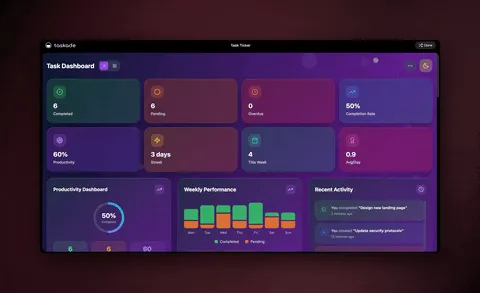
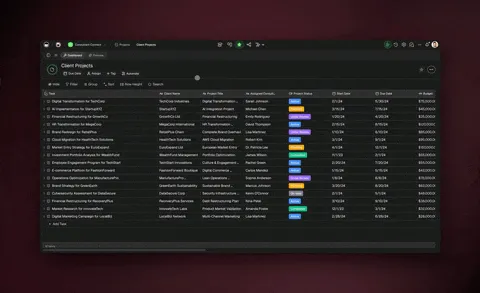
Here is the surface you are about to build, shown the way it actually looks inside Taskade.
┌────────────────────────────────────────────────────────────────────┐
│  Sales Pipeline   ›   Board view          ⌕ Search   ⚙ Automations  │
├────────────────────────────────────────────────────────────────────┤
│  New Lead (4)      Contacted (3)     Proposal (2)     Closed Won (2) │
│  ─────────────     ─────────────     ─────────────    ───────────── │
│  • Acme Co  92★    • Globex  78      • Initech  88     • Umbrella    │
│  • Hooli    71     • Soylent 64      • Wonka    81     • Stark Ind.  │
│  • Wayne    55     • Cyberdyne 60                                    │
│  • Pied Pip 40                                                       │
│  ─────────────                                                      │
│  [ + Add lead ]   AI agent: enrich + score on drop · ★ = fit score  │
└────────────────────────────────────────────────────────────────────┘
That little 92★ next to Acme Co was not typed by a human. An agent wrote it the second the lead landed. Let's build it.

What is an AI sales pipeline, in plain English?
An AI sales pipeline is a deal board where AI does the work between stages. A normal pipeline shows you columns like New Lead, Contacted, and Closed Won, and you drag cards across as deals progress. An AI pipeline adds three things on top: agents that enrich and score every lead, automations that move deals and send follow-ups, and a memory that makes each run smarter than the last.
The difference is who does the typing. In a traditional CRM, a rep looks up the company, guesses how good the lead is, and writes the first email by hand. In an AI sales pipeline, an AI agent does all three before the rep even opens the card. The rep spends their time selling, not researching.
| Job between stages | Normal CRM | AI sales pipeline |
|---|---|---|
| Look up the company | Rep does it manually | Agent enriches on arrival |
| Decide how good the lead is | Rep guesses | Agent scores against your rubric |
| Write the first follow-up | Rep writes from scratch | Agent drafts, you approve |
| Move the deal forward | Rep remembers to drag it | Automation moves it on a rule |
| Nudge a stale deal | Easy to forget | Automation pings after N days |
| Remember past context | Lives in someone's head | Stored as Workspace DNA |
You build all of this by describing it, not by configuring it. That is the part that makes it possible for a non-developer to ship one.
How do you build it from a single prompt?
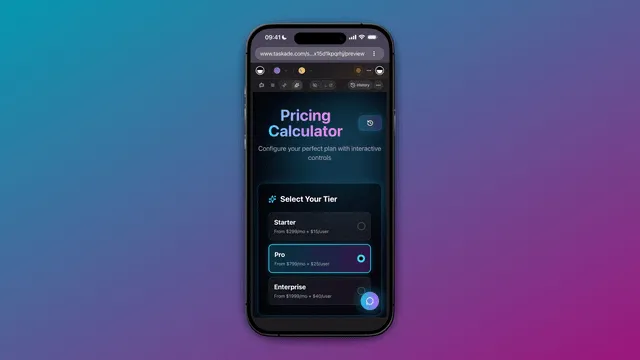
You build an AI sales pipeline by describing the outcome to Taskade Genesis and letting it assemble the app, the agents, and the automations. There is no canvas to wire and no schema to design. You write a few sentences about how your team sells, and Genesis returns a live, shareable app you can start using immediately.
Here is a prompt that produces the board above, almost verbatim:
Build me a sales pipeline app with a Board view.
Stages: New Lead, Contacted, Proposal, Closed Won.
Add an agent that enriches each new lead with company size and
industry, then scores it 0–100 on fit using this rubric:
mid-market SaaS = high, solo freelancers = low.
Add automations that move a lead to Contacted once it scores
above 70 and draft a first email, and that nudge any deal
sitting untouched for 3 days.
That single prompt creates four things at once: the Projects that hold your deals (the database), the Board view that displays them, the agent that scores leads, and the automations that move and nudge. This is the Genesis loop in action.
If you would rather not start from a blank prompt, you can clone a finished sales app from the Community Gallery in seconds and rename the stages to match how you sell. Cloning gives you a working pipeline you can study and reshape, which is the fastest path for most first-time builders.
How do AI agents enrich and score every lead?
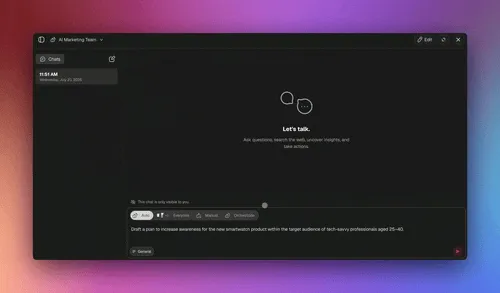
A scoring agent reads each new lead, pulls in the details that matter, and assigns a fit score so your reps work the hottest deals first. The moment a card lands in New Lead, the agent fires. It looks up the company, fills in size and industry, checks recent signals, and writes a number on the card. By the time a human opens it, the homework is done.
Taskade AI agents ship with built-in tools including web search, file analysis, custom slash commands, and persistent memory. For a sales pipeline, three of those tools do the heavy lifting:
| Agent | What it does | Tool it leans on |
|---|---|---|
| Research agent | Enriches a lead with company size, industry, and recent news | Web search |
| Scoring agent | Rates fit 0–100 against your rubric and explains why | Reasoning + memory |
| Outreach drafter | Writes a personalized first email from the enriched profile | File analysis + memory |
You can run these as one agent or split them across several. When a deal is big enough to need more than one perspective, you turn on multi-agent collaboration and let them work together in orchestration mode, a research agent gathers facts, a scoring agent rates the lead, and an outreach agent drafts the email, each handing off to the next.
Here is the handoff, step by step, the way it runs each time a lead arrives.
Because every agent has persistent memory, the system gets sharper over time. A lead the scoring agent rated highly that later closed becomes a reference point for the next similar lead. That memory is part of Workspace DNA, and it is the reason an AI pipeline beats a static CRM the longer you run it.
You can browse ready-made sales agents, a sales rep assistant, a cross-selling engine, a performance tracker, in the sales agents collection and drop one into your pipeline instead of writing it from scratch.
How do automations move deals and send follow-ups?
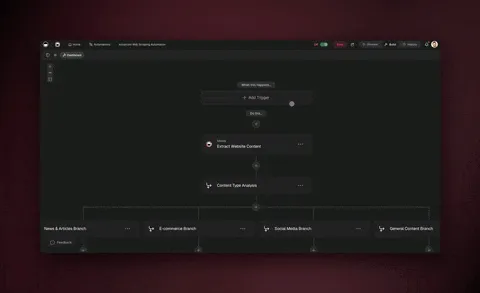
Automations watch your pipeline and act on changes so deals never stall and follow-ups never slip. You describe the rule once, "when a lead scores above 70, move it to Contacted and draft a first email", and the automation runs every time the condition is met, day or night, without anyone remembering to do it.
Taskade automations are reliable, durable workflows. They can branch (different paths for enterprise versus self-serve leads), loop (chase a list of contacts one by one), filter (ignore leads below your threshold), wait minutes to days (hold a nudge for 72 hours), and resume from the exact step that failed instead of starting over. A follow-up scheduled for Tuesday goes out on Tuesday even if a connected tool hiccups Monday night.
Here is the lifecycle of a single deal, expressed as the state machine your automations enforce.
A few of the automations operators wire most often:
| Trigger | Automation | Outcome |
|---|---|---|
| New form submission | Create a deal in New Lead | No manual data entry |
| Lead scored above 70 | Move to Contacted, draft email | Reps work hot leads first |
| Deal idle for 3 days | Send a nudge, ping the rep | Nothing falls through |
| Deal reaches Proposal | Post to the team channel | Everyone sees momentum |
| Stripe payment received | Mark deal Closed Won | The pipeline closes itself |
Because Taskade has 100+ bidirectional integrations, these automations reach your real tools. Triggers pull events in (a new order, a form reply, a calendar booking) and actions push data out (a Slack message, a logged note, an updated record). Native Shopify and Stripe support means a completed checkout can mark a deal won with no human in the loop, which is where "closes itself" stops being a slogan.
How the three layers reinforce each other
The pipeline gets stronger over time because its three layers feed one another in a loop. This is Workspace DNA: Memory, Intelligence, and Execution, each one making the next better.
- Memory is your data, the deals, contacts, and every interaction stored across your Projects.
- Intelligence is the agent layer, research, scoring, and outreach reading that memory.
- Execution is the automation layer, moving deals, sending follow-ups, syncing tools.
Memory feeds Intelligence. Intelligence triggers Execution. Execution writes new facts back into Memory. The loop compounds: every closed deal teaches the scoring agent, and every enriched lead makes the next draft sharper.
A spreadsheet or a static CRM has Memory but no Intelligence or Execution, so it never improves on its own. That is the structural reason an AI sales pipeline pulls ahead the longer your team uses it.
See every deal many different ways
Your pipeline is one set of deals you can look at through multiple project views, so each person works the way they think. The Board view is the default for dragging deals across stages, but the same data reshapes instantly:
| View | Who reaches for it | What it shows |
|---|---|---|
| Board | Reps working deals | Cards across pipeline stages |
| Table | RevOps cleaning data | Every field in rows and columns |
| Calendar | Reps with follow-up dates | Deals by next-action date |
| List | Anyone triaging | A fast checklist of open deals |
| Mind Map | Account planners | Deals branched by account |
| Gantt | Sales managers | Deal timelines toward close (Timeline lives inside Gantt) |
| Org Chart | Enterprise sellers | Buying committees by company |
Switching views never moves your data. It is the same pipeline, rotated to the angle the moment calls for. Leadership opens Gantt to see what closes this quarter while a rep stays in Board to work today's cards.
What it takes to run a team pipeline
A sales pipeline is a shared app, so the whole team can work in it at once with the right level of access. Taskade uses role-based access from Owner down to Viewer. RevOps owns the app, reps edit deals, marketing comments, and leadership views forecasts without ever touching a record. Real-time collaboration means two people can update the board simultaneously without overwriting each other.
When you are ready to put a customer-facing face on it, a partner deal room, a client portal, custom domains and built-in sign-in turn the pipeline into a branded app on your own URL. Those are available on the Business plan and above.
| Plan (annual) | Price | Good fit for |
|---|---|---|
| Free | $0 | Build and test your first pipeline |
| Pro (Popular) | $10/mo | A small sales team (up to 10 users) |
| Business | $25/mo | Custom domains + built-in sign-in |
| Max | $100/mo | High-volume teams and power users |
| Enterprise | $250/mo | Org-wide rollout and controls |
Most small sales teams run comfortably on Pro. You only step up to Business when you want the pipeline to live on your own domain behind a login.
A 5-step build plan you can finish today
Here is the full path, start to finish, the way David walked it.
- Describe the pipeline. Open Taskade Genesis and paste a prompt like the one above. Name your stages the way your team actually talks about deals.
- Wire the scoring agent. Tell the agent your fit rubric in plain English. Drop in a lead and watch it enrich and score in real time. Adjust the rubric until the scores match your gut.
- Add the movement automations. Set the score threshold that promotes a lead to Contacted, and the idle window that triggers a nudge. Run a test deal through every stage.
- Connect your real tools. Point your intake form, your team channel, and your payment tool at the pipeline so deals flow in and out automatically. Use native Shopify and Stripe for self-closing deals.
- Invite the team. Share the app, set each person's permission level, and pick the view they live in. You are working real leads on day one.
If step one feels like a blank page, clone a working example from the Community Gallery first, then reshape it with a prompt. Building from a finished app is faster than building from scratch, and you can change anything by describing the change.
Frequently Asked Questions
What is an AI sales pipeline?
An AI sales pipeline is a deal-tracking app where AI handles the work between stages. You see every deal on a Board view, agents enrich and score each new lead, and automations move deals and send follow-ups for you. With Taskade Genesis you build one from a single prompt, and 150,000+ apps have been built this way since launch.
Do I need to know how to code?
No. You describe the pipeline in plain English and Taskade Genesis builds the app, the agents, and the automations. The IT program manager in this guide shipped a production pipeline with no engineering team. Customizing your stages and scoring rubric is done in plain language too.
How accurate is the AI lead scoring?
Scoring is as good as the rubric you give it, and it improves over time. You define what a great lead looks like once, the agent applies it to every lead, and persistent memory means each closed deal sharpens the next score. You can review and override any score, and the agent learns from your corrections.
Can I move my existing deals in?
Yes. Import your current deals from a spreadsheet or another tool, and the pipeline picks them up in whatever stage you place them. Taskade's 100+ bidirectional integrations also let you sync from tools you already use, so you are not stuck copying records by hand.
What happens if an automation fails midway?
It resumes from the exact step that failed instead of starting over. Taskade automations are durable workflows, so a follow-up scheduled for Tuesday still goes out even if a connected tool was down Monday night. Nothing silently disappears, which is the difference between a reliable pipeline and a fragile one.
Can agents draft outreach emails for me?
Yes. An outreach agent reads the enriched lead profile and drafts a personalized first email in your tone. You approve or edit before it sends, and an automation handles the timing. With multi-agent collaboration, a research agent and a scoring agent can feed the drafter so the email reflects everything known about the lead.
How is this different from the AI CRM builders out there?
This is a build guide for the pipeline itself, not a ranking of tools. If you want to compare platforms, read the best AI CRM builders or build your own CRM versus paying for Salesforce. The short version: most CRMs store deals; this one works them for you.
Can I sell or share the pipeline as its own product?
Yes. Every app you build is living software with a live URL and built-in sign-in on every plan, plus custom domains on Business and above. Hand it to a client as a branded portal, publish it to the Community Gallery for others to clone, or package it as an app kit. It keeps running and stays editable by prompt.
How long until I am working real leads?
The same day. Building from a prompt takes minutes, and clones take seconds. Most of the first afternoon goes to tuning your stages, scoring rubric, and connected tools. After that you are working live deals, and the system gets smarter every time you close one.
Build it this afternoon
A sales pipeline used to mean a per-seat CRM, a long onboarding, and a list of fields you could not change. Now it means a few sentences and an afternoon. Describe the board, let the agents enrich and score, let the automations move deals and send follow-ups, and watch the loop tighten with every deal you close.
Start with a blank prompt in Taskade Genesis, or clone a sales app and reshape it to fit. Wire the agents from the sales agents collection, connect your tools through automations, and read the AI CRM builder guide when you want to go deeper. Your team can be working real leads before the day is out.
This is Workspace DNA at work: ▲ ■ ●, Memory feeds Intelligence, Intelligence triggers Execution, Execution writes back to Memory. Every closed deal makes the next one easier. Build your AI sales pipeline free →