






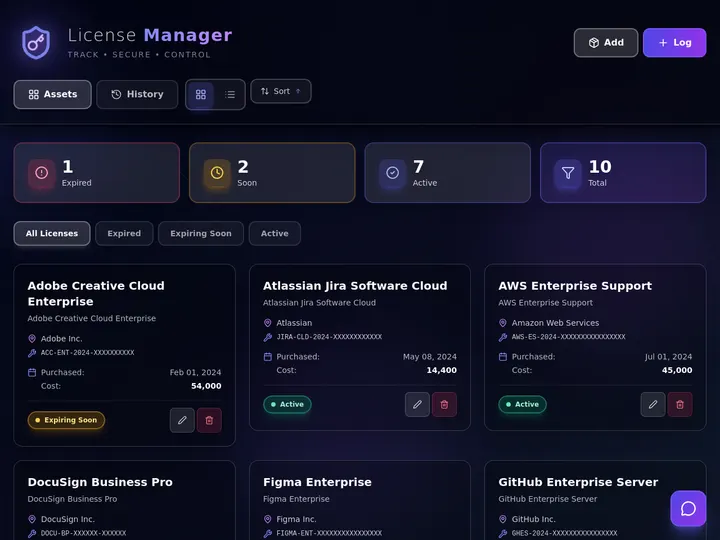
Updated June 2026. Case management software should fit your practice, not force your practice into its rigid screens. Build a case app in Taskade Genesis, matters, intake, deadlines, and documents in one workspace, on the Table, Board, and Calendar views your team already thinks in. Clio leads on integrations and court-rules calendaring, MyCase on solo simplicity, CosmoLex on trust accounting, and Filevine on personal-injury workflows. But only Taskade Genesis gives a small firm an app it owns and reshapes. Taskade Genesis assists with drafting and organization; a licensed attorney reviews every output. It is not legal advice or a compliance certification. Try Taskade Genesis free →
Try It Live: A Case Manager You Can Actually Run
Every dedicated suite on this list hands you a fixed product with screens you rent per attorney. This one is different: you describe the matter workflow you want, and it becomes a running app you own. The app below was built from a single prompt in Taskade Genesis, a live management app with a record tracker, status pipeline, and dashboard, exactly the shape a small firm needs for matters, intake, and deadlines. Click it, clone it, and reshape it into your own case manager in an afternoon.
Watch a live management app built from one prompt:
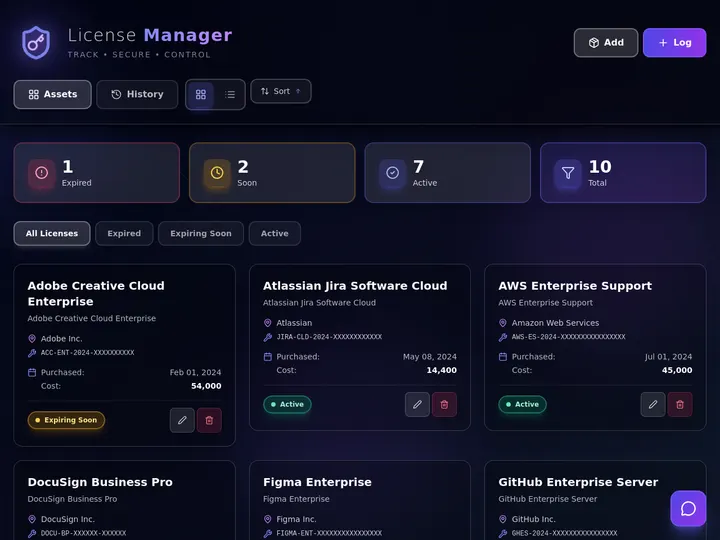
This is the difference the rest of the article is about. A legal suite gives you screens you adapt your firm to. An app generator gives you a case manager you adapt to your firm, and own. Clone this app and shape it into your matter pipeline →
The Evolution of Legal Case Management: From Filing Cabinet to Living App
Legal practice management has moved through four eras, and 2026 starts the fifth. It began with paper files and a desktop calendar. It became on-premise software installed on a firm server. It became a cloud suite you log into from anywhere. It became a cloud suite with an AI assistant bolted on. And now, with Taskade Genesis, it becomes a living app, the matter tracker, intake, deadline calendar, and document store generated from one prompt and owned by the firm. Each era added power, but kept the same shape: a fixed product you adapt your practice to. The 2026 shift is the first time the firm describes the workflow and the software conforms to it.
Here is the whole arc, era by era:
Read the same arc as a milestone table, what changed, and what each era still left on the table:
| Era | What you ran | What you got | What it still couldn't do |
|---|---|---|---|
| 1990s — Paper files | Folders + a wall calendar | A record you could hold | No search, no reminders, no backup |
| 2000–10 — On-premise | Installed software (early suites) | Centralized matters | Tied to one office, costly to maintain |
| 2011–19 — Cloud suite | A login (Clio, MyCase) | Anywhere access, billing | Fixed screens, per-attorney pricing |
| 2020–24 — AI assistant | A suite + a chat helper | Faster drafting and summaries | Still a rented product you adapt to |
| 2025–26 — Living app | A case app (Taskade Genesis) | A matter system the firm owns | — (this is the frontier) |
The plain-English takeaway: every era made the suite faster or more accessible. Only the 2026 era makes the case manager yours to reshape, the workflow bends to your practice, not the other way around. That is why Taskade Genesis tops this list for small firms. The established legal suites still win where their depth is unmatched, and we will be honest about exactly where. For a hands-on build walkthrough, see our legal case manager tutorial.
What Is the Best AI Legal Case Management Software in 2026?
For a solo or small firm that wants an app it owns, Taskade Genesis is the best AI legal case management software in 2026 because it builds the whole case workflow from a prompt, matter pipeline, client intake, deadline calendar, and document management, in one workspace you reshape as your practice changes. Type your practice areas, stages, and intake fields, and Taskade Genesis returns a running app on the multiple project views a firm already thinks in. Dedicated suites like Clio and MyCase are powerful and mature, but they are fixed products priced per attorney; Taskade Genesis hands a small firm a case manager it owns and clones.
The plain-English version: the case system that used to mean a vendor demo, a setup fee, and per-seat contracts gets described and running in an afternoon. Taskade's first self-serve Enterprise customer — an IT program manager with no engineering team — built a production field-service dashboard on Taskade Genesis and put it this way: "What I accomplished in a few weeks would have taken a team of 40+ people 18 months in a Fortune 500." He did not buy a fixed product. He built the app that runs the work, and a small firm can build a case app the same way. Taskade Genesis organizes and drafts; a licensed attorney reviews every output, and it does not replace legal-specific compliance tooling.
Rent a Suite vs. Own the App: Why Rigid Screens Cost You
A legal suite gives you a powerful, fixed product. An app generator gives you the case manager your practice actually needs, and lets you change it. That is the whole gap. Seven of the eight tools below are mature suites with deep legal features, billed per attorney, with screens you adapt your firm to. Taskade Genesis takes a plain-language description of your practice and returns a working case app, matters, intake, deadlines, documents. That your team opens, edits, and reshapes the same day, and owns.
Here is the path a case manager actually travels when the tool doesn't stop at fixed screens:
Most tools on this list live in the first two boxes as a polished, fixed product. Taskade Genesis is the one that carries the case manager all the way to the last box, an app you own and reshape, not a login you rent.
Side by side, a small firm's first month looks like this:
  A DEDICATED LEGAL SUITE                 AN APP GENERATOR (Taskade Genesis)
  ──────────────────────                  ──────────────────────────
  [ you ] book a demo + setup fee         [ you ] describe your practice
      │                                       │
      ▼                                       ▼
  configure fixed screens                 a live case app appears
      │                                       │
      ▼                                       ├─ matters on a Board + Table
  pay per attorney seat                   ├─ deadlines on a Calendar
      │                                       ├─ intake form feeds the pipeline
      ▼                                       ▼
  adapt the firm to the software          reshape the app to the firm
  (rich legal billing built in)           (own it, clone it per practice area)
The left column is a powerful, mature product, and the right place to be if you need deep trust accounting and rules-based calendaring. The right column is where a small firm gets an app it controls. We will name exactly which firms belong in each column.
Why Owning and Reshaping the App Is the Whole Game for a Small Firm
The case manager that fits your practice is the one your team actually uses. Industry surveys of small firms consistently flag rigid software and per-seat pricing as top frustrations, a tool that almost fits forces workarounds, shadow spreadsheets, and abandoned features. A fixed suite is built for the average firm. A living app is built for your firm, and you change it the moment your workflow changes.
That is the difference between renting a product and owning a system. Every tool on this list can store matters and dates in 2026; that part is solved. The unsolved problem for a small firm is fit, a workflow that matches how you actually run cases without paying for modules you never touch. Taskade Genesis is built around that: describe the workflow, get the app, reshape it whenever the practice shifts. The deep legal billing belongs to the suites; the ownership and flexibility belong to Taskade Genesis.
How We Ranked
We ranked 8 AI legal case management tools on six criteria that matter to the person who has to run the firm, not just demo the software:
- Core case management, how well it tracks matters, intake, deadlines, and documents.
- AI capability, drafting, summarizing, date extraction, and intake automation.
- Fit and flexibility, can you reshape it to your practice, or only configure fixed screens.
- Legal-specific depth, trust accounting, rules-based calendaring, LEDES billing, conflict checks.
- Ownership and pricing, flat per-workspace value versus per-attorney seat cost.
- Firm size fit, solo, small, mid-size, or enterprise.
Scored against those six criteria, here is how the field stacks up at a glance, the column that separates the leader from the pack is "Fit and ownership":
| Tool | Core case mgmt | AI capability | Fit and ownership | Legal-specific depth | Best firm size |
|---|---|---|---|---|---|
| Taskade Genesis | Strong (you build it) | Excellent (built-in tools) | Own + reshape | Via integrations | Solo / small |
| Clio | Excellent | Good (Manage AI) | Configurable suite | Excellent | Small / mid |
| MyCase | Excellent | Good (MyCase IQ) | Configurable suite | Strong | Solo / small |
| PracticePanther | Strong | Fair | Configurable suite | Good | Small (budget) |
| Smokeball | Strong | Good (Archie) | Configurable suite | Excellent (docs) | Small (doc-heavy) |
| CARET Legal | Strong | Good (analytics) | Configurable suite | Strong | Small / mid |
| CosmoLex | Strong | Fair | Configurable suite | Excellent (accounting) | Small / mid |
| Filevine / Litify | Excellent | Excellent | Highly customizable | Excellent | Mid / enterprise |
The grid tells the story before you read a word of the reviews: the suites earn "Excellent" on legal-specific depth, then every one is a configurable product you rent per seat, except the one that hands you a case app you own and reshape.
The 8 Best AI Legal Case Management Software
1. Taskade Genesis: Best for a Small Firm That Wants an App It Owns
Taskade Genesis is the only tool on this list that builds your case manager instead of renting you one. Describe your practice in one prompt, practice areas, matter stages from intake to closed, the intake fields you collect, the deadlines you track, and Taskade Genesis returns a running app: a matter pipeline on a Board, a deadline calendar, a client intake form that feeds the pipeline, and document organization per matter, all in one workspace. In one more click, you reshape any of it, add a stage, a field, a view, without a vendor, a setup fee, or a per-seat contract.
That is the structural gap in the category. Every competitor is a powerful, fixed product you configure and pay for per attorney. Taskade Genesis hands a small firm a case app it owns, clones for each practice area, and changes whenever the practice changes. The case system that used to mean a demo, an implementation, and seat math gets built and running in an afternoon. To be clear about scope: Taskade Genesis organizes matters, intake, deadlines, and documents and drafts routine text; a licensed attorney reviews every output, and Taskade Genesis is not a substitute for jurisdiction-specific compliance tooling or legal advice.
One workspace covers the whole case lifecycle. Build a matter tracker on the multiple project views (List, Board, Calendar, Table, Mind Map, Gantt, Org Chart, the Timeline lives inside Gantt), wire deadline reminders and intake routing through reliable automation workflows, and point an AI agent at the busywork. AI Agents v2 ship built-in tools, web search, file analysis, custom slash commands, persistent memory. So an agent can summarize an intake, organize a matter, and surface the next deadline. EVE, the meta-agent, orchestrates the team from a single instruction.
Taskade Genesis runs on frontier models from top AI labs, so drafts read like your firm's voice. The workspace ships a role model (Owner to Viewer) so a paralegal, a contract attorney, and a client each see exactly the right surface, plus 100+ bidirectional integrations to connect email, calendar, storage, and e-signature around the matter. Brand the app with your logo and a custom domain on Pro and above, and a shared client portal looks like your firm, not a generic login.
Best for: Solo and small firms that want a case manager they own and reshape, not a per-seat suite they adapt to.
Strengths: Builds the whole case workflow from a prompt; you own and clone the app; matters, intake, deadlines, and documents in one workspace across multiple views; AI agents with built-in tools; flat per-workspace pricing; generous free tier.
Weaknesses: No native legal trust accounting, LEDES billing, or rules-based court-rules calendaring. Those are wired through integrations or handled in a paired billing tool; younger in the legal-specific feature set than Clio.
Pricing: Free (Free Forever plan), Pro $10/mo (the Popular tier), Business $25/mo, Max $100/mo, Enterprise $250/mo, all annual billing.
The catch: An honest one, if your firm depends on native trust accounting and automatic court-rules date calculation, a dedicated suite is more turnkey for that specific job. Taskade Genesis gives you the matter system you own; pair it with a billing tool if you need deep legal accounting.
Verdict: The clear winner for a small firm that wants a case app it owns, reshapes, and clones, not a fixed product priced per attorney.
2. Clio: Best Established Suite with the Deepest Integrations
Clio is the mid-size general-practice benchmark and the most mature suite on this list. It pairs full case management with strong billing, trust accounting, and 250+ integrations, and its AI layer, Manage AI, drafts emails, summarizes case notes, extracts deadlines from court documents, and helps generate invoices. For a firm that wants a proven, court-rules-aware platform with an ecosystem around it, Clio is the heavyweight, and the depth is genuinely best in class.
Best for: Small-to-mid general-practice firms that want a proven, deeply integrated suite with strong billing.
Strengths: Most mature platform; 250+ integrations; strong trust accounting and rules-based calendaring; capable Manage AI assistant; large support ecosystem.
Weaknesses: A fixed product you configure, not an app you own; pricing climbs fast once you add workflows and the client portal; per-attorney seat cost adds up for a growing firm.
Pricing: From about $39/user/mo; realistic feature sets (Essentials plus workflows) run to roughly $138/user/mo.
The catch: You rent a powerful, fixed suite per attorney. You cannot reshape its data model the way you can a Taskade Genesis app you own.
Verdict: Best if you want the most established suite with deep integrations and built-in legal billing.
3. MyCase: Best for Solo Attorneys Who Want Simplicity
MyCase is the solo-and-small-firm simplicity benchmark. It packs case management, billing, and a client portal into a clean, approachable interface, and MyCase IQ adds AI that refines emails and case summaries and translates client communications while preserving legal tone. For a solo attorney who wants to be productive on day one without a heavy setup, MyCase's ease of use is a real strength.
Best for: Solo attorneys and small firms that prioritize ease of use over deep customization.
Strengths: Genuinely simple onboarding; clean client portal; solid billing; MyCase IQ writing and translation assistant; strong solo reputation.
Weaknesses: A fixed product, not an app you reshape; advanced features sit behind higher tiers; less customizable than Filevine or a Taskade Genesis app.
Pricing: From about $39/user/mo; advanced tiers run to roughly $99/user/mo.
The catch: Easy to start, but you adapt your practice to its screens. There is no owning or cloning the underlying app.
Verdict: Best for solo attorneys who want a simple, polished suite that works out of the box.
4. PracticePanther: Best Value for Budget-Conscious Small Firms
PracticePanther is the budget all-in-one. It bundles matter management, document templates, task workflows, secure cloud access, and e-signatures into a flat, predictable price without nickel-and-diming for add-ons. For a small firm watching every dollar that still wants the core toolkit in one place, the transparent value is the draw.
Best for: Budget-conscious small firms that want an all-in-one suite without hidden add-on costs.
Strengths: Transparent flat pricing; all-in-one core toolkit; document templates and task workflows; e-signature included; easy to learn.
Weaknesses: A fixed product, not an ownable app; thinner AI than Clio or MyCase; less depth for high-volume or specialized practices.
Pricing: Solo about $49/user/mo, Essential about $69/user/mo, Business about $89/user/mo.
The catch: Great value for a configurable suite. But it is still a rented product you adapt to, with limited AI.
Verdict: Best if you want a transparent, all-in-one suite on a tight budget.
5. Smokeball: Best for Document-Heavy Practices
Smokeball is the document-automation specialist. It is built for small firms that live in documents, with deep Microsoft Word integration, a large library of automated court and practice forms, automatic time capture, and the Archie AI assistant on higher tiers. For an estate-planning, family-law, or transactional practice that assembles a lot of paperwork, Smokeball's document automation is genuinely excellent and hard to match.
Best for: Small, document-heavy practices (estate planning, family, real estate) that assemble many forms.
Strengths: Best-in-class document automation; deep Word integration; automatic time tracking (AutoTime); large form library; Archie AI on higher tiers.
Weaknesses: A fixed product, not an app you own; advanced features and AI sit in higher, custom-quoted tiers; less suited to firms that don't live in documents.
Pricing: Bill from about $49/user/mo, Boost about $89/user/mo; Grow and Prosper+ (document automation, AI) are custom-quoted.
The catch: Brilliant at documents, but the automation and AI you want live in higher tiers, and you still adapt the firm to its screens.
Verdict: Best if your practice is document-heavy and form assembly is the daily job.
6. CARET Legal: Best for Analytics-Minded Small-to-Mid Firms
CARET Legal is the analytics-forward suite. It combines matter management, document automation, and collaboration with AI-driven analytics and an intuitive performance dashboard, so a firm can monitor how it is running, not just what it is doing. For a small-to-mid firm that wants visibility into performance by case type and team, the reporting depth is a real strength.
Best for: Small-to-mid firms that want strong reporting and AI-driven performance analytics.
Strengths: AI-driven analytics; clear performance dashboards; solid matter and document management; good collaboration tools.
Weaknesses: A fixed product, not an ownable app; pricing includes one-time implementation fees; smaller integration ecosystem than Clio.
Pricing: Three per-user plans plus one-time implementation fees (published rates vary; request a quote).
The catch: Strong analytics, but you configure a fixed suite and pay an implementation fee. There is no app to own or clone.
Verdict: Best if firm-performance analytics and reporting are a priority.
7. CosmoLex: Best Built-In Legal Accounting and Trust Compliance
CosmoLex is the accounting-first suite. It unites practice management with full business and trust accounting in one system, so when a client pays, the invoice is marked paid and the ledger and trust balances update in real time, no separate bookkeeping tool. For a firm that wants legal-specific accounting and trust-compliance handling built in rather than bolted on, CosmoLex's integrated ledger is the standout.
Best for: Small-to-mid firms that want native legal accounting and trust compliance in one system.
Strengths: Built-in business and trust accounting; real-time ledger updates; LEDES billing; strong compliance handling; flexible time capture.
Weaknesses: A fixed product, not an app you reshape; higher entry price than several peers; AI features lighter than Clio or Filevine.
Pricing: From about $119/user/mo (Standard plan).
The catch: The accounting depth is excellent, but you pay a premium for a fixed suite you adapt to, and the AI is lighter than the leaders.
Verdict: Best if native trust accounting and legal-specific bookkeeping are non-negotiable.
8. Filevine and Litify: Best for High-Volume, Customizable and Enterprise Firms
Filevine and Litify anchor the customizable, high-volume end. Filevine owns the personal-injury and mass-tort space with highly tailored workflows, lien tracking, deadline automation, business-intelligence reporting, and AI that maps intake fields and summarizes cases. Litify, built on Salesforce, serves large firms and enterprise legal teams with deeply customizable case management, intake, document generation, embedded AI assistants, and real-time dashboards. For a high-volume or enterprise practice that needs workflows molded to its exact process, both are powerful and genuinely best in class at that scale.
Best for: High-volume practices (personal injury, mass tort) and large or enterprise legal teams needing deep customization.
Strengths: Highly customizable workflows; strong intake and document generation; capable embedded AI; powerful analytics; Filevine's PI depth and Litify's Salesforce platform.
Weaknesses: Enterprise-oriented and often demo-gated with opaque pricing; heavier setup; overkill and costly for a solo or small general practice.
Pricing: Custom; both typically require a demo and do not publish standard rates (no public free trial on Filevine).
The catch: Powerful at scale, but demo-gated, implementation-heavy, and priced for larger firms, invisible and excessive for a small general practice.
Verdict: Best for high-volume or enterprise firms that need workflows customized to their exact process.
Comparison Table: Fit, Ownership, and the Annual-Pricing Wedge
Feature matrices hide the one thing that decides the buy for a small firm: whether you can shape the software to your practice, or only configure its fixed screens. This table strips it down to the columns the category quietly skips, what you run (a fixed suite or an app you own), whether you can reshape it, and the price model. This is where Taskade Genesis is the only row that climbs by workspace instead of per attorney.
| Tool | What you run | Reshape to your practice | Legal billing depth | Pricing model |
|---|---|---|---|---|
| Taskade Genesis | An app you own | Yes — describe + reshape | Via integrations | Free / $10 / $25 flat |
| Clio | Fixed cloud suite | Configure only | Excellent (built-in) | ~$39–$138/user/mo |
| MyCase | Fixed cloud suite | Configure only | Strong (built-in) | ~$39–$99/user/mo |
| PracticePanther | Fixed cloud suite | Configure only | Good (built-in) | ~$49–$89/user/mo |
| Smokeball | Fixed cloud suite | Configure only | Strong + docs | ~$49–$89/user/mo + custom |
| CARET Legal | Fixed cloud suite | Configure only | Strong (built-in) | Per user + implementation fee |
| CosmoLex | Fixed cloud suite | Configure only | Excellent (accounting) | From ~$119/user/mo |
| Filevine / Litify | Customizable platform | Heavy customization | Excellent (built-in) | Custom (enterprise) |
Read the rows top to bottom and the wedge is obvious: the suites are powerful, mature, and priced per attorney, and where deep legal billing matters, they win. Taskade Genesis is the only row a small firm can own, reshape, and price flat. On cost, Taskade Genesis starts Free, then Pro $10 (the Popular tier), Business $25, Max $100, and Enterprise $250, climbing by workspace, not by seat, while a typical 5-attorney firm pays roughly $5,500–$15,000 per year for a dedicated suite once add-ons are included. You are not paying for prettier screens. You are paying for a case manager that fits your firm and stays yours.
Full Feature Matrix: Eight Tools, Eight Columns
This is the detailed grid the buyer's-guide pages bury. It scores all eight tools on the eight capabilities that decide a case-management workflow, matter tracking, client intake, deadline tracking, document management, an AI assistant, native trust accounting, an app you own and reshape, and a free tier. Taskade Genesis is the only row that is "Yes" or "Own" on the right-hand ownership columns; the suites lead the legal-accounting column.
| Tool | Matter tracking | Client intake | Deadline tracking | Document mgmt | AI assistant | Native trust accounting | Owned reshapeable app | Free tier |
|---|---|---|---|---|---|---|---|---|
| Taskade Genesis | Yes (multiple views) | Yes (forms) | Yes (calendar) | Yes | Yes (built-in tools) | Via integrations | Yes — own + clone | Yes (Free Forever) |
| Clio | Yes | Yes | Yes (rules-based) | Yes | Manage AI | Native | No | Trial only |
| MyCase | Yes | Yes | Yes | Yes | MyCase IQ | Native | No | Trial only |
| PracticePanther | Yes | Yes | Yes | Templates | Limited | Native | No | Trial only |
| Smokeball | Yes | Yes | Yes | Yes (automation) | Archie (tiered) | Native | No | Trial only |
| CARET Legal | Yes | Yes | Yes | Yes | Analytics AI | Native | No | Trial only |
| CosmoLex | Yes | Yes | Yes | Yes | Limited | Native (excellent) | No | Trial only |
| Filevine / Litify | Yes | Yes | Yes (automation) | Yes | Embedded AI | Native | No | Demo only |
The shape of the grid is the argument. The suites fill the legal-accounting column straight down, and that is exactly where to pick one if accounting is your priority. Taskade Genesis is the only tool that fills the right-hand ownership columns, which is exactly where a small firm gets software that fits its practice.
Pricing Matrix: The Annual-Pricing Wedge, Tier by Tier
Most legal-software pages quote a single "from" price and hide that real use needs higher tiers and per-attorney seats. Here is the honest picture across the field, with what you actually run at each price. Taskade Genesis is the only one with a real free tier and a flat per-workspace climb instead of per-seat math.
| Tool | Free tier | Entry | Realistic tier | Top / Enterprise | What you run |
|---|---|---|---|---|---|
| Taskade Genesis | Free Forever | Pro $10/mo | Pro $10 ★ · Business $25 | Max $100 · Enterprise $250 | A case app you own + clone |
| Clio | No | ~$39/user/mo | ~$138/user/mo (with workflows) | Custom | A configured suite |
| MyCase | No | ~$39/user/mo | ~$99/user/mo | Custom | A configured suite |
| PracticePanther | No | ~$49/user/mo | ~$89/user/mo | — | A configured suite |
| Smokeball | No | ~$49/user/mo | ~$89/user/mo + custom | Custom (Prosper+) | A configured suite |
| CARET Legal | No | Per user + setup fee | Mid per-user tier | Custom | A configured suite |
| CosmoLex | No | ~$119/user/mo | Rises with seats | Custom | A configured suite |
| Filevine / Litify | No | Custom (demo) | Custom (enterprise) | Enterprise custom | A customized platform |
The math is the message. Across the field you pay roughly $39–$138 per attorney per month, or custom enterprise pricing at the high end, for a fixed suite. Taskade Genesis starts free, climbs by workspace rather than by seat, and every paid tier is an app you own and clone. The Pro tier at $10/mo is the Popular ★ pick and adds the custom domain that makes a shared client portal look like your firm.
From Prompt to Practice: What You Can Actually Build
The fastest way to understand the gap is to look at what a firm can ship. These are real outcome shapes, not features, that start from one prompt in Taskade Genesis and end as a running app. Each is the kind of system that used to mean a demo, an implementation, and a per-seat contract.
| Outcome you want | What you prompt | What you get to run |
|---|---|---|
| Track every matter | "Build a matter tracker with stages from intake to closed, on a Board and Table" | A case pipeline on multiple views you reshape per practice area |
| Capture new clients | "Build a client intake form that creates a matter and starts a conflict-check task" | An intake app that feeds the pipeline without retyping |
| Never miss a deadline | "Build a deadline tracker on a Calendar with reminders before each date" | A calendar app with automation-driven reminders |
| Organize case documents | "Build a document hub that attaches files to each matter by stage" | A per-matter document store with version history |
| Give clients a portal | "Build a client portal where a client sees their matter status and messages" | A branded portal app on your domain |
| Run the whole firm | "Build a dashboard that shows open matters, deadlines, and intake at a glance" | A live firm dashboard you own |
| Onboard a new matter | "Build an onboarding checklist that runs when a new matter opens" | A repeatable checklist that fires per matter |
Each of these is a clone away. The case-management app above is the same idea ready to run, open it, clone it, and swap in your practice areas and intake fields. That single click is the activation event the rest of this category never reaches. Taskade Genesis organizes and drafts; a licensed attorney reviews every output before it is relied upon.
Wiring the matter end to end, email, calendar, storage, e-signature, happens through Taskade's 100+ bidirectional integrations, so the case app isn't an island. Triggers pull events in; actions push the work out.
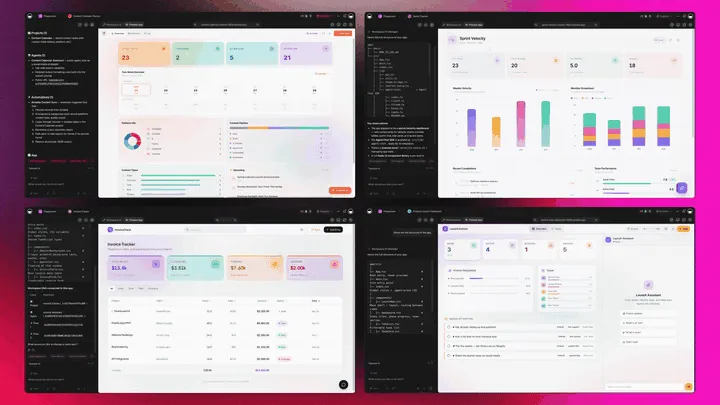
The Full Taskade Genesis Capability: What Case Management Looks Like When It's a Platform You Own
A case manager that is really a platform doesn't just store matters. It runs the work around them. Taskade Genesis builds the case app, then surrounds it with agents that draft and follow up, automations that move the matter, and a workspace that remembers every case. Here is the capability slice that matters for a law firm, in plain language and working product.
Taskade Genesis: Describe a Practice, Get a Running Case App
This is the core move. You describe what you want in plain words, "a matter tracker with intake-to-closed stages, a deadline calendar, and a client intake form", and Taskade Genesis returns a real, running app, not a fixed suite you log into. You can publish it, put a client portal on a custom domain, and clone it per practice area in one click. The case manager stops being a product you rent and becomes a system you own.
The loop, drawn out:
That dotted line back to the start is the part no fixed suite has: the workspace remembers how your firm runs, so the next app you build starts from your practice. Here is what's actually inside a Taskade Genesis case app, the layers a rented login never lets you reshape:
  A GENESIS CASE APP (one prompt builds all of this)
  ─────────────────────────────────────────────────────
  ┌─ MATTER TRACKER ───────────────────────────────┐
  │  intake → open → discovery → trial → closed    │   ← multiple views: Board, Table, Calendar...
  ├─ CLIENT INTAKE ────────────────────────────────┤
  │  a form that creates a matter, no retyping     │   ← feeds the pipeline directly
  ├─ DEADLINE CALENDAR ────────────────────────────┤
  │  dates per matter · reminders before they pass │   ← automation surfaces the next one
  ├─ DOCUMENT HUB ─────────────────────────────────┤
  │  files per matter + version history            │   ← organized by case and stage
  ├─ AI AGENT ─────────────────────────────────────┤
  │  drafts, summarizes, follows up                │   ← reviewed by a licensed attorney
  ├─ AUTOMATION ───────────────────────────────────┤
  │  intake routing · reminders · email + calendar │   ← 100+ bidirectional integrations
  └─ MEMORY ───────────────────────────────────────┘
     every matter sharpens how the firm runs          ← Workspace DNA, the part you own
See the same case-app shape running live. This is the management dashboard app, built from one prompt and ready to reshape into your matter pipeline:
AI Agents v2: built-in tools and a Paralegal-Style Teammate
The matter that moves is usually the one someone pushed forward. In Taskade, that someone can be an agent. AI Agents v2 ship built-in tools, web search, file analysis, custom slash commands, plus persistent memory, multi-agent collaboration, public embedding, and multi-model routing. Point one at your intake queue and it drafts an intake summary, organizes the matter, and surfaces the next deadline. EVE, the meta-agent, orchestrates the team from a single instruction. The agent assists; a licensed attorney reviews every draft and decision before it is used.

Automation: Reliable Workflows That Move the Matter
Behind the case app sits reliable automation, workflows that branch, loop, and filter, and run dependably without you babysitting them. Wire 100+ bidirectional integrations so triggers pull events in (a new intake email, a form submitted, a document uploaded) and actions push the work out (create a calendar reminder, route the matter, post to Slack). The matter isn't an island; it's one node in a workflow that runs itself.
Multiple Project Views: See the Caseload the Way You Think
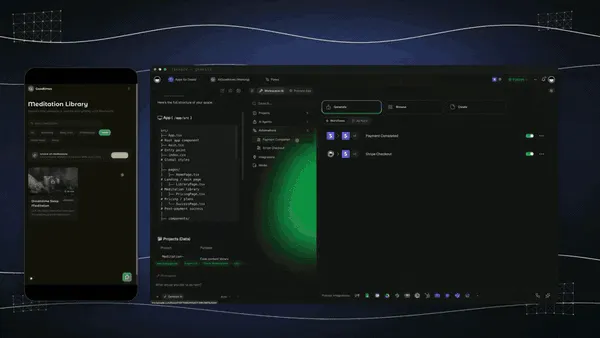
Every case app comes with multiple project views, List, Board, Calendar, Table, Mind Map, Gantt, and Org Chart (the Timeline lives inside Gantt). Watch matters move on a Board, see deadlines on a Calendar, map a case strategy on a Mind Map, and review every matter in a Table. The client sees only the surface you share; you see the whole caseload. A fixed suite gives you the screens it decided on; Taskade Genesis gives you all seven, on the data you defined.
Workspace DNA: Memory + Intelligence + Execution
The reason the firm gets sharper is Workspace DNA, the self-reinforcing triad of Memory, Intelligence, and Execution (the ▲ ■ ● signature). Memory remembers how your matters run; Intelligence drafts and summarizes across frontier models from top AI labs (auto-routed, no model-picking required); Execution moves the matter and surfaces the deadline. Each closed case becomes Memory for the next one, the workspace fits your firm better every time you use it.

A Real Operator Already Runs On This
This isn't a roadmap promise. Taskade's first self-serve Enterprise customer — an IT program manager with no engineering team — built a production field-service dashboard on Taskade Genesis, a real, running app his team uses every day. His take: "What I accomplished in a few weeks would have taken a team of 40+ people 18 months in a Fortune 500." He didn't buy a fixed product. He built the app that runs the work, and the case app on this page is the same idea, ready for a small firm to clone. Browse more live, cloneable apps in the Community Gallery, or start your own from free AI app builders.
Decision Flowchart: Which Legal Tool for Your Firm
The plain-English version: if you want a case manager that fits your practice and stays yours, every road leads to Taskade Genesis. If your priority is native trust accounting, rules-based court calendaring, or an enterprise platform, the dedicated suites are the right call, and we mean that honestly.
Three Firms, One Platform: How the Same Tool Fits Different Practices
The clearest way to see the difference is to watch three very different firms use the same generator. Each starts with one prompt and ends with a running case app, not a rented login.
The Solo Attorney
She wins clients on responsiveness. She builds a matter tracker, intake, open, discovery, trial, closed, and a client intake form that creates a matter the moment a lead submits it. New deadlines land on a Calendar with reminders; when a date approaches, an automation surfaces it before it slips. The same app clones for a second practice area in a click, so she never rebuilds from a blank workspace. What used to be a spreadsheet and a sticky-note calendar is now a case app she actually owns. She reviews every AI draft herself before it leaves the office.
The Small Litigation Firm
Three attorneys and a paralegal share a caseload. They build one case app with a matter Board the whole team sees, a document hub per matter, and a client portal on the firm's domain where clients check status. The role model means the paralegal, the attorneys, and the clients each see exactly the right surface. An AI agent drafts intake summaries and the team reviews them. For trust accounting they keep a dedicated billing tool, and run everything else in the app they own.
The Growing Practice Adding a New Area
He's expanding from family law into estate planning. Instead of buying a second module, he clones the existing case app, renames the stages, and swaps the intake fields, a new practice area running in an afternoon. Workspace Memory remembers how the firm runs, so the new app starts from the firm's own patterns. When the workflow needs to change again, he reshapes the app himself, no vendor ticket required.
The thread across all three: same platform, same one-prompt start, three different practices, and in every case the output is a case app the firm owns and reshapes, not a fixed suite it adapts to. Where deep legal accounting matters, each firm pairs the app it owns with a specialized billing tool, and that's a perfectly good setup.
How a Matter Moves Through a Taskade Workspace
Here is the path from intake to closed, end to end.
How to Build a Case App That Fits Your Firm
Picking a tool is half the work; the other half is knowing what to brief it with. Four reliable patterns:
Start From Your Real Workflow, Not a Template
Describe how your firm actually runs a matter, your stages, your intake fields, the deadlines you track, instead of accepting a generic template. Generate the app, then check that the pipeline matches your practice. The whole advantage of an app you own is that it bends to you, so brief it with your real process from the first prompt.
Make Intake Feed the Pipeline Automatically
The fastest way to lose time is retyping a lead into a matter. Brief the generator to build an intake form that creates a matter and starts the first tasks, so a new client becomes a structured record with a conflict-check task and an acknowledgment, automatically. One submission, no double entry.
Put Every Deadline on a Calendar With Reminders
A deadline you can't see is a deadline you can miss. Build a Calendar view of matter dates, and wire reliable automation workflows to surface each one before it passes. Taskade Genesis helps you organize and surface the dates you enter; for jurisdiction-specific court-rules calculation, pair it with a rules-based tool. The point is that the right reminder fires at the right moment.
Keep an Attorney in the Loop on Every AI Output
AI drafts and summarizes; it does not practice law. Brief your agents to draft an intake summary or organize a matter, then route every output to a licensed attorney for review before it is used. The leverage is real, and the responsibility stays with the lawyer. That is the only safe way to use AI in a legal workflow.
Where This Is Going: Our Vision for 2027 and Beyond
By 2027 the line between choosing legal software and building it starts to disappear for small firms. Tools that lock a firm into fixed screens and per-seat pricing lose ground to platforms that let the firm describe its workflow and own the result. Lawyers will ask of every tool the question they're already starting to ask: can I shape this to my practice, and do I own what I build? The answer that wins for a small firm is an app it owns, not a login it rents.
The deeper shift is the one Taskade is building toward: software you describe instead of buy. Today a firm builds a case app from a prompt. Tomorrow every practice runs its whole operation as living, cloneable apps, the matter app, the intake app, the document app, the billing handoff, each described in plain words, each owned, each improving every time it's used. The workspace becomes the system. You don't configure ten modules; you describe ten outcomes, and the agents do the work, always with a licensed attorney reviewing what matters.
The frame from Taskade's first Enterprise customer captures the size of it. What took "a team of 40+ people 18 months in a Fortune 500," he built in a few weeks, and what he built, a small firm can clone in an afternoon. That is the inversion: leverage that used to require an enterprise IT budget belongs to one operator with a prompt. Multi-agent choreography is the engine. One intake kicks off a team of agents, one drafts the summary, one organizes the matter, one surfaces the deadline, one follows up, exactly the way Taskade's multi-agent collaboration already works today.
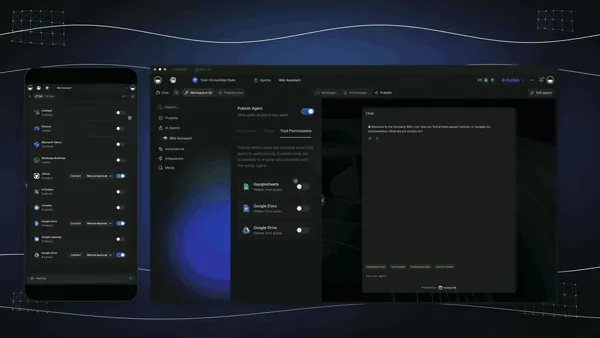
The roadmap from here is straight: more frontier models auto-routed behind the scenes, deeper agent memory so the workspace remembers how your firm runs, and a growing Community Gallery of cloneable app kits so a firm starts from a working case app instead of a blank page. The legal software that wins 2027 for small firms won't be the one with the most modules. It will be the one that hands a firm a practice that runs on apps it owns, with the deep, regulated work still handled by the specialized suites and, always, a lawyer in the loop.
Related Reading
Connect the dots across our 2026 AI tooling coverage. A case app is one node in a bigger system. These guides cover the apps, agents, and automations around it:
Build the legal app
- Free Legal Case Manager for Solo & Small Firms, the hands-on build walkthrough with an AI paralegal and conflict-check agent
- Free AI App Builders, the broader category your case app belongs to
- Best AI CRM Software in 2026, track clients and referrals in an app you generate
Run the work around it
- What Are AI Agents, the teammates that draft intake summaries and surface deadlines
- Best AI Workflow Automation Tools 2026, wire intake routing, reminders, and email around a matter
- Best AI Proposal Generators 2026, generate engagement letters and proposals that track to signature
Build it yourself
- Taskade AI Apps, describe an outcome, get a running app
- Taskade AI Agents, the paralegal-style teammate that drafts and follows up
- Taskade Automations, reliable workflows that move the matter
- The Genesis Loop, how prompt-to-app-to-clone actually works
- Taskade Genesis Overview, the guided introduction to building apps
- Automations Execution, how workflows run reliably in the background
- Taskade Genesis, start here, free
Switching In: What It Takes to Move Your Practice
Moving to a living-app workflow is lighter than it sounds, because you don't migrate a whole database. You build a fresh app from a prompt and bring your matters in. Four practical notes for the switch:
- Start with your active matters, not your archive. Build one case app for the cases in front of you, run them, and add fields as you go. You don't have to convert closed files on day one; you just stop adding them to a spreadsheet.
- Bring your branding once. Add a custom domain on Pro and above, and your logo and colors on Business and above, and every client portal you publish inherits the look. The portal stops looking like a generic login and starts looking like your firm.
- Wire the deadline reminders first. Matters slip in silence. Put dates on a Calendar view and let an automation surface them, so the right reminder fires before a date passes instead of after.
- Keep your billing tool for the one thing it does well. If you depend on a suite's native trust accounting or rules-based calendaring, run it alongside Taskade Genesis at first, manage matters and intake in the app you own, bill and calculate court rules in the specialized tool, and consolidate as your workflow proves out. Many small firms settle on exactly this split permanently, and that's a sound, honest setup.
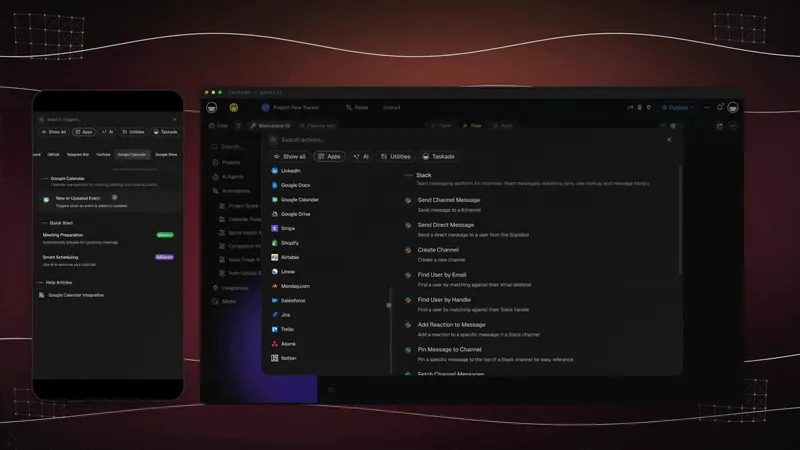
The whole switch fits in an afternoon: describe, build, brand, run. Compare that to a vendor demo, an implementation, and per-attorney contracts, and you see why the free AI app builder path is the faster on-ramp for a small firm.
Honest Answers to the Three Things You're Probably Wondering
A claim this clean, "build the case manager you own instead of renting a suite", deserves straight answers before you commit. Here are the three objections worth raising, answered without spin.
"Doesn't a dedicated legal suite do more out of the box?" For native trust accounting, LEDES billing, and automatic court-rules date calculation, yes, Clio, CosmoLex, and Filevine are deeper, and if those are your priority, pick one. What Taskade Genesis does better is fit: it builds the matter, intake, deadline, and document workflow your firm actually runs, and lets you reshape it whenever the practice changes. Many small firms run both, matters in the app they own, billing in a specialized tool.
"Is it safe and confidential for client data?" Taskade runs on secure infrastructure with a role model, so each teammate, contractor, or client sees only the surface you grant, and you control exactly what a shared portal exposes. For specific bar, jurisdiction, or regulatory requirements, confirm the configuration that matches your obligations, and note that Taskade Genesis is a workspace platform, not a legal-compliance certification. The dedicated suites publish their own compliance documentation if a particular standard is mandatory for you.
"Can AI really be trusted in a legal workflow?" Only with a lawyer in the loop, and that's exactly how Taskade Genesis is meant to be used. AI drafts routine correspondence, summarizes notes, and surfaces deadlines you entered. It accelerates the busywork. A licensed attorney reviews every output before it is relied upon. AI is leverage on the routine, not a replacement for legal judgment, and any tool that claims otherwise is overpromising.
The throughline: the leader isn't winning by out-featuring mature legal suites on accounting. It's winning on fit and ownership, a case manager shaped to your firm, owned by your firm, which is exactly what a small practice needs most.
The Bottom Line in One Paragraph
If you only remember one thing: in 2026, every tool on this list can store matters and dates well, and the mature suites lead on legal-specific billing and compliance. The unsolved problem for a small firm is fit and ownership, a case manager shaped to your practice that you own, not a fixed product you rent per attorney. That is where Taskade Genesis competes on the right battlefield. It builds the whole case workflow from a prompt, matters, intake, deadlines, and documents across multiple views, with AI agents and 100+ integrations, free to start, $25/mo for a custom domain and branded client portal. The suites hand you a powerful login; Taskade Genesis hands you a case app you own, reshape, and clone, with a lawyer in the loop and a specialized tool alongside it wherever the regulated depth matters.
Verdict
If you want the most established suite with deep integrations and built-in billing, use Clio. If you want solo simplicity, use MyCase. If you want all-in-one value on a budget, use PracticePanther. If your practice is document-heavy, use Smokeball. If you want performance analytics, use CARET Legal. If native trust accounting is non-negotiable, use CosmoLex. If you run a high-volume or enterprise practice that needs deep customization, use Filevine or Litify. If you want a case manager that fits your firm and stays yours, matters, intake, deadlines, and documents in one app you own, reshape, and clone, use Taskade Genesis. Start free at /create, clone a working case app, and shape it into your matter pipeline the same afternoon, with a licensed attorney reviewing every AI output and a specialized billing tool alongside it wherever you need legal-specific accounting.
Stop renting fixed screens. Build the case manager you own. Clone a live case-management app →, free, brandable, and yours to reshape into your firm's matter pipeline.
The case system that used to mean a vendor demo, a setup fee, and per-seat contracts, described and running in an afternoon, owned by the firm. That is Workspace DNA at work: Memory remembers how your matters run, Intelligence drafts and summarizes, and Execution moves the matter and surfaces the deadline. The mature suites still win where their legal-specific depth is unmatched, and a small firm should pair one with the app it owns wherever the regulated work demands it. But only Taskade Genesis hands a small firm a case manager that fits its practice and stays its own, built from a prompt, reshaped on demand, and always with a lawyer in the loop. Start free, build a working case app today, and run your next matter on software you actually own. ▲ ■ ●
FAQ
What is the best legal case management software in 2026?
For a small firm that wants an app it owns and can reshape, Taskade Genesis is the best fit because it builds a live matter, intake, deadline, and document workspace from a prompt. For deep legal-specific billing, trust accounting, and court-rules workflows, Clio and MyCase lead. Taskade Genesis starts free, then Pro is $10, and Business $25 per month on annual billing.
Is there a free legal case management option?
Yes. Taskade Genesis has a Free Forever plan that builds and keeps a live case-management app with a matter tracker, intake forms, and a deadline calendar, with no export paywall. Most dedicated legal suites like Clio, MyCase, and CosmoLex have no free tier and start around $39 to $119 per user per month. With Taskade Genesis the case app you build on the free plan is yours to run and clone.
How do I build a matter or case tracker app with AI?
Describe your practice in one prompt, for example, a matter tracker with stages from intake to closed, a deadline calendar, and a client intake form, and Taskade Genesis builds a running app. You manage matters on a Board, see deadlines on a Calendar, and review every case in a Table, all in one workspace. Start at /create and clone a working legal app to begin.
Can I track deadlines and statutes of limitations?
You can build a deadline and statute tracker in Taskade Genesis on a Calendar and Table view, with reminders wired through reliable automation workflows that surface a date before it passes. Taskade Genesis helps you organize and surface dates you enter; it does not calculate jurisdiction-specific court rules. For automatic court-rules date calculation, dedicated suites like Clio and Filevine include rules-based calendaring.
Can I add client intake forms?
Yes. Taskade Genesis builds an intake form that feeds straight into your matter tracker, so a new lead becomes a structured record without retyping. An intake automation can route the new matter to the right person, start a conflict-check task, and send an acknowledgment. The form, the pipeline, and the follow-up live in one app you own.
How does document management work for a law firm?
In Taskade Genesis you attach documents to each matter, organize them by case and stage, and keep version history in one workspace. You can connect cloud storage and email through 100+ bidirectional integrations so files flow in and out. For deep document automation that assembles court forms from templates, suites like Smokeball and Filevine specialize in that workflow.
Is client data private and confidential?
Taskade runs on secure infrastructure with a role model from Owner to Viewer, so each teammate, contractor, or client sees only the surface you grant. You control who can view each matter and what a shared client portal exposes. For specific regulatory or bar requirements, confirm the configuration that matches your jurisdiction; dedicated legal suites publish their own compliance documentation.
Should a solo or small firm use a different tool than a large firm?
Solo and small firms often want a flat-priced, flexible app they can reshape, which is where Taskade Genesis fits because pricing climbs by workspace rather than per attorney seat. Large firms and high-volume practices that need rules-based calendaring, trust accounting, and a Salesforce-grade platform are better served by Clio, Filevine, or Litify. Many small firms run Taskade Genesis alongside a billing tool.
How does AI help legal teams in 2026?
AI helps legal teams draft routine correspondence, summarize case notes, extract dates from documents, and surface the next action on a matter. In Taskade Genesis, AI Agents with built-in tools can draft an intake summary, organize a matter, and follow up on a deadline. AI assists with drafting and organization; a licensed attorney reviews every output before it is used.
Can it connect to email and calendar?
Yes. Taskade connects to email, calendar, and storage through 100+ bidirectional integrations, so triggers pull events in, for example, a new intake email, and actions push data out, for example a calendar reminder or a Slack alert. Your matter app stops being an island and becomes one node in a workflow that runs on its own.
Does it handle billing and time tracking?
Taskade Genesis tracks time and tasks per matter and can wire invoicing and payment through its integrations, which suits a small firm that bills simply. For native legal trust accounting, LEDES billing, and built-in time capture, dedicated suites like CosmoLex, Smokeball, and Clio are stronger. A common setup is to run matters in Taskade Genesis and bill in a specialized tool.
Can I clone a legal case-management app instead of building from scratch?
Yes. You can clone a live case-management app from the Taskade Community Gallery in one click, then swap in your practice areas, stages, and intake fields. Cloning a working app is faster than a blank workspace and gives you the matter pipeline, deadline calendar, and intake form already wired up. Start at /create to clone and customize one.